Manual, Copilot, Autopilot: Choosing the Right Autonomy Level for Email AI

The short answer
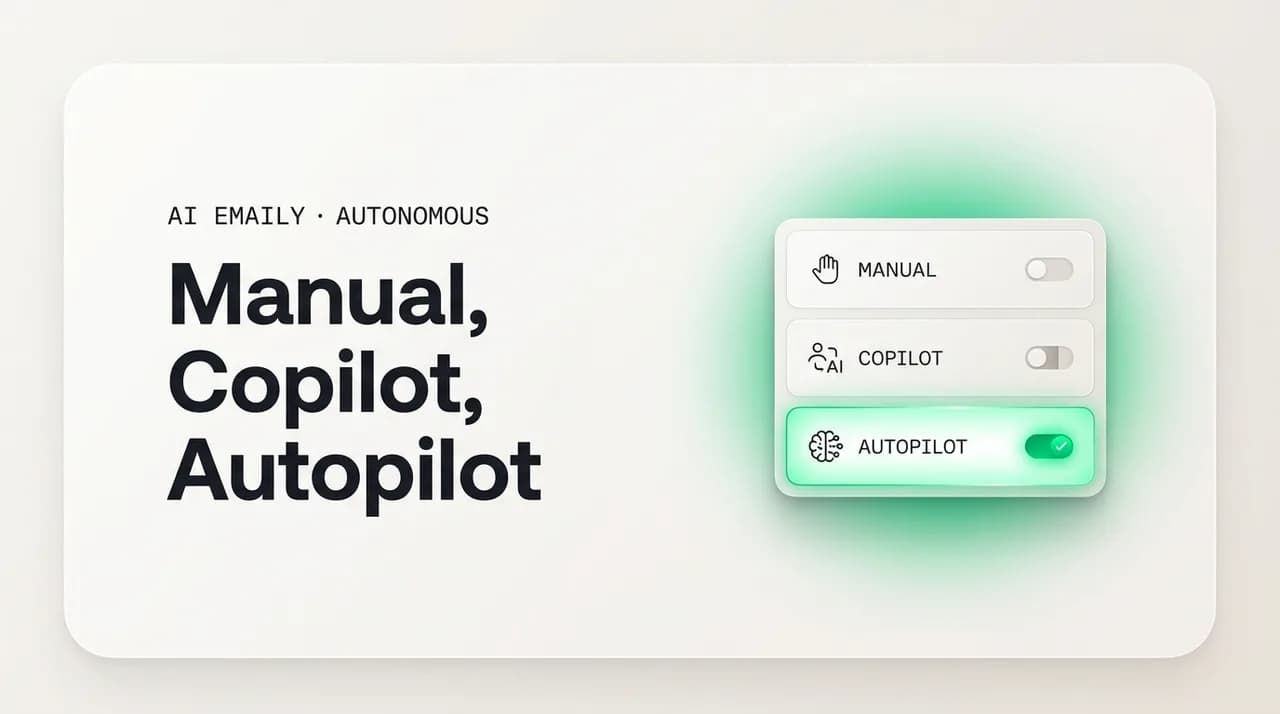
Email AI autonomy levels let you choose how much an agent does alone. Manual assists on your command. Copilot drafts and you approve before send. Autopilot sends within guardrails — confidence floor, allow-list, work hours, send delay, undo, audit. Set the level globally and per scope, and graduate it as trust is earned.
Email AI autonomy levels — Manual, Copilot, Autopilot — let you set how much an agent does alone, globally and per scope. Here is how to choose each.
On this page
- 01Why doesn't one autonomy setting fit every email?
- 02What are the three autonomy modes: Manual, Copilot, and Autopilot?
- 03What is Manual mode, and when is it the right level?
- 04What is Copilot mode, and why do most people live there?
- 05What is Autopilot mode, and what guardrails make it safe?
- 06How do the three modes compare side by side?
- 07How is this like the levels of self-driving autonomy?
- 08How do per-scope overrides let you run different modes at once?
- 09How do you graduate trust from one mode to the next?
- 10How AI Emaily's Manual, Copilot, and Autopilot work
- 11Which autonomy mode should you actually choose?
- 12Conclusion: three levels, one inbox, each kind of mail in its place
There is a quiet assumption buried in almost every conversation about AI and email: that you pick one setting — one level of trust, one amount of help — and apply it to your whole inbox. Either the AI is a careful assistant that hands you everything to approve, or it is an autonomous agent that runs the place. You choose a lane and you live in it. That assumption is the single most common reason people either under-use email AI (keeping it on a leash so short it barely helps) or get burned by it (handing it the keys before it earned them). Both mistakes come from the same error: treating autonomy as one switch.
It is not one switch. The mail in your inbox does not all carry the same stakes, the same reversibility, or the same need for your judgment. A scheduling reply to a teammate you message ten times a day and a first response to a major prospect are not the same kind of work, and it makes no sense to govern them with the same level of AI autonomy. The right model is not a single dial for your whole inbox. It is a set of distinct autonomy levels — and the freedom to apply different levels to different kinds of mail, raising each one only as the agent proves it can be trusted with it.
Most serious email AI now organizes that range into three named levels: Manual, where the agent assists but acts only on your command; Copilot, where it does the work and waits for your approval before anything is sent; and Autopilot, where it sends and acts on its own inside guardrails you set. They are not three products and not three competing philosophies. They are three rungs of a single ladder, the same agent operating at three trust levels, and the entire skill of using email AI well is knowing which rung each kind of mail belongs on — and being willing to leave plenty of your inbox on the lower rungs forever. If you are still deciding whether you want an agent that takes action at all, our overview of the autonomous email assistant is the right place to start; this guide assumes you do and focuses on how much to let it do.
This guide is about choosing well. We will define the three levels precisely and walk through each one — what it does, what it costs, and the kind of email it is right for. We will compare them side by side so the trade-offs are explicit. Then we will get to the two ideas that matter most and that most write-ups skip: per-scope overrides, the practice of running different levels for different senders and topics in one inbox, and graduating trust, the disciplined way you move a kind of mail up the ladder as evidence accumulates rather than on a hunch. We will borrow the one analogy that makes all of this click — the levels of self-driving autonomy — and we will be specific about how AI Emaily implements the whole model. By the end you should be able to look at any message in your inbox and know, without guessing, exactly how much you should let the AI do with it.
Why doesn't one autonomy setting fit every email?#
Start with the thing that makes email AI different from almost every other productivity tool: the cost of a mistake is wildly uneven across your inbox. A spreadsheet formula is right or wrong, and a wrong one is annoying. An email is different — a wrong reply to your co-worker is a shrug, the same wrong reply to a client is a problem, and a wrong message in a legal or financial thread can be genuinely costly and hard to walk back. The consequence of letting an AI act is not a property of the AI. It is a property of the specific message, the specific recipient, and how reversible the action is. Any model that ignores that and applies one trust level everywhere is mispricing risk on most of your mail.
There is a second uneven axis: how much judgment a message actually needs. A large share of email is repetitive and pattern-following — acknowledgments, confirmations, scheduling, routine status replies, the day-three nudge on a thread that went quiet. This work requires no fresh thinking each time and produces near-identical output whether you do it sharp at 9 a.m. or fried at 6 p.m. A much smaller share is genuinely novel and judgment-heavy — a delicate negotiation, a sensitive personnel matter, a first impression that has to land. The first kind is a perfect candidate for autonomy; the second is exactly the kind you should keep in your own hands. One global setting cannot tell them apart.
Put those two axes together — risk and reversibility on one, judgment required on the other — and you get a map, not a switch. In one corner sits the repetitive, low-stakes, easily-reversed mail where high autonomy is cheap and obviously worth it. In the opposite corner sits the novel, high-stakes, hard-to-undo mail where autonomy is expensive and rarely worth it. And in between sits a large middle where you want the leverage of AI doing the work but still want a hand on the outbound action. Three autonomy levels exist precisely because there are roughly three regions on that map, and the job is to place each kind of mail in the region it actually belongs to — not to pick one region for everything.
This is why the framing of "how much do you trust AI with your email?" is the wrong question. It implies a single answer. The right question is "how much should I trust the AI with this kind of email, to this kind of recipient, given how reversible the action is?" — and that question has a different answer for different slices of your inbox. The tiered model is just an honest acknowledgment that your inbox is not one thing, so the autonomy you grant it should not be one number.
Autonomy is a map, not a switch
What are the three autonomy modes: Manual, Copilot, and Autopilot?#
Before comparing the modes, it helps to define them cleanly, because the names are intuitive but the boundaries between them are precise. All three describe the same agent — the same underlying ability to read, understand, draft, and organize email — operating at three different levels of permission to act. What changes from one level to the next is not how smart the agent is. It is how much it is allowed to do without you, and where in the loop your approval sits.
The cleanest way to hold the three in your head is by the single question: when does a human touch the action? In Manual, a human starts every action — nothing happens until you ask. In Copilot, a human approves every action — the agent prepares everything and then waits for your yes before anything is sent. In Autopilot, a human bounds and supervises the action — you set the limits and the agent acts within them on its own, while you retain the ability to review, undo, and stop. Manual is human-initiated, Copilot is human-approved, Autopilot is human-bounded. That one distinction is the whole framework.
It is worth being explicit that these are levels on one ladder, not three separate tools you switch between. You do not adopt a new product to move from Copilot to Autopilot; you raise a setting on the same agent, on work it has already been doing well at the lower level while you watched. That continuity is what makes the ladder safe to climb: the agent that sends a confirmation autonomously on Autopilot is the identical agent that drafted that same confirmation for your approval on Copilot, which is the identical agent that suggested it on your command in Manual. More rope, same hands. The table later in this guide lays out the differences precisely; the next three sections take each level in turn.
What is Manual mode, and when is it the right level?#
Manual is the bottom rung of the ladder: the agent assists you but acts only on your explicit command. It can do almost everything the more autonomous modes can — read and understand a thread, draft a reply in your voice, summarize a long chain, suggest a follow-up, organize and label, surface what needs attention — but nothing it produces is sent, filed, or set in motion until you specifically tell it to. In Manual, the AI is a force multiplier for your own hands and nothing more. You remain the one who initiates every action; the agent makes each action faster and easier, but never starts one on its own.
It is tempting to read Manual as the timid choice, the setting for people who do not trust AI yet. That undersells it. Manual is genuinely the right permanent level for a meaningful slice of email — the mail where you want help thinking and writing but would never want a draft to leave without your eyes on it. Consider a sensitive reply to a frustrated customer, a carefully-worded message in a negotiation, a note to your board, anything legal or financial. For mail like this, the value of AI is in the assistance (a strong first draft, a tighter rewrite, a quick summary of the thread you are responding to), and the cost of any autonomy at all is unacceptable. Manual gives you the first without a grain of the second.
Manual is also where every kind of work begins, regardless of where it eventually lands. When you start using email AI on a new category of mail — or when you connect a new account, or take on a new kind of correspondence — Manual is the proving ground. It is where you watch the agent draft in your voice, learn your contacts, and demonstrate that it understands your priorities, all while you control every action. You cannot responsibly graduate a kind of mail to a higher autonomy level without first watching it perform at Manual, because Manual is where trust is built rather than spent. Think of it as the rung where the agent earns the right to be considered for the next one.
The practical signal that a category is ready to leave Manual is simple: you find yourself accepting the agent's drafts with little or no editing, consistently, over a stretch of time. When the agent's first draft is reliably the message you would have sent anyway, the assistance has done its job and the approval-shaped friction of Manual starts to feel like overhead rather than oversight. That is the moment to consider Copilot for that category — not before. Until then, Manual is doing exactly what it should: giving you the help while reserving every decision for you.
Manual is not the beginner setting — it is the right home for high-stakes mail
What is Copilot mode, and why do most people live there?#
Copilot is the middle rung, and for most people it is where the largest share of their email lives — often permanently. In Copilot, the agent does the work and prepares to act, then pauses for your approval before anything leaves. It drafts the reply and queues it for one click. It proposes the follow-up and waits. It readies the file-and-archive and holds. The thinking and the writing — the slow, effortful part — are done by the agent; what remains for you is a glance and a yes. This is the human-in-the-loop model in its cleanest form: full leverage on the work, a hand on every outbound action.
The reason Copilot is the natural home for so much mail is that it captures the great majority of the benefit of AI with almost none of the risk. The expensive part of email — composing a thoughtful reply, remembering to follow up, deciding what to do with a thread — is exactly what the agent takes off your plate. What it leaves on your plate is the cheap part: the final approval, a one-second confirmation that the prepared action is the right one. You are no longer writing every message; you are reviewing prepared messages and waving them through or correcting them. For mail that touches a real relationship or carries any weight, that final human checkpoint is not friction to be eliminated — it is the whole point, and Copilot is built around preserving it.
It is important to say plainly that Copilot is not merely a way station on the road to Autopilot. For a great deal of email, Copilot is the correct permanent setting, and there is nothing incomplete about an inbox that stays there. Client communication, anything where tone matters, correspondence with people you do not write to every day, messages where being wrong would be visibly awkward — all of this can sensibly live at Copilot indefinitely, because the value of your eyes on the outbound message never goes to zero. Treating Copilot as a failure to reach Autopilot is the same mistake as treating Manual as a failure to reach Copilot. Each level is a destination for the mail that belongs there, not just a stop on the way up.
Copilot also changes the texture of email work in a way that is easy to underestimate. Instead of a blank-page burden — every reply a small act of composition — your inbox becomes a queue of prepared decisions. The agent has already read the thread, understood what it needs, and drafted a response; your job shifts from author to editor-and-approver. That shift is where most of the felt relief of email AI comes from, and it arrives without you ever having to grant the agent the authority to send on its own. For anyone unsure how much autonomy they want, Copilot is almost always the right place to spend the most time: nearly all the leverage, none of the leap.
Copilot is the human-in-the-loop sweet spot
What is Autopilot mode, and what guardrails make it safe?#
Autopilot is the top rung: the agent sends and acts on its own, without requesting your approval for each action, operating instead inside a set of limits you configure in advance. The defining change from Copilot is the removal of the approval step — but only for the specific, bounded situations you have authorized. Autopilot does not remove your authority; it front-loads it. Instead of approving each message as it goes out, you approve a policy once — these kinds of replies, to these kinds of people, within these hours, above this confidence — and the agent applies that policy on its own, sending what fits and routing anything that does not fit back to you. It is the move from approving actions to bounding and supervising them.
The word that governs everything about Autopilot is bounded. An agent that can send anything to anyone at any time is not a feature; it is an unsupervised system writing in your name, which is precisely what nobody should deploy. Autopilot earns its place only because of the guardrails wrapped around it — the fence that makes autonomous action safe by keeping every mistake small, catchable, and recoverable. Six controls do that work, and they operate as a stack: a message has to pass through all of them to leave on its own, and can still be pulled back after. The principle behind all six is containment, not infallibility: the standard is not that the agent never errs, but that when it does, the blast radius is small and the error can be undone.
The confidence floor is the first filter: a certainty bar the agent must clear to act alone. Every time it considers an action it also gauges how sure it is, and above the bar it acts while below it it does not gamble — it drafts the response and routes it to you, exactly as in Copilot. This is what makes Autopilot conservative by design, automatically reserving the ambiguous, unusual, and high-stakes mail for you. The allow-list is the second: a roster of recipients the agent may act toward on its own — typically your routine, low-stakes contacts — with everyone else defaulting to drafted-and-approved. It is the guardrail that most directly limits the blast radius, because the cost of a mistaken email depends almost entirely on who receives it. Paired with a deny-list of your most sensitive relationships, it creates a clear map of where autonomy is allowed, withheld, and forbidden.
The remaining four controls handle timing and recovery. The work-hours window bounds when the agent may send autonomously — your actual working days and hours — so routine mail never lands at 3 a.m. and independent activity stays confined to the times you can notice it. The send delay holds each autonomous message for a brief buffer before it leaves, so a wrong one can be canceled on the way out. The undo window lets you recall a send for a set period just after it goes, so the rare mistake that slips the delay can still be reversed. And the audit log records every action the agent takes on its own — what it sent, to whom, when, and why — so nothing it does is invisible or unaccountable. Together these six are not optional extras bolted onto Autopilot. They are how Autopilot is defined. Strip them away and you do not have Autopilot; you have an unsupervised sender.
Above all of them sits one more control that every autonomous system needs: a kill switch. One tap pauses all autonomous sending at once, overriding every other guardrail and bringing independent action to a halt the moment you want it stopped, for any reason or none. You should rarely need it, but its existence is what makes hands-free operation psychologically safe — the same reason a power tool has an obvious off button. With the kill switch one tap away, Autopilot is never a runaway process; it is a process you have explicitly, continuously chosen to let continue, and can revoke from in a single action. For a fuller treatment of how this level works in practice, see our deep dive on AI email autopilot.
Autopilot is bounded autonomy, not blank-check autonomy
How do the three modes compare side by side?#
Seen together, the three levels form a clean progression along a single dimension — how much the agent does without you — with predictable trade-offs at each step. As you climb from Manual to Copilot to Autopilot, the agent's autonomy rises and your per-message involvement falls, while the importance of having good guardrails and a good audit trail rises to compensate. The leverage you gain at each rung is real, and so is the trust each rung requires; the art is matching the rung to the mail so you are never granting more autonomy than the situation can safely absorb.
The table below lays out the differences across the dimensions that actually drive the choice: who initiates the action, where your approval sits, what the agent is allowed to do alone, the guardrails in play, the ideal kind of mail, and the main risk if you place a category one rung too high. Read it not as a ranking — higher is not better — but as a key for placing each slice of your inbox. The right setup uses all three at once.
| Dimension | Manual | Copilot | Autopilot |
|---|---|---|---|
| Who initiates the action | You — the agent acts only on command | You approve; the agent prepares | The agent, within your limits |
| Where the human sits | Initiates every action | Approves every action before send | Bounds and supervises; reviews after |
| What the agent does alone | Nothing is sent or set in motion | Drafts, queues, proposes — then waits | Sends and acts inside the guardrails |
| Loop model | Human-initiated | Human-in-the-loop | Human-on-the-loop |
| Key guardrails | You are the only gate | Your approval on every send | Confidence floor, allow-list, hours, delay, undo, audit |
| Best for | Sensitive, legal, high-stakes, novel mail | Most mail — anything touching a relationship | Routine, low-stakes, recoverable, repetitive mail |
| Your effort per message | Highest — you do or trigger each action | Low — a glance and a yes | Near zero — you review in batches |
| Main risk if set too high | n/a — the safest level | A rubber-stamped approval you did not really read | An autonomous send on mail that needed judgment |
Higher is not better — matched is better
How is this like the levels of self-driving autonomy?#
The most useful way to make the three modes intuitive is the analogy almost everyone already understands: the levels of self-driving cars. The automotive industry does not describe vehicles as either "manual" or "self-driving." It uses a graded scale — from no automation, through driver assistance and partial automation, to conditional, high, and full autonomy — precisely because autonomy is not a binary that flips on overnight but a progression where the human's role changes at each step. Email AI autonomy works the same way and benefits from the same framing: not a leap from doing it yourself to handing over the keys, but a ladder where what you are responsible for shifts rung by rung.
The mapping is close enough to be genuinely clarifying. Manual is like driver assistance: the car helps — lane-keep, adaptive cruise — but you are driving, hands on the wheel, initiating and owning every maneuver. The assistance reduces effort without ever taking control. Copilot is like partial automation with the driver fully attentive: the system can handle the mechanics of a maneuver, but you are supervising in real time and your hands hover, ready to take over instantly — nothing happens that you are not actively approving in the moment. Autopilot is like conditional autonomy within a defined operating domain: inside the conditions it was built for, the system handles the driving on its own, and you shift from operator to supervisor — present, able to take back control, but no longer executing each action yourself.
Two lessons from the driving world carry straight over and are worth stating explicitly. First, the operating domain matters more than the autonomy level. A self-driving system is only trusted to act alone within the specific conditions it was designed and proven for — clear weather, mapped roads, known speeds — and it hands control back the moment it leaves them. Autopilot for email is identical: the agent acts alone only within its operating domain — high confidence, allow-listed recipients, work hours — and routes everything outside that domain back to you. Autonomy is never granted in the abstract; it is granted inside a bounded set of conditions. Second, even the most autonomous consumer systems keep a human able to intervene and keep a record of what happened. Nobody serious ships autonomy without a way to take back control and a log to review after. The kill switch and the audit trail are email's version of exactly that, and their presence is the signal that an autonomy offering is serious rather than reckless.
Operating domain over autonomy level
How do per-scope overrides let you run different modes at once?#
Here is the idea that turns three autonomy levels from a simple ladder into something genuinely powerful: you do not have to pick one level for your whole inbox. You can set a global default and then override it for specific scopes — particular senders, domains, topics, or kinds of mail — so that different slices of your inbox run at different autonomy levels simultaneously. This is the per-scope override, and it is the mechanism that finally matches the tiered model to the uneven reality of your inbox. One inbox, running at three speeds at once, with each kind of mail at exactly the level it has earned.
Think about what this makes possible. Routine confirmations and scheduling with your immediate team can run on Autopilot, because the work is formulaic, the recipients are routine, and a mistake is trivially recoverable. Client replies can run on Copilot, where the agent drafts everything and you approve each send, because those messages touch a relationship and your eyes are worth the second they cost. Anything legal, financial, or involving a sensitive personnel matter stays on Manual, where nothing moves without you. None of these settings interferes with the others. The agent applies the right level based on which scope a given message falls into — who it is from, what it is about, where it is headed — and you get autonomy precisely where it is cheap and caution precisely where it is expensive.
Scopes can be defined along whichever axis matches how you actually think about your mail. By sender or domain: this client always Copilot, this internal team Autopilot, this one contact always Manual no matter what. By topic or category: scheduling on Autopilot, anything mentioning pricing on Manual, support acknowledgments on Copilot. By relationship tier: your VIP list and biggest accounts permanently Manual or Copilot regardless of how routine a given message looks. Most people end up with a small number of scopes layered over a sensible global default — perhaps Copilot as the default, a handful of Autopilot scopes for the most routine flows, and a deliberately protected Manual zone for their most sensitive relationships. The result is a setup that fits the actual shape of their work rather than a single compromise that fits none of it.
Per-scope overrides also solve the problem that sinks every one-setting approach: the tension between coverage and caution. With a single global level, every step toward more autonomy is a step toward more risk on the mail that should not have it, and every step toward more caution is a step toward less help on the mail that could safely have more. There is no setting that is right for the whole inbox, so any single choice is wrong somewhere. Per-scope overrides dissolve the tension entirely — you turn autonomy up where it is safe without turning it up where it is not. The question stops being "how much do I trust this agent?" and becomes the far more answerable "how much should I trust it with this scope?"
How do you graduate trust from one mode to the next?#
If per-scope overrides decide where each kind of mail sits, graduating trust is the disciplined process of moving a scope up the ladder over time. Nobody should hand a category to Autopilot on day one, and a well-designed system does not ask them to. Instead you climb deliberately: start a scope low, watch the agent perform, and raise its level only when accumulated evidence — not optimism — says it has earned the next rung. This staged progression is not a marketing nicety; it is how autonomy is responsibly deployed everywhere it matters, from self-driving systems to enterprise AI governance. Start supervised, prove reliability on low-risk work, expand authority only as evidence accumulates.
The path for any new category runs the same way. Begin at Manual, where the agent assists on your command and you watch how it drafts, whom it understands, and whether it has your voice. When its drafts become consistently the message you would have sent — accepted with little or no editing over a real stretch of time — promote that category to Copilot. Now the agent prepares and you approve; the friction drops from composing to confirming, and you keep watching, this time noting whether your approvals are genuine reviews or have quietly become rubber stamps. When the approval click for a specific, bounded category has become a formality — when you realize you are clicking yes on messages you would never have changed — that is the evidence that the category is ready for Autopilot. You graduate not because you decided to trust the agent in the abstract, but because you watched it earn the promotion on that exact kind of mail.
The discipline that keeps this safe is to widen one dimension at a time and never several at once. When you move a scope to Autopilot, start it inside the strictest guardrails: a high confidence floor, a small allow-list, tight work hours. Then loosen a single dimension at a time as clean days accumulate — lower the floor a little, or add a contact category to the allow-list, or extend to an adjacent task type — but not all three together. Each loosening is a small, reversible experiment with a clear signal: if the autonomous sends stay correct, you have evidence to loosen further; if any are off, you have a small, contained problem you can learn from and tighten back. Trust in an autonomous agent should be a number you raise because it proved itself, never a hope you started with.
It is just as important to know that graduating trust is a two-way street. If a scope at Autopilot starts producing sends you would have changed, you move it back down — to Copilot, or to Manual — without ceremony or regret. Demotion is not a failure of the system; it is the system working, the same way taking back the wheel is not a failure of a driver-assist feature. The audit log is what makes this possible: by reviewing what the agent did on its own, you get the evidence to either widen a scope's autonomy or pull it back. Graduating trust, done right, is a continuous, evidence-driven calibration — each scope drifting up as it proves itself and down if it stops, with you reading the log and turning the dials. Most mature inboxes never reach a final state; they settle into a steady, well-matched blend that you adjust as your work changes. Our guide to undo and audit for AI email actions covers the review side of this loop in depth.
The table below summarizes the promotion path: what each move up the ladder is, the readiness signal that earns it, and how cautiously to start once you make it. Use it as a checklist rather than a schedule — the right pace is whatever the evidence supports, which for some categories is weeks and for others is never.
| Promotion | Readiness signal that earns it | How to start the new level |
|---|---|---|
| Manual to Copilot | Drafts accepted with little or no editing, consistently, over a real stretch | Let the agent prepare; keep genuinely reviewing each send, not rubber-stamping |
| Copilot to Autopilot | Approvals on a specific category have become a formality — you change nothing | Strictest guardrails first: high confidence floor, small allow-list, tight work hours |
| Widening an Autopilot scope | A stretch of clean, correct autonomous sends in the audit log | Loosen one dimension only — floor, allow-list, or task type — never several at once |
| Demoting any scope | Sends or approvals you would have changed start appearing | Drop a level immediately and without ceremony; tighten, then re-earn the rung |
Promote on evidence, demote without ego
How AI Emaily's Manual, Copilot, and Autopilot work#
AI Emaily is an AI-native email client built around exactly the model this guide describes: one agent that operates at three autonomy levels — Manual, Copilot, and Autopilot — set both globally and per scope, wrapped in guardrails, with undo and a full audit trail. The autonomy ladder is not a feature bolted onto an inbox as an afterthought; it is the core of the product, because we believe an autonomous email agent is only worth running if the fence around it is as well-built as the agent inside it, and only worth trusting if you can place each kind of mail at the level it has actually earned.
Manual in AI Emaily is the agent as a force multiplier under your full control. It reads and understands your threads, drafts replies in your voice, summarizes long chains, suggests follow-ups, and organizes your inbox — but nothing is sent or set in motion until you say so. It is the right home for your most sensitive, legal, or relationship-defining mail, and it is the proving ground where every new category starts so you can watch the agent before granting it any autonomy at all. Copilot is the human-in-the-loop level where most mail lives: the agent prepares everything — drafts the reply, queues the follow-up, proposes the file-and-archive — and then waits for your approval before anything leaves. You get nearly all the leverage of automation while keeping a hand on every outbound action, which for anything touching a relationship is frequently the right permanent setting rather than a stage to pass through.
Autopilot in AI Emaily means the agent sends and acts on its own only inside the full guardrail stack: a confidence floor it must clear to act alone, an allow-list of recipients it may act toward, work-hours windows that bound when it sends, a send delay before each autonomous message leaves, an undo window to recall a send just after it goes, and a complete audit log of everything it does. A message has to pass every one of those filters to leave on its own — and can still be pulled back after. The guardrails are not optional extras; they are how Autopilot is defined. Above them all sits a kill switch: one tap pauses all autonomous sending across every scope at once, the off button you should locate before you ever reach for the on switch, always one obvious tap away.
What makes the model practical is that the level is set per scope, not as one global switch, so your inbox runs at three speeds at once. Keep routine confirmations and scheduling to your team on Autopilot, client replies on Copilot where you approve each send, and anything legal or sensitive on Manual where nothing moves without you. Each category sits at the highest level of autonomy it has earned and no higher — and because it is the same agent at every level, graduating a scope from Copilot to Autopilot is a setting you change once you have the evidence, by watching it work, never a new tool you adopt or a switch you flip on faith. The audit log gives you the evidence to widen a scope's autonomy or pull it back, so the whole arrangement stays a continuous, honest calibration.
Two more things define how AI Emaily runs the autonomy ladder. First, it is universal: the same agent, the same three modes, and the same guardrails work across every provider — Gmail, Outlook, and any other inbox you connect — so your autonomy settings are tied to you, not to who hosts your mail. Second, it is private by design: your email is treated as sensitive throughout, message content is handled with care rather than mined, and the audit log means autonomous action is always something you can see and account for, never a black box operating in your name. Autonomy without visibility is not something we ship; the audit trail is part of what makes Autopilot trustworthy enough to turn on in the first place. The same three modes apply whether you connect Gmail or run it as an AI email assistant for Outlook.
Start free, set each scope to the level it earns
Which autonomy mode should you actually choose?#
The honest answer is that you should not choose one — you should choose all three, and assign each to the mail it fits. But if you are starting out and want a sane default progression, it is this: begin almost everything at Copilot. For the overwhelming majority of email, Copilot is the right balance from day one — the agent does the work, you approve each send, and you capture nearly all the benefit while keeping full control of what leaves. It is the level that is hardest to regret, and the one where you should expect to spend the most time, possibly forever.
From that Copilot baseline, carve in two directions. Carve down to Manual for your most sensitive scopes — legal, financial, board-level, emotionally charged, or relationship-defining mail, plus your VIP and major-account contacts — where you want the agent's drafting help but never want an action without your eyes. This is a protective carve-out, and you make it immediately, not as the agent fails but as a deliberate decision that some mail simply always deserves a human. Then, more slowly, carve up to Autopilot for your most routine, recoverable, repetitive scopes — internal confirmations, scheduling, standard nudges to known contacts — but only after you have watched the agent handle each in Copilot until the approval became a formality. The down-carve is made on principle and up front; the up-carve is earned on evidence and over time.
If you remember only one rule, make it this: the cost of placing a scope one level too low is a few extra seconds of your attention, while the cost of placing it one level too high can be a relationship, a deal, or an apology. That asymmetry should bias every borderline call downward. When you are unsure whether a kind of mail belongs at Autopilot or Copilot, choose Copilot. When unsure between Copilot and Manual, choose Manual. You can always promote a scope later when it earns it; you cannot un-send a message that went out under an autonomy level it had not earned. Caution is cheap, and it is reversible. Over-trust is neither.
Conclusion: three levels, one inbox, each kind of mail in its place#
The mistake that defines most people's relationship with email AI is treating autonomy as a single switch — one level of trust applied to a whole inbox that contains wildly different kinds of mail. The fix is the tiered model: three autonomy levels — Manual, where the agent acts only on your command; Copilot, where it prepares everything and you approve before send; and Autopilot, where it sends within guardrails you set — applied not uniformly but per scope, so each slice of your inbox sits at exactly the level it has earned. Autonomy stops being a number you pick once and becomes a map you draw across your mail.
Three ideas make that map work. Per-scope overrides let you run all three levels at once — Autopilot for the routine and recoverable, Copilot for anything touching a relationship, Manual for the consequential and sensitive — so you get autonomy where it is cheap and caution where it is expensive, with no single compromise that is wrong everywhere. Graduating trust lets you move each scope up the ladder on evidence rather than optimism, and back down without ceremony when it stops earning the level. And the self-driving analogy keeps the whole thing honest: autonomy is granted inside a bounded operating domain, never in the abstract, and always with a way to take back control and a record to review after. The guardrails and the audit trail are not the fine print of autonomy. They are what make it trustworthy enough to use.
AI Emaily was built to make this model the easy default: one agent at three autonomy levels, set globally and per scope, with the full guardrail stack on Autopilot — confidence floor, allow-list, work hours, send delay, undo, and audit — a one-tap kill switch above it all, across every provider, with your privacy treated as a requirement rather than a setting. If you want an inbox that runs the routine work on its own, prepares the rest for your approval, and never touches your most sensitive mail without you, that is exactly what choosing the right autonomy level — per scope, earned over time — is for. Start at Copilot, protect your sensitive scopes at Manual, and let the routine graduate to Autopilot when the agent proves it deserves the rope. Create your account at app.aiemaily.com/signup.
Frequently asked
See it in AI Emaily
Keep reading

Written by
Nafiul HasanNafiul Hasan is an entrepreneur and AI automation system builder with 10+ years of experience turning messy, manual workflows into reliable automated systems. He designs and ships AI enterprise solutions end-to-end — the agent logic, the data plumbing, and the product people actually use — and founded AI Emaily to give busy professionals their attention back. He writes here from the builder's seat: what works, what breaks, and how to put AI to work without giving up control.