Comparison of Top AI Email Platforms for Small Business

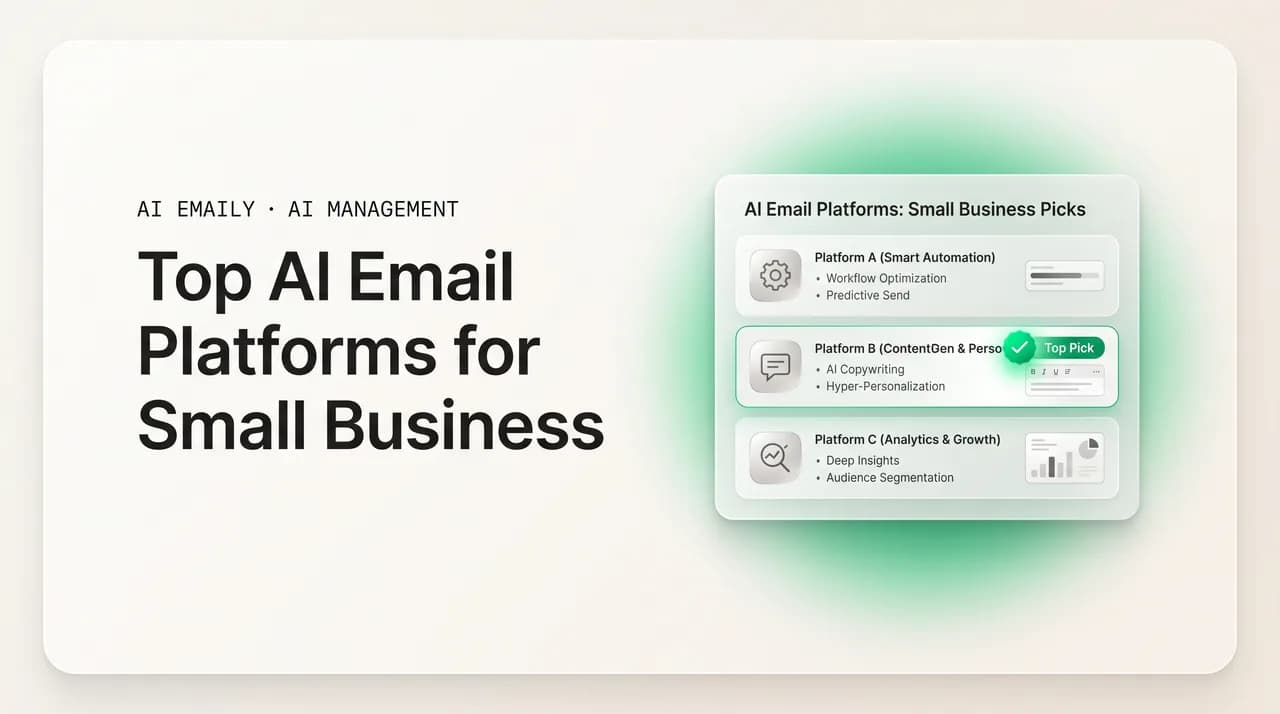
The short answer
To compare the top AI email platforms for small business, judge them on SMB criteria — predictable pricing, no-IT setup, shared inboxes, triage, drafting, follow-up, and privacy — not enterprise feature lists. This guide gives you a decision framework, a comparison-by-dimension table, and a map of which priorities matter for your business type. Always verify a vendor's current pricing and features.
Comparison of the top AI email platforms for small business: the SMB-specific criteria — pricing, no-IT setup, shared inboxes, triage, drafting, privacy — and how to choose.
On this page
- 01Why can't a small business use the same comparison as everyone else?
- 02What is the right framework for comparing AI email platforms?
- 03How do the platform types compare dimension by dimension?
- 04Which platform fits a solo owner or solopreneur?
- 05Which platform fits a small team with shared inboxes?
- 06Which platform fits a service business or an agency?
- 07Which platform fits an ecommerce small business?
- 08How does AI Emaily score on this framework?
- 09How should a small business actually run the comparison?
- 10Frequently asked questions
If you run a small business and you are shopping for one of the top AI email platforms for small business, the hard part is not finding options — it is comparing them honestly without getting lost in feature lists that were written for companies a hundred times your size. Every tool now claims AI. Every landing page promises to save you time. And almost none of them are upfront about the things that actually decide whether a tool works for a five-person company: what it really costs as you grow, whether you can set it up without an IT person, whether it handles the shared addresses where your customers reach you, and whether it keeps your mail private. The marketing optimizes for sounding impressive. Your job is to optimize for fit.
That gap matters because the cost of choosing wrong is high for a small business in a way it is not for a large one. A big company that buys the wrong email tool absorbs it — there is a budget line, an admin to reconfigure it, a team to work around it. A small business that picks wrong loses something it cannot get back: the time it spent setting up a tool it then abandons, the money on a subscription nobody uses, and the customers who slipped through a shared inbox while everyone was learning new software. You do not get many of these decisions, so the comparison has to be done on the right axes the first time.
The trouble is that most comparisons you will find online rank platforms on a generic scorecard — features, integrations, a star rating — as if every buyer were the same. A solo consultant and a ten-person agency and an ecommerce store with a flooded support@ inbox have almost nothing in common in what they need from AI email, yet they get pointed at the same list. A real comparison for a small business starts somewhere else: from your constraints. What is your budget, who is going to set this up, how many shared addresses do you run, and how much of your day is email actually eating? Answer those, and the list of tools that fit shrinks fast.
So this guide does not hand you a ranked list of named products with invented ratings — that would be dishonest, because pricing and capabilities change monthly and we cannot vouch for what a competitor ships this week. Instead we give you something more durable: a decision framework built on the criteria that matter for a small business, a comparison-by-dimension table you can run any platform through yourself, and a map of which dimensions to weight most heavily depending on whether you are a solo owner, a small team, a service business, an ecommerce store, or an agency. We build one of these platforms — AI Emaily — and we will say where it fits and where it does not, with the trade-offs on the record.
Read this alongside our deeper breakdowns if you want them — the platforms-compared piece and the top-platforms roundup go feature-by-feature, the worth-it analysis tackles the cost question head-on, and the broader guide to AI email management for small business covers the underlying problem this whole category is trying to solve. Here we stay focused on one job: giving a small business a fair, repeatable way to compare AI email platforms and pick the one that fits. Whatever you decide, verify the current pricing and feature details on each vendor's own page before you commit — including ours.
Why can't a small business use the same comparison as everyone else?#
Most AI email comparisons are written for an abstract buyer with an enterprise budget, an IT department, and a team large enough to justify any feature. That buyer does not exist at a small business, and comparing on their criteria leads you straight to tools that are wrong for you. A small business has a different shape entirely — fewer people, less money, no dedicated admin, and an owner who is personally answering customers — and that shape changes which dimensions actually matter. Three differences are worth naming before we build the framework, because they explain why the standard scorecard misleads you.
- Predictable cost matters more than raw capability. A large company can absorb a bill that swings with usage; a small business has to plan its month. A platform that prices the AI itself separately — say, charging per AI-resolved message — turns your single most useful feature into your least predictable cost, and that unpredictability is itself a reason to rule a tool out, even if the per-message rate looks small on the page.
- Setup effort is a make-or-break dimension, not a footnote. Enterprise comparisons treat onboarding as a one-time project handled by IT. A small business has no IT and no spare project. A tool that needs an admin to configure roles, routing, and rules before it helps is, for you, effectively non-functional — you will half-configure it and abandon it. "Works the afternoon you connect it" is a hard requirement, not a nice-to-have.
- Shared inboxes are central, not an edge case. The standard comparison focuses on the personal inbox. But the addresses where a small business actually meets the world — info@, sales@, support@ — are shared, and how a platform handles them (ownership, collision detection, in-thread coordination) often matters more than anything it does for your personal mail. A tool that nails personal-inbox AI and ignores shared addresses leaves your highest-stakes mail unmanaged.
- The downside of an AI mistake lands harder. At a big company, a wrong automated reply gets absorbed by process and a large team. At a small business, it lands directly on the customer relationship and your reviews. That makes control over when the AI acts — an approval gate, clear limits, an audit trail — a first-tier comparison dimension for you, even though enterprise scorecards treat it as a compliance checkbox.
Comparison criteria are not universal
There is a subtler reason the standard comparison fails a small business: it assumes you will use most of what you buy. Enterprise tools are deep on purpose, and a fair comparison for an enterprise rewards that depth. But depth you never touch is not a benefit to a small business — it is a tax. Every setting is something to understand and maintain, every feature is surface area for confusion, and a thousand-knob admin panel built for queues you do not run actively makes your daily experience worse. So when you compare, an honest small-business scorecard has to penalize unused complexity, not reward feature count. "Does the obvious right thing by default" should score higher for you than "has the most options."
The practical consequence is that you should distrust any comparison that ranks platforms by how many features they list. Feature count is the easiest thing to measure and the least useful thing to know for a company your size. What you actually want to know is narrower and harder to fake: how much of your inbox can this take off my plate, at a price I can predict, that I can set up myself, without putting a customer relationship at risk. The rest of this guide builds a framework around exactly that question — and then runs it as a table you can apply to any platform you are seriously considering, including the named tools you have already shortlisted elsewhere.
What is the right framework for comparing AI email platforms?#
A good comparison framework for a small business is short, weighted, and built from your constraints rather than a vendor's feature list. You do not need fifty criteria — you need the six or seven that actually decide fit, ranked by how much they matter to a company your size. Run every platform you are considering through the same set, score each dimension honestly, and the right choice usually becomes obvious because the weak fits fail on the dimensions you weighted most heavily. Here is the framework we recommend, in priority order, with what to look for in each.
- 1
1. Pricing model and predictability
Look past the headline number to how the AI itself is priced. Is the AI agent included in a flat per-seat price, or metered separately per message, per resolution, or per credit? For a small business, a predictable flat price almost always beats a lower sticker price with metered AI, because metered AI penalizes you for using the feature you bought. Score this first — it is the dimension a small business gets burned on most.
- 2
2. Setup effort and IT dependency
Ask the make-or-break question: can one non-technical person connect this to your existing mail and have it doing real work the same afternoon, with no admin, no migration, no rules to configure? If setup is a project, it is the wrong tool for a company with no IT. Connect-and-go is the bar; anything heavier is a tax you will not pay twice.
- 3
3. Provider coverage
Confirm it runs on the mail you actually use — Gmail and Google Workspace, Outlook and Microsoft 365, and standard IMAP — and on multiple providers at once. Small businesses frequently run a personal address on one provider and a shared address on another. A single-provider or Gmail-only tool forces a migration or leaves half your mail unmanaged. Universal coverage means you connect what you have.
- 4
4. The three core jobs: triage, drafting, follow-up
These are where an owner's day actually goes, so weight them heavily. Does it sort what matters from the noise, draft replies in your business's real voice (not generic boilerplate), and catch the follow-ups you would otherwise forget? A platform can score well on everything else and still fail here — and if it fails here, it does not save you time.
- 5
5. Shared-inbox handling
For any business with info@, sales@, or support@, score how the platform handles shared addresses: real shared view, automatic ownership, collision detection so no double-replies, status per thread, and a private side-channel so the team coordinates without forwarding. A tool that only manages personal mail leaves your highest-stakes addresses unmanaged.
- 6
6. Privacy and control over AI sends
Confirm three things in writing: your mail is not used as training data, it is not retained by the model provider, and you control when the AI acts (an approval gate by default, limits you set, and an audit trail). For a small business with no security team, the safe defaults need to be the product's, not your homework.
- 7
7. Trial path
Finally, can you prove it on your own real mail before paying — ideally a genuine free tier, not just a time-boxed trial that expires before you have learned anything? The best comparison is the one you run yourself on one inbox for a week. Weight a real trial path highly; it converts a guess into evidence.
Weight the framework before you score
One discipline makes this framework far more useful: score honestly, including against tools you like. It is tempting to inflate the score of the platform you are leaning toward, but the whole point of a framework is to catch the dimension you were about to overlook — the metered AI pricing you did not notice, the shared-inbox handling that turns out to be missing, the privacy answer the vendor would not give you straight. If a platform scores well on the dimensions you weighted lightly and poorly on the ones you weighted heavily, that is the framework doing its job. Trust the weights you set when you were thinking clearly, not the gut pull of a slick demo.
It also helps to write the scores down rather than holding them in your head, because the platforms blur together fast once you have looked at four of them. A simple grid — platforms down the side, the seven dimensions across the top, a score in each cell — makes the comparison legible and the decision defensible later. The next section gives you that grid as a capability comparison you can fill in for any vendor, framed around the two patterns a small business most often chooses between: a right-sized AI email platform built for your scale, and an enterprise-grade tool you would be shrinking to fit.
How do the platform types compare dimension by dimension?#
Rather than name competitors and assign ratings we cannot stand behind, the most honest and durable comparison is by capability pattern. Most platforms a small business considers fall into one of two camps: tools built for enterprise scale (full helpdesk suites and enterprise inboxes you would adapt downward) and tools right-sized for a small business from the start. The table below compares them on the framework dimensions. Run your own shortlisted, named platforms through the same rows — the pattern they match will usually be clear, and so will the fit.
| Dimension | Enterprise-scale tools | Right-sized AI email |
|---|---|---|
| Pricing model | Higher per-seat tiers; AI often a separate add-on or metered per resolution | Flat, predictable per-seat price with the AI agent included, not metered |
| Setup effort | Admin to configure roles, routing, rules; often a migration; days to weeks | Connect existing mail and go — minutes, no IT |
| Provider coverage | Often strong, sometimes ecosystem-leaning or support-channel-focused | Universal — Gmail/Workspace, Outlook/M365, IMAP, multiple at once |
| Triage / drafting / follow-up | Capable, but tuned for large queues; voice often generic out of the box | Tuned for an owner's day; drafting learns your real voice and facts |
| Shared inboxes | Deep, but usually a support silo separate from your everyday inbox | Personal and info@/sales@/support@ in one workspace, AI on top |
| Control over AI sends | Governance-grade, configured by an admin you don't have | Approval-first by default; autonomy you grant per category, audited |
| Trial path | Often sales-led; demos and trials over a true free tier | Free tier to prove it on one real inbox before paying |
The table is not an argument that enterprise tools are bad — they are excellent for the companies they were built for, with the staff and budget to make their depth pay off. It is an argument about fit. Read down the "enterprise-scale" column as a small business and you are reading a list of costs you would carry and capabilities you would mostly not use: the admin you do not have configuring the rules engine you do not need for the queues you do not run. Read down the "right-sized" column and you are reading the framework's dimensions answered the way a small business needs them answered. That contrast is the comparison, and it holds even though we have named no products.
When you drop your own shortlisted platforms into this grid, two things tend to happen. First, a tool that looked appealing on its landing page reveals a weak cell on a dimension you weighted heavily — metered AI, or no real shared-inbox handling, or a sales-led trial with no free tier — and quietly drops down your list. Second, the tools that survive cluster, and the choice narrows to two or three real candidates you can then trial. That is the framework converting marketing claims into a decision. The next sections make it concrete by mapping the dimensions to specific small-business types, because which cells matter most depends on what kind of business you are.
Read the AI pricing row most carefully
Which platform fits a solo owner or solopreneur?#
If you are a one-person business, the comparison simplifies, because some dimensions barely apply and others dominate. You have no team, so shared-inbox coordination — ownership, collision detection — is mostly irrelevant for now; you may run an info@ address, but you are the only one in it. What dominates instead is the personal-inbox core: triage that surfaces the few real messages from the noise, drafting that sounds like you so you are editing not authoring, and follow-up that catches what you would otherwise drop. Weight those, weight pricing, and weight the trial path — and weight shared inboxes lightly until you grow.
The pricing dimension for a solo owner is about right-sizing the plan, not just the platform. You do not need a team tier built for shared-inbox coordination you will not use; you need the full personal-inbox AI at an individual price. Many platforms — ours included — separate an individual plan from a team plan for exactly this reason, and paying for team coordination as a solo owner is a common, avoidable overspend.
Solo owners: the drafting test is everything
Which platform fits a small team with shared inboxes?#
Once more than one person touches the mail, the comparison shifts hard toward shared-inbox handling, and this becomes the dimension most likely to separate a good fit from a bad one. A small team running info@, sales@, and support@ together does not just need AI on a personal inbox — it needs the coordination layer: a true shared view everyone sees, automatic ownership so every message has exactly one person, collision detection so two people never double-reply to the same customer, and a private side-channel so the team can discuss a thread without forwarding it out and splintering the conversation. Score these heavily; a platform that is strong on personal AI and weak here leaves your customer-facing addresses as the same free-for-all they always were.
The second dimension that rises for a small team is voice consistency across people. On shared addresses, the customer should get the same tone and the same answers whether you, an employee, or the AI replies — inconsistency across teammates reads as disorganization. So when you compare, test whether drafting holds one learned business voice across the whole team, not just per-person. The pricing dimension also shifts: a team needs a per-seat tier, and this is exactly where the metered-AI trap bites hardest, because a team's shared inbox is high-volume and a per-message AI charge scales with that volume.
- 1
Test the shared view first
Connect a shared address in a trial and confirm everyone on the team sees the same live stream — new mail and every reply — in one place. If the platform's idea of "shared" is still forwarding or BCC, it fails the foundational dimension and the rest does not matter.
- 2
Provoke a collision
Have two people open the same message at once and check whether the tool warns before they both reply. Collision detection is the dimension that prevents the most embarrassing small-team failure — two contradictory answers to one customer in the same hour — and it is easy to verify in a trial.
- 3
Check ownership and coordination
Confirm the AI proposes an owner automatically and that the team can comment or @mention inside a thread privately, without forwarding. These two together turn a shared address from a free-for-all into an accountable workspace, and they are where most bare shared mailboxes fail.
- 4
Verify the AI pricing for team volume
Read the AI pricing row specifically for a team's volume. A flat per-seat price with the agent included keeps your bill predictable as the shared inbox grows; metered AI makes it a moving target. For a high-volume team inbox this dimension can dwarf the sticker price.
Where AI Emaily fits a small team
Which platform fits a service business or an agency?#
Service businesses and agencies share a comparison profile distinct from both the solo owner and the generic small team: their email is relationship-heavy and follow-up-critical, and the cost of a dropped thread is a lost client or a damaged retainer, not just an annoyed customer. For a service business — a contractor, a clinic, a studio, a professional practice — the dimensions to weight heaviest are drafting in a warm, on-brand voice (because the relationship is the product) and follow-up that never slips (because the quote you forgot to send is revenue walking away). Triage matters, but the differentiator is whether the platform turns your inbox into a place where opportunities wait or a place where you close them.
An agency adds a wrinkle: it often runs mail on behalf of clients, or coordinates a small internal team across many concurrent conversations, so shared-inbox handling and voice consistency both rise in weight, and so does the audit trail. An agency needs to know what was sent, by whom or by which AI action, and when — both for its own coordination and for client trust. So for an agency, weight shared-inbox coordination, one-consistent-voice drafting, and a complete audit of every AI action, alongside the follow-up the whole services model runs on.
Follow-up is the dimension services buyers underrate
Which platform fits an ecommerce small business?#
Ecommerce small businesses have the most lopsided comparison profile of all, because their email is dominated by a high-volume, repetitive support inbox: where is my order, can I return this, do you ship to my country, the same dozen questions answered for the thousandth time. That shape changes which dimensions decide fit. Triage and shared-inbox handling matter, but the dimension that separates a good fit from a great one for ecommerce is whether the platform can take the repetitive, low-stakes bulk off the team's plate entirely — drafting in your voice grounded in your real shipping and return policies, and, when you allow it, an agent that resolves the routine FAQs end to end under your control.
This is also the small-business type where the AI pricing dimension is most dangerous and the privacy dimension most important. Most dangerous, because an ecommerce support inbox is exactly the high-volume case where metered per-message AI pricing balloons — you would be paying more precisely because the AI is doing the job you bought it for. Most important on privacy, because the inbox holds order details and customer data, and an ecommerce store rarely has a security team to vet a tool. So weight: agent capability for routine volume, flat (not metered) AI pricing, and a clear no-training, you-control-it privacy posture with an approval gate before anything sends.
- Weight agent capability heavily — can the platform resolve routine FAQs (order status, shipping, simple returns) end to end, in your voice, grounded in your real policies, under limits you set? For ecommerce, this is the dimension that buys back the most time.
- Weight the AI pricing model heavily — a flat seat price with the agent included beats metered AI for a high-volume support inbox, where per-message charges scale with exactly the volume you want the AI handling.
- Weight privacy and control heavily — confirm your customer data is not training data, is not retained by the model provider, and that consequential sends pass an approval gate by default, with the autonomous agent acting only within categories you have decided are safe.
- Weight provider coverage normally — many ecommerce stores run support on one provider and the owner's mail on another; universal coverage lets you run both in one place without a migration.
- Test the agent on real tickets in a trial before trusting it — start everything approval-first, watch it handle a routine category well, then grant autonomy for that category. Never let a wrong order-status reply go out unattended on day one.
Ecommerce: where control over the AI matters most
How does AI Emaily score on this framework?#
Since we have asked you to run every platform through the same framework, it is only fair to run ours through it openly — strengths and trade-offs both. We build AI Emaily, so weigh this accordingly and verify the current details on our own pages; the point here is to show what honest, dimension-by-dimension scoring looks like rather than to declare a winner. AI Emaily is an AI-native email client built for the small-business shape: one workspace for personal and shared mail, across every provider, with triage, brand-voice drafting, follow-up, an optional agent for routine volume, and an approval-first posture by default. Here is how it lands on each framework dimension.
| Dimension | How AI Emaily scores | Honest note |
|---|---|---|
| Pricing model | Flat per-seat; AI agent (Autopilot) included in Team, not metered per message | Free, Pro $12.42/mo, Team $14.92/seat (annual); verify current pricing |
| Setup effort | Connect-and-go, no IT, working the same afternoon | You still invest a little time letting it learn your voice |
| Provider coverage | Universal — Gmail/Workspace, Outlook/M365, IMAP, multiple at once | Standards-based; confirm any unusual provider setup |
| Triage / drafting / follow-up | Core focus; drafting learns your real voice and facts; follow-up tracked | Voice quality improves over the first week or two as it learns |
| Shared inboxes | Real ownership, collision warnings, per-thread status, private side-channel | The full shared-inbox layer lives in the Team plan |
| Control over AI sends | Approval-first by default; autonomy granted per category; full audit | Autonomy is opt-in by design — not on out of the box |
| Trial path | Free tier to prove it on one real inbox before paying | Free tier is one account; shared inboxes need a paid Team seat |
Read honestly, that scorecard says AI Emaily is a strong fit for a small business on the dimensions a small business should weight most — predictable flat pricing with the agent included, no-IT setup, universal provider coverage, the three core jobs done well, real shared-inbox handling, and an approval-first privacy posture with a trial path that lets you prove it. The trade-offs are real and worth stating: it is built for the small-business shape, not the deep governance and rules-engine needs of a large enterprise support operation, so if you are actually a 200-person team with an admin and SLA dashboards, an enterprise tool is the better fit and we will say so. And the voice quality, while it learns fast, is at its best after a week or two, not the first hour.
The reason it scores the way it does is the starting assumption, which is the same thread running through this whole guide. Enterprise tools assume you have staff and an admin and make a small business shrink to fit. AI Emaily assumes you are a few people wearing every hat with no one to delegate to — so the AI is the thing you delegate to, the shared inbox and audit are there for when you grow, and the defaults do the obvious right thing instead of waiting for a configuration you have no time to do. If your weights match a small business's — and most of this guide argues they should — that is the camp worth trialing. Run the framework yourself, including against us, and let the scores decide.
How should a small business actually run the comparison?#
A framework only helps if you run it, so here is the concrete process — short enough that a busy owner will actually finish it. The goal is to convert a pile of marketing claims into two or three real candidates and then into one decision, on your real mail, in about a week. Resist the urge to over-research; three platforms scored honestly beats ten skimmed. And before you commit to any of them, confirm the current pricing and feature details on the vendor's own page, because this category changes fast and a comparison written last quarter — including ours — may already be stale.
- 1
Set your weights first
Before looking at any platform, decide which two or three of the seven framework dimensions matter most for your business type — solo, team, service, ecommerce, agency — using the maps above. Write the weights down. This is what keeps a slick demo from pulling you off the dimensions that actually decide fit.
- 2
Shortlist to three on paper
Run your candidate platforms through the comparison table using their own pricing and feature pages. Most will fail a heavily weighted dimension — metered AI, no shared inboxes, no free tier — and drop out on paper before you spend a minute trialing them. Aim to get to three real candidates.
- 3
Trial all three on one real inbox
Connect each to one genuine inbox — ideally the same one, in turn, or your highest-volume address — and use it for real for a few days. Judge triage on whether the right messages surface, drafting on whether you would send with a light edit, and shared-inbox features by actually provoking a collision if you have a team.
- 4
Score with your weights and decide
Fill in the grid for each trialed platform, multiply by your weights, and let the numbers talk. The honest scorecard usually makes the choice obvious because the weak fits fail where you cannot afford failure. Then verify the winner's current pricing one more time before you commit.
The one-week comparison beats the all-day research binge
Frequently asked questions#
The questions small-business owners ask most when comparing AI email platforms — on criteria, pricing models, setup, shared inboxes, privacy, and how to actually choose without getting lost in feature lists.
Frequently asked
See it in AI Emaily
Keep reading

Written by
Nafiul HasanNafiul Hasan is an entrepreneur and AI automation system builder with 10+ years of experience turning messy, manual workflows into reliable automated systems. He designs and ships AI enterprise solutions end-to-end — the agent logic, the data plumbing, and the product people actually use — and founded AI Emaily to give busy professionals their attention back. He writes here from the builder's seat: what works, what breaks, and how to put AI to work without giving up control.