The Best AI Email Assistant for Gmail in 2026 (Triage, Draft, and Done)

The short answer
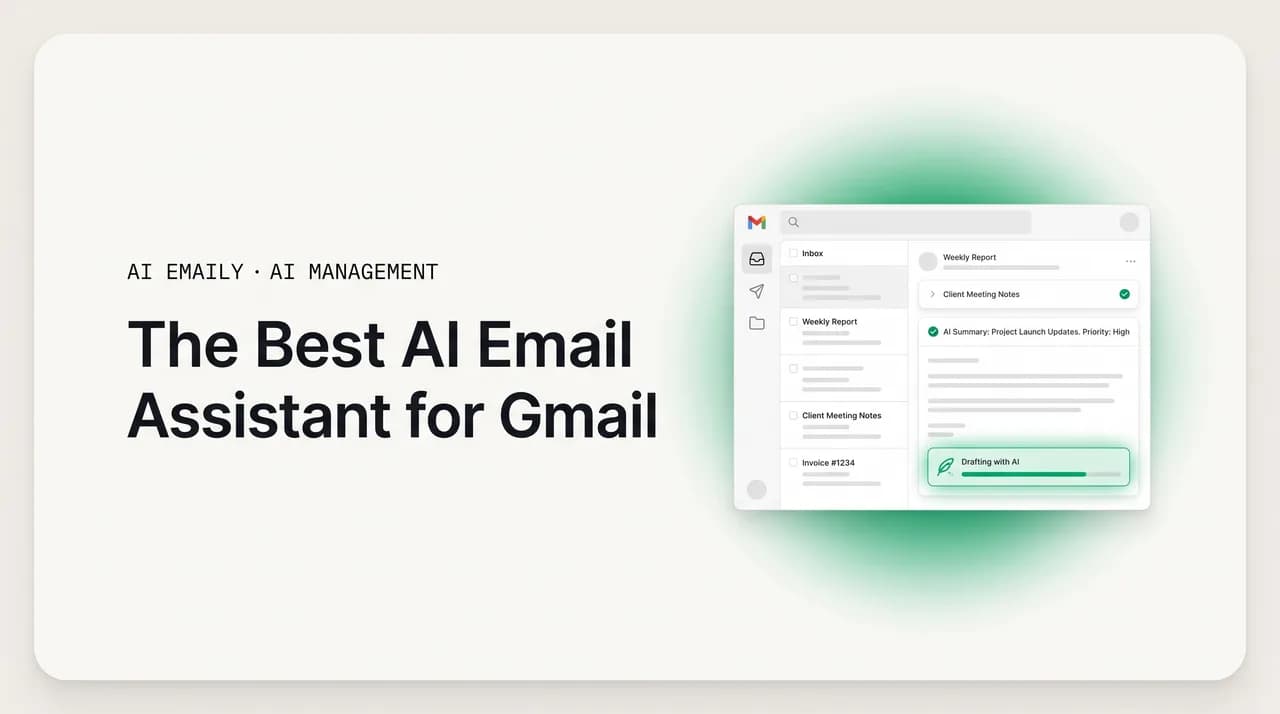
An AI email assistant for Gmail should triage your inbox, draft replies in your voice, and chase follow-ups — not just write text you paste in. Gmail's built-in Gemini summarizes and drafts but does not act across accounts. For an assistant that triages, drafts in your voice, and runs follow-ups on autopilot, AI Emaily is the pick.
The best AI email assistant for Gmail in 2026, compared: Gemini, Shortwave, Superhuman, Fyxer, and AI Emaily on triage, voice, autopilot, and price.
On this page
- 01What should an AI email assistant for Gmail actually do?
- 02What can Gmail's built-in AI (Gemini) actually do?
- 03Is Gemini in Gmail private enough to trust with your inbox?
- 04What are the third-party AI assistants for Gmail?
- 05How should you judge an AI assistant for Gmail?
- 06Which is the best AI email assistant for Gmail? The full comparison
- 07Why is AI Emaily the best AI assistant for Gmail?
- 08How do you set up an AI email assistant with Gmail?
- 09When should you use Gmail's own tools versus a dedicated assistant?
- 10The bottom line on the best AI email assistant for Gmail
If you run your life out of Gmail, you have almost certainly typed some version of "best AI email assistant for Gmail" into a search box this year — and gotten back a wall of confident, contradictory answers. Google says the assistant is already built in: Gemini, sitting right there in your inbox. A review site says it is Shortwave. The next one says Superhuman. A fourth points at Fyxer, a fifth at a tool you have never heard of. They are all describing real products, and they are all answering slightly different questions, which is exactly why the list never resolves into a decision you can act on.
This guide resolves it. The goal is not to crown one tool for everyone — it is to give you a way to tell, in about five minutes, which assistant fits how you actually use Gmail, and then to be honest about which one wins on the criteria that matter most. We will define what an AI email assistant for Gmail should actually do, look hard at Gmail's own built-in AI and where it stops, survey the serious third-party options, score everything on one fair table, and then make the case for the approach we think wins for most people who live in their inbox.
A note on honesty before we start, because you should know where this is coming from. We build AI Emaily, an AI-native email client and autonomous assistant. So yes, we have a horse in this race, and we will make the case for it plainly. But the case rests on a comparison table that is on the record — including the columns where Gmail's own Gemini and the other tools clearly win. If a Gmail-only summarizer is all you need, this guide will tell you that and send you on your way. The point is to match the tool to the job, not to win an argument.
Here is the distinction that makes the whole topic click, and that most reviews skip. There are two completely different things people mean by "AI for Gmail." The first is help writing the words — summarize this thread, draft this reply, fix this tone. Gemini does this, and so does every chatbot you can paste an email into. The second is help getting the email done — triage the whole inbox so you are not reading from zero, draft replies that already sound like you, chase the follow-ups you would otherwise forget, and act on the routine messages without you touching each one. That second job is where the assistants genuinely diverge, and it is where the deciding factors live.
By the end you will know what to demand from a Gmail assistant, what Gemini can and cannot do, how the third-party tools stack up, and which one we would put on a real working inbox — yours included. Let's start with the job description, because you cannot pick the best assistant until you know what the assistant is for.
What should an AI email assistant for Gmail actually do?#
An AI email assistant for Gmail is software that connects to your Gmail account and helps you process mail faster — somewhere on a spectrum from "writes a draft when you ask" to "runs the routine parts of your inbox for you." The phrase covers a lot of ground, from a button inside Gmail that fixes your grammar to a full autonomous agent that triages, drafts, and follows up. The reason the shopping experience is so confusing is that all of these get marketed with the same three words, even though they solve very different problems.
So before you compare products, get specific about the work you want handled. In practice, almost everyone who searches for a Gmail assistant wants some combination of four jobs, and the right tool depends entirely on which of the four is your real bottleneck.
Triage. The biggest time sink in Gmail is not writing — it is deciding. Every morning you open an inbox stuffed with newsletters, receipts, notifications, cold pitches, and a handful of messages that genuinely need you, and you burn real attention sorting the signal from the noise before you have done a single useful thing. A good assistant triages for you: it reads what came in overnight, separates what matters from what does not, surfaces the few threads that need a human, and quietly handles or files the rest. You should be able to open Gmail and see a short, ranked list of what actually needs you, not a wall of 80 unread.
Drafting in your voice. Writing replies is the second tax. A useful assistant drafts the routine ones for you — and crucially, drafts them so they sound like you, not like a generic robot. "Sounds like you" is the whole game here: a draft that is grammatically perfect but reads like a press release still has to be rewritten before you would send it under your name. The best assistants learn your phrasing, your formality, and your sign-offs from the mail you have already sent, so the draft is something you approve and send rather than rewrite from scratch.
Follow-ups. The most expensive emails are the ones you never send. You reply to a client, ask a question, and then the thread goes quiet — and a week later you have forgotten you were waiting on them, or they have forgotten you, and the deal or the favor or the introduction quietly dies. A real assistant tracks the threads where you are owed a reply, reminds you, and drafts the nudge so following up costs you a glance and a click instead of a calendar reminder and a guilty scramble.
Acting on the inbox. The highest tier is an assistant that does not just suggest — it acts. It can label, archive, file, schedule, and even send, within limits you set, so the routine work happens whether or not you sit down to do it. This is the line between a writing tool and an assistant in the real sense: a writing tool hands you text and leaves you to do everything around it; an assistant gets the email done.
- Triage: reads incoming mail, ranks what needs you, files or handles the rest.
- Drafting in your voice: replies that sound like you, learned from your sent mail.
- Follow-ups: tracks threads you are owed a reply on and drafts the nudge.
- Acting on the inbox: labels, archives, schedules, and sends within limits you set.
- Privacy: clear about whether your mail trains anyone's models.
- Coverage: works across all your accounts, not just one Gmail address.
The one question that sorts every tool
What can Gmail's built-in AI (Gemini) actually do?#
Start with the assistant you may already have. As of 2026, Google has built Gemini directly into Gmail, and for a lot of people it is the first "AI email assistant for Gmail" they ever touch — because it is right there, no install required. It is genuinely useful, and it is the correct starting point for this comparison. It is also where most of the confusion comes from, because Gemini does the first job on our list well and the rest barely or not at all.
Here is what Gemini in Gmail does today, drawn from Google's own 2026 rollout. It summarizes threads: an AI Overview sits at the top of a long conversation and synthesizes the key points and decisions so you can catch up without scrolling through 40 replies. It drafts: "Help Me Write" generates a draft from a short prompt and can rewrite a message in a different tone, and it is now free for all users. It suggests replies: "Suggested Replies" (an upgrade to the old Smart Replies) reads the context of the thread and offers one-click responses. It proofreads: a Proofread feature checks grammar and tone, though that one is gated to Google AI Pro and Ultra subscribers. And it has begun to prioritize: a newer AI Inbox, powered by Gemini 3, reads the content of messages — not just who sent them or whether you have opened them before — so it can flag, say, an email from a brand-new contact because the body contains a contract deadline.
That last capability is a real step up, and worth saying plainly: content-aware prioritization is the kind of thing earlier rules-based filters could never do, and it is genuinely helpful. If your needs are "summarize long threads, suggest quick replies, and help me write the occasional draft, all inside Gmail with nothing to set up," Gemini covers them, and for many casual users that is enough. We are not going to pretend otherwise.
But notice what is and is not on that list. Gemini summarizes and suggests and drafts — it helps you write the words and skim faster. What it does not do is the rest of the assistant job. It does not triage your whole inbox down to a short ranked list of what needs you and quietly clear the rest. It does not learn your personal writing voice from your sent mail and draft in it persistently; "Help Me Write" produces competent, generic prose from a prompt, not a reply that sounds like the way you actually talk to this particular client. It does not track the threads where you are owed a reply and chase your follow-ups. And it does not act on your behalf at a level you control — there is no "handle the routine messages on autopilot, with undo and an audit trail" mode. It is a very good writing-and-skimming layer bolted onto Gmail, not an agent that runs your inbox.
There are two more limits that matter for a buying decision. The first is scope: Gemini in Gmail lives inside Google. It is built for your Gmail and Workspace mail, and it does not become one assistant across your Gmail plus your Outlook plus your work address on another provider. If you run more than one inbox — and most people do — Gemini helps in exactly one of them, which is why anyone whose second mailbox sits on Microsoft ends up shopping for an AI email assistant for Outlook as a second, separate purchase. The second is privacy, and it deserves its own section, because Gemini's defaults became a real controversy in 2026.
Is Gemini in Gmail private enough to trust with your inbox?#
This is the part to read slowly, because convenience and privacy are not the same thing, and in 2026 Gmail's AI became the textbook example. Google's defense is reasonable on its face: it says email content is processed securely, that the consumer features are not used to train its general models in the way people fear, and that opt-out options exist. If you are on a Google Workspace business or enterprise tier, the commitments are stronger still — business data carries contractual protections against being used to train models. None of that is nothing.
But the way the 2026 rollout happened drew sharp criticism, and you should know the specifics before you decide. The Gemini features were rolled out enabled by default, which means the AI began reading and analyzing email content unless and until users went and turned it off. The opt-out was not obvious: the setting to disable it sits buried several steps deep in privacy settings, and a great many users never realized it existed or that anything had changed. That combination — on by default, opt-out hidden — is exactly what privacy advocates object to, and it went further than complaints: a class-action lawsuit in California alleged that Google obscured the opt-out and let Gemini analyze users' private communications without explicit consent. Separately, Google launched Gemini Personal Intelligence, which lets the model reason across your Gmail, Photos, YouTube, and Search together rather than as separate silos — powerful, and for some people a step past where they are comfortable having one company's AI roam.
We are not here to tell you Gemini is unsafe. For plenty of users, the trade is fine and the features are worth it. The point is narrower and it is about defaults: with Gemini in Gmail, privacy is something you have to go find and switch off, rather than the baseline you start from. Email is among the most sensitive data you own — contracts, medical notes, legal threads, finances, the lot — and "on by default, opt-out buried" is a meaningfully different posture from "private by default, your mail is never training anyone's model." When you compare assistants, treat the privacy default as a first-class column, not a footnote. It is one of the places people get burned precisely because it is invisible until it isn't.
Read the defaults before you trust the convenience
What are the third-party AI assistants for Gmail?#
If Gemini's built-in features are not enough — because you want real triage, a voice that is actually yours, follow-up tracking, or an assistant that works beyond Gmail — you move to dedicated third-party tools. They come in two architectures, and the difference shapes everything about how they feel, so it is worth understanding before we name names.
The first architecture is the AI-native client: a whole new email app that replaces the Gmail web interface and rebuilds the inbox around AI. You connect your Gmail account, but you stop using gmail.com and start using their app. The second is the overlay: a browser extension or layer that sits on top of the Gmail you already use, adding AI drafting and triage without making you switch apps. Neither is universally better — the native client tends to be faster and more cohesive but asks you to leave Gmail's interface behind; the overlay is less disruptive but bounded by what it can do on top of someone else's app. Here is the serious field as of 2026.
Shortwave is the most polished AI-first email client for Gmail. It was built by former Google engineers who worked on the original Inbox by Gmail, and it shows: strong semantic search, thread summaries, and AI-assisted organization, all in a fast, modern client aimed at Gmail users who want an AI-first inbox without leaving Google as their provider. It is a Gmail-centric experience, which is a strength if Gmail is your only mail and a limit if it is not. Pricing starts around $7/month and scales up by tier.
Superhuman is the premium speed-and-AI client. Long famous for keyboard-driven speed and a relentlessly fast interface, it added AI drafting and assists on top of that reputation. After Grammarly acquired it in 2025, Superhuman Mail moved onto a Business plan — roughly $33/month billed yearly, $40/month monthly — bundled with other Grammarly tools. It is aimed at power users who want the fastest possible client and will pay for it, and who do not mind switching out of the Gmail interface to get it.
Fyxer is the leading overlay. Rather than replace Gmail, it layers on top of Gmail (and Outlook), reads your past emails to learn your writing style, and then drafts replies in your tone and triages your inbox without making you switch apps. It also joins your video meetings to take notes and produces a follow-up email draft with action items afterward, which is a genuinely useful extra. Pricing runs roughly $22.50/month on the yearly Starter plan up to about $37.50/month for Professional. If "I want AI drafts and triage but I am not leaving the Gmail interface" describes you, Fyxer is the obvious overlay to look at.
There are others — Missive for shared team inboxes, MailMaestro as another overlay, a steady stream of newer entrants — but Shortwave, Superhuman, and Fyxer are the names you will meet first and the cleanest representatives of the categories. The big shift across all of them in 2026 is the same one we have been describing: the move from passive assistants that wait for you to ask, toward active agents that read incoming mail, classify it, draft replies grounded in your real context, and stage everything for human review before it sends. That trend is the right one. The question is which tool delivers the most of it, with the cleanest privacy, across the most of your actual inboxes — which is what the criteria below are for.
How should you judge an AI assistant for Gmail?#
Six criteria separate a genuinely useful Gmail assistant from a clever feature you will stop using in a week. Most reviews score one or two — usually draft quality and price — and skip the rest, which is how people end up with a tool that writes nicely but leaks data, or one that triages but cannot touch their second inbox. Score all six against your own situation and the right pick usually becomes obvious.
- 1
1. Triage quality
Does it actually reduce the inbox to a short, ranked list of what needs you — and quietly handle or file the rest — or does it just label things and leave the wall of unread intact? Real triage means you open Gmail and see the few threads that matter, not all 80. This is the single biggest time-saver, and it is the job Gemini does only partway. Judge an assistant first on whether it shrinks the deciding, not just the writing.
- 2
2. Voice drafting
Does it draft replies that sound like you, learned from your own sent mail — or generic, competent prose you still have to rewrite? A draft you approve and send is worth ten drafts you have to rework. The test is whether the tool has read how you actually write to your actual contacts and matches your phrasing, formality, and sign-offs, persistently, without you pasting samples every time.
- 3
3. Follow-ups
Does it track the threads where you are owed a reply and proactively surface and draft the nudge? The emails that cost you the most are the ones you forget to send. An assistant that catches dropped threads and offers the follow-up — so chasing costs a glance and a click — is doing work that pure drafting tools never touch. Most assistants help you write; far fewer help you remember.
- 4
4. Autonomy and control
Can it act on your inbox — file, label, schedule, send — at a level you choose, with a way to undo and review what it did? The best assistants offer a spectrum: suggest-only, prepare-and-wait-for-approval, and handle-routine-work-automatically. The non-negotiable is that nothing important sends without your say-so by default, and that you can always see and reverse what the assistant did. Power without undo and an audit trail is a liability, not a feature.
- 5
5. Privacy
What happens to your email content, and is it used to train anyone's models? Email is your most sensitive data. The questions that matter: is your content used for training, is it retained, is it encrypted, and is privacy the default or a setting you have to discover? As Gmail's 2026 rollout showed, "on by default with a buried opt-out" is a real and common posture — and a meaningfully worse one than "private by default, never trained on." Weight this heavily.
- 6
6. Multi-account coverage and price
Does it cover all your inboxes — Gmail plus Outlook plus that work address on another provider — or only one Gmail account? Most people run more than one mailbox, and an assistant that helps in just one leaves the rest unmanaged. Then match price to value: free tiers are real and often enough to start; paid plans range from around $7/month to $40/month. Pay for the value you will actually use, not the longest feature list.
Keep these six in mind as you read the comparison. Almost every disagreement about the "best" Gmail assistant is really a disagreement about which criterion the reviewer weighted most. Someone who cares only about summarizing long threads will tell you Gemini is all you need. Someone who cares about triage, voice, follow-ups, autonomy, privacy, and covering more than one inbox at once will land somewhere very different. Both can be right for their own situation — and neither is right for everyone.
Which is the best AI email assistant for Gmail? The full comparison#
Here is the field on one screen, scored on the criteria that decide the question. "Triage" means: does it shrink the inbox to what needs you, not just label it? "Voice drafting" means: does it learn and keep how you actually write? "Autopilot" means: can it act for you with control and undo? "Privacy" is the default posture for your email content. Prices are approximate 2026 figures and change — check current pricing before you buy. This table is meant to be fair: note the columns where Gmail's own Gemini and the other tools win outright.
Read it this way. If the only column you weight is "summarize and draft inside Gmail with zero setup," Gemini wins and you can stop reading. If you weight triage, voice persistence, follow-ups, autonomy with undo, privacy-by-default, and working across every account together — the columns that decide whether email actually gets done rather than just gets skimmed — the row that scores across all of them is AI Emaily.
| Assistant | Triage | Voice drafting | Autopilot | Privacy default | Price (approx.) |
|---|---|---|---|---|---|
| Gmail Gemini (built-in) | Partial — content-aware AI Inbox prioritizes, but does not clear the rest | Generic drafts from a prompt; no persistent learned voice | No — suggests and drafts; does not act for you | Opt-out, not private by default; rollout drew a class-action over a buried opt-out | Free; Proofread on AI Pro/Ultra |
| Shortwave | Good — AI-first Gmail client with summaries and organization | Learns from your mail; Gmail-centric | Limited — assists and organizes, not a full action agent | Standard commercial data handling | From ~$7/mo by tier |
| Superhuman | Good — fast client with AI triage assists | Learns from your mail | Limited — drafts and assists; speed-focused | Standard commercial data handling | ~$33/mo yearly, $40 monthly (Business) |
| Fyxer | Good — overlay triages without leaving Gmail | Learns your style from past emails | Drafts replies + meeting follow-ups; you approve and send | Standard commercial data handling | ~$22.50–$37.50/mo |
| AI Emaily | Full — triages to a ranked short list and clears the rest | Drafts in your own voice, learned from your sent mail, persistently | Yes — Manual / Copilot / Autopilot, with undo + full audit trail | Private by default — no training on your mail; encrypted | Free $0; Pro $12.42/mo annual |
A few honest reads of that table, because a fair comparison should point out where you might not need us. If you will never leave Gmail, have a single account, and just want summaries and quick drafts with nothing to install, Gemini is the path of least resistance — just go fix the privacy defaults first. If you want a beautiful, fast AI-first Gmail client and Gmail is your only mail, Shortwave is excellent. If raw speed is your religion and budget is no object, Superhuman is built for you. If you want AI drafts and triage layered on the exact Gmail interface you already use, plus meeting notes, Fyxer is the cleanest overlay. Those are real recommendations and we mean them.
If you specifically want the AI Emaily-versus-Gmail question settled — what changes when an autonomous assistant sits on top of your Gmail account, feature by feature — our dedicated AI Emaily vs Gmail comparison goes through it column by column. And if for now you are staying in Gmail and just want it tidier by hand, the practical how-to guides on creating filters in Gmail, building labels in Gmail, and unsubscribing from emails in Gmail will get you a cleaner inbox today; an assistant simply does that same work for you, continuously, instead of you maintaining the rules yourself.
What none of those rows does is score across all six criteria at once — and specifically, none of them combines full triage, a persistently learned voice, follow-up handling, an autonomy spectrum with undo and audit, a private-by-default posture, and coverage of every provider rather than just Gmail. That combination is the row that is AI Emaily, and it is the case we will make next — on the columns, not on adjectives.
Why is AI Emaily the best AI assistant for Gmail?#
We build AI Emaily, so read this knowing that — and hold us to the table above, which is on the record. The short version: AI Emaily is the AI-native email client and autonomous assistant that connects your Gmail and then actually runs it — triaging your inbox, drafting in your real voice, chasing your follow-ups, and acting on the routine work at a level of control you set, privately, across every account you own. It is built for the exact gap Gemini and the single-purpose tools leave open: not "help me write a sentence," but "get my inbox handled."
It connects Gmail — and everything else. You link your Gmail account in a couple of clicks over a secure authorized connection, and AI Emaily can read and act on your mail. But unlike Gemini-in-Gmail, you are not locked to one provider: AI Emaily connects Gmail, Outlook, iCloud, Fastmail, Proton, and any IMAP account into one inbox, so the same assistant works whether you are answering from your primary Gmail, your work address on another provider, or a side-project account. One assistant, every inbox — not a different helper in each silo.
It triages, so you stop reading from zero. This is the job Gemini only does partway and the one that saves the most time. AI Emaily reads what came in, ranks the threads that actually need you, and files, labels, or clears the rest — so you open your inbox to a short, ordered list of what matters instead of a wall of unread. The deciding work, not just the writing work, gets done before you sit down.
It drafts in your voice — persistently. AI Emaily learns how you actually write from your sent mail: your phrasing, your formality, your sign-offs. Then it drafts replies that sound like you, not like a generic assistant — and it keeps that voice. You do not paste samples every session and you do not re-teach it your style. It is learned once and kept, which is the thing a prompt-driven "Help Me Write" structurally cannot do.
It runs your follow-ups. AI Emaily tracks the threads where you are owed a reply or where you said you would circle back, surfaces them before they go cold, and drafts the nudge for you. The most expensive email is the one you forget to send; this is the assistant catching it. Follow-up handling on autopilot is exactly the kind of work the writing-only tools never reach.
It acts — at the level of control you choose, always reversible. This is the line the lighter tools cannot cross. AI Emaily operates in three modes you set. In Manual, it suggests and you do everything yourself. In Copilot, it prepares the action — the reply, the file, the schedule — and waits for your one-click approval, so nothing sends without you. In Autopilot, it handles defined routine work on its own. Every mode carries undo and a full audit trail, so you can always see exactly what the assistant did and reverse it. You get the speed of automation without surrendering control, which is the whole point of the human-approval-before-send rule built into the product.
And it is private by default. Given everything above about Gmail's 2026 defaults, this is deliberate: AI Emaily does not train on your mail, your content is encrypted, and privacy is the baseline rather than a setting buried three menus deep. There is no "we analyze your inbox unless you find the opt-out" — the default is simply that your mail is yours. For the most sensitive data you own, the default should not be a surprise.
The price is honest, too: a genuinely free plan at $0 to start, with Pro at $12.42/month on annual billing — below the premium Gmail clients and in line with a single chatbot subscription, except you are paying for an assistant that triages, drafts in your voice, chases follow-ups, and acts, not just a window that writes. You can connect your Gmail and feel the difference on your real inbox in about five minutes at app.aiemaily.com/signup.
How do you set up an AI email assistant with Gmail?#
Connecting an AI assistant to Gmail is fast, and the pattern is the same across reputable tools: you authorize access over Google's secure sign-in, the assistant indexes your inbox so it understands context and your writing voice, and you choose how much it is allowed to do. Here is the setup with AI Emaily, step by step — but the principles apply whichever assistant you choose, especially the parts about scopes, voice, and starting in approval mode.
- 1
1. Create your account and choose the free plan
Go to app.aiemaily.com/signup and create an account. Start on the free $0 plan — there is no reason to pay before you have felt the assistant on your own inbox. You can upgrade to Pro at $12.42/month on annual billing later if you want the full agent across heavier volume.
- 2
2. Connect your Gmail account securely
Click to add an account and choose Gmail. You will be sent to Google's own secure sign-in to authorize the connection — you are granting access through Google, not handing over your password. Approve the requested scopes and you are linked. This is the same authorized-connection model every trustworthy assistant uses; if a tool asks for your raw Gmail password instead of Google sign-in, walk away.
- 3
3. Add your other inboxes too
This is the step Gemini cannot offer. If you also have Outlook, iCloud, Fastmail, Proton, or any IMAP account, add them now so the assistant covers every inbox in one place. The same triage, voice, and follow-up handling will work across all of them, so you are not left managing your second account by hand.
- 4
4. Let it learn your voice
AI Emaily reads your sent mail to learn how you actually write — phrasing, formality, sign-offs — so its drafts sound like you from the start. You do not have to configure this with a form; it learns from the history that is already there. The more it sees, the closer the drafts land to send-ready.
- 5
5. Start in Copilot mode and review the triage
Begin with Copilot, where the assistant prepares actions and drafts but waits for your one-click approval before anything sends. Open your inbox and look at the ranked triage and the drafted replies. Nothing happens without you, so this is the safe way to build trust — you are checking the assistant's judgment against your own with zero risk.
- 6
6. Turn on Autopilot for the routine, with undo on
Once you trust how it triages and drafts, move the safe, repetitive work — filing newsletters, labeling receipts, surfacing follow-ups — into Autopilot so it happens without you. Keep undo and the audit trail on (they are by default), so you can always see what ran and reverse anything. Expand the autonomy gradually as your confidence grows; you are never locked into a setting.
The cheapest way to decide
When should you use Gmail's own tools versus a dedicated assistant?#
It would be dishonest to pretend Gmail's native features are useless — they are not, and for some people they are the right answer. So here is the clean way to decide, depending on what your Gmail actually demands of you. The deciding variables are simple: how many inboxes you run, how much your time is worth against the volume you get, and how much you care about a draft sounding like you and your mail staying untrained.
First, the capability gap in one glance. Gemini in Gmail is a writing-and-skimming layer; a dedicated assistant like AI Emaily is a system that runs the inbox. The job-by-job contrast below makes clear why "is Gemini enough?" has a different answer depending on which jobs are your real bottleneck.
- 1
If you are a light user with one Gmail account
Use Gemini's built-in features and save your money. If your volume is low, you live entirely in Gmail, and you mainly want thread summaries and the occasional quick draft, the free built-in tools cover it. Just go into privacy settings and decide deliberately what Gemini may analyze, rather than leaving the on-by-default rollout untouched.
- 2
If Gmail is your only mail but you want a real AI client
Look at Shortwave for a polished AI-first Gmail experience, or Superhuman if speed is everything and budget is not a constraint. Both are excellent within the Gmail-only world. The trade is that they ask you to leave the Gmail interface, and they do not cover any account that is not Gmail.
- 3
If you want AI drafts and triage without leaving Gmail's interface
Fyxer is the cleanest overlay — it adds drafting, triage, and meeting follow-ups on top of the Gmail you already use. Good if switching apps is a dealbreaker and Gmail (or Gmail plus Outlook) is your world, and you are comfortable with standard commercial data handling.
- 4
If you want triage, your voice, follow-ups, autonomy, privacy, and every account
This is the AI Emaily case. You get full triage to a ranked short list, drafts in your own learned voice, follow-up handling, a Manual/Copilot/Autopilot spectrum with undo and audit, a private-by-default posture with no training on your mail, and coverage of Gmail plus every other provider — with a free plan to start. It is the pick when you want all six criteria at once rather than trading one for another.
| Job to be done | Gmail's built-in Gemini | AI Emaily |
|---|---|---|
| Summarize a long thread | Yes — AI Overviews | Yes — one-line thread summaries |
| Draft a quick reply | Yes — Help Me Write (generic prose) | Yes — drafted in your learned voice |
| Triage the inbox to a ranked short list | Partial — prioritizes, does not clear | Yes — ranks and files the rest |
| Track and chase follow-ups | No | Yes — surfaces and drafts the nudge |
| Act for you (file, schedule, send) | No — drafts only | Yes — Manual / Copilot / Autopilot + undo |
| Privacy default for your mail | Opt-out; rollout drew a class-action | Private by default; no training on your mail |
| Work across every account, not just Gmail | No — Google only | Yes — Gmail, Outlook, iCloud, Fastmail, Proton, IMAP |
Built-in is a feature; an assistant is a system
The bottom line on the best AI email assistant for Gmail#
The best AI email assistant for Gmail in 2026 is not one product for everyone — it is the right product for your bottleneck. If your problem is occasional, single-account, and mostly about skimming long threads and getting a quick draft, Gmail's built-in Gemini is genuinely good and free, and you can stop there once you have set the privacy defaults the way you want them. Shortwave and Superhuman are excellent if you want a real AI-first client and Gmail is your only mail; Fyxer is the cleanest overlay if you want drafts and triage on top of the Gmail you already use.
But every one of those shares a ceiling, just a different one. Gemini helps you write and skim inside a single inbox, with privacy you have to go switch on, and it does not triage the whole inbox, keep your voice, chase follow-ups, or act for you. The Gmail-only clients and overlays do more, but they stop at Gmail (and sometimes Outlook), and none of them combines full triage, a persistent voice, follow-up handling, an autonomy spectrum with undo, and a private-by-default posture across every account you own. For a light inbox those ceilings do not matter. Across the real volume most people face, with more than one account, they are the whole problem.
It is worth being honest about why this is so easy to get wrong. The first time Gemini summarizes a 40-message thread or drafts a clean reply, it is genuinely impressive, and it is tempting to conclude your inbox is solved. But a single great summary and a cleared inbox are different achievements. The first is a skimming-and-writing problem, which Gmail's AI has largely handled. The second is a workflow problem — triage, voice, follow-up, action, privacy, repeated across dozens of messages and more than one account — which a feature bolted into one inbox was never built to solve. Judge a Gmail assistant by the second standard, not the first, and the field reorganizes itself around who actually removes the work rather than who writes the prettiest paragraph.
That is the gap AI Emaily was built to close. It connects your Gmail — and every other account — then triages your inbox, drafts in your own voice, chases your follow-ups, and acts on the routine work in Manual, Copilot, or Autopilot, always with undo and a full audit trail. It is private by default, with no training on your mail. And it starts free, with Pro at $12.42/month on annual billing. If you want help writing a sentence, Gemini will do nicely. If you want your Gmail actually handled — triaged, drafted in your voice, followed up, and kept private, across every inbox you own — that is the assistant. Connect your Gmail and see it on your real inbox at app.aiemaily.com/signup.
Frequently asked
See it in AI Emaily
Keep reading
Sources
- Google — Gmail is entering the Gemini era (official blog)
- CNBC — Google adds Gemini features to Gmail; users must opt out
- Gmail Help — Catch up on threads with AI Overview summaries
- Superhuman Blog — Best AI email assistant in 2026: top tools compared
- Missive Blog — The 8 best AI email assistants in 2026
- Fyxer — 7 best email assistants in 2026 for your inbox
- Zapier — Shortwave vs. Superhuman: which is better (2026)

Written by
Nafiul HasanNafiul Hasan is an entrepreneur and AI automation system builder with 10+ years of experience turning messy, manual workflows into reliable automated systems. He designs and ships AI enterprise solutions end-to-end — the agent logic, the data plumbing, and the product people actually use — and founded AI Emaily to give busy professionals their attention back. He writes here from the builder's seat: what works, what breaks, and how to put AI to work without giving up control.