How to Compare Top Intelligent Inbox Apps

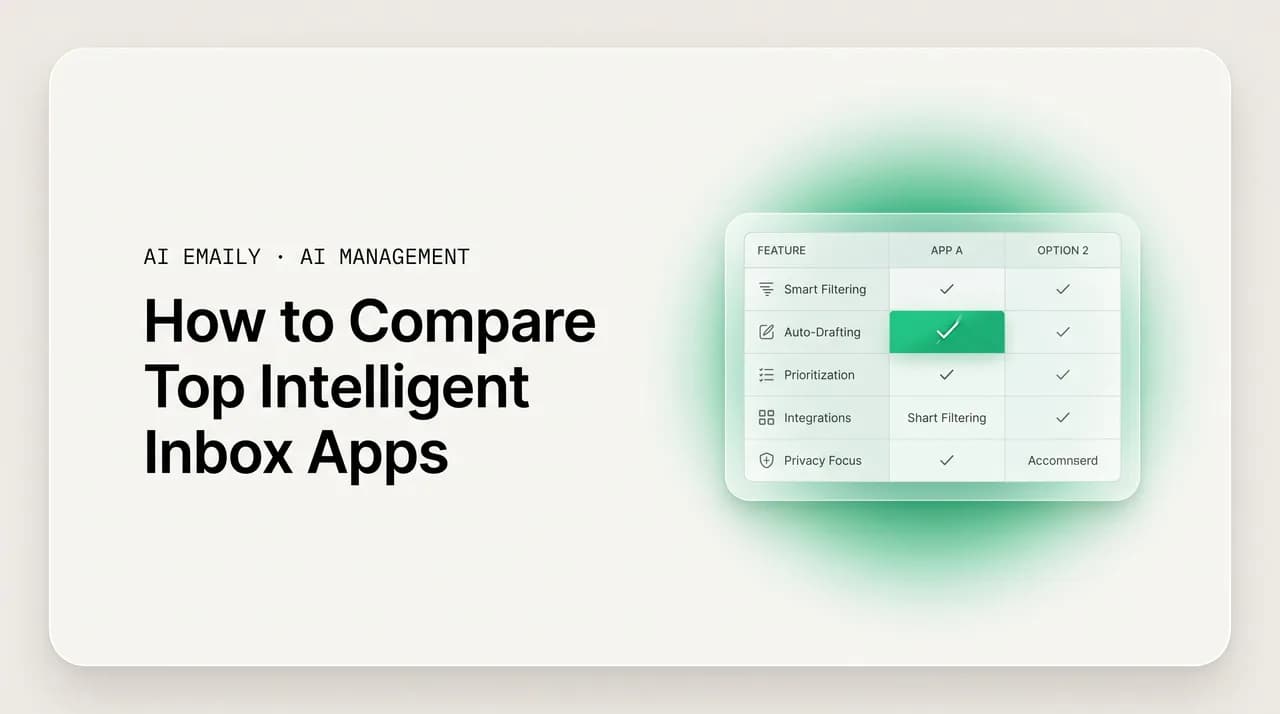
The short answer
To compare intelligent inbox apps well, score each one on seven dimensions — triage quality, drafting and voice, autonomy plus control, shared inboxes, provider coverage, privacy, and pricing model — then run a one-week head-to-head on your own mail. Match the app's archetype to your need, and verify every price and claim on the vendor's own page.
Compare intelligent inbox apps with a framework: triage, drafting, autonomy, shared inboxes, providers, privacy, pricing — plus how to run your own head-to-head.
On this page
- 01Why does comparing intelligent inbox apps feel impossible?
- 02What are the seven dimensions that actually separate these apps?
- 03How do you judge triage quality, not just whether triage exists?
- 04How do you compare drafting and voice across apps?
- 05Why is autonomy plus control the dimension most people get wrong?
- 06How do shared-inbox needs change the comparison?
- 07Does provider coverage really matter that much?
- 08How do you weigh privacy when comparing intelligent inbox apps?
- 09Why does the pricing model matter more than the price?
- 10What archetypes do intelligent inbox apps fall into?
- 11How do you run your own head-to-head trial?
- 12Where does AI Emaily fit this framework — honestly?
- 13Frequently asked questions
If you set out to compare intelligent inbox apps by reading their homepages, you will come away convinced they all do the same thing. Every one of them promises to read your mail, sort what matters, draft your replies, and hand you back your day. The marketing language has converged so completely that the words have stopped carrying information. And yet the products behind those words are not the same — they sit on different architectures, make different bets about how much the AI should do unattended, cover different email providers, treat your data differently, and charge in ways that can differ by an order of magnitude once your volume is real. The homepage tells you almost nothing about which of those differences will matter to you.
The reason a head-to-head is hard is not that information is scarce; it is that the comparison most people run is the wrong one. They line up feature checklists — does it have triage, does it have drafting, does it have an AI agent — and every app gets a green checkmark in every box, because at the level of "has a feature," they all do. The checklist hides the only thing that matters, which is quality and posture: not whether an app triages, but whether its triage is right often enough to trust; not whether it drafts, but whether the draft sounds like you; not whether it has an agent, but whether you control when that agent acts. Two apps can both check the box and be completely different products underneath.
This guide gives you a comparison framework instead of a checklist. We will lay out the seven dimensions that actually separate intelligent inbox apps — triage quality, drafting and voice, autonomy and control, shared inboxes, provider coverage, privacy, and pricing model — and show you how to weigh each one against your own situation, because the right answer for a solo founder is not the right answer for a ten-person support team. Then we will give you a structured way to run your own head-to-head trial on real mail, because no amount of reading replaces a week of using the thing. We will describe the archetypes intelligent inboxes fall into so you can narrow the field fast. And we will map AI Emaily — which we build — onto the same framework, with the trade-offs on the record.
Two honest constraints up front. First, we are not going to name competitors, quote their prices, or assign them star ratings in this post, because pricing and features change constantly and a stale number is worse than none. For named, current head-to-heads, our /compare hub keeps specific matchups up to date, and you should always confirm any vendor's claims on their own page before you decide. Second, we build AI Emaily, so we have a horse in this race; we will be explicit about where we fit the framework and where we have trade-offs, and the framework itself is built to be vendor-neutral so you can apply it to any app, including ours. Let's start with why the obvious comparison fails.
Why does comparing intelligent inbox apps feel impossible?#
The difficulty is structural, not a failure of research. Three forces work together to make a clean comparison hard, and naming them is the first step to getting past them. Once you see why the surface-level comparison breaks down, the dimensions that actually matter become obvious.
- Marketing convergence. Every intelligent inbox app describes itself in the same vocabulary — AI triage, smart replies, an inbox that runs itself. The category settled on a shared script, so the homepages are nearly interchangeable and tell you almost nothing about how the products differ underneath.
- Feature-checklist parity. At the level of "does it have X," nearly every serious app answers yes to triage, drafting, and some form of AI assistance. A checklist comparison produces a wall of green checkmarks and no signal. The differences live one level down, in quality and posture, where checklists do not look.
- Demos are not your mail. A polished demo runs on curated example messages chosen to make the AI look sharp. Your inbox is messier — your senders, your jargon, your edge cases — and triage or drafting that dazzles on a demo can stumble on the real thing. You cannot judge quality from someone else's mail.
- Pricing models that are not comparable. One app charges a flat seat price, another meters the AI per message or per resolution, a third gates the good features behind a higher tier. The sticker prices look close; the real bills, at your volume, can diverge wildly. You cannot compare two numbers that mean different things.
The shift this guide asks you to make
There is a deeper reason the checklist fails, and it is worth sitting with because it shapes the rest of this guide. An intelligent inbox is not a feature you toggle on; it is a thing you delegate work to. The right comparison for a tool you delegate to is not "what can it do" but "how much can I trust it to do without me checking, and how easily can I take back control when I need to." That is a question about quality, autonomy, and reversibility — none of which show up on a feature grid. Two apps can have identical grids and sit at opposite ends of "how much would I let this touch my customers unattended."
So the framework that follows is organized around that trust question. Each dimension is really asking some version of "can I rely on this, and on what terms." Triage quality asks whether you can trust what it surfaces. Drafting asks whether you can trust what it writes in your name. Autonomy and control ask whether you can trust it to act — and stop it when you want. Shared inboxes ask whether a team can trust it together. Provider coverage and privacy ask whether you can trust it with your actual mail and your actual data. Pricing asks whether you can trust the bill. Read the seven dimensions as seven facets of one question, and the comparison stops feeling impossible.
What are the seven dimensions that actually separate these apps?#
Here is the framework in one place. These are the seven dimensions on which intelligent inbox apps genuinely diverge, the ones worth scoring when you run an intelligent inbox comparison. None of them appears on a feature checklist as anything more than a checkmark, which is exactly why they are useful — they force you past the marketing into the real differences. Score each app one to five on each dimension, weighted by how much that dimension matters to you, and the field sorts itself.
| Dimension | What you are really asking | How to tell apps apart |
|---|---|---|
| Triage quality | Does it surface the right messages, often enough that I trust the sorted view instead of re-reading everything? | Run a week on your real mail; count how often the urgent thing is on top and how often noise is misclassified. |
| Drafting and voice | Do the drafts sound like me and use my real facts, so I edit lightly instead of rewriting? | Have it draft ten replies you'd actually send; measure how many ship with a light edit vs. a full rewrite. |
| Autonomy and control | How much can it do unattended, and how cleanly can I gate, undo, and audit what it does? | Check for an approval gate before send, undo, per-category limits, and a log of every AI action. |
| Shared inboxes | Can a team run info@ / support@ together with ownership and no double-replies? | Look for true shared view, assignment, collision detection, and in-thread comments — not just a personal inbox. |
| Provider coverage | Will it run on the mail I already have, including a second provider, with no migration? | Confirm Gmail/Workspace, Outlook/M365, and IMAP support; watch for Gmail-only or single-ecosystem tools. |
| Privacy posture | Is my mail training data, is it retained, and do I control when the AI acts? | Read the data-use terms, not the homepage; confirm no training on your mail and a clear audit trail. |
| Pricing model | Will the bill stay predictable as my volume and team grow? | Identify flat-seat vs. per-message/per-resolution metering and which features sit behind which tier. |
Weight the dimensions before you score
How do you judge triage quality, not just whether triage exists?#
Triage is the dimension everyone claims and almost no one tests properly. Every intelligent inbox sorts your mail; the question is whether the sort is right often enough that you stop double-checking it. That is the entire value of triage — if you still re-read everything to make sure the AI did not bury something important, the triage has saved you nothing and added a layer. Quality here is not a feature; it is a hit rate, and hit rates only reveal themselves on your real mail over real days.
Good triage gets three things right. It surfaces the genuinely urgent — the customer about to churn, the deal that needs an answer today, the message from your boss — at the top, reliably. It demotes the noise — newsletters, receipts, automated notifications — without you training it message by message. And it makes its reasoning legible enough that you can trust it: when it flags something urgent, you can see why, so the surfacing earns confidence instead of feeling like a black box. An app that nails the first two but is opaque on the third is harder to trust, because you cannot tell a good call from a lucky one.
The trap is judging triage by a demo or a first hour. Both run on too little of your actual mail to reveal the hit rate. Triage that looks brilliant on the curated examples in a demo can misfire on your particular senders and your particular jargon, and an app that seems mediocre on day one often sharpens over a week as it sees more of your patterns. So the only honest test of triage quality is time on your own inbox, counting hits and misses. Our piece on top-rated intelligent inbox software walks through how reviewers actually score this, and it comes down to the same thing: real mail, real days, counted.
How do you compare drafting and voice across apps?#
Drafting is where the biggest time savings live and where apps differ most sharply, because writing a reply takes far longer than reading one. Every intelligent inbox drafts. The gap is between an app that produces a grammatically fine but tonally anonymous reply — the kind that reads like a corporate FAQ — and one that writes in your actual voice, grounded in your actual facts. The first kind you rewrite, which means the AI moved the work around without removing it. The second you send with a glance. That gap is the single most consequential difference between two intelligent inbox apps for most users.
Two things separate good drafting from generic drafting, and you should test both. Voice is whether the draft sounds like the person or business sending it — your warmth or your directness, your greeting, the way you say no — rather than a neutral default. Grounding is whether the draft uses your real specifics: your actual refund window, your real prices, your true delivery times, pulled from your policies and past replies, instead of plausible-sounding guesses. An app can have one without the other. A draft that sounds like you but invents a wrong refund window is dangerous; one that gets the facts right but sounds robotic still needs a rewrite. You want both, and you can only confirm it on replies you would actually send.
The light-edit test
Why is autonomy plus control the dimension most people get wrong?#
Autonomy is the dimension where the marketing and the right question are most misaligned. Apps compete on how much the AI can do on its own — "it answers email for you," "a fully autonomous inbox" — as if more autonomy were straightforwardly better. It is not. The right question is not how much the AI can do unattended; it is how much it can do unattended that you are comfortable with, and how cleanly you can supervise, gate, undo, and audit what it does. An app that can send on its own but gives you no gate and no log is not more capable than one with an approval step — it is more dangerous, because the cost of a wrong send lands on a real relationship.
Think of autonomy and control as a single dial with two ends, not a feature you have or lack. At one end is full manual: the AI suggests, you do everything. At the other is full autopilot: the AI acts without asking. The valuable apps let you place the dial deliberately — per category, per inbox, with the default sitting at approval-first and autonomy granted on purpose for the things you have watched the AI handle well. The dangerous apps either lock the dial at one extreme or move it without telling you. When you compare on this dimension, you are really comparing how much control the app gives you over the dial, and how visible and reversible the AI's actions are.
- An approval gate before send by default — so a consequential message never goes out unreviewed unless you knowingly turned that off for a specific case.
- Granular autonomy you grant on purpose — the ability to let the AI act unattended for narrow, low-stakes categories you've seen it handle well, while everything else still routes to you.
- Undo — a window to pull back an action after the fact, because even a good system will occasionally be wrong and reversibility is what makes autonomy safe to grant.
- A complete audit trail — a log of every action the AI took, when, and why, so autonomy is supervised rather than blind and you can reconstruct what happened.
More autonomy is not a higher score by default
How do shared-inbox needs change the comparison?#
Whether shared inboxes matter to you splits the entire field, which is why it is its own dimension. If you are an individual managing your own mail, this dimension carries little weight and you can largely skip it. If you are a team running info@, sales@, or support@ together, it may be the most important dimension of all — and an app that only manages a personal inbox is disqualified no matter how good its triage and drafting are. Be honest about which side you are on before you weight this, because it changes which apps are even eligible.
A real shared-inbox capability is more than "multiple people can log into the same mailbox." That arrangement is exactly what fails teams — two people reply to the same customer with different answers, or a message sits for days because everyone assumed someone else had it. A genuine shared inbox adds the coordination layer a bare mailbox lacks. When you compare apps on this dimension, you are checking for that layer, not for access.
- A true shared view — everyone on info@ or support@ sees the same live stream in one place, not a tangle of forwards and BCCs where half the team is missing context.
- Ownership and assignment — every message that needs a person has exactly one visible owner, ideally proposed automatically by the AI, so nothing is silently nobody's job.
- Collision detection — a warning when two people open or start replying to the same message, which is the single most common way a small team sends a customer two contradictory answers.
- In-thread coordination — private comments and @mentions the customer never sees, so the team discusses a message inside the thread instead of forwarding it out and splintering the conversation.
- One consistent voice — AI drafting that holds a single business voice across every teammate, so the customer hears the same tone whether you, a colleague, or the AI replies.
Personal-inbox apps and shared-inbox apps are different products
Does provider coverage really matter that much?#
Provider coverage is the least glamorous dimension and one of the most decisive, because an intelligent inbox that does not run on your mail is not a candidate at all, however good it is. The question is simple: does it work with the email you actually have, including a second provider if your situation is mixed, without forcing you to migrate? A migration is a project a busy person or team will avoid, and "we support your provider" on a homepage sometimes means "we support the one you don't use."
Two patterns trip people up. The first is the Gmail-only app — excellent if you live entirely in Gmail, useless the day you add an Outlook address. The second is the single-ecosystem app that technically supports several providers but is clearly built for one and treats the others as second-class, with features that work on the home provider and quietly degrade elsewhere. Both are fine if they match your setup exactly and a problem the moment your setup is mixed, which it often is — a small business frequently has personal mail on one provider and a shared support address on another.
The dimensions that matter most — triage, drafting, autonomy — are irrelevant if you cannot connect your mail to exercise them. So check provider coverage first, as a gate: confirm the app runs on Gmail and Google Workspace, Outlook and Microsoft 365, and standard IMAP, and that the features you care about work the same across all of them, not just on the provider the app was born on. Only then is it worth scoring on the other six dimensions. Our broader look at AI email platforms compared treats provider coverage as exactly this kind of gating check rather than a footnote.
How do you weigh privacy when comparing intelligent inbox apps?#
Privacy is the dimension you cannot test in a week and cannot read off a homepage, which is precisely why it deserves deliberate attention rather than a glance. An intelligent inbox reads everything — your customer conversations, your contracts, your invoices, your private correspondence. Handing that to a tool is a meaningful act of trust, and the apps differ in ways that the cheerful privacy language on a landing page is designed to smooth over. You have to read the actual terms, and you have to ask three specific questions of every app, because vague reassurance is not an answer.
- 1
Is my mail used to train their models?
The most important question, and the one with the most evasive answers. "We take privacy seriously" is not a no. You want an explicit statement that your email content is not used as training data for their or anyone's models. If the terms are ambiguous, treat that as a yes until proven otherwise — assume the less favorable reading.
- 2
Is my content retained, and for how long?
Separate from training: how long does your mail sit on their systems, where, and under what protection? Some processing is unavoidable for the AI to work, but indefinite retention of your content with no clear policy is a different risk than transient processing. Look for a stated retention posture, especially around the model providers behind the AI.
- 3
Do I control when the AI acts?
Privacy is not only about data; it is about agency. An AI that can act on your mail without your control is a risk even if it never trains on your content. Confirm there's an approval gate before consequential actions and a full audit of what the AI did — so you stay in control of your own inbox rather than trusting someone else's defaults.
Read the terms, not the homepage
Why does the pricing model matter more than the price?#
Pricing is the dimension where two apps with similar sticker prices can produce wildly different bills, which is why you compare the model, not the number. The headline figure on a pricing page is a starting point that often bears little relationship to what you actually pay once your volume is real. Three pricing models dominate intelligent inbox apps, and they behave very differently as you grow — the model determines whether your bill is predictable or a moving target tied to how much the AI helps.
| Pricing model | How it behaves as you grow | What to watch for |
|---|---|---|
| Flat per-seat | Predictable — you pay per person regardless of how much mail the AI handles. Cost scales with team size, not volume. | Confirm the AI agent is included in the seat price, not a separate add-on. |
| Per-message / per-resolution metering | Unpredictable — the more the AI does its job, the more you pay. Your bill rises with exactly the volume you wanted handled. | Model your real monthly volume against the per-unit rate; the demo volume hides the true cost. |
| Tiered / feature-gated | The good AI features sit behind a higher tier, so the advertised entry price isn't the one you'll actually run on. | Check which tier the features you need actually live in before comparing entry prices. |
Per-message metering punishes you for using the AI
What archetypes do intelligent inbox apps fall into?#
Before you score individual apps on seven dimensions, it helps to narrow the field with a faster cut: most intelligent inbox apps cluster into four archetypes, and the archetype tells you a lot about how an app will score before you test it. Recognizing the archetype lets you eliminate whole categories that don't fit your need and focus your week-long trial on the two or three apps actually worth testing. These are patterns, not brands — real apps blend them, and you should confirm any specific app's behavior on its own page rather than assuming from the label.
| Archetype | Core bet | Tends to be strong on | Tends to be weaker on |
|---|---|---|---|
| Agent-native | The AI is the product; the inbox is built around an agent that does real work end to end. | Drafting quality, autonomy options, doing actual work rather than suggesting it | Can over-rotate on autonomy if control and audit aren't first-class |
| Assistant-layer | AI features bolted onto a familiar email client you already know. | Low switching cost, polish, fitting into existing habits | AI is often shallower — suggestions over real delegation; weaker agent |
| Privacy-first | Trust and data protection are the headline; the AI is built around strict data handling. | No training on your mail, clear retention, control and audit | AI capability may lag the agent-native apps; sometimes fewer features |
| Rules + AI | Deterministic rules and filters, with AI layered on top of an automation engine. | Predictability, power-user control, fine-grained automation | Setup overhead; the AI can feel like an add-on rather than the core |
Use the archetypes as a coarse filter, then the seven dimensions as the fine one. If you need real delegation and an agent that does the work, the agent-native archetype is your shortlist and the assistant-layer apps probably won't satisfy you. If data handling is non-negotiable, start with privacy-first and confirm the AI is still capable enough. If you're a power user who wants deterministic control, rules-plus-AI may fit better than a more autonomous agent. The archetype gets you from a dozen candidates to three; the dimensions and a real trial decide among those three.
The crucial caveat is that the archetype predicts tendencies, not guarantees. A privacy-first app might also have a strong agent; an agent-native app might also have excellent control and audit. The whole point of scoring the seven dimensions on your own mail is to catch where a specific app defies its archetype's usual weakness — for better or worse. Treat the archetype as a hypothesis you then test, not a verdict. For named matchups that put specific apps head to head, including one we get asked about often, see our intelligent inbox vs Shortwave breakdown and the wider field in which intelligent inbox is best.
How do you run your own head-to-head trial?#
No amount of reading replaces a week of use, because the dimensions that matter most — triage quality, drafting, whether you trust the autonomy — only reveal themselves on your real mail over real days. A structured trial turns a vague impression into a weighted score you can actually decide on. Here is a process that fits into a normal work week without disrupting it, designed to produce a comparison you trust rather than a gut feeling.
- 1
1. Shortlist by archetype and gate on providers
Use the four archetypes to cut the field to two or three candidates that fit your need, then immediately gate them on provider coverage: drop any app that doesn't run on the mail you actually use. There's no point testing an app you can't connect. You should be left with a handful worth real time.
- 2
2. Weight the seven dimensions for your situation
Before testing, rank the seven dimensions by importance for you and assign each a weight. A solo founder weights drafting and pricing high, shared inboxes at zero; a support team flips that. The weighting is the most important step — it's what keeps a strength on a dimension you don't care about from skewing the result.
- 3
3. Connect each app to the same real inbox for a week
Use your actual mail, not a demo account, and give each app long enough to learn your patterns — a few days minimum, ideally a full week. Test them on the same period of mail so the comparison is fair. Keep everything in approval-first mode at first so nothing goes out unattended while you're still evaluating.
- 4
4. Score triage and drafting with numbers, not vibes
For triage, count daily misses and false alarms. For drafting, run the light-edit test: of ten real replies, how many ship with a light edit versus a rewrite? Numbers cut through the halo a slick interface creates and let you compare apps that both "felt good" but performed differently.
- 5
5. Probe autonomy and control deliberately
Check the actual mechanics: is there an approval gate by default, can you grant autonomy per category, is there an undo window, is every action logged? Try granting narrow autonomy for one low-stakes category and watch the audit trail. This is where capability and safety either come together or don't.
- 6
6. Model the real bill and confirm privacy in writing
Take your actual monthly volume and run it against each app's pricing model — flat, metered, or tiered — to find the bill you'd really pay, not the sticker price. In parallel, get explicit written answers on training, retention, and control. Then apply your weights, total the scores, and decide.
Keep a single scoring sheet across all apps
Where does AI Emaily fit this framework — honestly?#
We build AI Emaily, so apply the same skepticism here you'd apply to any vendor describing its own product, and verify on our own pages. By the archetypes, AI Emaily is agent-native with control and privacy built in as first-class concerns rather than afterthoughts — the design bet is that an agent that does real work and an approval-first posture are not in tension. Here is how it maps onto each of the seven dimensions, trade-offs included.
| Dimension | How AI Emaily approaches it | The honest trade-off |
|---|---|---|
| Triage quality | AI sorts incoming mail by topic, urgency, and sender across every connected inbox, surfacing what needs you. | Like any app, the hit rate is best judged on your own mail — test it, don't take our word. |
| Drafting and voice | Drafts in your learned voice, grounded in your real policies and past replies; holds one voice across a team. | It learns from your material, so the first drafts improve over the first days rather than being perfect on hour one. |
| Autonomy and control | Three modes — Manual, Copilot (approval-first, the default), Autopilot (autonomous, gated, with undo + audit). | We default to approval-first, so out of the box it does less unattended than a free-sending app — by design. |
| Shared inboxes | Personal mail and info@/sales@/support@ in one workspace, with ownership, collision warnings, and in-thread comments. | If you only ever manage personal mail, the shared-inbox layer is capability you won't use. |
| Provider coverage | Runs on Gmail and Google Workspace, Outlook and Microsoft 365, and standard IMAP — universal by design. | No proprietary lock-in advantage; we compete on the AI and posture, not on owning your mail. |
| Privacy posture | Your mail is not training data; the agent acts only within limits you set; every action is audited. | Approval-first and private-by-default means a little more involvement from you than a hands-off black box. |
| Pricing model | Flat per-seat with the agent included — free tier, Pro, and Team — not metered per AI-resolved message. | A flat plan can cost more than a free tier for the lightest users; the value shows at real volume. |
The trade-offs are real and worth naming plainly. Because AI Emaily defaults to Copilot — approval-first — it deliberately does less unattended on day one than an app that sends freely, which can look like "less automation" in a quick comparison. We think that's the right default for a tool that emails your customers in your name, and you can grant Autopilot autonomy category by category as you build trust, with undo and a full audit underneath. But if your only metric is raw hands-off autonomy out of the box, an app with no gate will score higher on that one number. We'd argue that's the wrong number to optimize; you should decide for yourself.
On the dimensions, AI Emaily's bet is to be strong across all seven rather than maximal on any single one — agent-native capability with control, universal provider coverage, a private-by-default posture, real shared inboxes, and a flat predictable price with the agent included rather than metered. The pricing matters for the comparison: a free tier covers one account, Pro is $12.42/mo billed annually, and Team is $14.92/seat/mo annually with 5+ seats getting an additional 10% off, and Autopilot is included in Team rather than charged per AI-resolved message. Where a head-to-head against a specific named app is what you want, the /compare hub keeps current matchups, and the best intelligent inbox roundup applies this framework across the field. The honest summary: run the trial, weight the dimensions for your situation, and let your own mail decide.
Apply the framework to us too
Frequently asked questions#
The questions people ask most when they set out to compare intelligent inbox apps — on which dimensions matter, how to test fairly, the pricing and privacy traps, and how AI Emaily fits.
Frequently asked
See it in AI Emaily
Keep reading

Written by
Nafiul HasanNafiul Hasan is an entrepreneur and AI automation system builder with 10+ years of experience turning messy, manual workflows into reliable automated systems. He designs and ships AI enterprise solutions end-to-end — the agent logic, the data plumbing, and the product people actually use — and founded AI Emaily to give busy professionals their attention back. He writes here from the builder's seat: what works, what breaks, and how to put AI to work without giving up control.