Email Do's and Don'ts: 30 Habits That Separate Pros From Amateurs

The short answer
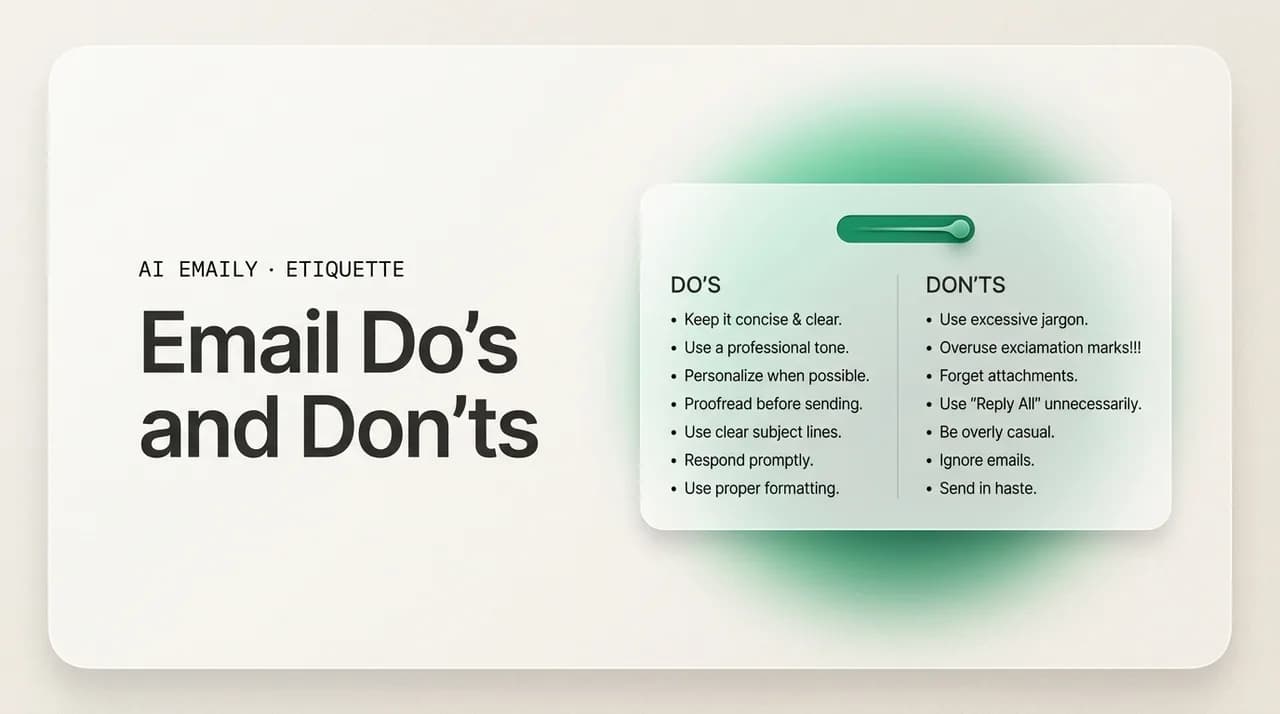
Email do's and don'ts come down to respect for the reader's time and attention. Do write a clear subject, get to the point, proofread, reply within a day, match the tone, use CC and BCC correctly, format for scanning, and sign off well. Don't trigger reply-all storms, shout in all caps, send vague subjects, write walls of text, fire off angry messages, over-CC, or leave the ask ambiguous.
Email do's and don'ts for 2026: clear subjects, concise writing, proofreading, and reply timing — plus the reply-all storms, all-caps, and angry sends to avoid.
On this page
- 01What are the email do's that make you look professional?
- 02Do write a clear, specific subject line
- 03Do get to the point in the first two lines
- 04Do proofread before you hit send
- 05Do reply within a reasonable time
- 06Do match your tone to the reader and the situation
- 07Do use CC and BCC correctly
- 08Do format for scanning, not for reading
- 09Do close with a clear sign-off
- 10What are the email don'ts that quietly damage your reputation?
- 11Don't trigger reply-all storms
- 12Don't write in all caps
- 13Don't send vague or missing subject lines
- 14Don't send walls of text
- 15Don't send an email while you're angry
- 16Don't over-CC or over-include people
- 17Don't leave the ask ambiguous
- 18Don't ignore emails or leave people hanging
- 19Email do's and don'ts at a glance
- 20Do the rules change depending on context?
- 21How does AI Emaily nudge you toward the do's?
- 22The one rule worth remembering
Most email do's and don'ts lists read like a pile of disconnected rules. Use a clear subject. Do not write in all caps. Be concise. Do not reply all. Each item is correct on its own, but a flat list of thirty unrelated tips is hard to remember and harder to apply, because there is no logic holding them together — you nod along, close the tab, and write your next email exactly the way you always have. The rules are not wrong. They are just presented as etiquette trivia rather than as expressions of one underlying idea.
That idea is simple: good email respects the reader's time and attention, and bad email wastes it. Every do on this list saves the person on the other end a little effort — a clear subject lets them decide whether to open it now, a tight message lets them reply in one pass, an explicit ask removes a round of clarifying questions. Every don't, by contrast, taxes them: a reply-all storm fills forty inboxes with noise, a wall of text forces them to dig for the point, an all-caps line makes them feel shouted at. Once you see the rules through that lens, you do not have to memorize thirty of them. You just ask, before you hit send, whether this email is easy or hard for the person receiving it.
This guide is organized around that frame. First the do's — the habits that make your email a pleasure to receive: a clear subject, getting to the point, proofreading, replying in time, the right tone, correct use of CC and BCC, scannable formatting, and a clean sign-off. Then the don'ts — the habits that quietly damage how people experience your mail and, over time, how they see you: reply-all storms, all caps, vague subjects, walls of text, sending while angry, over-CCing, ambiguous asks, and ignoring messages. After that, a quick-reference table you can scan in ten seconds, a section on how context changes the rules, and an honest look at where AI Emaily takes the pressure off the moments these habits are hardest to hold.
None of this is about being formal or stiff. The best professional email in 2026 is warm, plain, and short — closer to a clear text message than to a corporate memo. The do's and don'ts below are not about sounding important; they are about being effortless to read and reply to. That is the entire game, and the people who win it are not better writers. They have just internalized a handful of habits and made them automatic.
What are the email do's that make you look professional?#
The do's are the habits that make your email easy and pleasant to receive. They are not advanced writing techniques — most are small, almost mechanical moves that take seconds once they become reflexive. What they share is a direction: each one removes friction for the reader. A professional email is one the recipient can understand, decide on, and act on quickly, without having to work to extract your meaning. The eight do's below cover the full arc of an email, from the subject line the reader sees first to the sign-off they read last.
Read them as a sequence, because that is how an email is experienced. The subject determines whether it gets opened. The opening determines whether the point lands. The body's tone and structure determine whether it is a pleasure or a chore to read. The ask determines whether the reader knows what to do. And the timing of your reply determines whether the whole exchange feels responsive or neglected. Get these eight right and you will be in the top tier of email correspondents in any organization — not because you are eloquent, but because you are reliably easy to deal with.
Do write a clear, specific subject line#
The subject line is the single most important line in your email, because it is the only part many people read before deciding what to do with the message. A good subject tells the recipient exactly what the email is about and, ideally, what it needs from them — "Invoice #2048 attached, due July 1" or "Decision needed: vendor for the Q3 launch by Thursday." A reader who sees that can triage instantly: open now, defer, or delegate. They do not have to open a mystery to find out whether it is urgent. Subject lines work best front-loaded with the key words and kept under about 50 characters, because most email is read on phones where longer subjects get truncated mid-sentence.
The discipline is specificity. "Quick question," "Following up," "Update," and "Hi" are not subjects — they are placeholders that force the reader to open the email to learn anything at all, and they make the message impossible to find later by search. Treat the subject as a one-line summary of the email's purpose, and write it last if it helps, once you know what the email actually says. If the topic of a thread changes substantially, change the subject too rather than burying a new request under a stale one. A precise subject is the clearest signal that you respect the reader's time, and it is the easiest do on this list to start applying today.
The subject-line test
Do get to the point in the first two lines#
Lead with your point or your ask, then add the context underneath. Most people write email backwards — they open with a paragraph of throat-clearing and background, then bury the actual request in the fourth sentence, forcing the reader to wade through setup to find out what is wanted. Flip it. The first line or two should state why you are writing and what you need: "Can you approve the attached budget by Friday? Details below." Everything else is supporting detail the reader can choose to read or skip. This is sometimes called front-loading or the inverted pyramid, and it is how journalists and busy executives have written for a century, because it respects the reader who only has ten seconds.
Getting to the point is not rudeness; a single warm line before the ask keeps it human. But the ask should never be hard to find. A useful test: if the recipient read only your first two lines, would they know what you want? If the answer is no, your point is buried too deep. This matters most for the busy and senior, who read the top of every email and the bottom of almost none. Front-loading also makes your email scannable on a phone, where the reader sees the first few lines in a preview pane and decides whether to open it fully. The point up top is what earns the rest of the message a read.
Do proofread before you hit send#
Always reread an email before sending it. Typos, the wrong name, a missing attachment, a half-finished sentence, a "their" that should be "there" — these small errors are the email equivalent of spinach in your teeth. They rarely change your meaning, but they quietly lower how seriously the reader takes you, and in a first impression they can be the whole impression. A careless email reads as a careless sender, even when the carelessness is purely typographical. Thirty seconds of rereading is the cheapest credibility insurance there is.
Proofreading also catches the errors that actually cause damage, not just embarrassment. The most common are the wrong recipient (autocomplete loves to suggest the wrong "David"), the forgotten attachment you reference in the body, and the wrong name in the greeting — addressing Sarah as Steve undoes every other thing you did right. Build a final-pass habit: before sending, check the recipient field, confirm the attachment is actually attached, and reread the greeting and the ask. A particularly useful trick is to add the recipient's address last, after the email is written and checked, so you cannot fire it off half-finished by reflex. Spell-check helps but does not catch the homophones and wrong-but-real-word errors that matter most, which is why a human reread still counts.
The three errors worth a second look
Do reply within a reasonable time#
Responsiveness is a courtesy and, increasingly, a professional expectation. As a baseline, business emails deserve a reply within about a day; surveys put the expectation around 12 to 24 hours for most professional mail, and a 24-hour window is the standard most people quietly hold each other to. Replying in that window signals that you are reliable and that you take the sender seriously. Letting messages sit for days without acknowledgment — even messages you cannot fully answer yet — reads as neglect, and it pushes the sender into the awkward position of having to chase you.
Replying in time does not mean answering everything instantly or fully. When you cannot give a complete answer quickly, a short holding reply does the work: "Got this — I will have an answer for you by Thursday." That one line closes the loop, sets an expectation, and stops the follow-up before it starts. The thing that damages relationships is not a considered reply that takes two days; it is silence that leaves the sender wondering whether their message arrived. There is nuance by context — sales leads reward replies within the hour, while a thoughtful internal question can wait until your next focused block — but the principle holds: acknowledge promptly, even when the full answer comes later.
Do match your tone to the reader and the situation#
Tone is the hardest thing to get right in email, because the channel strips out everything that carries tone in person — your face, your voice, the pause that signals you are joking. Research consistently finds that email tone is read as more negative than the sender intended: a message you wrote as neutral lands as cold, and one you meant as direct lands as curt. The do here is to deliberately warm your tone up a notch to compensate, and to match the register to your reader. A first email to a senior stranger calls for more formality than a quick note to a teammate you message all day; mirroring the other person's level of formality is a reliable default.
Practically, warming the tone means small things: a brief greeting and a please and thank-you, softening a blunt instruction ("Could you send the file by noon?" rather than "Send the file by noon"), and reading your draft once as if you were the recipient on a bad day. If a line could possibly be read as sharp, it probably will be. This is not about being saccharine or padding the email with filler; a warm email can still be short. It is about remembering that the reader cannot hear your friendly intent, so the words have to carry it alone. Our guide on email tone goes deep on striking the right balance between warm and clear, and on the specific phrases that keep a direct message from reading as rude.
Do use CC and BCC correctly#
CC and BCC are tools for managing who is in a conversation, and using them well is a quiet professional skill. CC (carbon copy) is for people who should see the message for awareness but are not expected to act or reply — a manager kept in the loop, a colleague who needs context. Everyone on the To and CC lines can see each other, which is the point: it is a transparent loop. The do is to CC only people who genuinely benefit from seeing the message, and to put the people who actually need to act on the To line so the responsibility is clear.
BCC (blind carbon copy) hides recipients from each other, and it has exactly two legitimate uses. The first is protecting privacy when emailing a group of people who do not know each other — a client announcement or an external newsletter — so you are not broadcasting everyone's address to strangers. The second is gracefully removing someone from a thread: when you reply and move a person to BCC, you note it ("moving Jamie to BCC to spare their inbox") so the ongoing back-and-forth no longer reaches them. What BCC should never be is a covert way to secretly loop in a third party on a conversation; if it surfaces, it reads as exactly the kind of behind-the-back move it looks like. Our guide on CC vs BCC covers the edge cases, but the principle is restraint: every name you add is an inbox you are asking for attention from.
Do format for scanning, not for reading#
People do not read email word by word; they scan it. So structure your message for a scanning eye. Keep paragraphs short — two or three sentences each, with white space between them. When you have several discrete points, questions, or requests, put them in a bulleted or numbered list instead of stringing them through a paragraph, so each one is easy to see and easy to answer one at a time. If the email is long or covers multiple topics, a one-line bold heading or a short summary at the top helps the reader navigate. The goal is that someone glancing at your email on a phone can grasp its structure in two seconds.
Formatting is a kindness, and it also gets you better replies. A reader faced with a dense block of text often skims, misses half your questions, and answers only the last one — forcing you to follow up for the rest. The same content as a clean three-item list gets all three answered in one pass. Resist the opposite temptation too: do not over-format with rainbow colors, multiple fonts, large images, or decorative flourishes, which look unprofessional and break on different email clients. Plain text with good structure beats elaborate styling every time. Our guide on email formatting best practices covers the specifics, but the rule of thumb is white space, short paragraphs, and lists wherever you have more than one point.
Do close with a clear sign-off#
End your email with a brief, appropriate closing and your name. A sign-off is a small thing, but its absence is noticeable — an email that just stops feels abrupt, even unfinished. "Best," "Thanks," "Best regards," and "Kind regards" are safe, warm-neutral choices that fit almost any professional context; match the warmth to your relationship, leaning more formal for strangers and seniors and lighter for close colleagues. The sign-off is also where a good email reinforces its ask: "Thanks in advance for sending the file by Friday" closes warmly and restates the request in one move.
Pair the sign-off with a clean, useful signature — your name, role, and the one or two contact details a recipient might actually need. Keep it lean; a signature stuffed with five phone numbers, social icons, legal disclaimers, and an inspirational quote is clutter, not professionalism. The end of the email is the reader's last impression of you, so make it land clean: a warm closing line, an appropriate sign-off, your name, and a tidy signature. If you want the full range of options for different situations, our guides on how to end an email and email sign-offs catalog dozens, but for most professional mail a simple "Best" or "Thanks" followed by your name is exactly right.
What are the email don'ts that quietly damage your reputation?#
If the do's make your email easy to receive, the don'ts do the opposite — they tax the reader, and the cost compounds. Most email mistakes are not catastrophic in isolation; one all-caps line or one slightly-too-long email rarely sinks anything. The damage is cumulative and reputational. People form an impression of you from the pattern of your mail, and the colleague who reliably sends vague subjects, buries the ask, replies all to everything, and lets messages rot for a week becomes, in everyone's mind, the person whose email is a chore. That reputation is hard to see and harder to shake.
The eight don'ts below are the high-frequency offenders — the habits most likely to annoy the people you email and quietly lower their estimate of you. Several are the mirror images of the do's, which is the point: the same lens (does this respect the reader's time?) explains both. A few, like sending while angry and ignoring messages, are about the moments when emotion or avoidance overrides judgment. Watch for these in your own sent folder; the fastest way to improve your email is usually to stop doing the things that irritate people, not to add new flourishes.
Don't trigger reply-all storms#
Reply All sends your response to everyone on the original message — every recipient, every CC. Used carelessly, it is the single most notorious email mistake there is, and it scales: one ill-judged reply-all to a 200-person distribution list, and 200 people get a message meant for one. Worse are the storms that follow, when dozens of people reply all to ask people to stop replying all, each one multiplying the noise they are complaining about. Entire companies have ground to a halt under "reply-all-pocalypse" cascades. The fix is a one-second habit: before you reply, look at who is on the thread and ask whether your message is for all of them or just the sender. The default should almost always be Reply, not Reply All.
The honest test is relevance: does every single person on this thread need to read what you are about to write? "Thanks!", "Got it," "Me too," and "Congrats!" almost never need to reach the whole group — those go to the sender alone, if anywhere. Reply All is appropriate only when your response genuinely advances the conversation for everyone copied: a decision the group needs, an answer to a question the group asked, information they all require. When in doubt, reply to the sender and let them decide who else needs it. Our guide on reply-all etiquette walks through exactly when each button is right, but the safe instinct is to treat Reply All as the exception you reach for deliberately, never the reflex.
Before you hit Reply All
Don't write in all caps#
Writing in all capital letters reads as SHOUTING, and it always has online. A sentence in caps — or worse, a whole email — feels aggressive and unprofessional to the reader, no matter how neutral you meant it. It is one of the oldest and most universally understood pieces of email etiquette, and breaking it makes you look either angry or unaware of basic norms. The same goes for long stretches of bold, multiple exclamation points, and red text: anything that visually screams comes across as emotional intensity the reader did not ask for. There is even a deliverability cost — all-caps subject lines are more likely to be flagged as spam and have been found to draw meaningfully fewer replies.
If you need to emphasize something, do it with structure and word choice, not volume. Put the key point on its own line, use a single bold phrase if your client supports it, or simply state the importance plainly: "This is the one thing I need before Friday." That communicates urgency without making the reader feel shouted at. The narrow exception is a single all-caps word used sparingly for a specific label — "URGENT" in a subject when something genuinely is — but even that loses its force if you use it often. As a rule, write in normal sentence case and let your words, not your caps lock, carry the weight.
Don't send vague or missing subject lines#
This is the mirror of the first do, and it is worth stating as its own don't because it is so common. A vague subject — "Hi," "Question," "Update," "Quick one" — or no subject at all forces the recipient to open the email to learn anything, makes the message impossible to prioritize, and renders it unfindable later when they search for it. An empty subject line is also one of the signals spam filters watch for, so a subjectless email is more likely to be quietly diverted before a human ever sees it. The cost of a lazy subject lands entirely on the reader, which is exactly why it reads as inconsiderate.
The deeper problem with vague subjects is that they break threading and memory. Three weeks later, when someone needs to find the email where you agreed on the budget, "Re: Re: Quick question" is invisible — they cannot search for it, and they cannot recognize it in a list. A specific subject is a favor to your future self as much as to the reader. The fix costs nothing: spend five seconds writing a subject that summarizes the email's purpose, and update it if a thread drifts to a new topic. If you find yourself typing "Following up" for the third time, that is the signal to write a real subject describing what you are following up about.
Don't send walls of text#
A wall of text — a long, dense, unbroken block of paragraphs with no structure — is the email equivalent of a never-ending story, and busy readers simply will not work through it. They skim, they miss your points, they file it under "deal with later," and later often never comes. The mistake usually comes from writing the way you think: dumping the full context, every consideration, and the eventual ask into one continuous stream. The reader has to do the work you skipped, mining your paragraphs for what actually matters to them. Length itself is not always the villain — some topics genuinely need detail — but length without structure almost always is.
Two fixes handle nearly every case. First, cut: most long emails contain a short email trying to get out. State your point and your ask, give only the context the reader needs to act, and delete the rest — if the full background matters, it usually belongs in an attachment or a linked doc, not the email body. Second, structure what remains: short paragraphs, white space, and a bulleted list for multiple points. If your message truly requires length — a detailed proposal, a complex update — open with a one or two sentence summary so the reader gets the gist before deciding how deeply to read. Our guide on how long an email should be covers the judgment calls, but the instinct to build is: shorter than you think, and structured even when it is long.
Don't send an email while you're angry#
Never hit send on an email written in anger or frustration. It is one of the most reliable sources of professional regret, and the reasons are well documented. Email permanently records your worst moment, forwards it to people you never intended, and strips out every softening signal — so a message that felt justified when you were heated reads, to its recipient, as far harsher than you meant. Research finds that venting in writing tends to make us angrier rather than calmer, and that email tone is consistently read as more negative than intended; an angry email therefore lands as even angrier than you felt. Friendships, working relationships, and occasionally jobs have been lost to a single send made in the wrong five minutes.
The fix is a cooling-off rule. When you feel the urge to fire back, write the draft if it helps you think — but do not put anyone in the To field, so you cannot send it by reflex — and then leave it. Come back in an hour, or the next morning, and you will almost always rewrite it shorter, calmer, and more effective, or decide the conversation belongs on a call instead of in writing. A short delay costs you nothing and saves you from the message you would spend weeks wishing you could unsend. If the matter is genuinely contentious, a five-minute phone call resolves what an angry email thread would inflame over three days. The strongest move when you are angry is almost always to not send yet.
The send you can't take back
Don't over-CC or over-include people#
Adding people to an email who do not need to be there is a small rudeness that adds up across an organization. Every name on the CC line is a person whose attention you are spending, an inbox you are adding to, and — at scale — a measurable drain on collective time. The most common over-CC mistakes are copying someone's manager to apply quiet pressure, CCing a large group "for visibility" when one or two people actually need to see it, and keeping the original ten recipients on a reply that now concerns only two of them. Each feels harmless in the moment; together they are why so many inboxes are buried in messages the recipient had no reason to read.
The discipline is to include the minimum set of people the email genuinely requires, and to prune as a thread narrows. When a conversation that started with a wide group has narrowed to two people working out a detail, drop the rest — move them to BCC with a quick note on the transition, or simply remove them, so they are not stuck following a back-and-forth that no longer involves them. Be especially wary of CCing someone's boss as a power move; it rarely produces the result you want and often reads as going over the recipient's head. Before you add a name, ask what this person needs to do with the email. If the answer is "nothing, really," leave them off.
Don't leave the ask ambiguous#
An email that does not make clear what you want is an email that will not get what you want. Ambiguous asks are everywhere: the message that describes a situation in detail but never states the request, the one that buries "can you approve this?" in the middle of a paragraph, the one that ends with a vague "let me know your thoughts" when you actually need a yes-or-no decision by Tuesday. The reader is left guessing what you need and when, and the usual results are a delayed reply, a partial answer, or a clarifying round-trip that doubles the length of the exchange. The ambiguity feels polite to the sender; to the reader it is just work.
Make every ask explicit and specific. State exactly what you need, from whom, and by when: "Sarah, can you approve the attached budget by Thursday EOD?" beats "Let me know if this works." If the email has multiple asks, list them so none gets lost. If you need a decision, say so plainly and lay out the options, rather than presenting information and hoping the reader infers what you want. And separate a true ask from an FYI — if no action is needed, say "no action needed, just keeping you posted," so the reader does not waste effort hunting for a hidden request. Clarity about the ask is the difference between an email that moves something forward and one that starts another thread to figure out what the first one meant.
Don't ignore emails or leave people hanging#
Silence is itself a message, and usually the wrong one. Leaving emails unanswered — especially direct questions or requests from colleagues, clients, or anyone reasonably expecting a reply — reads as disorganized at best and dismissive at worst. The sender does not know whether you got the message, whether you are working on it, or whether you have simply decided not to respond, and that uncertainty is uncomfortable and corrosive. Ghosting on email is so common that responsiveness alone now distinguishes people; reliably closing loops makes you stand out simply because so many do not.
You do not have to answer everything fully or immediately to avoid this — you have to acknowledge. When you cannot give a complete reply, send a one-line holding response: "Got this, will come back to you by Wednesday." If you genuinely cannot help, a brief no is far kinder than silence: "I'm not the right person for this — try Dana on the ops team." The cases that matter most are direct requests and questions from people who are waiting on you; promotional mail and broad FYIs obviously do not require a reply. The principle is that a real person who wrote to you and is waiting deserves to know where things stand, even when the answer is "not yet." Closing the loop is the most underrated professional habit in email.
Email do's and don'ts at a glance#
Here is the whole set distilled into a quick-reference table you can scan before an important email. Each row pairs a do with the don't it replaces, so the contrast is clear. The pattern running through every row is the same one this guide opened with: the do makes the email easier for the reader, and the don't makes it harder. If you are ever unsure which side of a line you are on, that is the question to ask.
| Area | Do | Don't |
|---|---|---|
| Subject line | Write a specific summary of the email and its ask | Send "Hi," "Question," or no subject at all |
| Opening | Lead with your point or ask in the first two lines | Bury the request under paragraphs of context |
| Length & format | Keep it short; use short paragraphs and lists | Send a dense, unbroken wall of text |
| Tone | Warm it up a notch; match the reader's register | Write curt, blunt, or all-caps messages |
| Recipients | Put actors on To, copy only who needs awareness | Over-CC, or reply all when one person would do |
| The ask | State what you need, from whom, by when | Leave a vague "let me know your thoughts" |
| Timing | Reply within ~24 hours, even just to acknowledge | Ignore messages and leave senders hanging |
| Before sending | Proofread; check recipient, attachment, name | Fire off unread, or send while angry |
| Sign-off | Close with a clean "Best" or "Thanks" and your name | Stop abruptly, or use a cluttered signature |
A second table is worth keeping for the mistakes that cause the most damage relative to how easy they are to avoid. These are the high-leverage don'ts — the ones where a one-second habit prevents an outsized problem. If you fix nothing else, fix these.
| Mistake | What it costs | The one-second fix |
|---|---|---|
| Reply All by reflex | Floods dozens of inboxes; can start a storm | Glance at the recipients; default to Reply |
| Wrong recipient | Sends private content to the wrong person | Read the To field last, just before sending |
| Missing attachment | Forces an embarrassing follow-up | Attach the file before you write "attached" |
| Sending while angry | Permanent, forwarded, read as harsher | Wait an hour; clear the To field while drafting |
| Wrong name in greeting | Undoes an otherwise perfect email | Reread the salutation in the final pass |
Do the rules change depending on context?#
Yes — and this is where rigid rule-following goes wrong. The do's and don'ts above are defaults, not laws, and the right move shifts with who you are writing to, what the relationship is, and what the message is for. The deeper skill is not memorizing rules but reading context and adjusting. A guide that tells you to always be formal will make you sound stiff with close colleagues; one that tells you to always be brief will make you seem cold in a message that needs warmth. The principle that survives every context is the one underneath all the rules: respect the reader. How you show that respect changes.
Formality is the most context-dependent variable. A first email to a senior executive, a regulator, or a prospective client warrants a fuller greeting, more careful phrasing, and a conservative sign-off. A quick note to a teammate you message all day can drop the formal greeting entirely and read almost like a chat. Misjudging in either direction has a cost: too formal with a close colleague feels distant and odd; too casual with a senior stranger reads as presumptuous. The reliable default is to mirror the other person's level of formality and to start slightly more formal with anyone new, dialing it down as the relationship warms. Our guide on formal versus informal email goes deep on calibrating this.
Channel and audience size matter too. An external email — to a customer, partner, or anyone outside your organization — carries more weight than an internal one and deserves more care, because it represents you and your company to someone who may not know either. A message to a large group needs tighter discipline on CC, length, and clarity than a one-to-one note, because every cost is multiplied by the number of recipients. And the medium itself is a choice: some conversations do not belong in email at all. A sensitive performance issue, a heated disagreement, anything emotionally charged or genuinely complex is usually better as a call or an in-person conversation, with email reserved for confirming what was decided. Knowing when not to use email is part of using it well.
Even the timing rules flex. The 24-hour reply expectation is a baseline, not a universal standard. Sales and customer-facing roles often need to respond within the hour to stay competitive, while a researcher deep in focused work might reasonably batch replies to twice a day. The point is to set and meet expectations for your context, not to hit a single number. Read the situation, apply the default, and adjust where the context clearly calls for it. That judgment — knowing which rule bends and when — is what separates someone who has memorized an etiquette list from someone who is genuinely good at email.
The rule under all the rules
How does AI Emaily nudge you toward the do's?#
Knowing the do's and don'ts is the easy part. Holding all of them, on every email, on a busy day, is the hard part — which is exactly where most people slip. You know to proofread, but you are rushing. You know not to send angry, but the message felt justified at the time. You know to warm up a blunt line, but you cannot tell how it reads from the inside. AI Emaily is an AI-native email client built so the right habit is the default, taking the pressure off the moments these rules are hardest to keep. It is woven into the writing and sending flow rather than bolted on as a separate tool, so the help arrives where you actually need it.
Three of its features map directly onto the do's and don'ts in this guide. Polish rewrites a rough draft into something clear, concise, and well-structured in seconds — it tightens a wall of text into short paragraphs and lists, sharpens a buried ask into an explicit one, and catches the typos and wrong-word errors a quick reread misses. Tone control lets you set how a message should land — warmer, more formal, more direct — and rewrites it to match, so the email that felt neutral in your head actually reads as neutral (or friendly, or firm) to the recipient, solving the single hardest problem in email. And a send delay with one-click undo gives you a window after hitting send to pull a message back — the practical safety net for the angry send, the wrong recipient, and the forgotten attachment, turning the cooling-off rule into something the software enforces for you.
The point is not to take the writing out of your hands; it is to make the considerate version the easy one. You still decide what to say and to whom — AI Emaily helps you say it clearly, in the right tone, without the careless errors, and with a moment to reconsider before it is gone. It works with every major email provider, so you keep your existing address and inbox, and it is private by default: your email content is never used to train AI models. The Free plan is $0, and Pro is $12.42 a month billed annually, with the polish, tone, and undo features available to try without rebuilding your email setup. You can connect your inbox and start at app.aiemaily.com/signup.
The habits, automated
The one rule worth remembering#
If you forget every specific do and don't on this list, keep the principle they all come from: good email respects the reader's time and attention, and bad email wastes it. A clear subject, a point made up front, a tight and scannable body, an explicit ask, a warm tone, a prompt reply, the right recipients, and a clean sign-off are all just different ways of being easy to deal with. The reply-all storms, all caps, vague subjects, walls of text, angry sends, over-CCing, ambiguous asks, and ignored messages are all just different ways of being hard to deal with. You do not need to memorize thirty rules. You need to ask one question before you send: is this email easy or hard for the person receiving it?
The people known as great email correspondents are not better writers than everyone else. They have simply made a handful of considerate habits automatic — and they have stopped doing the small things that quietly irritate people. That is an achievable bar for anyone. Pick the two or three do's you most often miss and the don'ts you are most guilty of, fix those first, and the rest will follow as the early habits become reflexive. And where the habits are hardest to hold on a busy day — the proofread you skip, the tone you cannot read, the angry send you cannot unsay — modern tools like AI Emaily can carry the load, so being good at email stops depending on perfect discipline in your worst moments. Clear, considerate email is not a talent. It is a set of habits, and now you have the full list.
Frequently asked
See it in AI Emaily
Keep reading
Sources
- Rocketseed — Professional Emails: Dos and Don'ts
- Business News Daily — Email Etiquette: Dos and Don'ts of Professional Emails
- Atomic Mail — Email Etiquette: Best Practices and Mistakes to Avoid
- Mindtools — 10 Common Email Mistakes
- Fast Company — Stop annoying everyone with these common email mistakes
- EmailAnalytics — The 10 Embarrassing Emails We've All Regretted Sending
- Email Meter — Email Response Time Policy: Standards & Template
- Clean Email — Email Response Time Etiquette

Written by
Nafiul HasanNafiul Hasan is an entrepreneur and AI automation system builder with 10+ years of experience turning messy, manual workflows into reliable automated systems. He designs and ships AI enterprise solutions end-to-end — the agent logic, the data plumbing, and the product people actually use — and founded AI Emaily to give busy professionals their attention back. He writes here from the builder's seat: what works, what breaks, and how to put AI to work without giving up control.