Email Etiquette: 27 Rules Every Professional Should Follow in 2026

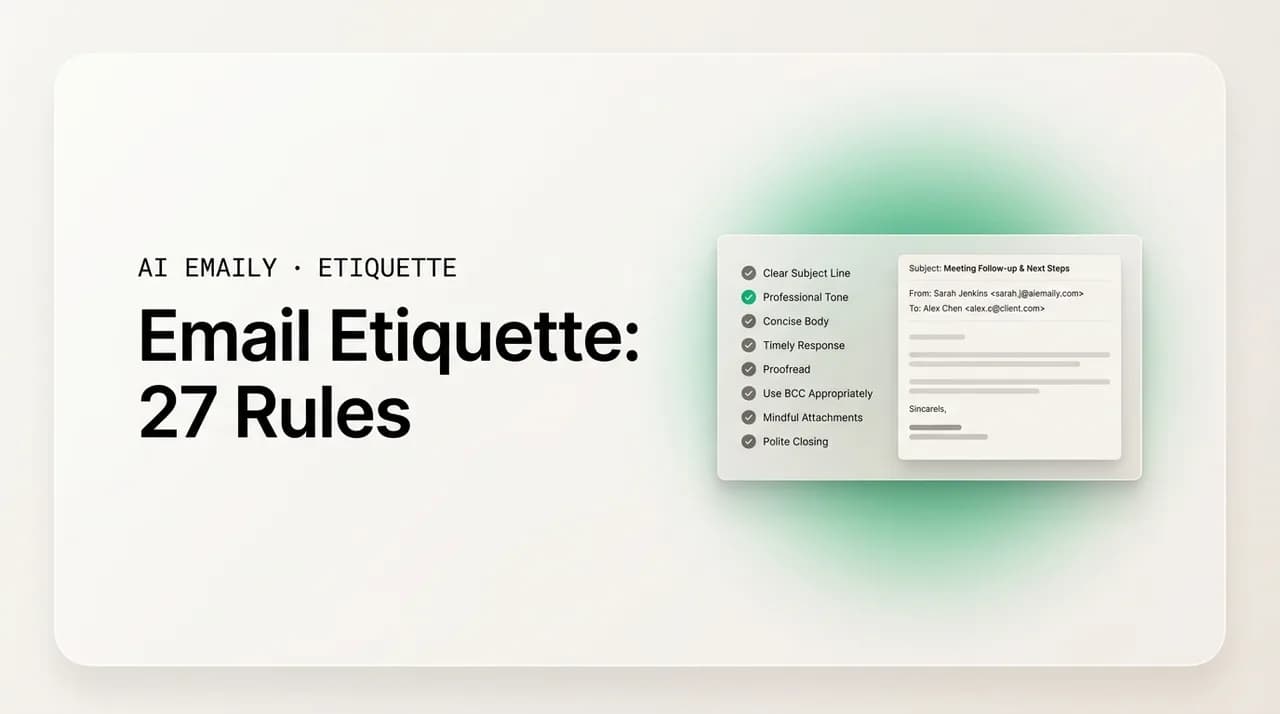
The short answer
Email etiquette is the set of habits that make your messages clear, polite, and easy to act on. The essentials: a specific subject line, a greeting that matches the relationship, a short body with one clear ask, a reply within about a day, careful use of reply-all and BCC, and a proofread before you send.
Email etiquette rules for 2026: 27 professional, workplace-tested habits for subject lines, tone, brevity, reply-all, CC/BCC, sign-offs, and more.
On this page
- 01How should you write subject lines and greetings?
- 02How do you get the tone and clarity right?
- 03How long should an email be?
- 04How quickly should you reply to email?
- 05When should you use reply-all, CC, and BCC?
- 06Why does proofreading matter so much?
- 07How should you sign off an email?
- 08How do you handle attachments and formatting?
- 09What changes when you email from your phone?
- 10The 27 rules at a glance
- 11What are the most common email etiquette mistakes?
- 12How do culture and context change the rules?
- 13How AI Emaily helps you follow these rules automatically
- 14The bottom line on email etiquette
Email etiquette is not a quaint set of manners left over from an earlier internet. It is the difference between a message that gets read and acted on and one that gets skimmed, misread, or ignored. The rules are simple, but the stakes are not: people judge your competence by how you write, and they do it fast. Surveys of hiring managers and professionals consistently find that sloppy email costs real opportunities — a meaningful share of hiring managers say they have rejected candidates over poor email habits, and most professionals say email mistakes have damaged someone's credibility at work. None of that is about being formal for its own sake. It is about respect for the reader's time and attention, which is the entire point of etiquette.
Here is why the basics matter more in 2026, not less. The average professional sends and receives well over a hundred emails a day, most of them now read on a phone, often in the gaps between meetings. Your message is competing with dozens of others for a few seconds of a tired person's attention. In that environment, etiquette is not decoration — it is what makes your email survivable. A clear subject line earns the open. A short, well-structured body earns the read. A polite, specific ask earns the reply. Break those rules and your reasonable request sits unanswered, not because the reader is rude, but because you made it hard to deal with. Each small lapse — a vague subject, an all-caps line, a reply-all to four hundred people, a forgotten attachment — chips at the impression that you are organized and worth taking seriously. Good etiquette is the cheapest reputation insurance there is, and it compounds: the person whose emails are always clear and easy to answer gets answered first, every time.
This guide lays out 27 rules, grouped so you can find what you need: subject lines and greetings, tone and clarity, brevity, response time, reply-all and CC/BCC, proofreading, sign-offs, attachments and formatting, and the etiquette of writing from a phone. Every rule comes with a real example of the right and wrong way to do it, because etiquette is learned by seeing it, not by memorizing a list. We finish with a quick-reference table, the most common mistakes professionals actually make, a note on how culture and context change the rules, and — briefly, because the rules come first — how an AI email client can help you follow these automatically.
A word on how to use this. You do not need to apply all 27 rules to every email; a two-line note to a teammate does not need a formal sign-off. Etiquette is about matching the message to the situation, and most of these rules are really one rule wearing different clothes: be clear, be considerate, and make it easy for the other person to do what you are asking. Keep that in mind and the specifics below will feel less like a rulebook and more like common sense.
The one principle behind every rule
How should you write subject lines and greetings?#
The subject line and the greeting are the two things a reader processes before they decide whether to engage with your email at all. The subject line is read in the inbox list, often on a phone, in under a second. The greeting is the first thing inside, and it sets the temperature for everything that follows. Get these two right and you have already won most of the battle for attention and goodwill. Get them wrong and the best-written body in the world may never be read.
- 1
Rule 1 — Write a specific subject line that previews the email
The subject line is the gatekeeper of your message. It should tell the reader exactly what the email is about and, ideally, what you need from them, so they can triage it at a glance. Vague subjects like "Quick question" or "Following up" give the reader nothing to act on and often read as low-priority or spam. Be concrete and, where it helps, put the ask or deadline right in the line.
- 2
Rule 2 — Keep the subject line short enough to read on mobile
With most email now opened on a phone, subject lines get truncated past roughly 40 to 50 characters. Front-load the important words so the meaning survives even when the end is cut off. Medium-length subjects of around 25 to 40 characters tend to read cleanly on every screen. A long, clause-heavy subject line is a subject line most people will only see half of.
- 3
Rule 3 — Match the greeting to the relationship
Your greeting signals how well you know the person and how formal the context is. "Dear Ms. Okonkwo" suits a first contact or a formal request; "Hi Sara" suits a colleague you know; "Hey" is fine for a close teammate and too casual for a stranger. When in doubt, err slightly formal — you can always relax after the first exchange, but a greeting that felt disrespectful cannot be un-sent.
- 4
Rule 4 — Always spell the recipient's name correctly
Nothing undoes a polished email faster than getting the reader's name wrong. Check the spelling against their signature or email address, and confirm the right form of address. "Dear Mr. Stephens" when the person is Stephen, or "Hi Sara" to a Sarah, tells the reader you were careless with the one detail that is unmistakably about them.
Notice the pattern. A strong subject line does the reader's triage for them: they know the topic, the action, and the deadline without opening the message. A strong greeting reads the relationship correctly — neither stiff nor presumptuous. Both take seconds, and both shape the entire reception of your email. If you fix only two things about how you write, fix these.
The "reply in the subject" trick
How do you get the tone and clarity right?#
Tone is the hardest thing to control in email because the reader cannot hear your voice or see your face. A sentence that would land as friendly out loud can read as curt, cold, or even hostile on a screen, and the reader fills the gap with their own mood — which, in a busy inbox, is rarely generous. Clarity is tone's partner: a message that is hard to follow makes the reader work, and work breeds irritation. These rules keep your email warm where it should be warm, plain where it should be plain, and unmistakable about what you mean.
- 1
Rule 5 — Aim for warm and clear, not stiff or chummy
The professional sweet spot is a tone that is courteous and human without being either robotic or over-familiar. You do not need corporate filler like "Per my last email" to sound competent, and you do not need exclamation points stacked three deep to sound friendly. A short, genuine line — "Thanks for sending this over" — does more than a paragraph of formality. Read your draft as if you were the recipient on a bad day; if any line could be read as rude, soften it.
- 2
Rule 6 — Lead with the point, then give the context
Busy readers want the conclusion first. State what you need or what you are telling them in the first sentence or two, then provide the background for anyone who wants it. Burying the ask in paragraph four is how requests get missed. "Can you approve the attached invoice by Thursday? Context below" respects the reader who already has what they need and serves the one who wants more.
- 3
Rule 7 — Make the ask explicit and specific
"Let me know what you think" gives the reader a vague chore. "Please confirm by Wednesday whether the budget is approved" gives them a clear, bounded action. Tell the reader exactly what you want, from whom, and by when. An email with a fuzzy ask gets a fuzzy answer, or no answer, because the reader is not sure what success looks like.
- 4
Rule 8 — Drop the slang, emojis, and text-speak in professional mail
Casual shorthand, heavy emoji use, and texting abbreviations are not universally understood and can undercut the precision email is for. They can also read very differently across ages, cultures, and seniorities. A single well-placed emoji to a close colleague is fine; "thx, lmk asap 🙏🔥" to a client or a senior contact is not. Keep professional email in plain, complete sentences and save the shorthand for chat.
- 5
Rule 9 — Never write in all caps
All caps reads as shouting, full stop. If you need to emphasize a word, use it sparingly in bold or italics, or simply put the important point in its own short sentence. A subject line or sentence in capitals does not convey urgency to the reader; it conveys that you are either angry or unaware of how it looks.
The thread running through these five rules is that the reader cannot hear your tone, so you have to supply it in the words. Lead with the point so they are not hunting for it. Make the ask specific so they know what done looks like. Keep the register plain so nothing is misread. And keep the warmth visible, because the absence of warmth in text is not neutral — it reads as cold. Clarity and courtesy are not in tension; the clearest emails are usually the kindest, because they do not make the reader work to be helpful.
The tone trap of the fast reply
How long should an email be?#
Brevity is its own rule because length is the single biggest predictor of whether an email gets read in full. The longer the message, the more likely the reader skims, defers, or misses your actual point. The goal is not to be terse — a one-word reply can be ruder than a paragraph — but to be exactly as long as the message needs and no longer. Most professional emails should fit on one mobile screen without scrolling. If yours does not, it is usually a sign you are trying to do too much in one message.
- 1
Rule 10 — Keep most emails to about five sentences or less
A useful working rule: if your email is longer than roughly five short sentences, ask whether it needs to be. Many can be cut in half by deleting the warm-up, the throat-clearing, and the apology for writing. Short emails get read and answered faster, which is the whole point. Length signals effort to the writer and obligation to the reader — and the reader's reaction is what matters.
- 2
Rule 11 — One email, one purpose
An email that asks three unrelated things gets one of them answered and the others lost. If you have several distinct requests for the same person, either number them clearly so none can be missed, or send separate, well-titled emails so each can be tracked and replied to on its own. Cramming everything into one message feels efficient and usually backfires.
- 3
Rule 12 — Cut the filler and get to the point
Phrases like "I hope this email finds you well," "I just wanted to reach out," and "I am writing to inform you that" add words and no meaning. Open with something real or open with the point. The reader does not need a runway; they need to know quickly why you wrote and what you want. Respecting their time this way is itself a form of courtesy.
Brevity does not mean dropping courtesy or context; it means cutting everything that is neither. A short email can still open with a warm line and still give the one piece of background the reader needs. What you are cutting is the padding — the apologies for emailing, the long wind-ups, the three requests that should have been one. The discipline is to write the email, then read it back and delete the half that does not move the reader toward the action. Almost every email has that half.
Write it long, send it short
How quickly should you reply to email?#
Response time is etiquette because silence is a message too. Leave an email unanswered for a week and the sender concludes you are disorganized, uninterested, or both — regardless of how busy you actually are. The fix is not to answer everything instantly, which is impossible and unhealthy, but to set and meet a reasonable, visible standard, and to acknowledge anything you cannot fully answer yet. A quick "got it, will reply properly by Thursday" is worth more than a perfect reply that arrives two weeks late.
- 1
Rule 13 — Reply within about one business day
For most internal and professional email, a reply within 24 hours during the workweek is the expectation. Customer-facing and time-sensitive messages often need faster. This does not mean dropping everything — it means the sender should not be left wondering. If you handle email in batches a couple of times a day, you will comfortably hit a one-day standard without living in your inbox.
- 2
Rule 14 — Acknowledge when you can't answer in full yet
If a message needs research, a decision from someone else, or more time than you have right now, send a short holding reply: "Thanks — I need to check with finance and will get back to you by Friday." This closes the loop, sets an expectation, and stops the sender from chasing you or assuming you are ignoring them. The acknowledgment costs ten seconds and buys you days.
- 3
Rule 15 — Use an auto-responder when you're genuinely away
If you are on leave, traveling, or otherwise unreachable for more than a day, set an out-of-office that states when you will return and who to contact for anything urgent. Silence with no explanation reads as neglect; a clear auto-reply reads as organized. Make sure the named backup contact actually knows they are the backup.
The underrated move in all of this is the acknowledgment. People are far more patient with a delay they have been told about than with silence they have to interpret. A visible standard — answered within a day, or acknowledged with a date — turns your inbox from a source of other people's anxiety into a place they trust. And it protects you, too: it is the difference between "they are slow" and "they told me Friday and it is Wednesday," which is no complaint at all.
When should you use reply-all, CC, and BCC?#
Reply-all, CC, and BCC are the three most misused features in email, and misusing them does real damage: it wastes whole teams' time, embarrasses you in front of clients, and in the case of BCC can create genuine privacy and legal problems. The rules here are not subtle — they are just routinely ignored under time pressure. Learn them once and you will never start a reply-all storm or expose a mailing list again.
- 1
Rule 16 — Make Reply, not Reply All, your default
Before you hit reply-all, ask whether every single person on the thread needs your message. Usually they do not. "Thanks!" or "Got it" sent to twelve people is twelve interruptions for no reason. Reply only to the people who actually need your response, and reach for reply-all only when your reply is genuinely relevant and useful to everyone on the thread.
- 2
Rule 17 — Use the To, CC, and BCC fields for what they mean
The To field is for the people you expect to act or respond. The CC field is for people who should be kept informed but are not on the hook to reply. The BCC field keeps someone informed while hiding their address from everyone else. Putting an action-owner in CC is how tasks fall through the cracks — if you need someone to do something, they go in To.
- 3
Rule 18 — Use BCC to protect addresses when emailing a list
When you email a group of people who do not know each other — external contacts, a customer announcement, a community list — put them in BCC so nobody's address is exposed to the rest. Putting a hundred external addresses in CC leaks everyone's contact details to everyone and is, in many places, a data-protection breach. BCC is the correct, considerate tool for the one-to-many announcement.
- 4
Rule 19 — If you were BCC'd, don't reply all
Being on BCC means the other recipients do not know you received the email. If you reply-all from a BCC, you reveal that you were secretly copied, which is awkward at best and a breach of confidence at worst. If you are BCC'd and need to respond, reply only to the sender, or start a fresh message.
| Field / action | Use it when | Don't use it when |
|---|---|---|
| To | The person must act or reply | They only need to be aware (use CC) |
| CC | Someone should be kept in the loop, no action needed | You need them to do something (use To) |
| BCC | Emailing a list of people who don't know each other; protecting addresses | Quietly looping in your boss to spy on a thread |
| Reply | Only the sender (or a few people) needs your response | Everyone genuinely needs to see it |
| Reply All | Your reply is relevant and useful to every recipient | You're just saying "thanks" or "got it" |
One more nuance on CC and BCC, because it is where good intentions go wrong. Adding your manager to CC can be a reasonable way to keep them informed — or it can read as a threat, a way of saying "I am escalating this and watching you." Be conscious of how a CC lands on the people in To. And resist using BCC to secretly loop someone in on a contentious thread; if it ever comes out that you did, the damage to trust is severe. BCC is for protecting addresses, not for covert surveillance of a conversation.
The BCC mistake that becomes a data breach
Why does proofreading matter so much?#
Proofreading is the rule everyone agrees with and most people skip, and it is precisely the skipped step that does the visible damage. A typo in a chat message is forgotten in seconds; a typo in an email to a client sits there, in writing, as long as the email exists. Worse are the errors that change meaning — a wrong date, a missing "not," a number with an extra zero — which can cause real problems long after the embarrassment fades. A thirty-second read-back is the highest-return habit in all of email etiquette.
- 1
Rule 20 — Read every email before you send it
Before hitting send, read the whole message once, ideally out loud or under your breath. You will catch the awkward sentence, the wrong tone, the dropped word, and the line that could be misread. This single pass catches the overwhelming majority of mistakes, and it takes less time than the apology email you would otherwise have to send.
- 2
Rule 21 — Double-check names, dates, numbers, and the recipient
Beyond spelling, verify the load-bearing details: the recipient's name, any dates and deadlines, figures and amounts, and links. These are the errors that cost more than a moment of awkwardness — a meeting booked for the wrong day, an invoice for the wrong amount, a link that goes nowhere. Confirm the actual recipient too, before autocomplete sends your message to the wrong "David."
- 3
Rule 22 — Attach the file before you write "attached"
The forgotten attachment is the most common self-inflicted email error there is. Beat it by attaching the file first, before you write the body — or by treating the word "attached" as a trigger to check the file is actually there before you send. A follow-up that just says "oops, here it is" reads as someone who does not check their own work.
The reason proofreading punches so far above its weight is that email is permanent and forwardable. A spoken slip evaporates; a written one can be screenshotted, forwarded, and re-read. That permanence cuts both ways — it is exactly why a clean, careful email builds your reputation steadily over time, and why a careless one can undo a good impression in a single line. Treat send as a one-way door, because it is, and give every message the half-minute of attention that door deserves.
Add the recipient last for risky emails
How should you sign off an email?#
The sign-off is the last thing the reader sees, and like the greeting it carries tone. A closing that is too formal for the relationship reads as cold; one that is too casual for the context reads as flippant. The sign-off also includes the practical job of telling the reader who you are and how to reach you, which matters more than people think — a missing signature on a first contact leaves the recipient hunting for your title, company, or phone number. Get the closing right and you leave a clean, professional last impression.
- 1
Rule 23 — Match the sign-off to the relationship and context
Safe, near-universal closings include "Best," "Thanks," "Best regards," and "Sincerely" for formal messages. "Thanks" works well when you are asking for something; "Best" and "Best regards" suit most professional mail; "Sincerely" suits formal or first-contact letters. Reserve warmer closings like "Cheers" or "Talk soon" for people you actually have that rapport with. Whatever you choose, stay consistent within a thread.
- 2
Rule 24 — Use a clean, informative signature block
For external email and first contacts, include a signature with your name, title, company, and a way to reach you. Keep it simple — a few lines, no walls of legal text, no giant images that break on mobile or get stripped as attachments. The signature exists so the reader can identify you and follow up, not to display every social handle you own. For internal one-line replies, a signature is often unnecessary.
A small but real point of consistency: pick a sign-off and stay with it through a conversation. Opening a thread with "Best regards" and ending the next reply with "cheers!" gives a subtle whiplash, as if two different people wrote them. Within an ongoing back-and-forth with someone you know, it is also perfectly fine to drop the sign-off entirely after the first message or two — once you are clearly mid-conversation, a closing on every two-line reply can feel oddly stiff. Read the thread and match its rhythm.
How do you handle attachments and formatting?#
Attachments and formatting are where an otherwise good email becomes hard to use. A huge file clogs the reader's inbox; a vaguely named attachment forces them to guess what it is; a wall of unbroken text makes them give up. Formatting is not about making email pretty — it is about making it scannable, because almost nobody reads a work email word for word. They scan for the part that concerns them, and good formatting is what lets them find it.
- 1
Rule 25 — Name attachments clearly and mention them in the body
An attachment called "Final_v3_REAL_use_this.docx" or "document(2).pdf" tells the reader nothing. Name files so they make sense out of context — "Acme-Proposal-June2026.pdf" — and always mention the attachment in the body so the reader knows it is there and what it is. For large files, compress them or share a secure cloud link instead of bloating the recipient's inbox.
- 2
Rule 26 — Break the body into short paragraphs, lists, and bold for scanning
Use short paragraphs of two to three sentences, bullet points or numbered lists for anything sequential or multi-part, and sparing bold to mark the one or two things the reader must not miss. White space is your friend; a single dense block is where information goes to be ignored. The goal is an email the reader can grasp by scanning, then read in full only if they need to.
A note on rich formatting: more is not better. Multiple fonts, colored text, large logos, and decorative backgrounds tend to render unpredictably across email clients and devices, and they often make a message look less professional, not more. Stick to a single clean font, default size, and minimal color. The formatting that helps is structural — paragraphs, lists, the occasional bold — not cosmetic. If your email looks like a designed flyer, you have probably overdone it for ordinary professional correspondence.
What changes when you email from your phone?#
More than half of email is now read on a phone, and a large share is written on one too. Mobile is where etiquette quietly slips: thumbs make more typos, small screens hide formatting problems, and the temptation to fire off a fast, abrupt reply is strongest. The phone is not an excuse for worse email — it is a context with its own rule, which is mostly to slow down enough that the convenience of mobile does not cost you the quality of the message.
- 1
Rule 27 — Hold mobile email to the same standard, and proofread the typos
The reader cannot tell, and does not care, that you wrote from your phone. The same rules apply: a clear subject, a real greeting, a proofread before sending. Autocorrect introduces its own errors — a changed name, a wrong word — so read mobile messages back especially carefully. If a reply needs nuance, a careful tone, or an attachment, it is often better to wait until you are at a computer than to rush it on a phone.
The mobile rule is really a discipline rule. Everything that makes email considerate — the proofread, the clear ask, the right tone, the checked attachment — is exactly what gets skipped when you are typing with one thumb in a queue. So the move is simple: if a phone reply can wait for a moment when you can write it properly, let it wait; and if it cannot wait, give it the same thirty seconds of care you would at a desk. The reader experiences your email the same way regardless of where you wrote it.
When "reply later from my desk" is the polite choice
The 27 rules at a glance#
Here is the whole list in one place, grouped, so you can scan it before an important email or keep it nearby as a checklist. Each rule is a single habit; together they cover the situations where email most often goes wrong. You will not apply all of them to a two-line note — match the rules to the stakes of the message.
| # | Rule | Group |
|---|---|---|
| 1 | Write a specific subject line that previews the email | Subject & greeting |
| 2 | Keep the subject short enough to read on mobile | Subject & greeting |
| 3 | Match the greeting to the relationship | Subject & greeting |
| 4 | Always spell the recipient's name correctly | Subject & greeting |
| 5 | Aim for warm and clear, not stiff or chummy | Tone & clarity |
| 6 | Lead with the point, then give context | Tone & clarity |
| 7 | Make the ask explicit and specific | Tone & clarity |
| 8 | Drop slang, emojis, and text-speak in professional mail | Tone & clarity |
| 9 | Never write in all caps | Tone & clarity |
| 10 | Keep most emails to about five sentences or less | Brevity |
| 11 | One email, one purpose | Brevity |
| 12 | Cut the filler and get to the point | Brevity |
| 13 | Reply within about one business day | Response time |
| 14 | Acknowledge when you can't answer in full yet | Response time |
| 15 | Use an auto-responder when you're genuinely away | Response time |
| 16 | Make Reply, not Reply All, your default | Reply-all & CC/BCC |
| 17 | Use To, CC, and BCC for what they mean | Reply-all & CC/BCC |
| 18 | Use BCC to protect addresses on a list | Reply-all & CC/BCC |
| 19 | If you were BCC'd, don't reply all | Reply-all & CC/BCC |
| 20 | Read every email before you send it | Proofreading |
| 21 | Double-check names, dates, numbers, recipient | Proofreading |
| 22 | Attach the file before you write "attached" | Proofreading |
| 23 | Match the sign-off to the relationship | Sign-offs |
| 24 | Use a clean, informative signature block | Sign-offs |
| 25 | Name attachments clearly and mention them | Attachments & formatting |
| 26 | Break the body into short paragraphs and lists | Attachments & formatting |
| 27 | Hold mobile email to the same standard | Mobile |
What are the most common email etiquette mistakes?#
The rules above are the positive form; it helps to also name the failures, because mistakes are sticky — we recognize the bad email we received last week faster than the good one. These are the errors professionals make most often, the ones that quietly erode credibility. Most are not about ignorance; they are about speed, autopilot, and not reading the message back. Knowing the list makes you catch yourself mid-error.
- The vague subject line. "Hi," "Question," or "Update" tell the reader nothing and get triaged to the bottom of the pile. The email may be urgent; the subject says otherwise.
- The buried ask. The actual request is in the last sentence of a long paragraph, so it gets missed, and then you wonder why nobody replied to the thing you needed.
- The reply-all storm. One person hits reply-all to say "thanks," then someone replies-all to ask people to stop replying-all, and now forty inboxes are on fire over nothing.
- The exposed mailing list. A hundred external addresses dropped into CC instead of BCC, leaking everyone's email to everyone — a privacy breach disguised as a routine announcement.
- The forgotten attachment. "Please see attached" with nothing attached, followed by the sheepish "oops, here it is" — the single most common self-inflicted email error.
- The wrong-recipient send. Autocomplete picks the wrong "David," or a reply-all sends a private aside to the whole group. Permanent, forwardable, and sometimes career-defining.
- The all-caps or exclamation-storm message. Meant to convey urgency or enthusiasm, received as shouting or instability.
- The passive-aggressive line. "Per my last email," "As I already mentioned," "Just circling back AGAIN" — phrases that read as hostile no matter how calm you felt typing them.
- The novel. A six-paragraph email where two sentences would do, guaranteeing it gets skimmed, deferred, or never finished.
- The silence. The email that simply goes unanswered for a week, leaving the sender to conclude you are disorganized or do not care.
Read that list back and a pattern jumps out: almost every one of these is caught by a single thirty-second read-back before sending, paired with a moment's thought about who is on the email and what you are actually asking. The mistakes are not failures of knowledge — everyone knows not to forget the attachment — they are failures of attention under time pressure. The professionals who rarely make them are not more careful by nature; they have simply built the read-back into their reflex, so the pause happens automatically before send rather than painfully after.
The mistake that's hardest to take back
How do culture and context change the rules?#
Email etiquette is not one fixed code; it bends with culture, industry, seniority, and relationship. The same email that is perfectly judged to a startup colleague would read as far too casual to a government official in a formal business culture, and the careful formality that suits a first contact would feel stiff and distant to a teammate you message all day. The skill is not memorizing one register but reading the situation and matching it. A few axes matter most.
- Formality varies by culture and country. Some business cultures expect titles, formal salutations, and a more ceremonious tone as a baseline; others are first-name and direct from the first message. When emailing across cultures, start more formal and let the other person set the pace.
- Directness lands differently. A blunt, ask-first email reads as efficient in some cultures and as rude in others, where a softer, more relationship-first opening is expected before getting to business. Notice how your counterpart writes and mirror it.
- Industry sets a baseline. Law, finance, and government skew formal; tech, design, and media skew casual. The norm in your field is a strong default — but the individual relationship can override it.
- Seniority and relationship matter most of all. You write differently to a CEO you have never met than to a peer you have known for years. The newer and more senior the relationship, the more you lean toward care and formality.
- Match the other person's register. The single most reliable rule: look at how the person writes to you — their greeting, length, formality, sign-off — and meet them there. If they sign off "Cheers, Sam," you can relax; if they write "Dear Dr. Patel, Kind regards," stay formal.
The practical upshot is that etiquette is a moving target you hit by paying attention, not a script you recite. When you do not know the norm — a new company, a different country, an unfamiliar industry — default to slightly more formal and slightly more careful, because over-formality is a minor, easily-corrected miss while over-familiarity can give lasting offense. Then read the reply, adjust, and settle into the register the relationship actually wants. That responsiveness is itself a form of good manners.
When in doubt, mirror and slightly under-match the casualness
How AI Emaily helps you follow these rules automatically#
Most email etiquette failures are not knowledge problems — you already know not to bury the ask, shout in caps, forget the attachment, or fire off a curt reply. They are attention problems that happen under time pressure, especially on a phone between meetings. That is exactly the gap an AI email client can close: it puts a careful second pass between your intent and your send, so the rules get applied even when you are rushing. We build AI Emaily, so take this as the maker's case — but it is grounded in the same rules this guide is about.
Drafts in your voice, at the right tone. AI Emaily learns how you actually write from your sent mail — your phrasing, your level of formality, your sign-offs — and drafts replies that sound like you rather than like a generic template. When a message needs to be warmer, firmer, more formal, or more concise, you can adjust the tone before you send, so the email matches the relationship and context the way the etiquette rules ask. It is the difference between staring at a blank reply and editing a draft that is already in the right register.
A proofread and polish before you hit send. The single highest-return etiquette habit — reading the email back for typos, tone, and clarity — is the one most often skipped. AI Emaily helps with that pass: tightening rambling drafts toward brevity, smoothing a line that could read as curt, and catching the errors a tired reader of your own draft glides over. The thirty-second read-back becomes something the tool helps you do every time, not something you remember only after the awkward follow-up.
On-time replies, with a moment to reconsider. Etiquette asks you to reply within about a day and to never send the message you will regret. AI Emaily helps on both ends: it surfaces and drafts replies so nothing waits unanswered for a week, and it includes a send delay with undo, so the angry reply or the wrong-recipient send has a built-in pause where you can catch it. That undo is the technical version of "fill in the recipient last" — a safety margin around the irreversible act of sending.
It works wherever your email lives, privately. AI Emaily connects every provider and account in one place, so the same etiquette help applies to your work inbox, your personal mail, and a freelance address alike. And because email is sensitive, the posture is strict: your mail is not used to train models, content is encrypted, and privacy is the default rather than a setting to discover. Good etiquette should not cost you your privacy. It starts free at $0, with Pro at $12.42/mo on annual billing.
To be clear about what this is and is not: the tool does not replace your judgment about what to say, who to say it to, or whether to send at all — those are yours, and they always should be. What it does is make the mechanical, easy-to-skip parts of etiquette automatic, so being considerate does not depend on having the time and presence of mind to be considerate. The rules in this guide are the standard; a good AI email client is one way to hit that standard consistently, even on the days the inbox is winning.
The bottom line on email etiquette#
Email etiquette is not about formality for its own sake, and it is not a relic. It is the practical art of making your messages clear, considerate, and easy to act on — which is, in turn, how you get read, get answered, and get taken seriously. Every rule in this guide is a version of one idea: respect the reader's time and attention. A specific subject line respects their triage. A short body with one clear ask respects their reading. A prompt reply respects their wait. Careful use of reply-all and BCC respects everyone else's inbox and privacy. A proofread respects the permanence of the written word.
If you remember nothing else, remember the handful that do the most work. Write a subject line that previews the email. Lead with your point and make the ask explicit. Keep it short. Reply within a day, or acknowledge that you will. Default to Reply, not Reply All, and use BCC for lists. And read every message back before you send, because send is a one-way door. Those six habits will put you ahead of most of the email people send you, and they cost almost nothing but a moment's attention.
The deeper truth is that good email is a reputation, built one message at a time. The colleague whose emails are always clear and easy to answer becomes the one people answer first. The vendor whose messages are tidy and prompt becomes the one clients trust. None of it requires talent — it requires the small, repeatable discipline of applying these rules until they are reflex. Whether you build that reflex on your own or lean on a tool that handles the mechanical parts for you, the standard is the same, and it is well within reach.
If you want help hitting that standard every time — drafts in your own voice, tone you can adjust, a proofread before you send, and on-time replies with an undo for the ones you fire off too fast — that is what AI Emaily is built to do, across every inbox you have and private by default. It starts free at $0, with Pro at $12.42/mo on annual billing. You can try it at app.aiemaily.com/signup. And whether you use it or not, write the next email as if the reader's time mattered. It does.
Frequently asked
See it in AI Emaily
Keep reading

Written by
Nafiul HasanNafiul Hasan is an entrepreneur and AI automation system builder with 10+ years of experience turning messy, manual workflows into reliable automated systems. He designs and ships AI enterprise solutions end-to-end — the agent logic, the data plumbing, and the product people actually use — and founded AI Emaily to give busy professionals their attention back. He writes here from the builder's seat: what works, what breaks, and how to put AI to work without giving up control.