Notification Overload at Work: How to Quiet the Pings and Get Your Focus Back

The short answer
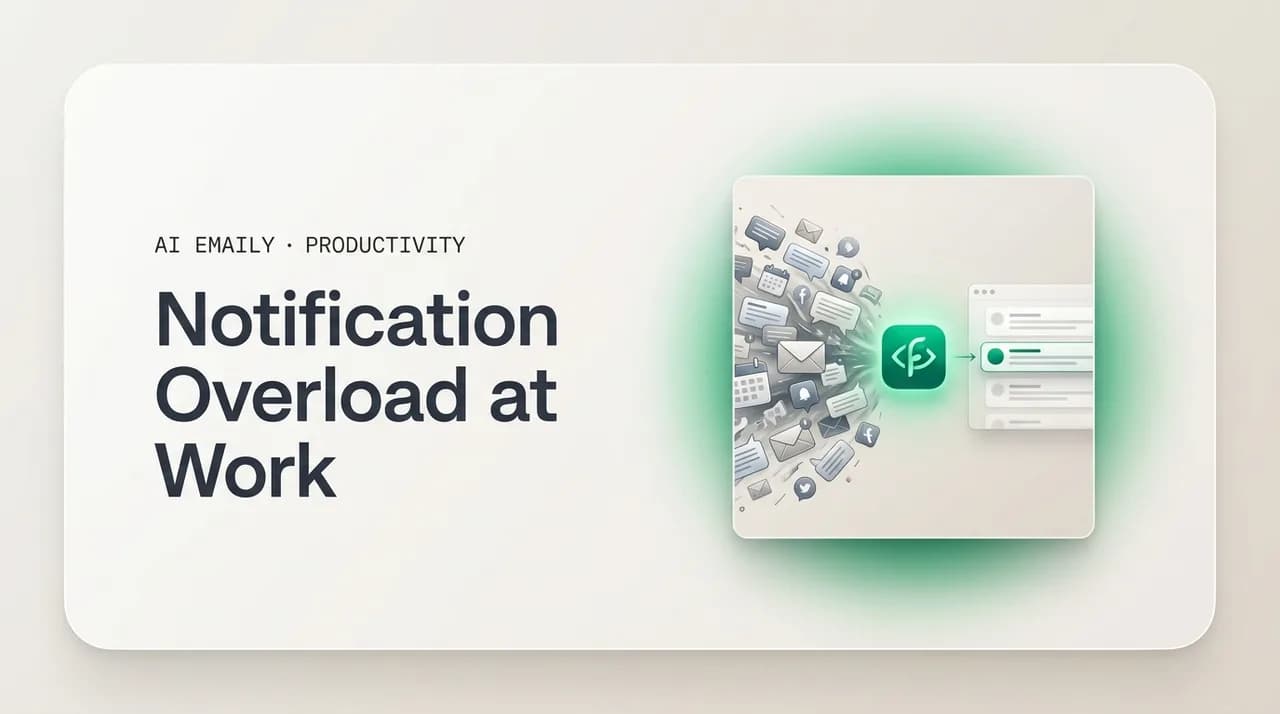
Notification overload — the constant email, Slack, Teams, and phone alerts — fragments your focus and quietly raises stress. Audit a typical day to see where the pings come from, silence everything that is not a real interruption, batch the rest, and set team norms so quiet is allowed. Then consolidate the inbox into one brief and let only VIPs interrupt you.
Notification overload at work — email, Slack, Teams, and phone pings — fragments your focus and raises stress. Here is how to audit your alerts, cut the noise, set team norms, and consolidate the inbox to a single brief.
On this page
- 01What is notification overload at work?
- 02How do notifications actually hurt your focus and stress?
- 03How do you run a notification audit in one workday?
- 04What is a notification reduction plan that actually works?
- 05What does good notification hygiene look like day to day?
- 06How do you set team notification norms so quiet is allowed?
- 07Why is email usually the loudest notification channel?
- 08How does AI Emaily turn inbox noise into a single brief?
- 09The bottom line on notification overload
Count the times you got pinged in the last hour. A new email lands and a badge climbs in the corner of your screen. Slack buzzes with a thread you were tagged in. Teams pops a meeting reminder over whatever you were reading. Your phone lights up on the desk beside the laptop, face-up, because you keep meaning to flip it over and never do. Somewhere a calendar alert, a shared-doc comment, a status change in the project tool. None of it is an emergency. All of it wants you, right now, and most of it gets you — for a few seconds each, dozens of times a day.
That steady drip has a name now: notification overload. It is the condition of having more alerts arriving than any person can meaningfully process, across more apps than anyone deliberately chose to install. And it is not a personal failing or a sign you are bad at focus. It is the default state of a modern desk job, because almost every tool you use ships with notifications turned on, set to interrupt, and tuned to win your attention rather than respect it. The result is a workday chopped into fragments, a low hum of stress that never quite settles, and the strange feeling of being busy all day without doing the work that actually mattered.
This guide is about getting out of that state on purpose. We will start with what notification overload is really doing to your focus and your stress — the part that is easy to feel but hard to name. Then we get practical: a notification audit you can run in one workday to see exactly where your pings come from, a reduction plan to cut the noise channel by channel, the notification hygiene habits that keep it cut, and the team norms that make quiet socially acceptable instead of suspicious. Near the end we look at the inbox specifically — usually the loudest, most guilt-laden channel of all — and how an AI-native email client can collapse it from a constant feed into a single brief, letting only the people who genuinely matter reach you in real time.
No digital-detox sermons, no telling you to throw your phone in a lake. You have a job that runs on these tools and you cannot simply leave. The goal is narrower and more useful: keep every channel you actually need, and take back control of when it gets to interrupt you.
What is notification overload at work?#
Notification overload is the point where the volume of alerts you receive outruns your capacity to handle them without losing focus. It is not one loud app; it is the sum of many — email, chat, calendar, project tools, document comments, and the phone in your pocket — each firing on its own schedule, none of them coordinating, all of them assuming theirs is the one that deserves to break your concentration. Individually every ping seems reasonable. Together they form a near-constant background pressure that makes sustained thinking feel almost impossible.
The reason it has gotten worse is structural, not personal. A decade ago the average knowledge worker had email and maybe a phone. Now a typical role runs across a stack of communication and collaboration apps, and each one was designed to maximize engagement — to pull you back in, keep you checking, and reward responsiveness. Defaults are set to interrupt. Badges are red. Sounds are on. The tools are competing for the same scarce resource — your attention — and you are the one absorbing the collision. Layer remote and hybrid work on top, where chat replaced the hallway conversation and a question that used to wait now arrives as an instant message, and the alert count climbs again.
It helps to separate two things people lump together. A notification is the system interrupting you — a banner, a sound, a buzz, a badge — to announce that something happened. The underlying message or task is separate; you would have to deal with it eventually regardless. Notification overload is specifically a problem of the interrupting layer: too many announcements, arriving too often, demanding attention in real time for things that almost never need real-time attention. You can have a perfectly manageable amount of actual work and still be drowning in notifications about it. That distinction is the whole game, because it means you can dramatically cut the interruptions without dropping a single real responsibility.
And the cost is real, not just annoying. Every notification you actually attend to is a small context switch — a pull away from what you were doing and a slow climb back. Stack enough of them and you get a day where you were reachable every minute and focused during almost none of them. That is the trade notification overload quietly makes on your behalf: maximum availability, minimum depth.
The core distinction
How do notifications actually hurt your focus and stress?#
The damage works through two channels: what notifications do to your attention, and what they do to your nervous system. Both compound over a day, which is why you can end an interrupted workday feeling simultaneously unproductive and exhausted — a combination that does not make sense until you see the mechanism.
On the attention side, the problem is the switch, not the seconds. When a notification pulls you away from a task, the cost is not the few seconds you spend glancing at it — it is the time and mental effort to rebuild the context you dropped. Researchers call the lag attention residue: after you switch, part of your mind is still on the previous task, and part is still recovering from the interruption, so neither gets your full capacity. A widely cited line of research from Gloria Mark at UC Irvine found that once knowledge workers are pulled off a task, it can take a long stretch — often cited around 23 minutes — to fully return to it. You rarely get 23 uninterrupted minutes, so in practice you spend much of the day in that half-recovered state, never reaching the depth where hard problems actually get solved.
There is a second, subtler attention cost: anticipation. Once your brain learns that pings arrive unpredictably, it starts listening for them even when none come. You keep half an ear on the chat app, glance at the phone reflexively, check email between paragraphs. Part of your working memory is permanently reserved for monitoring the channels, which leaves less for the task in front of you. This is why simply having notifications on — even silent ones, even ones you do not consciously act on — degrades focus. The vigilance itself is the tax.
On the stress side, each notification is a small demand. It says something needs your attention, and your body responds the way it responds to demands — a tiny uptick in alertness, a flicker of the stress response. One is nothing. A hundred a day, every day, is a nervous system that never fully downshifts. People describe it as feeling 'wired but tired,' or being unable to relax even after logging off because the habit of vigilance does not switch off with the laptop. There is also the specific anxiety of the unread badge — the count climbing, the sense of falling behind, the pull to clear it that has nothing to do with whether anything in there is actually urgent. Add the social pressure of fast-response cultures, where a delayed reply feels like a failure, and notifications stop being neutral information and become a steady source of low-grade dread.
Put the two together and you get the defining experience of an overloaded workday: scattered and drained at once. You were available all day, so it felt like work. You were interrupted all day, so almost nothing deep got done. And your body spent the whole time in a mild state of alert, so you are tired in a way that a day of actual focused work — even hard work — does not produce. That is the real toll, and it is the thing the rest of this guide is built to fix.
Silent notifications still cost you
How do you run a notification audit in one workday?#
You cannot cut what you have not measured, and almost nobody actually knows how many notifications they get or where they come from. The number lives in the background, unexamined, which is exactly why it grew so large. A notification audit fixes that. The goal is simple: spend one normal workday counting your pings by source, then look at the tally and decide, channel by channel, what genuinely needs to interrupt you and what does not. It takes about a day of light tracking and ten minutes of review, and it is the single most useful thing in this guide because everything after it depends on knowing your own numbers.
Run it on a typical day, not your quietest or your most chaotic. Keep a running tally — a notes app, a sheet, a tick sheet on paper, whatever you will actually use — and for each notification that reaches you, log where it came from and whether it actually needed you in the moment. Do not change your behavior to look good; the point is the honest baseline. By end of day you will have a picture that almost always surprises people: the channel they assumed was the problem is often not, and a channel they never think about is firing constantly.
- 1
List every source first
Before the day starts, write down every app and device that can notify you: email, each chat tool (Slack, Teams), calendar, project/task tools, document comments, the OS itself, and your phone separately from your computer. You cannot tally what you forgot you had.
- 2
Tally every ping by source, all day
Each time a notification reaches you, add a tick next to its source. Catch the silent ones too — a badge that appeared, a phone that lit up. The silent ones are the easiest to undercount and often the most numerous.
- 3
Mark whether it needed you now
For each ping, note one of three: needed me now (a real-time interruption was justified), could have waited (fine to see in a batch later), or pure noise (a newsletter, an automated status, a channel you never read). Be honest — most land in the second two buckets.
- 4
Note what each one cost
When a ping actually pulled you off a task, jot a quick mark for it. At day's end you will see not just how many notifications you got but how many times your focus was genuinely broken — usually a sobering number.
- 5
Total it up and rank the offenders
Add the ticks by source and sort them. You now have a ranked list of where your notifications come from and how many of each were truly urgent. The biggest source with the fewest 'needed me now' marks is your first and easiest win.
- 6
Decide the rule for each channel
For every source, choose one policy going forward: interrupt me (true real-time), batch it (I will check on my schedule), or silence it entirely (I will visit when I choose, or never). This decision list becomes your reduction plan in the next section.
Here is what a filled-in audit tends to look like for a typical knowledge worker — your numbers will differ, but the shape is remarkably consistent. The value is not in matching these figures; it is in seeing how few of a day's interruptions actually warranted real-time attention, and how concentrated the noise is in a couple of channels.
| Source | Pings in a day | Needed me now | Verdict |
|---|---|---|---|
| Email (new-mail alerts + badge) | ~60 | 2–3 | Batch — check on a schedule, kill the alert |
| Slack / chat (channels + DMs) | ~50 | 4–5 | Interrupt for DMs/mentions only; mute channels |
| Microsoft Teams (chat + activity) | ~25 | 2 | Same as chat — mentions only, mute the rest |
| Calendar reminders | ~10 | 10 | Keep — these are time-bound and genuinely useful |
| Project / task tool updates | ~20 | 0–1 | Batch — digest once or twice a day, not live |
| Document comments / shares | ~15 | 1 | Batch — review when you open the doc, not on ping |
| Phone apps (non-work) | ~40 | 0 | Silence during work hours entirely |
| OS / app system alerts | ~10 | 0 | Silence — updates, tips, promotions |
Read the right-hand column and the pattern jumps out. Out of roughly 230 daily interruptions in this fairly normal example, fewer than 25 genuinely needed real-time attention — and ten of those are calendar reminders, which are useful precisely because they are time-bound. The overwhelming majority could wait, be batched, or vanish entirely with zero cost to your actual job. That gap between pings received and pings that mattered is the entire opportunity. Your audit will produce a different table, but it will almost certainly tell the same story: you are being interrupted an order of magnitude more often than your work actually requires.
Track the silent ones too
What is a notification reduction plan that actually works?#
With your audit in hand, the reduction plan is mostly execution. The principle is one sentence: turn off every notification that is not a genuine real-time interruption, and route everything else into batches you check on your own schedule. The mistake people make is trying to do this in their head, channel by channel, when a ping annoys them — which never sticks because the defaults reassert themselves and the guilt of 'what if I miss something' creeps back. Do it deliberately, all at once, with a clear default, and it holds.
Start from a strict default and add back only what earns it: assume every channel is muted unless it has proven it needs real-time access to you. This inverts how the apps ship — they assume everything is urgent — and it is the only setting that scales as you add more tools. Then work through your audited sources from loudest to quietest, applying the rule you chose for each. Concretely, that usually looks like this:
- Email: turn off new-mail alerts and the unread badge entirely. Email is asynchronous by design — almost nothing in it needs you within the minute. Check it on a schedule (a few defined times a day) rather than on arrival. This single change removes the largest, most guilt-laden notification source for most people.
- Chat (Slack, Teams): switch from 'all messages' to 'mentions and direct messages only.' Mute the channels you are in for awareness, not action. Set your status and Do Not Disturb hours so the tool itself defends your focus blocks instead of leaving it entirely to your willpower.
- Project and task tools: turn off per-event notifications and rely on a once- or twice-daily digest, or simply check the board when you sit down to that work. Live updates on tickets and status changes are pure noise — you act on them in batches anyway.
- Document comments and shares: disable the real-time ping. You review comments when you open the document to work on it, not the instant someone leaves one.
- Phone: this is the highest-leverage device. Use a Focus/Work mode that silences non-work apps during work hours, keep the phone out of sight rather than face-up on the desk, and let only true emergencies (a short VIP list, repeated calls) break through.
- System and OS alerts: kill app update prompts, tips, promotions, and 'you have not opened this in a while' nudges. None of these are work; all of them are interruptions.
Two principles make the difference between a plan that holds and one that quietly erodes. First, allow-list, do not block-list. Trying to mute annoying notifications one at a time is endless, because new sources keep appearing and the old ones reset on updates. Instead, silence broadly by default and grant real-time access only to the short list of channels and people that have genuinely earned it — a manager, a key client, on-call alerts. It is a smaller list than you fear. Second, batch with intention. The reason turning off email alerts works is that you replace 'check whenever it pings' with 'check at set times,' so nothing is actually missed — it is just handled on your schedule instead of the sender's. Cutting the interruption without a plan to process the channel is what creates the anxiety; cutting it and scheduling the channel removes it.
Start with the biggest, easiest win
What does good notification hygiene look like day to day?#
Cutting notifications once is an event; keeping them cut is a habit. Notification hygiene is the set of small, repeatable practices that stop the noise from creeping back — because it will try to. Every new app you adopt arrives with everything on. Every major update has a way of resetting your carefully chosen settings. Every fast-response moment tempts you to flip alerts back on 'just for this week.' Hygiene is how you hold the line without thinking hard about it every day.
The habits are unglamorous, which is why they work. The point is to make low-interruption the default that requires no willpower, and to make the rare exception deliberate.
- Audit periodically. Re-run a lightweight version of the notification audit every quarter or whenever you feel scattered again. New tools and reset defaults accumulate silently; a quick recount catches them.
- New app, notifications off. Make it a personal rule: any new tool gets its notifications disabled on install, and you add back only what proves it needs real-time access. Default-off is far easier than walking back default-on later.
- Phone out of sight during focus. Not face-down on the desk — actually out of reach, in a drawer or another room, during your focus blocks. Visibility alone pulls attention even with no alert.
- Protect focus blocks with Do Not Disturb. Use your OS and chat tool's DND/Focus modes during your deep-work windows so the system enforces quiet instead of relying on you to resist.
- Single-purpose checking. When you do check a channel, check it deliberately and finish, rather than leaving it open as an ambient feed in the corner of your screen all day.
- Batch by default, interrupt by exception. Treat 'check on my schedule' as the normal mode for every channel, and grant real-time interruption only to the short allow-list you genuinely defined.
- Kill the badge, not just the sound. Wherever possible, remove the unread count too. The number itself is a pull, independent of any noise, and clearing it becomes its own compulsive loop.
Hygiene is maintenance, not a one-time fix
How do you set team notification norms so quiet is allowed?#
You can cut your own notifications to the bone and still feel the pressure if your team treats a fast reply as the measure of a good colleague. Notification overload is partly a personal-settings problem and partly a culture problem, and the culture half is the one that quietly undoes individual fixes. If a teammate expects an answer within minutes, muting your chat feels risky no matter how reasonable it is. So the durable fix has a team dimension: shared norms that make 'I check messages a few times a day' a normal, respected way to work rather than a sign someone is slacking.
The goal is to separate urgency from channel — to agree, as a team, on what truly needs an instant response and what does not, and to use the right tool for each. Most of what flows through chat and email is not urgent; it only feels urgent because it arrived in real time. When a team names that explicitly, the social pressure to respond instantly drops, and everyone gets to work in longer blocks. These are the norms worth establishing:
- Define what 'urgent' actually means. Agree on a short, shared definition of a genuine emergency and the one channel reserved for it (a phone call, a specific @here, a paging tool). Everything outside that definition is, by agreement, not urgent — which means a fast reply is not expected.
- Set response-time expectations by channel. Make it explicit: chat within a few hours, email within a day, urgent channel within minutes. When the expectation is stated, nobody has to guess, and a same-day reply stops feeling like a failure.
- Normalize Do Not Disturb and focus blocks. Make it culturally fine — encouraged, even — for people to be unreachable during deep-work windows. When leaders visibly do it, it becomes safe for everyone else.
- Default to async. Prefer a message that does not require an instant answer, a shared doc, or a recorded update over a real-time ping whenever the work allows it. Async-first communication is the structural cure for notification overload at the team level.
- Don't reward instant replies. Stop praising the person who answers at 11pm in two minutes. Whatever the team celebrates, it gets more of — and celebrating instant responsiveness manufactures the always-on pressure that drives the overload.
- Write it down. Put the norms in a team charter or onboarding doc so they survive new hires and busy weeks, rather than living as an unspoken understanding that erodes under pressure.
Leaders set the norm by going quiet first
Why is email usually the loudest notification channel?#
Of all the channels in your audit, email tends to carry a special weight. It is high-volume, it is where the most consequential things often land, and it is wrapped in the most guilt — the unread count feels like a backlog of obligations, each one quietly asking why you have not dealt with it yet. So even people who confidently mute every other channel hesitate over email. What if the one urgent message is in there? What if a client is waiting? That fear is what keeps the email alert on long after the rest of the noise is gone, and it is why email is, for many people, the last and hardest notification to tame.
The fear is also misplaced, and your audit usually proves it. In the example earlier, email generated around sixty interruptions a day, of which two or three genuinely needed real-time attention. The other fifty-odd were newsletters, automated receipts, cc's for awareness, threads you were looped into, and messages that were perfectly fine to handle in a batch an hour later. The problem was never that email is unimportant — it is that the notification treated every message as equally urgent, when the urgency is wildly uneven. A handful of senders genuinely warrant interrupting you. The rest do not, and the all-or-nothing alert cannot tell the difference.
That is the gap that makes email feel impossible to mute safely: turning the alert off means you might miss the rare real one, but leaving it on means absorbing fifty fake ones to catch the two. Neither option is good. What you actually want is something the standard inbox does not offer — to be interrupted for the few messages that truly matter and to receive everything else as a calm, batched summary you read on your schedule. In other words, you do not want fewer emails; you want fewer email notifications, intelligently sorted, so the real ones reach you and the noise waits. That is precisely what an AI-native email client is built to do.
You don't want fewer emails — you want fewer interruptions
How does AI Emaily turn inbox noise into a single brief?#
Here is where the inbox stops being your loudest channel. AI Emaily is an AI-native email client that does the triage you would do by hand if you had the time — reading every incoming message, understanding what it is and how much it matters, and deciding what actually deserves to interrupt you. Instead of a notification for every email, you get a calm, organized brief: the important threads surfaced and summarized, the routine stuff sorted away, and the noise kept out of your face entirely. The constant feed becomes something you read on your schedule, in a few minutes, the way the reduction plan above wanted email to work — except you no longer have to manually decide which messages are worth opening.
The piece that resolves the fear from the last section is VIP-only real-time alerts. You tell AI Emaily who genuinely matters — a manager, key clients, specific people or domains — and those are the only senders that can reach you live. Everyone and everything else flows into the brief, held quietly until you choose to look. So you get the thing the all-or-nothing inbox alert could never give you: the rare urgent message from a real person still breaks through, while the fifty newsletters, receipts, and FYI cc's stop interrupting you completely. The two pings that mattered in your audit get through; the fifty-eight that did not, do not.
It also closes the loop with the rest of your stack, which is the other half of notification overload. Because the brief can be delivered where you already are — including a summary pushed to Slack or Telegram on the cadence you set — you do not have to keep the email client open and pinging in the background to stay informed. You glance at one consolidated update a couple of times a day and you are caught up, instead of letting one more app run live in the corner of your screen all day. The Rules Brain learns how you want different kinds of mail handled — what to summarize, what to route, what to never bother you about — so the triage gets sharper over time and increasingly matches the channel rules you defined in your own reduction plan.
You stay in control the whole way. AI Emaily's default Copilot mode never sends anything on its own — it triages, summarizes, and drafts, and waits for you to approve before any reply goes out — so quieting the inbox never means losing oversight of it. It works across every account you connect — Gmail, Outlook, and any IMAP provider — so the brief covers all your mail in one place rather than leaving you to check three separate inboxes. And it is private by design: your mail is used to triage and draft for you, not to train models for anyone else. You can start free at app.aiemaily.com/signup — the Free plan is $0 and connects your inbox with AI triage and drafting, and Pro is $12.42/month billed annually when you want VIP routing and the brief across everything you send.
The result lines up exactly with everything earlier in this guide. You audited your notifications and found email was the loudest with the lowest signal. You built a plan to silence the alert and batch the channel. AI Emaily is the version of that plan that runs itself for your inbox: the noise muted, the channel batched into a brief, and only the people who genuinely matter allowed to interrupt you in real time — so the inbox stops being the thing that breaks your focus all day.
Make the inbox your quietest channel
The bottom line on notification overload#
Notification overload is not a sign you are bad at focus — it is the default state of a job that runs across a dozen tools, each shipped to interrupt you and tuned to win your attention. The cost is real: a day chopped into fragments by context switches, a working memory permanently half-reserved for monitoring channels, and a nervous system that never fully downshifts. You end up available all day and focused almost none of it, scattered and drained at the same time.
The way out is deliberate, not heroic. Run a one-day audit so you actually know where your pings come from — you will find the vast majority never needed real-time attention. Cut hard from a strict default: silence everything, then grant real-time access only to the short list of channels and people that earn it, and batch the rest into checks on your own schedule. Keep it cut with simple hygiene, and make quiet socially acceptable with team norms that separate true urgency from the channel it arrived on.
Then handle the loudest, guiltiest channel — email — with the same logic, automated. AI Emaily triages your inbox into a single calm brief, lets only your VIPs interrupt you in real time, and delivers the summary where you already are, all while you keep final say over anything that sends. Either way, the principle holds: keep every channel you actually need, and take back control of when it gets to interrupt you. That is the whole of it — fewer interruptions, the same job, and your focus back.
Frequently asked
See it in AI Emaily
Keep reading
Sources

Written by
Nafiul HasanNafiul Hasan is an entrepreneur and AI automation system builder with 10+ years of experience turning messy, manual workflows into reliable automated systems. He designs and ships AI enterprise solutions end-to-end — the agent logic, the data plumbing, and the product people actually use — and founded AI Emaily to give busy professionals their attention back. He writes here from the builder's seat: what works, what breaks, and how to put AI to work without giving up control.