The Best AI Email Assistant for Accountants & Bookkeepers (2026): Drafts, Auto-Reminders & Undo

The short answer
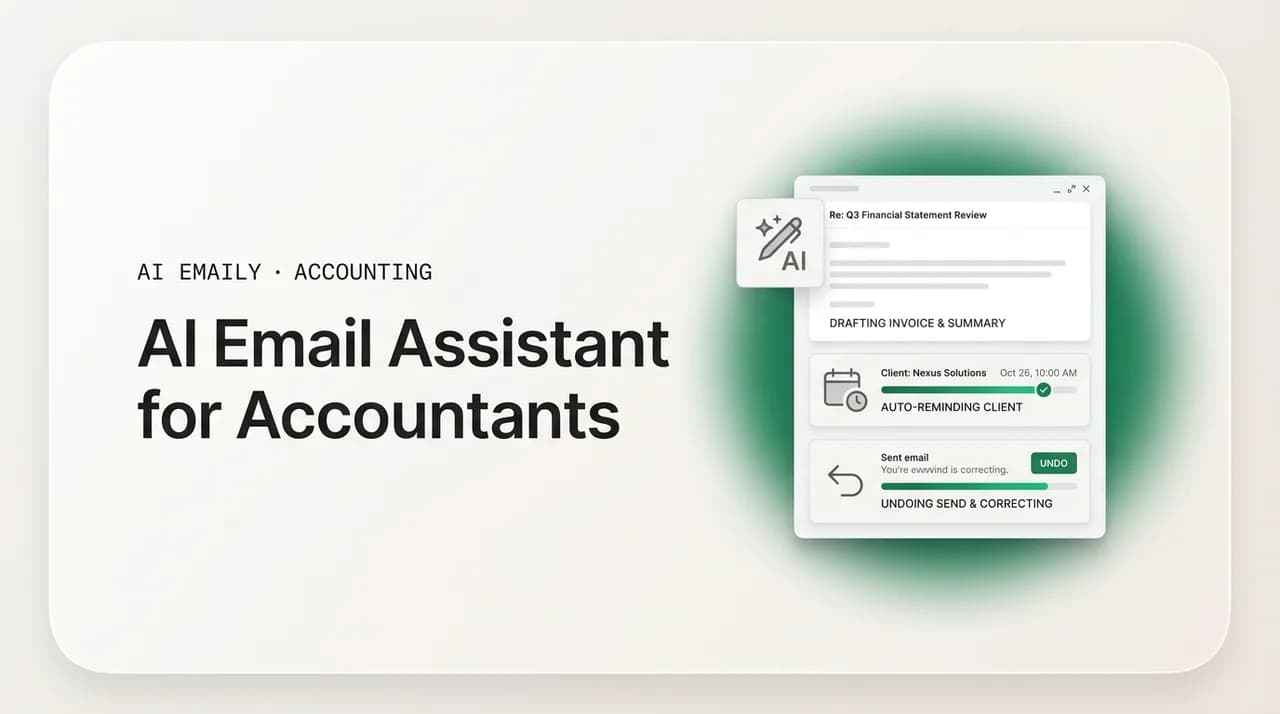
An AI email assistant for accountants drafts client emails in your voice, chases missing documents on a schedule, and keeps a status thread current — while you approve every send. The right one automates the repetitive chasing and keeps financial figures, advice, and sensitive documents human-reviewed, with undo and a full audit trail on everything it touches.
Choosing an AI email assistant for accountants: what to check on data privacy and approval-before-send, the three modes, and where AI Emaily fits.
On this page
- 01What is an AI email assistant for accountants?
- 02Why accountants and bookkeepers are drowning in email
- 03What to look for in an AI email assistant for an accounting practice
- 04The three modes: Manual, Copilot, and Autopilot, mapped to firm workflow
- 05Five use cases where an AI email assistant earns its keep
- 061. Document requests and the endless chase
- 072. Deadline and filing reminders
- 083. Status updates and "where are we?" replies
- 094. Client onboarding sequences
- 105. Advisory and meeting follow-up
- 11The objections a careful accountant raises (and honest answers)
- 12"Will it actually sound like me, or like a robot?"
- 13"What happens to my clients' data?"
- 14"Does this replace my practice-management or tax software?"
- 15Why AI Emaily fits an accounting practice
- 16A practical way to try it in your firm
- 17Putting it all together
What is an AI email assistant for accountants?#
An AI email assistant for accountants is software that sits on top of your inbox and does the repetitive writing and follow-up work that eats your day — drafting client emails, chasing missing documents, reminding people about deadlines, and keeping everyone updated on where their return or their books stand. It is not a tax engine, a general ledger, or a practice-management system. It is the communications layer: the part of the job that is not billable, never ends, and somehow expands to fill every hour you do not spend on actual accounting work.
If you prepare returns, keep books, or run payroll, you already know where the time goes. The work itself is the part you trained for. The bottleneck is everything around it — the third email asking a client for the same bank statement, the reminder that the extension deadline is in ten days, the "just checking in on where things stand" note you send twenty times a week during busy season. Firms consistently report that getting documents from clients is the single biggest workflow problem they face, and it peaks during the exact weeks you are busiest. An AI email assistant is built to take that layer off your plate.
The phrase covers a range of tools, from a simple "write this email for me" button bolted onto webmail, all the way to an autonomous assistant that triages your inbox, drafts replies in your own voice, and follows up on open threads without being asked each time. The good ones share a shape: they read the context of a thread, they produce a draft that sounds like you rather than like a robot, and — critically for an accounting practice — they wait for your approval before anything reaches a client. This guide is about choosing one that fits how a firm actually works, and being honest about where the line between "automate this" and "keep this human" has to sit.
It helps to separate three jobs that often get lumped together, because an AI email assistant is genuinely good at some and deliberately should not touch others.
The first job is drafting: turning a rough intent — "ask the Hendersons for their Q3 statements" — into a clean, polite, on-brand email. The second is chasing and reminding: sending the second and third follow-up on a schedule so a document request does not die after the first ignored email. The third is status and coordination: telling a client their return is in review, confirming you received their upload, nudging them to approve something. All three are repetitive, templated, and high-volume — which is exactly what makes them a good fit for automation.
What an AI email assistant should not do is form judgments about a client's finances, quote figures from a return, give tax or accounting advice, or move sensitive documents around outside a secure channel. That is not a limitation to apologize for — it is the correct design. The value is in automating the chase, not the counsel. A tool that blurs that line is a liability; a tool that respects it is a genuine force multiplier for a small firm.
This guide is not tax or legal advice
Why accountants and bookkeepers are drowning in email#
Before choosing a tool, it is worth being precise about the problem, because the right solution depends on it. The email load in an accounting practice is not random noise — it is a small number of highly repetitive patterns, repeated across every client, on a predictable cadence. That predictability is both the pain and the opportunity.
For tax preparers, the pattern is seasonal and brutal. Inbound volume spikes sharply between January and mid-April, and the increase is not in interesting work — it is in document chasing and answering the same handful of questions on repeat. You are busiest precisely when the administrative overhead is heaviest, which is the worst possible combination. A solo preparer with no admin support feels this most acutely: there is no one else to send the follow-up, so it either gets done at 11 p.m. or it does not get done and a return stalls.
For bookkeepers, the pattern is year-round and relentless rather than seasonal. The same document-collection cadence — bank statements, receipts, approvals — repeats for every client, every single month. Multiply one monthly chase across a book of thirty or fifty clients and you have a standing tax on your time that never lets up. Firms describe losing hundreds of hours a year to re-sending the same follow-up emails, which is time that produces no value and cannot be billed.
For payroll and compliance work, the pattern is deadline-driven: every filing cycle triggers the same reminder, the same approval request, the same confirmation, to every client. For advisory and fractional-CFO practices the volume is lower but the stakes on tone are higher, because the relationship is the product and an obviously automated message can cheapen a premium engagement.
What every one of these patterns has in common is that the message is templated but the timing and the recipient are not. You know exactly what the third document-request follow-up should say; what you cannot do at scale is remember to send it, to the right client, on the right day, without it falling through the cracks. That is the specific gap an AI email assistant is designed to close — and why the feature that matters most is not clever writing but reliable, scheduled, in-your-voice follow-up that you stay in control of.
There is a second, quieter cost worth naming. When communication scatters across three inboxes and a client portal with no single record of what was promised and when, follow-ups get missed and scope creep happens that nobody bills for. A client asks a "quick question" by email that turns into an hour of advisory work, and because it lived in a personal inbox rather than anywhere the firm can see, it never makes it onto an invoice. Consolidating the communication layer is not just about saving keystrokes; it is about not leaking revenue and not dropping commitments.
Map your repetitive emails before you shop
What to look for in an AI email assistant for an accounting practice#
Most "AI email" marketing is written for a generic knowledge worker. Accountants and bookkeepers have a stricter checklist, because you are handling other people's money and, often, their most sensitive personal information. Here is what actually matters when you evaluate a tool for a firm, in rough order of importance.
- 1
Approval before send (non-negotiable)
The assistant should draft and stage, and nothing should reach a client until you click send. For an accounting practice this is not a nice-to-have — a rogue autonomous email quoting a wrong figure or contradicting your advice is a real problem. Look for an explicit "drafts wait for your approval" mode, not a promise to be careful.
- 2
Data privacy and where your mail lives
Ask where message content is stored, whether it is encrypted in transit and at rest, and whether your emails are used to train someone's model. For client financial data the answers matter. Prefer tools that offer zero-retention AI processing and, ideally, a bring-your-own-key option so AI runs on your own provider account.
- 3
Voice matching that actually sounds like you
A generic, over-friendly AI voice reads as spam to a client and undercuts a professional relationship. The assistant should learn how you write — your greetings, your sign-off, your level of formality — so a drafted document request reads like it came from you, not from a chatbot.
- 4
Scheduled, reliable follow-up
The core value for a firm is chasing. The tool must be able to send a second and third follow-up on a cadence you set, stop automatically when the client replies or uploads, and never double-send. This is the feature that recovers the hundreds of hours firms lose to re-sending the same note.
- 5
Undo and a full audit trail
You need to be able to reverse an action and see exactly what the assistant did, when, and to whom. An audit log is not bureaucracy in an accounting practice — it is how you answer "did we ever ask the client for that?" and how you keep a defensible record of your communications.
- 6
Works with the mailbox you already have
Your clients email your normal address. A tool that only works if everyone logs into a portal solves half the problem. Look for something that connects to Gmail, Outlook, and any IMAP mailbox and unifies them, rather than forcing a new address on you and your clients.
- 7
It complements, not replaces, your practice tools
If you already run TaxDome, Canopy, Financial Cents, QuickBooks, or Xero, an email assistant should live alongside them and handle the inbox, not try to become your practice-management system. Be suspicious of anything that wants to own your whole workflow to justify its price.
Two of these deserve extra weight because they are where accounting differs most from the generic case: approval-before-send and data privacy. We will come back to both in the objections section, because they are also the questions a careful accountant asks first — and rightly so. For now, treat them as pass/fail. A tool that cannot guarantee nothing goes out without you, and cannot give you a straight answer about where your clients' data lives and whether it trains a model, is not a candidate for a professional practice, no matter how good the drafting is.
The three modes: Manual, Copilot, and Autopilot, mapped to firm workflow#
The most useful way to think about an AI email assistant is not "on or off" but "how much rope do I give it," and that changes by task. AI Emaily is built around three modes — Manual, Copilot, and Autopilot — that let you dial autonomy up or down for different kinds of email. For an accounting practice this maps cleanly onto the distinction we drew earlier: automate the repetitive chasing, keep the judgment human.
In Manual mode, the AI does nothing unless you ask. You are writing an email and you want help — you highlight a thread, ask for a draft, and get one in your voice that you edit and send yourself. This is the right default for anything sensitive: a message that references specific figures, a reply that borders on advice, a delicate conversation with a client about a problem. The AI is a drafting aid on demand, nothing more.
In Copilot mode, the assistant works ahead of you but never acts without you. It triages the inbox, drafts replies in your voice, and stages document requests and reminders — all sitting ready for one-click approval. Nothing leaves without your click. For most of an accounting firm's client email, this is the sweet spot: the assistant does the writing and the remembering, you do the reviewing and the sending. You get the speed of automation with the control a professional practice requires.
In Autopilot mode, the assistant handles a bounded, pre-approved set of routine actions on its own — within rules you set, and always with undo and a full audit trail. The honest guidance for a firm is to reserve Autopilot for the genuinely templated, low-risk flows: the recurring monthly document-request reminder, the confirmation that files were received, the deadline nudge that says nothing sensitive. Keep advice, figures, and anything client-specific in Copilot or Manual. Autopilot is gated and reversible by design precisely so you can trust it with the boring 80% while keeping the risky 20% under your hand.
| Mode | How it works | Best-fit accounting use |
|---|---|---|
| Manual | AI drafts only when you ask; you edit and send everything yourself. | Sensitive replies, anything referencing figures, delicate client conversations, borderline-advice emails. |
| Copilot | Triage, drafts, reminders staged in your voice; nothing sends without your one-click approval. | The bulk of client email — document requests, status updates, most follow-ups, onboarding messages. |
| Autopilot | Bounded, rule-based actions run hands-free, with undo and a full audit trail. | Recurring monthly document-request reminders, "files received" confirmations, deadline nudges that quote no figures. |
The point of three modes is that you do not have to make one all-or-nothing decision. You can run Autopilot on your monthly bank-statement reminders because they are identical every month and quote nothing sensitive, run Copilot on your general client inbox so you approve each reply, and drop to Manual the moment a thread turns into advice or figures. The autonomy follows the risk, which is exactly how a careful firm would want it. And because every mode carries undo and an audit trail, escalating what you automate is a reversible experiment, not a leap of faith.
Start in Copilot, graduate flows to Autopilot one at a time
Five use cases where an AI email assistant earns its keep#
Abstract capability is easy to sell and hard to trust. Here are five concrete workflows where an AI email assistant does real, measurable work for an accounting or bookkeeping practice — with a clear note in each on where the human line sits.
1. Document requests and the endless chase#
This is the signature pain, so it comes first. Document collection is the number-one workflow issue firms report, and the reason is not that clients are malicious — it is that a single ignored request dies quietly and someone has to remember to send the second and third. That someone is usually you, at the worst possible time.
An AI email assistant turns this from a manual grind into a managed flow. You tell it what you need from whom, and it drafts the initial request in your voice, then stages the follow-ups on a cadence you set — say, a reminder after four days and another after eight — and stops the moment the client replies or uploads. In Copilot you approve each nudge; in Autopilot, for a recurring monthly bookkeeping chase, it can run the whole sequence on its own within your rules. Firms that automate collection this way report cutting document turnaround dramatically — from a couple of weeks down to a single week is a commonly cited swing — simply because the second and third reminders actually get sent.
The human line here is clean and easy: automate the chase, never the content of the documents. The assistant asks for the bank statement; it does not open, interpret, or quote from it. Wherever possible, the actual document should move through a secure client portal or upload link rather than as an email attachment — the email's job is to prompt and remind, not to be the transport for sensitive files. That separation is a feature, not a compromise: it is what lets you safely automate the noisy part while keeping the sensitive part in a controlled channel.
2. Deadline and filing reminders#
Every accounting practice runs on deadlines the client half-remembers and you cannot afford to miss — quarterly estimates, extension dates, payroll filing cycles, year-end. The reminder emails are perfectly templated: same structure, same tone, only the date and the name change. That makes them an ideal automation candidate and, for the versions that quote no figures, a reasonable Autopilot flow.
The assistant can stage deadline reminders ahead of each date, drafted in your voice, and either wait for your approval (Copilot) or send on schedule (Autopilot) for the generic "the deadline is in ten days, here is what we still need" nudges. Because it lives on your real inbox rather than a separate portal, the reminder lands where the client actually reads their mail, which is the difference between a nudge that works and one that sits unseen in a portal notification.
The line to hold: a reminder can state a deadline and list outstanding items, but it should not quote a specific tax figure, a payment amount, or anything that constitutes advice. "Your Q3 estimate is due September 15 — please confirm you are set to pay" is a fine autosend. "Your Q3 estimate is $14,320" is not; that figure should come from you, deliberately, in a message you send. Keep the amounts and the advice human; automate the calendar.
3. Status updates and "where are we?" replies#
A large share of in-season email volume is clients asking, in various words, "where does my return stand?" These are draining precisely because they are trivial — the answer is almost always "in progress," "in review," or "waiting on X from you" — but they arrive constantly and each one interrupts real work. An AI email assistant that has the thread context can draft an accurate, reassuring status reply in your voice, ready for you to approve.
Because the assistant triages and drafts ahead of you in Copilot, you can clear a batch of these in minutes: open the staged replies, glance that each is right, approve. The client gets a prompt, human-sounding answer; you spend seconds instead of composing each from scratch. For confirmations that are purely mechanical — "we have received your uploaded files, thank you" — Autopilot can handle them the moment an upload lands, closing the loop without you touching it.
The line: a status update can convey stage and next steps; it should not editorialize about the client's tax position or make commitments about outcomes. "Your return is in review and we will have questions for you by Friday" is safe. "Your refund looks great" is not — that is a figure-and-judgment statement that belongs to you, not to an automated reply.
4. Client onboarding sequences#
Onboarding a new client is a fixed sequence of the same emails every time: welcome, engagement-letter reminder, the initial document checklist, the "here is how we will work together" note, the portal invitation. New firms and growing ones send this sequence constantly, and it is both repetitive and important — a fumbled onboarding sets a bad first impression, while a crisp one signals a firm that has its act together.
An AI email assistant can run the onboarding sequence as a staged flow: each message drafted in your voice, timed sensibly, and either approved in Copilot or, for the plainly administrative steps, sent on Autopilot. It handles the remembering and the writing so a new client never falls into a gap between "they signed" and "we started." Because everything is logged, you also get an audit trail of exactly what a new client was told and when — useful if a question about scope or expectations comes up later.
The line here is softer but still real: the mechanical steps (checklist, portal invite, scheduling) automate cleanly, while anything that sets expectations about fees, scope, or advice should be reviewed by you before it goes. Onboarding is a relationship moment; let the assistant carry the logistics and keep the judgment calls in your hands.
5. Advisory and meeting follow-up#
For advisory and fractional-CFO work, the volume is lower but the follow-up is still repetitive: scheduling a review, sending a meeting-prep note, confirming action items after a call, nudging a client who has not booked. The advisory content itself is bespoke and high-value — that is the product — but the coordination around it is not, and it is exactly the kind of administrative drag that pulls a senior advisor away from the work only they can do.
An AI email assistant can handle the scheduling and follow-up scaffolding: drafting the "let us find time for your quarterly review" email, staging the reminder if the client does not respond, and confirming the meeting. For a premium relationship, keep these in Copilot so every message passes your eye and carries your voice — the whole point is that the client should never feel processed by a machine. The tone control matters more here than anywhere else.
The line, unsurprisingly: automate the calendar and the coordination, keep the advice and the sensitive financials human. An advisory practice sells judgment. The assistant's job is to make sure that judgment reaches the client on time and without you personally chasing every scheduling thread — not to generate the judgment itself.
The objections a careful accountant raises (and honest answers)#
If you have read this far a little skeptically, good — an accountant should be. Here are the three objections that come up every time a firm evaluates an AI email assistant, answered straight, including where the honest answer is a limitation rather than a pitch.
"Will it actually sound like me, or like a robot?"#
This is a fair worry, because a generic AI voice is worse than no AI at all — clients can smell boilerplate, and a document request that reads like a mass mailing gets ignored or, worse, makes your firm look impersonal. The answer depends entirely on the tool. A good assistant learns from how you actually write: your greetings, your typical length, your sign-off, your level of formality with different clients. AI Emaily's drafting is voice-matched for exactly this reason — the goal is a draft that reads like you wrote it, not like a chatbot filled in a template.
The honest caveat: voice matching is very good but not magic, especially in the first days before it has seen enough of your writing. This is precisely why Copilot mode exists and why we recommend starting there. You review every draft before it sends, correct anything that is off, and the corrections sharpen the match over time. You are never forced to trust the voice blindly — you approve your way into trusting it, and only then consider letting the boring flows run on their own.
"What happens to my clients' data?"#
This is the objection that matters most, and any vendor who is cagey about it should be disqualified. Client financial data is sensitive, often legally protected, and your responsibility to protect it does not transfer to a software vendor. So the questions are concrete: is my mail encrypted, is it used to train a model, and can AI run somewhere I control?
Here are AI Emaily's straight answers. Mail is encrypted in transit and at rest. We run zero-retention AI inference and do not train on your mail. OAuth tokens and any bring-your-own-key credentials are envelope-encrypted via KMS and decrypted only in an isolated worker — never logged, never handled client-side. And on the Autopilot and Team plans you can bring your own key (Anthropic, OpenAI, or Google), which means the AI runs on your own provider account rather than through ours. For a firm that wants maximum control over where inference happens, that BYOK option is the answer.
The design principle that ties this together is the data guardrail we have referenced throughout: the assistant automates the communication about documents and deadlines, but the sensitive material itself — the statements, the figures, the returns — stays in a secure channel and stays human-reviewed. The email asks for the document; the document moves through a secure portal or upload, not as fodder for an AI to parse. Keeping financial data and advice human is not a gap in the product. It is the deliberate boundary that makes automating everything around it safe. None of this, to be clear, is a substitute for your own compliance obligations — confirm your firm's data-handling requirements with your regulator and professional body.
Treat client data handling as a pass/fail gate
"Does this replace my practice-management or tax software?"#
No — and a tool that claims it does is overreaching. This is a point of honesty that actually works in your favor. AI Emaily is an email and communications layer. It is not a practice-management system, not a general ledger, not tax-prep software, and it does not try to be. If you run TaxDome, Canopy, Financial Cents, Karbon, QuickBooks, or Xero, those stay exactly where they are and keep doing their jobs — document management, workflow, ledgers, returns. The assistant handles the inbox that sits around all of them.
The reason this matters is that the inbox is the one layer those tools handle least well. Practice-management platforms are excellent at tracking work and storing documents, but client communication still scatters across personal inboxes, and the actual writing and chasing still falls to you. An AI email assistant fills that specific gap. Think of it as the communications complement to your practice stack, not a replacement for it — you are not ripping anything out, you are adding the piece that automates the email your other tools generate but do not write.
If a vendor pushes you to consolidate your entire firm onto one platform to justify a big price, be skeptical. The realistic, honest positioning is narrower and more useful: keep the tools that work, and add an assistant that takes the repetitive email off your plate. That is a lower-risk, faster-to-value change than a rip-and-replace migration of your whole practice — and it is exactly the change AI Emaily is designed to be.
Why AI Emaily fits an accounting practice#
Everything above is deliberately vendor-neutral advice on what to look for. Here is the honest case for where AI Emaily fits, framed by that same checklist rather than by hype.
AI Emaily is an AI-native email client with an autonomous chief-of-staff that triages your inbox, drafts in your voice, schedules, and closes loops — while you stay in control. It connects to Gmail, Outlook, iCloud, Fastmail, Proton, and any IMAP mailbox, and unifies them into one inbox, so it works on the address your clients already email rather than forcing a portal on everyone. That matters for a firm, because the whole value of automating the chase evaporates if the reminders land somewhere clients do not look.
The three-mode design — Manual, Copilot, Autopilot — is what makes it appropriate for a practice handling other people's money. Copilot means nothing reaches a client without your one-click approval, which satisfies the approval-before-send requirement that should be pass/fail for any accounting tool. Autopilot is bounded, rule-based, and reserved for the low-risk flows you choose. And every action across every mode carries undo and a full audit trail, so you can reverse anything and see exactly what was done, when, and to whom — the defensible communications record a firm needs.
On privacy, AI Emaily is built for the accounting case rather than retrofitted to it: encrypted in transit and at rest, zero-retention inference, no training on your mail, envelope-encrypted keys, and a bring-your-own-key option on the Autopilot and Team plans that lets AI run on your own provider account. Combined with the data guardrail — automate the communication, keep the documents and figures in a secure, human-reviewed channel — that gives a firm a defensible answer to the "what happens to my clients' data?" question.
And it is honest about its lane. It is the communications layer, not your practice-management or tax software. It sits alongside TaxDome, Canopy, Financial Cents, QuickBooks, or whatever you already run, and takes the one job those tools leave to you: writing and chasing the email. For a solo preparer buried in busy-season follow-ups, a bookkeeper losing hundreds of hours a year to the monthly document chase, or a small firm trying to standardize communication across three inboxes, that is a concrete, bounded, low-risk win — not a bet-the-practice migration.
It starts free, with a real AI agent, on every provider and platform. Pro is $12.42 per month on the annual plan. You can run it free indefinitely, connect a mailbox, and see whether the voice matching and the automated follow-ups earn their keep before you pay a cent — which, for a skeptical accountant, is the right way to evaluate a tool that will be touching your client communication.
A practical way to try it in your firm#
If you want to test an AI email assistant without disrupting a live client base, here is a low-risk rollout that respects the human line throughout.
- 1
Connect one mailbox in Copilot mode
Start with the inbox that carries your heaviest chasing load. Run everything in Copilot so every draft is staged for your approval and nothing sends on its own. This is your trust-building period.
- 2
Let it learn your voice on real drafts
For a week or two, approve and lightly edit the staged drafts rather than writing from scratch. The corrections sharpen the voice match. Pay attention to whether the document requests and reminders read like you.
- 3
Automate one boring, sensitive-data-free flow
Pick a single templated flow that quotes no figures — the monthly "please send this month's statements" reminder is the classic — and move it to Autopilot. Watch it for one full cycle.
- 4
Keep advice, figures, and documents human
Deliberately keep anything referencing amounts, tax positions, or sensitive documents in Manual or Copilot. Route the actual files through your secure portal, not email. The email's job is to prompt; the portal's job is to carry.
- 5
Review the audit trail, then graduate the next flow
After a cycle, check the audit log to confirm the assistant did exactly what you expected. If it behaved, promote the next boring flow. Escalate autonomy one reversible step at a time — never all at once.
Putting it all together#
An AI email assistant for accountants is not going to do your accounting, and you should not want one that tries. What it does is take the largest source of unbillable, never-ending drag off your plate — the drafting, the chasing, the reminding, the status updates that fill your day and peak exactly when you are busiest. Done right, that is hundreds of recovered hours a year for a bookkeeper and a survivable busy season for a solo preparer.
The right tool for a firm is defined by a short, strict checklist: it drafts in your voice, it chases reliably on a schedule, nothing reaches a client without your approval, it gives you undo and an audit trail, it is straight about where your clients' data lives, and it stays in its lane as the communications layer rather than trying to replace your practice tools. That checklist is deliberately conservative, because you are handling other people's money and information, and the correct posture is to automate the noise and keep the judgment human.
AI Emaily is built to that checklist. It automates the communication around documents, deadlines, and status — in your voice, under your approval, with the data guardrail keeping figures, advice, and sensitive files in a secure, human-reviewed channel. If the monthly document chase or the busy-season email deluge is the thing standing between you and the work you actually trained for, it is worth a free trial on one mailbox. Automate the chasing; keep the counsel yours.
Frequently asked
See it in AI Emaily
Keep reading
Sources
- Financial Cents — Accounting Workflow Automation (document collection as the top firm bottleneck)
- Journal of Accountancy — news and practice trends
- AICPA & CIMA — Private Companies Practice Section (small-firm practice resources)
- Intuit QuickBooks — resources for accountants and bookkeepers
- IRS — Protect Your Clients; Protect Yourself (safeguarding client data)

Written by
Nafiul HasanNafiul Hasan is an entrepreneur and AI automation system builder with 10+ years of experience turning messy, manual workflows into reliable automated systems. He designs and ships AI enterprise solutions end-to-end — the agent logic, the data plumbing, and the product people actually use — and founded AI Emaily to give busy professionals their attention back. He writes here from the builder's seat: what works, what breaks, and how to put AI to work without giving up control.