How to Automate Document-Request & Reminder Emails for Your Accounting Firm

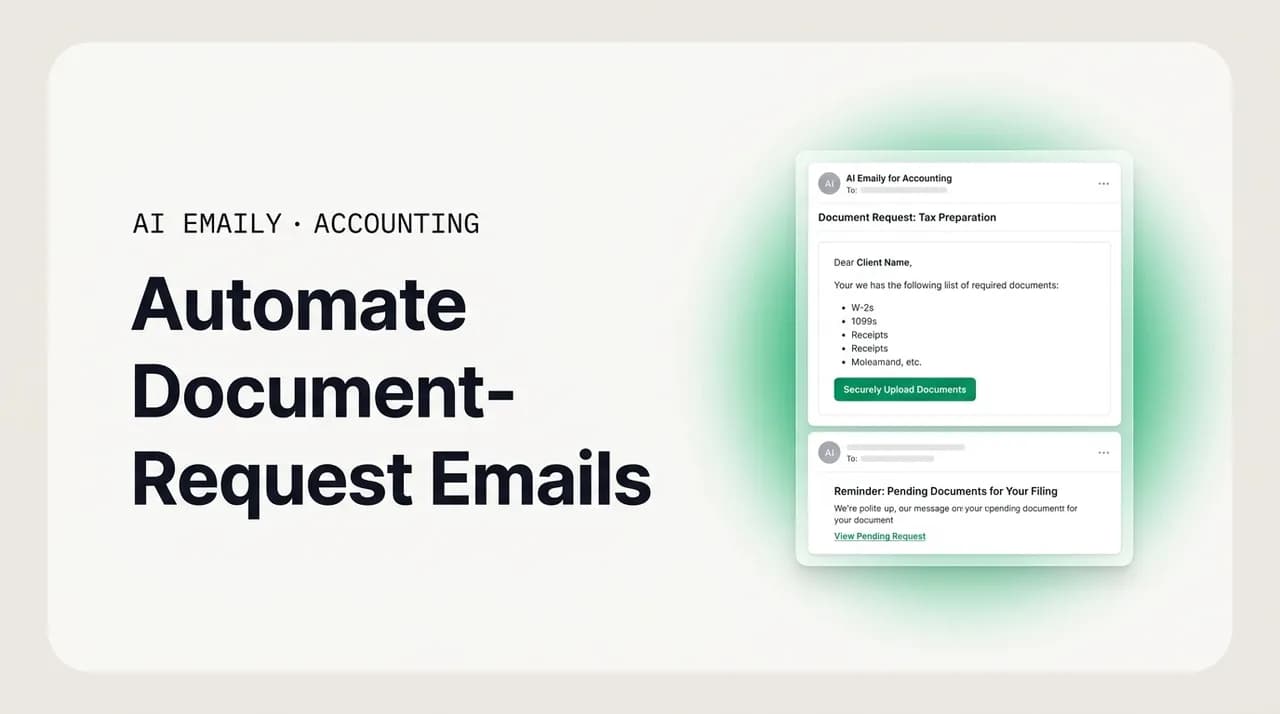
The short answer
To automate document-request emails for your accounting firm, standardize the request into a checklist, tie each item to a deadline, and send an escalating series of reminders that stop the moment a client uploads through a secure link. Track status per client instead of scanning your inbox, and keep sensitive financial numbers and advice under human review rather than auto-sent.
A practical guide to automate document-request emails for accounting firms: build a request, reminder, and status-tracking workflow with checklists, deadlines, escalating cadences, and secure upload links, while keeping financial data human-reviewed.
On this page
- 01Why document-request emails eat your accounting firm alive
- 02What does the document-chase problem actually cost?
- 03The anatomy of an automated document-request workflow
- 04Step one: build the checklist that defines "done"
- 05Step two: set deadlines that make reminders legitimate
- 06Step three: design an escalating reminder cadence
- 07Step four: route everything through a secure upload link
- 08Step five: track status instead of scanning your inbox
- 09Templates you can adapt for each stage
- 10Automation versus personalization: where to draw the line
- 11Keep the financial data human: the non-negotiable guardrail
- 12How AI Emaily helps you automate the chase
- 13Putting it all together
Why document-request emails eat your accounting firm alive#
Every accounting firm runs on the same quiet engine, and it is not the software you paid for or the returns you file. It is the email that says "Just following up on those statements." You send it in January, you send it in February, you send it again in the second week of April with a slightly firmer tone, and you send some version of it every single month to your bookkeeping clients whether it is tax season or not. The work you are actually good at, the reconciliations, the returns, the advisory calls, sits waiting behind a client who has not uploaded a bank statement. Learning to automate document-request emails is not a nice-to-have for an accounting firm; it is the difference between spending your day on billable work and spending it as an unpaid reminder service.
The pattern is so universal that most preparers stop noticing it. A client engagement begins, you send a list of what you need, and then you wait. A few clients respond the same day. Most do not. So you follow up, and then you follow up on the follow-up, and somewhere in there you lose track of who sent the 1099 but not the mortgage interest statement, who promised to "send it tonight" three nights ago, and who you have not heard from at all. Multiply that by every client on your roster and you have a second full-time job that nobody is paying you for, sitting on top of the one that is.
Industry research keeps landing on the same conclusion: getting documents from clients is the number-one workflow issue firms face. It is not a small friction at the edges of the practice. It is the binding constraint, the thing that decides whether your close happens on the fifth or the fifteenth, whether a return goes out in March or the week of the deadline. And the cruel timing is that the chase peaks exactly when you have the least slack to absorb it. Tax-only firms see inbound volume rise dramatically between January and mid-April, the same weeks the document chase runs hottest, so the busywork spikes precisely when your capacity for busywork hits zero.
This guide is about fixing that with a system rather than with willpower. We will walk through the recurring document-chase problem in detail, because you cannot automate a mess you have not mapped. Then we will build an automated document-request and reminder workflow piece by piece: the checklist that defines what "complete" means, the deadlines that give reminders something to count down to, the escalating cadence that nudges without nagging, the secure upload link that keeps sensitive files off email, and the status tracking that replaces your mental to-do list. We will give you templates you can adapt, draw a clear line between what should be automated and what must stay personal, and set out a firm rule that will keep you and your clients safe: automate the chasing, keep the financial data human.
One thing up front, because it matters for a firm handling other people's money and identities. Nothing here is tax, legal, or compliance advice, and no automation described below should ever calculate, restate, or send a client's financial figures on its own. The goal is to automate the logistics of collection, the requests and the reminders and the tracking, while every number, every piece of advice, and every filing decision stays in front of a human who is accountable for it. Keep that division clear and automation becomes a safe multiplier. Blur it and you have built a liability generator. We will come back to this repeatedly, because it is the single most important design choice in the whole system.
What does the document-chase problem actually cost?#
Before you automate anything, it helps to be honest about what the manual version is costing you, because the number is almost always larger than it feels in the moment. The chase does not arrive as one big invoice. It arrives as a hundred small interruptions, each of which feels trivial and none of which shows up on a timesheet, which is exactly why it stays invisible until you add it up.
Start with the raw arithmetic of a bookkeeping practice. Say you carry forty monthly clients. Each one needs the same package of documents every month, and realistically each one takes an initial request plus two or three reminders before everything arrives. That is roughly four touches per client per month, forty clients, so about a hundred and sixty document-related messages a month before you have reconciled a single transaction. Even at a conservative few minutes per message once you count the writing, the checking of who already replied, and the context-switching back into whatever you were doing before, you are looking at a meaningful slice of a working week spent purely on getting people to send you things they already agreed to send. Bookkeepers routinely lose hundreds of hours a year to exactly this, and those are hours billed to nobody.
Now layer on the seasonal firm. A tax-only practice does not spread its chase evenly across the calendar; it compresses almost all of it into the January-to-April window, on top of a call and email volume that climbs sharply in the same period. So the document chase is not just large, it is spiky, and it peaks in the exact weeks when every hour is already spoken for. This is why so many returns bunch up against the deadline: not because the work is slow, but because the inputs arrive late, and the inputs arrive late because chasing them by hand does not scale past a certain client count.
There is a cost beyond the hours, too, and it is the one that quietly damages the practice. When collection is manual and ad hoc, things fall through the cracks. A reminder does not get sent because you were heads-down on a complex return that day. A client's half-finished submission sits unnoticed because it never generated a follow-up. A promise made on a phone call never makes it into any system, so nobody chases it. Each gap is a small delay, and small delays compound into late filings, rushed reviews, and the kind of end-of-season crunch that burns out staff and invites mistakes on the very returns that most need care.
It also shapes how clients see you. A firm that sends a clear, consistent, professional request and then follows up predictably reads as organized and trustworthy. A firm that goes silent for two weeks and then sends a slightly panicked all-caps reminder in April reads as chaotic, even when the underlying work is excellent. The chase is not just an internal efficiency problem; it is a client-experience problem, and the experience is worst at the moment of highest stakes. Firms that put an organized collection system in place report cutting document turnaround dramatically, in some cases from around eighteen days down to about a week, which is the difference between a calm close and a scramble.
The chase is a systems problem, not a discipline problem
The anatomy of an automated document-request workflow#
An automated document-request workflow is not one magic email. It is a small assembly line with five distinct stations, and each one solves a specific failure mode of the manual chase. If you understand the parts, you can build the system in any tool you already own, and you will be able to tell the difference between automation that genuinely helps and automation that just sends noise faster.
Here are the five components, in the order a request moves through them. Get these right and the rest is detail.
- 1
A standardized checklist of required documents
The workflow starts by defining what "complete" means for this client and this engagement: bank statements, credit-card statements, receipts over a threshold, 1099s, W-2s, prior-year returns, whatever the job requires. The checklist is the source of truth the whole system counts against, so a reminder can say precisely what is still missing instead of a vague "we're still waiting on some things."
- 2
A clear deadline tied to each request
Reminders need something to count down to. Every request gets a due date, ideally with a little buffer before your real internal deadline, so a late client still leaves you room to work. The deadline is what turns a reminder from an arbitrary nag into a legitimate, expected nudge the client understands.
- 3
An escalating series of reminders
One reminder is rarely enough and ten is harassment. The workflow sends a planned sequence that starts gentle and grows firmer as the deadline approaches, and, crucially, each reminder is conditional: it only fires if the documents still have not arrived. The moment the client uploads, the sequence stops.
- 4
A secure upload link, not an email attachment
Sensitive financial documents should never travel as raw email attachments. The request routes the client to a secure portal or upload link, which keeps the data protected, and the act of uploading is the signal the system watches for to mark an item received and cancel further reminders.
- 5
Status tracking across every client
Finally, the workflow keeps a live view of where each client stands: not started, partial, complete, overdue. This replaces the mental list and the inbox scan. You glance at a board or a status column and instantly see who is done, who needs a nudge, and who is about to blow the deadline, without opening a single email thread.
Notice how each station repairs a specific weakness of doing it by hand. The checklist fixes the "what were we waiting on again?" problem. The deadline fixes the "when should I even follow up?" problem. The escalating, conditional reminders fix both the "I forgot to follow up" and the "I annoyed a client who already sent it" problems at once. The secure link fixes the security-and-signal problem, keeping data safe while giving the system a clean event to react to. And status tracking fixes the "I have no idea who's outstanding" problem that makes the whole thing feel overwhelming.
You do not need an expensive platform to assemble this. Many firms build a serviceable version out of tools they already have: a shared checklist template, a client portal or secure upload folder, a scheduled email sequence, and a spreadsheet or workflow board for status. The rest of this guide walks through each component in enough depth that you can build it yourself, and then shows where an AI-native email client can take over the tedious parts, drafting the requests and reminders in your voice and firing them on schedule, so the assembly line runs without you standing over it.
Step one: build the checklist that defines "done"#
Everything downstream depends on the checklist, so it is worth getting right. The checklist is the definition of what a complete document package looks like for a given client, and it does double duty: it tells the client exactly what to send, and it gives your reminder system a precise inventory to count against. Without it, your reminders can only say "we still need some things," which invites the client to guess, send the wrong items, and stall. With it, a reminder can say "we still need your December bank statement and your Q4 credit-card statement," which is specific enough to act on.
Start by building master checklists per engagement type rather than reinventing the list for every client. A monthly bookkeeping client, an individual tax return, a small-business return, and a payroll client each have a recognizable, repeatable set of inputs. Write those out once as templates. Then, for each actual client, clone the relevant template and adjust for their specifics: this client has rental property, that one has a brokerage account, this one runs payroll. The template does ninety percent of the work; the per-client tweak does the last ten.
Be concrete in how you name items. "Bank statements" is ambiguous; "December 2026 statement for the operating checking account ending 4471" leaves no room for the wrong file. Specificity here pays off twice, once by getting you the right document the first time, and once by making automated reminders genuinely useful because they can name the exact missing item. A vague checklist produces vague reminders, which produce vague responses.
Group and order the checklist the way the client thinks about their own paperwork, not the way your workpapers are organized. People gather documents by where they live, all the bank things together, all the tax forms together, so a list grouped that way is easier to complete in one sitting. A checklist that jumps between a bank statement, a charitable receipt, another bank statement, and a brokerage form forces the client to shuffle back and forth, which is where they give up and promise to "finish it later."
Finally, decide what is required versus optional, and make the distinction visible. Some items block the work entirely; others are nice-to-have or conditional. If your reminder system treats every item as equally urgent, clients learn to tune out the whole thing. If it can distinguish a hard blocker from a minor gap, your escalation can be proportionate: chase the blocker firmly, mention the optional item once and let it go. This is also the first place the human-in-the-loop principle shows up, because deciding what is truly required for a given client is a judgment call that belongs to the accountant, not to any automation.
Reuse the checklist as the client-facing request
Step two: set deadlines that make reminders legitimate#
A reminder without a deadline is just a poke, and clients treat it that way. A reminder tied to a clear, agreed date is a professional nudge that both sides understand. So the second building block of the workflow is attaching a real due date to every request, and doing it in a way that protects your own working time.
The key move is to set the client deadline earlier than your actual internal one. If you need everything by the twentieth to close comfortably, ask for it by the fifteenth. That buffer is not padding for its own sake; it is the margin that absorbs the inevitable late arrival without turning your month-end or your filing into an emergency. Clients will drift toward whatever deadline you give them, so give them one that still leaves you room to do the work well.
Make the deadline concrete and personal to the client's situation. "Please send these by Friday, the fifteenth" beats "as soon as possible," which has no force at all. Where a real external deadline exists, a filing date, a payroll cutoff, a lender's request, name it, because a deadline the client can see the reason for carries more weight than one that looks like it exists only for your convenience. People respond to consequences they understand.
Deadlines also give your automation its clock. Every reminder in the escalating sequence is timed relative to the due date: a friendly heads-up several days before, a check-in as it approaches, a firmer note on the day, a clear this-is-now-late message after. Without a deadline anchoring the sequence, reminders have to fire on arbitrary fixed intervals from the first request, which feels robotic and ignores how close the real due date is. Anchored to a deadline, the same reminders feel timely and proportionate.
One caution that ties back to the guardrail: deadlines are logistics, and logistics automate cleanly. But if a client's situation involves a genuine filing deadline with legal or financial consequences, communicating those specifics is not a place for a fully automated, unreviewed message. A generic "documents are due Friday so we can close on time" reminder is safe to automate. A message that asserts a specific statutory deadline, a penalty, or the tax consequences of missing it is the kind of substantive, client-specific claim that should pass a human review before it goes out. Automate the calendar nudge; keep the consequential assertions human.
Step three: design an escalating reminder cadence#
This is the heart of the system and the part people most often get wrong, in both directions. Send too few reminders and documents trickle in late or not at all. Send too many, or send them all at the same flat urgency, and you train clients to ignore you or, worse, annoy the ones who already complied. The art is an escalating cadence: a planned sequence of reminders that starts warm and helpful, grows gradually firmer as the deadline nears, and stops instantly the moment the client delivers.
The escalation has two dimensions. The first is timing, how the reminders are spaced relative to the deadline. The second is tone, how the language shifts from a gentle nudge to a clear, consequence-aware note as time runs out. Both should move together. Early reminders are frequent enough to be helpful but relaxed in tone; later ones are more pointed because the deadline is real and near. The whole arc should feel like a considerate professional following up, not like an automated system escalating on a fixed timer regardless of context.
The single most important rule of the cadence is that every reminder is conditional. A reminder fires only if the relevant documents are still outstanding. The instant a client uploads what you asked for, their reminders stop, and if they submit a partial package, the next reminder narrows to only what is still missing. Nothing damages trust faster than dunning a client for a statement they sent you yesterday, and nothing makes an automated system look dumber. Conditional sending is what separates a helpful workflow from a spam cannon.
| Timing | Reminder | Tone | Fires only if |
|---|---|---|---|
| Day 0 (request sent) | Initial request with full checklist and secure upload link | Warm, clear, helpful | Engagement is active |
| Day 4 (gentle nudge) | "Just checking these are on your radar" with the link again | Friendly, low-pressure | Nothing received yet |
| Day 7 (specific check-in) | Names exactly which items are still outstanding | Helpful, specific | Any items still missing |
| Day 10 (deadline approaching) | "Your documents are due Friday so we can stay on schedule" | Clear, deadline-anchored | Items still missing near due date |
| Due date | Final pre-deadline reminder with the remaining list | Direct, still courteous | Items still missing on due date |
| Day +3 (overdue) | "These are now past due; the delay may push your timeline" | Firm, consequence-aware | Items overdue (human-reviewed) |
The cadence above is a starting template, not a law. A monthly bookkeeping client on a tight close might run a compressed version over a week; an individual tax client early in the season might get a longer, gentler runway. The right rhythm depends on the engagement, the client's history, and how much buffer you built into the deadline. What stays constant across all of them is the shape: start gentle, escalate gradually, anchor to the deadline, and always condition each send on the documents still being outstanding.
Note the small but important flag on the final row of the table. The early and middle reminders are pure logistics and are safe to automate and send on their own. The overdue message, the one that starts talking about consequences and delayed timelines, is exactly where you want a human glance before it goes out, because tone and specifics matter more when a relationship is under strain and because an overstated claim about consequences is a risk. This is the reminder cadence expressing the same principle we keep returning to: automate the routine nudges, and keep the consequential, relationship-sensitive messages under human review.
There is also a natural stopping point the cadence should respect. After the overdue reminder, escalating further by email rarely helps and often harms. A client who has ignored a full sequence needs a different channel, a phone call, a conversation about whether the engagement is working, not a seventh email. Build the sequence to hand off to a human at that boundary rather than grinding on automatically. The automation's job is to handle the reliable, repeatable ninety percent so that your human attention is free for the ten percent that actually needs it.
Step four: route everything through a secure upload link#
Where documents go matters as much as how you ask for them, and this is the step most closely tied to your professional and legal obligations. Financial documents, bank statements, tax forms, anything with account numbers or Social Security numbers, should never travel as raw attachments on ordinary email. Email is not a secure transport for that kind of data, and asking clients to send sensitive files as attachments trains them into a habit that puts everyone at risk. The request should instead route the client to a secure portal or upload link where the data is protected in transit and at rest.
There is a practical payoff here beyond security. The upload action is the clean signal your automation needs. When a client uploads to the portal, the system gets an unambiguous event: this item is received. That event is what marks the checklist item complete and cancels the pending reminders for it. Compare that to email attachments, where you would have to open the message, verify it is the right file, and manually update a tracker before the reminders stop. The secure link is both the safer path and the one that makes the rest of the workflow run itself.
Regulators and standards bodies have been explicit that firms handling personal and financial information owe those clients real safeguards. Guidance for businesses that hold sensitive personal data emphasizes protecting information in transit and storage and limiting who can access it, and tax authorities specifically urge preparers to protect client data against theft and compromise. A secure portal or encrypted upload link is the baseline way an accounting firm meets that expectation for document collection. None of this is legal advice, and you should confirm your own obligations, but the direction is unambiguous: keep the sensitive stuff off open email.
Design the upload experience to be as frictionless as the security allows, because every extra step is a place clients abandon. A single clear link that opens the right folder or request, works on a phone, and does not demand yet another password reset will collect far more documents than a portal that requires the client to remember a login they set up eleven months ago. If your portal supports magic links or simple secure access, use it. The most secure system in the world collects nothing if clients cannot get into it.
Keep the automation's role in this step firmly on the logistics side. Sending the secure link, watching for the upload event, marking the item received, and canceling reminders are all safe, mechanical actions an automated workflow should own. What the automation must not do is open, interpret, or act on the contents of what was uploaded, or move any of that financial data around on its own. The system's job ends at "the client sent the file and here it is for you to review." A human opens it, checks it, and decides what it means. That boundary keeps the powerful, sensitive part of the work exactly where accountability lives.
Automate the request, not the data
Step five: track status instead of scanning your inbox#
The final component is the one that turns a pile of sent reminders into an actual system you can trust: a live view of where every client stands. Without it, you are back to the mental to-do list and the inbox scan, trying to reconstruct from a hundred threads who has sent what. With it, you glance at a board or a status column and instantly know who is complete, who is partial, who has not started, and who is overdue, without opening a single email.
The simplest version is a status field per client that moves through a few clear states: not started, in progress, complete, overdue. The checklist feeds it, each received item advances the client toward complete, and the deadline drives the flip to overdue. Even a spreadsheet with a status column and conditional formatting is a massive upgrade over inbox archaeology, because it gives you a single place to answer the question that actually runs your season: who still needs a nudge, and who is about to blow a deadline?
Status tracking is also what makes your escalating reminders smart rather than blind. Because the tracker knows each client's exact state, the reminder system can send the right message to the right people, chase only the outstanding items, and skip everyone who is done. It is the difference between broadcasting the same reminder to your whole list and quietly nudging just the eleven clients who are actually behind. The tracker is the brain that makes the conditional cadence possible.
For a firm with more than one person, the tracker earns its keep a second way: it creates a shared, single record of where things stand. When collection lives in individual inboxes, a partner has no way to see that a client is stuck without interrupting the person who owns that client. When it lives on a shared board, anyone can see status at a glance, coverage during a vacation is trivial, and nothing depends on one person's memory or one person's inbox. This is exactly the scattered-communication problem small firms describe, three inboxes and a portal with no single record, and a shared status view is the direct fix.
Keep the tracker honest about what it tracks. It should record logistics, requested, received, outstanding, overdue, not conclusions about the client's finances. The status "complete" means the documents arrived, not that the books are right or the return is correct. That distinction preserves the guardrail one more time: the automated layer reports on collection, and the human layer owns everything the documents actually mean. When your tracker says a client is complete, that is your cue to start the real work, not a substitute for it.
Templates you can adapt for each stage#
With the system mapped, here are templates for the key messages, written to be adapted rather than copied verbatim. Treat them as scaffolding: keep the structure, swap in your voice, your specifics, and your client's actual missing items. Every one of them is logistics-only by design, they ask for documents and reference deadlines, and none of them asserts a financial figure or gives advice, which is exactly what makes them safe to automate.
Start with the initial request, the message that kicks off the whole sequence. Its job is to be crystal clear about what you need, where to send it, and by when.
The gentle nudge goes out a few days later and only if nothing has arrived. Keep it light; at this stage you are assuming the best, that the client simply has not gotten to it, not that they are ignoring you.
The specific check-in is where naming the exact missing items pays off. This message goes to clients who have sent something but not everything, or who are approaching the deadline with nothing in. It narrows the ask to precisely what is outstanding.
The overdue message is the one to write with the most care, and, per the guardrail, the one to keep under human review before it sends. It should be firm and clear about the impact of the delay without overstating consequences or drifting into claims that need a professional behind them.
Keep templates logistics-only
Automation versus personalization: where to draw the line#
The instinctive worry about automating client emails is that it will make your firm feel like a call center, all robotic reminders and no relationship. That worry is legitimate, and the answer is not to automate less but to automate the right things. Some communication is pure logistics and benefits from being consistent and machine-reliable. Other communication is the relationship itself and must stay human. A good system is precise about which is which.
Logistics is the natural home of automation. A request for a bank statement does not become warmer or more valuable because you typed it fresh at eleven at night; it becomes late and error-prone. Document requests, reminder nudges, deadline heads-ups, status confirmations, these are repetitive by nature, and clients actually prefer them consistent. They want to know exactly what you need and by when, and they do not mind that the reminder is systematic. In fact, a reliable system reads as more professional than a human who forgets. This is the whole case for automating the chase: it is the part of client communication that gets better, not worse, when it is regular and predictable.
The relationship is the home of the human. The advisory call, the answer to "should I incorporate?", the explanation of why a number moved, the difficult conversation about a client who is consistently late, the reassurance during an audit, none of that should ever be automated, because the value is precisely the judgment and care a person brings. These are the moments clients are actually paying for, and the payoff of automating the logistics is that it buys back the time to do them well. You are not replacing the human touch; you are clearing the busywork that was crowding it out.
Personalization does not have to be all-or-nothing, either. Automated messages can and should be personalized at the level that matters, the client's name, their specific missing items, their actual deadline, the account nicknames they use, so that a systematic reminder still reads as written for them. What you are automating is the sending and the timing and the tracking, not the erasure of the individual. A well-built system produces reminders that are simultaneously automatic and specific, which is exactly the combination clients respond to.
The line to hold is less "automated versus personal" and more "logistics versus judgment." Requesting and reminding and tracking are logistics; advising and interpreting and deciding are judgment. Automate the first freely and the second never. If you keep asking, of any message, "is this moving paper or moving the relationship?", you will almost always place it correctly. The reminders and requests move paper. The advice and the numbers move the relationship, and the trust, and the liability, which is why they stay with a human every time.
The test: logistics or judgment?
Keep the financial data human: the non-negotiable guardrail#
This deserves its own section because it is the one principle that, if violated, turns a helpful system into a serious liability. Automate the chasing. Keep the financial data human. Every part of the workflow above is designed around that line, and it is worth stating plainly what it means in practice so there is no ambiguity when you build your own version.
On the automate-the-chasing side sit all the logistics: standardizing the checklist, sending the initial request, firing the escalating reminders, routing clients to a secure upload link, detecting that a file arrived, updating status, and stopping reminders when documents are in. These are mechanical, repeatable, and low-risk. The worst case of an automation error here is a slightly awkward extra reminder, which is embarrassing at most. This whole category is safe to hand to a system, and handing it over is exactly where the hours come back.
On the keep-it-human side sit everything the documents mean and everything sensitive they contain: the actual financial figures, the calculations, the advice, the filing decisions, the interpretation of what a statement shows, and any message that asserts a number or a consequence. No automation should calculate a client's balance, restate their income, extract and forward figures from an uploaded document, or send a client a substantive financial claim without a human reviewing and approving it first. The worst case of an error here is not embarrassing; it is a client misled, a wrong number sent under your firm's name, or sensitive data mishandled. That is why this category never runs unattended.
The practical way to enforce this is the same pattern good systems use everywhere sensitive actions exist: a human approval gate on anything consequential, plus the ability to undo and a record of what happened. Routine reminders can go out on their own within clearly defined rules, but anything that touches a figure, gives advice, or carries real consequence should require a person to review and approve it before it sends. And whatever the system does do on its own, you should be able to see exactly what it sent and to whom, and to reverse it if something looks off. Automation you cannot inspect or undo is not automation you should trust with client relationships.
None of this is tax, legal, or compliance advice, and your specific obligations depend on your jurisdiction, your engagements, and your professional standards. But the design principle holds regardless of the details: let automation carry the repetitive logistics of collection, and keep every human accountable for every number, every piece of advice, and every decision. Build the system that way and you get the speed of automation without ceding the judgment that is the whole reason clients hire an accountant in the first place.
Not tax, legal, or compliance advice
How AI Emaily helps you automate the chase#
If building all of this by hand across your inbox and a spreadsheet sounds like a lot, this is exactly the kind of repetitive, rules-based work an AI-native email client is built to carry. AI Emaily is an AI email client that acts as an autonomous chief of staff for your inbox, and the document-request chase is one of its clearest wins for an accounting firm, because the task is high-volume, highly repetitive, and, done right, entirely on the logistics side of the guardrail.
In practice, it drafts your recurring document-request and reminder emails in your own voice, so the initial request and each nudge in the escalating cadence come back written the way you would write them, personalized with the client's name, their specific outstanding items, and their real deadline, rather than as generic boilerplate. Because it learns how you actually communicate, the reminders read as considered follow-ups from your firm, not as obvious automation. You define the sequence and the rules once, and it produces the messages on schedule instead of you writing the same follow-up for the fortieth time.
It works through three modes so you decide how much to hand over. In Manual, it drafts and you send. In Copilot, it prepares each request and reminder and waits for your approval before anything goes out, which is the natural fit for a firm that wants a human glance on every client message. In Autopilot, it can send the routine reminders on its own, but only within the rules you set, so the safe, logistics-only nudges, the gentle check-in, the deadline heads-up, go out automatically while anything consequential still stops for you. That mapping is deliberate: it lets Autopilot handle exactly the repetitive chasing that is safe to automate, and keeps the financial figures, the advice, and the sensitive overdue-and-consequence messages under human review, which is the guardrail this whole guide is built around.
Two features make this safe to rely on. The first is undo: whatever the system does, you can reverse. The second is a full audit trail, a record of every message it drafted or sent, to which client, and when, so you are never guessing what went out under your firm's name. For a practice handling other people's financial data, being able to inspect and reverse every automated action is not a nice extra; it is the precondition for trusting automation with client relationships at all, and it is why Autopilot within clear rules is a defensible way to run the routine chase rather than a risk.
The honest framing is this. AI Emaily is very good at the part of document collection that is logistics, the drafting, the reminding, the scheduling, the not-forgetting, and it is deliberately kept away from the part that is judgment, the numbers and the advice and the decisions, which stay with you under Copilot approval, undo, and audit. That division is the point. It automates the chase that was eating your season and leaves the accounting to the accountant. You can try it free at app.aiemaily.com/signup, with a Free plan at no cost and Pro at $12.42 per month on the annual plan.
Putting it all together#
The recurring document chase is not a personal failing or a discipline gap; it is a structural problem that manual effort cannot solve past a certain client count, and it collapses first under seasonal load, which is precisely when you can least afford it. The fix is a system with five parts: a standardized checklist that defines what complete means, a deadline that gives reminders legitimacy and buffer, an escalating and conditional reminder cadence that nudges without nagging and stops the moment documents arrive, a secure upload link that protects the data and signals receipt, and status tracking that replaces the inbox scan with a glance.
Build those five components, in whatever tools you already own or with an email client that assembles them for you, and the chase stops being the thing that runs your calendar. Requests go out on time, reminders fire and then quiet themselves, documents land in a secure place, and you can see at any moment exactly who is done and who needs a push, without opening a single thread. The hours you were spending as an unpaid reminder service come back for the billable work only you can do.
Hold the one line that keeps it all safe: automate the chasing, keep the financial data human. Let automation carry the repetitive logistics of collection, and keep every figure, every decision, and every piece of advice in front of a person who is accountable for it, with approval on anything consequential, the ability to undo, and a record of what happened. Do that, and you get the speed without the risk, a calmer close, a better client experience, and your season back.
Frequently asked
See it in AI Emaily
Keep reading
Sources

Written by
Nafiul HasanNafiul Hasan is an entrepreneur and AI automation system builder with 10+ years of experience turning messy, manual workflows into reliable automated systems. He designs and ships AI enterprise solutions end-to-end — the agent logic, the data plumbing, and the product people actually use — and founded AI Emaily to give busy professionals their attention back. He writes here from the builder's seat: what works, what breaks, and how to put AI to work without giving up control.