Stop Chasing Clients for Documents: The Bookkeeping Email Workflow That Ends the Monthly Follow-Up Grind

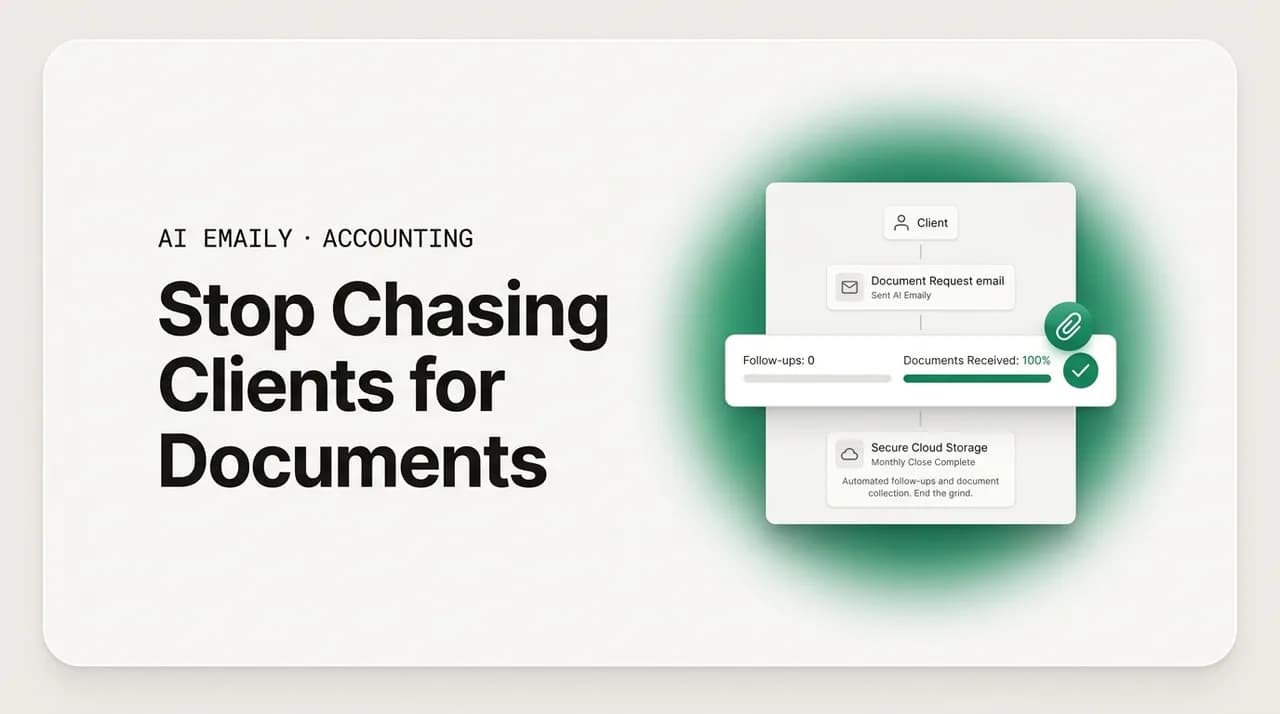
The short answer
Chasing clients for documents eats bookkeepers alive because the same monthly request goes out ad hoc, per client, with no system behind it. Fix it with a standing document checklist, a fixed request-and-reminder cadence, real client accountability, one secure upload path, and a close deadline everyone knows. Automate the routine reminders; keep the numbers and the judgment human.
Stop chasing clients for documents with a repeatable monthly workflow: standing checklist, recurring reminders, secure upload — plus copy-paste templates.
On this page
- 01Why chasing clients for documents quietly runs your month
- 02The three reasons clients don't send documents (and what each one needs)
- 03Build a standing monthly document checklist (per client)
- 04Set a fixed request-and-reminder cadence (and stop improvising)
- 05Give the request real client accountability
- 06Route everything through one secure upload path
- 07Hold the line on your close timeline
- 08The templates: request, reminders, and the accountable close
- 09How AI Emaily helps you run this system (honestly)
- 10Putting the whole system together
Why chasing clients for documents quietly runs your month#
Ask a room of bookkeepers what actually eats their hours, and the answer is almost never the bookkeeping. It is the chasing. Chasing clients for documents — the bank statements that never arrive, the receipt for that one mystery charge, the loan agreement you need to classify a payment correctly, the approval on an adjusting entry — is the single most reliable way a clean month turns into a two-week slog. The work you are paid for takes a few focused hours. Getting the raw material to do that work can take the other three weeks.
The cruel part is that none of it is hard. Nobody hires a professional to send a fourth "just following up on those March statements" email. Yet that email, multiplied across every client, every month, all year, is where the time goes. Industry research is blunt about it: getting documents from clients is consistently named the number-one workflow issue that firms face, ahead of the actual accounting. It is not a skill gap. It is a systems gap.
This guide is about closing that gap. Not with a lecture about "setting boundaries," but with an actual workflow: a standing checklist of what you need, a fixed cadence for asking and reminding, a way to make clients accountable without nagging, a single secure place for them to drop files, and a close deadline everyone agrees to in advance. We will give you the templates to run it and, at the end, an honest look at where an AI email client can take the repetitive parts off your plate — while keeping every number and every judgment call firmly in human hands. None of this is tax or legal advice; it is a communication system.
Before the fix, it helps to name exactly why the chase is so expensive, because the cost is not only the minutes spent typing reminders. It is the fragmentation those reminders cause. A bookkeeper who has to stop, remember which client is missing what, dig through a thread to see what was already asked, and rewrite a follow-up from scratch is context-switching dozens of times a day. Each switch is small; the aggregate is a month that never feels finished.
There is a hard number behind this. When firms move from ad hoc chasing to a structured collection process, document-collection time has been shown to drop dramatically — from around eighteen days down to about seven for many firms. That eleven-day swing is not magic software. It is the difference between asking randomly and asking systematically. The rest of this guide is how you get that swing.
A note on data, before we start
The three reasons clients don't send documents (and what each one needs)#
You cannot fix the chase until you know why it happens, and it is almost never because the client is deliberately ignoring you. In practice, a client who won't send documents is stuck in one of three places, and each one calls for a different response. Treat all three the same — with another generic reminder — and you will keep chasing forever.
- 1
They don't know exactly what you need
"Can you send me your statements?" is ambiguous. Which accounts? Which months? PDF or CSV? A vague ask produces a vague response, or none. The fix is specificity: a named, itemized list of exactly which documents, for exactly which period, in exactly which format. Most non-responses die here, at the request stage, long before any reminder is needed.
- 2
They forgot, or it fell down their list
Your client runs a business; your document request is item forty on their day. This is the majority case, and it is not disrespect — it is normal human triage. The fix is not a sharper tone; it is cadence. A predictable, low-friction reminder at the right interval catches the person who simply lost the thread, without making them feel scolded.
- 3
The path to send is annoying
If replying means finding the file, remembering your email address, worrying whether it is secure, and attaching six things, friction wins and the task slides another week. The fix is a single, obvious, secure place to drop documents — one link, one login, no thinking. Remove the friction and a surprising share of "unresponsive" clients turn out to have been merely inconvenienced.
Notice that only one of these three is even remotely about the client's attitude, and even that one is really about their attention, not their respect for you. This reframe matters because it changes what you build. You are not designing a system to discipline bad clients. You are designing a system to make it effortless for busy, well-meaning clients to do the one thing you need. Clarity solves the first problem, cadence solves the second, and a frictionless secure path solves the third. The rest of this guide builds exactly those three things, then wraps them in a deadline and a set of templates.
Build a standing monthly document checklist (per client)#
The foundation of ending the chase is a document you write once and reuse forever: a standing monthly checklist, per client, of every item you need to close their books. Most bookkeepers already carry this list in their head. The problem with keeping it in your head is that it cannot be handed to the client, cannot be tracked, and quietly changes shape depending on how tired you are the day you write the request. Get it out of your head and onto the page.
The checklist is client-specific because no two clients have the same shape. One has three bank accounts and two credit cards; another has a merchant processor, a payroll feed, and a line of credit. Build the list from the accounts and the recurring questions that actually come up for that client, and it becomes the single source of truth for what "complete" means each month. Here is a typical standing checklist for one client.
A few principles make a checklist like this pull its weight. Name the account, not just the type — "Operating checking," not "your bank" — so there is no guessing. Specify the format when it matters, because a screenshot of a banking app is not a statement and a CSV is not a PDF. Separate the always-needed items (statements every month) from the sometimes-needed ones (a new loan agreement, a receipt only when a threshold is crossed) so the client is not re-answering settled questions. And keep a short, living list of the transactions you actually need explained, rather than a blanket "is everything correct?" that invites a blanket "yep" and explains nothing.
The payoff of writing this down is that it converts an open-ended, anxiety-producing "send me your stuff" into a finite, checkable list. The client can see the end of it. You can see the end of it. And, crucially, it becomes the backbone of every message you send that month — the request, the reminders, and the confirmation all reference the same list, so nobody is ever confused about what "done" looks like.
Make the checklist do double duty as your tracker
Set a fixed request-and-reminder cadence (and stop improvising)#
Improvisation is the enemy. The reason chasing feels endless is that most reminders are sent reactively — you notice on the twelfth that Acme still hasn't sent February, so you fire off a message; then you forget until the nineteenth; then you send a slightly annoyed one. There is no rhythm, so the client never learns one either, and every month is negotiated from scratch. The fix is a fixed cadence: the same days, the same sequence, the same escalation, every single month, for every client.
A cadence does two things at once. For the client, it creates a predictable expectation — documents are due at the start of the month, the same way rent is due, and reminders arrive on a known schedule rather than as sporadic irritations. For you, it converts a swarm of individual judgment calls ("should I nudge them yet? is it too soon? too harsh?") into a schedule you set once and follow. The judgment moves out of the daily grind and into the design of the cadence, where it belongs.
Here is a monthly cadence that works for most bookkeeping engagements. Adjust the exact days to your close timeline, but keep the shape: one clear request up front, gentle reminders on a fixed interval, and a firm escalation before the deadline.
| When | Message | Tone & purpose |
|---|---|---|
| Day 1 of the month | The request — full itemized checklist for last month, with the upload link and the close date. | Warm, specific, complete. This is the message that prevents most non-responses. Lead with the list and the deadline. |
| Day 5 (first reminder) | Short nudge listing only what is still outstanding, same link. | Light and friendly. Assumes they simply haven't gotten to it. No pressure, just a bump. |
| Day 9 (second reminder) | Follow-up naming the specific missing items and restating the close date. | Still cordial, now more concrete. Names the exact gaps so it is easy to act on. |
| Day 12 (deadline warning) | Clear note that the close date is approaching and which items are blocking it. | Direct but professional. Connects the missing docs to a consequence the client cares about (a late or incomplete close). |
| Day 14 (close date) | Confirmation of what was received and closed, or notice of what is being carried forward and why. | Accountable and clean. Closes the loop, documents the state, and resets expectations for next month. |
The discipline of a fixed cadence is what breaks the emotional weight of chasing. When reminders go out on a schedule rather than when your frustration peaks, they stay neutral and professional — which is exactly what keeps clients responsive rather than defensive. A reminder sent on day nine because it is day nine reads very differently from one sent on day nine because you have finally had enough. The client feels the difference, even if they can't name it.
One more benefit: a cadence makes the workload visible and plannable. Instead of a month-long trickle of unpredictable follow-ups scattered across your day, you have known touchpoints. That is what makes the next section — automating the routine parts — both safe and effective. You can only automate a process you have actually defined. Winging it cannot be automated, and shouldn't be.
Reminders should shrink, not repeat
Give the request real client accountability#
A checklist and a cadence handle the mechanics. Accountability is what makes clients actually treat the deadline as a deadline. Without it, your carefully scheduled reminders become background noise — polite, ignorable, and infinite. With it, clients understand that their part of the arrangement has a real shape, a real timeline, and real consequences for the quality of the work you deliver. This is not about being heavy-handed. It is about being clear, once, at the right moments.
Accountability starts at onboarding, not at deadline. The most effective thing you can do to reduce a year of chasing is to set the expectation in the very first conversation: here is what I will need each month, here is when I need it, here is where you will send it, and here is what happens to your close if it is late. A client who agreed to that up front is a fundamentally different client to remind than one who is hearing the terms for the first time in a frustrated day-twelve email.
- 1
Put the cadence in the engagement, in writing
State in your engagement letter or onboarding doc that monthly documents are due by a specific day, and that a complete, on-time close depends on receiving them. Now the deadline is a mutual agreement, not a request you are inventing each month. This is a business term, not a threat — frame it as how you protect the quality of their books.
- 2
Tie the missing document to a consequence they feel
Clients don't care that a statement is missing; they care that their books are late, their numbers are incomplete, or their tax preparer is waiting. Connect the gap to the outcome: "Without the March statement, we can't finalize March, which delays the quarter." The consequence does the persuading, not your tone.
- 3
Name a single point of contact on their side
For business clients, agree at the start on who is responsible for sending documents — the owner, a bookkeeper on staff, an office manager. Chasing a defined person beats chasing "the company." It also means your reminders land with someone who has actually accepted the job.
- 4
Close the loop, every month, visibly
Send a short confirmation of what you received and what you closed. This quiet habit is pure accountability: it shows the client you are tracking, documents where things stand, and makes the rare genuinely-unresponsive client impossible to argue with when the pattern is written down month after month.
The through-line of real accountability is that it front-loads the friction into one clear agreement instead of spreading it across a year of increasingly tense reminders. You have the slightly awkward "here's how this works" conversation once, at the start, when goodwill is highest and nobody is stressed about a deadline. Then every reminder afterward is just a friendly pointer back to something the client already signed up for — which is why it stays friendly.
It is worth being honest that accountability does not make every client perfect. There will still be the chronically late one, the one who goes dark at quarter-end, the one who sends a blurry photo of a statement at 11 p.m. on the deadline. But a documented cadence with clear expectations turns those from a vague, ongoing frustration into a specific, addressable pattern — one you can raise directly, adjust pricing around, or, in the extreme, decide is not worth the engagement. You cannot manage what you have not defined. Define it, and even your hardest clients become a problem with edges.
Route everything through one secure upload path#
Now the friction fix. Every document request in your cadence should point to exactly one place for the client to send files — a secure client portal or upload link — and never to "just email it to me." This single change does more to speed up collection than any reminder ever will, because it removes the small frictions that quietly push the task down the client's list: where do I send this, is it safe to email a bank statement, do I have your address, is this the right one.
It also protects everyone. Bank statements, payroll summaries, and financial records are exactly the kind of sensitive data you do not want scattered across email attachments, forwarded threads, and personal accounts. A secure portal keeps the documents in one controlled place, gives you a clean record of what arrived and when, and spares you the archaeology of digging through your inbox to reconstruct whether a client sent February's statement in an email, a text, or a reply to a reply. One link, one login, one destination.
- One destination, always the same. Every request and reminder points to the identical link. The client learns one path and never has to think about it again.
- Secure by default. Financial documents move through an encrypted portal, not email attachments, keeping sensitive data controlled and out of scattered inboxes.
- A clean audit trail. You get a timestamped record of what was uploaded and when, which doubles as your tracker and settles any "but I sent that" disputes instantly.
- Low friction for the client. A good upload flow is a link and a drag-and-drop, not an account setup marathon. The easier the drop, the faster the send.
- Separates transport from conversation. The portal moves the files; your email cadence handles the asking and reminding. Neither has to do the other's job.
The email side of your workflow and the secure-upload side are partners, not competitors. Email is superb at the human part — the clear ask, the friendly reminder, the accountable close-the-loop note — and terrible at being a secure, trackable document repository. A portal is the reverse. The mistake most bookkeepers make is asking email to do both, which is how sensitive statements end up buried in threads and how "did they send it?" becomes a daily archaeology dig. Keep the conversation in email, keep the documents in the portal, and point one cleanly at the other.
This is also the guardrail that lets you automate the annoying part with a clear conscience, which is where we are heading next. Because the reminders never contain the sensitive financial data — they just point to the secure place where it lives — the routine "still waiting on X" messages are safe to template, schedule, and, within limits, hand off. The numbers stay in the vault; only the nudges get automated.
Keep financial data out of the reminder itself
Hold the line on your close timeline#
A cadence without a deadline is just a series of polite suggestions. The close timeline is the spine that makes the whole system stand up: a specific day each month by which the books are closed, communicated in advance, and held with quiet consistency. Without it, "send me your documents" has no urgency, because there is no point in time at which not-sending has a cost. The deadline supplies that point.
The discipline here is less about being strict with clients and more about being strict with yourself. If your stated close date is the fourteenth but you always, eventually, close whatever comes in whenever it comes in, clients learn — correctly — that the fourteenth is fiction. The deadline only works if it is real, which means having a plan for the client who misses it that does not involve you personally absorbing the delay every month. That plan is usually simple: close with what you have, note what is outstanding, and carry the missing items forward with a clear record of why.
A firm close timeline is not a customer-service failure; it is the opposite. Firms that hold their close see the entire downstream benefit — cleaner books, faster reporting, less scramble at quarter- and year-end, and dramatically less of the month-long trickle that makes bookkeeping feel like it never ends. A slow, manual, deadline-free month-end close carries a real and well-documented cost in wasted hours and delayed information. Holding the line is how you stop paying it.
The deadline you don't enforce is the deadline you don't have
The templates: request, reminders, and the accountable close#
A system is only as good as the messages that run it. Below is a complete set you can copy, adapt to your voice, and reuse every month — the day-one request, the escalating reminders, and the close-the-loop confirmation. They are deliberately short, specific, and free of any sensitive financial figures. Each one references the same standing checklist and the same secure upload link, so the client experiences one coherent conversation, not a pile of disconnected nags.
Start with the day-one request, the most important message in the sequence. Get this one right — complete, specific, with the link and the deadline up front — and you prevent the majority of non-responses before any reminder is needed.
The first reminder, a few days later, assumes the best: the client simply hasn't gotten to it. Keep it light, list only what is outstanding, and make it a five-second task to act on.
The deadline warning, closer to the close date, stays professional but connects the missing items to the consequence the client actually cares about — a late or incomplete close. This is where accountability shows up in the wording, without any change in tone.
Finally, the close-the-loop confirmation. Whether the month came in clean or with gaps, this message documents the state, resets expectations, and — sent every month — is the quiet backbone of client accountability. Note that it points to the portal for any figures rather than quoting them in the email.
Adapt the voice, keep the structure
How AI Emaily helps you run this system (honestly)#
Everything above works with nothing but discipline and a portal. But the reason bookkeepers keep sliding back into ad hoc chasing is that running the cadence by hand is itself a chore — remembering who is missing what, on which day, and rewriting the same four messages for thirty clients, is exactly the kind of repetitive work that gets dropped when a busy month hits. This is where an AI email client earns its place, and it is worth being precise about what it does and, just as importantly, what it deliberately does not.
AI Emaily is an AI-native email client that connects to Gmail, Outlook, iCloud, Fastmail, Proton, and any IMAP account. Because it learns how you actually write, the reminder drafts come back in your voice, not in generic boilerplate — so the day-five nudge and the day-twelve warning read like you wrote them, referencing the right client, the right outstanding items, and your secure upload link. Instead of rebuilding each message from a blank page, you review a draft that is already ninety percent there.
For the recurring parts of the cadence, it can go further. The routine, low-stakes chasing — the same friendly reminder pointing at the same portal — is the cleanest possible fit for automation, and AI Emaily runs it through three modes so you decide how much to hand off. In Manual, you write; the app just helps. In Copilot, it drafts every reminder and waits for your review before anything sends — the right default for anything client-facing. In Autopilot, you can let it send the genuinely routine reminders on its own, within rules you set, so the day-five nudge goes out without you lifting a finger.
The guardrail is the whole point, and it maps exactly to the data line we drew at the start. Autopilot is scoped to the routine chasing — the "still waiting on your March statement, here's the link" messages that never contain a single financial figure. Anything that touches the numbers, the categorizations, the approvals, or a judgment call stays human. The reminders point clients to the secure portal where the sensitive data lives; the automation carries the nudge, never the numbers. That is what makes handing off the chase safe rather than reckless.
Two more things make the hand-off trustworthy rather than nerve-wracking. Every automated action has undo — if a reminder goes out that shouldn't have, you can reverse it — and every action is written to a full audit trail, so you always have a complete record of what was sent, to whom, and when. You are not throwing client communication into a black box and hoping. You are delegating a defined, low-risk task to an assistant that shows its work and lets you take anything back.
Used this way, AI Emaily turns the workflow in this guide from a discipline you have to maintain into a system that maintains itself. The standing checklist becomes the reminder content; the cadence becomes the schedule; the secure portal stays the destination; and the repetitive chasing that used to eat your month runs quietly in the background, in your voice, with you reviewing whatever you want to review and automating only what is genuinely safe to automate. You can try it free at app.aiemaily.com/signup, with a Free plan at no cost and Pro at $12.42 per month on the annual plan.
Start in Copilot, graduate the safe stuff to Autopilot
Putting the whole system together#
Chasing clients for documents is not an unavoidable tax on being a bookkeeper. It is what happens when a repetitive, predictable task is run without a system. Build the system and the chase shrinks: a standing per-client checklist so everyone knows what "complete" means, a fixed request-and-reminder cadence so nothing is improvised, real accountability set at onboarding so the deadline means something, one secure upload path so sending is effortless, and a close timeline you actually hold so the whole thing has a spine.
Each piece reinforces the others. The checklist feeds the cadence; the cadence enforces the deadline; the deadline gives the accountability teeth; the secure portal removes the friction that made clients slow in the first place. Run all five together and the eleven-day swing in document-collection time other firms have seen stops being a statistic and starts being your Tuesday. The month gets a beginning, a middle, and — the part that used to feel impossible — an end.
Then let the software carry the parts you shouldn't have to. Draft the reminders in your voice, schedule the cadence, automate the routine figure-free nudges within clear rules, and keep every number and judgment call human, with undo and an audit trail behind everything. The goal is not to remove yourself from client communication; it is to remove yourself from the tedious, repetitive slice of it, so the hours you save go back into the work only you can do. Stop chasing. Build the system once, and let it do the following-up for you.
Frequently asked
See it in AI Emaily
Keep reading
Sources
- Financial Cents — How Financial Cents Is Ending the Client Chase (document collection)
- Financial Cents — The Hidden Six-Figure Cost of a Manual Month-End Close Process
- Jetpack Workflow — The Monthly Bookkeeping Checklist
- Jetpack Workflow — How to Meet Deadlines (Never Miss a Deadline)
- Xero — Small Business Bookkeeping Guide

Written by
Nafiul HasanNafiul Hasan is an entrepreneur and AI automation system builder with 10+ years of experience turning messy, manual workflows into reliable automated systems. He designs and ships AI enterprise solutions end-to-end — the agent logic, the data plumbing, and the product people actually use — and founded AI Emaily to give busy professionals their attention back. He writes here from the builder's seat: what works, what breaks, and how to put AI to work without giving up control.