AI Email Assistant for Shopify Stores: Reply, Deflect & Follow Up on Autopilot

The short answer
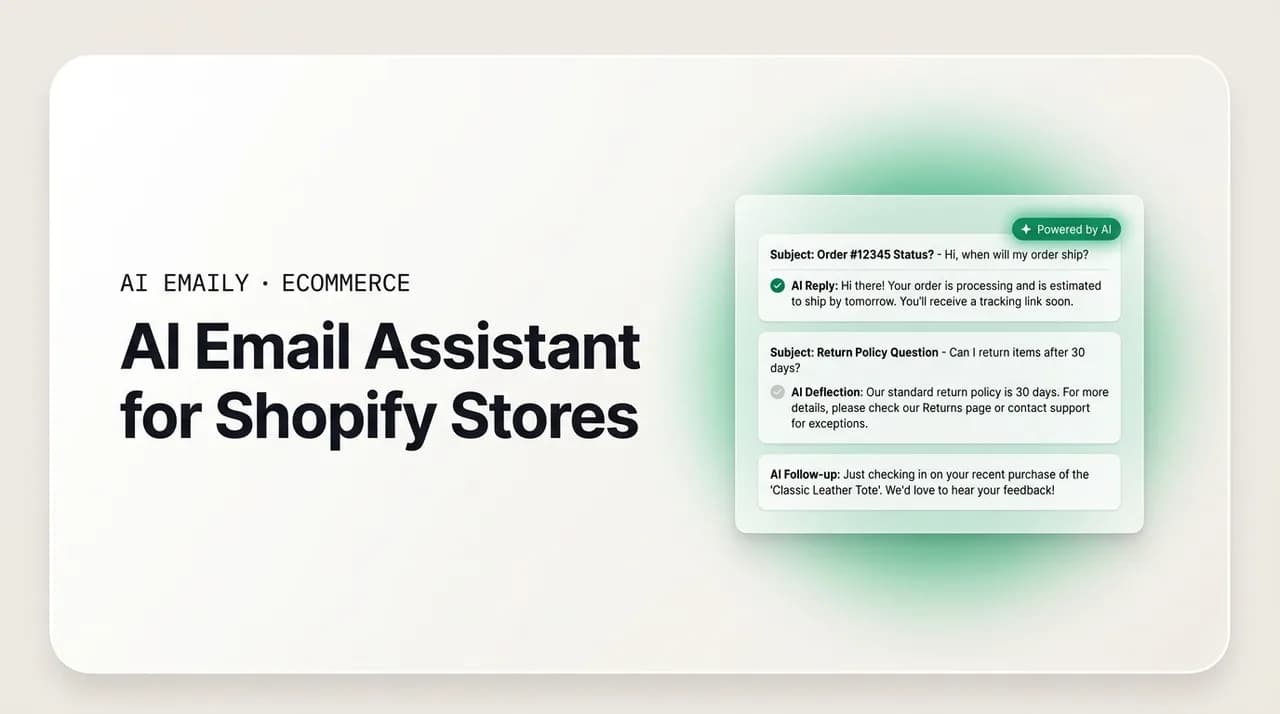
An AI email assistant for Shopify stores drafts and can send replies to the repetitive tickets that fill a DTC inbox — where is my order, returns, sizing, order changes, and post-purchase questions. Look for one that writes in your brand voice, keeps a human approval step by default, and complements a helpdesk rather than replacing it. AI Emaily runs in Manual, Copilot, and Autopilot modes with undo and a full audit trail, so routine replies go out fast while anything unusual waits for you.
A practical guide to using an AI email assistant for Shopify stores: what it is, what to look for, the three modes mapped to store support, and how AI Emaily deflects WISMO, returns, and product questions without replacing your helpdesk.
On this page
- 01What is an AI email assistant for Shopify stores?
- 02Why Shopify and DTC inboxes are the ideal fit for AI
- 03What should you look for in an AI email assistant?
- 04The three modes: Manual, Copilot, and Autopilot
- 05The tickets an AI assistant actually handles well
- 06The honest objections (and straight answers)
- 07Where AI Emaily fits for a Shopify store
- 08How to roll it out without breaking anything
- 09Putting it all together
What is an AI email assistant for Shopify stores?#
If you run a Shopify store, you already know the shape of your inbox. A large share of it is the same handful of questions, over and over: where is my order, can I return this, does it run true to size, can I change the shipping address before it goes out, my discount code did not apply. None of them are hard. All of them need a fast, correct, on-brand answer. And answering them one at a time, by hand, between running ads and packing boxes and talking to your supplier, is the quiet tax that eats a founder's day. An AI email assistant for Shopify stores is built to take that tax off your plate.
In plain terms, an AI email assistant for Shopify stores is software that reads an incoming customer email, understands what the shopper is actually asking, and produces a reply that sounds like your brand wrote it. The better ones do more than autocomplete a sentence. They triage the inbox so the urgent messages surface first, draft a complete answer grounded in the details of that customer and that order, and — if you let them — send the routine ones on their own while escalating anything unusual to you. The whole point is to compress the time between a customer hitting send and a shopper reading a real answer, because in direct-to-consumer commerce that gap is where trust is won or lost.
It helps to be precise about what this is and is not. An AI email assistant is not a chatbot bolted onto your storefront that answers pre-sale questions in a widget. It is not a marketing tool that blasts abandoned-cart sequences. It is the layer that sits on your actual support inbox — the address customers already email — and handles the back-and-forth of post-purchase service. Some stores run that inbox inside a dedicated helpdesk; many, especially smaller and newer brands, run it out of Gmail or Outlook. Either way, the assistant's job is the same: read, understand, draft, and where appropriate reply, so a person is not retyping the same three paragraphs for the fiftieth time this week.
The reason this matters now, and not five years ago, is that shopper expectations have hardened. Customers trained by Amazon and by every fast brand they have ever bought from expect near-instant answers, and they compare your response speed to the fastest experience they have had anywhere. A reply that takes a full day to a simple shipping question does not read as thorough; it reads as neglect. In a category where the next brand is one search away, a slow inbox is not a minor annoyance — it is a leak in the bucket you are pouring ad spend into.
That is the gap an AI email assistant closes. It does not make your support smarter than you; it makes your existing answers arrive faster and more consistently, at a volume no single person can match by hand. This guide walks through what these tools actually do, what to look for before you pick one, how the three operating modes map onto a real store-support workflow, the specific ticket types where they pull their weight, the honest objections you should raise before trusting one, and where AI Emaily fits — as the email and AI layer on your inbox that complements a helpdesk like Gorgias rather than trying to replace it.
Why Shopify and DTC inboxes are the ideal fit for AI#
Not every inbox is a good candidate for AI. A store inbox is close to the ideal one, for reasons worth spelling out, because they explain why the results tend to be better here than in messier, more bespoke support queues.
First, the volume is real and the questions repeat. On a lot of Shopify stores, "where is my order" — WISMO for short — alone accounts for roughly a fifth of all inbound contacts. Add returns, exchanges, sizing, order edits, and discount-code confusion, and you are looking at a queue where a large majority of tickets fall into a dozen recognizable buckets. Repetition is exactly what AI is good at. When the same question arrives fifty times a day with only the order number changing, a system that can recognize the pattern and answer it correctly is doing genuinely useful work, not cutting corners.
Second, the answers are grounded in structured data you already have. A returns policy is a returns policy. An order status is a fact — packed, shipped, in transit, delivered — attached to a tracking number. Sizing lives in your product data. Because the ground truth is concrete rather than a matter of judgment, an AI reply can be accurate in a way that is much harder in, say, open-ended B2B negotiation. The assistant is not inventing an opinion; it is stating a fact your systems already know and phrasing it in your voice.
Third, the stakes on the routine tier are low and reversible. Telling a customer their order shipped and here is the tracking link is not a decision that can blow up if a machine drafts it. That is different from issuing a refund, approving a warranty exception, or promising something your policy does not cover. A well-designed assistant respects that line: it handles the safe, factual, repetitive tier with confidence and hands the judgment calls to a human. The autonomy is bounded on purpose.
Fourth, and least obvious, is that speed here is not a nicety — it is retention. In DTC, a slow answer to a shipping question is effectively a churn event, because the shopper reads silence as "this brand does not have it together" and starts second-guessing the purchase. For subscription and replenishment brands the effect is sharper still: most churn is silent, customers going quiet rather than complaining, so a missed or late post-purchase reply quietly bleeds recurring revenue you never see leave. An assistant that keeps first responses fast, even when you are asleep or slammed, is protecting lifetime value, not just clearing a queue.
Put those four together — high repetitive volume, structured ground truth, a low-stakes routine tier, and speed that maps directly to retention — and a Shopify support inbox is about as favorable a place to apply AI as exists in a small business. That does not mean every tool is good, or that you should point one at your inbox and walk away. It means the fit is real, and the rest of this guide is about choosing and using one well.
The 30–40% rule
What should you look for in an AI email assistant?#
Before you connect anything to the inbox that customers see, it is worth being deliberate about what actually matters. Plenty of tools demo well and disappoint in the queue. Here is the checklist that separates a store-support assistant you can trust from one that will quietly embarrass your brand.
- 1
It writes in your brand voice, not generic support-speak
A reply that reads like a canned corporate macro undoes the personality you built the brand on. The assistant should learn from how you actually write — your greetings, your sign-off, whether you use the customer's first name, how warm or brisk you are — and produce drafts that sound like your store, not like every other store. If every reply reads the same, shoppers notice, and the human touch that made them buy evaporates.
- 2
It keeps a human approval step by default
The safe default is that nothing goes to a customer without you having the option to see it first. You want to start by reviewing drafts, build trust as the quality proves itself, and only then let it send the truly routine tier on its own. A tool that flips straight to full auto-send with no approval mode is asking you to bet your brand on day one, before you have any evidence it is right.
- 3
It grounds replies in real order and customer context
The difference between a useful reply and a dangerous one is whether the AI uses the real values — this customer's actual order number, their real tracking status, your actual return window — or invents plausible-sounding ones. Insist on an assistant that pulls from real context and states facts rather than guessing. A confidently wrong answer about a refund is worse than no answer.
- 4
It escalates instead of guessing
The most important thing an AI can do is know what it does not know. Angry customers, policy edge cases, anything touching money or a warranty exception, legal or safety language — these should be flagged for a human, not auto-answered. A good assistant is conservative: when confidence is low or the topic is sensitive, it stages a draft for review or routes the thread to you rather than pressing send.
- 5
It gives you undo and an audit trail
You should always be able to see exactly what the assistant did and reverse it. An undo window on sends and a full log of every action — what was drafted, what was sent, on whose behalf, when — is what turns automation from a leap of faith into something you can actually supervise. If a tool cannot show you its own history, you cannot trust it with your inbox.
- 6
It works with your existing setup, not against it
If you already run a helpdesk, the assistant should complement it, not force a rip-and-replace. If you run support out of Gmail or Outlook, it should connect to that inbox directly. The wrong tool is one that demands you rebuild your whole support stack around it before you have seen a single reply.
If a tool fails the first two of those — brand voice and a human approval step — nothing else on the list saves it, because those are the two ways an AI assistant most visibly damages a store. A robotic reply erodes the brand you spent money building; an unsupervised wrong send erodes trust with a specific customer at the worst possible moment. Everything else is about making a good assistant safe to scale. Keep this list handy when you evaluate options; it is the difference between a tool that quietly earns its keep and one that creates a new category of problem for you to clean up.
The three modes: Manual, Copilot, and Autopilot#
The single most important design decision in an AI email assistant is how much it is allowed to do on its own — and the honest answer for a store is "it depends on the ticket." A shipping-status reply and a refund dispute do not deserve the same level of autonomy. The cleanest way to handle that is a system with distinct modes you graduate through as trust builds, rather than one blunt on/off switch. AI Emaily is built around exactly three: Manual, Copilot, and Autopilot. Here is how each maps onto a real store-support workflow.
Think of them as a trust ladder. You start at the bottom, watching every draft, and climb only as far as your comfort and the tool's accuracy justify. Most stores live happily in the middle, with a thin slice of the truly routine tier running at the top.
| Mode | What the assistant does | Best for | Store example |
|---|---|---|---|
| Manual | You drive. The AI assists on demand — a draft when you ask, a thread summary, a natural-language search across the inbox. | Getting started, learning the voice, sensitive periods. | You open a returns thread, hit draft, tweak the reply, and send it yourself. |
| Copilot | It prepares, you approve. Triage and replies are drafted in your voice and waiting. One click to send; nothing leaves without you. | The default for most stores — speed with a human check on every send. | Every WISMO reply is drafted and staged overnight; in the morning you skim and one-click send. |
| Autopilot | It acts within rules you set. The agent sends, schedules, and closes loops on its own — every action reversible and logged. | The routine 30–40% of tickets, once the drafts have proven reliable. | Order-status and standard FAQ replies go out automatically; a return dispute is escalated to you. |
Manual mode is where you begin and where you return during anything sensitive — a product recall, a shipping fiasco, the launch-day chaos when tone matters more than speed. The AI is a helper you summon: it will draft, summarize a long thread, or find that order in seconds, but you write and send everything. It costs you nothing to trust because it does nothing without you. Use it to learn how the assistant handles your typical tickets before you hand it any autonomy.
Copilot mode is the sweet spot for most stores, and it is worth understanding why. Here the assistant does the slow part — reading the ticket, pulling the context, and writing a complete, on-brand reply — and then stops. The draft sits there waiting for your one-click approval. You get almost all of the speed benefit, because the composing is done, while keeping a human eye on every message that reaches a customer. This is the mode that turns a morning of typing the same answers into a few minutes of skimming and approving. It is also the safe way to build the evidence you need before trusting anything further: watch the Copilot drafts for a couple of weeks, and you will know exactly which ticket types it nails and which it does not.
Autopilot mode is the top of the ladder, and the one to approach with discipline. Within boundaries you define — specific ticket types, specific conditions, everything else excluded — the agent sends on its own, schedules follow-ups, and closes loops without waiting for you. The right way to use it is narrow: turn it on only for the ticket types Copilot has already proven it handles perfectly, typically order-status confirmations and a short list of standard FAQs, and leave everything with any judgment in it staged for review. Crucially, every autonomous action is reversible and written to an audit trail, so autonomy never means flying blind. You are delegating a bounded, well-understood slice of work, not abdicating the inbox.
Climb the ladder, don't jump it
The tickets an AI assistant actually handles well#
Abstractly, "it handles support" is easy to say. It is more useful to walk through the specific ticket types that fill a Shopify inbox and be honest about how well an AI assistant does on each — because the value is concentrated in a few high-volume categories, and the risk is concentrated in a few others.
WISMO — "where is my order" — is the flagship use case, and for good reason. It is the single highest-volume ticket type in most stores, the answer is a matter of fact rather than judgment, and the shopper wants nothing more than a status and a tracking link. An assistant that can recognize a WISMO ticket, pull the current order status, and reply with the tracking details in your voice is deflecting the exact tickets that clog your queue with zero risk of a bad decision. This is the category where you feel the difference within a day: the questions that used to interrupt you all afternoon start answering themselves.
Returns and exchanges are the second big bucket. Here the assistant is drafting the standard flow — your return window, how to start a return, what to expect — grounded in your actual policy. This is high-value and mostly safe, with one important caveat: the routine "how do I return this" question is ideal for automation, while a return that is outside the window, a dispute, or a request for an exception is exactly the kind of judgment call that should be staged for you rather than auto-answered. A good assistant draws that line automatically.
Product questions — sizing, materials, care instructions, compatibility, "will this work for me" — are a strong fit when the answer lives in your product data or a knowledge base the assistant can draw on. A shopper asking whether a jacket runs large gets a fast, accurate answer instead of waiting a day, and a fast answer to a pre-purchase-style question often protects a sale. The failure mode to avoid is an assistant that guesses at product facts it does not have; the fix is grounding it in your real catalog and letting it escalate when the answer is not in there.
Order changes — address edits, adding or removing an item, canceling before fulfillment — are time-sensitive and mixed. The assistant is genuinely useful for the fast acknowledgment ("we've got your request and here's what happens next") and for the ones that are clearly still editable. But because these often race against fulfillment and can involve a real change to money or contents, the safer pattern is Copilot: the draft is ready instantly, you approve it, and the customer still gets a near-immediate reply. Speed without a human on the trigger is riskier here than on WISMO.
Post-purchase follow-up is the quietest win and the one stores most often miss. This is the proactive tier — a shipping-delay heads-up before the customer has to ask, a delivery check-in, a nudge on a subscription about to renew or a pause-and-swap offer. For subscription and replenishment brands especially, this is where silent churn hides: the customer who would have quietly canceled at month two often stays if a timely, human-feeling message reaches them first. An assistant that can stage these follow-ups turns your inbox from purely reactive into something that actively protects lifetime value.
The through-line across all of these is the same principle: the more factual and reversible the reply, the more autonomy it can safely have; the more it touches money, exceptions, or emotion, the more it belongs in Copilot with a human approving. A good assistant sorts tickets along that line for you, so the safe volume flows fast and the judgment calls land on your desk.
Q4 is the real test
The honest objections (and straight answers)#
If you are skeptical of pointing AI at the inbox your customers see, good — you should be. The stores that get value from these tools are the ones that raised the hard objections first and got real answers. Here are the three that come up most, answered straight.
"Will it actually sound on-brand, or will it read like a robot?" This is the objection that matters most, because a generic reply quietly undoes the personality that made someone buy from you instead of Amazon. The honest answer is that it depends entirely on the tool, and it is the first thing you should test. A well-built assistant learns from your real sent mail — your greeting, your sign-off, your level of warmth, whether you use the first name — and drafts in that voice, not in flat support-speak. The way to verify it is not to trust a marketing claim: run it in a mode where you review every draft for a week and read them as a customer would. If they sound like you, you have your answer. If they sound like a template, no amount of automation is worth it, and you should walk away.
"Isn't auto-send a risk? What if it sends something wrong?" It would be, if auto-send were the default — which is exactly why it should not be. The right design keeps a human approval step by default and treats full autonomy as something you switch on deliberately, for a narrow set of proven-safe ticket types, after you have watched the drafts. Layer on an undo window and a full audit trail, and the worst case is bounded: you can see everything the assistant did and reverse it. The risk is not "AI touches my inbox"; the risk is "AI sends unsupervised on day one with no undo." Choose a tool that makes the safe path the default one, start in Copilot, and the auto-send objection largely answers itself.
"Does this replace my helpdesk? I already pay for Gorgias." No — and any tool that tells you it does is picking the wrong fight. A helpdesk like Gorgias is a system of record: it consolidates channels, manages tickets and macros, routes work across agents, and reports on your queue. That is valuable and an AI email assistant does not do it. What the assistant adds is the intelligence and speed layer on the actual replying — reading the ticket, understanding it, drafting the answer in your voice, and, where you allow it, sending the routine tier. The two are complementary: the helpdesk organizes the work, the assistant helps do it faster. If you run a full helpdesk, the assistant should slot alongside it. If you run support straight out of Gmail or Outlook — as many smaller and newer stores do — the assistant connecting to that inbox may be all the tooling you need for now. Either way, the framing is "add an AI layer," not "tear out what works."
There is a quieter fourth objection worth naming: "is my customer data safe?" You are handing an AI system the contents of real customer emails, which is not something to be casual about. The answers you want are concrete: no training of models on your mail, zero-retention inference so your content is not kept by the model provider, and encryption of the sensitive credentials that connect to your inbox. If a vendor cannot give you clear answers on those three, treat it as a red flag. Privacy is not a nice-to-have when the input is your customers' order details.
Where AI Emaily fits for a Shopify store#
AI Emaily is an AI-native email client with an autonomous chief-of-staff built in. It connects to Gmail, Outlook, iCloud, Fastmail, Proton, and any IMAP account, unifies them into one inbox, and works across web, macOS, iOS, and Android. For a Shopify store, the useful way to think about it is as the email and AI layer on the inbox where your customer support actually lives — the place where reading, understanding, and replying happen — designed to complement a helpdesk like Gorgias rather than replace it.
It maps cleanly onto everything in this guide. It runs the three modes described above — Manual, Copilot, and Autopilot — so you control exactly how much autonomy the agent has and graduate it as trust builds. It drafts in your voice rather than in generic support boilerplate, because it learns from how you actually write. Copilot requires your approval before any send in the current version, which is the safe default a store should want; Autopilot is bounded, gated, and reserved for the routine tier you have chosen to delegate. And every action the agent takes is reversible with a full undo window and a complete audit trail, so autonomy never means flying blind.
A couple of features earn their keep specifically in a store context. The context and variables engine loads per-customer details the moment you open a reply — names, order references, open loops, the "don't forget" notes — and the AI uses those real values rather than inventing them, which is exactly the grounding that keeps order-status and returns replies accurate. And the Living Brief delivers a scheduled, categorized digest to Slack or Telegram — what came in, what is handled, what actually needs you — so you can keep an eye on the inbox from wherever you run the business, and act straight from the message.
On privacy, the answers are the ones a store should insist on: AI Emaily never trains models on your mail, runs cloud inference on a zero-retention basis so your content is not kept by the provider, offers an on-device option for sensitive triage and drafting, and encrypts the tokens and keys that connect to your accounts. If you would rather run without usage caps, you can bring your own model key on the Autopilot and Team plans.
It is honest about what it is not, too. AI Emaily is not a full helpdesk: it does not aim to be your ticketing system of record, your multi-agent routing platform, or your CSAT dashboard. If you have outgrown a shared inbox and need that machinery, a dedicated helpdesk is the right tool, and AI Emaily is designed to sit alongside it as the AI layer on the replying — or to be the whole answer if you are still running support out of Gmail or Outlook and mostly need to reply faster without losing your voice. The goal is to make your support fast, consistent, and on-brand at a volume one person cannot match by hand, while leaving you fully in control.
How to roll it out without breaking anything#
The safest way to adopt an AI email assistant on a live store is gradual. You are not flipping a switch; you are building evidence and climbing the trust ladder one rung at a time. Here is a sane rollout that gets you value quickly without risking a bad send in front of a customer.
- 1
Connect the support inbox and start in Manual
Point the assistant at the address customers email — whether that is a Gmail or Outlook support inbox or an alias you forward to. Begin in Manual mode, where the AI only drafts when you ask. Spend a few days summoning drafts on real tickets to see how it handles your typical WISMO, returns, and product questions before it has any autonomy at all.
- 2
Move to Copilot and review every draft for a week
Switch on Copilot so triage and replies are drafted and staged automatically, but nothing sends without your click. Read the drafts the way a customer would. Note which ticket types it nails — almost always order status and standard FAQs first — and which need your edits. This week is where you build the evidence for what is safe to automate.
- 3
Tighten the brand voice and context
Feed the assistant the details that make its drafts accurate and on-brand: your return policy, your shipping norms, product facts, per-customer context. The more real ground truth it has, the fewer edits you make, and the closer the drafts get to "send as-is."
- 4
Promote only the proven-safe tickets to Autopilot
Once Copilot has been getting a ticket type right consistently — typically order-status confirmations and a short list of standard FAQs — turn on Autopilot for those and only those. Leave returns disputes, exceptions, and anything touching money or emotion staged for review. Keep the boundary narrow on purpose.
- 5
Watch the audit trail and adjust
Check the log of what the agent sent and how customers responded. Use the undo window if anything is off. Expand the Autopilot scope only as the evidence supports it, and pull it back during sensitive periods like a product issue or a shipping crisis, when tone matters more than speed.
The whole arc, done this way, takes a couple of weeks and never puts an unsupervised reply in front of a customer before you have seen the assistant handle that ticket type well. That is the discipline that separates stores that get durable value from AI support from those that get a cautionary tale. Start narrow, prove it, and expand only as far as the evidence justifies.
Putting it all together#
An AI email assistant for Shopify stores earns its place by taking the most repetitive, lowest-judgment part of your support inbox — the WISMO questions, the standard returns flow, the sizing and product questions, the post-purchase follow-ups — and answering it fast, consistently, and in your voice, at a volume no single founder or lean team can match by hand. The value is real because the fit is real: high repetitive volume, structured ground truth, a low-stakes routine tier, and speed that maps straight to retention.
The way to get that value without the risk is to insist on the right defaults. The assistant should write like your brand, keep a human approval step by default, ground its replies in real order and customer context, escalate the judgment calls instead of guessing, and give you undo and a full audit trail so you can supervise what it does. Used that way — starting in Copilot, promoting only the proven-safe tickets to Autopilot — it complements the helpdesk and tooling you already have rather than fighting them.
That is exactly the shape AI Emaily is built for: an AI email client that drafts in your voice, runs Manual, Copilot, and Autopilot so you control the autonomy, keeps approval before any send by default, and logs and reverses everything it does. Point it at your support inbox, watch the drafts, and let it take the repetitive tickets off your day so you can get back to growing the store. You can try it free at app.aiemaily.com/signup, with a Free plan at no cost and Pro at $12.42 per month on the annual plan.
Frequently asked
See it in AI Emaily
Keep reading
Sources

Written by
Nafiul HasanNafiul Hasan is an entrepreneur and AI automation system builder with 10+ years of experience turning messy, manual workflows into reliable automated systems. He designs and ships AI enterprise solutions end-to-end — the agent logic, the data plumbing, and the product people actually use — and founded AI Emaily to give busy professionals their attention back. He writes here from the builder's seat: what works, what breaks, and how to put AI to work without giving up control.