Ecommerce Inbox Automation: Faster Support, Fewer Tickets, Less Churn

The short answer
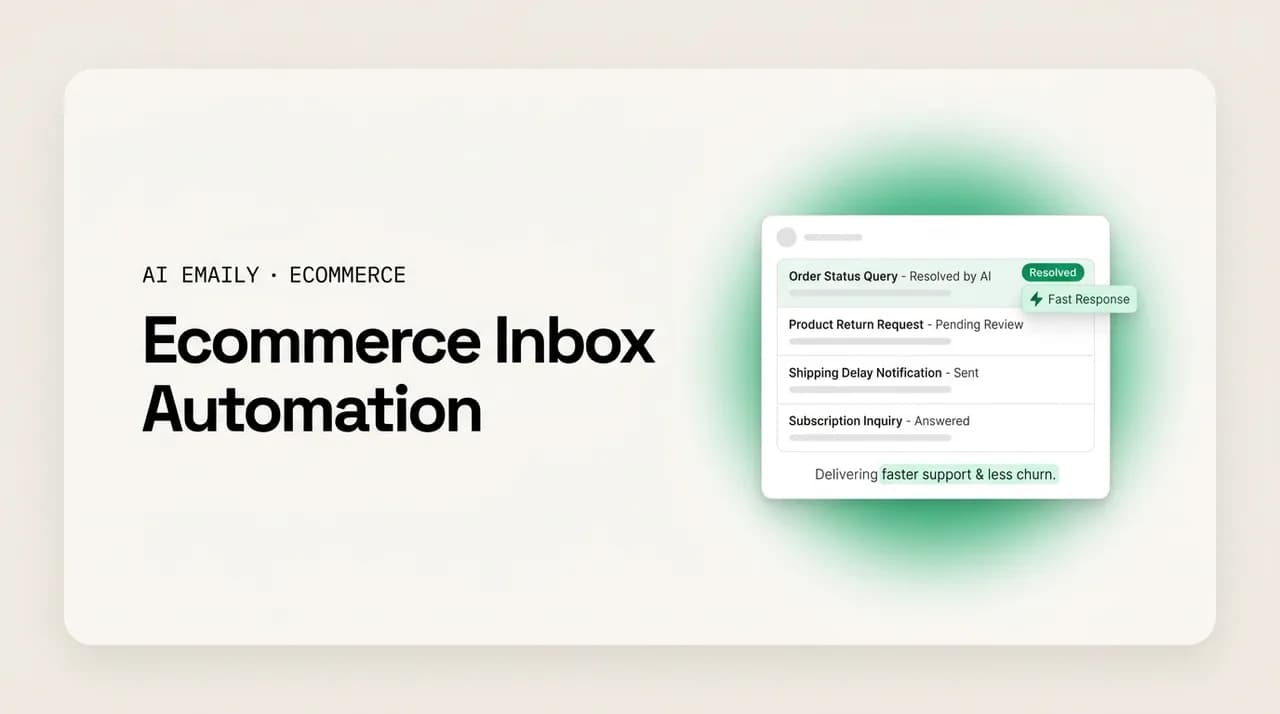
Ecommerce inbox automation captures every support email, acknowledges it instantly, triages by intent, drafts a voice-matched reply, auto-answers the routine 30–40% (order status, returns, FAQs), and escalates the rest to a human. Automate the repetitive and reversible; keep refunds, exceptions, and angry customers human. Faster first replies protect revenue, because in DTC a slow answer to a shipping question is a churn event.
Ecommerce inbox automation, done right, means faster support, fewer repeat tickets, and less churn. Here is what to automate, what to keep human, and how to build the system for your store.
On this page
- 01What ecommerce inbox automation actually means
- 02The seven stages of an automated support inbox
- 03What to automate vs. what to keep human
- 04Building the system: macros, rules, proactive comms, and escalation
- 05How faster support turns into less churn
- 06Scaling through Q4 and promo spikes without hiring for peaks
- 07How AI Emaily helps — mapped to each pain
- 08Putting it together for your store
What ecommerce inbox automation actually means#
Ecommerce inbox automation is the practice of letting software handle the predictable parts of your support inbox — capturing, acknowledging, sorting, drafting, and often sending routine replies — so that a person only spends time on the messages that genuinely need judgment. It is not a single feature you switch on. It is a system: a chain of small, reliable steps that runs on every inbound email the moment it arrives, catches the repetitive questions before they pile up, and hands you a clean, prioritized queue of the things a human should actually decide.
For an online store this matters more than it does almost anywhere else, because ecommerce support is unusually repetitive and unusually time-sensitive at the same time. A large share of your inbound is variations on the same handful of questions: where is my order, how do I return this, do you ship to my country, can I change my address, is this in stock. On a Shopify DTC store, "where is my order" (WISMO) alone can account for roughly a fifth of all inbound contacts. Those questions have known answers. And your customers, trained by Amazon and by every fast-shipping brand they have ever bought from, expect those answers now — not in a day, not in a few hours, but close to instantly. A response that takes 24 hours to a shipping question is, in practice, a churn event.
That combination — high volume, low complexity, high urgency — is exactly the shape of problem automation is built for. The goal is not to remove humans from support. It is to remove humans from the parts of support that never needed them, so the human hours you have go to the returns dispute, the damaged-package apology, the wavering subscriber, and the VIP with a weird edge case. Everything in this guide is in service of that one idea: automate the routine, protect the judgment, and get faster without getting colder.
It helps to be precise about what "the inbox" even is here, because for most stores support does not arrive in one place. It comes through a shared support@ address, through the contact form, through Shopify's own inbox, through replies to shipping-notification emails, and — if you sell across marketplaces — through Amazon, eBay, and Etsy buyer messaging, each with its own rules and its own response-time clock. One widely cited industry figure is that only about a fifth of ecommerce retailers offer unified support across four or more channels. That fragmentation is itself a source of slow replies: a message you cannot see quickly is a message you cannot answer quickly. So the first job of any automation system is consolidation — getting everything into one queue you can actually watch — and the rest of the pipeline follows from there.
The rest of this guide walks the full pipeline step by step (capture, acknowledge, triage, draft, auto-answer, escalate, close the loop), draws a clear line between what to automate and what to keep human, shows how to build the system out of macros, rules, proactive comms, and escalation paths, and connects the whole thing back to the metric that pays for it: churn. At the end we map each of the specific pains an ecommerce inbox creates — WISMO volume, slow-reply churn, returns load, Q4 spikes — to how AI Emaily handles it, honestly, including where a human stays in the loop.
Automation is a pipeline, not a switch
The seven stages of an automated support inbox#
Every well-run automated inbox, whatever tools it is built on, moves a message through the same seven stages. You do not have to automate all seven at once — most stores start with acknowledge and triage, then extend into drafting and auto-answering as their confidence grows — but it is worth seeing the whole chain first so you know where each piece fits.
- 1
Capture — get every message into one queue
Pull support@ mail, the contact form, Shopify inbox, notification replies, and any marketplace messages into a single unified view. You cannot answer, sort, or measure what you cannot see. This is the unglamorous foundation everything else stands on.
- 2
Acknowledge — reply instantly, even before a human looks
An immediate, honest auto-acknowledgement ("Thanks — we've got your message and will reply within a few hours") resets the customer's internal clock. It is the difference between "they're ignoring me" and "they're on it," and it buys you the time to answer properly.
- 3
Triage — sort by intent and urgency
Classify each message: WISMO, return/exchange, product question, address change, complaint, VIP, spam. Route by type, flag the angry and the high-value, and surface what needs a human first. Good triage is what turns a scary undifferentiated pile into a plan.
- 4
Draft — prepare a voice-matched reply
For each triaged message, generate a reply in your brand's actual voice, grounded in the real order data — not a generic macro with blanks. The draft is ready and waiting the instant you open the thread, so answering becomes reviewing rather than writing from scratch.
- 5
Auto-answer — send the safe, routine replies on their own
The genuinely repetitive, low-risk questions — order status with a live tracking link, standard return instructions, FAQ answers — can go out automatically within rules you set. This is where the 30–40% deflection lives, and where speed becomes truly instant.
- 6
Escalate — hand the hard ones to a human, with context
Anything that fails a confidence check, trips an escalation rule (refund, damaged item, legal, angry tone, VIP), or simply looks unusual gets routed to a person — with the summary, order history, and a suggested reply attached so the human starts warm, not cold.
- 7
Close the loop — follow up and confirm resolution
The stage most stores skip. Send the promised update, confirm the replacement shipped, check back after a delayed order arrives. Closing the loop is where a recovered problem turns into loyalty instead of a silent cancellation.
Read those seven stages back and notice something: only two of them (auto-answer, and parts of draft) involve the software actually speaking to the customer without a person's blessing. The other five are about seeing, sorting, preparing, routing, and following up — leverage that makes a human faster without ever taking the human out. That is the honest shape of ecommerce inbox automation. The scary version, where a bot answers everything and hopes for the best, is not the version that works. The version that works is mostly assistive, selectively autonomous, and always reversible.
The two questions that decide whether your system helps or hurts are: which messages are safe to auto-answer, and what happens to everything else? Get the first wrong and you send confident nonsense to a paying customer. Get the second wrong and your hard tickets rot in a queue while the easy ones fly out. The next two sections take those questions head-on.
What to automate vs. what to keep human#
The single most important decision in the entire system is where you draw the line. Automate too little and you have bought a tool that files your email; automate too much and you have automated your worst customer interactions. The reliable test has three parts. First, is the question repetitive and template-friendly — do you answer it the same way most of the time? Second, is the answer knowable from data you already have — order status, tracking, policy — rather than from a judgment call? Third, is the action reversible and low-stakes — if the reply is slightly off, is it a quick correction rather than a refund, a lost customer, or a public complaint? When all three are yes, automate. When any one is no, keep a human in the loop.
That test sorts the ecommerce inbox surprisingly cleanly. The repetitive, data-driven, low-stakes questions — where is my order, what is your return policy, do you ship here, is this in stock, how do I start a return — are the natural automation zone, and they also happen to be the bulk of your volume. The judgment calls — a refund outside policy, a damaged or wrong item, a subscription cancellation you might save, an angry customer, anything touching money, legal, or safety — are the human zone, and they are where a thoughtful human reply earns loyalty that no automation can. The table below is the working version of this line.
| Safe to automate (routine, data-driven, reversible) | Keep human (judgment, money, emotion, risk) |
|---|---|
| Order-status / WISMO replies with a live tracking link | Refunds outside policy, or any goodwill credit decision |
| Standard return and exchange instructions | Damaged, defective, or wrong-item claims needing a call |
| "Do you ship to X?" and shipping-time questions | An angry or clearly upset customer, whatever the topic |
| Stock, sizing, and standard product-spec questions | Subscription cancellations you could save with an offer |
| Address / order edits before fulfillment (within a window) | Chargeback, dispute, legal, or safety-related messages |
| FAQ answers (care, warranty length, how-to) | VIP or high-LTV customers, and press or influencer contacts |
| Acknowledgement + expectation-setting on every message | Anything the system is not confident it understood |
| Post-delivery check-ins and proactive delay alerts | Novel edge cases with no established policy answer |
A few of these deserve a closer look, because they are where stores most often get the line wrong. Refunds are the classic one. It is tempting to automate refund approvals because they are frequent, but a refund is money leaving your business and is not cleanly reversible, so it belongs on the human side — with one nuance: automation can still do everything up to the decision. It can pull the order, check whether the request is inside policy, draft the approval or the polite decline, and stage it for one-click sending. The human makes the call in two seconds instead of two minutes; the judgment stays human, the labor gets automated. That pattern — automate the preparation, keep the decision — is how you get most of the speed without any of the risk.
Angry customers are the other line people misjudge. The instinct is that an upset customer is exactly who you want to answer fastest, so surely automate. But tone-detection is precisely when a canned reply does the most damage: a frustrated customer who gets an obviously automated response feels dismissed, and a recoverable situation becomes a lost one — or a screenshot on social media. The right move is the opposite: detect the anger and escalate it faster, pushing that message to the top of a human's queue with full context, so a person reaches them quickly with a real, human reply. Speed still matters enormously here; it just has to be human speed, not robot speed. Handled well, a recovered failure builds more loyalty than a flawless order ever would — the service-recovery paradox — but only a person can pull that off.
Subscriptions are the third. For a replenishment or subscription brand, a cancellation email is not a routine ticket — it is a retention moment, and often the last one you will get, because most churn is silent. A customer who emails to cancel is at least still talking to you; the far larger group just goes quiet. So cancellations and "I want to pause" messages should escalate to a human (or a carefully designed save flow), while the proactive, retention-supporting comms around them — shipping-delay alerts, post-delivery check-ins, pause-instead-of-cancel offers — are exactly the templated flows worth automating. Automate the outreach that prevents the cancellation; keep the human on the cancellation itself.
The one rule that keeps automation safe
Building the system: macros, rules, proactive comms, and escalation#
With the line drawn, you can build the machine that runs it. A working ecommerce inbox automation setup has four moving parts, and they layer on top of each other in roughly this order: reusable answers (macros), the logic that fires them and routes messages (rules), the outbound messages that prevent tickets in the first place (proactive comms), and the paths that get hard messages to a human fast (escalation). Build them in that order and each one makes the next more effective.
Start with macros — your library of reusable answers. Pull your last few hundred support replies and cluster them; you will find that a dozen or so answers cover the large majority of your volume. Write a clean, on-brand version of each: order status, return started, refund approved, refund declined (kindly), shipping delay, out of stock, address change confirmed, how-to-return, wrong item received, and so on. The mistake here is treating macros as rigid form letters. A good macro is a scaffold with real variables — the customer's name, the actual order number, the live tracking link, the specific product — filled in from your store data, not left as blanks a customer can tell were never touched. The better your macro library, the better every downstream stage works, because drafting and auto-answering both draw from it.
Then add rules — the if-this-then-that logic that decides what happens to each message. Rules do three jobs. They classify ("if the message mentions tracking, order status, or 'where is,' tag it WISMO"). They route ("send WISMO to the order-status flow, refunds to the human queue"). And they gate autonomy ("auto-send order-status replies during business hours; stage everything else for approval"). The craft is in starting conservative — auto-send only the one or two safest categories, keep a tight confidence threshold — and widening the aperture as the data proves the system is reliable. Rules are also where you encode your escalation triggers: angry tone, refund keywords, VIP customer, high order value, repeat contact on the same issue. Anything that trips a trigger jumps the queue.
- Macros: a tight library of on-brand, variable-filled answers covering your top question types — the raw material for both drafts and auto-replies.
- Rules: classify by intent, route by type, and gate autonomy — start narrow, widen only as reliability is proven.
- Proactive comms: outbound messages (delay alerts, delivery check-ins, back-in-stock notices) that answer questions before they become tickets.
- Escalation: fast, context-rich paths to a human for refunds, exceptions, anger, VIPs, and anything low-confidence — the safety valve that makes the rest safe.
The third layer, proactive communication, is the one that quietly does the most for your ticket count, because the cheapest ticket to handle is the one that never gets created. A large chunk of WISMO exists only because the customer had a question and no answer in front of them. Get ahead of it: a proactive shipping-delay alert the moment a carrier scan slips, a "your order is on its way, here's tracking" that actually gets opened, a post-delivery check-in on a first order, a back-in-stock note, a gentle reminder before a subscription renews or ships. Each of these turns a question the customer would have emailed into a message you sent first. For subscription brands especially, this proactive layer is a retention lever, not just a deflection tactic — the check-in that catches a problem at month two is the one that prevents the silent cancellation at month three.
The fourth layer, escalation, is what makes everything above it safe to run. A support system is only as good as what happens when automation reaches its limit, and the difference between a good escalation and a bad one is context. A bad escalation drops a raw customer email into a human's lap with no history. A good one hands the human a package: a one-line summary of what the customer wants, the full order and contact history, the relevant policy, and a suggested reply they can accept, edit, or discard. That is the difference between an agent spending four minutes reconstructing a situation and thirty seconds confirming a well-prepared answer. And when the volume genuinely exceeds what one inbox can hold, this same escalation path is your handoff to a dedicated helpdesk — you are not replacing that tooling, you are feeding it cleaner, pre-triaged, context-rich tickets.
Handing off to a helpdesk? Feed it pre-triaged tickets
How faster support turns into less churn#
It is easy to treat "faster support" as a vanity metric — a number on a dashboard that feels good to lower. In ecommerce it is not. Response speed sits directly on the path to revenue retention, and the mechanism is not subtle. A shopper who has just given you money and hit a snag is in a fragile moment. If the answer comes fast, the snag becomes a non-event and the relationship survives. If the answer is slow, the snag compounds: the customer stews, tells themselves this brand does not care, and quietly decides not to buy again — or, for a subscription, decides to cancel. They rarely announce it. They just leave. That is why the industry framing is so blunt: in DTC, a 24-hour response to a shipping question is a churn event. The clock is the churn risk.
The expectation bar is higher than most store owners assume, because customers do not grade you against other stores your size — they grade you against the fastest experience they have ever had anywhere. A large share of shoppers now expect a response within an hour, and a meaningful group expects near-instant. This is the "Amazon effect": once a customer has experienced same-day answers, a next-day reply feels like neglect, regardless of how small or scrappy your team is. You do not get graded on a curve for being a two-person brand. This is precisely why automation is not a nice-to-have at the top of the funnel and a luxury at the bottom — it is the only way a lean team hits an instant-response bar at volume, because the human-hours math simply does not work otherwise.
The good news is that the same automation that lowers your response time also lowers your ticket volume, and the two compound. Every question you answer proactively is a ticket that never lands. Every routine reply that auto-sends is an hour your team does not spend on it. And every hour freed is an hour that goes to the interactions that actually retain customers — the recovered return, the saved subscriber, the personal note to a VIP. So the flywheel runs: automation cuts volume, which cuts response time, which frees human hours, which get spent on high-value recovery, which retains revenue — and the retained revenue is what pays for the whole system many times over. The framing that matters to a founder is not "how many tickets did we deflect" but "how much recurring revenue did we keep by answering fast and following up."
There is a compounding effect on the human side too. Support agents at growing brands can spend something like 40% of their day just composing responses. Take the routine drafting off their plate and you have not merely saved time — you have changed what the job is, from typing the same answer forty times to handling the forty situations that are actually different. That is more sustainable for the team, and it shows up in the quality of the hard replies, which is exactly where loyalty is won or lost. Faster support and less churn are not two separate goals you trade off against each other. Built correctly, they are the same system viewed from two angles.
The metric that pays for automation
Scaling through Q4 and promo spikes without hiring for peaks#
The case for automation gets sharpest at exactly the moment your inbox does: the seasonal spike. A growing brand can see three to five times its normal ticket volume during Q4 and major promotions. The traditional answer — hire temporary agents for the peak — is expensive, slow to spin up, and inconsistent in quality, and at ecommerce margins it often does not pencil out. Worse, the peak is precisely when slow replies do the most damage, because a huge share of your annual new customers are meeting your brand for the first time during that window. A gift that ships late and a WISMO email that sits unanswered for two days in December is a first impression you do not recover from.
Automation scales differently from headcount, and that is the whole point. A well-tuned pipeline handles the tenth WISMO of the hour exactly as fast as the first, at three in the morning, on Black Friday, without overtime. Because the routine 30–40% deflects automatically, the human queue during a 5x spike does not grow 5x — it grows by the share of genuinely hard tickets, which is far smaller and far more manageable. Your lean CX team, or you alone, absorbs the peak by handling the exceptions while the machine handles the repetition. That is how a small team survives Q4 without a hiring scramble: not by working five times as hard, but by having built a system where five times the volume mostly flows through the automated lane.
Two practical notes for the spike. First, do the work before the wave, not during it. The weeks before a peak are when you tighten your macros, add the seasonal ones (holiday shipping cutoffs, gift-return windows, promo-specific FAQs), and set up the proactive delay alerts that carriers make inevitable in December. Automation you configure calmly in October is worth ten times the automation you scramble to set up mid-Black-Friday. Second, watch your confidence threshold and escalation queue closely during the spike, not just your deflection number. A peak brings unusual messages, and the safe posture under load is to let the system escalate more, not less — better a slightly fuller human queue than a flood of confident wrong answers when your customers are most stressed and most numerous.
The reassuring part is that the same system serves you all year. You are not building a Q4-only apparatus; you are building the everyday inbox that also happens to absorb the peak. The proactive comms that retain subscribers in March are the ones that deflect WISMO in December. The macros that save you an hour a day in a quiet week are the ones that save your sanity in a busy one. That is what makes the investment sane for a lean brand: it earns its keep every ordinary week and then, when the spike comes, it is the reason you are not drowning.
How AI Emaily helps — mapped to each pain#
AI Emaily is an AI-native email client with an autonomous chief-of-staff that triages, drafts in your voice, and closes loops across every provider you use — Gmail, Outlook, iCloud, Fastmail, Proton, and any IMAP account — on web, macOS, iOS, and Android. For an ecommerce store, that means it can run the seven-stage pipeline above out of one unified inbox, with you deciding exactly how much authority it has. It operates in three modes: Manual, where the AI assists on demand; Copilot, where it prepares triage and voice-matched drafts and waits for your one-click approval before anything sends; and Autopilot, where — within boundaries you set — it sends, schedules, and closes routine loops on its own. Every autonomous action is reversible with an undo window and recorded in a full audit trail, so autonomy never means flying blind.
Rather than list features, here is the honest mapping: each specific pain an ecommerce inbox creates, and the capability that addresses it — including, in each case, where a human stays in the loop.
Pain: WISMO volume — "where is my order" is a fifth of your inbound and it never stops.
How it helps: WISMO is the textbook auto-answer case — repetitive, data-driven, reversible — so it sits squarely in the automate zone. AI Emaily triages incoming mail and identifies the order-status questions, drafts a reply grounded in the real order and tracking details (its context and variables engine uses the actual values rather than inventing them), and on Autopilot can send those routine order-status replies on its own within your rules. On Copilot, the same reply is staged for a one-click approval. Either way the repetitive question is answered in your brand's voice, instantly, and you spend zero minutes typing it. The human stays in the loop by setting the rules and by everything the system escalates instead of answering.
Pain: slow replies equal churn — a 24-hour answer to a shipping question loses the customer.
How it helps: speed is the core of the product. Triage and drafts are ready the moment a message lands, so even in Copilot mode your reply is a click away rather than a blank composer. In Autopilot, the safe categories go out in seconds, hitting the near-instant bar customers now expect. Because the drafts are voice-matched — the agent learns how you actually write — fast does not mean robotic; the customer gets a reply that sounds like your brand, quickly. And the AI Screener and triage push the messages that need a human to the top, so the ones you do answer by hand, you answer sooner. The point of the whole design is to collapse the response-time clock that turns a snag into a cancellation.
Pain: returns and refunds load — high volume, but each one is a judgment call about money.
How it helps: this is where the automate-the-preparation, keep-the-decision pattern is built in. AI Emaily handles the routine, reversible parts autonomously or at a click — the standard "here's how to start a return" instructions, exchange logistics, policy questions — while anything touching a refund decision, a damaged item, or an out-of-policy request is staged for you with the order history, the policy, and a suggested reply attached. You make the money call in seconds; the labor around it is already done. Copilot's approve-before-send is the default here precisely because refunds are not something you want auto-sent, and the undo window plus audit trail mean even an Autopilot action on the routine parts is reversible and logged.
Pain: Q4 and promo spikes — 3–5x volume that you cannot solve by hiring alone.
How it helps: because the routine share deflects automatically at the same speed regardless of load, a volume spike mostly hits the automated lane, not your human hours. The unified inbox keeps every channel in one queue so nothing scatters and slips under peak pressure, and the Living Brief gives you a scheduled, categorized digest — delivered in-app and to Slack or Telegram — of what actually needs you, so you can act on the real exceptions without wading through the flood. You configure the seasonal macros and proactive delay alerts ahead of the wave; the agent runs them through the peak. The team absorbs 5x volume by handling the exceptions while the system handles the repetition.
Pain: silent subscription churn — customers go quiet instead of complaining, and you miss the window.
How it helps: the proactive and loop-closing side of the agent is aimed straight at this. AI Emaily can send the shipping-delay alert, the post-delivery check-in, and the follow-up that catches a problem before it becomes a silent cancellation, and it closes loops — following up on an open thread, confirming a replacement shipped — rather than letting things slip. The cancellation itself, the actual retention moment, escalates to you: a save is a judgment call, and the agent's job is to make sure you get to it fast and warm, with the customer's history in front of you, not to auto-handle it. Proactive comms automated, cancellation decisions human — the line the section above drew, enforced in the product.
Two cross-cutting capabilities sit under all of the above. The unified inbox is what makes "capture" real: every provider and every support channel in one place, on every device, so consolidation is not a project you have to run. And the control model — Manual, Copilot, Autopilot, with undo and a full audit trail on every action — is what lets you start cautious and widen the aperture as trust builds. You can begin in Copilot, approving every send, watch what the agent would have done, and promote only the categories you are confident in to Autopilot. Nothing is a one-way door: every autonomous action can be undone, and everything the agent did is logged for you to review. For a store owner handing over the routine parts of customer relationships, that reversibility is the whole basis of trust.
On privacy, because support email is customer data: AI Emaily runs zero-retention inference and never trains models on your mail, encrypts tokens and keys with envelope encryption, and offers an on-device option, plus bring-your-own-key on the Autopilot and Team plans, so sensitive triage and drafting can run without your customers' messages leaving for a third-party model. Treat that as table stakes for putting an AI on your support inbox, not a bonus.
Putting it together for your store#
Ecommerce inbox automation is not a bot that answers everything; it is a pipeline that captures every message, acknowledges it instantly, triages by intent, drafts in your voice, auto-answers the routine 30–40%, escalates the hard ones to a human with full context, and closes the loop. The line that keeps it safe is simple and worth repeating: automate what is repetitive, data-driven, and reversible; keep refunds, exceptions, angry customers, and cancellations human — automating the preparation, never the judgment. Build it from macros, rules, proactive comms, and fast escalation, in that order, and the speed follows.
The reason to do this is not tidiness. It is that in DTC a slow reply is a churn event, the response bar is now near-instant, and a lean team cannot hit it by hand at volume — least of all during a Q4 spike. Automation is how you answer fast enough to keep the customer, cut the ticket count so your hours go to the interactions that actually retain revenue, and absorb the peak without a hiring scramble. Faster support and less churn are the same system seen from two sides.
If you want that system without stitching together five tools, AI Emaily runs the whole pipeline from one unified inbox, in your voice, with Manual, Copilot, and Autopilot modes so you decide how much it handles — always with undo and a full audit trail. Start in Copilot, approve every send, and promote to Autopilot only the routine categories you trust. You can try it free at app.aiemaily.com/signup, with a Free plan at no cost and Pro at $12.42 per month on the annual plan.
Frequently asked
See it in AI Emaily
Keep reading
Sources

Written by
Nafiul HasanNafiul Hasan is an entrepreneur and AI automation system builder with 10+ years of experience turning messy, manual workflows into reliable automated systems. He designs and ships AI enterprise solutions end-to-end — the agent logic, the data plumbing, and the product people actually use — and founded AI Emaily to give busy professionals their attention back. He writes here from the builder's seat: what works, what breaks, and how to put AI to work without giving up control.