How to Reduce Support Tickets for Your Ecommerce Store (7 Deflection Tactics)

The short answer
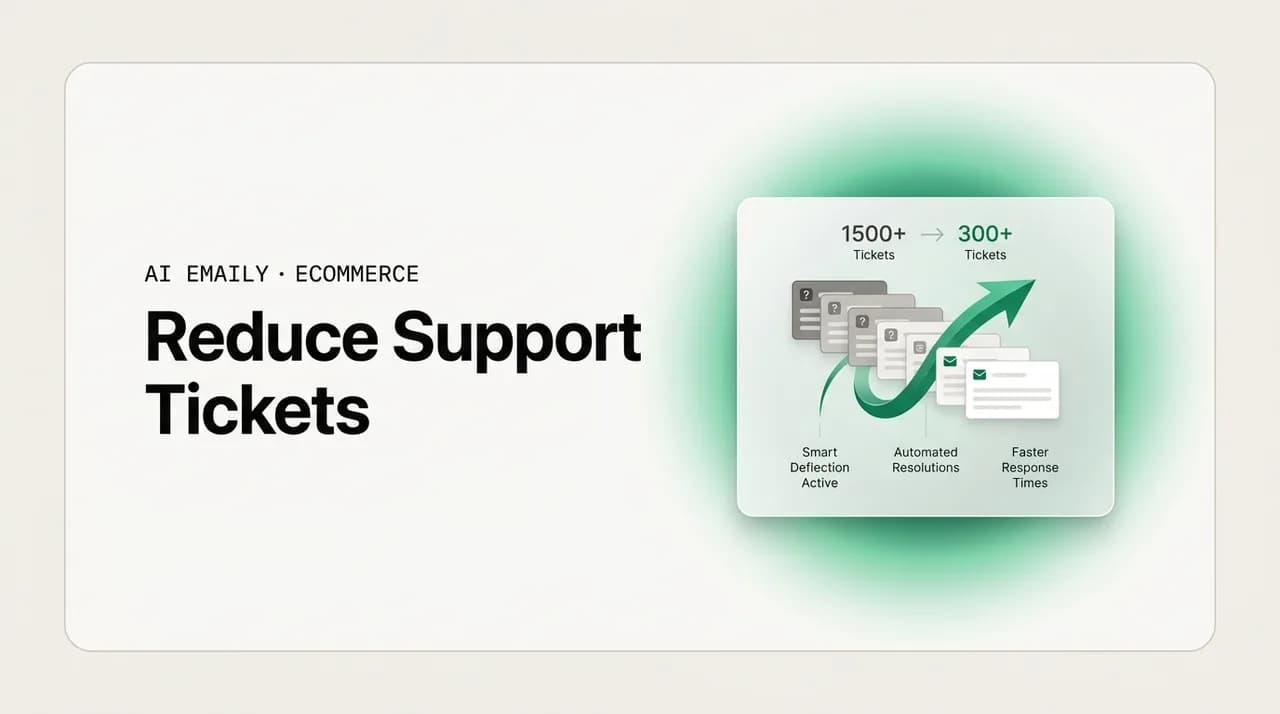
To reduce support tickets in ecommerce, cut them at the source first (proactive shipping updates, clearer product pages, self-serve returns), then deflect the routine remainder with FAQ and automation, and reserve human time for real issues. Track tickets-per-order, not raw volume, so a Q4 spike of 3–5x is absorbed by deflection instead of headcount.
How to reduce support tickets for your ecommerce store with 7 deflection tactics: stop tickets at the source, self-serve the routine, automate the rest, and measure tickets-per-order so Q4 volume spikes do not require hiring.
On this page
- 01Why reducing support tickets is the only way ecommerce scales in Q4
- 02What are the top ticket drivers in ecommerce support?
- 03Tactic 1: Reduce WISMO tickets with proactive shipping communication
- 04Tactic 2: Cut product and sizing tickets with better PDPs and FAQs
- 05Tactic 3: Move returns off the inbox with a self-serve returns portal
- 06Tactic 4: Prevent order-change and account tickets with self-edit windows
- 07Tactic 5: Deflect the routine remainder with a smart FAQ and help center
- 08Tactic 6: Automate the tickets that still arrive
- 09Ticket driver to reduction tactic: the reference table
- 10Tactic 7: Measure tickets-per-order, not raw ticket volume
- 11How do you handle Q4 spikes without hiring?
- 12How AI Emaily helps you reduce and deflect ecommerce tickets
- 13Putting it all together
Why reducing support tickets is the only way ecommerce scales in Q4#
If you run an online store, you already know the shape of the problem: for most of the year support is manageable, and then the fourth quarter arrives and the inbox does something closer to erupting. Ecommerce customer-service teams routinely see three to five times their normal ticket volume during Q4 and major promotions, and the questions rarely change. Where is my order. Can I return this. Does it run small. When will it ship. The volume multiplies but the substance stays boring, repetitive, and, crucially, largely preventable. Learning to reduce support tickets is not a nice-to-have optimization for a lean store. It is the difference between a peak season you survive and one that quietly costs you customers.
The instinct, when volume climbs, is to hire. It is also the wrong first move for most stores. Seasonal hiring is expensive, slow to onboard, and inconsistent in quality precisely when consistency matters most, and after January the extra capacity evaporates and you are back where you started. At the margins a DTC brand actually runs, you cannot solve a five-times spike by throwing five times the people at it. The math does not work, and even if it did, you would be paying people to answer the same shipping question for the ten-thousandth time. The better lever is to reduce the number of tickets that reach a human in the first place, so the volume that does arrive is smaller, more genuinely varied, and worth a person's attention.
This guide is about that lever. It walks through where ecommerce tickets actually come from, then works through the reductions in the order that gives you the most relief for the least effort: stop tickets at the source, let customers self-serve the ones you cannot prevent, automate the routine remainder, and reserve your human hours for the real issues, the angry, the unusual, and the high-value. Along the way it covers the one metric that tells you whether any of this is working, and how to walk into Q4 with a plan that scales on deflection instead of headcount. At the end, honestly, we cover how an AI email client fits into that plan and where it does not.
One reframing is worth planting up front, because it changes how you read everything that follows. A support ticket is not a neutral event. Every ticket is a small signal that something upstream did not answer a question the customer already had. A WISMO ticket means your post-purchase communication left a gap. A sizing question means your product page did not close the loop. A returns request that starts with an email means your returns flow was not obvious enough to start on its own. Read that way, the ticket count is a scoreboard for how well the rest of your store communicates, and reducing tickets stops being about deflecting people and starts being about answering them earlier, in a place that scales.
That distinction matters because deflection has a bad reputation it does not always deserve. Done badly, deflection means burying a phone number, hiding the contact form, and making customers claw their way to a human. That erodes trust and, in ecommerce, trust is revenue. Done well, deflection means the customer gets a faster, better answer without ever needing to write to you, because you anticipated the question and put the answer where they were already looking. Nobody resents a tracking page that just works. Nobody misses the ticket they never had to open. The goal throughout is the second kind: fewer tickets because fewer questions went unanswered, not because you made asking harder.
Deflection is answering earlier, not answering less
What are the top ticket drivers in ecommerce support?#
Before you can reduce tickets, you have to know which tickets you are drowning in, and in ecommerce the distribution is lopsided in a way that works in your favor. A small handful of question types make up the overwhelming majority of volume. That concentration is good news: it means a few well-aimed fixes remove a disproportionate share of the work. Here is the anatomy of a typical ecommerce inbox, driver by driver.
- WISMO — "where is my order?" This is the single largest category for most stores, commonly cited as roughly a fifth of all inbound contacts and often more during peak. It is the customer who bought, saw a shipping estimate, and then heard nothing, so they wrote to you to close the loop. Almost none of these tickets need a human; they need information the customer could not find.
- Returns, exchanges, and refunds. The second reliable heavyweight. "How do I return this," "where is my refund," "can I exchange for a different size." Much of this is process, not judgment: the customer needs a label, a policy, and a status, all of which can live outside the inbox.
- Product questions before purchase. "Is this waterproof," "what is it made of," "will it work with X." These are pre-sale tickets, and they are the most expensive to ignore because an unanswered one is often a lost sale, not just a support cost. They point straight back to gaps in the product page.
- Sizing and fit. In apparel, footwear, and anything worn, sizing is a category of its own and a major driver of both pre-sale questions and post-purchase returns. "Does it run small," "I'm between sizes," "what's the model wearing." Answer it well and you cut tickets on both ends and reduce return rates in the middle.
- Order changes and cancellations. "Change my address," "cancel my order," "add an item." Time-sensitive, tied to your fulfillment window, and painful when they arrive after the order has shipped. A short self-serve edit window prevents many of these outright.
- Discounts, promos, and account issues. "My code didn't work," "I forgot my password," "can I get the sale price retroactively." Individually small, collectively a steady drip, and mostly answerable with clearer messaging and self-service.
Look at that list and a pattern jumps out. The heaviest drivers, WISMO, returns, product and sizing questions, are also the most repetitive and the most predictable. They are not the tickets where a customer needs your judgment, your empathy, or a decision only a human can make. They are the tickets where a customer needs a fact, a status, or a link, delivered promptly. That is exactly the population you want to reduce and deflect, because doing so costs the customer nothing and frees your team for the tickets that genuinely need them.
It also means the reduction work maps cleanly onto the driver list. Cut WISMO with proactive shipping communication and a real tracking experience. Cut returns tickets with a self-serve returns portal. Cut product and sizing questions with better product pages, richer FAQs, and honest sizing guidance. Cut order-change tickets with a self-edit window. Everything below is that mapping, worked out in detail, in the order that removes the most volume first.
Find your own distribution first
Tactic 1: Reduce WISMO tickets with proactive shipping communication#
WISMO is the highest-volume, most-preventable ticket type in ecommerce, which makes it the right place to start. The mechanism behind it is simple and worth stating plainly: a customer writes "where is my order" when the time since their last piece of information exceeds their patience. The fix is therefore not to answer faster; it is to shorten that gap so the question never forms. If the customer always has a recent, trustworthy update, the WISMO ticket dies before it is written.
Amazon trained an entire generation of shoppers to expect this. They buy, and then a steady, predictable stream of updates arrives, confirmed, packed, shipped, out for delivery, delivered, each one closing a little loop. Your customer brings that expectation to your store whether or not you have earned it, and silence reads as a problem. Proactive shipping communication is how a small brand meets a very large company's standard without a very large company's team.
- 1
Confirm the order immediately and set the expectation
The confirmation email is your first and best chance to prevent WISMO. Beyond the receipt, state the realistic shipping and delivery window in plain language: "Most orders ship within 1–2 business days and arrive in 5–7." A customer who knows the timeline does not write on day two.
- 2
Send a shipping notification with a real tracking link
When the label is created, notify the customer with a working tracking link, not just a number they have to copy into a carrier site. The fewer steps between the customer and their status, the fewer of them give up and email you instead.
- 3
Send proactive updates at the moments that matter
Out-for-delivery and delivered notifications close the two loops customers care about most. If your volume supports it, an "on its way" update mid-transit reassures during the quiet stretch when WISMO tickets peak.
- 4
Get ahead of delays before the customer notices
A delay the customer discovers on their own becomes an angry ticket; a delay you announce first becomes goodwill. If a shipment stalls, a proactive "your order is running a little behind, here's the new estimate" note turns a complaint into a thank-you. This is the highest-leverage message you can send.
- 5
Give them a self-serve order-status page
A branded order-lookup or tracking page, linked from every email and your site header, lets a customer check status any time without contacting you. Make it findable and make it accurate, and a large share of WISMO simply moves off your inbox and onto a page that never gets tired.
The subscription and replenishment brands reading this have an extra reason to take proactive post-purchase communication seriously. In a recurring model, a single unresolved shipping issue at month two drives cancellation more reliably than product dissatisfaction does, and most of that churn is silent. The customer does not complain; they just quietly do not renew. Proactive delay alerts and delivery check-ins are not only ticket reducers in that context, they are retention flows, and the lifetime value they protect dwarfs the support hours they save. If you sell on a subscription, treat this tactic as revenue protection, not just inbox hygiene.
The proactive-delay note pays for itself
Tactic 2: Cut product and sizing tickets with better PDPs and FAQs#
Pre-sale product questions and sizing questions are a double cost. They tie up support time, and every one that goes unanswered for even a few hours is a shopper who may have already bought elsewhere. Unlike WISMO, these tickets rarely need a status; they need a fact that should have been on the page. When a customer emails to ask whether a jacket is waterproof, the jacket's product page failed to say so clearly enough, and you paid for that gap twice, once in the support reply and once in the friction that pushed a ready buyer into their inbox instead of your cart.
The reduction here is unglamorous and extremely effective: make the product detail page (PDP) answer the questions people keep emailing about. Your support inbox is a free, continuous stream of product-page feedback. Every repeated question is a page telling you what it is missing. Feed those answers back into the page and the tickets stop at the source.
- Mine your tickets for the top ten product questions per SKU or category, then put the answers directly on the page. If ten people asked whether it fits an iPhone, the dimensions and compatibility belong above the fold, not in a reply you send eleven times.
- Write specifications like a skeptical buyer, not a marketer. Materials, dimensions, weight, care instructions, what's in the box, compatibility, and country of origin prevent a huge share of "is it / does it / will it" tickets.
- Add a per-product FAQ block for the questions a spec sheet cannot cover. "Is this good for sensitive skin," "can I use it outdoors," the judgment-flavored questions that repeat. Answer them once, publicly, and reuse forever.
- Invest in a real sizing guide with measurements, not just letter sizes, plus fit notes ("runs small, size up") and the model's size and height for apparel. Sizing ambiguity drives both pre-sale tickets and post-purchase returns, so a good guide cuts volume on both sides.
- Use photos and short video to answer questions words cannot. Scale shots, on-body shots, texture close-ups, and a 15-second demo prevent a surprising volume of "how big is it really" and "what does it actually look like" contacts.
- Keep a searchable, well-organized help center or FAQ hub for the cross-cutting questions, shipping, returns, warranty, that apply across products, and link it prominently so customers reach for it before the contact form.
There is a compounding benefit here that is easy to miss. Better product pages do not only reduce tickets; they increase conversion and reduce returns at the same time. A shopper whose sizing question is answered on the page is more likely to buy and less likely to return the wrong size. A clear spec sheet sets accurate expectations, and accurate expectations are the single best defense against the "this wasn't what I thought" return. So the same work that lightens your inbox also lifts revenue and lowers your return rate. Few support investments pay out on three lines at once; this one does.
Tactic 3: Move returns off the inbox with a self-serve returns portal#
Returns are the second-heaviest ticket driver, and the good news is that most of the volume is process, not decision. "How do I return this," "where's my label," "what's the status of my refund," these are not questions that need your judgment. They need a clear policy, a printable label, and a status the customer can check. A self-serve returns portal delivers all three without touching your inbox, and it does so in a way customers actively prefer, because starting a return at 11 p.m. without writing an email and waiting is a better experience than the alternative.
The manual version of returns is a tax on both sides. The customer writes in, waits for a reply, gets a label, waits again for the refund, and writes a second time to check on it. That is two or three tickets for a single return, multiplied across every return you process. A portal collapses the whole flow into a self-directed path and eliminates nearly all of it.
- 1
Publish a returns policy that answers before anyone asks
A clear, findable policy, the window, the condition requirements, who pays for return shipping, how refunds are issued and how long they take, preempts most policy tickets. Link it from the footer, the order confirmation, and the shipping email.
- 2
Let customers start a return themselves
A portal where a customer enters their order number and email, selects items, picks a reason, and generates a prepaid label removes the entire opening exchange. Self-serve return initiation is the single biggest returns-ticket reducer available to a store.
- 3
Automate return status so nobody has to ask
Confirmation that the return was received, that the refund was issued, and when to expect it in their account closes the loop the customer would otherwise open with a ticket. Proactive refund updates kill the "where's my refund" follow-up.
- 4
Offer exchanges and store credit inside the flow
Letting a customer swap for a different size or take store credit directly in the portal converts a refund into a retained sale and prevents the "can I exchange instead" ticket. It is a retention lever wearing a support-reduction costume.
- 5
Capture the reason and feed it upstream
Every return reason is data. A cluster of "too small" returns on one product is a sizing-guide fix waiting to happen. Route return reasons back into your product pages and you reduce future returns and future tickets in one motion.
Notice the loop closing here. Tactic two feeds tactic three and back again: better product pages reduce returns, and return-reason data improves product pages. A store that runs this loop deliberately watches its return rate and its return-ticket volume fall together over a season, not because it made returns harder, but because it made the reasons for returning rarer and the process of returning self-serve. That is the healthy version of ticket reduction, and it is entirely compatible with a generous, customer-friendly returns policy. Deflection and generosity are not opposites.
A generous policy and a portal are complements
Tactic 4: Prevent order-change and account tickets with self-edit windows#
A steady tier of tickets sits below the big three: "change my address," "cancel my order," "I entered the wrong email," "add an item to my order," "reset my password," "my discount code didn't apply." None of these is individually large, but together they form a persistent drip that consumes real hours, and most of them are preventable with a small amount of self-service and clearer messaging at the moment the customer acts.
The pattern is the same as everywhere else in this guide: give the customer a way to fix the thing themselves, in the window where fixing it is still possible, and the ticket never reaches you. The tactics are smaller and more scattered than the big drivers, but they add up, and they are often quick to implement.
- Offer a short self-serve edit window after checkout, an hour or two, in which the customer can change the shipping address or cancel before fulfillment picks up the order. Most address-change tickets arrive in the first hour; catch them there.
- Confirm the shipping address prominently in the order-confirmation email with a clear "need to change this? here's how, before it ships" line, so corrections happen on the customer's side rather than yours.
- Make discount rules unambiguous at the point of entry, minimum spend, excluded items, one-per-order, so "my code didn't work" tickets do not fire. An inline error that explains why a code failed prevents the email that would otherwise follow.
- Provide obvious self-serve password reset and account management, and make sure the reset email actually arrives and is not caught in spam, since a broken reset flow generates its own tickets.
- For frequently asked one-offs (gift receipts, order combining, delivery instructions), add a short line to checkout or the confirmation email that answers the question before it is asked.
Tactic 5: Deflect the routine remainder with a smart FAQ and help center#
The first four tactics remove tickets at the source, before the question even fully forms in the customer's mind. But some questions will always occur to some customers no matter how good your pages are, and the goal for those is to let the customer answer their own question in seconds rather than write to you and wait. That is what a well-built help center does. Self-service is what most customers actually want anyway; a large share of shoppers try to solve a problem themselves before contacting a company, and they only write in when self-service fails them. A good help center meets that preference and deflects the ticket as a side effect.
The word "smart" is doing work here. A neglected FAQ page with twelve outdated entries deflects nothing. A living help center, organized around your actual top questions, searchable, linked from the places customers get stuck, and kept current, deflects a meaningful share of routine volume. The difference between the two is maintenance and placement, not sophistication.
- Structure the help center around your real ticket drivers, not around how your business is organized internally. Shipping, tracking, returns, sizing, product care, account, in the customer's language, with the highest-volume topics most prominent.
- Make it searchable and put search where the friction is, on the contact page, in the help widget, and linked from confirmation and shipping emails, so the answer is one query away at the exact moment the customer needs it.
- Surface the right article contextually. A help widget that suggests the returns article on the order page, or the tracking article after purchase, deflects better than a generic FAQ link because it anticipates the question from context.
- Keep it ruthlessly current. An answer that is wrong is worse than no answer, because it generates a ticket plus a complaint. Review the help center every season and after any policy or shipping change.
- Add a self-serve order lookup and returns entry point directly in the help center, so the two heaviest drivers, WISMO and returns, have a self-service path from the same place customers already go for answers.
A help center also does something a raw ticket reduction cannot: it works while you sleep and it scales for free. The article you write once about your shipping timeline deflects the same question at 3 a.m. on Black Friday as it does on a quiet Tuesday, without a person, a shift, or a cost that grows with volume. That is the property you want as much of your support surface to have as possible heading into a spike. Every question you can move from your inbox to a page that never gets tired is a question that does not scale your costs when your traffic does.
Write help articles from your ticket tags
Tactic 6: Automate the tickets that still arrive#
Even a store that does everything above will still receive tickets, and a large share of them will be routine, the WISMO that slipped past your tracking page, the sizing question your guide did not quite cover, the returns query from someone who did not find the portal. These are the tickets where automation earns its keep. They do not need a human's judgment; they need a correct, prompt, on-brand answer, and that is precisely what modern support automation is built to deliver. The point of automating them is not to reduce your team to a queue of scripts. It is to keep the boring, high-volume, high-confidence questions off your team's plate so the team can spend its time on the tickets that need a person.
This is where the language of deflection and reduction converges with the language of automation. Roughly thirty to forty percent of an ecommerce inbox is routine enough to be handled automatically, order status, returns process, standard FAQ, and that band is exactly the population you want to automate, while everything outside it, the complaints, the edge cases, the high-value or emotionally charged messages, stays with a human. Getting the boundary right is the whole game. Too timid and you leave easy wins on the table; too aggressive and an automated system answers a delicate ticket it had no business touching.
- Automate the high-confidence, high-volume categories first, order status, tracking, returns process, standard policy questions, where a correct answer is unambiguous and the risk of getting it wrong is low.
- Pull real order data into the automated reply. A WISMO answer that includes the customer's actual tracking status is a resolution; a generic "please check your tracking link" is just a slower way to not help.
- Match the automated reply to your brand voice so it does not read like a robot. A response that sounds like your store, not like a template, keeps the customer's trust even when no human touched it.
- Set clear escalation rules so anything outside the routine band, a complaint, a refund dispute, a damaged item, an unusual request, is routed to a person immediately rather than answered by automation.
- Keep a human in the loop where the stakes justify it. For a growing brand, review-then-send on borderline categories catches mistakes before they reach the customer while still saving the drafting time.
The reason automation belongs late in this list, not first, is worth stating. If you automate before you have reduced tickets at the source, you are automating a mess, teaching a system to answer thousands of questions that should never have been asked. Fix the product pages, ship the tracking updates, launch the returns portal first, and the volume that remains for automation is smaller and cleaner, which makes the automation both cheaper and more accurate. Reduction and automation are a sequence, not a choice: reduce what you can prevent, then automate what is left. A store that automates a well-designed inbox gets far more from it than one that automates a broken one.
Automate confidence, escalate everything else
Ticket driver to reduction tactic: the reference table#
Here is the whole strategy compressed into a single map you can scan and act on. Find your heaviest ticket driver on the left, read the reduction tactic on the right, and start there. The tactics are deliberately ordered so that source-level fixes come before deflection and automation, because a ticket prevented is cheaper than one deflected, and a ticket deflected is cheaper than one answered.
| Ticket driver | Reduction tactic |
|---|---|
| WISMO — "where is my order?" | Proactive shipping updates (confirmed / shipped / out-for-delivery / delayed), a real tracking link, and a self-serve order-status page. |
| Returns, exchanges, refunds | Self-serve returns portal with instant labels, automated refund-status updates, and in-flow exchanges; a clear, findable returns policy. |
| Pre-sale product questions | Answer the top emailed questions directly on the PDP, write skeptic-grade specs, and add a per-product FAQ block. |
| Sizing and fit | A measurement-based sizing guide with fit notes and model sizing; feed return-reason data back into it to cut both tickets and returns. |
| Order changes and cancellations | A short post-checkout self-edit window for address and cancellation, plus a prominent address-confirmation line in the order email. |
| Discount, promo, and account issues | Unambiguous discount rules with inline errors, self-serve password reset, and clear checkout messaging for common one-offs. |
| The routine remainder | A smart, searchable, contextual help center for self-service, then automation with brand-voice replies and real order data for the high-confidence band. |
| Complaints, edge cases, high-value | Reserve human time here. Escalate anything outside the routine band immediately; never automate a sensitive or unusual ticket. |
Tactic 7: Measure tickets-per-order, not raw ticket volume#
You cannot manage what you do not measure, and the metric most stores instinctively watch, raw ticket volume, is the wrong one. Raw volume rises when sales rise, which means a great sales month looks like a support crisis and a slow month looks like an improvement. Neither reading is true. The metric that actually tells you whether your reduction work is succeeding is tickets per order: the number of support contacts divided by the number of orders in the same period. It normalizes for growth and isolates the thing you are trying to change, how much support each sale generates.
Watch tickets per order over time and the picture becomes honest. If you ship a returns portal and your tickets-per-order falls the next month even as orders climb, the portal worked. If you rewrite your product pages and the sizing-ticket share of that ratio drops, the pages worked. Raw volume would have hidden both wins behind the noise of a good sales stretch. Tickets per order surfaces them, and it lets you set a real target, drive the number down quarter over quarter, and know that your inbox is getting more efficient rather than just busier or quieter with the seasons.
- Track tickets per order as your headline support metric, and segment it by driver (WISMO per order, returns tickets per order) so you can see which reduction tactic is moving which number.
- Watch self-service and deflection rates alongside it, the share of customers who resolve via help center or portal without opening a ticket, so you know how much volume you are preventing versus answering.
- Keep first-response and resolution time in view, because reduction should improve them, not just lower counts. If tickets fall but response time does not improve, the remaining tickets may be harder, which is fine and expected as you strip out the routine.
- Tag every ticket by type so the distribution stays current. Your top drivers shift as you fix them; last quarter's biggest problem should be smaller this quarter if the tactic worked.
- Set a tickets-per-order target for the year and review it monthly. A concrete number turns "reduce tickets" from a vague aspiration into a goal you can actually hit and defend.
One caution keeps this metric honest. Tickets per order is a means, not an end. If you drove it to zero by making yourself impossible to reach, you would win the metric and lose the business, because unanswered questions turn into refunds, chargebacks, and churn that never show up in your ticket count. The right way to read a falling tickets-per-order number is alongside your refund rate, your repeat-purchase rate, and your reviews. When all of those hold steady or improve while tickets per order falls, you have genuinely reduced the need for support. When tickets fall but refunds and complaints rise, you have merely hidden the demand, and it will find you elsewhere.
The number to beat
How do you handle Q4 spikes without hiring?#
Everything so far has been year-round hygiene. Q4 is where it pays off, because the strategy that reduces tickets at the source is also the only strategy that scales during a spike without proportional hiring. When volume jumps three to five times, the source-level and self-service tactics scale for free, a tracking page and a help center do not care whether a thousand or ten thousand people visit them, while human hours scale linearly and expensively. The store that walks into Q4 having reduced its baseline and moved its routine volume to self-service and automation absorbs the spike. The store that planned to hire its way through it is bidding for seasonal staff in a tight market and onboarding them during the busiest weeks of the year.
The planning move is to do the reduction work before the spike, not during it. October is for shipping the portal and rewriting the product pages; December is too late. Here is the sequence that gets a lean team through peak on deflection rather than headcount.
- 1
Audit and tag your tickets in the shoulder season
In September and October, tag a few weeks of tickets to find your true top drivers. You want to aim your limited pre-peak effort at the categories that will generate the most volume when traffic multiplies, not at whatever feels urgent.
- 2
Fix the biggest source-level driver first
Whatever tops your distribution, usually WISMO or a confusing product line, fix it before peak. Proactive shipping updates and a tracking page ahead of Q4 remove your largest category exactly when it would have exploded.
- 3
Launch or harden self-service before the rush
Make sure the returns portal, order-status page, and help center are live, accurate, and prominently linked before Black Friday. During the spike they carry the volume that would otherwise hit your inbox, at no per-ticket cost.
- 4
Pre-write and automate the seasonal FAQ
Holiday shipping cutoffs, gift receipts, extended returns windows, delay expectations, these are predictable Q4 questions. Answer them proactively in emails and the help center, and automate the routine replies, before the volume arrives.
- 5
Set escalation rules so humans see only what needs them
Configure automation and routing so your team's scarce peak hours go to complaints, damaged items, and high-value customers, not to WISMO. During a spike, protecting human attention for the tickets that need it is the whole point.
- 6
Watch tickets-per-order through the peak, not raw volume
Raw volume will be alarming by design; that is what a spike is. Tickets per order tells you whether your deflection is holding as orders climb. If the ratio stays flat while orders triple, your system is working and you do not need to panic-hire.
The honest version of this promise is not that you will never add capacity during Q4. Some stores will still want a person or two for the peak, and that is fine. The promise is that reduction changes the multiplier. Instead of needing five times the support hours for five times the volume, a store that has done this work might need a fraction of that, because the extra volume lands mostly on pages and automations that scale for free, and only the genuinely human tickets reach a person. That is the difference between a Q4 that breaks your team and a Q4 your existing team, maybe with modest help, can actually carry.
How AI Emaily helps you reduce and deflect ecommerce tickets#
Most of this guide is deliberately tool-agnostic, because the biggest ticket reductions come from your product pages, your shipping communication, and your returns flow, not from any single app. But the automation layer in tactic six, answering the routine remainder that still reaches your inbox, is exactly where an AI email client earns its place, and it is worth being specific and honest about what that looks like rather than hand-waving at "AI."
AI Emaily is an AI-native email client that connects to the inbox your store already runs on, Gmail, Outlook, or any IMAP account, and handles the routine support email that survives your source-level fixes. It reads an incoming ticket, understands what it is, and for the high-confidence categories, order status, returns process, standard FAQ, drafts a correct, on-brand reply in your store's voice. The routine thirty to forty percent that this guide identifies as safe to deflect is exactly the band it is built to take off your plate, so the WISMO and returns-process questions stop consuming the hours you would rather spend on growth or on the customers who actually need you.
Crucially, it does not decide on its own how much to automate. It runs in three modes so you set the boundary. In Manual mode it drafts and you send. In Copilot mode it prepares replies and holds them for your one-click approval, so a human reviews every message before it goes out, which is the right default for a growing brand that wants the speed of automation without surrendering the last check. In Autopilot mode it can send the routine, high-confidence replies within rules you define, the categories you have explicitly marked safe, while it escalates anything outside those rules, a complaint, a damaged-item report, a refund dispute, an unusual or emotionally charged message, straight to you untouched. That escalation behavior is the point: the system is designed to answer the boring tickets and get out of the way of the real ones.
Two safeguards make the automation trustworthy enough to actually turn on. Every action is undoable, so a reply that should not have gone out can be caught and reversed rather than living as a mistake in a customer's inbox. And every action is logged in a full audit trail, so you can see exactly what was sent, to whom, in which mode, and why, which is what lets you expand Autopilot's rules with confidence over time instead of guessing. You start narrow, review what it did, and widen the safe band only as the audit trail earns your trust. That is the same trust-gated approach the rest of the product takes, and for support email, where a wrong automated reply is a real customer-trust cost, it is the responsible way to automate.
It is worth being clear about what AI Emaily does not do, because that is part of an honest pitch. It will not write your product pages, build your returns portal, or configure your carrier's tracking notifications, and those are, by design, the tactics that reduce the most tickets in this guide. Do that source-level work first; it is where the largest reductions live. What AI Emaily does is take the routine email that remains after you have prevented everything you can, and handle it accurately and safely so your team is left with the tickets that need a human, especially when Q4 multiplies the volume. Reduce at the source, then let it deflect the rest. You can try it free at app.aiemaily.com/signup, with a Free plan at no cost and Pro at $12.42 per month on the annual plan.
Putting it all together#
Reducing support tickets for an ecommerce store is not one clever trick; it is a sequence, run in order, that gets cheaper and easier the further down it you go. Start by learning your actual ticket distribution, because a few drivers, WISMO, returns, product and sizing questions, make up most of the volume and reward focused fixes. Then work the reductions from the source outward: prevent WISMO with proactive shipping communication and a tracking page, prevent product and sizing tickets with product pages that answer the questions people keep emailing, move returns onto a self-serve portal, and catch order-change and account tickets with small self-edit windows.
Only after you have removed everything you can prevent do you deflect and automate the remainder, a smart, current help center for self-service, and AI-assisted automation for the high-confidence routine band, with clear escalation so complaints and edge cases always reach a person. Measure the whole thing with tickets per order rather than raw volume, so growth does not disguise your progress, and read that ratio alongside refunds and repeat purchases so you know you are genuinely reducing demand rather than hiding it.
Do this before Q4, not during it, and the seasonal spike stops being a hiring emergency. The tactics that prevent and deflect tickets scale for free when your traffic multiplies; only the human tickets scale with headcount, and there will be far fewer of them. That is how a lean store, or a lean team inside a growing one, gets through three-to-five-times volume without three-to-five-times the people, by answering the routine questions earlier and everywhere except the inbox, and saving the inbox for the customers who actually need a human on the other end.
Frequently asked
See it in AI Emaily
Keep reading
Sources

Written by
Nafiul HasanNafiul Hasan is an entrepreneur and AI automation system builder with 10+ years of experience turning messy, manual workflows into reliable automated systems. He designs and ships AI enterprise solutions end-to-end — the agent logic, the data plumbing, and the product people actually use — and founded AI Emaily to give busy professionals their attention back. He writes here from the builder's seat: what works, what breaks, and how to put AI to work without giving up control.