12 Best CRM & Email Tools for Travel Advisors in 2026 (Ranked & Tested)

The short answer
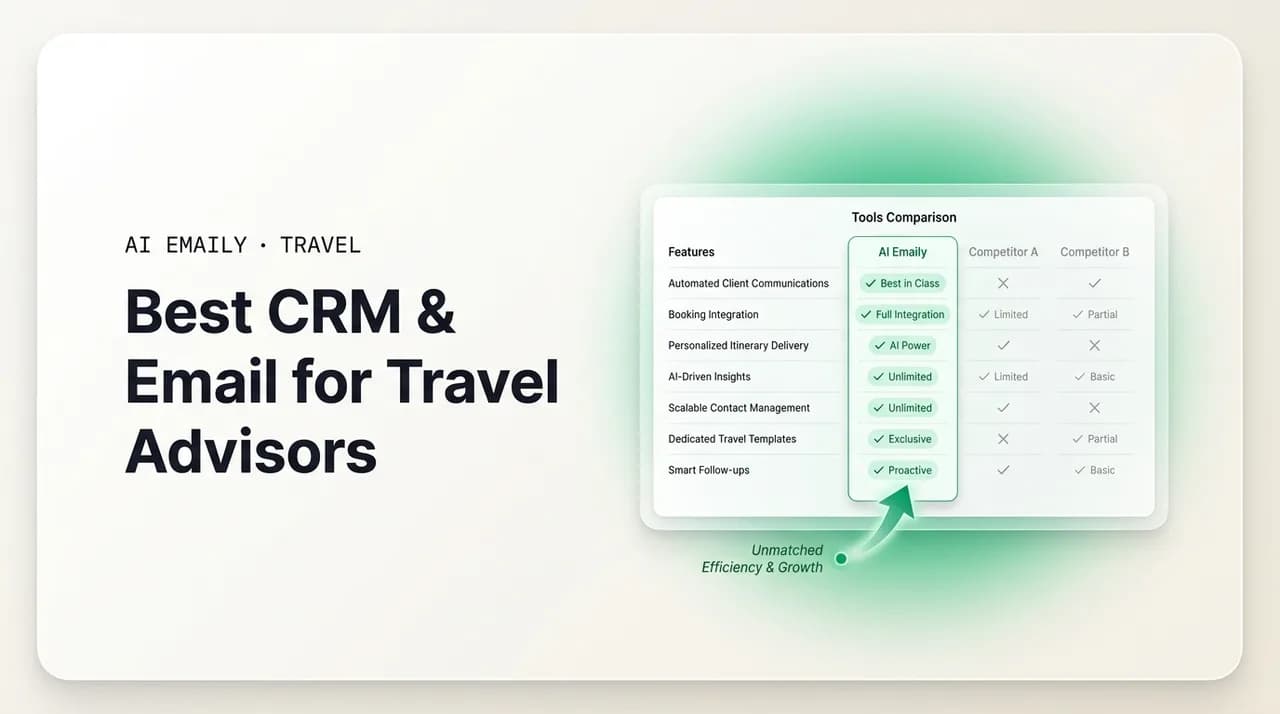
The best CRM for travel advisors depends on the job: use an itinerary-and-booking CRM like Travefy, TravelJoy, or Tern for proposals and trip data, and pair it with a dedicated AI email layer for the inbox, where most of your day actually happens. AI Emaily ranks first for the email side — it drafts inquiry replies, confirmations, and reminders in your voice across every provider, with your approval before anything sends.
No CRM wins every travel advisor job — Travefy wins proposals, an AI email layer wins the inbox. 12 tools ranked with honest pros, cons, and the right pairing.
On this page
- 01The best CRM for travel advisors: how we ranked them
- 02What travel advisors actually need from a CRM and email tool
- 03The 12 best CRM and email tools for travel advisors in 2026, ranked
- 041. AI Emaily — best AI email layer for the advisor inbox
- 052. Travefy — best all-in-one itinerary CRM for most advisors
- 063. TravelJoy — best for client-communication workflow and payments
- 074. Tern — best modern CRM for trip planning and organization
- 085. Kaligo / UpMe — best for commission and booking rewards, not the inbox
- 096. Gmail (Google Workspace) — the default inbox most advisors already use
- 107. Microsoft Outlook (Microsoft 365) — strong for advisors in the Microsoft world
- 118. HubSpot (free/starter CRM) — general-purpose CRM some advisors repurpose
- 129. Host-agency CRM portals (Fora, Travel Leaders, Avoya) — bundled with your host
- 1310. Superhuman — fast, premium email, but manual and provider-limited
- 1411. Shortwave — smart AI email, but Gmail-only
- 1512. Spreadsheets and manual templates — the honest baseline
- 16Travel advisor CRM and email tools compared
- 17How to choose the right stack for your practice
- 18Where AI Emaily fits — and where it doesn't
The best CRM for travel advisors: how we ranked them#
Ask ten independent travel advisors what the best CRM for travel advisors is and you will get ten answers, because they are quietly answering different questions. One means "where do I build the proposal and store the client's trip." Another means "where do I keep track of who owes a deposit." A third, if you press them, admits the tool they actually live in all day is neither of those — it is their email inbox, where every inquiry lands, every confirmation goes out, and every reminder gets typed one more time by hand. This guide takes all three seriously, because a travel business runs on all three, and the software that wins each job is rarely the same product.
Independent advisors are the fastest-growing shape of the industry, and they feel this split most sharply. Roughly two-thirds of advisors work home-based as independent contractors, which usually means no support staff and no assistant to field the inbox. You are the trip designer, the salesperson, and the person who personally answers "Hi, is anyone there?" at 9 p.m. A good tool stack has to cover the glamorous part — designing and pricing beautiful trips — and the unglamorous part that eats your evenings, which is the repetitive, per-booking email flow of quotes, confirmations, deposit-due nudges, and pre-trip checklists.
So this is not a single-winner shootout. It is a ranked, tested field of twelve tools grouped by what they are actually good at, with honest pros and cons and a clear "who it's for" on each. AI Emaily lands at number one, but with an important qualification we will state plainly: it is the email and AI layer, not a booking-and-itinerary CRM. For most advisors, the right answer is a pairing — an itinerary CRM for the trip, and a dedicated AI inbox for the email — and we will show you exactly which pairing fits which kind of practice.
Before the rankings, it is worth being honest about why the email side gets short-changed. Most travel CRMs were built to produce a gorgeous proposal and store a booking. Email, in those tools, is often a bolt-on: a template you fire from the client record, maybe an automated sequence if you are on a higher tier. That is fine for the outbound, structured messages. It does almost nothing for the messy, inbound reality of an inbox — the one-off inquiry that needs a warm, specific reply in ninety seconds because a cabin or a fare is moving; the client who replies to your confirmation with three new questions; the follow-up you meant to send but a busier day buried. That gap is the whole reason this list exists.
Here is the quick version of what we found, before we get into each tool.
The short answer
What travel advisors actually need from a CRM and email tool#
It helps to name the jobs before ranking the tools, because "CRM" is doing a lot of work as a word. For an independent advisor, a complete stack has to cover five distinct needs, and almost no single product covers all five well. Where a tool is strong on one and weak on another, that is not a flaw to hide — it is the reason you pair tools. Here is the checklist we scored against.
- Fast inquiry response. When a lead emails, speed wins the booking. The data backs this up: agencies using a travel CRM responded 33% faster and saw 25% more lead conversions. A great tool makes it trivial to reply in your voice within minutes, not hours, without you rewriting the same welcome from scratch each time.
- Confirmation and reminder automation. Every booking spawns the same emails — booking confirmation, deposit-due reminder, final-payment reminder, pre-trip checklist, documents. These are repetitive, templated, and deadline-driven. The right tool sends them reliably so a missed final-payment date never cancels a client's trip.
- Voice-matched AI drafting. Generic template language reads like a form letter, and clients notice. The best modern tools draft in your actual voice and pull the real trip details, so a reply sounds like you wrote it — because, in effect, you did — while taking a fraction of the time.
- A unified inbox across providers. Advisors juggle personal Gmail, a business domain, sometimes a host-agency address, plus supplier threads. A tool that only works on one provider forces you to tool-switch all day. One inbox for every account is a real productivity unlock.
- Itinerary and CRM context on hand. When you open a reply, the client's trip should be right there — travel dates, party size, deposit status, open questions, "don't forget" notes — so the AI uses real values and you never have to dig through five tabs to answer one email.
Notice how those five split cleanly into two families. The last one — itinerary and structured trip data — is the home turf of a booking CRM like Travefy, TravelJoy, or Tern. The first four are inbox jobs, and they are where a purpose-built email tool pulls ahead of a CRM's bolt-on email features. That division is the backbone of this ranking. We score booking CRMs mainly on trip design, proposals, and client data, and we score email tools mainly on inquiry speed, drafting quality, automation, and provider coverage.
One more scoring note, in the interest of fairness. "Best" is relative to your practice. A cruise specialist sending near-identical confirmations on every booking wants automation and reliability above all. A luxury or fully-independent-traveler advisor selling white-glove service is rightly wary of anything that makes client-facing messages feel automated, and will value draft-and-approve control far more than hands-free sending. A group or destination-wedding advisor drowning in per-traveler deposit and document emails needs the automation most of all. We flag which kind of advisor each tool suits, rather than pretending one profile fits everyone.
CRM vs. email tool — not the same product
The 12 best CRM and email tools for travel advisors in 2026, ranked#
Here is the ranked field. Reading order matters: number one is the email and AI layer we believe most advisors are missing, followed by the itinerary and booking CRMs that pair with it, the mainstream email clients most advisors already use, and a couple of adjacent tools worth knowing about. Each entry has honest pros and cons and a plain "who it's for." A side-by-side comparison table follows the write-ups.
1. AI Emaily — best AI email layer for the advisor inbox#
AI Emaily is first because it fixes the part of the stack that every other category leaves half-solved: the inbox itself. It is an AI-native email client — an autonomous chief-of-staff for your mailbox — that connects to Gmail, Outlook, iCloud, Fastmail, Proton, and any IMAP account and runs them in one unified inbox. For an advisor whose day is inquiries, confirmations, and reminders flowing through email, that is where the time actually goes, and it is exactly the surface most travel CRMs treat as an afterthought.
What makes it fit advisors specifically is voice-matched drafting grounded in real context. It learns how you write, so a reply to a new inquiry comes back sounding like you rather than like a template — warm, specific, and ready in the time it takes to skim it. Its per-client context and typed variables engine loads the client's details the moment you open a reply: names, travel dates, party size, deposit status, open loops, and "did you forget" pre-send checks, using the real values rather than inventing them. For the repetitive per-booking flow — confirmations, deposit-due nudges, final-payment reminders, pre-trip checklists — this is the difference between typing the same email for the hundredth time and approving one that is already written correctly.
The control model is built for a business where a wrong send costs a client's trust. AI Emaily runs in three modes: Manual (you drive, AI assists on demand), Copilot (it drafts and stages replies in your voice, you approve every send with one click), and Autopilot (within rules you define, it sends and closes loops on its own). Copilot requires your approval before anything leaves in the current version, and every autonomous action is reversible with a full undo window and audit trail. That maps neatly onto the advisor reality: put templated confirmations and reminders on light automation, keep negotiation and bespoke-itinerary messages human-approved. A Living Brief can even summarize what needs you and push it to Slack or Telegram, so you can triage between client calls without living in the inbox.
Now the honest cons, because a fair ranking has to state them. AI Emaily is an email and AI layer, not an itinerary-and-booking CRM. It does not build a drag-and-drop visual itinerary, store your supplier commission tracking, or generate a branded trip proposal PDF — those are jobs for Travefy, TravelJoy, or Tern, and AI Emaily is designed to sit alongside one of them, not replace it. If your single biggest pain is producing gorgeous proposals, an itinerary CRM should be your first purchase and AI Emaily your second. It is also newer than the incumbent travel CRMs, and deep native integrations with trade booking portals are not its focus. And for luxury/FIT advisors, the guidance is deliberately conservative: use it as draft-and-review for client-facing notes and lean on automation mainly for internal and supplier coordination, where visible automation carries no risk of reading as reduced attention.
Pricing is straightforward and there is a genuine free tier. The Free plan is $0 with the full client on every provider, one connected account, and a small monthly pool of AI credits to try the agent. Pro is $12.42 per month on the annual plan (or $14.99 monthly) with 500 AI credits, up to 5 connected accounts, the client context and variables engine, and the Living Brief. Autopilot is $20.75 per month annually and adds bounded autonomous sending, on-device and bring-your-own-key private AI, and follow-up automation. Bring-your-own-key on Autopilot or Team removes AI credit limits entirely.
Who it's for
2. Travefy — best all-in-one itinerary CRM for most advisors#
Travefy is one of the most widely used itinerary-and-CRM platforms among independent advisors, and for good reason: it does the trip-building job well. You assemble a polished, branded itinerary with maps, images, and day-by-day detail, share it as a clean client-facing proposal, and keep the client's information, trips, and communications in a connected CRM. It also has automation features that many advisors rely on for reminders and follow-ups tied to a trip, and a library of supplier and destination content that speeds up proposal building.
As a booking-and-itinerary CRM, this is close to a category default. If your central pain is "I need my quotes and itineraries to look professional and be easy to send," Travefy is a strong, safe first purchase. Its CRM keeps client records and trip history in one place, which is exactly the itinerary-and-context need in our checklist that an email tool cannot provide on its own.
- Pros: Excellent, professional-looking itinerary and proposal builder; solid CRM for storing clients and trips; built-in reminders/automation tied to trips; large content library; widely adopted, so it is well documented and easy to get help with.
- Cons: Email is CRM-centric rather than a true unified inbox — it is not built to run your day-to-day multi-account mailbox or draft nuanced inquiry replies in your voice; the AI drafting is not the product's focus; advisors who mainly live in email still tool-switch back to Gmail or Outlook for the conversation itself.
Who it's for
3. TravelJoy — best for client-communication workflow and payments#
TravelJoy is built around the advisor–client relationship and the workflow between them: collecting client information through forms, keeping messages organized by trip, requesting and tracking payments, and nudging clients through the steps of a booking. Advisors who feel scattered across email threads, spreadsheets, and payment links often adopt TravelJoy specifically to pull that mess into one place, with a friendly client-facing experience.
Its strength is workflow and payment tracking more than proposal artistry. Where Travefy leans itinerary-first, TravelJoy leans communication-and-process-first, which makes it a natural fit for advisors whose pain is chasing information and money rather than designing elaborate trips. The messaging is organized and trip-centric, and the payment features reduce the awkward back-and-forth around deposits and balances.
- Pros: Clean, client-friendly communication hub organized by trip; client forms that collect traveler details without email ping-pong; built-in payment requests and tracking; approachable for newer and hosted advisors; reduces the deposit/balance chase.
- Cons: Its in-app messaging is not a replacement for running your full multi-provider email inbox — external inquiries still arrive in Gmail/Outlook; AI drafting in your voice is not the focus; itinerary/proposal building is lighter than Travefy's.
Who it's for
4. Tern — best modern CRM for trip planning and organization#
Tern is a newer entrant that has drawn a following among advisors who want a more modern, streamlined planning-and-CRM experience. It focuses on organizing the trip-planning process — capturing client and trip details, keeping bookings and plans structured, and giving advisors a cleaner interface than some of the older tools. Advisors who find legacy platforms clunky often try Tern for its more contemporary feel and workflow.
As with the other two, Tern's home turf is the trip and the client record, not your day-to-day inbox. It belongs on this list as a booking-and-organization CRM option — particularly for advisors starting fresh who want to build their process on newer software — and it pairs naturally with a dedicated email layer for the conversation side.
- Pros: Modern, well-organized interface; good at structuring trip planning and client/trip data; appealing to advisors who want a fresh, contemporary CRM rather than a legacy tool; actively developed.
- Cons: Newer and smaller than the incumbents, so some integrations and community resources are still maturing; like the others, it is a planning/CRM tool, not a unified email client or a voice-matched AI drafting engine for your inbox.
Who it's for
5. Kaligo / UpMe — best for commission and booking rewards, not the inbox#
Kaligo, and its advisor-facing UpMe offering, sits in a different corner of the stack than the itinerary CRMs above. It is oriented around hotel bookings, commission, and rewards — the commercial and supplier side of an advisor's business rather than client communication or itinerary design. Advisors who book a lot of hotels and want to capture commission and rewards efficiently look here, but it is important to be clear about what it is not.
It is not a CRM for running your client relationships, and it is emphatically not an email tool. We include it because the phrase "best CRM for travel advisors" often sweeps in booking-and-commission platforms, and advisors deserve to know where the boundary is: Kaligo/UpMe can be a useful part of the commercial stack, but it does nothing for your inbox, your inquiry response time, or your confirmation and reminder emails. Those remain jobs for a client CRM and a dedicated email layer.
- Pros: Useful for advisors focused on hotel bookings, commission capture, and rewards; complements the commercial side of the business.
- Cons: Not a client-relationship CRM and not an email tool at all; contributes nothing to inquiry response, drafting, confirmations, or reminders; a supplementary commercial tool, not a stack centerpiece for communication.
Who it's for
6. Gmail (Google Workspace) — the default inbox most advisors already use#
Most independent advisors already run their business out of Gmail, either a personal address or a Google Workspace account on their own domain. It is fast, reliable, universally compatible with suppliers and clients, and free (or inexpensive on Workspace). Labels, filters, templates ("canned responses"), and a decent search make it a perfectly workable base for a small practice, and it plays nicely with most travel CRMs through integrations or simple forwarding.
The catch for advisors is that raw Gmail is a blank inbox with no idea that you run a travel business. It does not know a deposit is due, it will not draft a warm inquiry reply in your voice, and its automation is limited to basic filters and templates unless you bolt on other tools. Google's own AI features can help with generic drafting, but they are not grounded in your client's trip context and do not act autonomously with an audit trail. Gmail is the surface most advisors live on; the question is whether you leave it as a plain inbox or add an intelligence layer on top.
- Pros: Ubiquitous, reliable, and cheap; excellent search and deliverability; huge integration ecosystem including most travel CRMs; canned responses and filters cover basic templating.
- Cons: No travel-specific intelligence — it does not know your trips, deposits, or clients; no voice-matched, context-grounded drafting out of the box; automation is limited to filters/templates; managing multiple accounts (personal + business + host) means tool-switching.
Who it's for
7. Microsoft Outlook (Microsoft 365) — strong for advisors in the Microsoft world#
Outlook, on a Microsoft 365 account, is the other mainstream inbox, and it is a strong choice for advisors already living in the Microsoft ecosystem — Word, Excel, and a business-grade calendar. It brings robust rules, categories, built-in scheduling and automatic-reply features, and solid integration with Microsoft's productivity suite. For advisors who came from a corporate background or run a slightly larger practice, Outlook is comfortable and capable.
Its limitations for a travel practice mirror Gmail's. Outlook is a general-purpose inbox; it has no concept of your bookings, deposits, or client context, and its automation stops at rules and templates. Microsoft's Copilot AI can assist with generic drafting on eligible plans, but it is not travel-aware and does not draft grounded in a specific client's trip or act autonomously with a reversible, audited trail. Like Gmail, it is a fine foundation that benefits enormously from a travel CRM for trips and an AI layer for the inbox.
- Pros: Powerful rules and categories; excellent calendar and scheduling; native internal/external automatic replies; deep Microsoft 365 integration; comfortable for advisors already in the Microsoft world.
- Cons: No travel-specific awareness of trips, deposits, or clients; drafting is generic, not voice-matched to your business context; automation limited to rules/templates; multi-account and multi-provider juggling is still manual.
Who it's for
8. HubSpot (free/starter CRM) — general-purpose CRM some advisors repurpose#
Some advisors, particularly those with a marketing bent or a growing lead list, reach for a general-purpose CRM like HubSpot rather than a travel-specific one. HubSpot's free and starter tiers offer contact management, deal pipelines, email tracking, and marketing sequences that can be adapted to a travel practice — tracking leads from inquiry to booked trip, and nurturing prospects who are not ready yet. For advisors thinking in terms of a sales funnel, this framing is familiar and powerful.
The trade-off is that HubSpot knows nothing about travel out of the box. There is no itinerary builder, no supplier content, no trip-specific templates — you build all of that yourself with custom properties and workflows, which is real setup work. It is best seen as a lead-and-pipeline layer for advisors who prioritize marketing and nurture, rather than a replacement for a travel itinerary CRM or a dedicated inbox. (Notably, AI Emaily lists CRM sync with tools like HubSpot as coming soon, which points at the same reality: the inbox and the CRM are different jobs that should talk to each other.)
- Pros: Strong contact management, deal pipelines, and lead-nurture sequences; generous free tier; excellent for advisors who think in marketing funnels and want to track leads to conversion.
- Cons: No travel-specific features — you build itinerary and trip workflows yourself; setup and customization are real work; not an inbox replacement and not a voice-matched drafting tool; overkill for advisors who just want to design trips and answer clients.
Who it's for
9. Host-agency CRM portals (Fora, Travel Leaders, Avoya) — bundled with your host#
A large and growing share of advisors work under a host agency — host affiliation has been rising, and many advisors started within the last five years, often hosted. Hosts like Fora, Travel Leaders, and Avoya typically provide their own portal or CRM tooling as part of the arrangement: supplier access, booking tools, sometimes a client management system and templated communications. If you are hosted, this may already be your default CRM, included at no extra cost.
The honest picture is mixed. Host portals are convenient and integrated with the supplier relationships that are the whole point of being hosted, and they can be genuinely good at the booking and commission side. But they are built around the host's needs as much as yours, they vary widely in quality, and you generally cannot take them with you if you change hosts or go independent. Crucially for this guide, the host provides supplier access — not the day-to-day client inbox work. You still personally answer every inquiry and send every reminder from your own email, which is why a dedicated inbox layer complements a host portal rather than being replaced by it.
- Pros: Included with your host; integrated with supplier access and booking; no separate cost; can handle commission and booking tracking well; zero setup if you are already hosted.
- Cons: Quality and features vary a lot by host; built around the host's priorities; usually not portable if you switch hosts or go independent; does not run your personal client inbox — inquiries and reminders still come from and go through your own email.
Who it's for
10. Superhuman — fast, premium email, but manual and provider-limited#
Superhuman is a beautifully designed, keyboard-first email client with a devoted following among people who process a lot of email quickly. It is genuinely fast, with slick shortcuts, snippets, and a polished experience, and some advisors who prize speed and aesthetics love it. For pure inbox velocity on a supported account, it is impressive.
For a travel advisor, though, two limits matter. First, it is fast but still fundamentally manual — you write and send every reply yourself; it accelerates you rather than acting for you, so the confirmation and reminder busywork remains your job. Second, it works only on Gmail or Outlook, which is a real constraint if you also run an iCloud, Fastmail, or host-provided address. It is a premium client with no free tier and a per-seat price at the higher end. It earns a spot on this list as a serious email tool, but it does not solve the automation and multi-provider needs that define the advisor inbox.
- Pros: Exceptionally fast and polished; superb keyboard control, snippets, and shortcuts; a joy for high-volume manual triage on a supported account.
- Cons: Manual by design — you still write and send everything, so the repetitive confirmation/reminder work stays with you; Gmail and Outlook only; premium-priced with no free tier; drafting is not grounded in your client/trip context or autonomous.
Who it's for
11. Shortwave — smart AI email, but Gmail-only#
Shortwave is a genuinely clever AI email client that bundles inbox organization, summaries, search, and AI drafting into a modern experience. Its AI features are capable and it points in the same direction as an AI-native inbox: less manual triage, more machine assistance. Advisors who live entirely in Gmail and want smart AI help with their mail can get real value from it.
The defining limit is that Shortwave is Gmail-only. For an advisor with a business address on their own domain via Google Workspace, that may be fine; for anyone running iCloud, Fastmail, Proton, or a host-provided IMAP address alongside Gmail, it cannot unify the whole picture. Its pricing has also trended toward premium seats. It is a strong AI email option within the Google world, but the provider lock-in and the lack of travel-specific context and bounded autonomous action keep it from the top spot for a multi-account advisor.
- Pros: Capable AI summaries, search, and drafting; modern, well-designed experience; a real step up from a plain Gmail inbox for AI assistance.
- Cons: Gmail-only, so it cannot unify multiple providers; pricing skews premium; drafting is not grounded in travel/client trip context; no travel-specific confirmation and reminder workflow.
Who it's for
12. Spreadsheets and manual templates — the honest baseline#
It would be dishonest to leave this off, because it is where a large number of advisors actually start and where many still are: a spreadsheet of clients and trips, a folder of email templates, and a lot of manual copy-paste. It costs nothing, it is completely flexible, and for a brand-new advisor with a handful of clients it genuinely works. There is no shame in it as a starting point.
The problem is that it does not scale, and it fails exactly at the moments that cost you money — the deposit reminder you forgot to send, the inquiry that sat unanswered for a day while a fare moved, the pre-trip checklist you meant to email. Manual templates also drift out of your voice and go stale, and nothing catches the "did you forget" gaps. We include it as the baseline every tool on this list is trying to beat: the point of a CRM and an AI email layer is to make the spreadsheet-and-copy-paste era end without losing the flexibility that made it appealing.
- Pros: Free, flexible, and zero learning curve; fine for a handful of clients when you are starting out; nothing to configure.
- Cons: Does not scale; no automation, so reminders and follow-ups depend entirely on your memory; templates go stale and drift from your voice; no context checks, so "did you forget" gaps slip through; the source of most missed-deadline and slow-response problems.
Who it's for
Travel advisor CRM and email tools compared#
Here is the field side by side. "Category" is the primary job each tool is built for; the columns after it score the inbox-side needs from our checklist. Read it as a pairing guide, not a single-winner scoreboard: an itinerary CRM plus a dedicated AI email layer covers far more of the row than either alone.
| Tool | Category | Unified multi-provider inbox | Voice-matched AI drafting | Confirmation/reminder automation | Free tier |
|---|---|---|---|---|---|
| AI Emaily | AI email / inbox layer | Yes — Gmail, Outlook, iCloud, Fastmail, Proton, IMAP | Yes, grounded in client context | Yes, with approval or bounded autopilot | Yes |
| Travefy | Itinerary + booking CRM | No — CRM-centric email | No | Trip-based reminders/automation | No (paid, trial common) |
| TravelJoy | Client-workflow + payments CRM | No — in-app trip messaging | No | Workflow nudges & payment reminders | No (paid, trial common) |
| Tern | Modern planning CRM | No | No | Limited, trip-organization focused | No (paid, trial common) |
| Kaligo / UpMe | Hotel booking + commission | No | No | No | N/A |
| Gmail | General inbox | Single account per login | No (basic templates only) | Filters/templates only | Yes |
| Outlook | General inbox | Single account per login | No (generic Copilot only) | Rules/templates only | Yes |
| HubSpot | General-purpose CRM | No (email tracking) | No | Marketing sequences (DIY setup) | Yes |
| Host portals | Host-bundled CRM | No | No | Varies by host | Included with host |
| Superhuman | Premium email client | Gmail & Outlook only | No (fast, but manual) | No — you send everything | No |
| Shortwave | AI email client | Gmail only | Yes, but not travel-context | No travel-specific flow | Limited |
| Spreadsheet + templates | Manual baseline | No | No | No — memory only | Yes (free) |
How to choose the right stack for your practice#
The practical move is to stop looking for one product and instead pick one tool for each of the two big jobs, matched to how you actually work. Start by asking which pain is louder this quarter: producing proposals and holding trip data, or keeping up with the inbox. Buy for the louder pain first, then add the second tool when you can feel the gap.
For most independent advisors, the pairing looks like this. Choose an itinerary CRM based on your style — Travefy if beautiful proposals and trip design are central, TravelJoy if client workflow and payment tracking are your headache, Tern if you want a modern tool and are building your stack fresh. Then add a dedicated AI email layer for the inbox, because inquiry speed, voice-matched replies, and reliable confirmations and reminders are where your day is won or lost, and no itinerary CRM does that job well. If you are hosted, your host portal may cover the booking side, in which case the email layer is often the single highest-leverage thing you can add.
- 1
Name your loudest pain
Proposals and trip data, or the inbox? Buy for the louder one first. Advisors who feel behind on replies and reminders usually get more immediate relief from an email layer than from another itinerary tool.
- 2
Pick one itinerary CRM
Travefy for proposal quality, TravelJoy for client workflow and payments, Tern for a modern build-from-scratch. If you are hosted, check whether your host portal already covers this before paying twice.
- 3
Add a dedicated AI email layer
For inquiry speed, voice-matched drafting, and confirmation/reminder automation across every account. This is the job the CRMs leave half-done and where an advisor's time actually goes.
- 4
Match the automation to your niche
Cruise and group advisors should lean into templated confirmation/reminder automation. Luxury/FIT advisors should keep client-facing messages draft-and-approve and automate mainly internal and supplier coordination.
- 5
Insist on approval and undo
Whatever you automate on the client-facing side, require approval-before-send (Copilot-style) or a reversible, audited autopilot. A wrong send to a client is not worth the time it saved.
One anti-pattern to avoid: trying to force a single tool to do both jobs and ending up frustrated with both. An itinerary CRM asked to be your primary inbox will feel clumsy for email; a general inbox asked to be your CRM will feel empty of trip context. The stack works because each tool does what it is best at and they hand off cleanly — the CRM holds the trip, the email layer runs the conversation, and increasingly they sync so the client's context is present wherever you are working.
The pairing that fits most advisors
Where AI Emaily fits — and where it doesn't#
To be scrupulously fair, here is the boundary again in one place, because a best-of guide that oversells its top pick is not useful. AI Emaily is the best tool on this list for the advisor inbox: unifying every provider, drafting inquiry replies and per-booking confirmations and reminders in your voice, grounding them in real client context, and doing it with approval-before-send control, undo, and an audit trail. If the inbox is your bottleneck — and for the home-based, solo-operator majority of advisors, it usually is — it is the highest-leverage tool you can add, and it starts free.
It is not a booking-and-itinerary CRM, and it does not pretend to be. It will not build your visual itinerary, generate a branded proposal PDF, or track supplier commissions. Those are real, important jobs, and they belong to Travefy, TravelJoy, or Tern. The right mental model is a pairing: an itinerary CRM for the trip, AI Emaily for the inbox, working alongside each other. Buy the one that solves your louder pain first, then complete the stack. That honest split — the inbox layer and the itinerary layer as complements — is the actual answer to "what is the best CRM and email software for travel advisors," and it will serve you better than any single tool claiming to do everything.
Frequently asked
See it in AI Emaily
Keep reading
Sources

Written by
Nafiul HasanNafiul Hasan is an entrepreneur and AI automation system builder with 10+ years of experience turning messy, manual workflows into reliable automated systems. He designs and ships AI enterprise solutions end-to-end — the agent logic, the data plumbing, and the product people actually use — and founded AI Emaily to give busy professionals their attention back. He writes here from the builder's seat: what works, what breaks, and how to put AI to work without giving up control.