How to Automate Booking Confirmations & Follow-Up Emails for Travel Advisors

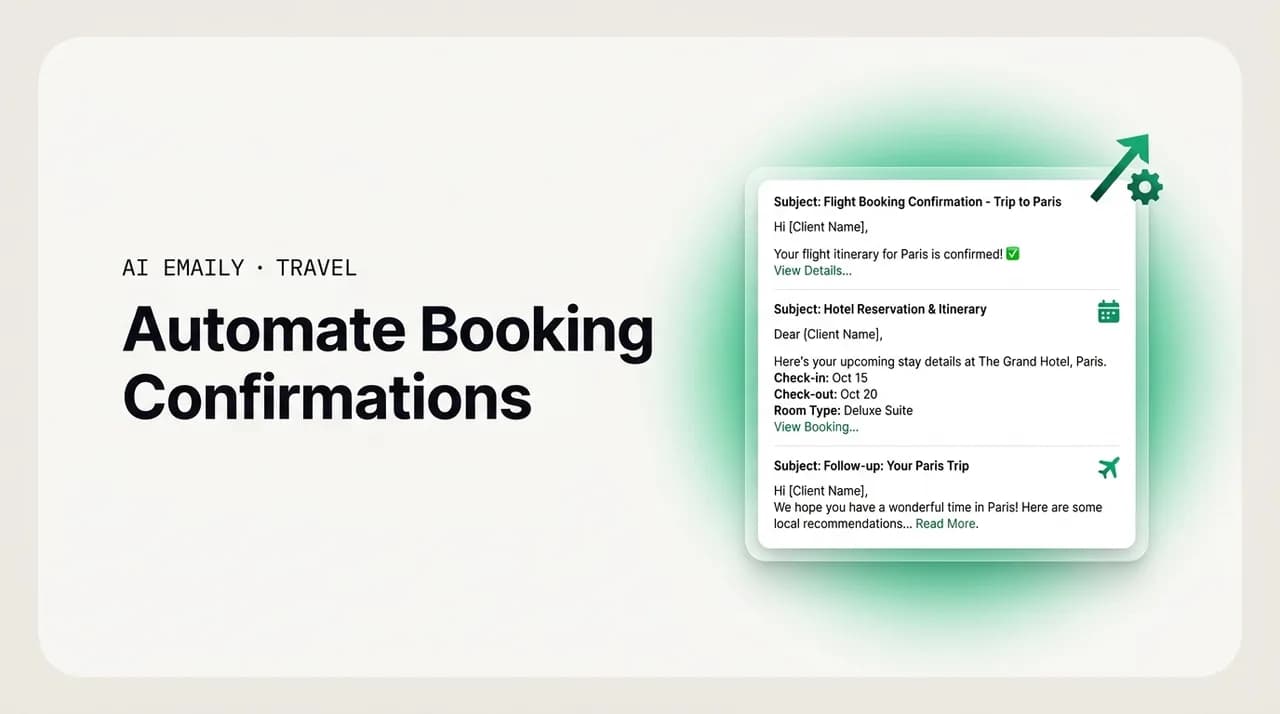
The short answer
The same confirmation, deposit reminder, final-payment nudge, pre-trip checklist, and document email goes out on every booking, and typing them by hand is the biggest hidden time sink in a solo advisor's week. Map each email to a booking stage, templatize it with your voice and merge fields, autosend the routine ones and approve the rest, and let your email client draft and send them so you can get back to designing and selling trips.
Automate booking confirmations for travel agents: which emails to templatize, how to trigger them by booking stage, and what is safe to autosend.
On this page
- 01Why automate booking confirmations as a travel agent?
- 02What per-booking emails actually repeat?
- 03How do you map booking stages to the right emails?
- 04How do you build a templated but personalized comms flow?
- 05What is safe to autosend versus what needs your approval?
- 06A worked example: a cruise booking from deposit to debark
- 07How AI Emaily helps travel advisors automate booking comms
- 08Putting it all together
Why automate booking confirmations as a travel agent?#
Here is a number that should stop you cold. If you send five client emails per booking, which is conservative once you count the confirmation, the deposit reminder, the final-payment nudge, the pre-trip checklist, and the document handoff, and you book two hundred trips a year, that is a thousand emails you are typing by hand. Each one takes ten to fifteen minutes with the lookups and the copy-pasting and the second-guessing of the tone. That is somewhere north of two hundred hours a year, five full working weeks, spent retyping messages you have already written a hundred times before. And almost none of it is the work you actually got into this business to do.
This is the quiet tax on an independent travel advisor's week, and it is worth naming plainly before we fix it. You did not become a travel advisor to be a copy-paste machine. You became one to design the trip of someone's life, to know the right suite category on the right ship, to have the supplier relationship that gets your honeymooners a bottle of champagne on arrival. But the inbox does not care about any of that. The inbox just wants its confirmation sent, its deposit chased, its documents delivered, and it wants them sent today, correctly, in your voice, whether or not you had the time.
To automate booking confirmations as a travel agent is not to make your client relationships colder. Done right, it is the opposite. When the routine, predictable, per-booking emails go out reliably and on time, on their own, you get the hours back to spend on the emails that genuinely need you: the delicate cabin-change request, the anxious first-time cruiser, the group organizer who needs hand-holding. Automation is not about replacing the human touch. It is about protecting it, by clearing away the thousand pieces of busywork that were crowding it out.
There is a competitive edge hiding in this too, not just a comfort one. The data on advisor tooling is consistent: agencies that lean on a proper CRM and structured client communication respond to leads roughly a third faster and convert meaningfully more of them. The mechanism is not magic. It is simply that when the machine handles the predictable sends, the advisor has attention left over for the ones that move money, and nothing falls through the cracks between a booking and its deposit deadline. Speed and reliability are the product now, as much as the itinerary is.
This guide is a working playbook, not a pep talk. We will name the exact per-booking emails that repeat, map each one to the booking stage that should trigger it, show you how to build a templated-but-personalized comms flow, and, crucially, draw the line between what is safe to send automatically and what a human should always approve first. Then we will be honest about where an AI email client like AI Emaily fits, and where it does not. By the end you should be able to look at your own booking process and see exactly which emails to hand off and which to keep.
What per-booking emails actually repeat?#
Before you can automate anything, you have to see the pattern, and the pattern is remarkably stable across ocean cruises, group departures, destination weddings, and bespoke land itineraries. Strip away the trip-specific detail and almost every booking runs the same relay of emails, in the same order, triggered by the same milestones. The reason it feels like so much work is not that each email is hard. It is that the same five or six emails go out on every single booking, manually, and the volume is relentless once you are running more than a handful of trips at once.
Here are the repeat offenders, the messages you are almost certainly retyping right now, in the order they tend to fire across the life of a booking.
- 1
The booking confirmation
The moment a trip is booked, the client wants proof it happened: what was reserved, the confirmation or booking number, the headline dates, the total price, and what comes next. This is the single most repeated email in the business, and it is almost pure template with a handful of merge fields. It also sets the tone for the whole relationship, so it has to feel like you, not like a receipt.
- 2
The deposit reminder
Cruise lines, tour operators, and resorts all sit on deposit deadlines, and a missed one can mean a cancelled reservation or a lost cabin. So the deposit reminder goes out a set number of days before the due date, then again if it is still unpaid. Same structure every time: what is due, by when, how to pay, and what happens if it lapses. Only the amount and the date change.
- 3
The final-payment reminder
The higher-stakes cousin of the deposit reminder, and the one advisors dread chasing. Final payment is often due 60, 90, or 120 days before departure depending on the supplier, and missing it can cancel the whole trip. This email typically needs to fire at a first reminder, a second, and sometimes a final-notice, each escalating gently in urgency but never in tone.
- 4
The pre-trip checklist
As departure nears, the client needs to actually get ready: passport validity, visas, travel insurance confirmation, any pre-registration or check-in windows, packing notes specific to the destination or ship. This is a longer, warmer email, and while the bones are templated, the specifics vary by destination, so it benefits from a light personal pass.
- 5
The document handoff
Tickets, e-docs, boarding passes, luggage tags, transfer vouchers, the final itinerary. When the supplier releases documents, the client needs them promptly and clearly, usually with a short note on what to print, what to save to their phone, and who to call at the port or airport if something goes sideways. Predictable trigger, predictable structure, high anxiety if it is late.
- 6
The post-trip follow-up
After they are home, the welcome-back note, the request for a review or referral, and the gentle nudge toward the next trip. This is where repeat and referral business is actually made, and it is the email advisors skip most often because by the time the client is home the advisor is buried in the next ten bookings. Automating it is often the highest-return change of all.
Look at that list and notice what it has in common. Every one of these emails is triggered by a knowable event, the booking is made, the deposit deadline approaches, documents are released, the trip ends. Every one has a stable structure that barely changes from client to client. And every one carries real consequences if it is late or missed: a cancelled cabin, an anxious client, a lost referral. That combination, predictable trigger plus stable structure plus real cost of missing it, is the exact definition of work that should be automated. It is too important to forget and too repetitive to keep doing by hand.
What is not on this list matters just as much. The delicate reply to a client who is nervous about a health issue on board. The negotiation with a supplier over a comped upgrade. The bespoke land itinerary you are building from scratch for a luxury client who is paying for your judgment, not your speed. Those are not per-booking emails; they are the work itself, and no sane automation strategy touches them. The whole point of automating the repeaters is to buy back the hours those bespoke moments deserve.
The two-question test for what to automate
How do you map booking stages to the right emails?#
The heart of a booking-comms flow is a simple idea: the booking moves through stages, and each stage should fire a specific email. Instead of you remembering to chase every deposit and deliver every document across dozens of active bookings, the stage does the remembering. When a booking enters the deposit-due window, the deposit reminder goes out. When documents are released, the handoff email fires. You stop being the scheduler and become the reviewer.
The table below is the backbone of the whole system. It maps each booking stage to the message that belongs to it, the event that should trigger it, and, importantly, whether that message is a candidate for autosend or something a human should approve first. Treat it as a starting template you adapt to your niche; a cruise specialist's deposit windows differ from a destination-wedding advisor's, but the shape is the same.
| Booking stage | Message to send | Trigger | Autosend or approve? |
|---|---|---|---|
| Just booked | Booking confirmation (what, when, price, booking number, next steps) | Booking is created / reservation confirmed | Autosend — pure template, low risk |
| Deposit window opens | Deposit reminder (amount due, deadline, how to pay) | A set number of days before deposit deadline | Autosend — factual reminder |
| Deposit overdue | Second deposit reminder (gentle, restates consequence) | Deadline passed, deposit still unpaid | Approve — money is late, tone matters |
| Final-payment window opens | Final-payment reminder (amount, hard deadline, pay link) | 60–120 days before departure, per supplier | Autosend — factual, high-importance |
| Final payment overdue | Final-payment final notice (trip at risk) | Final-payment deadline near or passed, unpaid | Approve — cancellation risk, needs a human |
| Pre-departure | Pre-trip checklist (docs, passports, visas, insurance, packing) | A set number of days before departure | Approve — destination specifics vary |
| Documents released | Document handoff (e-docs, tickets, vouchers, itinerary) | Supplier releases travel documents | Autosend — deliver promptly, low judgment |
| In-trip | Bon voyage / on-trip contact note (who to reach in an emergency) | Day of or day before departure | Autosend — short, warm, standard |
| Post-trip | Welcome-back + review/referral request + next-trip nudge | A few days after return date | Approve — personal, relationship-building |
Read that table as a machine and a human working in shifts. The machine owns the factual, time-critical sends: the confirmation that has to go out the instant a trip is booked, the deposit and final-payment reminders that must never be forgotten, the document handoff that a client is anxiously waiting on. Those are the emails where lateness costs you a cabin or a client's trust, and where the content barely changes, so a reliable machine beats a busy human every time.
The human owns the moments where judgment or warmth carries weight: the second reminder when money is genuinely late and the wrong tone could sour the relationship, the pre-trip checklist where the passport-validity note for a Schengen trip differs from the one for a closed-loop Caribbean cruise, the post-trip follow-up that is really the opening move of the next booking. The point of mapping stages this carefully is not to remove yourself. It is to make sure you show up precisely where you add value and nowhere you do not.
One more thing the stage view gives you is a safety net against the failure that scares advisors most: missing a payment deadline. When every deposit and final-payment window automatically fires a reminder on a schedule tied to the supplier's real deadline, a missed payment stops being a thing you have to hold in your head across forty bookings. The system holds it for you. That single change, more than any tone or template improvement, is why advisors who automate their reminders sleep better.
How do you build a templated but personalized comms flow?#
Templates get a bad reputation because most people build them badly, as rigid, generic blocks that read like a form letter and make the client feel like a row in a spreadsheet. That is a template problem, not a templating problem. A good per-booking template is a skeleton of the stable parts, the structure, the legal-ish reminders, the pay instructions, with clearly marked slots for the details that change, and it is written in your actual voice, so the finished email reads as if you sat down and typed it. Build them once, well, and every booking benefits.
Here is the process for turning your repeated emails into a flow that is fast to run but never feels canned.
- 1
Pull your best real examples
Do not write templates from scratch. Go into your sent folder and find the three or four confirmation emails, deposit reminders, and checklists you were proudest of, the ones that sounded warm and clear. Those are your source material. Your best past writing already contains your voice; you are just extracting the pattern from it.
- 2
Separate the stable bones from the variable slots
In each example, mark what never changes (the structure, the reminder about cancellation policies, the how-to-pay steps) and what always changes (client name, trip, dates, amount, deadline, booking number). The stable parts become the template body; the variable parts become merge fields you fill per booking.
- 3
Write in your voice, not corporate boilerplate
Keep the contractions, the warmth, the little sign-off you actually use. A template should sound like the advisor, not like the cruise line's automated system. This is the single biggest difference between automation that feels caring and automation that feels cold. If your real emails open with "Hi Sarah, great news —" then so should the template.
- 4
Use merge fields for every variable
Client name, trip name, dates, cabin or room category, total price, deposit amount, deposit deadline, final-payment deadline, booking number, supplier name. The more of the changeable detail you turn into a clean merge field, the less you retype and the fewer copy-paste errors sneak in, like last client's deadline living in this client's reminder.
- 5
Add one personal line per email
The trick that keeps templated email human is a single, genuine, non-templated sentence. "I'm so glad we found you that aft-facing balcony — you're going to love the sunsets." It takes fifteen seconds, it is the one part the machine cannot pre-write, and it is what makes the client feel seen. Leave a deliberate blank for it in every template.
- 6
Map each template to its trigger stage
Connect each finished template to the booking stage that should fire it, using the table above. The confirmation template attaches to "just booked," the deposit reminder to the deposit window, and so on. Now the flow is complete: a stage arrives, the right template loads, the merge fields fill, you add your one line, and it sends.
Notice how much of this is front-loaded. You do the thoughtful work once, mining your own best emails and shaping them into voice-matched templates, and then every booking for the rest of the year draws down on that investment. The economics are lopsided in your favor: a few hours of careful template-building against hundreds of hours of retyping saved. This is the highest-leverage afternoon most solo advisors can spend.
The personalization worry, that automated email feels cold, is real but solvable, and the solution is architectural, not emotional. You do not fight coldness by writing every email from scratch; you fight it by building the warmth into the template and reserving one honest human line per message. A confirmation that opens in your genuine voice, fills its merge fields accurately, and carries one specific sentence about this client's trip does not read as automated. It reads as attentive. The client cannot tell, and would not care, that the bones were pre-written, because the parts that signal care to a human, the accurate details and the personal note, are all present.
Personalization is a slot, not a rewrite
What is safe to autosend versus what needs your approval?#
This is the question that decides whether automation helps you or embarrasses you, and it deserves a clear rule rather than a gut feel. The line runs between messages that are factual and low-judgment on one side, and messages that carry money-in-the-balance, bad news, or a bespoke relationship on the other. Get this line right and automation is a quiet superpower. Get it wrong, autosend a tone-deaf message to a stressed luxury client, and you have taught them that you have stopped paying attention.
Safe to autosend, as a general rule, are the emails that are purely informational and where being fast and reliable is exactly what the client wants: the booking confirmation, the standard deposit reminder before it is overdue, the on-time final-payment reminder, the document handoff, the short bon-voyage note. These are factual, their structure barely changes, and a client would rather get them instantly and reliably from a machine than late and apologetically from a human. Speed is the courtesy here.
Needs your approval, as a general rule, are the emails where a human's judgment, tone, or relationship changes the outcome: the second reminder when a payment is actually overdue, any final-notice that raises the specter of cancellation, the pre-trip checklist whose specifics vary by destination, and every message to a high-touch luxury or FIT client for whom visible automation on a client-facing note reads as a downgrade in attention. When money is late, when there is bad news, or when the client is paying for white-glove care, a human should lay eyes on it first.
A useful way to hold this in your head is a three-mode model, which happens to be exactly how AI Emaily is built, but which is good practice in any system. In Manual mode nothing sends without you writing or triggering it; you are doing the work, just faster with templates. In Copilot mode the system drafts the email, fills the merge fields, and hands it to you to review, tweak, and approve before it goes, which is perfect for the checklist and the overdue reminders. In Autopilot mode the system sends routine, pre-approved message types on its own within rules you set, which is where the confirmations and standard reminders belong. Most advisors end up running all three at once, mapped to the stages above.
The safety rails that make Autopilot trustworthy are worth stating explicitly, because "the machine sends emails on its own" is a scary sentence without them. First, autosend should be scoped to specific, low-risk message types you have explicitly allowed, never a blanket "send anything." Second, there should be an undo window, so a mistaken send can be pulled back. Third, everything the system sends should be written to an audit trail you can review, so you always know exactly what went out, to whom, and when. With those three, a rule-bound allowlist, an undo, and a full audit log, autosend stops being a leap of faith and becomes a controlled, reviewable delegation. Without them, do not autosend anything.
Never autosend bad news or bespoke care
A worked example: a cruise booking from deposit to debark#
Abstract rules are easier to trust when you watch them run, so here is a single booking moving through the flow end to end. Say you have just booked the Delgado family, four passengers, on a seven-night Mediterranean sailing, with an aft-balcony cabin, sailing in eleven months. Here is how the automated comms play out, and where you personally step in.
The instant the reservation confirms, the booking-confirmation email autosends. It draws from your voice-matched template, fills in the family's name, the ship, the sail date, the cabin category, the total, and the booking number, and opens with your genuine "Hi Maria — it's official, you're going to the Mediterranean!" line that you set as the personal slot. The Delgados have proof, in your voice, within minutes of booking, without you touching the keyboard. Nothing about it reads as automated.
Ninety days later the deposit window opens. The standard deposit reminder autosends: amount due, deadline, pay link, one line about how excited you are for them. It is factual, it is on time, and it needed none of your attention. If the deposit lapses past its deadline, the flow does not autosend the follow-up. Instead it drafts a gentle second reminder and drops it into your queue for approval, because now money is late and you want to choose the tone yourself. You read it, soften one line, and send.
Roughly four months before sailing, the final-payment window opens and the on-time final-payment reminder autosends, clearly stating the amount, the hard deadline, and the pay link, flagged as important so the Delgados do not miss it. This is the send that most protects the booking, and the machine never forgets it. If final payment were to run late, the flow would again stop autosending and route a final-notice draft to you for approval, because a cancellation warning is exactly the kind of high-stakes, tone-sensitive message a human should own.
About three weeks out, the pre-trip checklist comes up. This one the flow drafts but does not send, because the specifics matter: it pulls your Mediterranean checklist template, notes passport-validity rules for the ports of call, the travel-insurance confirmation, the online check-in window, and the packing notes for a spring sailing. You review it, add a sentence about the shore excursion you know they are excited about, and approve. When the cruise line releases documents, the handoff email autosends with the e-docs, luggage tags, and final itinerary attached. The day before they sail, a short bon-voyage note autosends with the emergency contact info.
A few days after they are home, the flow surfaces a post-trip draft: welcome back, a request for a review, a gentle "shall we start dreaming up the next one?" This one you always personalize and approve, because it is the seed of the next booking and the referral. Across the entire life of that booking, you personally touched three emails, the overdue-money case that never happened, the checklist, and the follow-up, while the machine reliably handled the other six or seven. That is the trade the flow makes: it takes the hundred routine sends off your plate so your attention lands on the handful that actually need you.
How AI Emaily helps travel advisors automate booking comms#
Everything above is a system you could, in principle, assemble by hand out of templates, calendar reminders, and iron discipline. Plenty of advisors do exactly that, and it works right up until a busy week blows a deposit deadline or a copy-paste error sends last client's dates to this client. The reason to use an AI-native email client for this is that it collapses the whole flow, the templates, the triggers, the voice-matching, the approvals, into your actual inbox, and it does the drafting for you so you are reviewing rather than typing. This is the specific problem AI Emaily is built for.
AI Emaily is an AI-native email client that connects to Gmail, Outlook, and any IMAP account, so it works with whatever address you already run your travel business from, and it learns how you actually write. Because it studies your real sent emails, the confirmation and reminder drafts it produces come back in your voice, warm, specific, contraction-and-all, rather than in generic auto-reply boilerplate. You are not writing per-booking emails from a blank page; you are reviewing a draft that already sounds like you, with the client's details filled in, and sending it with a keystroke.
The three-mode model maps directly onto the autosend-versus-approve line we drew earlier. In Copilot mode, AI Emaily drafts the deposit follow-up, the pre-trip checklist, the post-trip note, and hands each to you to approve, so the tone-sensitive and destination-specific messages always get your eyes before they send. In Autopilot mode, it sends the routine, pre-approved types, the confirmation, the on-time reminders, the document handoff, on its own within the rules you set, so the factual sends never wait on your schedule. You decide which message types earn Autopilot and which stay in Copilot, and you can change your mind any time.
The safety rails are not an afterthought; they are the reason autosend is trustworthy at all. Autopilot only sends the specific message types you have allowed, never a blank check. Every send has an undo window, so a mistaken message can be pulled back before it does damage. And everything AI Emaily does is written to a full audit trail you can review, so you always know exactly what went out, to whom, and when. That combination, an explicit allowlist, undo, and audit, is what lets a solo advisor delegate the routine sends without lying awake wondering what the machine did overnight.
It is worth being honest about the boundary too, because a tool that overpromises here loses your trust fast. AI Emaily is built to draft and, where you allow it, send the repetitive per-booking emails, the confirmations, the reminders, the checklists, the handoffs. It is not built to replace your judgment on the bespoke luxury itinerary, the delicate supplier negotiation, or the sensitive client conversation. For your high-touch FIT and luxury clients, the right setting is draft-and-review, keeping every client-facing message human-approved, and the product is designed to make that the easy default rather than a fight. The goal is to clear the busywork so your attention lands on the trips, not to put your relationships on autopilot.
Underneath, it is the same idea that runs through the whole product: an autonomous chief of staff for your inbox that drafts, triages, and handles the predictable busywork so you spend less time managing email and more time designing and selling trips. For an independent advisor who is also the entire back office, that is the difference between the inbox owning your week and you owning it. You can try it free at app.aiemaily.com/signup, with a Free plan at no cost and Pro at $12.42 per month on the annual plan.
Start with confirmations, then expand
Putting it all together#
The repetitive per-booking email is the signature pain of the independent travel advisor, and it is a solvable one. The same confirmation, deposit reminder, final-payment nudge, checklist, and document email goes out on every single booking, and typing them by hand is quietly eating a week or more of your year that belongs to designing trips and winning clients. The fix is not to work faster; it is to stop doing by hand the work that a system should do on its own.
The playbook is compact enough to remember. Name the emails that repeat, and you will find the same five or six on every booking. Map each one to the booking stage that should trigger it, so the stage does the remembering instead of you. Build voice-matched templates from your own best past emails, with clean merge fields and one honest personal line per message, so the automated email still feels like you. Draw the autosend line clearly: factual and on-time sends run on their own, while overdue money, bad news, and bespoke care always route through your approval. And insist on the three rails, an allowlist, undo, and a full audit trail, so delegation never becomes a leap of faith.
Do that, and the inbox stops being the thing that owns your week. The confirmations fire on their own, the deposits and final payments are never forgotten, the documents land on time, and your attention is freed for the emails and the trips that actually need a human who knows what an aft balcony is worth. If you would rather not wire it all together by hand, an AI email client can draft and send the routine ones in your voice and hold the safety rails for you, so you can get back to the work you started this business to do. Start free, automate the confirmation first, and expand from there.
Frequently asked
See it in AI Emaily
Keep reading
Sources

Written by
Nafiul HasanNafiul Hasan is an entrepreneur and AI automation system builder with 10+ years of experience turning messy, manual workflows into reliable automated systems. He designs and ships AI enterprise solutions end-to-end — the agent logic, the data plumbing, and the product people actually use — and founded AI Emaily to give busy professionals their attention back. He writes here from the builder's seat: what works, what breaks, and how to put AI to work without giving up control.