Cruise Booking Reminder Emails: How Cruise Advisors Automate Deposits & Docs

The short answer
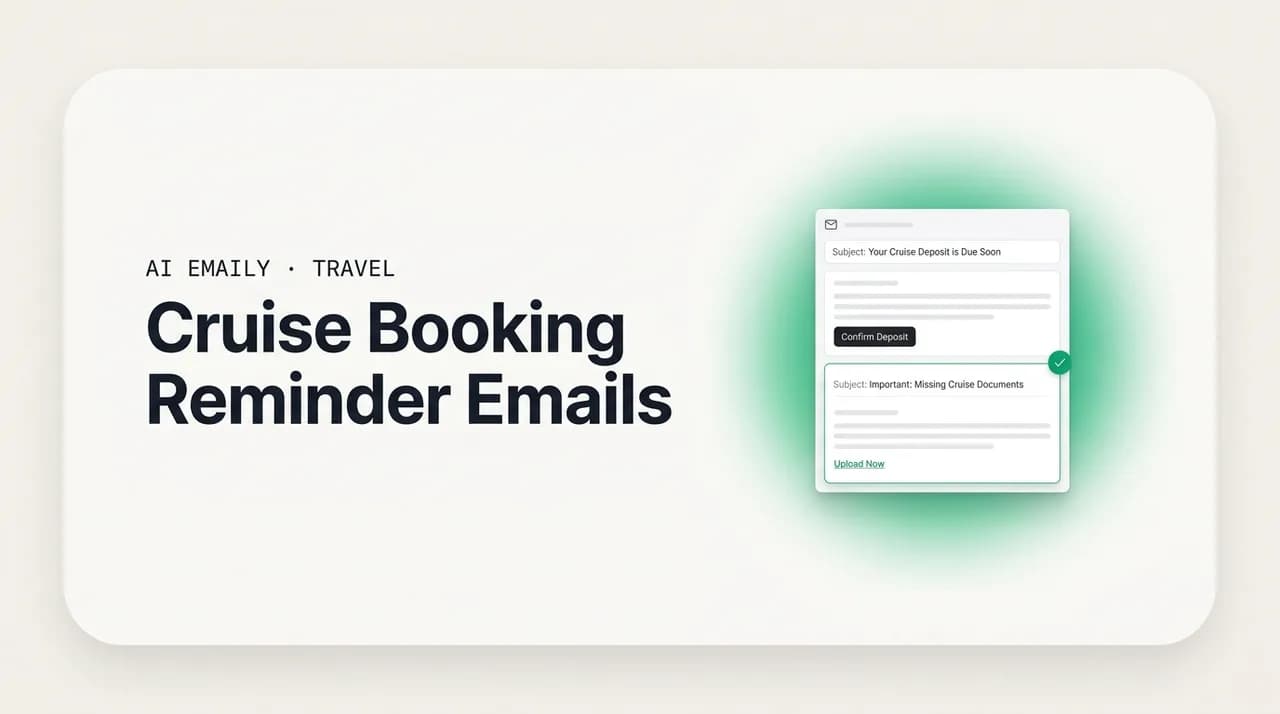
Cruise booking reminder emails follow a fixed timeline: deposit due, final payment due, pre-cruise documents, and onboard prep. Because the dates are known the day you book, these reminders can be templated once, timed to each booking, and sent on schedule, so a missed final-payment date never cancels a cabin. Keep them in your own voice, and let routine reminders run on rules with undo and an audit trail.
Cruise booking reminder emails, done right: templated deposit-due, final-payment, and pre-cruise checklist flows timed to each booking, plus how cruise advisors automate them safely with undo and audit.
On this page
- 01Why cruise booking reminder emails are their own kind of email
- 02What is the cruise booking timeline, stage by stage?
- 03Why do deadline-driven reminders matter more in cruise than anywhere else?
- 04How do you build an automated cruise reminder sequence?
- 05What does a booking-stage to reminder map look like?
- 06What do good cruise reminder email templates look like?
- 07What belongs in a pre-cruise checklist email?
- 08Where do upsells fit into the reminder sequence?
- 09How does AI Emaily help with cruise reminders, honestly?
- 10Putting it all together
Why cruise booking reminder emails are their own kind of email#
Cruise booking reminder emails are not the same job as a marketing newsletter or a one-off inquiry reply, and treating them like either is where most cruise advisors quietly lose time and, occasionally, a booking. A cruise sale is governed by a chain of hard deadlines that are set the moment the cabin is held: the deposit is due by a date, the balance is due by a date, documents open by a date, and the ship sails on a fixed date that will not move for anyone. Every one of those dates is knowable the day you confirm the booking. That is the defining feature of this niche, and it is exactly why the reminder emails around a cruise are so repeatable, and so automatable, compared to almost anything else in travel.
If you specialize in cruise, you already feel this. Ocean cruises are the single most common specialization among travel advisors, which means the confirmation, deposit-reminder, and pre-cruise document emails you send are the same emails, in structure, on every booking. Only the names, ship, sail date, and dollar amounts change. You are effectively hand-copying a form letter dozens of times a month, and the cost of forgetting one is not a slightly awkward follow-up. It is a released cabin, a re-priced fare, or a client who shows up at the pier without the right documents. The reminders are low-glamour and high-stakes at the same time.
This guide is about turning that chain of deadlines into a reliable, templated, timed sequence, one you write once and reuse on every booking, so the deposit reminder, final-payment reminder, and pre-cruise checklist go out on time without you personally remembering each one. We will walk the full cruise booking timeline, explain why deadline-driven reminders matter more here than in any other travel niche, give you copy-paste templates and a stage-to-reminder table, cover the pre-cruise checklist and the upsells that ride alongside it, and then talk honestly about where an AI email client helps and, just as importantly, where it should stay out of the way.
What is the cruise booking timeline, stage by stage?#
Every cruise booking moves through the same stations. The exact intervals vary by cruise line, fare type, and how far ahead the client books, but the shape is universal, and understanding it is the whole foundation of a good reminder sequence. Here is the timeline as your client experiences it, and as your reminders should map to it.
- 1
Booking confirmed and deposit due
The cabin is held with a deposit, often a fixed per-person amount or a percentage, due within a set window (sometimes at booking, sometimes within a few days on a courtesy hold). Miss it and the hold is released, which means the cabin category and the fare you quoted can both vanish. This is the first reminder you never want to be late on.
- 2
The long quiet middle
Between deposit and final payment there can be months of nothing required from the client. This is where advisors go silent and clients get nervous, and it is the best place to add value: a check-in, an excursion or dining teaser, an insurance nudge if they declined it, and a gentle heads-up that final payment is coming.
- 3
Final payment due
The single most important date in the whole booking. Cruise lines typically require the balance by a fixed number of days before sailing (commonly around 75 to 120 days out for standard sailings, more for longer or premium voyages). Miss the final-payment date and the booking can be automatically cancelled, with the client potentially losing the deposit. This deadline is non-negotiable and unforgiving.
- 4
Documents and check-in open
After final payment, the cruise line opens online check-in, which is where the client completes their passenger information, uploads a photo, selects an arrival time or boarding group, and generates the boarding pass or e-ticket. This usually opens a set number of days before sailing and is its own reminder, because a client who skips it faces a slower embarkation and, sometimes, a scramble at the terminal.
- 5
Pre-cruise preparation
In the weeks before sailing, the client needs to confirm travel documents (passport validity, visas, any required health documentation), arrange transfers and pre- or post-cruise hotels, pack for the itinerary and dress codes, and understand luggage tags, drink and dining packages, and shore-excursion bookings. This is the checklist reminder, and it is where a good advisor prevents the small disasters.
- 6
Final week and sail day
A short, warm final reminder ties it together: terminal address and arrival window, what to carry on versus check, boarding pass, and a real contact number for the day. Then the ship sails, and shortly after they return you have the reason to ask for a review, a referral, and the next booking.
The reason this matters so much is a single, unglamorous fact: the dates that govern all of this are set at booking. You do not have to guess when the deposit reminder or the final-payment reminder should go out; the cruise line hands you the deadline, and the reminder is simply that deadline minus a sensible lead time. That is what makes cruise reminders uniquely suited to templating and automation. Unlike a bespoke luxury itinerary, where every message is a fresh judgment call, a cruise reminder is a form with a known due date. Build the form once, attach it to the date, and the work stops being work.
The dates come from the cruise line, not from you
Why do deadline-driven reminders matter more in cruise than anywhere else?#
In most of travel, a missed message is a missed opportunity. In cruise, a missed message can be a cancelled booking. That is the difference, and it is worth being blunt about it, because it changes how seriously you should take the reminder layer of your business.
Consider what actually rides on each deadline. A deposit that is not paid on time releases a courtesy hold, and the exact cabin, category, and promotional fare you quoted may no longer exist when the client finally pays. A final payment that slips past its cutoff can trigger an automatic cancellation under the cruise line's rules, and depending on timing the client can forfeit the deposit and, if they rebook, pay a higher live fare. Group blocks add another layer: cabins held under a group contract have their own release schedule, and unsold cabins revert to the line on a deadline, so a group that does not fill in time shrinks. Promotions are time-boxed too: reduced deposits, onboard-credit offers, and beverage or Wi-Fi package promos frequently have named-by dates, and a client who dawdles loses the perk even if the booking survives.
None of these are edge cases. They are the ordinary rhythm of cruise selling, and every one of them is a deadline that a well-timed reminder protects against. The client is not being careless; they are living their life, and the final-payment date they agreed to four months ago is not on their radar. Your reminder is the safety net. When it fires on time, the booking sails. When it does not, you are on the phone with a cruise line's rebooking desk explaining why a cabin was lost, and possibly eating the difference to keep a client happy.
There is a business case underneath the risk case, too. Cruise commissions typically run in the range of 10 to 16 percent, and cruise clients are famously repeat and referral-heavy, so the lifetime value of getting the reminder layer right is not one booking, it is a relationship. A client whose deposits, payments, and documents always arrived on time, prompted by a calm, professional email that felt personal, comes back and brings friends. A client who once nearly lost a cabin because nobody reminded them tells that story at dinner parties, and not in your favor.
The catch is that reminders are also the least fun part of the job. They are repetitive, they are administrative, and they compete directly with the work you actually enjoy and get paid the most for: designing trips and selling them. Advisors who run their client communication through a CRM already respond faster and convert more, and the reason is not magic, it is that the machine remembers the deadlines so the human does not have to. The goal of everything below is to get you that reliability without turning your inbox into a second job.
How do you build an automated cruise reminder sequence?#
A cruise reminder sequence is a small set of templated emails, each anchored to a date that already exists on the booking. You are not inventing a marketing funnel; you are attaching the right form letter to the right deadline with a sensible lead time in front of it. Here is how to build one that is reliable enough to trust and personal enough that clients never feel processed.
- 1
List the anchor dates from the booking
For each reservation, write down the deposit due date, the final-payment due date, the online check-in open date, and the sail date. These four are your anchors. Every reminder in the sequence is one of these dates minus a lead time.
- 2
Set lead times, not just due dates
A reminder that arrives the day something is due is too late to be useful. Give people room: a deposit nudge a couple of days before the hold releases, a first final-payment reminder around two to three weeks out with a second a few days before, a documents reminder when check-in opens, and a pre-cruise checklist two to three weeks before sailing.
- 3
Write each email once, as a reusable template
Draft one deposit reminder, one first and second final-payment reminder, one check-in reminder, one pre-cruise checklist, and one sail-week note. Use merge fields for the parts that change: client name, ship, sail date, amount due, and the deadline itself. The body stays constant; only the variables move.
- 4
Keep the tone yours, not a system's
The fastest way to make automation feel cheap is to let it sound like a billing notice. Write these in your own voice, the way you'd actually talk to that client, so a reminder reads as attentive service rather than a dunning letter. The template is a starting point you personalize, not a robot you hide behind.
- 5
Decide what sends on its own and what you approve
Routine, low-risk reminders (a deposit nudge, a documents heads-up, a checklist) are safe to send on a schedule. Anything involving money owed, a change to the booking, or a client you know is sensitive deserves a human glance first. Draw that line deliberately and write it down.
- 6
Build in a stop condition
If the client already paid, the reminder should not still fire, or you look like you are not paying attention. Tie each reminder to the booking's real status where you can, and at minimum give yourself an easy way to cancel a scheduled reminder the moment a payment or document comes in.
The stop condition deserves emphasis because it is the difference between automation that builds trust and automation that erodes it. A final-payment reminder that lands after the client already paid does not just waste a message; it signals that no human is watching their booking. The fix is to keep your reminders tied to reality, either by checking status before a message goes out or by making it trivial to pull a scheduled reminder back the moment the situation changes. Reliability is not just sending on time; it is not sending when you shouldn't.
Anchor to the deadline, front-load the lead time
What does a booking-stage to reminder map look like?#
Here is the whole sequence compressed into a single reference you can adapt to your cruise lines and fare types. Treat the lead times as sensible defaults, not gospel, and always confirm the actual deadlines against each client's booking. The point of the table is to make the pattern obvious: every reminder is a stage, a trigger date, and a job.
| Booking stage | Reminder trigger | What the email does |
|---|---|---|
| Booking confirmed | Immediately at booking | Confirms the cabin, ship, sail date, and price; states the deposit amount and the exact date it is due; sets expectations for what comes next. |
| Deposit due | 2–3 days before the hold releases | Friendly nudge that the deposit is due soon and the cabin and fare are held only until then; one-click way to pay or reply to arrange it. |
| Quiet middle | Once, a few weeks after deposit | Warm check-in that keeps you present: teases excursions and dining, offers an insurance option if declined, and previews the final-payment date. |
| Final payment approaching | ~21 days before final-payment date | First balance reminder: states the amount due and the exact deadline, and explains plainly that missing it can cancel the booking. |
| Final payment imminent | 3 days before final-payment date | Second, firmer balance reminder for anyone who hasn't paid; makes the cancellation consequence unmistakable and offers to take payment right away. |
| Documents open | Day online check-in opens | Prompts the client to complete online check-in, upload their photo, choose an arrival time, and print or save the boarding pass. |
| Pre-cruise prep | ~14 days before sailing | Delivers the full pre-cruise checklist: documents, transfers, packing and dress codes, luggage tags, and any packages or excursions to lock in. |
| Sail week | 2–3 days before sailing | Short, warm final note: terminal and arrival window, what to carry on, boarding pass reminder, and a real contact number for the day. |
| Post-cruise | 2–3 days after return | Welcome-home note that asks how it went, requests a review, invites a referral, and opens the door to the next booking. |
What do good cruise reminder email templates look like?#
Templates are only useful if they sound like a person wrote them for this client, so treat everything below as a skeleton you flesh out in your own voice. Each one uses merge fields in brackets for the parts that change. Start with the deposit reminder, the earliest deadline and the one that quietly protects the fare you quoted.
The final-payment reminder is the most important email you will ever send, so it earns two versions: a friendly first pass with plenty of runway, and a firmer second pass for anyone who has not acted. The tone stays warm, but the consequence has to be unmistakable, because a soft reminder that buries the cancellation risk is not doing its job.
The second pass goes only to clients who still have a balance a few days out. Keep it short, make the deadline and the consequence impossible to miss, and offer to handle payment immediately so there is no friction between the client's intent and the deadline.
Never soften the final-payment consequence into vagueness
Once final payment clears and check-in opens, the tone shifts from money to logistics. The documents reminder should point the client at online check-in and tell them exactly what it involves, because "complete your check-in" means nothing to someone who has never cruised before.
What belongs in a pre-cruise checklist email?#
The pre-cruise checklist is the email that separates a smooth first day from a stressful one, and it is the one clients quote back to you as the reason they felt taken care of. It should go out roughly two to three weeks before sailing, once payment and check-in are handled, and it should be scannable, because nobody reads a wall of text while excited about a trip. Here is what to cover.
- Travel documents. Confirm that every guest has the right document for the itinerary, and that passports are valid well beyond the return date, since many countries require validity for a set period after entry. Flag any visas or entry requirements for the ports of call, and remind them to bring the physical documents, not just photos.
- Health and entry requirements. Point clients to the official guidance for their specific itinerary rather than guessing, and remind them that requirements can change, so checking close to departure is worth it.
- Transfers and hotels. Confirm airport-to-port transfers, any pre- or post-cruise hotel nights, and arrival timing, so a delayed flight doesn't turn into a missed ship.
- Online check-in and boarding pass. A final nudge to complete check-in if they haven't, and to save or print the boarding pass and luggage tags the cruise line provides.
- Packing and dress codes. A quick note on the climate for the itinerary, any formal or themed nights, pool and excursion gear, and the practical items people forget, like a power strip policy, medications in carry-on, and comfortable shoes.
- Money and packages onboard. Explain how onboard charging works, what's included versus extra, and remind them of any beverage, Wi-Fi, dining, or gratuity packages they bought or might still add.
- Excursions and dining. Confirm any shore excursions and specialty dining already booked, and gently flag that popular options sell out, so anything they're still considering is worth locking in now.
- Day-of logistics. Terminal address, arrival window, what to carry on versus check, and a real phone number to reach you on embarkation day if something goes sideways.
Point to official sources for documents and health
A checklist email works best when it reads as reassurance, not homework. Lead with warmth, keep each item to a line or two, and make it obvious which parts need action now versus which are just good to know. Here is a compact template you can expand per itinerary.
Where do upsells fit into the reminder sequence?#
The reminder sequence is not just risk management; it is also the most natural place in the whole booking to sell more, because you are already in the client's inbox at the exact moments they are thinking about the trip. The trick is that the upsell has to feel like service, not a sales push, and it has to be timed so it helps the client rather than pestering them. Three upsells fit cleanly into the cruise timeline.
- Travel insurance, ideally near booking. Insurance is most valuable when offered early, before deposits and payments are at risk, and framing it as protection for a trip they're excited about lands better than a fear pitch. If a client declines at booking, a single tasteful follow-up in the quiet middle is fair; beyond that, respect the no.
- Shore excursions, in the quiet middle and again in the checklist. Excursions are where a cruise becomes a story, and the best ones sell out. A teaser during the quiet middle plants the idea; the checklist reminder gives the deadline nudge. Curate a short, itinerary-specific set rather than dumping the full catalog.
- Beverage, Wi-Fi, and dining packages, before pre-cruise promo deadlines. Cruise lines often price these lower when bought in advance, and those pre-cruise offers have their own cutoffs. A reminder tied to the promo deadline genuinely saves the client money, which is the easiest upsell there is.
Upsell on the client's timeline, not yours
How does AI Emaily help with cruise reminders, honestly?#
Everything above works with a spreadsheet, a calendar, and discipline. Plenty of excellent cruise advisors run exactly that way. The question is what an AI email client changes, and the honest answer is that it removes the two things that make the manual version fail: the remembering and the retyping. It does not replace your judgment, and it should not try to.
AI Emaily is an AI-native email client that connects to Gmail, Outlook, and any IMAP account, learns how you actually write, and drafts your cruise reminders in your own voice rather than in generic system boilerplate. When a deposit or final-payment date is approaching, it can produce a voice-matched draft of the reminder, with the client's name, ship, sail date, amount, and deadline already filled in, so instead of writing the email you are glancing at one and approving it. Because it sounds like you, the client reads it as attentive service, which is the whole point of a reminder that a person, not a billing system, appears to have sent.
It runs on three modes, and cruise reminders map onto them cleanly. In Manual, nothing sends without you; you get the draft and press send. In Copilot, it drafts and stages everything and waits for your approval, which is the right setting for anything touching money owed, a booking change, or a client you know is sensitive. In Autopilot, it can handle the genuinely routine, templated reminders on its own within rules you set, the deposit nudge, the documents heads-up, the pre-cruise checklist, the low-risk, high-repetition messages that are the same on every booking. Per the cruise specialist's own reality, booking confirmations, deposit-due reminders, and pre-cruise checklists are templated and safe for autosend with light voice-matching, and that is exactly the slice you'd hand to Autopilot first.
The part that makes automation trustworthy rather than nerve-wracking is what sits around it. Every action the agent takes is undoable and fully audited, so you can see exactly what went out, to whom, and when, and pull anything back if it shouldn't have. That audit trail is not a nice-to-have in a business where a mistimed message can touch a real deadline; it is the reason you can let routine reminders run without watching them. And because you draw the line between what sends on its own and what you approve, the high-stakes final-payment reminder can stay in Copilot for your review while the checklist runs on Autopilot, in the same sequence, on the same booking.
It is the same idea behind the rest of the product, which acts as an autonomous chief of staff for your inbox: triaging inquiries, drafting replies, and handling the busywork so you spend less time on administration and more time designing and selling cruises. Reminders are the clearest possible example of that busywork, repetitive, deadline-bound, and consequential, which is exactly why they are worth automating carefully rather than either doing by hand forever or handing off blindly. You keep the judgment and the relationship; the machine keeps the calendar and the keyboard.
You can try it free at app.aiemaily.com/signup, with a Free plan at no cost and Pro at $12.42 per month on the annual plan. Start by letting it draft your deposit and final-payment reminders in Copilot, keep your eyes on them for a couple of weeks, and move the routine ones to Autopilot once you trust the voice and the timing.
Putting it all together#
Cruise booking reminder emails are the rare corner of travel where the work is both high-stakes and highly repeatable, and that combination is exactly what makes it worth systematizing. The deadlines are set at booking, the emails are the same shape on every reservation, and the cost of missing one is a released cabin, a lost fare, or a cancelled booking. Map each stage to a reminder, anchor every reminder to the real deadline minus a sensible lead time, write the templates once in your own voice, and decide deliberately what sends on its own versus what you approve.
Do that, and the reminder layer stops being the anxious background hum of your business and becomes a quiet, reliable service your clients feel and remember. The deposit is always paid on time, the final payment never slips, the documents get done, the checklist arrives when it's useful, and the upsells land as help rather than hustle. Whether you run it on a spreadsheet or hand the routine parts to an AI email client that drafts in your voice with undo and an audit trail behind it, the goal is the same: never lose a cabin to a missed reminder, and never let the paperwork crowd out the part of this job you actually love, getting people on ships.
Frequently asked
See it in AI Emaily
Keep reading
Sources

Written by
Nafiul HasanNafiul Hasan is an entrepreneur and AI automation system builder with 10+ years of experience turning messy, manual workflows into reliable automated systems. He designs and ships AI enterprise solutions end-to-end — the agent logic, the data plumbing, and the product people actually use — and founded AI Emaily to give busy professionals their attention back. He writes here from the builder's seat: what works, what breaks, and how to put AI to work without giving up control.