Inbox & Client Management for Travel Advisors: The 2026 System

The short answer
Client management for travel advisors comes down to one habit: never let the inbox be your to-do list. Triage every message into a small set of buckets, keep one thread per trip, template the repeatable replies, batch supplier and client email into set windows, and let a system, not your memory, hold the deadlines. That is how a solo advisor carries a full book of clients without drowning in admin.
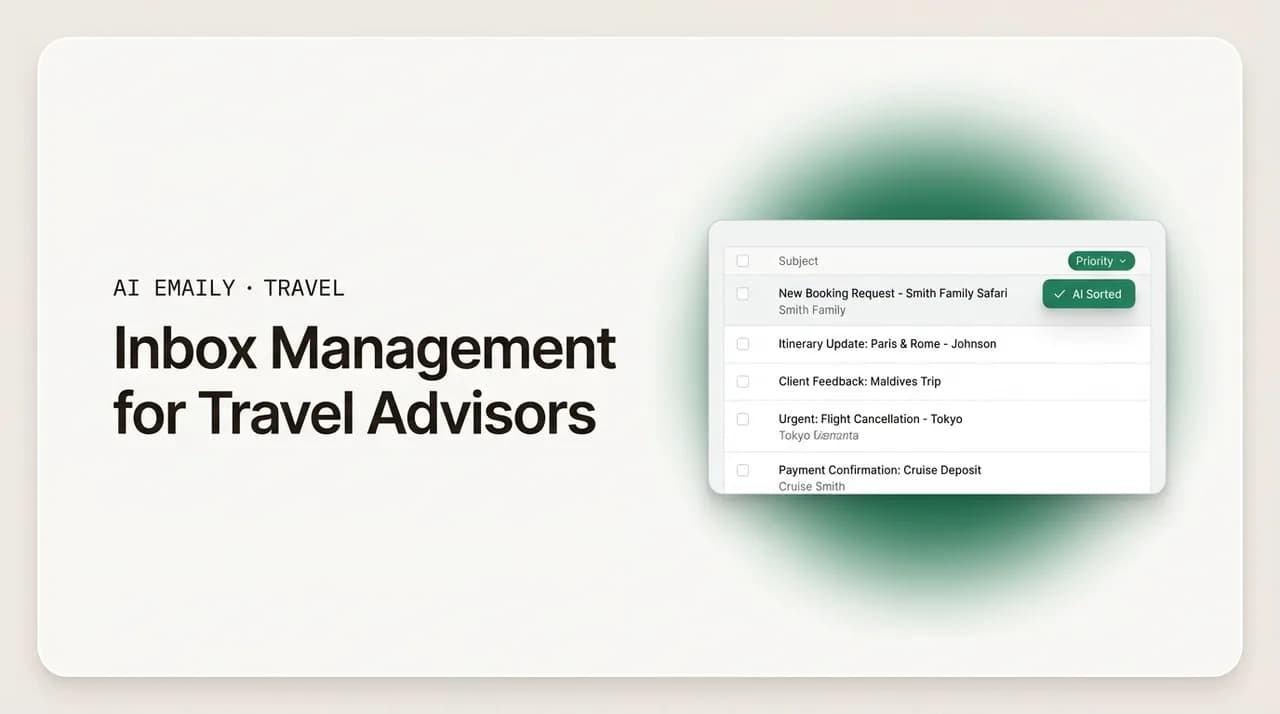
A complete client management system for travel advisors: how to triage the inbox, keep a thread per trip, batch the busywork, separate supplier from client mail, and stay on top of a full book of clients solo without living in your inbox.
On this page
- 01Why client management for travel advisors is really an inbox problem
- 02Why do travel advisor inboxes overflow?
- 03How should a travel advisor triage the inbox?
- 04Why should you keep one thread per trip?
- 05Which travel advisor emails should be templates?
- 06How do you batch email so it stops eating the day?
- 07How do you separate supplier mail from client mail?
- 08Where does a CRM fit with your inbox?
- 09How do you manage a full book of clients as a solo advisor?
- 10How do you survive seasonal spikes without burning out?
- 11How can AI Emaily help travel advisors manage the inbox?
- 12Putting the system together
Why client management for travel advisors is really an inbox problem#
Ask a home-based travel advisor where their day goes and you will rarely hear "designing itineraries" or "selling trips." You will hear "email." The inquiry that came in at 11 p.m. and needs an answer before the client shops elsewhere. The deposit that is due Friday for a client who has gone quiet. The supplier reply buried under a promotional blast. The host-agency notice you meant to read. The pre-trip checklist you owe a family flying out next week. Client management for travel advisors, in practice, is inbox management, because the inbox is where every client, supplier, and partner touches your business, and it is the one surface where a dropped message costs you real money.
This is not a personal-discipline failure. It is structural. The modern advisor is overwhelmingly a solo operator with no support staff. Roughly two-thirds of advisors work home-based as independent contractors, according to industry research, which means there is no assistant to catch the reminder you forgot, no front desk to field the inquiry while you are on a supplier call, and no colleague to cover the inbox while you are asleep in a different time zone from a client. Every reply, confirmation, and nudge is a personal task, and they all land in the same undifferentiated stream.
The stakes are higher than they look, too, because email is the medium where speed converts. Research shared by Travel Weekly and summarized by industry analysts found that agencies using a travel CRM responded to leads about 33% faster and saw roughly 25% more lead conversions. Faster replies win more trips. But you cannot reply fast to everyone if your inbox is a flat list of two hundred unread messages with no way to tell the client deciding between two cruises from the newsletter you will never read. The advisors who feel calm are not answering more email than everyone else. They have a system that decides, for each message, what it is and when it gets handled.
This guide lays out that system end to end. We will start with why advisor inboxes overflow in the first place, because you cannot fix a flood you do not understand. Then we will build the system in layers: a triage habit that sorts every message in seconds, a thread-per-trip structure so a client's whole journey lives in one place, a small library of templates for the replies you send on every booking, a batching rhythm that keeps email from eating the day, and a clean separation between supplier and client mail. We will cover how to carry a full book of clients as a solo advisor, how to survive seasonal spikes without burning out, and, honestly, where an AI email client like AI Emaily can take the repetitive weight off your hands, and where you should keep your own hands firmly on the wheel.
Why do travel advisor inboxes overflow?#
Before you can manage the inbox, it helps to see clearly what is actually flowing into it. A travel advisor's inbox is not one stream; it is five different streams braided together, each with its own rhythm, urgency, and failure mode. When they all land in the same place with the same visual weight, the inbox becomes noise, and noise is where bookings and deadlines go to die.
- New inquiries. The lifeblood of the business and the most time-sensitive mail you get. A prospect who emails three advisors and books the one who answers first is not being disloyal; they are being human. Every hour an inquiry sits unanswered is a measurable drop in your odds of winning the trip.
- Active-trip client mail. Once a client books, the conversation does not stop, it multiplies: passport questions, seat requests, dietary notes, "can we add a night in Rome," excited links to restaurants. Each active trip is a slow-burning thread that can span months and dozens of messages.
- Supplier and vendor mail. Cruise lines, tour operators, DMCs, hotels, and insurers all email you, often about time-sensitive things like a cabin hold expiring, a rate that changed, or a document you need to action. This mail is operationally critical but easy to lose because it does not feel like "a client waiting."
- Host agency and accreditation mail. If you work under a host, you get a steady drip of commission statements, supplier promos, training invitations, policy updates, and portal notices. Most of it is not urgent, but some of it is, and the important note hides in a stream you have learned to ignore.
- Promotions and marketing. Supplier flash sales, FAM trip offers, webinar invites, industry newsletters. Genuinely useful for your business, genuinely capable of burying a client's deposit reminder under twelve subject lines shouting about savings.
Now layer on the two multipliers that make advisor email uniquely punishing. The first is repetition. A large share of what you send is the same handful of messages over and over: the inquiry acknowledgment, the booking confirmation, the deposit-due reminder, the final-payment nudge, the pre-trip checklist, the welcome-home note. On every single booking. If you write each one fresh, you are re-typing your business a hundred times a year. The second is time-sensitivity. Cabins, promotional fares, and group room blocks move fast, and they do not wait for you to get to inbox zero. A reply that would have won the booking on Tuesday is worthless on Thursday once the price moved.
Put those together and you get the signature advisor bind: the mail that repeats the most and the mail that matters the most are tangled together in a single flat inbox, and you are the only person available to sort them. The rest of this guide is about untangling that, permanently, with a system rather than heroics.
The five streams are the whole game
How should a travel advisor triage the inbox?#
Triage is the single highest-leverage habit in client management for travel advisors, and it is the foundation everything else sits on. The principle is borrowed from an emergency room: when you cannot treat everyone at once, you sort first and treat second. Applied to email, it means that when you open your inbox, your first job is not to answer anything. Your first job is to decide, for each message, what it is and what happens to it. Sorting is fast; answering is slow. Do all the fast work first, and the slow work becomes a short, clear list instead of an intimidating wall.
The trap most advisors fall into is treating the inbox as their to-do list. An email arrives, they read it, they feel the weight of owing a reply, and they leave it unread as a reminder to come back. Do that a hundred times and the inbox becomes a graveyard of half-remembered obligations where the newsletter and the deposit reminder look identical. The fix is a rule you never break: the inbox is a sorting station, not a storage unit. Every message gets sorted into a bucket within seconds of you seeing it, and the bucket, not the unread flag, is what carries the work forward.
Here is a five-bucket system that maps cleanly onto the five streams above. It is deliberately small, because a triage system with fifteen labels is one you will abandon by Thursday.
| Triage bucket | What lands here | Target response | How to handle it |
|---|---|---|---|
| Hot lead / new inquiry | A prospect asking about a trip, a referral, a quote request. | Same day, ideally within a couple of hours. | Acknowledge immediately with a template, even if the full quote comes later. Speed of first reply is what wins the booking. |
| Action needed (active client) | A booked client's question, change request, or document you owe. | Same or next business day. | If it is a two-minute reply, do it now. If it needs work, move it to your trip thread and put the deadline on your calendar, not in the unread count. |
| Supplier / operational | Cabin hold expiring, rate change, docs to action, booking confirmations from vendors. | By the deadline in the message. | Time-critical ones get actioned in your next email window. File the rest against the relevant trip. Never let these sit in the general stream. |
| Read later (host / promo / news) | Host notices, supplier promos, FAM offers, newsletters, training invites. | No deadline; skim on your schedule. | Auto-filter into a folder. Skim once a day or once a week. It should never touch your main triage view. |
| Waiting on someone else | You have replied; the ball is in a client's or supplier's court. | Follow up on a set date. | Snooze or flag with a follow-up date so it resurfaces if they go quiet. This is where quiet deposits get saved. |
The two buckets advisors most often skip are the last two, and they are the ones that quietly cost the most. "Read later" is what protects your attention: if host mail and promotions auto-filter out of your main view, your triage session only ever shows you mail that involves a real person waiting on you. And "waiting on someone else" is what protects your commissions. A client who has not paid their deposit is not going to email you to remind you they owe money. If you rely on noticing their silence, you will miss it. If every sent-and-waiting message has a follow-up date attached, the system reminds you, and you catch the lapse before the booking cancels.
The mechanics of this vary by email client, but the concepts are universal. Use folders or labels for the buckets, filters to route promos and host mail automatically, and a snooze or follow-up-date feature for the "waiting" pile. The goal is that a triage pass takes five minutes and ends with an empty main view and a short, honest list of things that genuinely need you.
Triage first, then answer, never both at once
Why should you keep one thread per trip?#
Triage tells you what to do next. A thread-per-trip structure tells you the story of each client so you can actually do it well. This is the second pillar of client management for travel advisors, and it is the one that separates advisors who look effortlessly on top of things from advisors who have to reconstruct a client's history from a dozen scattered emails every time they get a question.
The problem is that a single trip generates communication over a long timeline and across several channels. A honeymoon booked in January and traveling in September might involve the initial inquiry, three rounds of itinerary options, the booking confirmation, a deposit reminder, two change requests, a final-payment nudge, a document handoff, a pre-trip checklist, and a welcome-home note, plus the supplier confirmations that back each of those. If those messages live as separate threads scattered by date across your inbox, then when the client emails "quick question about our transfer," you have to hunt through months of mail to remember which transfer, booked through whom, and whether it was already changed once.
Keeping one thread per trip means all of that history lives in a single place you can open and read top to bottom. There are a few ways to achieve it, and the right one depends on your tools:
- 1
Reply within the existing thread whenever you can
The simplest version costs nothing: when a client emails about a trip, reply on the existing chain rather than starting a fresh email. Consistent subject lines keep the conversation stitched together in most email clients. It is a small habit that compounds enormously over a booking's life.
- 2
Use a consistent subject-line convention
Adopt a format like "[Smith – Italy Sept 2026]" and keep it in the subject for every message about that trip, client-facing and internal. It makes the trip searchable in one query and groups related mail visually even when threading breaks.
- 3
Label or tag by client and trip
Apply a label or tag per client, or per trip for repeat clients, so you can pull up everything about one journey with a click. This is your lightweight CRM inside the inbox, and it survives even when a client starts a brand-new email chain.
- 4
File supplier confirmations against the trip
When the cruise line or tour operator sends a confirmation, file or tag it to the same trip. Now the client-facing thread and the operational paper trail live together, so answering "is our excursion confirmed?" takes seconds, not an archaeology session.
The payoff shows up at exactly the moments that matter most: when a client emails with a question and expects you to remember their trip instantly, and when something goes wrong and you need the full history fast. An advisor who can open one thread and see the entire arc of a booking answers with confidence and specificity, which is precisely the white-glove attention clients are paying an advisor for instead of booking themselves online. An advisor rummaging through scattered mail answers slowly and vaguely, and the client feels it.
This structure also makes you resilient. If you are away, or if you eventually bring on help, a clean thread-per-trip system means anyone can pick up a client's file and understand where things stand without a briefing. It is the difference between a business that lives in your head and one that lives in a system you can actually step away from.
Which travel advisor emails should be templates?#
Once your inbox is sorted and each trip is a coherent thread, the next win is eliminating the re-typing. A huge fraction of an advisor's daily writing is not creative or personal at all; it is the same operational message, sent on every booking, with the names and dates swapped. Writing those from scratch each time is the purest form of wasted effort in the business. Templates, sometimes called canned responses, snippets, or saved replies, turn a five-minute email into a fifteen-second one and, just as importantly, ensure you never forget a step because the checklist is baked into the template.
The test for whether something should be a template is simple: if you have written roughly the same message three times, it should be a template. Here are the ones nearly every advisor sends and should never write from a blank page again:
- Inquiry acknowledgment. The instant "got your message, here is what happens next" reply that goes out the moment a lead lands, buying you time to build the real quote while the prospect feels attended to. This one is worth more than any other because speed of first response is what converts.
- Booking confirmation. The clean summary of what is booked, what it costs, and what comes next, sent when a trip is locked in. Same skeleton every time; only the details change.
- Deposit-due and final-payment reminders. The gentle, friendly nudge with the amount and the deadline. These are the emails that protect your commissions and the ones advisors most dread writing repeatedly, which is exactly why they should be templated.
- Pre-trip checklist. Passports, visas, insurance, check-in windows, what to pack, how to reach you in an emergency. A structured template guarantees you never omit a step, and clients read it as thorough professionalism.
- Document delivery. "Here are your final documents, please review and confirm." Templated, with a clear call to confirm receipt so nothing is missed on the eve of travel.
- Welcome-home and review request. The note after they return that keeps the relationship warm and, when the trip went well, gently asks for the review or referral that grows your book.
A word of caution that matters especially at the luxury and bespoke end of the business: templates are a starting point, not a finished product. The skeleton should be saved; the flesh should be personal. A booking confirmation that reads like a system-generated receipt tells a client you see them as a transaction. The winning approach is a template that carries the structure and the boilerplate, plus one or two genuinely personal lines, a callback to the anniversary they mentioned, a note about the restaurant you know they will love, that prove a human who knows them wrote it. Templates buy you the time to write those personal lines. They are not an excuse to skip them.
Store your templates wherever they are one keystroke away: your email client's canned-responses feature, a text-expander tool, or a simple document you copy from. The exact mechanism matters far less than the habit of never re-typing an operational email. Every time you catch yourself writing something you have written before, stop and save it. Within a month you will have a library that handles most of your outbound volume.
Template the structure, personalize the substance
How do you batch email so it stops eating the day?#
The most exhausting way to run an advisor business is to treat the inbox as an always-open interrupt. Every ping pulls you out of whatever you were doing, and "whatever you were doing" is usually the high-value work, designing an itinerary, building a quote, that actually earns your commission. Constant context-switching does not just waste the minutes spent reading each email; it taxes every task in between, because your attention never fully lands anywhere. Batching is the antidote: you process email in a few defined windows a day instead of continuously, and you protect the rest of the day for deep work.
The mechanics are straightforward, and they pair perfectly with the triage system:
- 1
Set two or three email windows a day
A morning window to catch anything urgent from overnight and clear hot leads, a midday window, and an end-of-day window to tie off loose ends. Outside those windows, the inbox is closed. Most client mail does not need a reply within the hour, and the mail that genuinely does, you can catch in the next window.
- 2
Triage the whole batch first, then answer
Open the inbox, sort everything into buckets in one fast pass, then work the buckets in priority order. Do not answer as you sort. This is the single biggest speed unlock in a batching session.
- 3
Do the two-minute replies immediately, defer the rest
If a message can be answered in under two minutes, answer it during the batch. Anything longer, a full quote, a custom itinerary note, becomes a scheduled task with its own time block, so it does not clog the window.
- 4
Handle time-sensitive leads on a shorter leash
Hot leads and expiring cabin holds are the honest exceptions. Set a filter or notification for genuine inquiries and time-critical supplier mail so those, and only those, can reach you between windows. Everything else waits.
- 5
Close the inbox between windows
Literally close the tab or app. An inbox you can see is an inbox you will check. Protecting the gaps is what makes batching work, because the point is not to answer email faster; it is to spend fewer, calmer stretches on it and more time on the work only you can do.
Batching feels counterintuitive at first, because the fear is always that a client will email and you will look slow. In practice the opposite happens. An advisor who answers thoughtfully twice a day looks more professional than one who fires off harried one-liners at all hours, and the batching discipline is what makes room for the fast, template-driven first response to hot leads that actually wins bookings. The clients who need genuinely instant answers, the ones with an expiring hold, are a small minority you can flag for. Everyone else is better served by a rested, focused advisor than a frazzled, always-on one.
How do you separate supplier mail from client mail?#
One of the quiet reasons advisor inboxes feel chaotic is that two very different kinds of mail, client conversations and supplier operations, share one space and one mental mode. Client mail is relational: it wants tone, warmth, and judgment. Supplier mail is operational: it wants accuracy, deadlines, and filing. When they are interleaved, you keep switching between two modes of thinking, and important supplier notices, which never feel as emotionally urgent as a waiting client, slip through the cracks. Separating them is a structural fix that pays off immediately.
The core move is to route supplier and vendor mail into its own space, out of the main client-facing view, without letting it become a black hole. A few complementary tactics:
- Filter by sender domain. Set rules that route mail from known supplier domains, cruise lines, tour operators, your GDS or booking platform, into a supplier folder or label automatically, so it never competes for attention with client mail in your primary view.
- Separate the operational from the promotional. Suppliers send both time-critical operational mail (a hold expiring, a schedule change) and marketing blasts. Route the promos to a "read later" folder and keep only the operational supplier mail where you will see it during your email windows.
- File supplier confirmations against the trip. As covered in the thread-per-trip section, tag or file each supplier confirmation to the client trip it belongs to, so the operational record and the client conversation stay linked even though they live in different streams day to day.
- Give operational deadlines a home outside the inbox. A cabin hold that expires Thursday should live on your calendar or task list the moment you see it, not rely on you re-noticing the email. The inbox is a bad place to store a deadline.
- Keep host-agency mail in its own lane. If you work under a host, their portal notices, commission statements, and training invites are a stream unto themselves. Filter them out of your main view and skim them on a set schedule, so the occasional important policy update does not hide behind a hundred routine ones.
The reason this matters so much for solo advisors is that you are the only safety net. In a larger agency, an operations person watches supplier deadlines while the advisor handles clients. Working solo, both jobs are yours, and the only way to hold both without dropping either is structural separation: distinct spaces, distinct rhythms, and deadlines pulled out of the inbox into a system that actively reminds you. Interleaving the two streams and relying on vigilance is exactly how a missed final-payment date or an expired hold turns into a lost booking and an awkward call to a client.
Where does a CRM fit with your inbox?#
Everything so far can be done in the inbox alone, and for a newer advisor it should be, because a system you actually use beats a sophisticated one you abandon. But as your book grows, a travel CRM, a tool built to track clients, trips, and deadlines, becomes the layer that holds what the inbox cannot. The relationship between the two is worth getting right, because advisors often either avoid a CRM entirely and drown, or buy one and never connect it to the inbox where the actual communication happens.
The clean division of labor is this: the inbox is where communication happens; the CRM is where the record and the reminders live. Your inbox handles the conversation, the triage, the threads, the templates. Your CRM holds the structured data, client contact details, trip records, payment schedules, key dates, and the automated reminders that fire when a deposit is due or a passport expires. The two work best when they feed each other: mail from the inbox logs to the client's record in the CRM, and the CRM's deadlines drive the follow-ups you send from the inbox.
The payoff for closing that loop is not hypothetical. The industry data is consistent that advisors who run a CRM respond faster and convert more, on the order of a third faster and a quarter more conversions in the research summarized by trade analysts. The mechanism is exactly the loop above: the CRM makes sure no lead goes un-followed-up and no deadline goes unnoticed, and the inbox makes sure the follow-up actually gets sent, warmly and on time. Neither tool alone produces that lift. The connection between them does.
You do not need an expensive or complicated CRM to start. Many advisors run a lightweight travel-specific tool, and some begin with little more than a spreadsheet of clients, trips, and key dates paired with a disciplined inbox. What matters is that some system outside your head holds the deadlines, because a solo advisor's memory is the least reliable place to store a final-payment date across a book of fifty active trips. Start simple, connect it to your inbox habits, and upgrade the tooling as the volume justifies it.
Your memory is not a system
How do you manage a full book of clients as a solo advisor?#
The techniques above, triage, threads, templates, batching, separation, a CRM, are the components. Managing a full book of clients solo is about assembling them into a routine that scales past the point where you can hold everything in your head. The moment of truth for most advisors is when the book grows from a handful of trips you can track intuitively to dozens of active bookings at different stages, each with its own next deadline. That is where a system stops being a nice-to-have and becomes the thing standing between you and a dropped ball.
A workable solo operating rhythm looks something like this:
- 1
Start the day with a triage and deadline pass
In your morning window, triage the overnight inbox into buckets and clear hot leads with your acknowledgment template. Then glance at today's deadlines from your CRM or task list, deposits due, documents owed, follow-ups scheduled, so the day's must-dos are set before anything else pulls at you.
- 2
Protect a daily block for the real work
Set aside an uninterrupted stretch for itinerary design, quotes, and supplier calls, with the inbox closed. This is the work that earns commission and cannot be templated, so it deserves your best hours, not the scraps left after email.
- 3
Run your email windows, template-first
In each window, work the buckets in order and lean on templates for the operational mail so the repetitive replies take seconds. Reserve your writing energy for the genuinely personal messages and the custom itinerary notes that clients are actually paying an advisor for.
- 4
Do a weekly book review
Once a week, scan every active trip: what stage is it at, what is the next deadline, is anyone waiting on me or am I waiting on them? This is where you catch the quiet client who has not paid a deposit and the trip that has gone silent, before either becomes a problem.
- 5
Automate the reminders you can, keep judgment for yourself
Let your CRM and templates handle the predictable, repeatable nudges, deposit reminders, final-payment notices, pre-trip checklists, so your attention is free for the parts that need a human: reading a client's mood, handling a complication, designing the trip. The goal is not to remove yourself; it is to remove the busywork so more of you is available for the work only you can do.
The mindset shift underneath all of this is that a full book is not managed by working harder in the inbox; it is managed by building a system that carries the load the inbox cannot. Advisors who try to scale on hustle alone hit a ceiling, and the symptom is always the same: dropped deadlines, slow inquiry replies, and the creeping dread of opening the inbox. Advisors who scale on systems keep the calm they had at ten clients when they reach fifty, because triage, threads, templates, and reminders do the remembering and the sorting, leaving the advisor to do the advising.
How do you survive seasonal spikes without burning out?#
Travel is a seasonal business, and the inbox feels it. Wave season for cruise advisors, the run-up to summer, the holiday-travel rush, a supplier flash sale, all of these can double or triple your inbox volume for weeks at a stretch. Group and destination-wedding advisors feel it even more sharply, because a single event can spawn dense, deadline-driven communication with every traveler at once. The advisors who come through peak season intact are the ones who prepared the system before the wave hit, not the ones who tried to out-hustle it in the moment.
A few tactics make spikes survivable:
- Front-load your templates before the season. Going into a peak, make sure every operational message you will send at high volume, inquiry acknowledgments, confirmations, deposit reminders, checklists, is templated and polished. Peak season is the worst time to be writing operational mail from scratch.
- Tighten triage, loosen perfectionism. During a spike, the acknowledgment-first habit matters more than ever: get a fast, warm holding reply to every lead, then build the full quotes in batches. A quick "I've got you, detailed options coming by tomorrow" keeps a lead warm far better than silence while you craft the perfect response.
- Lean harder on batching, not less. The instinct under pressure is to go always-on and answer everything the instant it arrives. That is exactly when context-switching does the most damage. Hold your windows, protect your quote-building blocks, and trust the system to surface what is urgent.
- Watch the deadlines that cluster in peak. Seasonal spikes bunch up final-payment dates and document deadlines. Your weekly book review becomes a near-daily deadline scan during peak, because the density of things that can lapse goes up sharply.
- Protect yourself from the promo flood. Peak season is also when supplier promotions and flash-sale blasts hit hardest. If your filters route those to a read-later folder, your triage view stays focused on real clients even as the marketing noise triples.
The deeper point is that a good system is what turns a seasonal spike from a crisis into a busy stretch. If your inbox is already chaotic in a normal month, a spike will break it, and you. If you have triage, threads, templates, batching, and reminders running smoothly year-round, a spike just means more volume flowing through channels that already work. You will still be busy, but you will not be underwater, and you will come out the other side with your bookings intact and your sanity mostly so.
How can AI Emaily help travel advisors manage the inbox?#
Everything above works with any email client and a lot of discipline. The honest reality, though, is that the discipline is the hard part, because you are one person doing the job an agency spreads across several. This is exactly the gap an AI-native email client is built to close. AI Emaily is an AI email client that connects to Gmail, Outlook, iCloud, Fastmail, Proton, and any IMAP account, and it acts like an autonomous chief of staff for your inbox, doing the triage, drafting, and follow-up work that would otherwise eat your day, while leaving the judgment calls to you. Here is where it fits the system you have just read, told straight, including where you should keep your own hands on the wheel.
On triage, AI Emaily reads the inbox the way you would and sorts it for you: it can tell a genuine new inquiry from a supplier notice from a promotional blast, surface the hot leads and the time-sensitive supplier deadlines to the top, and route the read-later noise out of your main view. Instead of a flat wall of unread mail, you open a triaged inbox where the mail that involves a real person waiting on you is already separated from the mail that does not. The five-stream problem, the root of the overwhelm, is handled before you even look.
Because it connects every account into one unified inbox, the supplier-versus-client separation and the thread-per-trip structure stop being manual chores. Client mail, supplier confirmations, and host notices from all your addresses land in one place, where they can be organized around the trip and the client rather than scattered by date across separate logins. Smart search means "pull up everything about the Smith Italy trip" is one query, not an archaeology session, so when a client emails a quick question you have their whole history in front of you instantly.
On the repetitive writing, this is where the biggest hours come back. AI Emaily learns how you actually write and drafts the operational mail in your voice, the inquiry acknowledgment, the booking confirmation, the deposit reminder, the pre-trip checklist, so instead of re-typing your business a hundred times a year, you find drafts already waiting for your review. It goes further than static templates, because it drafts against the specific client and trip, pulling in the details so the personal lines that matter at the higher end of the market are there rather than left as blanks to fill.
The part that makes this safe for a client-facing business is the control model. AI Emaily runs in three modes. In Manual, nothing goes out without you. In Copilot, it prepares drafts and queues actions, and you approve every send, which is the right default for anything client-facing and the honest answer for luxury and bespoke advisors who cannot risk a message that reads as automated. In Autopilot, you can let it handle the genuinely templated, low-risk, repetitive mail on its own, the kind of deposit-due reminders and pre-trip checklists that are safe to send with light voice-matching, so the busywork clears itself while you sleep or design trips. Crucially, every action it takes is reversible with undo and recorded in a full audit trail, so you are never guessing what your inbox did on your behalf. You decide, per kind of mail, how much to hand over, and you can start conservative and loosen up only as you learn to trust it.
The line we would draw honestly is the same one this guide has drawn throughout: automate the repetitive and templated, keep the human on the relational. Let AI Emaily triage, draft, and handle the predictable operational nudges. Keep your own judgment on the negotiation, the custom itinerary, the delicate client moment, and, if you are at the white-glove end, the client-facing send itself via Copilot approval. Used that way, an AI email client does not replace the advisor; it removes the admin that was keeping you from being one. You can try it free at app.aiemaily.com/signup, with a Free plan at no cost and Pro at $12.42 per month on the annual plan.
Putting the system together#
Client management for travel advisors is not a personality trait or a matter of working longer hours. It is a system, and the system is buildable in layers. Triage every message into a small set of buckets so the inbox becomes a sorting station instead of a to-do list. Keep one thread per trip so each client's whole journey lives in one readable place. Template the operational mail you send on every booking, and spend the time you save on the personal lines that clients actually pay for. Batch your email into set windows so it stops eating the day. Separate supplier and host mail from client mail so the operational deadlines never hide behind a waiting client. And get every deadline out of your head and into a CRM or task list that reminds you, because a solo advisor's memory is the weakest link in the chain.
Do those things and a full book of clients stops feeling like a flood and starts feeling like a business you run rather than one that runs you. Seasonal spikes become busy stretches instead of crises, because more volume just flows through channels that already work. And where the repetitive weight is genuinely mechanical, the triage, the drafting, the predictable reminders, you can let an AI email client like AI Emaily carry it, on Copilot approval or Autopilot for the safe stuff, always with undo and audit, so that more of your day goes to the thing you actually got into this business to do: designing and selling great trips.
Frequently asked
See it in AI Emaily
Keep reading
Sources

Written by
Nafiul HasanNafiul Hasan is an entrepreneur and AI automation system builder with 10+ years of experience turning messy, manual workflows into reliable automated systems. He designs and ships AI enterprise solutions end-to-end — the agent logic, the data plumbing, and the product people actually use — and founded AI Emaily to give busy professionals their attention back. He writes here from the builder's seat: what works, what breaks, and how to put AI to work without giving up control.