Best Email & CRM Software for Wedding Photographers and Venues (2026)

The short answer
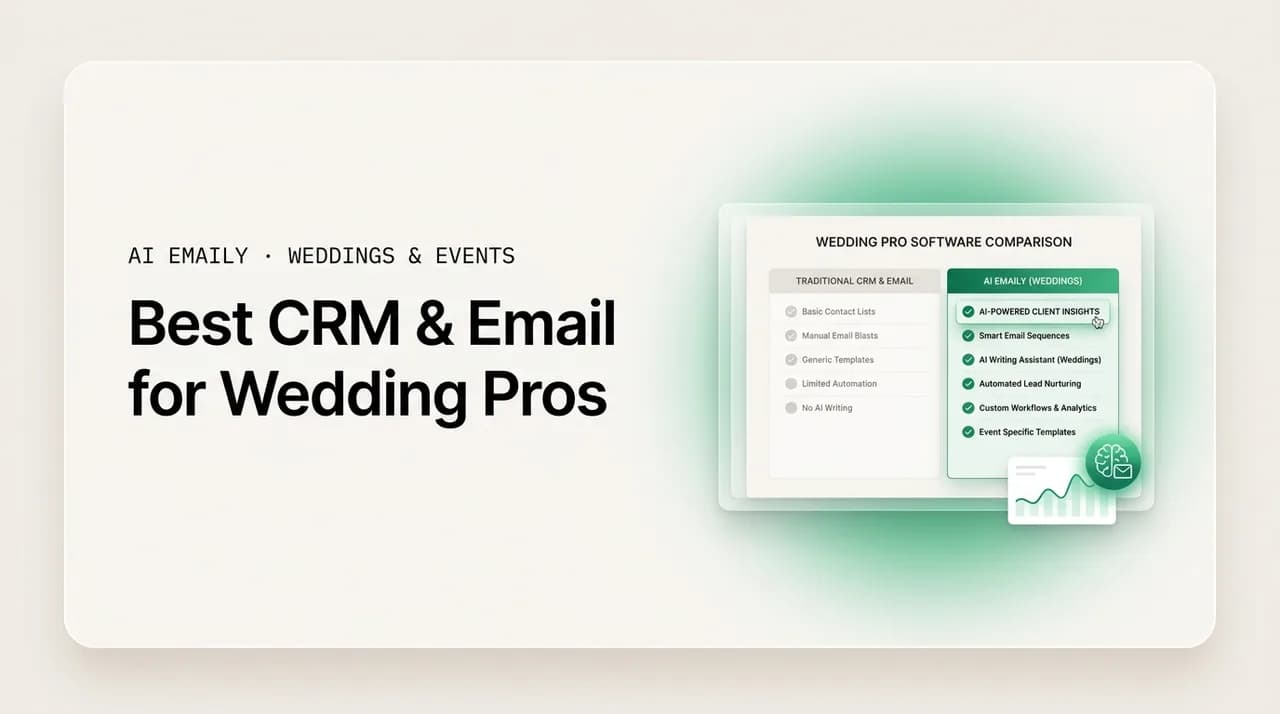
The best CRM for wedding photographers and venues is the one that fits your booking workflow and reply speed. HoneyBook and Dubsado lead for all-in-one contracts and invoicing; Táve and Studio Ninja suit high-volume shooters; 17hats and Sprout Studio cover budget and studio niches. But no CRM replies instantly in your voice — pair a booking CRM with AI Emaily, the AI email layer that answers inquiries the moment they land.
The best CRM for wedding photographers and venues, compared honestly for 2026: HoneyBook, Dubsado, Táve, Studio Ninja, 17hats, Sprout Studio, plus the AI email layer that makes any of them reply faster. Real pros, cons, and who each is for.
On this page
- 01What are you actually shopping for?
- 02What do wedding photographers and venues actually need?
- 03The best CRM and email tools for wedding pros, ranked
- 041. AI Emaily — the AI email layer that replies first (best for reply speed)
- 052. HoneyBook — the all-in-one for solo and small studios
- 063. Dubsado — the deeply customizable workhorse
- 074. Táve — built for high-volume photography studios
- 085. Studio Ninja — the simple, affordable pick for photographers
- 096. 17hats — the budget all-in-one for solo owner-operators
- 107. Sprout Studio — the studio-focused suite with galleries built in
- 118. Gmail or Outlook alone — the free default (and why it is not enough)
- 12How the tools compare at a glance
- 13So which should you actually choose?
- 14How AI Emaily works alongside your CRM
- 15Putting it all together
What are you actually shopping for?#
If you are searching for the best CRM for wedding photographers, or a venue owner hunting for booking software, you have probably noticed that the tools all promise the same three things: fewer dropped inquiries, faster bookings, and less admin. They are not lying. A good client-management system genuinely does move the needle. But the category is crowded, the marketing is loud, and most "best CRM" lists read like a sponsorship page. This one does not. We rank the real tools honestly, name where each one falls short, and are upfront about the one thing every CRM on this list quietly struggles with: replying fast, in your voice, at the moment a couple actually inquires.
That last point matters more than any feature checklist, so it is worth sitting with before you spend a dollar. In the wedding and events world, couples do not inquire with one vendor. They open a browser tab, find five photographers or four venues they like, and email or fill out a form for all of them in a single sitting, often late at night after a long day of planning. The vendor who replies first, warmest, and with the clearest next step tends to get the call, the tour, or the booking. Everyone else is competing for a couple who has already started falling for someone faster. Response speed is not a nice-to-have in this business. It is the business.
So as you read, hold two questions in your head at once. First: which system will actually run my contracts, invoices, questionnaires, and pipeline without making me want to throw my laptop? That is the classic CRM question, and the tools below answer it well. Second, and more quietly: which system will make sure a couple who inquires at 10pm on a Sunday gets a real, warm, on-brand reply before a competitor beats me to it? That is an email problem, not a CRM problem, and it is the gap most of this software leaves wide open.
This guide is written for the people the market punishes hardest for slow replies: wedding and portrait photographers, event venues, and the planners who coordinate them. If you are a solo shooter drowning in your own inbox, a studio trying to keep every associate on-brand, or a venue whose sales team cannot physically build custom quotes 24/7, you are exactly who this is for. We will walk through what wedding pros actually need from their software, rank roughly nine options with real pros and cons, give you a side-by-side comparison table, and then help you decide which combination fits your stage and budget.
A quick word on honesty, because it shapes everything below. We make AI Emaily, and we rank it first, but not as an all-in-one CRM, because it is not one. AI Emaily is the AI-native email and reply layer that sits on top of your inbox and, ideally, alongside a booking CRM. We will be specific about what it does, what it does not, and where a dedicated CRM like HoneyBook or Dubsado still earns its place in your stack. If you want a tool that writes contracts and processes payments, one of them belongs in your workflow. If you want inquiries answered instantly in your own voice so you stop losing bookings to faster vendors, that is the part we built.
What do wedding photographers and venues actually need?#
Before comparing tools, it helps to name the jobs the software has to do. "Best CRM for wedding photographers" is a vague search until you break it into the handful of things that genuinely decide whether you book the wedding. In roughly the order that money flows through your business, here is what matters.
- 1
Fast inquiry response
This is the whole ballgame. Couples inquiry-blast several vendors at once and book the fastest, warmest responder. Studies of venue inquiries put the median first reply around eleven hours, and cutting that to minutes can dramatically lift conversion. Your software has to help you reply now, not after the shoot, not tomorrow.
- 2
Follow-up automation
One reply is rarely enough. The couple is busy, comparing options, and easily distracted. Experienced pros follow up three or more times, spaced out over days, without ever nagging. Doing that by hand for every lead is where most solo creatives quietly fail. The system has to run the follow-up sequence for you and stop the moment they reply.
- 3
Voice-matched, on-brand replies
Couples can smell a canned template. The reply that wins sounds like a warm human who is excited about their date, not a form letter. If you run associates, every one of them has to sound like the brand. Generic auto-responders lose the emotional beat that books weddings.
- 4
A unified inbox across channels
Inquiries arrive through your website form, email, Instagram DMs, The Knot, WeddingWire, and word of mouth. If they scatter across six apps, some fall through the cracks. You need one place where every lead lands and nothing gets lost while you are on-site.
- 5
CRM context: contracts, invoicing, and pipeline
Once a couple is warm, you need to send a proposal, get a contract signed, take a deposit, and track them through booked, paid, and delivered. This is the classic CRM job, and it is where dedicated tools like HoneyBook and Dubsado shine. Your email replies are better when they can see this context.
- 6
Workflows and automation that fit your season
Wedding work is spiky. Inquiries and deadlines cluster around dates. Good software lets you build a workflow once, an inquiry template, a booking sequence, a gallery-delivery reminder, and reuse it every time so you are not rebuilding the wheel under pressure.
Notice how the list splits cleanly in two. The first three jobs, fast response, follow-up, and voice, are email problems. They live in your inbox and they are won or lost in the first hour after an inquiry lands. The last three, unified capture, CRM context, and workflows, are what people usually mean by a "CRM." Most of the tools below are excellent at the second half and merely okay at the first. That is the seam this guide keeps returning to, and it is the reason the fastest-growing wedding businesses increasingly run a booking CRM and a dedicated AI email layer side by side rather than expecting one app to nail both.
One more thing worth saying plainly: the "best" tool depends on your stage. A solo shooter with thirty inquiries a month has different needs than a venue sales team fielding hundreds across six channels, or a studio with five associates who all reply differently. We flag who each tool is for so you are not paying enterprise pricing for a solo problem, or trying to run a busy venue on a tool built for one person.
The two-tool truth
The best CRM and email tools for wedding pros, ranked#
Here is the ranking. AI Emaily comes first because it solves the single highest-leverage problem, reply speed and voice, better than anything else on the list, and because it pairs with rather than replaces the CRM you may already love. After that we rank the dedicated CRMs by how well they fit the range of wedding businesses, with honest notes on where each falls short and exactly who it is for. There is no single winner for everyone; there is a best fit for your stage, volume, and budget.
1. AI Emaily — the AI email layer that replies first (best for reply speed)#
AI Emaily is an AI-native email client with an autonomous chief-of-staff that triages your inbox, drafts replies in your voice, schedules, and closes loops, on every provider and device. It is not a booking CRM, and we will not pretend it is. It does not write contracts or process card payments. What it does is fix the exact problem that loses wedding bookings: it makes sure a couple who inquires gets a warm, on-brand, genuinely useful reply within minutes instead of hours, whether or not you are at your desk, on a shoot, or asleep.
It connects to Gmail, Outlook, iCloud, Fastmail, Proton, and any IMAP account, so every inquiry that hits your email, from your website form, The Knot, WeddingWire, or a direct message forwarded to your inbox, lands in one unified place. Because it learns how you actually write, the drafts come back sounding like you, not like a template. You tell it your pricing, your availability, and how you like to open a conversation, and it produces the kind of first reply that makes a couple feel seen. Then it runs the follow-up: the second and third touch that most solo creatives forget, spaced sensibly and stopped automatically the moment the couple replies.
The control model is what makes this safe for a business where every send is a first impression. AI Emaily runs in three modes. In Manual, it assists on demand, summaries, search, a draft when you ask. In Copilot, it prepares the triage and the drafts in your voice and waits, so nothing leaves without your one-click approval, which is the default we recommend for anything that reaches a prospective couple. In Autopilot, gated and bounded, it can handle the routine, templated inquiry-acknowledgment motion on its own, with full undo and an audit trail of every action it took. You decide how much rope it gets, and you can always see and reverse what it did.
Where it fits your stack: pair it with whichever booking CRM below suits your contracts and invoicing. AI Emaily owns the first hour after an inquiry, the part that wins the booking, and hands a warm, already-engaged couple to your CRM for the proposal, contract, and deposit. For a solo shooter, that means leads stop dying while you are shooting a wedding. For a studio, it means every associate replies fast and on-brand under one voice. For a venue, it means the 10pm Sunday inquiry gets an instant, useful acknowledgment instead of sitting until Monday while a faster venue books the tour.
- Pros: instant, voice-matched inquiry replies across every provider; automatic multi-step follow-up that stops when the couple responds; one unified inbox for email from all your lead channels; Copilot approval before send with undo and a full audit trail; connects to Gmail, Outlook, iCloud, Fastmail, Proton, and IMAP; a free plan and bring-your-own-key option.
- Cons: it is the email and AI layer, not an all-in-one CRM, so it does not build contracts, send invoices, or process payments; you pair it with a booking CRM for those. It is newest to the category, so it does not carry the years of wedding-specific template libraries that HoneyBook or Táve have accumulated.
- Who it is for: any wedding photographer, venue, or planner who is losing bookings to slow replies, and anyone who wants their existing CRM to feel ten times faster at the top of the funnel. Best for solo shooters, studios protecting one brand voice, and venue sales teams that cannot staff the inbox around the clock.
- Pricing: a Free plan at no cost with the full client and AI credits to try the agent, and Pro at $12.42 per month on the annual plan. Bring your own AI key on the Autopilot or Team plan and credits do not apply.
Why we rank it first, honestly
2. HoneyBook — the all-in-one for solo and small studios#
HoneyBook is probably the name you have heard most, and for good reason. It is a genuinely polished all-in-one client-management platform aimed squarely at creative small businesses, wedding photographers very much included. In one place you get lead capture through contact forms, proposals, contracts with e-signatures, invoicing and payments, scheduling, and automated workflows that move a client from inquiry to booked to paid. For a solo creative or a small studio that wants a single, friendly system to run the whole client journey, it is one of the easiest to adopt.
Its strengths are breadth and approachability. The templates are wedding-friendly, the client-facing documents look professional out of the box, and the automations, sending a brochure when someone inquires, nudging a client to sign, reminding them a payment is due, are simple enough to set up without a consultant. Payments are built in, so you are not stitching together a separate processor. For many solo photographers, HoneyBook alone replaces three or four disconnected tools.
The honest cons: HoneyBook's automation is capable but not deeply customizable, so studios with intricate, conditional workflows sometimes feel boxed in. Its email and inquiry replies are template-driven rather than genuinely voice-matched, so the first-response experience can feel canned unless you write every reply yourself, which is exactly the slow, manual work that loses fast-moving couples. And pricing scales in a way that can feel steep once you are past the basics. It is excellent at the CRM half of the job and merely average at the reply-speed-and-voice half, which is why many HoneyBook users pair it with a dedicated AI email layer.
Who HoneyBook is for
3. Dubsado — the deeply customizable workhorse#
Dubsado is the tool for people who love to build. Where HoneyBook keeps automation friendly and bounded, Dubsado hands you a far more configurable engine: detailed workflows, conditional logic, custom forms and questionnaires, canned email templates, contracts, invoicing, and scheduling, all knit together into automations that can genuinely run large parts of your client experience hands-off once you have set them up. For a photographer or planner with a specific, opinionated process, Dubsado can model it almost exactly.
That power is its blessing and its curse. The pros are real: near-limitless workflow customization, robust forms, strong contract and invoicing tools, and automations deep enough to feel like a second employee once dialed in. The cons are equally real: the learning curve is steep, and a meaningful number of new users bounce off the setup before they ever feel the payoff. It is the kind of tool that rewards a weekend of configuration and punishes anyone hoping to be running in an hour. Some users hire a certified Dubsado specialist just to get set up, which tells you something about the complexity.
On the email front, Dubsado's canned templates and workflow emails are powerful for sequencing, but they are templates. They do not adapt to the specific couple in the specific tone that a warm human reply carries, and they will not learn your voice. For the automated, behind-the-scenes client journey, Dubsado is superb. For the warm, fast, human-sounding first reply that wins the booking, it is still a template engine, and pairing it with an AI email layer covers that seam.
Who Dubsado is for
4. Táve — built for high-volume photography studios#
Táve (styled Táve, sometimes written Tave) is one of the longest-running studio-management platforms and a favorite of high-volume and multi-shooter photography businesses. It leans hard into the operational side of a busy studio: detailed job and lead tracking, robust automated workflows, contracts, invoicing and payment plans, and reporting that lets a studio owner actually see the health of the pipeline. If you shoot a lot of weddings, run associates, and need to keep dozens of jobs organized at once, Táve was arguably built for you.
The pros: it is powerful, reliable, and photography-specific in a way that generic CRMs are not, with deep automation and strong bookkeeping-adjacent features like payment schedules and reporting. It handles volume gracefully. The cons: the interface feels dated and utilitarian next to newer tools, and, like Dubsado, it carries a learning curve that can intimidate solo shooters or anyone who wants something pretty and immediate. It is a workhorse, not a showpiece.
Its automated emails and templates keep a high-volume pipeline moving, but as with the others, they are sequenced templates rather than voice-matched, adaptive replies. For a studio protecting one brand voice across several associates, that consistency gap, every shooter replying a little differently, or leaning on stiff templates, is precisely where a shared AI email layer earns its place on top of Táve.
Who Táve is for
5. Studio Ninja — the simple, affordable pick for photographers#
Studio Ninja is a photography-specific CRM designed with one goal: keep it simple. It focuses on the core jobs a working photographer needs, lead capture and inquiry tracking, quotes and contracts, invoicing, a clear workflow pipeline, and calendar integration, without the sprawling complexity of Dubsado or Táve. For photographers who found the bigger tools overwhelming, Studio Ninja is often the relieved landing spot.
The pros: it is genuinely easy to learn, priced reasonably for solo and small operators, and purpose-built for photographers rather than adapted from a generic template. The pipeline view is clear, the automations cover the essentials, and you can be up and running quickly. The cons: that same simplicity means it is less customizable and less feature-dense than the heavyweights, so a large studio or a complex, conditional workflow can outgrow it. It covers the fundamentals well and stops there, which is exactly what some people want and a limitation for others.
On replies, Studio Ninja does what its peers do, workflow emails and templates that keep leads moving, without genuine voice-matching or an autonomous follow-up agent. For a solo photographer who wants a clean, affordable pipeline plus an AI layer that handles the actual fast, warm inquiry replies, Studio Ninja pairs well precisely because it does not try to overreach.
Who Studio Ninja is for
6. 17hats — the budget all-in-one for solo owner-operators#
17hats markets itself to the solopreneur juggling, as the name suggests, seventeen hats at once. It is an all-in-one client-management tool covering lead capture, quotes, contracts, invoicing, online payments, questionnaires, bookkeeping basics, and workflow automation, aimed at solo service businesses on a budget. For a one-person wedding photography or planning business that wants everything in one affordable place, it is a reasonable, no-frills option.
The pros: broad feature coverage for the price, genuinely all-in-one for a solo operator, and a workflow system that can automate the routine steps of onboarding a client. It even folds in light bookkeeping, which appeals to owners who want fewer separate tools. The cons: the interface and overall experience feel less modern and less refined than HoneyBook, and the automation, while present, is less sophisticated than Dubsado's. Teams and studios will find it thin; it is built for one person wearing all the hats, not a crew.
Its email handling is functional, template-and-automation based, and, like the rest, not voice-matched or autonomous. If you are a budget-conscious solo pro who wants an inexpensive all-in-one and is happy to add a dedicated AI email layer for the reply-speed edge, 17hats can hold down the CRM side without straining the wallet.
Who 17hats is for
7. Sprout Studio — the studio-focused suite with galleries built in#
Sprout Studio is an all-in-one built specifically for photographers, and its distinguishing move is bundling client galleries and image proofing alongside the usual CRM machinery. In one platform you get lead and inquiry management, contracts, invoicing, questionnaires, workflows, scheduling, and the gallery-delivery step that most other CRMs push you to a separate tool for. For a wedding or portrait studio that wants booking and delivery under one roof, that consolidation is the pitch.
The pros: a genuinely comprehensive photographer-specific suite, with the galleries-plus-CRM combination saving you from stitching together two systems, plus solid automation and studio-oriented features. The cons: consolidating everything into one suite means each individual piece can feel less best-in-class than a dedicated specialist, the galleries are convenient but not always as powerful as a pure gallery platform, and the breadth can mean a heavier learning curve. It is a lot of software to adopt at once.
As with every CRM here, the inquiry and client emails run on templates and workflows rather than adaptive, voice-matched AI. A studio that likes Sprout's all-under-one-roof model still benefits from layering fast, human-sounding first replies on top, because the delivery-side polish does not help you win the booking if the initial response lags behind a faster competitor.
Who Sprout Studio is for
8. Gmail or Outlook alone — the free default (and why it is not enough)#
Plenty of wedding pros, especially when they are starting out, run their whole business from Gmail or Outlook with a folder system and good intentions. It is free, familiar, and you already have it. For the earliest days, before you have a pipeline worth tracking, it can even be fine. But it is worth being clear-eyed about why the inbox-as-CRM approach breaks down fast in this specific business.
The pros: free, universal, and zero learning curve. Labels, folders, filters, and templates (Gmail's canned responses, Outlook's Quick Parts) let you fake a light workflow. If your volume is tiny, this genuinely works for a while. The cons are the reason CRMs exist: a plain inbox has no pipeline view, so you cannot see who is booked versus who is ghosting; no contracts, invoicing, or payments; no automatic multi-step follow-up, so the couple you meant to nudge on day three quietly slips away; and no real capture of leads arriving from The Knot, forms, or DMs. Worst of all, your inbox becomes a to-do list you have to manually work, and the moment a wedding weekend pulls you away, inquiries go cold.
This is exactly the gap AI Emaily was built to close without forcing you off the email you already use. Because it is an AI-native email client that connects to Gmail and Outlook (and iCloud, Fastmail, Proton, and IMAP), you keep your familiar inbox but gain instant voice-matched replies, automatic follow-up, and a unified view, the intelligence layer a bare inbox lacks. For contracts and invoicing you still add a booking CRM. But if the whole problem is that leads die in your inbox while you work, an AI email layer solves that directly, without ripping out your email.
The inbox-as-CRM trap
How the tools compare at a glance#
Here is the whole field in one table. Read it as a fit guide, not a scoreboard, the right pick depends on your stage and what you already run. The key distinction to watch is the last column: whether the tool actually delivers fast, voice-matched inquiry replies, which is the job most CRMs leave half-done and the reason so many wedding pros pair a booking CRM with a dedicated AI email layer.
| Tool | Type | Best for | Contracts / invoicing | Voice-matched AI replies + auto follow-up | Starting price |
|---|---|---|---|---|---|
| AI Emaily | AI email + reply layer | Fast, on-brand inquiry response for any wedding pro | No (pairs with a CRM) | Yes — core strength; Copilot approval, undo, audit | Free; Pro $12.42/mo annual |
| HoneyBook | All-in-one CRM | Solo and small studios wanting one friendly system | Yes | No — template-driven replies | Paid tiers (mid-range) |
| Dubsado | All-in-one CRM | Power users who want deep workflow customization | Yes | No — canned templates, steep setup | Paid tiers (mid-range) |
| Táve | Studio-management CRM | High-volume, multi-shooter studios | Yes | No — sequenced templates; dated UI | Paid tiers (volume-oriented) |
| Studio Ninja | Photography CRM | Solo photographers wanting simple + affordable | Yes | No — workflow emails only | Lower-cost paid tiers |
| 17hats | All-in-one CRM | Budget solo owner-operators | Yes | No — basic templates | Budget paid tiers |
| Sprout Studio | Photography suite + galleries | Studios wanting CRM and galleries in one | Yes | No — template workflows | Paid tiers (suite pricing) |
| Gmail / Outlook alone | Plain inbox | Absolute beginners, tiny volume | No | No — manual replies, no follow-up | Free |
Pricing shifts over time and most of these tools run tiered plans, so treat the price column as a rough band and check each vendor's current page before you buy. The column that will not change is the AI-replies one: a dedicated AI email layer is still the only category here built to answer inquiries instantly in your own voice and follow up on its own. That is why the honest recommendation for most wedding pros is not a single winner but a pairing.
So which should you actually choose?#
Rather than crown one universal best CRM for wedding photographers, match the stack to your stage. Here is the decision made simple.
- Solo shooter or owner-operator, price-sensitive: run a lightweight CRM like Studio Ninja or 17hats for contracts and invoicing, and put AI Emaily on top so leads stop dying while you are out shooting. The AI layer is where your booking rate actually improves.
- Solo or small studio wanting one friendly all-in-one: HoneyBook for the CRM, plus AI Emaily for fast, voice-matched first replies. This is the most common high-converting combination.
- Detail-obsessed pro who wants total control: Dubsado for deep, conditional workflows, paired with AI Emaily so the human-sounding first reply is not left to a canned template.
- High-volume or multi-shooter studio: Táve for operational depth and reporting, with AI Emaily as the shared voice layer that keeps every associate fast and on-brand.
- Photography studio wanting galleries built in: Sprout Studio for the all-under-one-roof suite, plus AI Emaily to win the booking before delivery ever matters.
- Wedding or event venue: your single biggest lever is response time. Pair whatever booking or CRM system your venue uses with AI Emaily so the after-hours inquiry gets an instant, useful acknowledgment instead of sitting overnight while a faster venue books the tour.
- Just starting out, tiny volume: Gmail or Outlook is fine for now, but add AI Emaily early. The reply-speed habit it builds is the one that compounds into bookings as your volume grows.
The through-line is simple. Every dedicated CRM on this list is good-to-excellent at contracts, invoicing, and pipeline, the operational half of the job. None of them is built to answer a couple's inquiry within minutes, in your voice, with automatic follow-up, the half that actually wins the booking. That is not a knock on them; it is a different problem, and it happens to be the one AI Emaily was built for. Choose the CRM that fits your workflow and budget, then close the reply-speed gap deliberately rather than hoping your inbox does it for you.
How AI Emaily works alongside your CRM#
Because this comes up constantly, here is the concrete picture of the two tools working together, and why it is not redundant to run both.
A couple finds you on The Knot at 10pm on a Sunday and fills out your inquiry form. That form emails your inbox. AI Emaily sees it land, drafts a warm, on-brand reply in your voice that acknowledges their date, shares the right starting details, and proposes a clear next step, a call, a tour, a full quote. In Copilot mode it waits for your one-click approval; on the routine acknowledgment motion you can let Autopilot send it instantly, always with undo and a logged trail. Either way, the couple hears back in minutes, not the eleven-hour median that lets a competitor beat you.
If they do not reply, AI Emaily runs the follow-up sequence, a gentle second and third touch spaced over days, and stops the instant they respond. By the time the couple is genuinely warm and ready to book, you bring in your CRM: HoneyBook, Dubsado, Táve, Studio Ninja, 17hats, or Sprout Studio sends the proposal, the contract for signature, and the invoice for the deposit, then tracks them through booked and paid. AI Emaily owns the first hour that wins the lead; your CRM owns the paperwork that closes it. Neither does the other's job, which is exactly why running both beats stretching one tool across both.
Your mail stays yours
Putting it all together#
The best CRM for wedding photographers and venues is not a single product; it is the combination that fits how you work and, crucially, that fixes the one thing the whole segment is judged on: how fast and how warmly you reply when a couple inquires. HoneyBook and Dubsado lead the all-in-one field, HoneyBook for ease, Dubsado for customization. Táve and Studio Ninja serve photographers specifically, one for volume, one for simplicity. 17hats covers the budget solo operator, and Sprout Studio bundles galleries with the CRM. Any of them will run your contracts and invoices well.
What none of them will do is answer a 10pm Sunday inquiry within minutes, in your voice, and follow up on its own until the couple replies. That is the gap that quietly loses bookings, and it is an email problem, not a CRM problem. So pick the booking CRM that fits your workflow and budget from the honest list above, and then layer a dedicated AI email tool on top to close the reply-speed gap deliberately. Run both, and you get the operational polish of a real CRM plus the first-hour speed that actually wins the wedding.
If you want to feel the difference the reply layer makes, you can try AI Emaily free. Connect the inbox you already use, let it learn your voice, and watch how it changes the first hour after an inquiry, the hour that decides who books the wedding. Start free at app.aiemaily.com/signup, with a Free plan at no cost and Pro at $12.42 per month on the annual plan.
Frequently asked
See it in AI Emaily
Keep reading
Sources

Written by
Nafiul HasanNafiul Hasan is an entrepreneur and AI automation system builder with 10+ years of experience turning messy, manual workflows into reliable automated systems. He designs and ships AI enterprise solutions end-to-end — the agent logic, the data plumbing, and the product people actually use — and founded AI Emaily to give busy professionals their attention back. He writes here from the builder's seat: what works, what breaks, and how to put AI to work without giving up control.