Inbox Management for Wedding & Event Pros (Never Lose an Inquiry Again)

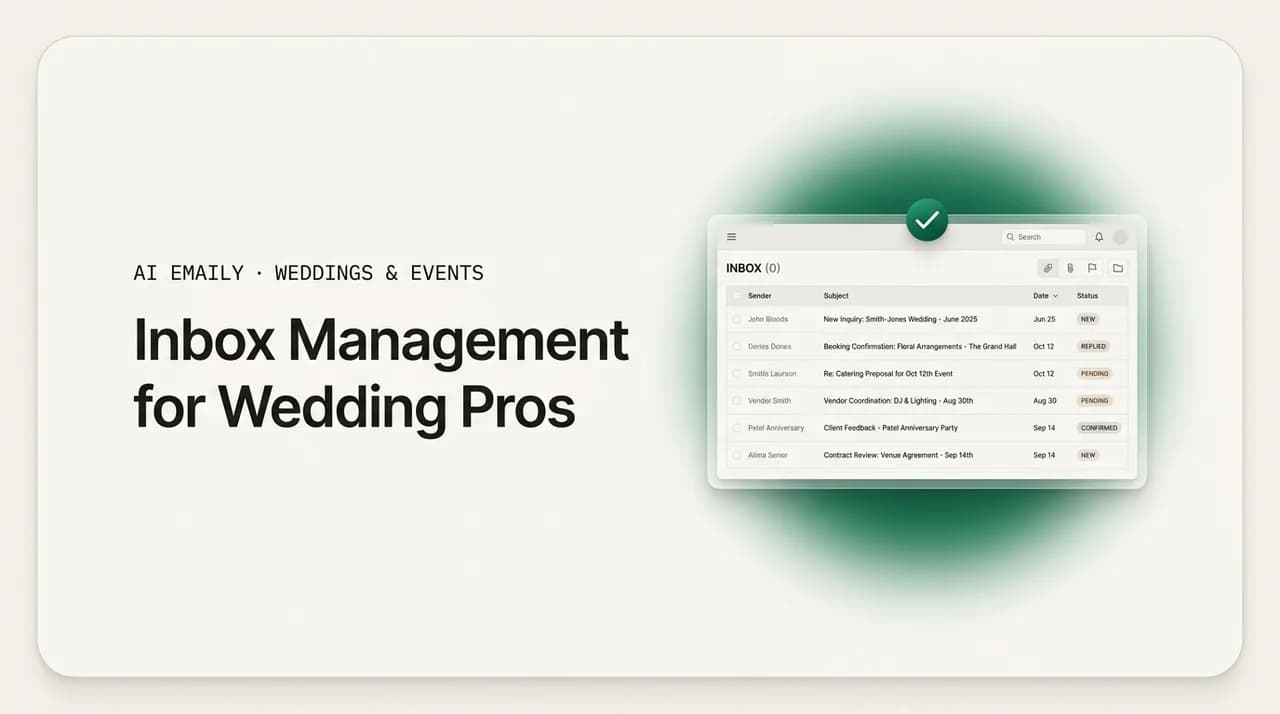
The short answer
Inbox management for wedding professionals fails when you use your inbox as a to-do list and inquiries scatter across six or more channels. Fix it with a triage system: pull every channel into one inbox, sort mail into lead, booked-client, vendor, and admin buckets, answer leads first with saved templates, and batch everything else between shoots. That way no inquiry goes cold while you are on-site.
Inbox management for wedding professionals: a triage-based email system for photographers, planners, and venues so inquiries across The Knot, WeddingWire, Instagram, and your site stop falling through the cracks.
On this page
- 01Why is inbox management so hard for wedding and event pros?
- 02Why does using your inbox as a to-do list lose you bookings?
- 03How do you set up a triage system for a wedding inbox?
- 04Why should new leads always jump the queue?
- 05How do templates make inbox management faster without sounding robotic?
- 06How do you batch email between shoots without leads going cold?
- 07How does inbox management connect to your CRM?
- 08How do you manage a full wedding season without drowning?
- 09How do studios with associates keep one inbox voice?
- 10How does AI Emaily help wedding and event pros manage the inbox?
- 11Putting it all together
Why is inbox management so hard for wedding and event pros?#
Inbox management for wedding professionals is a different problem from inbox management for a desk worker, and pretending otherwise is why most advice does not stick. A person at a desk gets email in one place, from a predictable set of people, during hours when they are actually at a keyboard. A wedding photographer, planner, or venue gets inquiries at ten at night from strangers who emailed four competitors in the same breath, across half a dozen platforms that do not talk to each other, and then spends the entire weekend, the exact window when new couples are reaching out, standing in a field with a camera or running a timeline and nowhere near a reply.
The result is a specific, painful failure mode that almost every creative pro recognizes. You open your inbox on a Sunday night, see thirty unread messages, feel the small jolt of dread, and start triaging in your head instead of on paper: this one is a booked client asking about their timeline, this one is a vendor confirming a delivery, this one is a new couple who found you on Instagram, this one is a payment reminder, this one is spam. You answer the two that feel most urgent, promise yourself you will get to the rest tomorrow, and close the laptop. Three of those thirty were new inquiries. By the time you circle back on Wednesday, at least one has already booked someone who replied on Sunday.
That is the core of it. When your inbox is your to-do list, the loudest and most recent items win, and new inquiries, which are quiet, polite, and easy to defer, lose. The couple does not send a follow-up nudge; they just book the vendor who answered first. You never see the loss. It shows up only as a slower month and a vague sense that leads are drying up, when in fact they were arriving all along and quietly leaking out the bottom of an inbox you were using as a reminder app.
There is a data point behind that dread that is worth sitting with. In the wedding and events world, inquiries do not arrive in one place. According to an industry benchmark on venue inquiry response, wedding inquiries arrive across six or more channels, a web form, email, an Instagram DM, The Knot, WeddingWire, a referral text, and each of those channels has its own notification, its own login, its own inbox, and its own silence when you are not looking. No single one of them is overwhelming. It is the sum, scattered across six apps, that makes it impossible to see the whole picture and impossible to be sure nothing slipped through.
Layer on the timing. Couples inquire in the evenings and on weekends, precisely when you are shooting, coordinating, or resetting a room. A benchmark of venue response times found the median first reply lands around eleven hours after the inquiry, not because venues are lazy but because the inquiry arrives at 10 p.m. Sunday and the human who can answer it is not at a desk until Monday afternoon. Eleven hours in a market where the fastest warm reply tends to win the booking is a structural disadvantage, and it comes almost entirely from how the inbox is managed, not from how hard anyone is working.
So this guide is not a lecture about inbox zero or a pile of folder tips borrowed from an office job. It is a system built for the specific shape of a creative pro's week, feast-and-famine attention, inquiries you cannot afford to lose, booked clients you cannot afford to neglect, vendors and admin that multiply around every event, and long stretches when you are physically unable to touch email. We will build a triage system, put leads first, lean on templates so you are never writing from scratch, batch the rest into the gaps between shoots, connect it to whatever CRM you already use, and cover how to run a full season and a team of associates without the whole thing collapsing.
The one-sentence diagnosis
Why does using your inbox as a to-do list lose you bookings?#
It is worth naming the exact mechanism, because once you see it you cannot unsee it, and it changes how you feel about every unread message. The inbox-as-to-do-list habit fails wedding pros for four compounding reasons, and each one on its own would be manageable. Together they are why leads leak.
The first reason is that an inbox has no sense of priority. Email is sorted by time, newest on top, which means the most important message in your entire business, a new couple ready to spend five figures, sits in the exact same visual weight as a newsletter, a receipt, and a spam message about extended car warranties. Your eye has to do the sorting every single time you open the app, and human attention is a terrible, inconsistent sorter, especially when you are tired after a twelve-hour wedding day.
The second reason is that read does not mean handled. You open the inquiry on your phone between the ceremony and the reception, you read it, you think "I will reply properly tonight," and the moment you close the app the message is now marked read and sinks below the fold. It looks handled. It is not. The single most common way a wedding pro loses a lead is not forgetting to read it; it is reading it, intending to reply, and never having a system that surfaces it again.
The third reason is that follow-up dies. The people who study this are blunt about it: real follow-up takes three or more touches, not one. But an inbox gives you no mechanism for "remind me to nudge this couple in three days if they go quiet." So you send one warm reply, hear nothing back, and the thread scrolls into history. The couple was not uninterested; they were busy, or comparing quotes, or waiting to hear from a partner. A second and third touch would have closed many of them. The inbox simply has no memory for that.
The fourth reason is speed, and it is the one with hard numbers behind it. Research on online sales leads has long shown that the odds of a lead going cold rise steeply with every hour of delay, and the wedding market is an extreme version of that curve because couples deliberately inquiry-blast several vendors at once and reward whoever answers first with warmth and organization. When your inbox management guarantees that inquiries wait until you happen to look, you are structurally handing the fastest, warmest reply to whichever competitor has a better system than a to-do-list inbox.
Put those four together and you get the quiet leak. No dramatic failure, no bounced email, no angry client, just a steady, invisible drip of couples who inquired, got a slow or one-and-done reply, and booked elsewhere. The frustrating part is that the pro on the losing end is often more talented and would have been the better choice. Talent does not survive contact with a disorganized inbox. A system does.
The good news is that all four failures share a single root cause, and therefore a single fix. The root cause is that the inbox is being asked to do a job it was never designed for, hold priorities, remember follow-ups, and route work, on top of just receiving mail. The fix is to stop asking it to do that and instead run a lightweight triage system on top of it. That is what the rest of this guide builds, one layer at a time.
How do you set up a triage system for a wedding inbox?#
Triage is a medical word, and the metaphor is exact. When several patients arrive at once, you do not treat them in the order they walked in; you sort them by urgency and treat the most time-sensitive first. Your inbox is an emergency room every Monday morning, and new inquiries are the patients who will walk out and go to another hospital if they are not seen quickly. A triage system is simply a repeatable way to sort every incoming message into a small number of buckets, then handle each bucket on its own schedule.
The whole system rests on four buckets. Resist the urge to invent more; the power is in keeping the number small enough that sorting is instant and never a decision you have to labor over. Here are the four, in priority order.
| Triage bucket | What lands here | Target response | How to handle it |
|---|---|---|---|
| Lead (new inquiry) | New couples from any channel: web form, email, Instagram DM, The Knot, WeddingWire, referrals. | Within the hour, ideally minutes; same day at the absolute latest. | Instant warm acknowledgment from a saved template, then a personalized follow-up. This bucket always jumps the queue. |
| Booked client | Signed clients asking about timelines, payments, logistics, galleries, or the day itself. | Same day, or within a few hours as the date nears. | Reply directly or from a template; these are relationship-critical but rarely time-to-book sensitive. |
| Vendor & partner | Planners, venues, florists, DJs, second shooters, labs, confirming details or coordinating an event. | Same day or next business day, unless a live event depends on it. | Batch these; most are confirmations that need a short reply, not a decision. |
| Admin & noise | Receipts, contracts to sign, newsletters, software notices, spam, cold pitches. | Weekly, or never for true noise. | Archive, file, or unsubscribe aggressively. This bucket should shrink over time. |
The buckets do the thinking so you do not have to. The moment a message arrives, it belongs in exactly one of these four, and the bucket tells you both how fast to respond and how to handle it. A new couple from an Instagram DM and a new couple from The Knot land in the same Lead bucket and get the same fast, warm treatment, regardless of which app they came through. That is the entire point: the channel stops mattering because the triage bucket takes over.
Here is how to stand the system up in an afternoon. It is deliberately simple, because a triage system you actually maintain beats an elaborate one you abandon in three weeks.
- 1
Pull every channel into one place
You cannot triage six inboxes. Forward your web form, connect your email accounts, and route Instagram, The Knot, and WeddingWire notifications so new inquiries surface in a single inbox you check on purpose. If a platform will not forward, set a hard daily habit of checking it. The goal is one surface where nothing new can hide.
- 2
Create four labels or folders that match the buckets
In Gmail use labels; in Outlook use folders or categories. Name them exactly: Lead, Client, Vendor, Admin. Keep them in that order so the most valuable bucket is always at the top of your eye line. Do not add a fifth without a fight.
- 3
Sort on arrival, not on reply
The habit that makes or breaks triage: when you glance at the inbox, your only job in that first pass is to assign each new message to a bucket, not to answer it. Sorting takes two seconds per message and can happen anywhere, in line for coffee, in the car before a shoot. Answering happens later, in batches, by bucket.
- 4
Set filters to auto-sort the obvious ones
Admin and noise should sort themselves. Build filters so receipts, newsletters, and known software senders skip the inbox and land straight in Admin. Every message a filter catches is one your eye never has to sort, which leaves more attention for the Lead bucket that actually matters.
- 5
Give Lead a visible flag
Whatever your tool allows, star, pin, colored category, make a new inquiry impossible to miss. A Lead should look different from everything else at a glance, so that even on a chaotic wedding morning you can open the inbox, see one flagged item, and know exactly what needs you before anything else.
Notice what this system does not require. It does not require inbox zero, a philosophy that punishes wedding pros for the crime of being busy on weekends. It does not require you to answer everything the moment it arrives, which is impossible when you are on-site. It does not require an expensive tool. It requires only that every new message gets sorted into one of four buckets on arrival, and that the Lead bucket gets a fast, warm reply before anything else. That is a system a solo shooter can run from a phone between a first look and a ceremony.
Triage anywhere, answer in batches
Why should new leads always jump the queue?#
Of the four buckets, one deserves special treatment bordering on obsession, and it is the one most creative pros instinctively deprioritize because it feels less urgent than a booked client's question. That is exactly backwards. A booked client is already yours; a slightly slower reply rarely costs you the relationship. A new inquiry is not yours yet, is actively comparing you to others, and rewards speed more than almost any other factor. The Lead bucket is the only one where a delay of hours can permanently cost you money you will never see.
The market dynamics make this non-negotiable. Couples do not inquire with one vendor and wait; they inquire with several at once, then respond to whoever comes back first, fastest, and warmest. An industry benchmark on venue inquiries found that cutting median response time from around eleven hours to under ten minutes roughly triples booking conversion. That is not a marginal optimization. That is the difference between a full season and a thin one, and it is decided almost entirely by how quickly the Lead bucket gets handled.
So the rule is simple and absolute: leads jump the queue, always. A new inquiry gets acknowledged before you reply to a vendor confirmation, before you file a receipt, before you answer a booked client's non-urgent question. The acknowledgment does not have to be the full, perfect, personalized reply; it has to be fast and warm. "Thank you so much for reaching out, I would love to hear more about your day, I will send full details within the hour" sent in ninety seconds beats a beautiful, detailed quote sent eleven hours later. Speed buys you the conversation; the detail can follow.
This is where the two-touch structure earns its keep. The first touch is the instant acknowledgment, warm, human, sent within minutes, that tells the couple they picked a responsive vendor and buys you time. The second touch is the real reply, the pricing, the availability, the personality, sent within the hour or the same day, once you are at a keyboard and can do it justice. Splitting the Lead response into these two touches means you never have to choose between fast and good. You get fast first, then good.
And then, crucially, the follow-up. Experts who study inquiry-to-booking conversion advise following up on inquiries up to three times, not once. Most pros stop after the first reply, hear silence, and assume the couple went elsewhere. Often they did not; they got busy, or were waiting on a partner, or were slow to compare quotes. A gentle second nudge a few days later, and a third a few days after that, recovers a meaningful share of leads that a single reply would have lost. Your triage system needs a way to remember these follow-ups, because your inbox will not.
One reply is not follow-up
How do templates make inbox management faster without sounding robotic?#
The single biggest speed-up available to a wedding pro is not a faster typing speed; it is never writing the same email from scratch twice. You answer the same five or six situations over and over, a new inquiry, a pricing question, an availability check, a booked-client timeline, a gentle follow-up, a polite decline for a date you cannot take. Writing each one fresh every time is where hours vanish and where the temptation to defer a reply, and lose the lead, comes from. Saved templates remove that friction entirely.
The fear people have about templates is that they sound canned, and a bad template does. The fix is to write templates as scaffolding, not as scripts. A good template gives you the structure, the warm opening, the logical flow, the clear next step, the professional close, and leaves obvious blanks for the two or three details that make it personal: the couple's names, their date, one specific thing they mentioned. You fill the blanks in fifteen seconds and send a reply that reads as though you wrote it just for them, because in every way that matters, you did.
Here is a starter set of templates worth saving. Every wedding pro needs these six, and most of your inbox volume falls into one of them.
- Instant inquiry acknowledgment. The ninety-second warm reply that buys you time: thank them, express genuine interest, promise full details soon, and confirm you have their date noted.
- Full inquiry response with pricing and availability. The detailed second touch: your packages or starting point, availability for their date, a clear next step (a call, a questionnaire, a proposal link).
- Follow-up to a quiet lead. The gentle nudge for couples who went silent, one for the second touch, a softer one for the third, each adding a small piece of value or a low-pressure question.
- Booked-client logistics. Timeline questions, payment reminders, what-to-expect notes, gallery delivery, the recurring messages every signed client needs.
- Vendor coordination. Short confirmations and detail-sharing with planners, venues, and second shooters, the batch-and-clear bucket.
- Gracious decline or referral. For dates you cannot take or work outside your fit, a warm no that keeps the relationship and, ideally, refers them to someone good.
Store these where you can reach them in one or two clicks from inside your email, not in a separate document you have to hunt for, because a template that takes thirty seconds to find is a template you will stop using under pressure. Gmail has canned responses (templates) built in; Outlook has Quick Parts and My Templates; most CRMs built for wedding pros, HoneyBook, Dubsado, Táve, Studio Ninja, keep template libraries a click away inside the inquiry view. Wherever they live, the test is the same: can you fire off a warm, personalized reply to a new inquiry in under two minutes, from your phone, without writing a sentence from scratch? If yes, your Lead bucket will never again lose a couple to slowness.
One refinement worth making as you grow: keep your templates in your own voice, not in generic wedding-vendor boilerplate. Couples can smell a copy-pasted script, and the warmth of your actual voice is often the thing that wins the booking over a competitor whose reply reads like a form letter. The best templates sound like you on a good day, articulate, warm, organized, so that the personalization you add on top lands on a foundation that already feels human.
The two-minute test
How do you batch email between shoots without leads going cold?#
Batching, processing similar tasks together in dedicated windows instead of reacting to each one as it arrives, is the productivity habit best suited to a wedding pro's fractured week, with one critical exception we will get to. The logic is simple: switching between shooting, editing, and answering email a dozen times a day costs you the mental cost of every switch, and none of the three gets your best attention. Batch email into two or three deliberate windows a day and each window gets real focus, the replies are better, and the rest of your day is protected.
The mechanics fit the triage buckets you already built. In each batching window, work the buckets in priority order. Clear the Lead bucket first, full personalized replies to any inquiries you acknowledged earlier, then follow-ups to quiet leads. Then Booked clients. Then Vendors, which are mostly quick confirmations you can clear in a rapid pass. Admin gets a weekly window of its own, or a filter that keeps it out of your face entirely. Working buckets in order means that even if a window gets cut short, you always spent your time on the most valuable messages first.
For a typical week, two to three windows is the sweet spot: one in the morning before editing, one in the early afternoon, and a short evening pass to catch inquiries that arrived during the day. On a wedding day itself, you may get none, and that is fine, as long as new inquiries are still being acknowledged. Which brings us to the exception.
The exception is the Lead bucket, and it is the reason pure batching fails wedding pros where it works for office workers. If you batch everything, including new inquiries, into two windows a day, then a couple who inquires at 9 a.m. waits until your 1 p.m. window for even an acknowledgment, and in a market where minutes matter, you have already lost ground to a faster competitor. Booked clients, vendors, and admin can all wait for a batch window without any cost. New inquiries cannot. They need an instant acknowledgment even when you are mid-shoot and every batch window is hours away.
This is the central tension of wedding inbox management, and for years there was no clean solution to it. You had two bad options: check your inbox obsessively all day, which destroys your focus and your presence at the events you are being paid to capture, or batch strictly and accept that inquiries wait hours for a first reply, which quietly costs you bookings. Most pros ended up doing an exhausting, guilt-ridden version of the first, thumbing out inquiry replies from a bathroom stall at someone else's wedding. Neither option is good, and the whole reason automation entered this picture is to dissolve the tension: instant acknowledgment on the Lead bucket without you touching your phone, and calm batching on everything else. We will come to exactly how in the AI Emaily section.
Batch everything except the first hello
How does inbox management connect to your CRM?#
Most established wedding pros already run a CRM, HoneyBook, Dubsado, Táve, Studio Ninja, Aisle Planner for planners, or a venue platform like Everybooking or Tripleseat, and the natural question is where the inbox ends and the CRM begins. The honest answer is that they overlap, and the overlap is where a lot of leads get dropped, because a message that lives in the inbox is invisible to the CRM and a lead that lives in the CRM is easy to forget when you are working out of your inbox. Getting the handoff right is the difference between a system and two half-systems fighting each other.
The clean division of labor is this. The inbox is where messages arrive and where fast, conversational replies happen, the acknowledgment, the back-and-forth, the human warmth. The CRM is where a lead becomes a tracked opportunity with a pipeline stage, where structured follow-up sequences run on their own schedule, where contracts and invoices live, and where booked clients become projects with workflows. A message should flow from the inbox into the CRM the moment a casual inquiry becomes a real lead you want to track, and from that point the CRM's follow-up automation, not your memory, owns the nudges.
In practice, the workflow looks like this. A new inquiry lands in your Lead bucket. You send the instant acknowledgment from a template. If it is a serious lead, worth their date noted, you create or update the contact in your CRM and drop them into an inquiry pipeline. The CRM now owns the multi-touch follow-up: it will remind you, or send on your behalf, the second and third touches that your inbox would have forgotten. The conversational replies still happen in your inbox, but the memory, the tracking, and the follow-up cadence live in the CRM where they cannot fall through a crack.
The reason this matters so much for the Lead bucket specifically is the follow-up problem we keep returning to. Your inbox has no memory. Your CRM's entire job is memory. If you rely on the inbox to remember that a couple who inquired last Tuesday has not been nudged, you will forget, because you are shooting on Saturday and editing on Monday and the thread has scrolled away. If you rely on the CRM, the nudge fires whether or not you remember, and the lead that would have gone cold gets a second and third chance to book. The CRM is not a nice-to-have for a wedding pro; it is the external memory that makes the three-touch follow-up rule actually happen.
If you do not yet run a CRM, do not let that stop you from building the triage system, the four buckets, templates, and batching work on a bare inbox and will immediately reduce your leak. But as your inquiry volume grows, the follow-up memory is the first thing that breaks, and a CRM (or an email client that can run follow-up sequences itself) is what fixes it. The goal is that no lead ever depends on you remembering to follow up, because in a busy season you will not, and the ones you forget are the ones you lose.
How do you manage a full wedding season without drowning?#
Everything above assumes a steady trickle of email. Peak season laughs at that assumption. In the busy months, inquiry volume spikes at the exact moment your capacity to answer collapses, because you are shooting or coordinating three or four events a week and every spare hour goes to editing and delivery. The inbox that felt manageable in February becomes a genuine threat in June, and this is precisely when the leak turns into a flood and bookings for next year get lost while you are buried in this year's work.
The trap is trying to run peak season the way you run the off-season, reactively, checking email whenever you can, hoping nothing slips. It will slip. The season is won by pros who tighten their system before the wave arrives, not by pros who work harder inside a system that was never built for the volume. Here is what tightening looks like.
- 1
Front-load your templates before the season
In the quiet months, refine and expand your template library so that during the wave you are never writing from scratch. Add seasonal variants, a peak-season inquiry reply that gently notes limited remaining dates, for instance. Going into June with a battle-tested template set is the single best preparation you can do.
- 2
Protect the Lead bucket above all else
When you are underwater, triage ruthlessly toward new inquiries. A booked client's non-urgent timeline question can wait a day in peak season; a new inquiry cannot wait an hour. If something has to slip, let it be an internal or vendor message, never a lead. Bookings for next season are being decided right now, in the Lead bucket, while you are shooting this season.
- 3
Shorten your batch windows but keep them daily
You will not have time for leisurely email windows in June. Shrink them, ten focused minutes, twice a day, is enough to clear leads and urgent client mail if your templates are sharp. What you must not do is skip days, because two skipped days in peak season is where a whole cluster of inquiries goes cold at once.
- 4
Automate the instant acknowledgment entirely
Peak season is exactly when you physically cannot acknowledge inquiries within the hour by hand, because you are on-site four days a week. This is the moment an automated instant reply on the Lead bucket stops being a luxury and becomes the thing that saves your next season. Let the first hello send itself so no inquiry waits, then batch the personalized follow-ups when you surface.
- 5
Set an honest, warm expectation
In peak season, a short line in your acknowledgment that sets response expectations, "we are in the thick of wedding season and I will send full details within 24 hours", buys patience without losing warmth. Couples forgive a clearly communicated 24 hours far more than they forgive silence, and it takes the pressure off you to reply instantly with the full quote.
The through-line of peak-season survival is that the system does the work your attention cannot. In February, willpower and a tidy inbox are enough. In June, willpower is spent on the events themselves, and the only thing standing between you and a pile of lost inquiries is the system, the buckets, the templates, the CRM follow-up memory, and above all the automated instant acknowledgment on the Lead bucket. Pros who build that system in the quiet months coast through the busy ones. Pros who wait until June to fix their inbox spend the season losing the leads that would have filled next year.
How do studios with associates keep one inbox voice?#
A solo shooter has one inbox problem: their own attention is finite and often unavailable. A studio with associates or a small team has a second, subtler problem stacked on top: consistency. When several people, associate shooters, a coordinator, an office manager, all reply to inquiries under one brand name, they reply with different speed, different tone, and different completeness. One associate answers inquiries in twenty minutes with a warm, thorough note; another takes two days and sends three curt lines. To the couple, both are "the studio," and the inconsistent experience quietly undermines the brand you have worked to build.
The fix has two layers. The first is shared templates, the same library, used by everyone, so that a new inquiry gets the same warm, complete, on-brand reply no matter which team member happens to catch it. Templates stop being a personal convenience and become the mechanism that standardizes the booking experience across the whole team. The second layer is a shared triage discipline: the same four buckets, the same rule that leads jump the queue, the same expectation that the Lead bucket is cleared first, applied by everyone, so the studio does not have one fast responder and three slow ones.
Ownership matters too. In a team inbox, the fastest way to lose a lead is diffusion of responsibility, everyone assumes someone else has the inquiry, and no one replies. Assign clear ownership: either a single person triages all incoming inquiries and routes them, or each inquiry is explicitly claimed the moment it arrives. A shared inbox without an ownership rule is worse than a solo inbox, because at least the solo pro knows the buck stops with them. The studio's job is to make sure the buck always stops with a specific, named person for every lead.
The prize for getting this right is real: a studio that replies to every inquiry with the same speed and warmth, in one consistent brand voice, regardless of who is at the keyboard, wins bookings that a studio with an inconsistent inbox loses. And the leverage compounds, because a studio has more inquiries and more people, so a small improvement in triage discipline and template consistency, multiplied across every associate and every inquiry, is a large improvement in booked revenue. This is one of the places where an email client that can enforce a consistent voice and automate the instant acknowledgment across an entire team, not just one person, earns its keep several times over.
One brand, one response experience
How does AI Emaily help wedding and event pros manage the inbox?#
Everything so far works with the tools you already have, an email account, labels, saved templates, a CRM. That is deliberate; the system comes first, and no product replaces a good system. But there is one gap the manual system cannot close on its own, and it is the exact gap that costs wedding pros the most: the instant acknowledgment on the Lead bucket when you are on-site and physically cannot touch your phone. AI Emaily is an AI-native email client built to close that gap, and to run the rest of the triage system on your behalf, without turning your inbox into someone else's autopilot without your say-so.
The honest version of what it does, mapped to the pains in this guide, is this. AI Emaily pulls your accounts into one inbox and acts as an autonomous chief of staff for it, reading, triaging, and drafting so the four buckets sort themselves and the Lead bucket surfaces first. For new inquiries, the safe, highly templated part of your inbox, it can send an instant, warm acknowledgment in your own voice the moment a couple reaches out, whether you are at a keyboard or standing in a field with a camera. It learns how you actually write, so the reply reads like you, not like a form letter, and it can run the multi-step follow-up sequence, the second and third touches most pros forget, on its own, so leads stop going cold while you work.
Where the honesty matters most is control. Inquiry acknowledgment and templated pricing and availability replies are exactly the kind of message that is safe to automate with light voice-matching, which is why they are the strongest fit for hands-off handling. But sending is never taken out of your hands by default. AI Emaily runs in three modes: Manual, where you write everything; Copilot, where it drafts and you approve every send with one tap; and Autopilot, where, for the safe, templated inquiry motion, it can handle the instant acknowledgment and follow-ups on its own, gated, with a full audit trail and one-tap undo on everything it does. You decide how much rope to give it, and you can start with Copilot approving every draft and graduate to Autopilot for just the inquiry acknowledgment once you trust it.
Concretely, for a solo shooter, that means a couple who inquires at 10 p.m. on the Sunday you shot a twelve-hour wedding gets a warm, on-brand reply in your voice within minutes, from an inbox that acknowledged them while you slept, and a follow-up sequence that nudges them on Wednesday and Friday if they go quiet, all of which you can review in the morning and adjust with a tap. For a studio, it means every associate's inquiries get the same instant, consistent acknowledgment in the studio's voice, so the brand no longer depends on which team member happens to be free. For a planner or venue drowning in multi-channel, after-hours inquiries, it means the median first reply drops from hours to minutes on the exact bucket where speed decides the booking.
It also does the quieter inbox-management work this guide describes: smart search so you can actually find that one email from a couple three months ago, drafting so replies to booked clients and vendors come back written and waiting for your approval, and triage so the four buckets are maintained without you sorting by hand. It connects to Gmail, Outlook, iCloud, Fastmail, Proton, and any IMAP account, so it sits on top of the inbox you already have rather than asking you to move. The point is not to replace your judgment or your voice; it is to make sure that no inquiry ever again goes cold because you were doing the work you were actually hired to do. You can try it free at app.aiemaily.com/signup, with a Free plan at no cost and Pro at $12.42 per month on the annual plan.
Putting it all together#
Inbox management for wedding professionals comes down to one shift: stop using your inbox as a to-do list and start running a small, ruthless triage system on top of it. Pull every channel, web form, email, Instagram, The Knot, WeddingWire, referrals, into one place so nothing new can hide. Sort every message into four buckets, Lead, Client, Vendor, Admin, on arrival, in two seconds, before you answer anything. Let the Lead bucket jump the queue every single time, because a new inquiry is the one message where a delay of hours quietly costs you a booking you will never see.
Then make the answering fast and durable. Save templates for the six situations you handle over and over, written as warm scaffolding you personalize in seconds, not canned scripts. Batch booked-client, vendor, and admin mail into two or three focused windows a day, but never make a new inquiry wait for a batch, the first hello must escape the batch. Hand the follow-up memory to a CRM so the second and third touches that most pros forget actually happen. Tighten all of it before peak season, protect the Lead bucket above all else when you are underwater, and, for a studio, standardize the whole thing on shared templates and clear ownership so one brand speaks in one voice.
The one gap the manual system cannot close, the instant acknowledgment on a new inquiry when you are on-site and cannot touch your phone, is exactly the gap an AI-native email client is built to fill, sending a warm reply in your voice within minutes and running the follow-up on its own, always with your approval and an undo. Build the system first; it will immediately reduce your leak. Then let the parts that are safe to automate run themselves, so the next time you are standing in a field with a camera at 6 p.m. on a Saturday, the couple who just found you is already getting a warm hello, and you never lose another inquiry to the simple fact that you were busy doing the work.
Frequently asked
See it in AI Emaily
Keep reading
Sources
- Everybooking — Wedding Venue Inquiry Response Time Benchmark (2026)
- HoneyBook — Rising Tide (small-business and creative-pro resources)
- Harvard Business Review — The Short Life of Online Sales Leads
- HoneyBook — Blog (booking and client-communication guidance)
- Zippia — Email Usage and Response-Time Statistics

Written by
Nafiul HasanNafiul Hasan is an entrepreneur and AI automation system builder with 10+ years of experience turning messy, manual workflows into reliable automated systems. He designs and ships AI enterprise solutions end-to-end — the agent logic, the data plumbing, and the product people actually use — and founded AI Emaily to give busy professionals their attention back. He writes here from the builder's seat: what works, what breaks, and how to put AI to work without giving up control.