The AI Email Assistant for Wedding Photographers & Creative Pros

The short answer
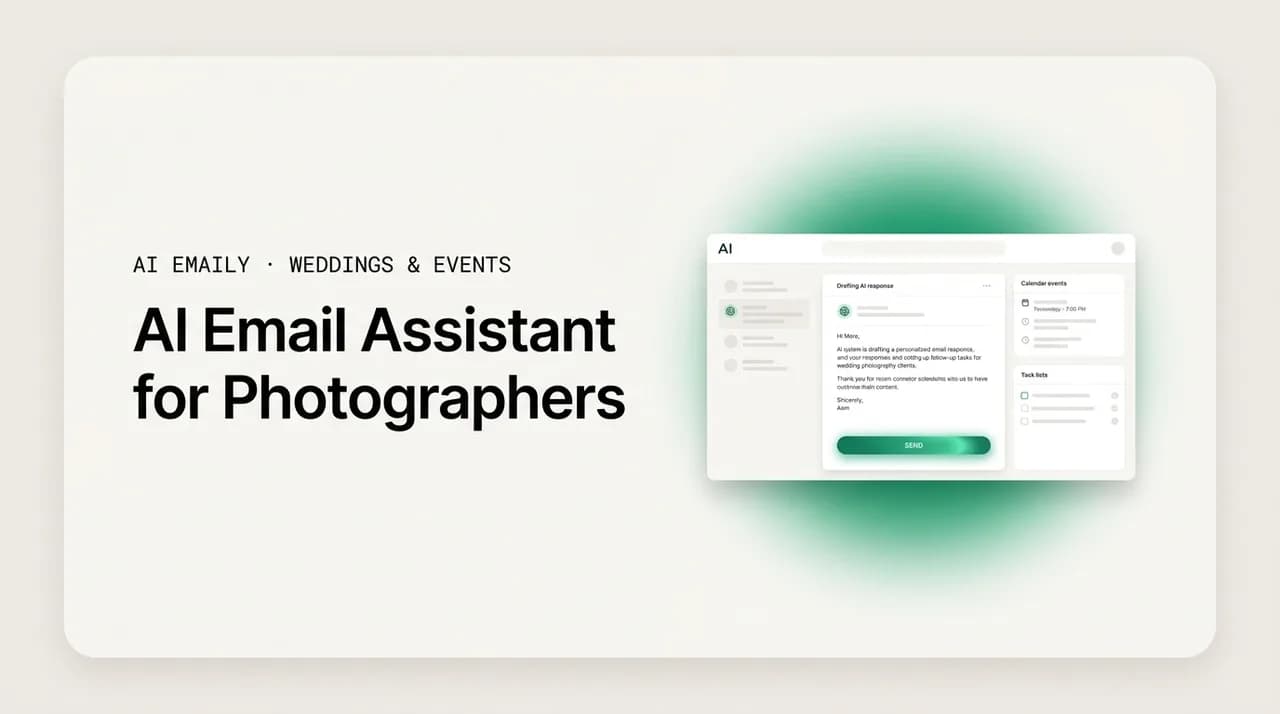
An AI email assistant for photographers reads incoming inquiries, drafts warm on-brand replies in your voice, and runs multi-step follow-up so leads do not go cold while you are shooting. Look for voice matching, a unified inbox across providers, human approval before send, and undo plus an audit trail. AI Emaily does this in Manual, Copilot, and Autopilot modes and complements a CRM like HoneyBook or Dubsado rather than replacing it.
What an AI email assistant for photographers actually does, what to look for, and how AI Emaily replies to inquiries in your voice and runs follow-up on its own — so leads stop dying while you shoot.
On this page
- 01What is an AI email assistant for photographers?
- 02Why solo and small-studio photographers need this most
- 03What should you look for in an AI email assistant?
- 04How the three modes map to a photographer's workflow
- 05The use cases: what it actually handles day to day
- 061. Instant inquiry replies, even at 10 p.m. on a Sunday
- 072. Follow-up sequences that do not stop after one email
- 083. Booking logistics between the yes and the shoot
- 094. Delivery and review requests at the finish line
- 10The honest objections (and honest answers)
- 11"Will it actually sound like me, or like a robot?"
- 12"My clients want a real person, not an AI"
- 13"Is it worth it for a business my size?"
- 14Why AI Emaily fits a photographer's business
- 15How to try it without risking a real client
- 16Putting it all together
What is an AI email assistant for photographers?#
An AI email assistant for photographers is software that sits inside your inbox and handles the sales-and-admin email that a one-person or small-studio creative business runs on: acknowledging new inquiries, answering the same pricing-and-availability questions for the hundredth time, nudging couples who went quiet, and keeping the booking logistics moving between the yes and the wedding day. Instead of you personally typing every reply, the assistant reads what comes in, drafts a response in your own voice, and either hands it to you to approve or sends it within rules you have set. The goal is narrow and practical: keep leads warm and the pipeline moving during the exact stretches when you are behind a camera and cannot look at your phone.
This matters more for photographers than for almost any other kind of small business, and the reason is structural. When a couple starts looking for a wedding photographer, they rarely email one person. They fill out three, five, sometimes ten inquiry forms in a single evening, often late at night after scrolling portfolios. Then they wait to see who replies, and the reply that arrives first, sounds warmest, and answers their actual questions has a disproportionate advantage before anyone has seen a full gallery or a price sheet. The sales motion for a wedding photographer is not really about being the best photographer in the inbox. It is about being the fastest, warmest, most organized responder in a race you usually cannot run, because you spend your best hours shooting other people's weddings.
That is the gap an AI email assistant is built to close. It does not replace your eye, your style, or your relationships. It replaces the part of the job you did not sign up for — the after-hours inbox triage, the third follow-up you always mean to send and never do, the delivery-and-review email you draft from scratch every time. Done well, it means a couple who inquired at 10 p.m. on a Sunday gets a genuine, on-brand reply in minutes rather than three days later, when they have already booked the photographer who answered first.
It helps to be precise about what "AI" means here, because the term is used loosely and the range of what these tools actually do is wide. At the shallow end, an AI email assistant is a glorified template picker: it detects that a message looks like an inquiry and pastes in a canned block of text. At the deep end, it reads the specific message — the date, the venue, the vibe, the questions the couple actually asked — and writes a reply that responds to those specifics in language that sounds like you wrote it, then remembers to follow up on its own if the couple goes quiet.
The difference between those two ends is the whole game. A canned auto-reply that ignores what someone asked can feel worse than a slow human reply, because it signals that you did not read their message. A genuinely context-aware assistant does the opposite: it makes a stranger feel seen, fast, at an hour when no human on your team was awake. Throughout this guide, when we say AI email assistant, we mean the deep end — a tool that reads, drafts in your voice, and can carry a follow-up sequence across days, not a one-line robot.
Assistant, not autoresponder
Why solo and small-studio photographers need this most#
The pain is sharpest for the owner-operator: the solo shooter or small studio where the same person who frames the shot also answers the inquiries, sends the contracts, chases the balance payments, and writes the gallery-delivery email. When you are that person, your calendar has a cruel shape. Your highest-value creative hours — the weekend shoot, the all-day wedding, the editing marathon — are exactly the hours you cannot be in your inbox. And couples, who do not know or care about your schedule, tend to inquire in those same windows: evenings, weekends, the days around a big event when they are deep in planning mode.
So the leads arrive precisely when you are least able to answer them. You come off a nine-hour wedding, exhausted, and there are four new inquiries that came in while you were shooting, each of them now several hours cold, each of them also sitting in three other photographers' inboxes. You mean to reply. You will reply tomorrow, after you cull. And by tomorrow, one of them has booked someone else, and you never even knew you were in the running. Nothing dramatic happened. No one told you no. The lead simply went quiet, and quiet is how most of them die.
Follow-up makes it worse, because follow-up is the part that solo creatives almost universally skip. Industry coaches who work with photographers say the same thing over and over: the money is in the second, third, and sometimes fourth touch, not the first, because most couples are busy and distracted and do not book off a single email. But the solo photographer, buried in shooting and editing, sends one reply and considers the ball in the couple's court. It is not laziness — it is capacity. There is one of you, and there is only so much inbox in a day. The inquiries that would have converted with a gentle nudge on day three and day seven never get the nudge, and they leak away silently.
This is the honest case for an AI email assistant, and it is worth stating plainly rather than dressing it up. You are an artist who happens to also run a sales operation, and the sales operation runs on email during the hours you are least available. No amount of hustle fixes a scheduling conflict that is baked into the shape of the work. You cannot be behind a camera and in your inbox at the same time, and hiring an assistant to sit in your inbox is a real cost with real management overhead that most solo shooters cannot justify.
An AI email assistant is the third option between doing it all yourself and hiring a person: it covers the inbox during the shoot, replies to the 10 p.m. inquiry while you sleep, and sends the follow-up you would have skipped — in your voice, within your rules. It is not a replacement for the relationship you build with a couple once they are engaged in a conversation. It is a way to make sure that conversation starts at all, and keeps going long enough for your actual work to do the convincing.
The real competitor is silence
What should you look for in an AI email assistant?#
Not every tool that claims AI is worth putting between you and a potential client. Your inbox is where first impressions happen and where money changes hands, so the bar is higher here than for, say, an AI tool that summarizes articles. Before you trust any assistant with a real inquiry, it should clear a specific checklist. Below is the shortlist we would apply, roughly in order of importance for a photographer or creative pro.
| What to look for | Why it matters for photographers |
|---|---|
| Voice matching that learns from your real emails. | A reply that sounds like a template is worse than a slow reply. The assistant should study how you actually write and draft in that register, not paste generic boilerplate. |
| Reads the specific inquiry, not just "this is an inquiry." | Couples ask about their date, venue, coverage hours, and style. A reply that ignores those specifics signals you did not read the message. Context-aware drafting signals the opposite. |
| A unified inbox across every provider. | Inquiries land on Gmail, your studio Outlook, a personal iCloud address, sometimes forwarded from a contact form. One inbox that covers them all means nothing slips because it hit the wrong account. |
| Human approval before anything sends (at least as an option). | You should be able to review and approve every client-facing reply until you trust the tool, then loosen the reins on purpose — never have it fire off messages you never saw. |
| Multi-step follow-up that runs on its own. | The booking is usually in the second or third touch. An assistant that stops after one reply solves half the problem. It should stage and send the follow-ups you would otherwise skip. |
| Undo and a full audit trail. | If the assistant sends something, you need to see exactly what went out, to whom, and when — and be able to reverse a mistake. No black boxes near your client relationships. |
| Privacy you can actually stand behind. | Your inbox holds contracts, addresses, and client details. Look for encryption, no training on your mail, and the option to bring your own AI key so your data path is yours. |
| It complements your CRM, not fights it. | If you already run HoneyBook or Dubsado, the assistant should live where email actually happens and hand structured leads onward, not force you to abandon a system that works. |
A note on that last row, because it trips people up. A CRM built for photographers — HoneyBook, Dubsado, Táve, Studio Ninja — is genuinely good at what it does: contracts, invoices, questionnaires, workflows, the paper trail of a booking. What those tools are not is your day-to-day inbox. You still live in Gmail or Outlook, and plenty of the real conversation with a couple happens there, outside the CRM's neat pipeline. An AI email assistant is not a replacement for a CRM and should not pretend to be. It is the layer that makes your actual inbox fast and responsive, and the best ones sit alongside your CRM rather than asking you to rip it out.
How the three modes map to a photographer's workflow#
AI Emaily is built around three modes — Manual, Copilot, and Autopilot — and the reason there are three, rather than a single on/off switch, is trust. You should not have to hand a machine the keys to your client relationships on day one. Instead you start with the assistant on a tight leash, watch it work, and hand over more only as it earns it. The three modes are exactly that dial, and each one maps cleanly onto a part of a photographer's week.
Here is how the three modes line up with the work.
| Mode | What it does | Best for the photographer who... |
|---|---|---|
| Manual | AI on demand. You ask for a draft, a rewrite, or a summary when you want one; nothing happens unless you trigger it. Every word stays under your hand. | ...is brand-new to this and wants to feel how the AI writes before it touches a real client. The safe on-ramp. |
| Copilot | Drafts are staged and waiting in your voice — replies to inquiries, follow-ups, logistics emails — but nothing sends until you click. One review, one approve. | ...wants speed without giving up the final say. The default for client-facing email, and where most photographers should live. |
| Autopilot | Bounded autonomous handling within rules you set: the agent triages, replies, and closes loops on the routine, templated motions on its own, then reports back — always with undo and an audit trail. | ...has watched Copilot draft the same inquiry acknowledgment a hundred times and is ready to let the safe, repetitive stuff run itself. |
The key thing about this design is that it is a progression, not a menu you pick once. A sensible photographer starts in Manual for a week to get a feel for how the assistant writes, moves to Copilot for everything client-facing so they still approve each send, and then — once they have seen the AI draft the same instant-inquiry acknowledgment flawlessly fifty times — turns on Autopilot for just that one safe, highly templated motion while keeping Copilot on the messages that carry more nuance.
That matters because not every email is equal. An instant "thank you, I have your date, here is what happens next" acknowledgment is about as safe to automate as email gets: it is templated, low-risk, and its entire value is speed. A bespoke reply to a couple asking whether you would travel to a remote venue for a three-day celebration is not — that one wants your judgment. The three modes let you automate the first without automating the second. You are not choosing between robotic and manual across your whole inbox; you are choosing per motion, and moving the line as your trust grows.
Start on Copilot, graduate one motion at a time
The use cases: what it actually handles day to day#
Modes are the how; use cases are the what. Below are the four places an AI email assistant earns its keep for a photographer or creative pro, in the rough order a booking travels through them: the first reply, the follow-up, the logistics between yes and shoot day, and the delivery-and-review email at the end. For each, it is worth being concrete about the before and after, because that is where the value is either real or imaginary.
1. Instant inquiry replies, even at 10 p.m. on a Sunday#
This is the flagship use case and the one that most directly moves money. A couple fills out your contact form or emails you at 10 p.m. on a Sunday. In the old world, that message sits until you next check email — after the shoot, after the cull, sometimes two or three days later — by which point they may have already booked the photographer who replied that night. In the new world, the assistant reads the inquiry the moment it lands, sees the date and the venue and the questions they asked, and drafts a warm, specific acknowledgment in your voice: it confirms you have their date, answers or acknowledges what they asked, tells them what happens next, and does it in minutes, not days.
The point is not that a machine wrote it. The point is that a real, on-brand, specific reply reached a stranger during the window when their interest was hottest and your competitors were asleep. Speed here is not a nicety — for inquiry-driven businesses, the odds of actually connecting with a lead drop sharply the longer you wait, which is why sales research on online leads has long emphasized responding in minutes rather than hours. A photographer cannot beat that clock manually while shooting. An assistant can.
On Copilot, that acknowledgment is drafted and waiting for your one-tap approval the next time you glance at your phone between shots. On Autopilot, once you trust it, the safe templated acknowledgment goes out on its own within your rules — with a full record of exactly what was sent — so the couple is warm and engaged before you have even seen the inquiry.
2. Follow-up sequences that do not stop after one email#
If instant reply is the use case that wins the fast bookings, follow-up is the one that recovers the slow ones — and it is the single biggest thing solo photographers leave on the table. The pattern is painfully consistent: you reply once, the couple says "thanks, we'll be in touch," and then life happens and you both go quiet. Coaches who study photographer bookings are blunt that a real follow-up cadence takes several touches, not one, because most couples are juggling a dozen vendors and simply forget. But the second and third nudge are exactly what a busy solo shooter never gets around to.
An AI email assistant runs that cadence for you. After the first reply, it can stage a gentle check-in a few days later, another the following week, each one written fresh in your voice and aware of the conversation so far — not a copy-pasted "just bumping this" that reads like a form letter. If the couple replies, the sequence stops and hands the thread back to you. If they book, it stops. If they go quiet, it keeps the door open on the schedule you set, without you having to remember any of it.
This is where the modes really pay off. On Copilot, each follow-up is drafted and waiting so you approve the touch before it goes — useful while you are learning what cadence feels right for your brand. On Autopilot, the whole sequence runs hands-free within your rules, staging and sending each nudge and reporting back what it did, so the follow-ups you would have skipped actually go out. Every message is logged, and anything the agent sends is reversible, so you are never guessing what a couple received.
The follow-up is where solo pros lose the most
3. Booking logistics between the yes and the shoot#
Winning the booking is not the end of the email work — in some ways it is the start. Once a couple says yes, a steady stream of logistics email begins: confirming the timeline, answering questions about coverage hours and second shooters, coordinating the engagement session, chasing the balance payment, sorting out shot lists and family-photo groupings, handling the inevitable date or detail change. None of it is creative work, all of it has to happen, and most of it is the same handful of questions and confirmations you have answered a hundred times before.
An AI email assistant handles this middle stretch well precisely because it is repetitive and grounded in context it can see. When a booked couple asks how many hours of coverage they have or when the balance is due, the assistant can draft an accurate answer from the thread and your standard terms, staged for your approval on Copilot or sent within rules on Autopilot. When a detail changes, it can draft the confirmation. The tedious, high-volume, low-stakes back-and-forth that clutters your inbox between booking and shoot day is exactly the kind of work you should not be doing by hand at midnight.
This is also where the relationship with your CRM shows its value. Your HoneyBook or Dubsado workflow may own the contract, the invoice, and the formal questionnaire — but the casual "hey, quick question about the timeline" email lands in your actual inbox, and that is where the assistant lives. The two are complementary: the CRM keeps the paperwork straight, the email assistant keeps the conversation moving, and the booked couple feels attended to the whole way through.
4. Delivery and review requests at the finish line#
The last stretch of a booking is delivery and, if you are smart about your business, the review-and-referral ask that follows it. When the gallery is ready, you send a delivery email — warm, on-brand, with the link and any download or print instructions. A week or two after, you follow up with a gentle request for a review on The Knot, WeddingWire, or Google, and a soft nudge toward referrals. These are some of the most valuable emails you send, because reviews and referrals are how the next round of couples finds you, and they are also the ones most likely to fall off the end of a busy season and never get sent.
An AI email assistant closes this loop the same way it opens the first one: it drafts the delivery email in your voice when the gallery is ready, and it can stage the review request as a timed follow-up a couple of weeks later so it actually goes out. On Copilot you approve each one; on Autopilot the safe, templated versions run on their own. The result is that the polite, revenue-generating asks at the end of a job — the ones that quietly build your reputation and your referral pipeline — stop slipping through the cracks when you are already onto the next wedding.
Reviews are a follow-up problem, not a writing problem
The honest objections (and honest answers)#
It would be easy to write this section as a list of objections that fold instantly under a confident sales answer. That is not useful, and you would not believe it anyway. The concerns photographers raise about AI email are real, and some of them are the right instinct. Here is a straight treatment of the three you are most likely to be sitting with, including where the concern is valid and what to actually do about it.
"Will it actually sound like me, or like a robot?"#
This is the objection that matters most, because a reply that sounds like a template is genuinely worse than a slower human one — it tells a couple you did not read their message and do not care to. If an AI email assistant produced generic corporate boilerplate, you would be right to reject it outright. So the honest answer is not "trust us, it sounds great." The honest answer is about how the voice matching works and how you verify it.
AI Emaily learns from how you actually write — your real emails, your phrasing, your level of warmth and formality — and drafts in that register rather than in a house style. But the mechanism that actually protects you is Copilot: for as long as you want, every client-facing draft is staged for your review before it sends. You read it. If it sounds like you, you approve it in a tap. If it does not, you edit it or rewrite it, and the tool learns. You do not have to take voice matching on faith, because nothing reaches a couple without your eyes on it until you have decided, on the evidence of dozens of real drafts, that it sounds like you. Only then do you promote a motion to Autopilot — and even then, every send is logged and reversible.
The practical test is simple: run it in Copilot for a couple of weeks and read the drafts. If they consistently sound like you, you have your answer, and you earned it by checking rather than trusting. If they do not, you have lost nothing, because none of them went out.
"My clients want a real person, not an AI"#
This concern is right about the goal and wrong about the mechanism. Your clients absolutely want to feel that a real person — you — is paying attention to them. What they do not want, and what actually damages the relationship, is silence: an inquiry that goes unanswered for three days, a question that gets lost, a follow-up that never comes. From the couple's side, a fast, warm, specific reply that sounds like you feels like a real person who has their act together. A slow reply or no reply feels like being ignored, regardless of who or what would have written it.
An AI email assistant, used well, produces more of the human experience your clients want, not less. It makes sure the reply arrives while their interest is hot, in your voice, answering what they asked — which is exactly what "a real person is on this" feels like from the outside. And because you stay in the loop on Copilot for anything that carries nuance, the moments that genuinely need your personal judgment still get it. The assistant is not there to fake being you on the conversations that matter; it is there to make sure the routine, time-sensitive touches happen at all, so the deeper conversation you do have is one you actually get to have.
"Is it worth it for a business my size?"#
This is a fair question and the answer depends on your numbers, so do the arithmetic rather than taking a slogan. The cost of an AI email assistant is a modest monthly subscription. The thing it is protecting is bookings — and for most wedding and portrait photographers, a single booking is worth many multiples of a year's subscription. The math turns on one question: does it help you win even one booking a year that you would otherwise have lost to a slow reply or a skipped follow-up? For an inquiry-blasted, follow-up-starved solo business, that is a low bar to clear.
There is also a cost you are already paying that does not show up on an invoice: the hours you spend in your inbox at night, the mental load of remembering who needs a nudge, the low-grade anxiety of knowing leads are going cold while you shoot. An assistant that reclaims those hours and lifts that load has value even before you count a single recovered booking. AI Emaily is free to start, so the honest way to answer the worth-it question is not to argue about it — it is to connect a mailbox, run it in Copilot through a normal week of inquiries, and see whether the drafts are good and whether anything you would have missed got caught. If it earns its place, you keep it. If it does not, you have spent nothing.
The break-even is one booking
Why AI Emaily fits a photographer's business#
There are a growing number of AI email tools, and many of them are aimed at corporate inbox-zero productivity — clearing a knowledge worker's flood of internal threads. That is a different problem from the one a photographer has. Your inbox is not mostly internal noise; it is a sales pipeline of strangers who inquired at once and will book the fastest warm responder, plus the logistics of the bookings you have already won. AI Emaily is built as an AI-native email client with an autonomous chief-of-staff for exactly that kind of inbox: it triages, drafts in your voice, schedules, and closes loops, and it does it across every provider and device while keeping you in control.
The features that matter for a creative business line up directly with the use cases above. It connects Gmail, Outlook, iCloud, Fastmail, Proton, and any IMAP account into one unified inbox, so the inquiry that came into your studio Gmail and the one forwarded from your contact form both land in the same place and neither slips. It drafts replies and follow-ups in your voice rather than a generic template. It runs the three modes — Manual, Copilot, Autopilot — so you control exactly how much autonomy to grant, motion by motion, and move the line as trust grows. And because it is real email, it works alongside the CRM you already run rather than asking you to abandon it.
Two things underpin all of that and are worth calling out on their own, because they are what let you actually trust an assistant near your client relationships. The first is control and reversibility: Copilot requires your approval before any send in the current version, Autopilot is bounded and gated, and every autonomous action is reversible with a full audit trail — so you can always see exactly what the agent did, to whom, and when, and undo it if it was wrong. There are no silent black-box sends near your bookings.
The second is privacy, which matters more than usual when your inbox holds clients' home addresses, contracts, and personal details. AI Emaily encrypts your mail in transit and at rest, envelope-encrypts sensitive credentials like OAuth tokens and any keys you provide, and does not train on your mail. If you want your data path fully in your own hands, you can bring your own AI key on the Autopilot or Team plan, which routes AI through your own model access and removes the usage limits that otherwise apply. For a business built on client trust, being able to say your email data is genuinely yours is not a footnote — it is part of the product.
You stay in control, and it stays private
How to try it without risking a real client#
The lowest-risk way to evaluate an AI email assistant is not to read more about it — it is to run it in the safe mode on a normal week and watch. Here is a concrete path from curious to confident that never puts an unreviewed message in front of a real couple.
- 1
Connect the mailbox where inquiries actually land
Sign up free and connect the account your leads come into — Gmail, Outlook, iCloud, Fastmail, Proton, or IMAP. If inquiries hit more than one address, connect them all so they flow into one unified inbox and nothing slips through the wrong account.
- 2
Stay in Manual for a day to feel the voice
Before anything touches a client, ask the assistant to draft a couple of replies on demand and read them. This is purely to calibrate: you are learning how it writes in your voice with zero risk, because nothing sends unless you trigger it.
- 3
Turn on Copilot for inquiries and follow-ups
Let it stage drafts for incoming inquiries and follow-ups, but keep the approve-before-send gate on. For a week, every client-facing message waits for your one-tap approval. Read each draft; edit the ones that need it. You are gathering evidence on whether the voice holds up.
- 4
Promote one safe motion to Autopilot
Once you have watched Copilot draft the same instant-inquiry acknowledgment cleanly enough times to trust it, turn on Autopilot for just that one templated motion. Keep Copilot on everything with nuance. You now have instant replies going out on their own while the messages that need judgment still wait for you.
- 5
Check the audit trail and adjust
Review what the agent sent, to whom, and when. If anything was off, undo it and tighten the rules. This is how you widen autonomy responsibly — one motion at a time, always with a record you can inspect and reverse.
Notice what this path never does: it never asks you to trust the tool blind. Every step either keeps you fully in control or lets you verify before you loosen the reins, and the one motion you automate first is the safest, most templated email you send. By the end of a couple of weeks you have real evidence — dozens of drafts you read, a handful of sends you inspected — on which to decide whether the assistant belongs in your business. That is a far better basis for the decision than any pitch, including this one.
Putting it all together#
The case for an AI email assistant for photographers comes down to a scheduling conflict you cannot hustle your way out of. Your best creative hours are exactly when couples inquire, and couples book the fastest, warmest, most organized responder — a race you usually cannot run from behind a camera. One reply is not enough follow-up, and the second and third touches, where most bookings actually close, are the ones a busy solo shooter reliably skips. Leads do not die because someone said no; they die quietly, in the gap between the inquiry and the reply that came too late.
An AI email assistant closes that gap by reading each inquiry, drafting a warm, specific reply in your voice, and running the follow-up cadence on its own — across the whole arc of a booking, from the first 10 p.m. inquiry to the delivery and review request at the end. AI Emaily does this in three modes so you control exactly how much autonomy to grant, keeps you in charge with human approval before send and reversible, audited actions, protects your clients' data with encryption and a bring-your-own-key option, and works alongside the CRM you already run rather than replacing it.
The right way to decide is not to be convinced — it is to try it. Connect a mailbox, run it in Copilot through a normal week, read the drafts, and see whether the leads you would have lost get caught. You can start free at app.aiemaily.com/signup, with a Free plan at no cost and Pro at $12.42 per month on the annual plan. The next inquiry that lands while you are shooting is the one this is for.
Frequently asked
See it in AI Emaily
Keep reading
Sources
- Harvard Business Review — The Short Life of Online Sales Leads
- HoneyBook — Client management and CRM for creative businesses
- Dubsado — Business management for creatives and studios
- Rising Tide Society — Community and education for creative entrepreneurs
- Taylor White Photography — Tips to convert inquiries into bookings

Written by
Nafiul HasanNafiul Hasan is an entrepreneur and AI automation system builder with 10+ years of experience turning messy, manual workflows into reliable automated systems. He designs and ships AI enterprise solutions end-to-end — the agent logic, the data plumbing, and the product people actually use — and founded AI Emaily to give busy professionals their attention back. He writes here from the builder's seat: what works, what breaks, and how to put AI to work without giving up control.