10 Best Email & Client-Management Tools for Freelancers and Agencies (2026, Ranked)

The short answer
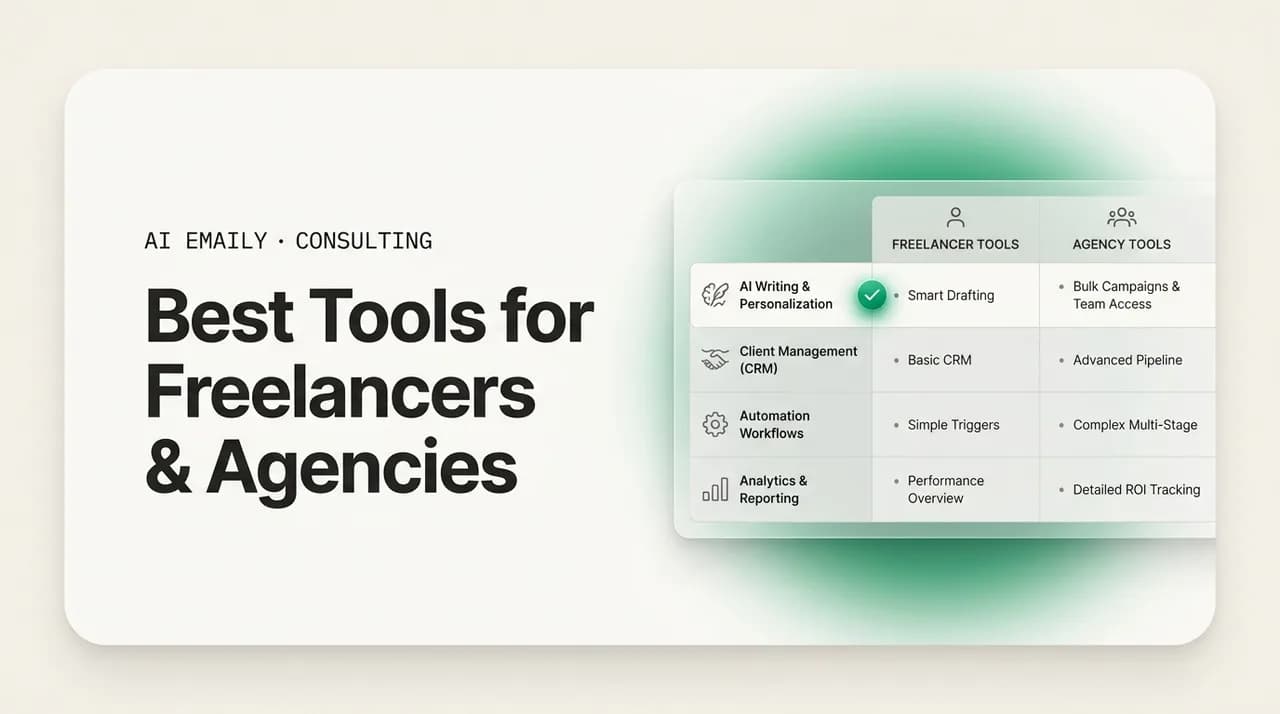
The best email software for freelancers and agencies is the tool that helps you reply first, follow up automatically, and sound like yourself. This guide ranks ten options across two categories — email/AI clients (AI Emaily, Superhuman, Missive, Gmail, Outlook) and client-management platforms (Bonsai, Dubsado, HoneyBook) — with honest pros, cons, and who each fits. Most solo firms and agencies end up pairing a fast AI email layer with a client-management tool for proposals and invoicing.
The best email software for freelancers and agencies in 2026, ranked and compared. Honest pros, cons, and who each tool fits — from AI email clients to client-management platforms like Bonsai, Dubsado, and HoneyBook.
On this page
- 01Why the right email software decides who wins the client
- 02What freelancers and agencies actually need from email software
- 031. AI Emaily — best overall for freelancers and agencies who live in the inbox
- 042. Superhuman — fastest premium inbox, if speed is the whole goal
- 053. Missive — best shared inbox for small agency teams
- 064. Gmail (with Google Workspace) — the capable free default
- 075. Outlook (Microsoft 365) — best if you already live in Microsoft
- 086. HoneyBook — best all-in-one for solo service pros and creatives
- 097. Dubsado — most customizable client-management for detailed workflows
- 108. Bonsai — best for freelancers who want business admin in one place
- 119. Shortwave — smart AI email, if you are all-in on Gmail
- 1210. Proton Mail — best for privacy-first independent professionals
- 13The comparison at a glance
- 14How to actually choose (a short decision guide)
- 15Where AI Emaily fits — and where it hands off
Why the right email software decides who wins the client#
For a freelancer or a small agency, email is not a chore that happens next to the work. It is the front door of the business. It is where an inbound lead lands, where a proposal gets sent and chased, where a project stays on track or quietly derails, and where a happy client turns into a referral or a difficult one turns into a churn. Choosing the best email software for freelancers and agencies is not about which app has the nicest keyboard shortcuts. It is about which tool makes you reply first, follow up without thinking about it, and sound like yourself while you do it — because in independent services, those three things are most of what separates the firm that books the job from the one that gets a polite "we went another direction."
The math behind that is stark. Classic research on online sales leads found that firms which respond within an hour are far more likely to have a meaningful conversation with a decision-maker than those who wait even a few hours, and the odds fall off a cliff after that. Yet the typical business-to-business lead waits many hours — often more than a day — for any reply at all. For a solo consultant heads-down on billable delivery, or an agency founder juggling client threads across two or three inboxes with a deadline every week, that gap is not a failure of intent. It is a failure of tooling. The lead arrives while you are mid-project, you mean to reply tonight, and by the time you surface it has gone cold or gone to whoever answered first.
This guide ranks ten tools that freelancers and agencies actually use to fix that, split honestly into two camps, because they are not the same kind of software and pretending otherwise is how people buy the wrong thing. On one side are email and AI clients — the app you live in all day, that triages, drafts, and sends. On the other are client-management platforms — the systems that hold your proposals, contracts, invoices, and pipeline. The best setup for most independent firms is not one or the other. It is a fast email layer paired with a client-management tool, and we will be clear throughout about which job each product is actually good at.
A note on how this list is built, so you can trust it. We rank AI Emaily first, and we are the company behind it, so we hold our own entry to the same standard as the rest: accurate capability claims, and honest limitations stated plainly. Every other tool here is a real, well-regarded product that a lot of freelancers and agencies are happy with. The goal is not to convince you that one app wins every category — no app does — but to help you match a tool to how your business actually runs, and to be candid about where each one stops.
Two categories, one decision
What freelancers and agencies actually need from email software#
Before the rankings, it helps to name the jobs the software has to do, because the right tool for a high-volume coaching business is not the right tool for a two-person creative studio doing bespoke work. Here are the capabilities that matter most for independent services firms, roughly in the order they move revenue.
- Fast lead response. The single highest-leverage capability. Whatever the tool, it should make you — or let something on your behalf — acknowledge an inbound inquiry in minutes, not the next business day, with a real next step like a scheduling link. First clear reply usually shapes the whole evaluation.
- Follow-up automation. Most deals are won on the second, third, or fourth touch, and most solo firms stop after one. Software that stages or sends follow-ups on proposals and stalled threads — without you remembering — recovers revenue you are otherwise leaving on the table.
- Voice-matched AI drafting. Speed is worthless if the reply sounds like a robot wrote it. For a personal-brand business, the writing is the product's first impression. The AI has to sound like you, not like a generic template, or you will rewrite everything and save no time.
- Unified inbox across providers. Agency founders and many freelancers run more than one address — a personal Gmail, a client-domain Outlook, a project alias. Bouncing between them is where leads slip. One inbox that pulls every account together removes an entire category of dropped balls.
- Client and project context. When you open a reply, the tool should surface who this client is, what you last discussed, the open loops, and the numbers — so you are not digging through six months of thread history to remember whether you already sent the revised scope.
- Proposals and invoicing nearby. You do not need your email app to send invoices, but you do need the whole system — email plus a client-management tool — to cover proposals, contracts, and getting paid without a dozen disconnected apps and manual copy-paste.
- Control and trust. Anything that acts on your behalf has to be reviewable. For most independent firms, the right default is: the AI prepares and you approve sends, with the option to automate only the routine categories once you trust it — and always with undo and a record of what happened.
Hold those seven in mind as you read. No tool below aces all of them, and the honest ones tell you where they stop. The comparison table near the end lines the main options up against these needs so you can see the trade-offs at a glance.
1. AI Emaily — best overall for freelancers and agencies who live in the inbox#
AI Emaily is an AI-native email client built around a simple idea: your inbox should work for you, not the other way around. Instead of bolting a chatbot onto a traditional mail app, it runs an autonomous chief-of-staff over your email that triages what comes in, drafts replies in your voice, stages follow-ups before things slip, and — when you allow it — sends and closes loops on its own. For a freelancer whose every lead reply competes with billable delivery time, or an agency owner trying to standardize fast, on-brand client communication across a team, that is the exact shape of the problem.
It connects to Gmail, Outlook, iCloud, Fastmail, Proton, and any IMAP account, and pulls them into one unified inbox on web, macOS, iOS, and Android — so the multi-inbox juggling that loses agency leads goes away. Because it learns how you actually write, drafts come back sounding like you rather than like generic auto-reply boilerplate, which is the difference between a tool you trust with client-facing mail and one you quietly stop using. A per-client context and variables engine loads the names, numbers, open loops, and "don't forget" notes the moment you open a reply, and it uses the real values rather than inventing them — so a reply to a returning client reads like you remembered everything, because the system did.
The part that actually moves revenue for independent firms is the follow-up and speed story. AI Emaily can acknowledge an inbound inquiry instantly with a clear next step, stage proposal and check-in follow-ups so a warm lead never goes cold while you are heads-down, and surface what genuinely needs you in a scheduled brief delivered to Slack or Telegram. In a market where the average lead waits more than a day for a reply, a tool that helps you answer first is a durable edge most competitors simply do not capture.
The control model is built for how cautious most professionals are — rightly — about anything touching client relationships. It runs in three modes. Manual is a full keyboard-first client where the AI helps only when you ask. Copilot prepares triage, drafts, and schedules and waits for your one-click approval, so nothing leaves without you. Autopilot, within boundaries you define, sends and closes loops on its own — every action reversible, every action logged. For most freelancers and agencies the sweet spot is Copilot for anything strategic and Autopilot for the templated, high-ROI categories like inquiry acknowledgments, discovery-call scheduling, and routine proposal follow-ups, while keeping creative and negotiation messages human.
On privacy — which matters when client mail is involved — AI Emaily does not train models on your email, runs cloud inference on a zero-retention basis with providers, and offers an on-device option and bring-your-own-key for firms that want their mail to stay theirs. It is worth being clear about what it is not, because that is where the honest pairing advice comes in.
Who it's for
Pricing is straightforward: a Free plan at no cost for light use, Pro at $12.42 per month on the annual plan for voice-matched drafting, Copilot, the client context engine, and the Slack/Telegram brief, and an Autopilot plan at $20.75 per month annually for true hands-off automation within your rules. You can start free at app.aiemaily.com/signup.
- Pros: Genuinely acts, not just drafts — the only tool here that can send and close loops on your behalf with undo and a full audit trail. Every provider in one unified inbox across web, macOS, iOS, and Android. Voice-matched drafting and a per-client context engine that uses real values. Strong privacy posture (zero-retention, on-device option, BYOK). A real free tier.
- Cons — stated plainly: AI Emaily is an email and AI layer, not a full client-management suite. It does not send invoices, hold signed contracts, or run a formal proposals-and-payments pipeline. For that back office you pair it with a client-management tool (see Bonsai, Dubsado, or HoneyBook below). Autopilot's autonomy is powerful but takes a short trust-building period before most people hand over sending — by design, since it is your client relationships on the line.
- Who it's not for: firms that want a single all-in-one that also stores contracts and processes payments, and who are willing to accept a weaker inbox to get it. Those buyers should look at the client-management category and add a lighter email approach.
2. Superhuman — fastest premium inbox, if speed is the whole goal#
Superhuman built its reputation on raw speed and a keyboard-first design that makes traditional webmail feel sluggish. For a freelancer or agency operator who processes a high volume of email and lives or dies by inbox velocity, it is a genuinely excellent client: split-second interactions, a command palette for everything, snippets for repeated replies, scheduled send, follow-up reminders, and a polished experience that many heavy email users become evangelists for. It has added AI features for drafting and summarizing over time, moving it beyond a pure speed play.
Where it fits the independent-services buyer is the person whose problem is throughput. If you get a lot of email and your bottleneck is the sheer mechanical effort of triaging and replying, Superhuman shaves real minutes off every session and the shortcuts become muscle memory fast. The follow-up reminders help you not forget a stalled thread, which is half the follow-up battle.
- Pros: Best-in-class speed and keyboard workflow. Beautiful, distraction-light interface. Solid AI drafting and summaries layered on top. Reliable snippets, scheduled send, and follow-up reminders that suit high-volume operators.
- Cons: You still write and approve essentially every reply — it accelerates you rather than acting for you, so it does not solve the "lead went cold while I was in delivery" problem the way an autonomous tool does. It works with Gmail and Outlook only, so IMAP, iCloud, or Proton users are out. It is priced as a premium seat, which stings more for a solo freelancer than a team. There is no free tier.
- Who it's for: high-volume freelancers and agency operators on Gmail or Outlook whose main pain is speed and inbox mechanics, and who are comfortable staying the one who writes and sends everything.
3. Missive — best shared inbox for small agency teams#
Missive is built for teams that answer email together, and that makes it a strong fit for small agencies rather than solo freelancers. Its core idea is the shared inbox with collaboration baked in: internal comments on a thread, draft assignment, shared labels, and the ability to chat about an email without forwarding it around or losing the context. If your agency has account managers and delivery staff who all touch client communication, Missive stops the classic mess of two people replying to the same client or a lead falling between the cracks because nobody was clearly on it.
It also handles multiple channels and accounts in one place, has rules and canned responses for consistency, and has added AI drafting features. For an owner whose specific pain is inconsistent response speed and voice across a team, the collaboration layer is exactly the right tool — it makes "who's got this?" and "is it handled?" visible instead of assumed.
- Pros: Excellent shared-inbox collaboration — comments, assignments, shared drafts — purpose-built for teams. Consolidates multiple accounts and channels. Rules and canned responses help standardize team output. Reasonable per-seat pricing with a usable free tier for small teams.
- Cons: The value is in team collaboration, so a solo freelancer pays for capability they will not use. Its AI is helpful but assistive, not autonomous — it will not run your inbox or send follow-ups on its own. Power comes with a setup and configuration curve that a one-person shop may find heavier than the payoff.
- Who it's for: small agencies (2–20 people) where several people share responsibility for client email and the pain is coordination, consistency, and nothing slipping between teammates.
4. Gmail (with Google Workspace) — the capable free default#
Most freelancers and agencies already run on Gmail or Google Workspace, and it is worth being honest that for a lot of people it is genuinely enough to start. It is reliable, searchable, works everywhere, and with a custom domain on Workspace it looks professional. Labels, filters, templates, scheduled send, and the built-in AI features available on paid Workspace tiers cover a surprising amount of ground at low or no cost, and there is a vast ecosystem of add-ons for CRMs, scheduling, and follow-up reminders.
The honest case for staying on plain Gmail is that if your volume is low and your follow-up discipline is naturally good, you may not need to pay for anything more. The case against is that Gmail is a general-purpose inbox that does not know or care that you are running a services business — it will not triage by client importance, draft in your specific voice, or chase a proposal for you unless you bolt on tools to make it do so.
- Pros: Free or inexpensive, universally supported, reliable, and familiar. Custom-domain professionalism via Workspace. Huge add-on ecosystem. Built-in AI features on paid tiers cover basic drafting and summarizing.
- Cons: General-purpose, not built for services follow-up or lead speed. No native voice-matched drafting or per-client context without add-ons. Follow-up discipline is entirely on you. Managing more than one account well is clumsy. Its best AI features are gated behind higher-cost Workspace tiers.
- Who it's for: early-stage freelancers, low-volume consultants, and anyone who wants a solid, cheap baseline and is happy to add a dedicated tool later when follow-up and lead speed start costing them deals.
5. Outlook (Microsoft 365) — best if you already live in Microsoft#
For freelancers and agencies whose clients or own operations run on Microsoft 365, Outlook is the natural home. It is a mature, powerful email client with strong calendar integration, rules, categories, and the increasingly capable Copilot AI features across Microsoft 365 for drafting and summarizing. If your world already includes Word, Excel, Teams, and SharePoint, keeping email in the same suite reduces friction and keeps everything in one billing relationship and one security model.
The reason it lands mid-list rather than higher for this audience is the same as Gmail's: it is a general-purpose enterprise email client, not a services-firm tool. It is excellent at what it is, but it will not solve speed-to-lead or automated follow-up for a small firm out of the box, and its interface and setup can feel heavier than a lean freelancer wants.
- Pros: Deep Microsoft 365 integration, strong calendar and scheduling, robust rules and categories, and Copilot AI for drafting and summaries on the right plans. Professional and enterprise-grade if your clients expect that.
- Cons: General-purpose, not built for lead speed or services follow-up. Best AI features require higher-cost Microsoft 365 plus Copilot licensing. Heavier and more complex than many solo freelancers need. Multi-provider consolidation is not its strength.
- Who it's for: consultants and agencies already standardized on Microsoft 365, or those whose clients expect a Microsoft-native counterpart.
6. HoneyBook — best all-in-one for solo service pros and creatives#
Now the list crosses into the client-management category, and HoneyBook is the friendliest entry point. It is an all-in-one client-management platform aimed squarely at solo service professionals and small creative businesses — photographers, designers, planners, coaches, and consultants. It bundles inquiry capture, branded proposals, contracts with e-signatures, invoicing and payments, and light automation into one clean, approachable system. When a lead comes in through your contact form, HoneyBook can trigger an automated response, move them through a booking flow, and get you to a signed contract and a paid invoice without stitching five tools together.
For a freelancer whose pain is the whole booking-to-paid journey rather than raw inbox speed, HoneyBook is a strong choice, and its automations do cover some of the fast-response and follow-up need at the inquiry stage. It is deliberately easy to set up compared to more configurable competitors, which is why so many solo pros land on it.
- Pros: Genuine all-in-one — proposals, contracts, invoicing, payments, scheduling, and basic client automations in one approachable tool. Strong inquiry-to-booking flow with automated first responses. Polished, on-brand client-facing documents. Well-suited to solo creatives and service pros.
- Cons: It is a business-management platform, not a serious email client — you will still run your day-to-day inbox elsewhere, and its email/automation is transactional rather than a voice-matched drafting layer for all your correspondence. Less configurable than Dubsado for complex or multi-service workflows. Team/agency features are lighter than solo features.
- Who it's for: solo service pros and small creative businesses who want one tool for proposals, contracts, and getting paid, and who will pair it with a capable email client for everyday correspondence.
7. Dubsado — most customizable client-management for detailed workflows#
Dubsado is HoneyBook's more configurable sibling. It covers the same client-management ground — lead capture, proposals, contracts, invoicing, and workflows — but with far deeper customization, which is why service businesses with intricate or multi-step processes tend to prefer it. Its workflow automation is genuinely powerful: you can build branching sequences that send forms, trigger follow-ups, chase unpaid invoices, and move a client through a bespoke onboarding without manual intervention. For the follow-up-automation need specifically, Dubsado's workflows are a legitimate answer at the proposal and client-lifecycle level.
The trade-off is the mirror image of HoneyBook's simplicity. That power comes with a real learning curve, and setting Dubsado up properly is a project, not an afternoon. Firms that invest the time love it; those who want to be running by tomorrow sometimes bounce off it.
- Pros: Deep, flexible workflow automation for the full client lifecycle, including automated proposal and invoice follow-ups. Highly customizable forms, contracts, and branding. Strong fit for firms with detailed or multi-service processes. Generous multi-client capacity on paid plans.
- Cons: Steep setup and learning curve — configuring it well takes real time. Like HoneyBook, it is a client-management platform, not your everyday email client, so it does not replace the inbox or provide voice-matched drafting across all correspondence. Can feel like overkill for a simple, low-volume freelance business.
- Who it's for: established freelancers and small agencies with detailed, repeatable client workflows who want maximum control over proposals, contracts, and lifecycle automation — and who will still run email in a dedicated client.
8. Bonsai — best for freelancers who want business admin in one place#
Bonsai is aimed at independent freelancers and small teams who want the business back office — proposals, contracts, invoicing, time tracking, and even basic accounting and tax help in some regions — consolidated into one product. Where HoneyBook leans creative and Dubsado leans configurable, Bonsai leans toward the freelancer who wants to run the admin side of a one-person business with as little friction as possible, from sending a contract to tracking billable hours to getting paid.
For the proposals-and-invoicing-nearby need on our list, Bonsai is a clean answer for solo operators, and its templates and automations reduce the admin drag that eats billable time. Like the others in this category, it complements rather than replaces a real email client.
- Pros: Broad freelancer back office — proposals, contracts, invoicing, time tracking, and light accounting in one place. Clean templates and sensible automations that cut admin time. Well-suited to solo freelancers and very small teams who want fewer tools.
- Cons: Not an email client — your inbox, triage, and everyday client correspondence live elsewhere. Breadth means some individual modules are less deep than a specialist tool. Feature availability and accounting/tax help vary by region and plan.
- Who it's for: solo freelancers and micro-teams who want to consolidate business admin — contracts, invoices, time, and light books — and will pair it with a capable email/AI client for correspondence.
9. Shortwave — smart AI email, if you are all-in on Gmail#
Shortwave is one of the more genuinely clever AI email clients, rebuilding the Gmail experience around AI-powered summaries, search, and drafting. For a Gmail-based freelancer or agency that wants a modern, AI-forward inbox without leaving Google's ecosystem, it is a real upgrade over stock Gmail: it clusters and summarizes, answers questions about your mailbox, and drafts with context. If your whole world is Gmail and you want smart assistance layered natively on top, it is worth a look.
The limitations are the flip side of that focus. It is built for Gmail, so anyone on Outlook, IMAP, iCloud, or Proton is excluded, and its intelligence — while impressive — assists rather than acts autonomously on your behalf with the undo-and-audit control model that lets you safely hand off sending. Pricing has also drifted upward as its AI has deepened, which some solo users feel.
- Pros: Strong, genuinely useful AI for summarizing, searching, and drafting over your Gmail. Modern, fast interface. A real step up from stock Gmail for AI-forward users who want assistance in-context.
- Cons: Gmail-only, so non-Google accounts are out and there is no true unified multi-provider inbox. Assistive rather than autonomous — it helps you write, it does not run follow-up or send on your behalf under a rules-and-audit model. Pricing has climbed toward premium as AI features expanded.
- Who it's for: Gmail-committed freelancers and agencies who want smart AI assistance inside their existing inbox and do not need multi-provider support or autonomous action.
10. Proton Mail — best for privacy-first independent professionals#
Proton Mail earns a place for the freelancer or consultant whose clients or subject matter make privacy non-negotiable — legal, healthcare, finance, or anyone handling sensitive material. It offers end-to-end encryption, a strong privacy posture, and a professional custom-domain option, and it has been adding features over time. If your differentiator with clients is discretion and data protection, Proton is a credible, principled choice that many privacy-conscious professionals trust.
The honest trade-off is that Proton's strength is privacy, not productivity intelligence. It is comparatively thin on the triage, drafting, and follow-up automation that move the needle on lead speed and client communication, so a services firm choosing it for privacy will feel the gap on the growth side and may need to be more disciplined manually.
- Pros: Excellent end-to-end encryption and a genuinely privacy-first model. Custom-domain professional addresses. A trustworthy choice for sensitive or regulated client work. Reasonable pricing with a free tier.
- Cons: Light on AI, triage, and follow-up automation — no real agent or autonomous drafting, so it does little for lead speed or client-communication throughput. Ecosystem and integrations are narrower than Gmail or Outlook. You trade productivity features for privacy.
- Who it's for: privacy-first freelancers and consultants in sensitive fields who will accept fewer productivity features in exchange for strong encryption — and who can pair it (via IMAP where supported) or supplement it for follow-up discipline.
The comparison at a glance#
Here is the shortlist lined up against the capabilities that matter most for freelancers and agencies. Read it alongside each tool's "who it's for" line — a lower row count is not a worse tool, it is a tool aimed at a different job. Email/AI clients and client-management platforms are marked so you compare like with like.
| Tool | Category | Autonomous follow-up / send | Multi-provider unified inbox | Voice-matched AI drafting | Proposals & invoicing | Free tier | Best for |
|---|---|---|---|---|---|---|---|
| AI Emaily | Email / AI client | Yes — sends & closes loops with undo + audit | Yes — Gmail, Outlook, iCloud, Fastmail, Proton, IMAP | Yes | No (pair with a client-mgmt tool) | Yes | Solo freelancers & agencies who live in the inbox |
| Superhuman | Email / AI client | No — accelerates, you still send | No — Gmail & Outlook only | Partial (AI drafts) | No | No | High-volume operators who want raw speed |
| Missive | Email / AI client | No — assistive AI | Partial — multi-account, team shared inbox | Partial | No | Yes | Small agency teams sharing an inbox |
| Gmail / Workspace | Email client | No | Partial (clumsy multi-account) | No (add-ons / paid AI) | No | Yes | Early-stage, low-volume, cost-conscious |
| Outlook / M365 | Email client | No | Partial | Partial (Copilot on paid plans) | No | Partial | Firms already on Microsoft 365 |
| HoneyBook | Client management | Partial — inquiry automations | No | No | Yes | No (trial) | Solo creatives & service pros, all-in-one |
| Dubsado | Client management | Partial — workflow follow-ups | No | No | Yes | No (trial) | Detailed, customizable client workflows |
| Bonsai | Client management | Partial — admin automations | No | No | Yes | No (trial) | Freelancers consolidating business admin |
| Shortwave | Email / AI client | No — assistive AI | No — Gmail only | Yes (Gmail) | No | Partial | Gmail-committed, AI-forward users |
| Proton Mail | Email client | No | Partial (IMAP where supported) | No | No | Yes | Privacy-first professionals |
The pattern in that table is the whole point of this guide. No single row wins every column, and the honest read is that the best setup for most freelancers and agencies is a pairing: a fast, intelligent email layer that wins the inbox — speed, triage, voice-matched drafting, follow-up — plus a client-management platform that runs proposals, contracts, and invoicing. The two categories overlap at the edges but neither replaces the other.
How to actually choose (a short decision guide)#
If you are staring at ten options and want a shortcut, sort yourself by your biggest bottleneck rather than by feature lists. Most freelancers and agencies fall into one of a few buckets, and the right first purchase follows from which one you are.
- "Leads and follow-ups die in my inbox while I'm on client work." This is the most common and most expensive problem for independent firms, and it is an email-layer problem. Start with an AI email client that acts — AI Emaily is built for exactly this — and add a client-management tool later for the back office.
- "My problem is proposals, contracts, and getting paid, not inbox speed." You need the client-management category first. Pick HoneyBook for approachable all-in-one, Dubsado for deep customization, or Bonsai for broad freelancer admin — then pair it with a capable email client.
- "My team keeps stepping on each other in client threads." That is a collaboration problem. Missive's shared inbox is purpose-built for it; add an AI layer or a client-management tool as your other needs surface.
- "My whole bottleneck is raw email volume and speed." If you are on Gmail or Outlook and just want to move faster manually, Superhuman is the specialist. If you are Gmail-only and want smart assistance in place, Shortwave fits.
- "Privacy is my differentiator." Proton Mail leads on encryption; accept that you will do more of the follow-up discipline yourself or supplement it.
- "I'm just starting and watching every dollar." Stay on Gmail or Outlook, build good follow-up habits, and upgrade to a dedicated tool the first time a slow reply or a forgotten follow-up costs you a real client — because it will, and that is your signal.
Whatever you choose, the discipline underneath all of it is the same: reply first, follow up every time, and sound like yourself. The tools differ mostly in how much of that they do for you versus how much they leave to your willpower. The reason we rank an autonomous AI email client at the top for this audience is that willpower is the thing that fails during a busy delivery week — and that is precisely when the lead you needed shows up.
The pairing most firms land on
Where AI Emaily fits — and where it hands off#
To close the loop honestly: AI Emaily is our pick for the best email software for freelancers and agencies because it targets the highest-leverage, most-expensive problem this audience has — leads and follow-ups slipping while you are heads-down on billable work — and it does something no other tool on this list does, which is act on your behalf with a control model built for client trust: Manual, Copilot, and Autopilot, every action undoable and logged. It unifies every provider, drafts in your voice, loads real client context, and briefs you where you already are.
And it hands off cleanly where it should. It is not a proposals-and-invoicing suite, and we would rather say so than oversell it. If your business needs contracts, e-signatures, and payments, pair AI Emaily with HoneyBook, Dubsado, or Bonsai, and let each tool do the job it is best at — the inbox layer that wins the client, and the back office that closes the paperwork. That pairing, not any single all-in-one, is what most successful independent firms actually run.
You can try the email side free at app.aiemaily.com/signup, with a Free plan at no cost, Pro at $12.42 per month on the annual plan, and Autopilot at $20.75 per month annually when you are ready to let it handle the routine on its own.
Frequently asked
See it in AI Emaily
Keep reading
Sources

Written by
Nafiul HasanNafiul Hasan is an entrepreneur and AI automation system builder with 10+ years of experience turning messy, manual workflows into reliable automated systems. He designs and ships AI enterprise solutions end-to-end — the agent logic, the data plumbing, and the product people actually use — and founded AI Emaily to give busy professionals their attention back. He writes here from the builder's seat: what works, what breaks, and how to put AI to work without giving up control.