AI Email Assistant for Consultants & Freelancers: Draft, Reply & Follow Up on Autopilot

The short answer
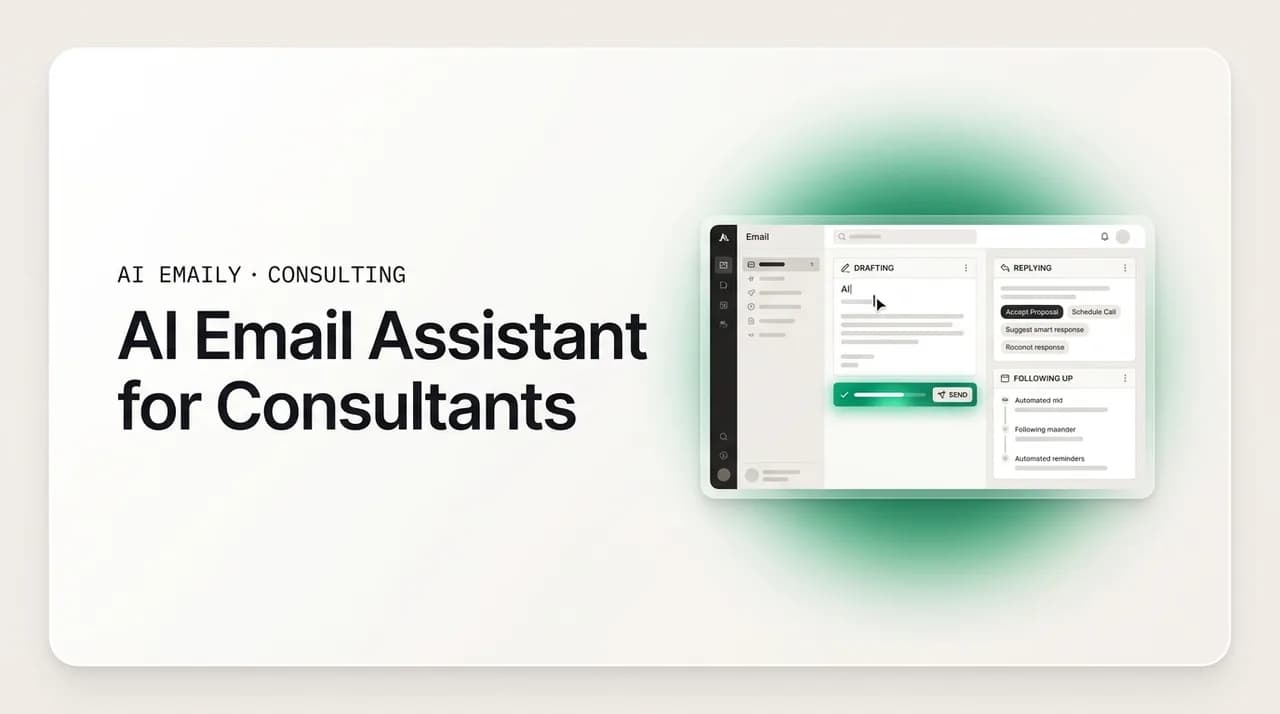
An AI email assistant for freelancers reads your inbox, drafts replies in your voice, and keeps proposals and follow-ups moving so leads stop dying while you are heads-down on billable work. The right one connects to every provider, learns how you write, and always lets you approve before anything sends. Because a large share of a freelancer's week goes to non-billable admin, automating the repetitive email is one of the highest-return changes a solo consultant or small agency can make.
A practical guide to using an AI email assistant for freelancers and consultants: what it does, what to look for, how the three modes map to solo and agency work, and how it reclaims the non-billable hours your inbox quietly eats.
On this page
- 01What is an AI email assistant for freelancers and consultants?
- 02Why freelancers lose so much time to email in the first place
- 03What should you look for in an AI email assistant?
- 04The three modes: how much control you keep is your choice
- 05Five ways consultants and freelancers actually use it
- 061. Instant lead reply, even when you are on a client call
- 072. Proposal follow-up that actually happens
- 083. Client updates and status emails, drafted before you open the thread
- 094. Invoicing and payment reminders without the awkwardness
- 105. Scheduling and the back-and-forth that never ends
- 11"But will it actually sound like me?" and other honest objections
- 12Objection 1: "The drafts won't sound like me."
- 13Objection 2: "My clients hired me. They want to hear from me, not a bot."
- 14Objection 3: "Is this really worth it for a business of one?"
- 15Why AI Emaily fits the way freelancers actually work
- 16How to get started without handing over control
- 17Putting it all together
What is an AI email assistant for freelancers and consultants?#
An AI email assistant for freelancers is software that sits inside your inbox and does the reading, drafting, sorting, and following up that you would otherwise do by hand. Instead of opening a message, thinking about the reply, typing it, and remembering to chase it three days later, you get a triaged inbox and a draft that is already written in your voice, waiting for you to glance at and send. It is the difference between email being a task you perform and email being a task that is mostly done by the time you look at it.
For a consultant or freelancer, that shift matters more than it does for someone with a support team. When you are a one-person business, or a small agency where the founder is still in the inbox every day, there is no assistant to hand things to. You are sales, delivery, and admin at once. Every inbound lead, every proposal follow-up, every "just checking in" that you owe a client competes directly with the billable work that actually pays you. An AI email assistant is, in practical terms, the closest thing to hiring that assistant without hiring anyone.
It helps to be precise about what "AI email assistant" means here, because the phrase gets stretched to cover very different tools. At the shallow end are writing helpers bolted onto a compose window: you click a button, a paragraph appears, you edit it. At the deep end are AI-native email clients that read the whole thread, understand the relationship, draft the reply grounded in your real context, triage the inbox, and can even follow up on their own within rules you set. This guide is about the deep end, because that is where the non-billable time actually gets reclaimed. A button that writes a paragraph saves you a minute. A system that handles the loop saves you the afternoon.
The reason this category exists now, and did not really exist a few years ago, is that the underlying models finally got good enough to sound like a specific person rather than a generic corporate voice. Early AI writing tools produced text that was competent and completely anonymous, the sort of thing a client could tell was not you. Modern assistants learn from how you actually write, your greetings, your sign-offs, your sentence length, your habit of getting to the point, so the draft reads like something you would have typed. For a freelancer whose brand is largely their personality and their responsiveness, that difference is the whole game.
It also helps to name what an AI email assistant is not. It is not a mass-email or cold-outreach blaster; the goal is not volume, it is handling the real one-to-one correspondence you already have. It is not a CRM, though a good one carries client context the way a CRM does. And it is not a replacement for your judgment on the messages that matter, the ones where the wording is the work. It is a way to stop spending your scarce, billable hours on the messages where the wording is not the work.
The core promise, in one line
Why freelancers lose so much time to email in the first place#
It is worth being honest about the size of the problem, because it is easy to treat email as a minor annoyance rather than the quiet drain it actually is. The independent workforce is large and growing, tens of millions of people in the United States alone now work independently rather than in traditional full-time roles, and for almost all of them, the business runs on email. Every one of those inboxes is doing the job that a whole back office does at a larger company: intake, scheduling, invoicing, status updates, follow-up.
The problem is that none of that work is billable. When you track where a services business's time goes, a large share of the week disappears into administrative tasks, client communication, chasing invoices, scheduling, and follow-up, rather than into the delivery work clients actually pay for. Depending on how you count, something like a third or more of a freelancer's working time is non-billable admin, and email is the single biggest bucket inside it. That time does not show up on an invoice. It is the tax you pay to keep the lights on, and for most solo operators it is a heavier tax than they realize until they measure it.
There is a second, sharper cost hiding underneath the time cost: the deals you lose because you were too slow. In a services business, prospects rarely evaluate one provider. They email three or four, and the one who replies first with a clear next step tends to shape the whole evaluation. The research on this is old and consistent, the odds of qualifying a lead drop dramatically once the first reply slips from minutes into hours, yet the average business-to-business response time is measured in tens of hours, and a large share of leads never get a second touch at all. For a freelancer buried in delivery, a warm inbound inquiry can sit unanswered for two days simply because you were on a client call when it landed. By the time you surface, the prospect has already booked a call with someone quicker.
Put those two costs together and the picture is stark. You are spending a third of your week on email that does not pay you, and the part of it that does matter most, the fast, on-brand reply to a new lead, is exactly the part that slips when you are busy. The busier you are with paying work, the more leads you let go cold, which is a strange and self-defeating way to run a business, and yet it is the default for almost every solo consultant because there is only one of you.
This is the gap an AI email assistant is built to close. Not by making you type faster, but by making sure the reply exists whether or not you had a free minute. The instant acknowledgment goes out while you are on the call. The follow-up fires on day three without you setting a reminder. The status update to your active client is drafted before you open the thread. You are still in charge of what sends, but the default state of your inbox flips from "nothing happens until I find time" to "the routine work is already done, and I just approve it."
Measure your own number first
What should you look for in an AI email assistant?#
Not every tool that markets itself as an AI email assistant is a fit for how a freelancer or consultant actually works. A few features separate something that genuinely reclaims time from something that adds a novelty button to your compose window. Here is what to check before you commit, roughly in order of how much it matters for a services business.
- 1
It works with your provider, not just Gmail
Many AI email tools are Gmail-only. Freelancers and agencies are not. You may run a business address on Outlook, a personal one on iCloud, a privacy-focused one on Proton or Fastmail, or a custom domain over IMAP. A real assistant connects to all of them and unifies the inbox, so the automation covers every place a client might reach you, not just one.
- 2
It writes in your voice, not a generic one
The single most common objection is "it will not sound like me," and it is the right thing to test first. A good assistant learns from your sent mail and produces drafts a client cannot distinguish from your own writing. If the output reads like corporate boilerplate, clients will notice, and the tool is worse than useless because it puts your reputation at risk.
- 3
It uses your real context, and never invents facts
The reply to a client should reference the real project, the real numbers, the open loops from the last thread, not a plausible-sounding hallucination. Look for an assistant that carries per-client context, names, deliverables, dates, and grounds drafts in those actual values rather than making things up. Invented facts in a client email are far more dangerous than a slightly stiff sentence.
- 4
You approve before anything sends
For any message that leaves your address, you should be the one who clicks send, at least until you trust the tool. The right assistant defaults to preparing everything and waiting for your approval, and only sends on its own for the narrow, safe categories you explicitly allow. Nothing should go out under your name that you did not choose to send.
- 5
It can act, not just draft
Some tools stop at writing a draft and leave the rest to you, so you are still the bottleneck for triage, scheduling, and follow-up. The ones that actually save time can take the next step: sort the inbox, stage a follow-up, book a call, close a loop, within limits you set. Drafting is table stakes; acting is where the hours come back.
- 6
Everything is reversible and logged
The moment a tool can act on its own, you need a safety net. Look for full undo on any automated action and a complete audit trail of what the assistant did and when. You should never have to wonder whether something went out; you should be able to see exactly what happened and roll it back if it was wrong.
- 7
Your mail stays private
Your inbox holds client confidences, contracts, and financials. Check that the tool does not train its models on your mail, that it runs inference with zero data retention, and that it offers stronger options, on-device processing or bring-your-own-key, if you handle sensitive work. Encryption of tokens and keys should be a given, not a premium add-on.
If a tool clears those seven bars, it is worth your time. If it fails the first two, provider coverage and voice, it does not matter how clever the rest is, because it either will not reach half your clients or will embarrass you in front of the ones it does reach. Everything after that is a question of how much of the loop it can safely take off your plate.
| What to look for | Why it matters for a freelancer |
|---|---|
| Works with every provider (Gmail, Outlook, iCloud, Fastmail, Proton, IMAP) | Your clients reach you across several addresses; the automation has to cover all of them, not one. |
| Drafts in your actual voice | Your brand is your personality and responsiveness; a generic-sounding reply undermines both. |
| Grounds drafts in real client context, never invents facts | A hallucinated date or number in a client email is far more costly than a stiff sentence. |
| You approve before anything sends | Your reputation rides on every message; you stay in control of what goes out under your name. |
| Can act (triage, schedule, follow up), not just draft | Drafting saves minutes; handling the loop saves the afternoon and stops leads going cold. |
| Full undo and a complete audit trail | Once a tool can act on its own, you need to see everything it did and be able to reverse it. |
| Privacy: no training on your mail, zero-retention, on-device or BYOK options | Your inbox holds contracts and financials; the tool must treat that as untouchable. |
The three modes: how much control you keep is your choice#
The most important thing to understand about a good AI email assistant is that it is not a single on-off switch. Autonomy is a dial, and you set it. AI Emaily is built around three modes, Manual, Copilot, and Autopilot, that let you decide, message by message and category by category, how much the assistant does on its own. This is the mechanism that makes the honest answer to "but I need to stay in control" a simple yes.
Here is what each mode does and where it fits in a solo or agency workflow.
- 1
Manual — you drive
A full, fast, keyboard-first email client where the AI only helps when you ask. You get summaries of long threads, natural-language search across every account, and a draft on demand, but nothing happens unless you initiate it. This is where most people start, and where the truly bespoke messages, a nuanced negotiation, a sensitive client conversation, stay forever.
- 2
Copilot — it prepares, you approve
The assistant triages your inbox and writes drafts in your voice, then waits. Replies are ready the moment you open the thread; follow-ups are staged before things slip. But nothing leaves without your click. This is the default sweet spot for consultants: the work is done for you, and you keep a hand on every send. In AI Emaily, Copilot approval before any send is the standard, so a human is always in the loop for outgoing mail.
- 3
Autopilot — it acts, you set the rules
For the narrow, repetitive, low-risk categories you explicitly allow, instant lead acknowledgments, scheduling replies, routine status confirmations, the assistant can send on its own within boundaries you define. Every autonomous action is reversible and logged, so you can see exactly what went out and undo anything. This is where a solo freelancer finally gets to be responsive at 2 p.m. on a client site without touching their phone.
The reason three modes matter, rather than one big "automate my email" button, is that different messages carry different risk. An instant "thanks for reaching out, here is my calendar" to a new inquiry is safe to send automatically; getting it out in thirty seconds instead of two days is pure upside. A reply proposing a change to a project's scope is not safe to send automatically; the wording is the work, and you want to write or at least approve it. A single autonomy setting forces you to choose between those two, and either choice is wrong. A dial lets you automate the first and keep your hands on the second.
In practice, most consultants settle into a pattern: Autopilot for a short list of clearly-safe categories, Copilot for the broad middle where they want the draft done but the send approved, and Manual for the handful of high-stakes threads where they would rather start from a blank page. You are not committing to a philosophy of automation. You are drawing a line, per category, between the email where your judgment is the product and the email where speed is the product.
| Mode | What it does | Best for (solo / agency) |
|---|---|---|
| Manual | AI assists only when you ask: summaries, search, a draft on demand. | Bespoke, high-stakes threads: negotiations, sensitive client conversations, anything where wording is the work. |
| Copilot | Triages and drafts in your voice; you approve every send. | The broad middle: most client replies, proposal follow-ups, and updates, done for you, sent by you. |
| Autopilot | Sends on its own within rules you set; every action reversible and logged. | Safe, repetitive categories: instant lead replies, scheduling, routine confirmations. For agencies, standardizing fast response across the team. |
Five ways consultants and freelancers actually use it#
Abstract features are easy to nod at and hard to picture. Here is what an AI email assistant does across the five email jobs that eat the most non-billable time in a services business, and why each one moves the needle.
1. Instant lead reply, even when you are on a client call#
This is the highest-value use, because speed to lead is where deals are won and lost. When a new inquiry lands, the assistant can send an instant, on-brand acknowledgment, thanking them, answering the obvious first questions, and offering a way to book a call, within seconds, while you are mid-delivery and nowhere near your inbox. In a market where the average response is measured in tens of hours and many leads are never contacted at all, simply being the one who replies in under a minute is a durable competitive edge that most solo firms never capture.
The point is not that a fast reply closes the deal by itself. The point is that a slow reply loses it before you ever get a chance. The prospect emailing you is emailing your competitors too, and the first clear, human response shapes who they take seriously. An instant acknowledgment buys you into the conversation; a two-day silence buys you out of it. With Autopilot handling just this one category, you stop losing winnable work to your own calendar.
2. Proposal follow-up that actually happens#
Most freelancers know the follow-up is where the money is, and most still drop it. You send a proposal, the client goes quiet, and the polite "just checking in" that would have closed it never gets written because you are on to the next fire. The nurture that would have earned a reply simply does not happen, and the proposal quietly dies. This is one of the most common and expensive failures in a solo services business: the deal was not lost on price or fit, it was lost because nobody followed up.
An AI email assistant fixes this structurally rather than relying on your memory. It notices the proposal thread went cold, drafts a follow-up in your voice that references the actual proposal and the specific next step, and either stages it for your one-click approval or, if you have allowed it, sends the routine nudge on schedule. You stop being the single point of failure for your own pipeline. The follow-up that you always meant to send becomes the follow-up that reliably goes out.
Let the assistant own the sequence, not just the first touch
3. Client updates and status emails, drafted before you open the thread#
For agencies and consultants running active engagements, a surprising amount of the week goes to routine status communication: the Monday update, the "here is where we are" note, the confirmation that a deliverable is on track. None of it is hard to write, and all of it is easy to postpone, which is how clients end up feeling out of the loop even on projects that are going perfectly well. Inconsistent, slow updates are a quiet way to leak trust, and for a small agency, inconsistent voice across the team leaks it faster.
The assistant drafts these before you even open the thread, grounded in the real project context, the actual milestone, the real numbers, so the update is accurate and in your voice, not a template with blanks. You review and send, or let routine confirmations go out on Autopilot. For a small agency, this is also how you standardize: instead of five account managers each writing updates at their own speed in their own voice, the client-facing communication is fast and on-brand across the whole team, without hiring an operations person to enforce it.
4. Invoicing and payment reminders without the awkwardness#
Chasing money is the task freelancers dread most and delay longest, and the delay is expensive. A polite payment reminder feels awkward to write, so it sits, and an invoice that should have been paid in two weeks stretches to two months because nobody sent the nudge. The awkwardness is entirely in the writing; the reminder itself is routine and expected.
An AI email assistant removes the friction by drafting the reminder for you, professional, warm, and specific about the invoice and the amount, so all you do is glance and approve. Because the wording is handled and the timing is tracked, the reminder that you kept putting off actually goes out on time. For the genuinely routine cases, a first gentle nudge on a past-due invoice, you can let it send on Autopilot within your rules, and simply get paid faster without the recurring discomfort of writing the same uncomfortable email over and over.
5. Scheduling and the back-and-forth that never ends#
The "what time works for you?" thread is a small tax you pay dozens of times a month, and it adds up. Three emails to land on a slot, another to confirm, one more to reschedule when something moves. It is the definition of non-billable busywork: necessary, repetitive, and completely devoid of judgment.
This is an ideal category to hand off almost entirely. The assistant can propose times from your real availability, confirm the booking, and handle the reschedule, drafting each message in your voice and, where you allow it, sending the routine ones on its own. Scheduling replies are one of the safest Autopilot categories precisely because there is no wording risk: the job is mechanical, the stakes are low, and every minute you get back is a minute returned to billable work or to your life.
"But will it actually sound like me?" and other honest objections#
The reservations freelancers have about AI email are reasonable, and worth taking seriously rather than waving away. Here are the three that come up most, and the honest answers.
Objection 1: "The drafts won't sound like me."#
This is the right thing to worry about, because your voice is a real part of your brand, and early AI writing tools genuinely did sound generic. The honest answer is that voice-matching has improved enormously, and a good assistant learns from your own sent mail rather than writing from a blank corporate template. In practice, the drafts come back sounding like you because they are patterned on how you actually write, your openings, your sign-offs, your directness, your rhythm.
The honest caveat is that no tool is perfect on day one for every message, which is exactly why the approval step exists. In Copilot mode you read every draft before it sends, so a slightly-off sentence never reaches a client, it reaches you, and you fix it in two seconds. The voice-matching gets better as it sees more of your writing, and for the highest-stakes messages you always have Manual mode and a blank page. You are never forced to send something that does not sound like you; you are just spared writing the ninety percent that clearly does.
Objection 2: "My clients hired me. They want to hear from me, not a bot."#
They do, and that is precisely the point of the approval model. Your clients are not hearing from a bot; they are hearing from you, because you approve the messages that go out under your name. The assistant is doing the drafting and the remembering, not the deciding. When a client reads your reply, it is your reply, in your voice, saying what you would have said, just written faster and sent on time instead of three days late.
There is a deeper version of this worth naming. What clients actually want is not the labor of you typing; it is the responsiveness, the accuracy, and the sense that you have your act together. A reply that arrives promptly, references the right details, and reads like you serves that far better than a late, harried message you dashed off between calls. Used honestly, an AI email assistant makes you a more reliable, more responsive version of yourself, which is what the client wanted in the first place. The judgment, the relationship, the strategy, all still yours. The typing and the reminders, not yours to carry.
Objection 3: "Is this really worth it for a business of one?"#
For a solo operator, this is the fairest question, because you are price-sensitive and every subscription has to earn its place. The way to answer it is with your own numbers rather than a pitch. If a third of your week is non-billable admin and email is the biggest slice of it, you are spending something on the order of a full day a week on inbox work. Even a partial dent in that, an hour or two a day handed back, pays for a tool many times over in reclaimed billable time, before you count a single deal saved by replying faster.
And the deals are the larger prize. If replying to leads in seconds instead of days closes even one additional engagement a year that would otherwise have gone to a quicker competitor, the tool has paid for itself for years. The math for a solo freelancer is not really about the subscription price; it is about the asymmetry between what the tool costs and what a single lost client costs. For a one-person business where you are the entire back office, the case is arguably stronger than it is for a large team, because there is no one else to absorb the admin. It is you, or it is automated.
The honest bar
Why AI Emaily fits the way freelancers actually work#
There are several AI email tools now, and the right choice depends on how you work. AI Emaily is built specifically around the pressures a consultant, freelancer, or small agency lives with: leads that die in the inbox during busy weeks, a voice that is part of the brand, client mail scattered across several addresses, and no operations person to lean on. Here is how it maps to the seven things worth looking for.
On provider coverage, it is universal by design. AI Emaily connects to Gmail, Outlook, iCloud, Fastmail, Proton, and any IMAP account, and unifies them into one inbox across web, macOS, iOS, and Android. Whatever address a client reaches you on, the automation covers it, which matters because freelancers rarely live in a single provider. On voice, it drafts in your voice rather than a generic one, learning from how you actually write so a client cannot tell the difference. On context, its Context and Variables Engine loads per-client details, names, numbers, open loops, and grounds drafts in those real values, using the actual data rather than inventing it, with pre-send checks that catch the things you tend to forget.
On control, the three modes are the whole point. Manual, Copilot, and Autopilot let you set autonomy per category, and Copilot approval before any send is the standard in v1, so a human is always in the loop for outgoing mail. On acting rather than just drafting, this is where AI Emaily is deliberately different from tools that prepare a reply and then stop: within the rules you set, the agent can triage, schedule, follow up, and close loops on its own, so you are not the bottleneck for the routine work. On safety, every autonomous action is reversible with a full undo and a complete audit trail, so you can always see what happened and roll it back. And on privacy, it never trains on your mail, runs zero-retention inference, encrypts OAuth tokens and keys, and offers on-device processing and bring-your-own-key for sensitive work.
There is one more piece that fits the freelance workflow specifically: the Living Brief, a scheduled, categorized digest, delivered where you already are, in Slack or Telegram, that tells you what actually needs you across your accounts, with counts and summaries, and lets you act straight from the message. For a consultant who is heads-down in delivery and cannot live in an inbox, a morning brief that surfaces the two things that need a human and quietly handles the rest is the difference between email running your day and you running it. Taken together, the product behaves less like a smarter compose box and more like an autonomous chief of staff for your inbox, which is exactly what a business of one, or a small team without an ops hire, has been missing.
How to get started without handing over control#
The sensible way to adopt an AI email assistant is gradually, earning trust one category at a time rather than flipping everything to autonomous on day one. Here is a low-risk path that lets you feel the time savings quickly while keeping your hand on everything that matters.
- 1
Connect your accounts and start in Manual
Link every address a client uses, Gmail, Outlook, iCloud, Fastmail, Proton, or IMAP, and begin in Manual mode. Use the summaries, the search, and on-demand drafts. This lets you feel the voice-matching and the quality with zero risk before anything is automated.
- 2
Turn on Copilot for your everyday replies
Once the drafts consistently sound like you, let Copilot triage and pre-draft your routine client replies and follow-ups. You still approve every send, so nothing goes out you have not seen, but the writing is done for you. Most of the time savings shows up right here.
- 3
Allow Autopilot for one safe category
Pick the single safest, most repetitive job, usually instant lead acknowledgments or scheduling, and let Autopilot handle just that within your rules. Watch the audit trail for a week. Being the fastest to respond, automatically, is often the change that pays for the tool by itself.
- 4
Expand the rules as trust grows
As you see the assistant handle each category well, widen the boundaries: add proposal follow-ups, add routine status confirmations, add payment reminders. Because every action is reversible and logged, you can expand confidently and pull back instantly if anything is off.
- 5
Keep the high-stakes threads human
Leave negotiations, sensitive conversations, and anything where the wording is the work in Manual or Copilot with your careful review. The goal is never to automate your judgment, only to stop spending billable hours on the email that does not need it.
Putting it all together#
The case for an AI email assistant for freelancers comes down to a single uncomfortable fact: you are spending a large share of your week on email that does not pay you, and the part that matters most, the fast, on-brand reply to a new lead, is exactly the part that slips when you are busy with the work that does. That is a structural problem in a business of one, and it does not get better by trying harder. There is only so much of you.
A good assistant closes the gap not by making you faster but by making sure the routine work happens whether or not you had a free minute. The lead gets an instant reply while you are on a call. The proposal follow-up fires on schedule instead of being forgotten. The status update is drafted before you open the thread, the invoice reminder goes out without the dread, the scheduling back-and-forth handles itself. You keep control of everything that carries your name and your judgment, and you hand off the repetitive rest, reclaiming the non-billable hours your inbox has quietly been taking.
AI Emaily is built for exactly this: universal across every provider, drafting in your real voice, grounded in real client context, with three modes so you decide how much it does on its own, and full undo and audit so you never fly blind. If your inbox is costing you billable time and letting leads go cold during your busiest weeks, it is worth trying on your own mail and seeing how much of the day comes back. You can start free at app.aiemaily.com/signup, with a Free plan at no cost and Pro at $12.42 per month on the annual plan.
Frequently asked
See it in AI Emaily
Keep reading
Sources
- Harvard Business Review — The Short Life of Online Sales Leads (speed-to-lead)
- MBO Partners — State of Independence in America (independent workforce size)
- FreshBooks — Billable Hours: billable vs. non-billable time for service businesses
- Forbes Business Council — small-business and independent-work insights

Written by
Nafiul HasanNafiul Hasan is an entrepreneur and AI automation system builder with 10+ years of experience turning messy, manual workflows into reliable automated systems. He designs and ships AI enterprise solutions end-to-end — the agent logic, the data plumbing, and the product people actually use — and founded AI Emaily to give busy professionals their attention back. He writes here from the builder's seat: what works, what breaks, and how to put AI to work without giving up control.