Best Email Software for Insurance Agents in 2026 (Ranked & Compared)

The short answer
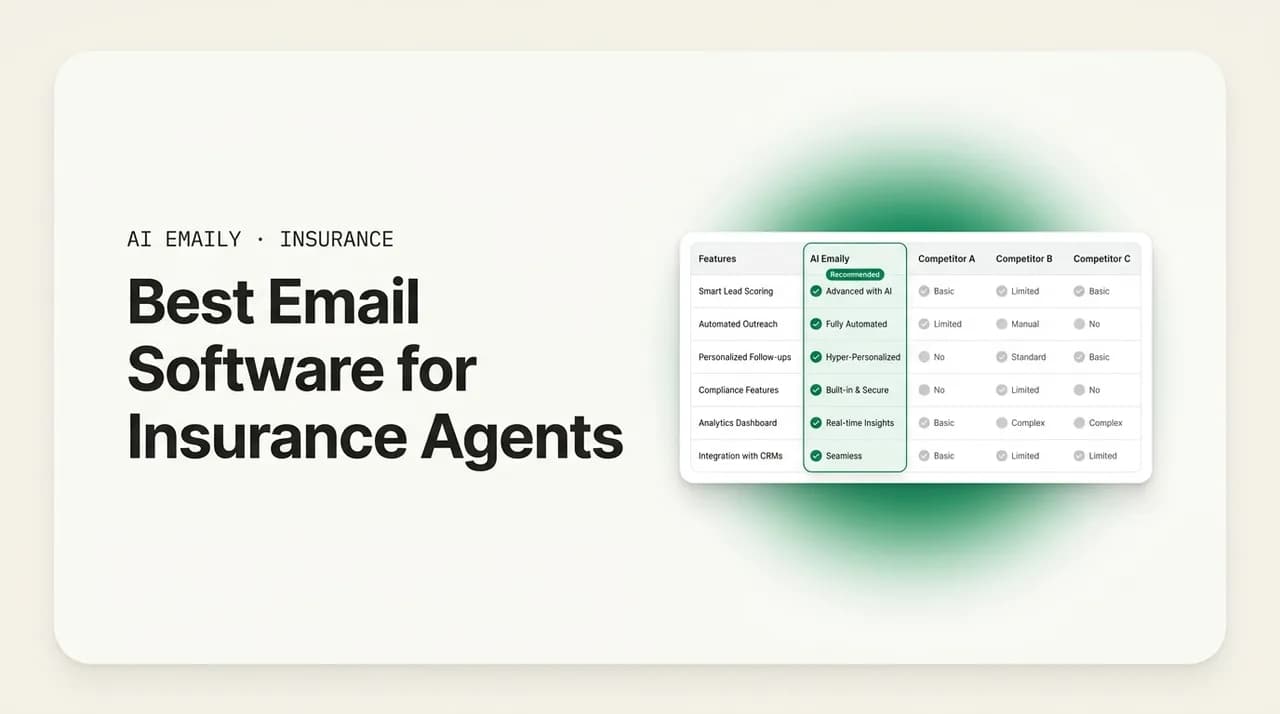
The best email software for insurance agents pairs speed-to-lead with renewal automation, voice-matched drafts, one unified inbox across every carrier, and privacy you can defend. AI Emaily ranks first as an AI-native email client that triages leads, drafts in your voice, and never drops a renewal. AgencyBloc, EZLynx, Vertafore, and Applied cover agency-management email; HubSpot and Mailchimp cover marketing; Gmail and Outlook are the reliable baseline.
The best email software for insurance agents in 2026, ranked and compared. Ten tools across AI email clients, agency management systems, CRMs, and marketing platforms, with honest pros, cons, pricing, and who each one is for.
On this page
- 01What insurance agents actually need from email software
- 02The best email software for insurance agents at a glance
- 031. AI Emaily — best overall for agents who live in the inbox
- 042. AgencyBloc — best for life, health, and Medicare agencies
- 053. EZLynx — best for personal-lines P&C quoting agents
- 064. Vertafore AMS360 — best for established mid-size agencies
- 075. Applied Epic — best for larger, multi-location brokerages
- 086. HubSpot — best for agencies running a structured sales pipeline
- 097. Microsoft Outlook — the reliable Microsoft 365 baseline
- 108. Google Workspace (Gmail) — the clean solo and small-team baseline
- 119. Mailchimp — best for newsletters and bulk client campaigns
- 1210. Constant Contact — simple, template-driven client outreach
- 13Email client vs. AMS vs. CRM vs. marketing tool: which do you actually need?
- 14How to choose the right email software for your agency
- 15The bottom line
What insurance agents actually need from email software#
Ask ten independent agents what they use for email and you will get ten different answers: a personal Gmail account, the mailbox baked into their agency management system, a marketing tool for renewal blasts, a comparative rater that pings them when a quote comes back, and a CRM somewhere in the middle that nobody fully trusts. None of them talk to each other, and every one of them charges a monthly fee. Research on independent agencies puts the average software spend at roughly $247 a month across fragmented tools that do not connect, which is the real reason the search for the best email software for insurance agents rarely ends with a single obvious winner.
That fragmentation is not a personality quirk; it is a structural feature of how independent agents work. You shop multiple carriers, so your renewal and quote traffic is multiplied across every insurer you represent. You are judged on how fast you respond to a new lead, because in personal lines the first agent to answer usually writes the policy. And you carry compliance weight that a generic marketing tool was never built to handle, especially in Medicare, where CMS marketing rules govern what an automated message is even allowed to say. Email is where all of that pressure lands.
Before ranking anything, it helps to name the jobs the software has to do. When agents describe what actually moves the needle, the same seven capabilities come up again and again. A tool that nails most of them earns a place on this list; a tool that ignores them, however popular, does not.
- Speed-to-lead. New personal-lines leads go cold fast. The software should surface a fresh quote request instantly and either draft the first reply or send it, so you answer in minutes rather than hours.
- Renewal and follow-up automation. Renewals are predictable, repetitive, and easy to drop when you are busy. The best tools schedule renewal reminders, quote follow-ups, and check-ins so nothing slips through the 60-day window.
- Voice-matched AI drafting. Templates read like templates. AI that writes in your voice, grounded in the client's real details, turns a blank reply into a one-click send without sounding like a robot wrote it.
- A unified inbox across every carrier. You should not be hopping between six carrier portals and a personal inbox. One place to see every message, from every provider, threaded and searchable.
- AMS and CRM context. The reply is only as good as what the software knows about the client — policy, renewal date, open loops, the last three conversations. Context has to load automatically, not be retyped.
- Compliance and guardrails. For Medicare and health agents especially, automation has to respect CMS disclaimer rules, scope-of-appointment limits, and restrictions on misleading language — with a human approval step where it matters.
- Privacy you can defend. Client email carries personal and health data. The software should encrypt it, avoid training AI models on it, and give you a clear audit trail of what any automation did.
Notice that these split into two broad camps. Some are inbox jobs — triage, drafting, unified view, speed-to-lead — and belong to your email client. Others are system-of-record jobs — the policy data, the renewal calendar, the pipeline — and belong to an agency management system (AMS) or CRM. The tools on this list sit in different places on that map, and the honest answer for most agencies is that they run more than one. What has changed in 2026 is that an AI-native email client can now do the inbox jobs so well, and pull in enough context, that it replaces two or three of the point tools agents used to string together.
One more framing note before the ranking. "Best" depends entirely on the shape of your book. A high-volume personal-lines agent living in quote follow-ups wants a different tool than a life agent nurturing a handful of six-figure relationships, or a Medicare agent whose entire year hinges on a compliant, chaotic AEP. We have tried to say clearly who each tool is for, not just what it does, so you can match the software to your actual work instead of the loudest marketing.
How we ranked these
The best email software for insurance agents at a glance#
Here is the full ranking in one table before we get into the detail on each. Categories matter: an email client, an agency management system, a CRM, and a marketing platform are not interchangeable, so the right pick often depends on which category gap you are filling. Prices are approximate starting points per user or per account and change frequently.
| Tool | Category | AI drafting | Renewal automation | Unified multi-carrier inbox | Best for |
|---|---|---|---|---|---|
| 1. AI Emaily | AI-native email client | Yes — voice-matched | Yes — schedules & sends | Yes — every provider | Agents who live in the inbox and want AI to triage, draft, and follow up |
| 2. AgencyBloc | AMS / CRM (life & health) | Limited | Yes — campaigns | Partial | Life, health, and Medicare/senior agencies |
| 3. EZLynx | AMS + rater (P&C) | Limited | Yes | Partial | Personal-lines P&C agents who quote across many carriers |
| 4. Vertafore AMS360 | Agency management system | No native AI email | Yes — workflows | Partial | Established mid-size independent agencies |
| 5. Applied Epic | Agency management system | Add-on AI | Yes — workflows | Partial | Larger, multi-location agencies and brokerages |
| 6. HubSpot | CRM + marketing | Yes — generic | Yes — sequences | No | Agencies running structured sales pipelines |
| 7. Microsoft Outlook | Email client | Copilot add-on | Manual / rules | No | Agents standardized on Microsoft 365 |
| 8. Google Workspace (Gmail) | Email client | Gemini add-on | Manual / rules | No | Solo agents and small teams wanting a clean baseline |
| 9. Mailchimp | Email marketing | Generative assist | Yes — journeys | No | Newsletters and bulk client campaigns |
| 10. Constant Contact | Email marketing | AI assist | Yes — automations | No | Simple, template-driven client outreach |
A quick word on how to read that table. If your gap is the inbox itself — messages piling up, leads answered slowly, replies you keep writing by hand — the top of the list is where you look. If your gap is the system of record — no central renewal calendar, no policy data behind the client — an AMS is the answer, and email is a secondary feature of it. If your gap is outbound at scale — newsletters, drip campaigns, seasonal blasts — a marketing platform earns its keep. Most agencies end up running one from each camp; the goal is to run as few as you can get away with.
1. AI Emaily — best overall for agents who live in the inbox#
AI Emaily is an AI-native email client built around an autonomous chief-of-staff that triages your inbox, drafts replies in your voice, and closes loops so messages stop slipping. For insurance agents, that maps almost exactly onto the two jobs email software fails at most: answering leads fast and never dropping a renewal. It connects to Gmail, Outlook, iCloud, Fastmail, Proton, and any IMAP account, so every carrier notification, every client thread, and every lead-form email lands in one unified inbox rather than scattered across six logins.
The reason it ranks first is the combination of drafting quality and control. It learns how you actually write, so a quote follow-up or a renewal note comes back in your voice, grounded in the client's real details rather than a generic template. Its per-client context engine keeps names, policy numbers, renewal dates, and open loops attached to the person, and loads them the moment you open a reply — with a pre-send check that flags when you are about to forget something. That is the difference between a draft you rewrite and a draft you send.
Crucially, it does not force a single level of autonomy on you. Three modes let you decide how much authority the agent has, which is exactly the calibration insurance work demands — routine personal-lines renewals can run hands-free while a sensitive life or Medicare message stays under human review.
- Manual — you drive. A fast, keyboard-first client; the AI assists on demand with summaries, search, and a draft when you ask.
- Copilot — it prepares, you approve. Triage, voice-matched drafts, and scheduled follow-ups are staged and waiting. One click to send. Nothing leaves without you — which is the right default for anything client-facing or regulated.
- Autopilot — it acts, you set the rules. Within boundaries you define, the agent sends replies, schedules, and closes loops on its own. Every action is reversible and logged.
On the jobs that matter to agents, it lines up cleanly. Speed-to-lead: a new quote request is triaged instantly and a first reply is drafted (Copilot) or sent within your rules (Autopilot), so you answer while the lead is still warm. Renewal automation: follow-ups are staged before things slip, and the agent chases the ones that go quiet. Compliance: because Copilot requires your approval before any send in v1, and every autonomous action carries undo plus a full audit trail, you keep the human-in-the-loop step that regulated lines like Medicare need — you are never guessing what an automation did on your behalf.
Privacy is treated as a feature, not fine print, which matters when client email carries personal and health data. AI Emaily does not train models on your mail, runs cloud inference zero-retention, and offers an on-device option plus bring-your-own-key on the Autopilot and Team plans, so sensitive triage and drafting can run without your mail leaving your control. OAuth tokens and BYOK keys are envelope-encrypted, never logged inline.
The honest caveats: AI Emaily is an email client and agent, not an agency management system. It will not rate a policy, store your policy documents as a system of record, or replace the compliance workflows inside a dedicated AMS — it sits on top of your inbox and connects to that stack rather than becoming it. CRM sync (HubSpot, Salesforce, Pipedrive) is on the roadmap rather than shipped today. If your primary gap is the system of record, you still want an AMS underneath. If your gap is the inbox — and for most agents drowning in leads and renewals, it is — this is the tool that removes the most manual work.
Who it's for
Pricing is straightforward. There is a free tier to try the agent, Pro at $12.42/month on the annual plan (500 AI credits, up to 5 accounts, voice-matched drafting and Copilot), and Autopilot at $20.75/month annually (1,000 credits, autonomous handling, on-device and BYOK). Team plans add shared inboxes, delegation, and admin controls for agencies. Bring your own AI key on Autopilot or Team and credit limits stop applying entirely.
2. AgencyBloc — best for life, health, and Medicare agencies#
AgencyBloc is an agency management platform built specifically for the life, health, and senior (Medicare) side of insurance, rather than the P&C world most AMS tools center on. That focus is its strength. It combines a CRM, commissions processing, and communication tools with automated marketing workflows, and it understands the shape of a benefits or Medicare book — recurring enrollment cycles, commission tracking across carriers, and the compliance sensitivity that comes with health and senior clients.
On the email side, AgencyBloc leans toward automated outreach and campaign workflows tied to your client and policy data — think birthday touches, renewal and enrollment reminders, and drip sequences that fire off the records already in the system. For a Medicare or benefits agency, having that automation sit on top of the same database that holds your commissions and client details is genuinely useful; you are not exporting lists to a separate tool.
The trade-offs: this is a system of record first and an email tool second. Its drafting is template-and-workflow driven rather than voice-matched AI writing, and it is not a unified inbox that pulls in every carrier thread the way a dedicated email client does. It is also priced and scoped for agencies rather than solo agents, and P&C-heavy shops will find it aimed at a different market. As always with Medicare, the CMS marketing rules are on you — the tool automates delivery, but you remain responsible for disclaimers and compliant language.
Who it's for
3. EZLynx — best for personal-lines P&C quoting agents#
EZLynx is best known as a comparative rater with a large carrier network, and it has grown into a broader management platform for personal-lines P&C agencies. If your day is quote, quote, quote across many carriers, EZLynx sits close to the center of your workflow, and its email and automation features are built to support that motion — quote follow-ups, renewal communications, and campaign automation triggered off the policy data it already holds.
For a high-volume auto and home agency, that tight loop between rating and communication is the appeal. A new quote comes back, and the follow-up sequence can pick it up without you re-keying anything. Renewal automation is a first-class feature rather than an afterthought, which matters when personal-lines renewals are your bread and butter and the volume is relentless.
The honest limits are the same as the other AMS-class tools. Email inside EZLynx is a feature of the management system, not a full-fledged inbox — it is strong on outbound automation, lighter on being the single place you read and reply to every message across every carrier. Its AI writing is not the voice-matched drafting you get from a dedicated AI email client. And it is built for P&C; life, health, and Medicare agents are not the target. Pricing is quote-based and oriented to agencies rather than individuals.
Who it's for
4. Vertafore AMS360 — best for established mid-size agencies#
AMS360, from Vertafore, is one of the long-standing agency management systems for independent P&C agencies, particularly established mid-size shops that need a robust system of record. Its strength is depth: accounting, policy management, document handling, and workflow automation built for agencies that have outgrown spreadsheets and lightweight tools. Communication and email templating are part of the platform, tied to the client and policy records it manages.
For email specifically, AMS360's value is that outbound communication and workflow-driven follow-ups run off a single, well-maintained database of your book. Renewal workflows, activity tracking, and templated correspondence are solid and integrated. What it is not is an AI email client — there is no native voice-matched drafting, and the inbox experience is not the reason agencies buy it. It is the system of record, and email is one of the things it does around that.
The trade-offs are enterprise-shaped: it is a heavier, more expensive platform with a real implementation and training curve, best justified by agencies large enough to need its depth. Solo agents and very small teams will find it more system than they need. Pricing is not published and is quote-based. Pair it with a dedicated email client if the inbox itself is where your time goes.
Who it's for
5. Applied Epic — best for larger, multi-location brokerages#
Applied Epic, from Applied Systems, is among the most widely used agency management systems for larger independent agencies and brokerages, including multi-location operations that need a single platform across P&C and benefits. Like AMS360, it is a system of record first — policy administration, accounting, document management, and workflow — with communication features layered on top. Applied has also been adding AI capabilities across its suite, so AI-assisted features are increasingly available as add-ons rather than absent.
For email, Epic's role is the same as its peers': integrated, workflow-driven correspondence and follow-up tied to your book, plus increasingly capable AI add-ons for tasks like summarization. If you are already standardized on Epic, keeping communication inside it maintains a clean activity trail against each account, which brokerages value for audit and continuity.
The caveats scale with the platform. Epic is powerful and correspondingly complex, with cost and implementation aimed at larger agencies; it is overkill for a solo agent. Its email is not a unified, AI-native inbox across every provider, and the modern AI drafting experience — voice-matched writing, autonomous follow-ups with undo and audit — is not what a traditional AMS is built to deliver, even with AI add-ons. Pricing is quote-based. Many agencies on Epic still layer a dedicated email tool on top for the day-to-day inbox.
Who it's for
6. HubSpot — best for agencies running a structured sales pipeline#
HubSpot is a CRM and marketing platform, not an insurance tool, but plenty of agencies use it to run a disciplined sales pipeline and to power email outreach. Its email marketing tool, sequences, and automation are genuinely strong and well-documented, and its free CRM tier lowers the barrier to entry. If your agency thinks in terms of pipelines, deal stages, and structured follow-up cadences — common in commercial lines and life — HubSpot gives you a professional-grade engine for that.
For email, HubSpot shines at two things agents care about: sequenced outbound follow-up (a lead comes in, a multi-step cadence runs automatically until they reply) and marketing sends with reporting behind them. Its AI writing assistant can draft and refine copy, though it is a generic marketing assistant rather than an insurance- or voice-specific one. The CRM context means your emails can be personalized off contact and deal records.
The honest limits: HubSpot is not a unified email client for reading and replying to everything across every carrier — it is a CRM and marketing layer, so your actual inbox still lives in Gmail or Outlook. It has no insurance-specific compliance features for Medicare, and the powerful tiers get expensive quickly as you add contacts and features. For agencies that already run a pipeline and want to formalize it, it is excellent; for agencies whose problem is the inbox itself, it solves a different job.
Who it's for
7. Microsoft Outlook — the reliable Microsoft 365 baseline#
For a large share of agencies, email already is Outlook, because the agency runs on Microsoft 365. As a pure email client, Outlook is dependable, works across desktop, web, and mobile, and integrates tightly with the Office tools agents use for proposals and documents. Rules and Quick Steps let you build basic triage and templated replies without any add-on, and Copilot brings AI drafting and summarization to agencies on the right Microsoft plans.
For insurance work, Outlook's value is that it is a solid, familiar foundation you can build on. Categories, rules, and shared mailboxes cover a lot of basic organization, and if your agency has Microsoft 365 Copilot, you get AI assistance inside the same inbox. It is also a known quantity for IT and compliance, which matters at larger agencies.
The limits are what you would expect from a general-purpose client. Out of the box there is no insurance-specific speed-to-lead triage, no voice-matched drafting grounded in client context, no renewal automation beyond what you build with rules and calendar reminders, and no unified view of accounts that live on other providers. Copilot adds AI but is a paid add-on that raises the per-seat cost and is a generic assistant rather than an inbox agent. Outlook is the baseline; whether it is enough depends on how much manual inbox work you are willing to keep doing.
Who it's for
8. Google Workspace (Gmail) — the clean solo and small-team baseline#
Gmail, via Google Workspace, is the other default. Solo agents and small teams love it for the same reasons everyone does: it is fast, reliable, searchable, and cheap, with a clean interface and a mobile app that just works. Labels and filters give you flexible organization, and the Gemini add-on brings AI drafting and summarization into the inbox for those on the right plan.
For agents, Gmail's appeal is low friction and low cost. You can run a lean personal-lines shop out of Gmail with labels for renewals, quotes, and leads, and filters that route carrier notifications automatically. Its search is excellent, which matters when you need to find the one thread about a client's prior claim. Gemini adds a competent AI assistant if you are on a plan that includes it.
The same caveats apply as for Outlook. There is no insurance-specific triage, no renewal automation beyond filters and calendar nudges, no voice-matched drafting tuned to your client context, and no unified inbox pulling in accounts hosted elsewhere. Gemini is a generic assistant and a paid add-on, not an inbox agent that triages leads and stages follow-ups. Gmail is a superb baseline — and a great provider to connect a smarter client to, which is precisely how many agents end up using it underneath an AI email layer.
Who it's for
9. Mailchimp — best for newsletters and bulk client campaigns#
Mailchimp is a dedicated email marketing platform, and for the outbound-campaign job it is one of the most established options. If your need is a monthly client newsletter, a seasonal reminder about reviewing coverage, or a bulk announcement to your whole book, Mailchimp gives you templates, list management, automated customer journeys, deliverability infrastructure, and reporting that a general email client cannot match.
For agents, Mailchimp's strength is scale and polish on outbound. Automated journeys can nurture prospects or send renewal-season reminders to segments of your list, its generative AI can help draft and refine campaign copy, and the analytics tell you what opened and clicked. For agencies that treat client communication partly as marketing — staying top of mind, cross-selling coverage — it does that job well.
The limits are inherent to the category. Mailchimp is for one-to-many outbound, not for reading and replying to individual client and carrier threads — it is not your inbox. It has no insurance-specific compliance features (a real consideration for Medicare bulk email, where CMS rules and unsolicited-contact restrictions apply), and pricing climbs with list size and features. Use it for campaigns; use something else for the conversational inbox.
Who it's for
10. Constant Contact — simple, template-driven client outreach#
Constant Contact rounds out the list as another well-known email marketing platform, often chosen by small agencies that want something simpler and more guided than Mailchimp. Its template library, list tools, and automations are approachable, and it has added AI content assistance to help draft campaign copy. For an agency owner who wants to send a professional-looking newsletter or reminder without a steep learning curve, it does the job.
The strengths are ease of use and support: it is designed for small-business owners who are not marketers, with hand-holding and a straightforward editor. Basic automations cover welcome series and simple follow-up sequences, and deliverability is handled for you.
The trade-offs mirror Mailchimp's, and then some. It is strictly an outbound marketing tool, not an inbox; it is lighter on advanced automation and segmentation than Mailchimp or HubSpot; and it has no insurance-specific compliance tooling. It earns its place for agencies that specifically want simple, template-driven outreach and nothing more — but it does not touch the inbox, triage, or drafting jobs that dominate an agent's actual day.
Who it's for
Email client vs. AMS vs. CRM vs. marketing tool: which do you actually need?#
The most common mistake in this search is comparing tools from different categories as if one has to win. An agency management system and an AI email client are not rivals; they do different jobs, and most agencies benefit from both. The useful question is not "which single tool is best" but "which category is my biggest gap right now, and what is the smallest stack that covers all four jobs?"
Here is the plain-English breakdown of what each category is for, so you can place your own pain in the right box.
| Category | Core job | What it is not | Example tools here |
|---|---|---|---|
| AI email client | Read, triage, draft, and reply to every message across every provider — fast, in your voice, with follow-ups handled | A policy system of record or a rater | AI Emaily, Outlook + Copilot, Gmail + Gemini |
| Agency management system (AMS) | Store policies, manage renewals and accounting, be the system of record for your book | A modern AI inbox | EZLynx, AMS360, Applied Epic, AgencyBloc |
| CRM | Track prospects, deals, and pipeline; run structured sales cadences | Your day-to-day mailbox | HubSpot, AgencyBloc (life/health) |
| Email marketing | Send one-to-many campaigns, newsletters, and nurture journeys at scale | A conversational inbox | Mailchimp, Constant Contact |
In practice, a healthy small-agency stack often looks like this: an AMS as the system of record for policies and renewals, an AI email client as the day-to-day inbox that answers leads fast and drafts replies, and a marketing tool for the occasional campaign. The CRM job is sometimes handled by the AMS, sometimes by a dedicated CRM, sometimes increasingly by the email client's context engine. The consolidation opportunity — and the reason agents feel the $247-a-month pain so acutely — is that an AI email client with a strong context engine can absorb several of the point tools agents used to bolt on: the standalone follow-up scheduler, the drafting tool, the read-tracker, the triage rules.
So the answer to "which do I need" is: identify your worst gap. If your renewals live nowhere and your policy data is a mess, fix the AMS first. If your inbox is the black hole — leads answered slowly, replies written by hand, renewals dropped because you were buried — the email client is the highest-leverage fix, and an AI-native one removes the most work.
Medicare and CMS compliance is on you, not the tool
How to choose the right email software for your agency#
Ranking aside, the right choice is the one that fits your book, your line of business, and how much manual work you are trying to remove. Run through these questions before you commit to anything.
- 1
Name your biggest gap first
Is it the inbox (slow lead responses, replies by hand, dropped renewals), the system of record (no renewal calendar, messy policy data), or outbound (no way to run campaigns)? Fix the worst gap first; you do not need to solve all three at once.
- 2
Match the tool to your line of business
Personal-lines P&C leans toward volume and speed-to-lead. Life and Medicare lean toward relationship nurture and compliance. Commercial leans toward structured pipeline. A tool that is great for one can be wrong for another.
- 3
Check what context loads automatically
The best email software pulls client details — policy, renewal date, open loops — into the reply without you retyping them. Ask whether the tool has that context, or whether every draft starts from a blank page.
- 4
Decide how much autonomy you want
Some agents want AI that only drafts and waits for approval; others want routine follow-ups sent automatically. The best tools let you set that per situation — human approval on regulated or high-stakes messages, hands-free on routine ones — with undo and an audit trail.
- 5
Count your providers and accounts
If your mail is scattered across a personal Gmail, an agency Outlook, and carrier notifications, a unified inbox that connects every provider saves real time. A single-provider tool will not.
- 6
Take privacy and compliance seriously
Client email carries personal and health data. Confirm the tool encrypts it, does not train AI on it, and — for Medicare — keeps a human approval step and an audit trail. Do not assume; ask.
- 7
Add up the real cost, then look for consolidation
Total every tool you pay for today. If an AI email client can absorb your drafting tool, follow-up scheduler, and triage rules, the honest comparison is against that combined spend, not against a single line item.
One last practical tip: trial before you switch. Every serious tool here offers a free tier or trial. Connect your real inbox, run a normal week — a few leads, a renewal batch, the usual client back-and-forth — and see how much manual work actually disappears. Speed-to-lead and dropped renewals are measurable; count how many leads you answered within minutes and how many renewals you never had to chase manually. That number, not a feature list, tells you which tool is best for your agency.
The bottom line#
There is no single best email software for insurance agents, because the tools sit in different categories and solve different jobs. If your gap is the system of record, an AMS like EZLynx, AMS360, Applied Epic, or AgencyBloc is the answer, and email is a feature of it. If your gap is outbound at scale, Mailchimp or Constant Contact handle campaigns. If you run a structured pipeline, HubSpot formalizes it. Gmail and Outlook are the dependable baseline underneath all of it.
But for most independent agents, the biggest, most fixable gap is the inbox itself — the leads answered too slowly, the replies written by hand, the renewals that slip when you are buried. That is the job an AI-native email client does best, which is why AI Emaily tops this list: it triages leads the moment they arrive, drafts in your voice off real client context, stages the follow-ups so nothing drops, and keeps a human approval step and a full audit trail for the messages that need one. It complements the AMS you already run rather than replacing it, and it can absorb several of the point tools you are paying for separately.
Match the category to your worst gap, trial it on a real week, and count the manual work that disappears. For the inbox, that comparison usually ends in one place.
Frequently asked
See it in AI Emaily
Keep reading
Sources

Written by
Nafiul HasanNafiul Hasan is an entrepreneur and AI automation system builder with 10+ years of experience turning messy, manual workflows into reliable automated systems. He designs and ships AI enterprise solutions end-to-end — the agent logic, the data plumbing, and the product people actually use — and founded AI Emaily to give busy professionals their attention back. He writes here from the builder's seat: what works, what breaks, and how to put AI to work without giving up control.