AI Email Assistant for Insurance Agents: Your Inbox Chief of Staff

The short answer
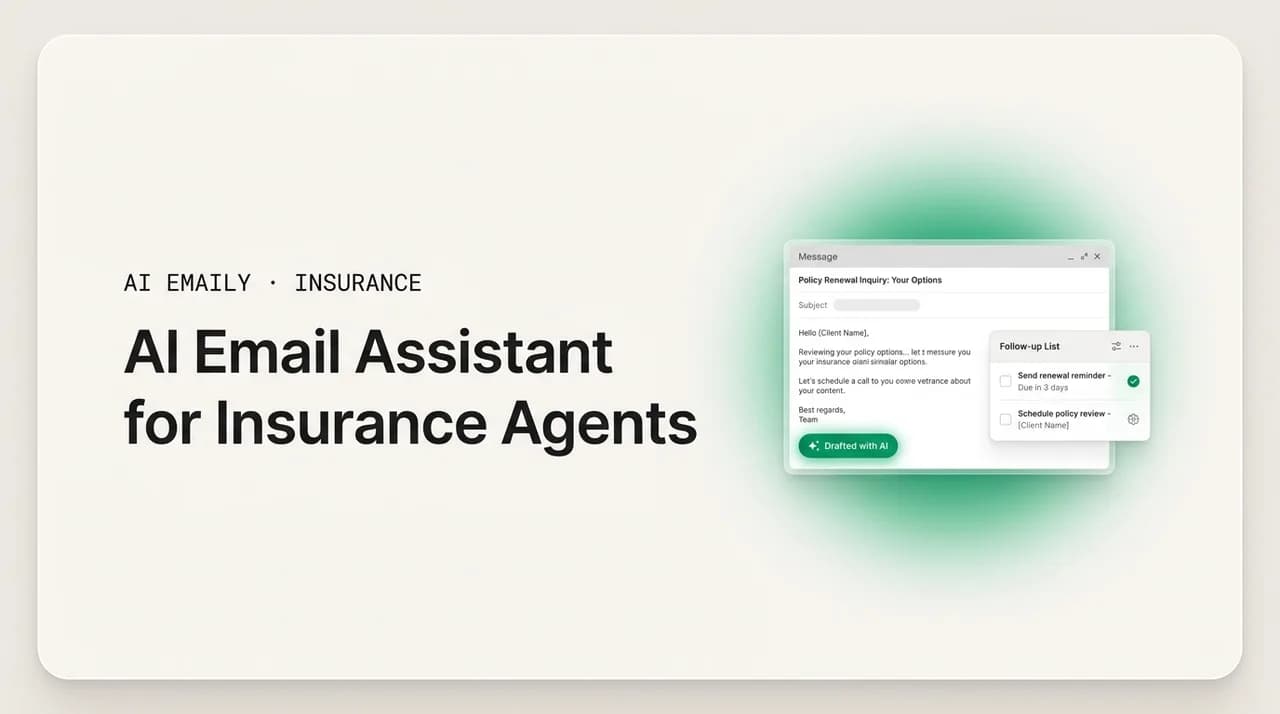
An AI email assistant for insurance agents triages leads, drafts quote follow-ups and renewal reminders in your voice, and stages replies for you to approve before they send. The best tools work across every carrier inbox, keep a human approving anything sensitive, add compliance guardrails, and never train on your mail. AI Emaily does this with three modes — Manual, Copilot, and Autopilot — plus undo and a full audit trail.
A practical guide to choosing an AI email assistant for insurance agents: what it does, what to look for, how the three control modes map to agency workflows, and where AI Emaily fits.
On this page
- 01What is an AI email assistant for insurance agents?
- 02What does an AI email assistant actually do for an agency inbox?
- 03What should insurance agents look for in an AI email assistant?
- 04The three modes, mapped to how agencies actually work
- 05Real use cases: what this looks like on a Tuesday
- 06Instant quote follow-up
- 07Renewal reminders that never slip
- 08Claims acknowledgment, fast
- 09Cross-sell and account rounding
- 10One inbox across every carrier
- 11Objections agents raise (and honest answers)
- 12"Will it actually sound like me, or like a robot?"
- 13"What about compliance — especially Medicare and CMS rules?"
- 14"Is my client data safe?"
- 15How the modes and features line up
- 16Why AI Emaily fits insurance agencies
- 17How to try it on your own inbox
- 18Putting it all together
What is an AI email assistant for insurance agents?#
An AI email assistant for insurance agents is software that reads your inbox, understands what each message needs, and does the repetitive email work for you — sorting new leads from noise, drafting the quote follow-up you would have typed anyway, reminding you about the renewal that closes in three weeks, and acknowledging the claim notice that just landed at 9:47 p.m. It is not a marketing blast tool and it is not a generic chatbot bolted onto a webpage. It sits inside the email you already use every day and works the way a great assistant would: quietly, in your voice, and always leaving you in charge of what actually goes out the door.
For an independent agent, that matters more than it does in almost any other profession. Your inbox is where the money is. A quote request that sits for an hour is a quote request your prospect has already sent to two other agencies. A renewal you forgot to flag is a client who shops the market and never comes back. A claims email you did not acknowledge fast enough is a one-star review waiting to be written. The volume is relentless and the communication is, honestly, repetitive — the same handful of message types, over and over, across dozens of carriers and hundreds of clients. That combination, high volume plus repeatable patterns, is exactly what an AI email assistant is built to absorb.
The demand for exactly this kind of speed is not abstract. Insurance-related search volume hit record highs recently: auto insurance searches rose 38 percent year over year and business insurance searches jumped 89 percent, the largest increase of any category. More people are shopping, they are shopping faster, and the agent whose inbox can keep pace wins. An AI email assistant for insurance agents is the difference between an inbox that keeps pace and one that quietly leaks leads all week.
It helps to be precise about what "assistant" means here, because the category is crowded and the word gets stretched. A spam filter is not an assistant. An autoresponder that fires the same canned reply at everyone is not an assistant. A CRM that logs your emails after the fact is not an assistant. A real AI email assistant does three things a rule or a template cannot: it reads and understands the content of each message, it decides what that message needs, and it drafts a specific, contextual response in language that sounds like you wrote it. The good ones then stop and wait for your approval before sending, which is the single most important design choice in a regulated industry.
Think of it as an inbox chief of staff rather than a fancier out-of-office reply. A chief of staff does not just execute; they triage, prioritize, prepare, and hand you the decisions that actually need your judgment. That is the right mental model for this whole category, and it is the model AI Emaily is built around.
Assistant, not autopilot-by-default
What does an AI email assistant actually do for an agency inbox?#
Strip away the marketing language and the day-to-day value of an AI email assistant comes down to a short list of concrete jobs. Each one maps to a task you are already doing by hand, usually in the cracks between phone calls and carrier portals.
- Triage. It reads every incoming message and sorts it — new quote lead, renewal question, claim notice, billing issue, carrier notification, personal noise — so the first thing you see in the morning is a prioritized inbox, not an undifferentiated pile.
- Draft in your voice. For the messages that need a reply, it writes one that sounds like you, pulling in the specific client's name, policy details, and open items rather than generic filler. You edit if you want, then send.
- Follow up and close loops. It tracks the quote you sent Tuesday that never got a response and stages a follow-up for Friday, so warm leads do not go cold because you got busy.
- Never drop a renewal. It watches renewal dates across every carrier and surfaces the reminder before it slips, drafted and ready, instead of relying on a spreadsheet you update when you remember.
- Search and recall. It answers questions across your whole mail history — "what did I quote the Hendersons on their boat?" — in seconds, so you stop digging through threads before a call.
- Summarize the noise. Long carrier threads, endorsement back-and-forth, and forwarded documents get condensed to the point, so you know what a thread needs without reading forty messages.
None of these individually looks dramatic. The dramatic part is the aggregate. An independent agent spends a large share of the workday inside email, and most of that time goes to low-judgment work: sorting, chasing, retyping the same quote follow-up with different names in it. When an assistant absorbs that layer, the hours you get back go to the parts of the job that actually require you — the coverage conversation, the claim advocacy, the relationship. That is the real pitch. Not "AI writes your emails," but "you stop spending half your day on the emails a machine could have prepared for you."
What should insurance agents look for in an AI email assistant?#
Not every tool that claims AI belongs anywhere near a book of insurance business. The stakes are higher here than in most inboxes — you are handling personal data, regulated communication, and relationships worth years of renewal commission. Use this list as a buying checklist. Each item is something an agency inbox specifically needs and that a generic consumer tool usually gets wrong.
- 1
Does it sound like you?
Voice match is the whole ballgame. A draft that reads like it came from a robot is worse than no draft, because you have to rewrite it and you risk sending something off-brand to a client. Look for an assistant that learns from how you actually write — your greetings, your sign-offs, your level of formality — rather than one that produces the same beige corporate paragraph for everyone.
- 2
Does it triage, or just autocomplete?
Autocomplete finishes a sentence you already started. Triage decides what deserves your attention first. The value in a high-volume agency inbox is overwhelmingly in triage — separating the hot lead from the newsletter — so favor tools that sort and prioritize, not just ones that speed up typing.
- 3
Does it automate renewals and follow-ups?
The two things insurance agents lose money on are unfollowed quotes and missed renewals. An assistant worth paying for tracks both automatically — staging the follow-up before a lead goes cold and the renewal reminder before the date slips — rather than leaving you to remember.
- 4
Do you approve before anything sends?
This is non-negotiable in a regulated industry. The tool should stage every reply and require your explicit approval before it goes out — at least until you deliberately decide to let it run certain routine messages on its own. "Nothing leaves without you" should be the default, not a setting you have to hunt for.
- 5
Does it have compliance guardrails?
If you write Medicare, health, or any regulated line, the assistant needs to respect the rules — the ability to inject required disclaimers, avoid restricted or misleading phrasing, and keep a human in the loop. Generic AI writing tools have none of this, and the compliance responsibility lands entirely on you.
- 6
Does it work across every carrier inbox?
Independent agents live across Gmail, Outlook, iCloud, and IMAP mailboxes, often several at once for different carriers or lines. An assistant that only works on one provider forces you back into the tab-juggling it was supposed to fix. Unified, cross-provider handling is the point.
- 7
Is your client data actually private?
Your inbox is full of dates of birth, VINs, addresses, and coverage details. Confirm the vendor does not train its models on your mail, runs zero-retention inference, and encrypts credentials properly. If a tool is vague about what it does with your data, that vagueness is your answer.
- 8
Can you undo and audit what it did?
When software acts on your behalf, you need a way to reverse a mistake and a record of every action it took. An undo window plus a full audit trail turns "the AI sent something" from a nightmare into a non-event. No audit trail, no trust.
If you hold a candidate tool up against those eight questions, most of the market thins out fast. Consumer email AI nails voice but ignores compliance and privacy. CRM add-ons log everything but write like a form letter. Single-provider tools are smart but strand you when you have five carrier mailboxes. The short list of tools that clear all eight bars for an insurance agent is genuinely short — which is most of the reason this post exists.
The three modes, mapped to how agencies actually work#
The hardest part of putting AI into a regulated, relationship-driven business is calibrating how much it is allowed to do on its own. Too little and it is just a faster autocomplete. Too much and you have a compliance incident and a spooked client. AI Emaily solves this with three modes you move between per message type and per comfort level, rather than one all-or-nothing switch. Here is how each maps to real agency work.
- 1
Manual — you drive
A full, keyboard-first email client where the AI assists only when you ask: summarize this long carrier thread, find that old quote, draft a reply to this one message. This is the right mode for your highest-stakes, most bespoke communication — a hard claim, a delicate coverage conversation, an E&S placement where every email is one of a kind. The AI is a tool you reach for, not a process running in the background.
- 2
Copilot — it prepares, you approve
The AI triages the inbox, drafts replies in your voice, and stages follow-ups and renewal reminders — all waiting for you. Nothing sends until you click. This is the workhorse mode for most agents: every routine quote follow-up, renewal nudge, and client question arrives pre-drafted, you glance, tweak if needed, and approve. You get the speed of automation with a human approving every single send, which is exactly the posture a regulated inbox should default to.
- 3
Autopilot — it acts, you set the rules
Within boundaries you define, the agent sends, schedules, and closes loops on its own — every action reversible and logged. This is where you hand off the truly templated, low-risk traffic: a standard "got your documents, we're processing your renewal" acknowledgment, a first-touch reply to a new personal-lines auto lead. You define which message types qualify and set the guardrails; the agent handles them and reports back. Personal-lines P&C, where communication is repeatable and review risk is low, is the strongest fit for this mode. High-stakes lines stay in Copilot or Manual.
You do not pick one mode forever
Real use cases: what this looks like on a Tuesday#
Abstract capability lists are easy to nod along to and hard to picture. Here is the same assistant applied to the four email moments that make or break an insurance agent's week.
Instant quote follow-up#
A personal-lines lead comes in at 4:50 p.m., ten minutes before you would normally start winding down. In a manual world, you might see it tomorrow — by which point the prospect has quotes from two competitors. With an AI email assistant, the message is triaged the moment it lands, flagged as a hot new-business lead, and a first-touch reply is drafted in your voice with the right greeting and a clear next step. In Copilot you approve it in one click before you leave; in Autopilot, if you have designated new-lead acknowledgments as safe, it already went out and the follow-up for tomorrow is staged.
Speed here is not a nice-to-have — it is the entire competitive advantage of a responsive agent. The assistant's job is to make sure the lead never sits in a queue waiting for you to have a free minute, because in personal lines the free minute often never comes.
Renewal reminders that never slip#
Renewals are the quiet engine of an agency's revenue, and they are also the easiest thing to lose to a spreadsheet you forgot to check. An AI email assistant watches renewal dates across every carrier mailbox and, well ahead of each one, stages a reminder to the client — drafted, personalized with their policy and their name, ready to send. You are not relying on memory or a calendar alert you snooze; the message is prepared and surfaced at the right time.
For personal lines, these reminders are templated enough that many agents route them through Autopilot with confidence. For commercial lines, where coverage details vary, the renewal reminder is a strong Copilot fit — drafted automatically, but with a human pass before it sends because the specifics matter.
Claims acknowledgment, fast#
A client emailing about a claim is anxious, and the speed of your first response sets the tone for the whole interaction. A claim notice that sits unacknowledged overnight reads as neglect, even if you fully intended to handle it first thing. An AI email assistant catches the claim email on arrival, recognizes it as time-sensitive, and drafts a calm, human acknowledgment — "I've received your note about the claim, here is what happens next, I'm on it" — in your voice.
This is a case where the assistant's real value is emotional as much as operational. It buys the client the reassurance of an immediate, thoughtful reply while you get to the substance of the claim during business hours. The acknowledgment is prepared instantly; the human advocacy still happens where it should.
Cross-sell and account rounding#
The most profitable client is the one you already have. An agent who has written a client's auto is the natural person to write their home, their umbrella, their boat — but the cross-sell conversation is exactly the kind of proactive outreach that gets crowded out by reactive inbox work. An AI email assistant can surface the opening (this monoline auto client with a home address on file is a rounding opportunity) and draft the outreach in your voice, so the message that would never have gotten written actually does.
Because these are relationship-building emails rather than transactional ones, most agents keep them in Copilot: the assistant does the noticing and the drafting, and you provide the final human judgment on tone and timing before anything sends. The result is more of the account-rounding email you know you should be doing and rarely find time for.
One inbox across every carrier#
Independent agents do not have one inbox. They have several — a Gmail for one book, an Outlook tied to a carrier, an IMAP mailbox for a legacy line, an iCloud address a long-time client insists on using. Multi-carrier reality means multi-inbox reality, and the tab-juggling that comes with it is one of the biggest hidden time sinks in the job. An email that needs a reply is easy to miss when it lands in the mailbox you check least.
AI Emaily connects Gmail, Outlook, iCloud, Fastmail, Proton, and any IMAP account into a single unified inbox, and the assistant works identically across all of them. Triage, drafting, follow-ups, and search span every connected mailbox at once, so "which inbox did that come into?" stops being a question you have to hold in your head. For an independent agent managing relationships across many carriers, unifying the inboxes is half the value before the AI even starts working.
Objections agents raise (and honest answers)#
Anyone who has been burned by overhyped software is right to be skeptical. Here are the three objections insurance agents raise most often about AI email assistants, answered straight.
"Will it actually sound like me, or like a robot?"#
This is the fear that keeps most agents from trying AI at all, and it is a fair one — a client can smell a canned, off-voice email, and in a relationship business that erodes trust. The honest answer is that voice match has improved enormously, but it depends on the tool. An assistant that learns from your actual sent mail — your phrasing, your greetings, your sign-offs — produces drafts that read like you on a good day. A generic writing tool that ignores your history produces the beige corporate paragraph you are worried about.
AI Emaily is built around voice-matched drafting: it grounds each reply in your writing and in the real client context — names, policy numbers, open items — rather than inventing filler. And because Copilot stages every draft for your approval, you are never one bad sentence away from an embarrassing send. You read it first. If it is not right, you fix it in a few seconds or rewrite it. The assistant lowers the effort of a good email; it never takes away your final look.
"What about compliance — especially Medicare and CMS rules?"#
This is the objection that should stop you cold if a tool cannot answer it. Medicare and health agents operate under CMS marketing rules that govern disclaimers, scope-of-appointment, and restrictions on misleading language, and the agent remains responsible for the compliance of any content that goes out — AI-generated or not. A generic AI writing tool with no guardrails does not just fail to help here; it actively increases your risk by producing plausible text that may violate a rule you then send without noticing.
The right answer is guardrails plus a human in the loop, not blind automation. An assistant built for regulated communication can inject required disclaimers, avoid restricted phrasing, and — critically — keep a mandatory approval step in front of every send for regulated lines. AI Emaily's design supports exactly this: Copilot's approve-before-send is the default, so nothing regulated goes out without your eyes on it, and Autopilot is something you grant deliberately to specific low-risk message types with boundaries you define. The compliance responsibility is still yours, as it must be — the tool's job is to make staying compliant easier, not to pretend the rule does not exist.
Compliance stays your responsibility
"Is my client data safe?"#
Your inbox is one of the most sensitive data stores you own: dates of birth, driver's license and VIN numbers, home addresses, coverage and claims detail. Handing that to a cloud AI tool is a legitimate concern, and the vague privacy policies common in consumer software do not earn trust. The questions that matter are specific: does the vendor train its models on your mail, does it retain your data after processing, and how are your credentials protected?
AI Emaily's answers are the ones you want to hear: no training on your mail, zero-retention inference with model providers, and envelope-encrypted OAuth tokens and keys that are never logged inline. For agents who want maximum control, bring-your-own-key routes AI through your own model provider account, and private, on-device options push the privacy posture further still. Privacy is treated as a core pillar of the product rather than a checkbox — which, for an inbox full of regulated personal data, is the only acceptable posture.
How the modes and features line up#
Here is the whole thing in one view — what each mode does, and which capabilities an insurance agent should expect. Use it as a quick reference when you compare AI Emaily against anything else on your short list.
| Capability | What it means for your agency | Available in |
|---|---|---|
| Triage across every inbox | Leads, renewals, claims, and noise sorted the moment they land, across all connected carrier mailboxes. | Manual, Copilot, Autopilot |
| Voice-matched drafting | Replies written in your voice with real client context — names, policies, open items — not generic filler. | Manual (on demand), Copilot, Autopilot |
| Approve before send | Every reply staged and requiring your one-click approval before it goes out. | Copilot (default) |
| Bounded autonomous send | Low-risk, templated messages sent on their own within rules you set — ideal for personal-lines acknowledgments. | Autopilot |
| Renewal & follow-up automation | Reminders and quote follow-ups drafted and staged before dates slip or leads go cold. | Copilot, Autopilot |
| Undo + full audit trail | Reverse any action and see a complete record of everything the assistant did on your behalf. | All modes |
| Private AI (no training, BYOK) | No training on your mail, zero-retention inference, and bring-your-own-key for full control. | All modes |
| Unified providers | Gmail, Outlook, iCloud, Fastmail, Proton, and any IMAP account in one inbox. | All modes |
Why AI Emaily fits insurance agencies#
Plenty of tools do one slice of this. AI Emaily is built to do the whole job for the way an independent agency actually operates, and a few things make it a genuine fit rather than a generic AI wrapper.
It is an AI-native email client, not an add-on. The agent — the triage, the drafting, the follow-ups — is the product, not a plugin stapled to an inbox that was designed for something else. That means the chief-of-staff behavior is coherent end to end: it triages, drafts in your voice, closes loops, and reports back, all in one place.
It respects the regulated, relationship-driven nature of the business. The three modes let you calibrate autonomy by risk — Autopilot for the templated personal-lines traffic, Copilot's approve-before-send for everything else, Manual for the conversations you always want to write yourself. Approve-before-send is the default, undo and audit sit under every action, and the privacy posture is built for an inbox full of regulated personal data. This is not consumer AI hoping to be trusted with insurance; it is designed for the constraint from the start.
It unifies the multi-carrier reality. Connecting Gmail, Outlook, iCloud, Fastmail, Proton, and IMAP into one inbox solves the tab-juggling that eats an independent agent's day before the AI even starts. For an agency owner staring at an average of a couple hundred dollars a month in fragmented, disconnected tools, consolidating the inbox and the AI into one place is a spend-replacement pitch, not a new-cost pitch.
And it is priced to try without a leap of faith. There is a Free plan at no cost, Pro is $12.42 per month on the annual plan, and the Autopilot and Team plans support bring-your-own-key to run AI without touching credit limits. You can connect a mailbox, watch the assistant triage and draft for a week, and decide whether it earns a place in your stack before you pay anything.
How to try it on your own inbox#
The fastest way to judge an AI email assistant for insurance agents is to point it at a week of your real mail and watch what it does. Here is a sensible way to start, low-risk and reversible at every step.
- 1
Connect one carrier inbox
Start with a single mailbox — the one with the most lead and renewal traffic. Create a free account, connect Gmail, Outlook, iCloud, or your IMAP account, and let the assistant begin triaging. You can add the rest of your carrier inboxes once you have seen it work.
- 2
Run everything in Copilot first
Keep approve-before-send on for the whole first week. Let the assistant draft your quote follow-ups, renewal reminders, and claims acknowledgments, and simply read each one before you approve. This is where you judge voice match with zero risk — nothing sends without your click.
- 3
Promote a few safe message types to Autopilot
Once you trust the drafts, pick the most templated, lowest-risk traffic — a standard new-lead acknowledgment, a routine "we've received your documents" reply — and let Autopilot handle just those, within boundaries you set. Leave everything regulated or sensitive in Copilot or Manual.
- 4
Keep the high-stakes work in Manual
Hard claims, delicate coverage conversations, and anything bespoke stay in Manual, where the AI assists only when you ask. The point is not to automate everything — it is to automate the repetitive layer so you have more time for the conversations that need you.
- 5
Check the audit trail
At the end of the week, review the audit log to see exactly what the assistant did and undo anything you would have handled differently. This is how trust is earned: not by promises, but by a complete, reversible record of the assistant's work.
Putting it all together#
An AI email assistant for insurance agents is not a gimmick and it is not a magic autopilot that runs your agency while you sleep. It is a chief of staff for the single most valuable, most repetitive part of your day. It triages the inbox so hot leads surface first, drafts quote follow-ups and renewal reminders in your voice, acknowledges claims the moment they land, and never lets a renewal slip through a gap — all while you stay in control of what actually sends.
The tools worth using clear a specific bar: they sound like you, they triage rather than just autocomplete, they automate renewals and follow-ups, they require your approval before sending anything sensitive, they carry real compliance guardrails, they work across every carrier inbox, they keep your client data genuinely private, and they let you undo and audit everything. Most of the market clears maybe half of those bars. AI Emaily is built to clear all of them, with three modes that let you match autonomy to risk, undo and audit under every action, and a privacy posture designed for an inbox full of regulated data.
The honest test is your own inbox. Connect a mailbox, run it in Copilot for a week, and see whether the drafts sound like you and the triage saves you real time. If it does, you dial up the autonomy on your terms. If it does not, you have lost nothing. For an agency losing leads to slow follow-up and revenue to missed renewals, that is a low-risk bet with a high-value upside.
Frequently asked
See it in AI Emaily
Keep reading
Sources
- ProgramBusiness — Insurance-Related Google Searches Reach Record Highs in 2025
- CMS — Medicare Managed Care Marketing (communications and marketing guidelines)
- Independent Insurance Agents & Brokers of America (the Big "I")
- Insurance Information Institute (III)
- PSM Brokerage — Medicare, ACA, and Life Insurance News

Written by
Nafiul HasanNafiul Hasan is an entrepreneur and AI automation system builder with 10+ years of experience turning messy, manual workflows into reliable automated systems. He designs and ships AI enterprise solutions end-to-end — the agent logic, the data plumbing, and the product people actually use — and founded AI Emaily to give busy professionals their attention back. He writes here from the builder's seat: what works, what breaks, and how to put AI to work without giving up control.