Insurance Inbox Automation: Never Miss a Lead or Renewal Again

The short answer
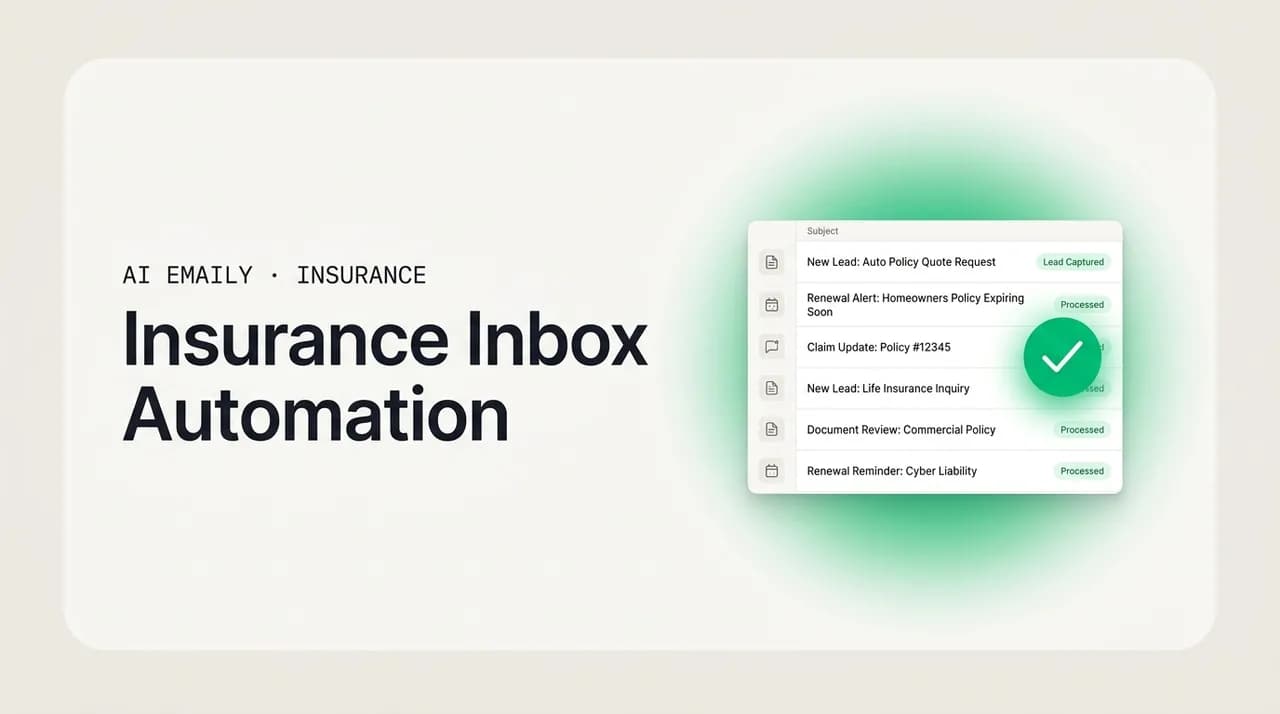
Insurance inbox automation is the system that catches every lead and renewal in a multi-carrier inbox and moves it forward on its own: acknowledge in seconds, triage by line, draft in your voice, chase the follow-up, and prompt the renewal before it lapses. Automate the repeatable, keep a human on compliance-sensitive and emotional lines, and put every action behind approval, undo, and an audit trail.
Insurance inbox automation: how agents capture, acknowledge, triage, draft and follow up across every carrier inbox. What to automate, what to keep human.
On this page
- 01What does insurance inbox automation actually mean?
- 02The seven stages of an automated insurance inbox
- 03What to automate and what to keep human
- 04Building the system: rules, templates, cadences, and escalation
- 05Reaching zero lead and renewal leakage
- 06Scaling producers and CSRs on a shared inbox
- 07How AI Emaily helps — pain by pain
- 08A 30-day plan to automate your agency inbox
- 09Putting it all together
What does insurance inbox automation actually mean?#
Insurance inbox automation is the practice of letting software handle the predictable, repeatable email work of an agency — acknowledging new leads, sorting messages by line and carrier, drafting routine replies, chasing follow-ups, and surfacing renewals before they lapse — so a producer or CSR spends their time on the judgment calls a human has to make. It is not a marketing drip and it is not a chatbot bolted onto a website. It is the day-to-day inbox, the one where quote requests, carrier notices, client questions, and renewal reminders all land in the same place, running on rails instead of on memory.
The reason this matters more in insurance than in almost any other business is structural. An independent agent is not managing one relationship with one carrier; they are managing many clients across many carriers at once, and every one of those relationships generates email. A single personal-lines household might touch auto, home, and an umbrella policy, each with its own renewal date, its own carrier portal, its own set of notices. Multiply that across a book of business and the inbox stops being a place you read and becomes a place things get lost. Independent agents write roughly 62% of all U.S. property-casualty premium, which means this fragmented, multi-carrier inbox is not an edge case — it is the operating model of most of the industry.
So when we say "inbox automation" for an agency, we mean something specific and end-to-end. A lead comes in and gets acknowledged before the prospect has time to email the next agent on their list. The message gets triaged — new business or service, personal or commercial, which carrier, how urgent — without anyone reading it first. A draft reply is waiting, written the way you write, grounded in what you actually know about that client. A follow-up is staged so the quote you sent on Tuesday does not go cold by Friday. And the renewal that is ninety days out gets flagged now, not the week it expires. Every one of those steps is a place a lead or a renewal currently leaks out of a manual agency, and every one of them is automatable.
It helps to name the pain precisely, because "I get too much email" is not actionable. The specific failure modes in an insurance inbox are these. Speed-to-lead: a quote request sits for an hour because you were on the phone, and by the time you reply the prospect has three other quotes. Renewal load: a book of a few hundred policies has a renewal falling due almost every single day, and manual reminders depend entirely on whether someone remembered to look. Multi-carrier volume: the same client's file is spread across carrier portals, your agency management system, a comparative rater, and your inbox, so nothing is ever in one place. Compliance exposure: on Medicare and other regulated lines, what an email can and cannot say is governed by rules, and a well-meaning automated reply can create real liability. And tool sprawl: the average independent agent already pays for a stack of software that does not talk to itself, so the honest problem is rarely "add another tool" — it is "make the tools I have stop dropping things."
This guide is about building the system that closes those gaps. We will walk through the full lifecycle of a message — capture, acknowledge, triage, draft, follow-up, renew, and close the loop — then draw the line between what you should automate and what you should keep a human on, especially for compliance-sensitive and emotionally loaded lines. We will cover how to actually build it with rules, templates, renewal cadences, and escalation paths; how to reach genuine zero-leakage on both leads and renewals; and how the system scales as you add producers and CSRs. At the end there is an honest section on where AI Emaily fits, mapped pain by pain, because the whole point of automation is that it should earn its place, not add to the pile.
Automation is not autosend
The seven stages of an automated insurance inbox#
A message in an agency inbox has a life cycle, whether you have named it or not. Understanding those stages is what turns "automation" from a vague aspiration into a set of concrete jobs you can hand off. Here are the seven stages, in order, and what automating each one looks like in practice.
- 1
Capture — nothing arrives that isn't seen
Leads and notices come from everywhere: web forms, comparative raters, carrier portals, referral partners, and plain inbound email. Capture means every one of those lands in a single inbox you actually watch, not a portal you remember to check on Thursdays. If a source cannot be pulled into your inbox, it is a source that will eventually be missed.
- 2
Acknowledge — the prospect hears back in seconds
The single highest-leverage automation in the whole system. An instant, human-sounding acknowledgment — "Got your request, I'm pulling quotes now, expect options by end of day" — buys you the time to do the work without losing the lead to a faster agent. It is the difference between a warm prospect and a cold one.
- 3
Triage — every message is sorted before you read it
New business or service? Personal or commercial lines? Which carrier? Urgent or routine? Compliance-sensitive or not? Triage assigns those labels automatically so your inbox arrives pre-sorted, the right producer or CSR sees the right message, and nothing regulated slips into a routine autoreply path.
- 4
Draft — a reply is waiting, in your voice
Most agency email is variations on a theme: quote follow-ups, document requests, coverage questions, endorsement confirmations. A good system drafts these for you, grounded in what you actually know about the client, so you are editing and approving rather than starting from a blank page a hundred times a week.
- 5
Follow-up — the quote never goes cold
A quote sent is not a quote closed. Automated follow-up cadences chase the prospect who went quiet — a nudge at day two, a check-in at day five, a last touch before the quote expires — without you having to remember which of forty open quotes needs a poke today.
- 6
Renew — the policy is flagged before it lapses
Renewals are the most automatable and most under-automated stage. A renewal cadence surfaces every policy on a schedule tied to its effective date — ninety, sixty, thirty days out — and drafts the outreach, so retention stops depending on whether anyone happened to look at the expiration report.
- 7
Close the loop — the thread ends where it should
The final stage is making sure nothing is left half-done: the bound policy is confirmed, the document is filed, the client got their confirmation, and the open item is marked closed. Loop-closing automation is what keeps the inbox from quietly filling with things that were almost finished.
Notice how the stages compound. Fast acknowledgment is worth little if triage sends the lead to the wrong producer. Good drafts are wasted if follow-up never happens and the quote goes cold. A perfect renewal reminder is undone if the loop never closes and the bound policy is never confirmed. The value of inbox automation is not in any single stage — it is in running the whole chain reliably, every time, so a lead or a renewal cannot fall out between two steps because a human got busy. Most agencies have automated one or two of these stages by accident, usually acknowledgment and maybe a renewal report. The leakage happens in the gaps between them.
There is also a sequencing insight worth pausing on. The stages that pay off first are the ones at the front of the funnel, because that is where money is won or lost fastest. Acknowledge and triage are the highest-return places to start: they are the cheapest to automate, the lowest-risk, and they protect the leads you have already paid to generate. Draft and follow-up come next, because they multiply the capacity of every producer. Renew and close-the-loop are the compounding, quieter wins — less dramatic day to day, but they are where a book of business is retained or slowly bled. Build front to back, and each stage you add makes the ones before it more valuable.
What to automate and what to keep human#
The instinct with any new automation is to point it at everything and see what sticks. In insurance that instinct is a liability, because the lines of business are not equally safe to automate. Personal-lines auto and home communication is highly repeatable and low-risk — a renewal reminder is a renewal reminder. Medicare and health communication is governed by CMS marketing rules that dictate what an email can say, what disclaimers it must carry, and what counts as unsolicited contact. Life insurance sits somewhere else entirely: the content is emotionally loaded, the sales cycle is a long human nurture, and a tone-deaf automated message can damage a relationship a routine P&C reminder never would.
The right frame is not "automate or don't" but "automate the mechanics, keep the human on the judgment." Even on the most sensitive line, the mechanical stages — capture, triage, filing, reminding — are safe and valuable to automate. What you keep human is the content and the send decision on anything where a wrong word carries regulatory or relational cost. The table below draws that line stage by stage and line by line, based on where the risk actually lives.
| Safe to automate (drafts + hands-free where noted) | Keep a human in the loop (draft-and-review, never autosend) |
|---|---|
| Instant lead acknowledgment on personal lines — a fast "got it, quotes coming" reply. | Any first-contact email on Medicare or regulated health lines — unsolicited-contact and disclaimer rules apply. |
| Triage and routing of every message — sorting by line, carrier, urgency, and new-business vs. service. | Coverage recommendations, limits, and anything that could be read as tailored advice on a specific risk. |
| Renewal reminders and document requests on personal-lines auto, home, and renters. | Life insurance outreach — the emotional, long-nurture content where the agent's personal touch is the product. |
| Standard quote follow-up cadences — the day-two nudge, the pre-expiry check-in. | Commercial-lines quote details — coverage-specific numbers that need a human pass before they go out. |
| Filing, confirmations, and loop-closing — logging the bound policy, confirming receipt, marking done. | Complaints, claims disputes, cancellations, and anything with a hint of E&O exposure. |
| Internal notifications — flagging the CSR when a VIP client writes or a renewal window opens. | Specialty and E&S lines — bespoke, underwriting-specific communication with little to templatize against. |
The pattern in that table is worth stating plainly, because it is the governing principle of safe agency automation: automate the routing and the routine, keep a human on the regulated and the emotional. Personal-lines P&C is the strongest fit for deep automation because its communication is templated enough to draft reliably and low-stakes enough that a small imperfection costs nothing. Medicare and health need the mechanics automated but the content gated, because CMS rules make the words themselves a compliance surface. Life insurance is best treated as draft-and-review no matter how good the automation gets, because on a line where first-year commissions can dwarf everything else, the agent's personal presence is not a bottleneck to remove — it is the thing being sold.
This is also why "autosend everything" is the wrong goal even where it is technically possible. The valuable version of automation is the one that does ninety percent of the work — the reading, the sorting, the drafting, the reminding — and then hands you a decision you can make in two seconds instead of two minutes. On the highest-volume, lowest-risk personal-lines traffic, letting some of that run hands-free within tight rules is reasonable and a genuine time-saver. On everything else, the win is preparation, not autonomy. A system that respects that distinction is one you can actually trust; a system that blurs it is one you will eventually turn off after it sends the wrong thing to the wrong client.
Compliance-sensitive lines need guardrails, not a firehose
Building the system: rules, templates, cadences, and escalation#
An automated inbox is only as good as the rules behind it. The good news is that most of an agency's email follows a small number of patterns, so a modest set of well-chosen rules covers the large majority of daily volume. The work is in defining those patterns once, clearly, and then letting the system apply them consistently. Here is how to build each layer.
- 1
Start with triage rules, because everything downstream depends on them
Write rules that label incoming mail by the dimensions that matter: line of business (personal, commercial, Medicare, life), carrier, new business vs. service, and urgency. A rule can be as simple as "messages mentioning a policy number from Carrier X, route to the service queue" or "anything from a lead-gen source, flag as new business and acknowledge immediately." Get triage right and the rest of the system has a clean foundation to act on.
- 2
Build a template library for the replies you send a hundred times
Quote follow-up, document request, coverage explanation, endorsement confirmation, renewal outreach, welcome email — these are the same message with different names in the blanks. Turn each into a template with placeholders for the client-specific values. A good template is not a canned message you send verbatim; it is a starting draft the system personalizes with real client data, so every reply is specific without being written from scratch.
- 3
Set renewal cadences tied to effective dates, not to your memory
For each line, define the reminder rhythm — for example, ninety days out flag internally, sixty days out draft the client outreach, thirty days out escalate if there's been no response. The cadence should key off the policy's effective date automatically, so a renewal surfaces on schedule whether or not anyone ran the expiration report that week. This single mechanism is where most renewal leakage is closed.
- 4
Define escalation paths for the messages a rule can't safely handle
Not every message should be auto-handled. Complaints, claims disputes, compliance-sensitive first contacts, and anything ambiguous need to route to a human fast. Build explicit escalation: if a message trips a "sensitive" flag — regulated line, angry tone, cancellation language — it jumps the queue to the right person with the automation held back. Escalation is what makes the rest of the automation safe to trust.
- 5
Layer follow-up cadences on top of your sent quotes
A quote that goes out should automatically enter a follow-up sequence: a check-in at day two, a value-add touch at day five, a final nudge before it expires, then a stop. The point is that no open quote depends on you remembering it. When the client replies, the cadence stops and the thread returns to normal handling.
- 6
Close the loop with completion rules
Define what "done" looks like for each workflow — bound policy confirmed, document filed, client notified — and let the system mark items complete and clear them from the active queue. Loop-closing rules are what stop the inbox from silently accumulating almost-finished threads that nobody circles back to.
A few principles keep this from becoming its own maintenance burden. First, start small and add rules as patterns prove themselves, rather than trying to encode every edge case up front — a handful of rules covering your highest-volume flows will handle most of the day, and you can grow from there. Second, prefer rules you can read in plain English over brittle keyword filters; a rule you cannot understand at a glance is a rule that will eventually misfire silently. Third, make every automated action visible and reversible, so when a rule does misfire you can see it happened and undo it, rather than discovering it three weeks later from a confused client.
It is worth being honest that the traditional way to build all of this — inside a legacy agency management system or a general-purpose email platform — is where a lot of agencies get stuck. AMS platforms are strong at record-keeping and weak at the inbox itself; general email tools are strong at the inbox and know nothing about insurance. So agents end up stitching together a comparative rater, an AMS, a CRM, and their email, each holding part of the picture, none of them acting on the others. That fragmentation is not a rules problem — it is an architecture problem, and it is the reason the average independent agent's tool stack does not talk to itself. The systems that actually deliver zero-leakage are the ones where the inbox, the client context, and the automation live in one place.
Reaching zero lead and renewal leakage#
"Never miss a lead or renewal" is a strong claim, so it is worth defining what it actually requires. Leakage happens in the gaps — the moments between stages where a message stops moving because a human had to move it and did not. Reaching zero leakage means closing every one of those gaps with a mechanism that does not depend on anyone remembering. There are exactly two places a lead or renewal falls out of an agency, and each has a specific fix.
The first is the front door: a lead comes in and nobody responds fast enough. The classic lead-response research is stark here — the odds of qualifying a web lead drop sharply after the first several minutes, and firms that respond within an hour are dramatically more likely to connect than those that wait even a little longer. In an agency, the culprit is almost never laziness; it is that the producer was on a call, at lunch, or heads-down on another quote when the lead arrived. The fix is automated acknowledgment that fires the instant the lead lands, independent of what any human is doing, so the prospect is engaged and the clock is reset while the real work happens behind it.
The two-minute test
The second place things fall out is the back door: a renewal comes due and nobody worked it in time. Because a healthy book has a renewal falling due almost every day, manual renewal management is a running bet that someone will look at the expiration report often enough and act on every line before it lapses. That bet loses occasionally by definition, and every loss is a client who quietly re-shopped or let coverage drop. The fix is a renewal cadence keyed to effective dates that surfaces and drafts outreach on a fixed schedule, so the question is never "did anyone remember this renewal" but "did we approve the outreach the system already prepared."
Put those two fixes together and you have the architecture of zero leakage: every inbound lead acknowledged automatically the moment it arrives, and every renewal surfaced and drafted automatically on a date-driven cadence. In between, triage makes sure each one reaches the right person, follow-up cadences make sure quotes do not go cold, and loop-closing makes sure finished work is actually finished. None of these individually is exotic. What makes them add up to zero leakage is that they run on rails — the system does the remembering, so a busy day, a sick producer, or a missed report can no longer be the reason a lead or a renewal was lost.
The honest caveat is that zero leakage is a property of the system, not a marketing absolute. No software can force a prospect to reply or a client to renew. What it can do — and what "never miss" genuinely means — is guarantee that nothing is lost to the inbox itself: every lead is engaged in time and every renewal is worked on schedule, so the only ones you lose are the ones you were always going to lose on the merits, not the ones that slipped through a gap. That is a meaningfully different outcome from the manual baseline, and it is achievable.
Scaling producers and CSRs on a shared inbox#
Automation earns its keep on a solo book, but it changes character entirely once you have a team, because now the problem is not just volume — it is coordination. When two producers and a CSR share visibility into the same flow of leads and renewals, the failure modes multiply: two people reply to the same lead, or worse, both assume the other has it and nobody does. A renewal falls between a producer who thought the CSR owned it and a CSR who thought the producer did. The inbox becomes a place where work is not just lost to time but lost to ambiguity about who owns what.
Inbox automation solves the coordination problem the same way it solves the leakage problem: by making ownership explicit and automatic rather than assumed. Triage rules do not just sort by line and urgency — they assign. A commercial lead routes to the commercial producer; a personal-lines service request routes to the CSR who handles that book; a Medicare inquiry routes to the licensed agent and never to a general autoresponder. When assignment is automatic, the "I thought you had it" failure disappears, because the system always knows who has it and everyone can see the same answer.
The other thing automation does for a growing team is preserve consistency without flattening voice. A concern agency owners rightly have is that if you template and automate the inbox, every producer starts sounding like the same robot, and the personal relationships that independent agencies compete on erode. The answer is drafting that matches each person's voice rather than imposing a house style — the template provides the structure and the client context, and the draft comes back sounding like the producer who owns the relationship, not like a form letter. Consistency lives in the process; personality lives in the words. You get a reliable system and clients who still feel like they are talking to their agent.
Delegation is the capstone of team automation. On a well-run shared inbox, a producer can hand a thread to a colleague — or to the agent itself — and the context travels with it: the client profile, the open loops, the history. A CSR picking up a renewal sees everything the producer knew. The owner can look at any thread and see, from the audit trail, exactly what was automated, what a human did, and when. That combination — automatic assignment, voice-matched drafts, portable context, and a per-actor audit trail — is what lets an agency add producers and CSRs without adding proportional chaos. The inbox scales because the coordination is built in, not bolted on after the third missed handoff.
How AI Emaily helps — pain by pain#
Everything above is achievable in principle with enough discipline and enough stitched-together tools. The reason AI Emaily exists is that in practice the stitching is where agencies fail: the rater does not talk to the AMS, the AMS does not act on the inbox, and the inbox does not know anything about the client. AI Emaily is an AI-native email client with an autonomous chief-of-staff built in — it triages, drafts in your voice, follows up, and closes loops, across every provider in one unified inbox, with you in control the whole way. Here is how each of the specific insurance pains from the top of this guide maps to a capability, honestly, including where the human stays in the loop.
- Speed-to-lead → instant acknowledgment and triage. The moment a lead lands, the agent can acknowledge it in your voice and route it to the right producer, independent of whether you are on a call. The prospect hears back in seconds, the clock resets, and the lead you paid for does not go to the faster agent down the road.
- Renewal load → date-driven cadences and staged drafts. Renewal outreach is drafted and surfaced on a cadence tied to each policy, so the renewal that is sixty days out is prepared for you now. Retention stops depending on whether anyone ran the expiration report this week.
- Multi-carrier volume → one unified inbox with client context. Every provider — Gmail, Outlook, iCloud, Fastmail, Proton, IMAP — in a single inbox, with per-client context and typed variables that load the moment you open a reply. The client's real names, numbers, and open loops are in the draft, and the AI uses the actual values rather than inventing them.
- Compliance exposure → Copilot approval, guardrails, and audit. On regulated lines, nothing leaves without you. Copilot prepares the draft and stages it; you approve every send. Autopilot only acts within boundaries you set explicitly, every action is reversible, and there is a full audit trail of what was done — the guardrails that let you automate the safe parts and keep a human on the rest.
- Fragmented tools → the inbox as the system of action. Instead of a rater, an AMS, a CRM, and email each holding a piece, the automation, the context, and the inbox live in one place — so the follow-up actually happens, the renewal actually surfaces, and the loop actually closes, rather than falling into a gap between two tools.
- Privacy and trust → your mail stays yours. AI Emaily never trains on your email, runs zero-retention inference with providers, and envelope-encrypts your tokens and keys. On the Autopilot and Team plans you can bring your own model key, and you can run private AI, so sensitive client communication is handled on terms you control.
The three authority modes are how AI Emaily keeps you in control while it does the work, and they map cleanly onto the automate-vs-keep-human line this guide has been drawing. Manual mode is a fast, keyboard-first client where the AI helps only when you ask — the right setting for your most bespoke, specialty-line work. Copilot mode prepares everything — triage, voice-matched drafts, follow-ups, renewal outreach — and waits for your one-click approval before anything sends, which is the correct default for most agency email and mandatory for compliance-sensitive lines. Autopilot mode lets the agent send, schedule, and close loops on its own within rules you define, which is where the high-volume, low-risk personal-lines traffic can safely run hands-free. Every mode carries undo and a full audit trail, so autonomy is always something you can see and reverse.
The honest positioning is this: AI Emaily is not magic, and it does not remove your responsibility for what goes out — especially on regulated lines, where you remain accountable for the content. What it does is take the inbox off rails-you-hold-in-your-head and put it onto rails the system holds for you, so a lead cannot leak because you were busy and a renewal cannot lapse because nobody ran a report. It automates the mechanics and the routine, keeps you on the judgment, and shows its work. For an independent agent or an agency owner whose book lives and dies in a multi-carrier inbox, that is the difference between an inbox you fight and an inbox that works for you.
A 30-day plan to automate your agency inbox#
Rolling this out does not require a big-bang migration. The highest-return path is to sequence it the way the stages compound — front of funnel first, then capacity, then retention — and let each week's win fund the next. Here is a realistic month.
- 1
Week one — connect and acknowledge
Bring every mailbox and lead source into one inbox, and turn on instant acknowledgment for new leads on your highest-volume personal line. This is the fastest, safest, highest-return automation, and it starts recovering already-paid-for leads on day one. Do nothing else until this is solid.
- 2
Week two — triage and route
Write the handful of triage rules that cover most of your daily volume: line of business, carrier, new business vs. service, and urgency. If you have a team, add assignment so each message reaches the right producer or CSR automatically. Keep the rules readable and few.
- 3
Week three — draft and follow up
Build your template library for the replies you send constantly, and turn on Copilot so drafts are waiting in your voice for you to approve. Layer a follow-up cadence on sent quotes so nothing goes cold. Review every draft this week — you are teaching the system your voice and building trust before you loosen the reins.
- 4
Week four — renew and close the loop
Set renewal cadences keyed to effective dates for your personal lines, so outreach is drafted on schedule. Add completion rules so finished threads clear themselves. Only now, on your lowest-risk, highest-volume traffic and only if you're confident, consider letting a narrow slice run on Autopilot within tight rules — with undo and audit watching.
Earn the autonomy
Putting it all together#
Insurance inbox automation is not about turning your agency into an autoresponder. It is about building a system that catches every lead and every renewal in a fragmented, multi-carrier inbox and moves it forward reliably — acknowledge in seconds, triage before you read, draft in your voice, follow up so nothing goes cold, renew before it lapses, and close the loop so nothing is left half-done. The stages compound, so build front to back, and each one makes the last more valuable.
The discipline that keeps it safe is the automate-vs-keep-human line. Automate the mechanics and the routine everywhere — capture, triage, filing, reminding — and automate the content and the send only where the risk is low: personal-lines P&C, mostly. Keep a human firmly on the compliance-sensitive and the emotional: Medicare and regulated health, life insurance, complaints, claims, and specialty risks. Put every automated action behind approval, undo, and an audit trail, and you get a system you can actually trust rather than one you turn off after it sends the wrong thing once.
Do that, and "never miss a lead or renewal" stops being a slogan and becomes a property of how your inbox works: nothing is lost to the inbox itself, because the system does the remembering. If you would rather not stitch that together from a rater, an AMS, a CRM, and a general email tool that do not talk to each other, that is exactly what AI Emaily is for — the inbox, the client context, and the automation in one place, in your voice, with you in control. You can start free at app.aiemaily.com/signup, connect your first mailbox, and see a triaged inbox with drafts already waiting.
Frequently asked
See it in AI Emaily
Keep reading
Sources
- Insurance Information Institute — Facts + Statistics: Independent agents
- Insurance Information Institute — Facts + Statistics: Distribution channels
- Harvard Business Review — The Short Life of Online Sales Leads
- CMS — Medicare Managed Care Marketing (rules for agents and brokers)
- Independent Insurance Agents & Brokers of America (Big "I")

Written by
Nafiul HasanNafiul Hasan is an entrepreneur and AI automation system builder with 10+ years of experience turning messy, manual workflows into reliable automated systems. He designs and ships AI enterprise solutions end-to-end — the agent logic, the data plumbing, and the product people actually use — and founded AI Emaily to give busy professionals their attention back. He writes here from the builder's seat: what works, what breaks, and how to put AI to work without giving up control.