Get an Email Brief in Slack or Telegram: Stay Informed Without Living in the Inbox

The short answer
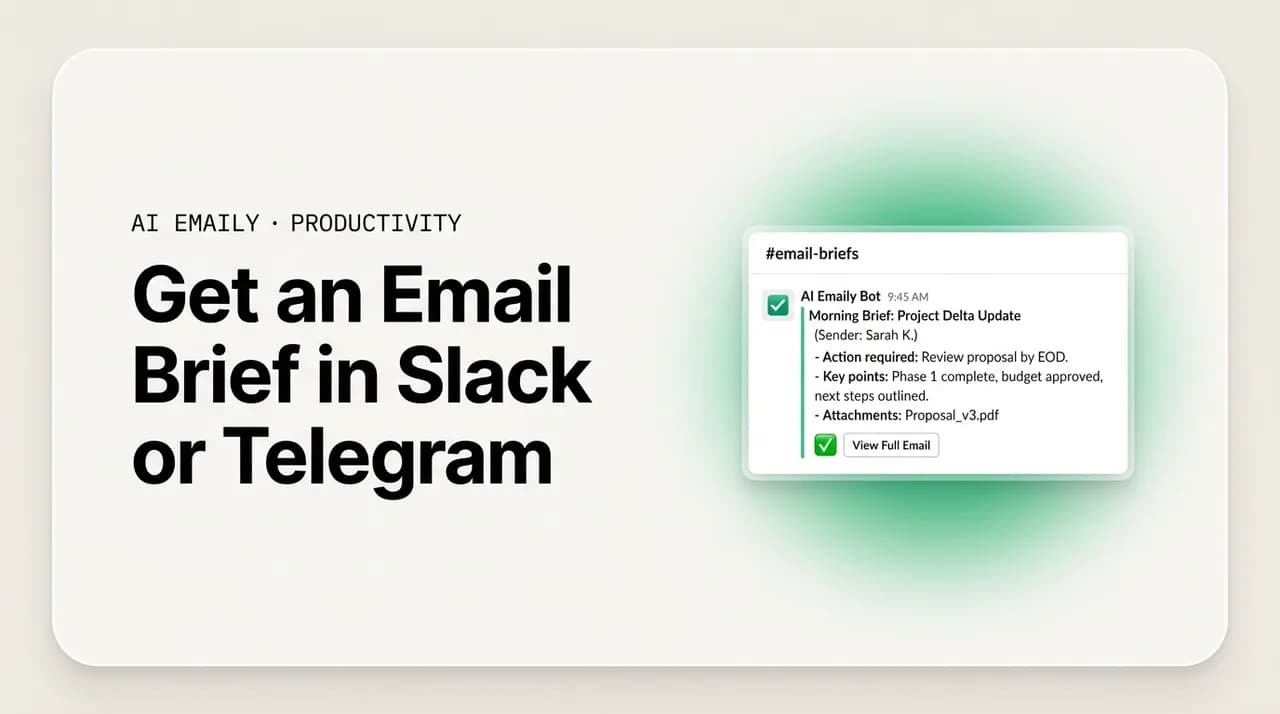
An email brief to Slack or Telegram sends a short, scheduled digest of your inbox to the chat app you already watch — message counts, what actually needs you, one-line summaries, and ready drafts — so you stay informed without opening your inbox. The best briefs are categorized and let you act (archive, reply, snooze) right from the message instead of switching back to email.
An email brief to Slack or Telegram delivers a categorized digest — counts, what needs you, summaries, drafted replies. What a good one contains, plus DIY.
On this page
- 01Why does an email brief beat living in the inbox?
- 02What should a good email brief actually contain?
- 03What are the DIY ways to get email into Slack or Telegram?
- 04What does a good email brief look like in practice?
- 05How is a built-in brief different from a DIY pipe?
- 06How does AI Emaily deliver a Living Brief to Slack and Telegram?
- 07When does a brief work well, and when do you still open the inbox?
- 08The bottom line on getting an email brief in Slack or Telegram
You open your inbox to "see if anything came in," and forty minutes later you are still there. Not because forty minutes of email arrived — most of it was a receipt, two newsletters, a calendar update, and a thread you were CC'd on for visibility. The problem is that to find the one message that actually needed you, you had to walk past all the ones that did not, and each one pulled at your attention on the way. The inbox does not tell you what happened; it makes you go look, every time, and reading is the only way to find out.
There is a different shape to this. Instead of going to the inbox to find out what is in it, the inbox comes to you — as a short, scheduled brief delivered to a place you already have open. For most people that place is Slack or Telegram. A few times a day, a message lands: here is what arrived, here is the count, here are the three things that need a decision, here is a one-line summary of each, and here are drafts ready if you want them. You read it in thirty seconds, decide what to act on, and go back to work. You did not open the inbox. You did not get pulled into the thread you were CC'd on. You stayed informed without living in it.
This guide is about that shift — getting an email brief in Slack or Telegram instead of monitoring the inbox all day. We will cover why a brief beats living in the inbox, what a genuinely useful brief contains (and what a lazy one leaves out), the DIY ways to build one with Zapier or scripts or native digest features, where those approaches hit a wall, and what it looks like when the brief is built into the email client itself and you can act on it without ever switching back. There is a comparison table, an example of an actual brief message, and an honest account of the trade-offs.
The point is not to abandon email. The point is to stop treating "check the inbox" as the only way to know what is in it. A good brief is a layer on top of your mail that answers the question "do I need to do anything?" without making you read everything to find out — and that small change is what gives the rest of the day back.
Why does an email brief beat living in the inbox?#
The case for a brief starts with what the inbox actually costs you, and it is not the time spent reading the messages that matter. It is the time spent finding them, and the attention spent recovering each time a glance at the inbox pulls you off whatever you were doing. The inbox is a pull medium: it sits there full, and the only way to learn its state is to go in and read it. Every check is an entry into a space designed to hold your attention, surrounded by things that are not the thing you came for.
Three costs stack up. First, the scanning cost: to find the two messages that need you, you read past the thirty that do not, and your brain processes every subject line, every sender, every preview as a small decision. Second, the context-switching cost: leaving deep work to "just check email" and coming back is not free — the research on attention residue is consistent that part of your mind stays stuck on the thing you switched to, and refocusing takes real minutes. Third, the open-loop cost: an inbox with unread messages in it is a background hum, a low anxiety that something might be in there, which is exactly what pulls you back to check again.
A brief collapses all three. It does the scanning for you and hands you only the result, so you read a short digest instead of the whole inbox. It batches the checking into a few scheduled moments instead of a constant trickle, so the day has fewer switches in it. And it closes the open loop — you know what arrived because the brief told you, so there is no nagging need to go look. The inbox becomes something you visit deliberately, when the brief says there is a reason, rather than a place you live.
The reason Slack or Telegram is the right destination is that you are already there. Trying to make yourself check email less by sheer willpower fails because the alternative — being uninformed — feels worse. A brief solves that honestly: you are not less informed, you are differently informed, through a channel you already watch for everything else. The information arrives where your attention already is, instead of demanding you go somewhere else to get it.
The core idea in one line
What should a good email brief actually contain?#
A brief is only useful if it answers the question you actually have, which is rarely "what is every single message?" It is usually "is there anything I need to do, and if so, what and how urgent?" A lazy brief — just "you have 14 new emails" or a raw dump of every subject line — answers neither and is barely better than the unread badge it replaced. A good brief is built to let you make decisions without opening anything, and that takes four ingredients.
First, the counts, but contextual. "14 new" is noise. "14 new — 3 need a reply, 2 are time-sensitive, 9 are FYI/newsletters" is signal, because it tells you the shape of what arrived before you read a word of it. The number alone creates anxiety; the breakdown resolves it. The single most valuable line in any brief is the one that separates "needs you" from "does not."
Second, what needs you, called out clearly. The whole job of the brief is to surface the small set of messages that require a decision or a reply, and to do it prominently — at the top, flagged, not buried. A direct question from your manager, a client waiting on an answer, an approval that is blocking someone, a deadline today: these are the messages the brief exists to catch. Everything else is context. If the brief makes you hunt through it for the one urgent item, it has failed at its one job.
Third, summaries, not subject lines. A subject line tells you a thread exists; a one-line summary tells you what it says and what it wants. "Re: Q3 planning — Dana is asking you to confirm the budget number by Thursday" lets you decide in a second. "Re: Q3 planning" makes you open it. The summary is where a brief earns its keep, because it is the part that actually saves you from reading the email. The better the summary, the less the inbox pulls you in.
Fourth — and this is what separates a notification from a useful brief — drafted replies and actions. The best briefs do not just tell you a message needs a reply; they have a draft ready, so the decision becomes "send this, edit it, or skip" rather than "go write it." And they let you act on the lower-priority items in bulk — archive the nine FYIs, snooze the newsletter — without opening anything. A brief that informs but cannot act still sends you back to the inbox to do the work. A brief you can act from is the whole point.
One more design point worth naming: a brief should respect priority, not flatten it. The failure mode of every digest is that it treats all email as equally worth reporting, which just recreates the inbox in a new window. A useful brief sorts — needs-you first, FYI last, noise filtered out entirely — and that sorting is most of the value. The counts and summaries are easy; deciding what is important enough to surface and what to quietly leave in the FYI pile is the hard part, and it is the part that determines whether the brief actually lets you skip the inbox or just adds one more thing to read.
And a brief should be a two-way street, not a broadcast. If all it can do is tell you things, you read it and then go to the inbox to do anything about it — so it saved you the scanning but not the switching. The briefs worth using let you reply, archive, snooze, or mark done from inside the chat message, so the loop closes where you already are. We will come back to this, because it is the single biggest difference between a brief you set up once and forget and a brief that actually changes how your day runs.
The test for any brief
What are the DIY ways to get email into Slack or Telegram?#
You do not need a new tool to get some version of email-to-chat working, and it is worth knowing the DIY routes both to use them and to understand where they top out. There are three broad approaches: native digest features your email already has, automation platforms like Zapier or Make, and custom scripts. Each gets you part of the way, and each hits a different wall.
Native digests are the zero-setup option. Gmail and Outlook can batch certain notifications, and many services that flood your inbox (social networks, project tools, newsletters) offer their own daily-digest settings. Slack and Telegram both have email-related integrations — Slack can forward emails into a channel via an email address, and you can wire mailbox forwarding to a Telegram bot. This is genuinely useful for narrow cases: route all of one newsletter or one alerting system into a channel and read it there. The limit is that these are forwards or simple batches, not briefs — they move email into chat without summarizing, prioritizing, or letting you act. You get the noise relocated, not reduced.
Automation platforms (Zapier, Make, n8n) are the popular middle path. The basic recipe is a trigger — "new email matching a filter" — and an action — "post to a Slack channel or Telegram chat." With a little work you can filter to only important senders, format the message, and even schedule a daily roll-up. Add an AI step (an LLM action that summarizes the email body) and you start approaching a real brief. This is the most capable DIY route and worth trying if you like building. The limits show up in three places, covered in the table below: cost at volume, the difficulty of doing real prioritization with filter rules, and the fact that the messages are one-way — you can read the summary in Slack but not reply, archive, or snooze from it.
Custom scripts are the maximum-control option for the technically inclined. A script using the Gmail or Microsoft Graph API can pull new mail, run it through a summarization model, group it by priority, format a digest, and post it to Slack's or Telegram's API on a cron schedule. You can make this as smart as you are willing to maintain. The cost is exactly that — maintenance: OAuth tokens to refresh, API changes to track, prompt-tuning for summaries, and a two-way version (acting from chat) is a substantial build of its own. Most people who go this route end up with something that briefs well but cannot act, because the read path is a weekend project and the write path is not.
| Approach | What it gives you | Where it stops |
|---|---|---|
| Native digests (Gmail/Outlook/source apps) | Zero setup; batches or forwards specific sources into chat or a daily roll-up | No real summaries or prioritization; relocates noise rather than reducing it; one-way |
| Slack/Telegram email forwarding | Sends matching emails straight into a channel or bot | Raw forwards, no brief; no counts, summaries, or actions; you still triage in the inbox |
| Zapier / Make / n8n | Filter important senders, format, schedule a roll-up; add an AI step for summaries | Per-task costs add up at volume; prioritization via rules is brittle; replies/archive not supported |
| Custom script (Gmail/Graph API) | Full control — summarize, group by priority, post on a cron schedule | You own OAuth, API changes, and prompts; two-way actions are a big extra build |
| Built-in brief (email client feature) | Categorized scheduled digest with summaries, drafts, and act-from-chat — no wiring | Tied to a client that offers it; covered in the AI Emaily section below |
If you want a brief this afternoon and you like tinkering, the Zapier-plus-an-AI-step route is the fastest DIY path to something real: a filtered, summarized, scheduled message in Slack or Telegram. It is a good way to feel the value before committing to anything. Just go in clear-eyed about the two ceilings every DIY approach shares. The first is prioritization — "important" is a judgment that filter rules approximate badly; you can match senders and keywords, but you cannot easily encode "this is the one email today that actually needs a decision." The second is direction — these pipes run one way, so the brief informs you and then sends you back to the inbox to act, which means you saved the scanning but kept the switching.
Those two ceilings are not incidental; they are why the DIY versions tend to get built, used for a few weeks, and quietly abandoned. A brief that mis-prioritizes makes you double-check the inbox anyway, and a brief you cannot act from is a notification with extra steps. Closing both gaps — genuinely sorting what needs you, and letting you handle it in place — is the difference between a clever automation and a tool you actually rely on, and it is hard to bolt on after the fact.
Be careful what you pipe through third parties
What does a good email brief look like in practice?#
Abstract descriptions only go so far, so here is a concrete brief — the kind that actually saves you the trip to the inbox. The shape matters: it leads with the breakdown so you know the scope, surfaces the few items that need you with one-line summaries and a ready draft, and bundles the rest so you can clear it in one action. Read top to bottom, it takes about thirty seconds and answers "do I need to do anything?" completely.
Notice what it does and does not do. It does not list all fourteen messages — it summarizes the three that need a decision and counts the rest. It tells you what each important thread wants, not just that it exists. It has a draft waiting for the one true reply. And every line is something you can act on from where you are reading it, so there is no "…and now go open Gmail." That last part is what makes it a brief you use rather than a digest you skim.
The same brief works in Telegram with the same structure — header, needs-you items with summaries, a draft, the FYI bundle, and inline action buttons — because the format is about information design, not the platform. Whether you read it in a Slack channel, a Slack DM from a bot, or a Telegram chat, the job is identical: tell you the shape, surface what matters, draft the obvious reply, and let you clear the rest in place. The platform is just where your attention already is.
And the cadence matters as much as the content. A single brief at 9:00 sets up the morning; one at 1:00 catches what arrived during deep work; one at 5:00 lets you close loops before logging off. Three scheduled briefs replace dozens of inbox checks, and because each one is complete — counts, priorities, summaries, drafts, actions — you are never tempted to "just quickly look" between them. The schedule is what turns the inbox from a place you live into a thing that reports to you a few times a day.
Three briefs beat thirty checks
How is a built-in brief different from a DIY pipe?#
The DIY approaches share a structural problem: they sit outside your email, looking in through an API or a forward. They can read your mail and report on it, but they do not really understand it, and they cannot easily reach back to act on it. That is why every DIY brief tops out at "informative one-way notification." A brief built into the email client itself starts from the other side — it already has full, native access to your mail, your priorities, and your sending — so it can do the things a pipe cannot.
The first difference is prioritization. A bolt-on filter approximates importance with sender and keyword rules; a built-in brief can use the same understanding that triages your inbox to decide what is genuinely a needs-you item versus FYI. It knows which threads you reply to, which senders you treat as urgent, what looks like an action request versus a broadcast. That is the difference between a brief that surfaces the right three things and one that surfaces fourteen and makes you sort them — which sends you back to the inbox and defeats the purpose.
The second difference is the draft. A DIY pipe can summarize an email; it cannot write a reply in your voice, because it does not know your voice and has no path to send. A built-in brief can attach a ready draft to each needs-you item — written the way you write, to the specific person — so the brief is not just "this needs an answer" but "here is the answer, send it if you agree." That collapses the most expensive part of email, the writing, into a one-tap decision.
The third and biggest difference is that the brief is two-way. Because the feature lives inside the client, the buttons in the message are real: tapping Archive actually archives, tapping Send actually sends, Snooze actually snoozes. There is no "now go to the inbox to do the thing." The loop closes in the chat app where you read the brief. That single property — act from the message — is what turns a brief from a nicer notification into an actual replacement for living in the inbox, and it is the thing DIY routes struggle most to build.
| Capability | DIY pipe (Zapier / script) | Built-in brief |
|---|---|---|
| Knows what's important | Approximates with sender/keyword rules; brittle | Uses the same triage understanding as the inbox itself |
| Summarizes threads | Yes, with an added AI step you wire up | Yes, natively, with context across the thread |
| Drafts a reply in your voice | No — no model of your voice, no send path | Yes — draft attached to each needs-you item |
| Act from the message | No — read-only; you switch back to email | Yes — reply, archive, snooze, mark done in chat |
| Setup and maintenance | You build and maintain it (tokens, prompts, APIs) | Turn it on; no wiring to keep alive |
| Data path | Through third-party automation infra | Within the client you already trust with your mail |
None of this means DIY is wrong. If you want to route one newsletter into a channel, or you enjoy building and want a weekend automation, the pipe approach is great and you should use it. The distinction matters when the brief is meant to be your primary way of staying on top of work email — the thing that lets you actually not open the inbox for hours. At that job, the one-way, rules-based pipe leaks: it mis-sorts, it cannot draft, and it sends you back to the inbox to act, so you drift back into checking. A built-in, two-way brief holds because it closes every loop where you are already looking.
Match the tool to the job
How does AI Emaily deliver a Living Brief to Slack and Telegram?#
This is the feature AI Emaily was built around. AI Emaily is an AI-native email client, and the Living Brief is its answer to the exact problem this guide describes: it sends a scheduled, categorized digest of your inbox to Slack and Telegram, and — because it is part of the client, not a pipe outside it — you can act on every item right from the message. It is the brief from the example above, made real and two-way.
Here is what lands. At the times you choose — say a morning, midday, and end-of-day brief — AI Emaily delivers a message that leads with the breakdown (what arrived, how much needs you, how much is FYI), surfaces the handful of messages that genuinely need a decision with a one-line summary of what each one wants, attaches a ready draft for the replies it can write, and bundles the rest so you can clear it in one tap. The prioritization is not a keyword rule — it is the same understanding AI Emaily uses to triage your inbox, so the needs-you list is the actual needs-you list, not everything from a sender you once flagged. And the drafts are written in your voice, learned from the mail you have actually sent, addressed to the specific person.
The part that makes it a Living Brief rather than a digest is that you act from it. The buttons are real: Send fires the draft, Edit opens it to tweak first, Archive clears the FYIs, Snooze pushes something to later, Reply lets you respond in a line. You do all of it inside Slack or Telegram, where you already are — you never open the inbox to handle what the brief surfaced. That closes the loop the DIY pipes leave open, and it is why the Living Brief actually lets you stop living in your inbox instead of just glancing at a summary of it. It works across every account you connect — Gmail, Outlook, and any IMAP provider — so one brief covers all your mail, in the chat app you already watch.
You stay in control throughout. In AI Emaily's default Copilot mode, nothing sends until you approve it — the brief drafts the reply and waits for your Send, so you review before anything goes out. It is private by design: your mail is used to brief and draft for you, not to train models for anyone else, and you decide where the brief is delivered and who can see it. You can start free at app.aiemaily.com/signup — the Free plan is $0 and connects your inbox with AI drafting, and Pro is $12.42/month billed annually when you want the full Living Brief across everything you send. If you want to see how it stacks up against the DIY routes and other clients, the comparison is at /compare. The point of the Living Brief is simple: know what is in your inbox, and handle what matters, without opening it.
Try the Living Brief on your own inbox
When does a brief work well, and when do you still open the inbox?#
A brief is a powerful default, not a total replacement, and being honest about where it fits keeps it useful. It works best for the bulk of professional email: a steady stream of mixed-importance messages where most do not need you and a few do, and where the cost of monitoring it all day is the real problem. For that — which is most people's most days — a categorized, actionable brief a few times a day genuinely replaces living in the inbox.
There are moments you still go in directly, and that is fine. When you are deep in a live negotiation or a fast back-and-forth with one person, you want the thread open, not a brief three hours from now. When you are searching for something specific — an attachment, an old thread, a detail — the inbox's search is the tool. When you are doing focused inbox cleanup, you are in there on purpose. The brief is for the ambient "what's happening, do I need to act" question that otherwise pulls you in dozens of times a day; it is not meant to remove the inbox for the times you actually want it.
The mindset that makes it work is treating the brief as the default and the inbox as the exception. Most people have it backwards — the inbox is the default they live in, and a digest is a nice-to-have they ignore. Flip it: let the brief be how you normally stay informed and act, and open the inbox deliberately, when there is a reason the brief gave you or a job the brief is not for. Done that way, the brief is not one more thing to read; it is the thing that lets you read far less of everything else.
Default to the brief, visit the inbox on purpose
The bottom line on getting an email brief in Slack or Telegram#
The inbox costs you most not in the messages that matter but in the scanning, switching, and low-grade anxiety of finding them — and the only way to learn its state is to go read it. A brief flips that: it does the reading, tells you what arrived and what needs you, and delivers it to Slack or Telegram where your attention already is. A good one is contextual about counts, ruthless about priority, summarizes instead of listing subject lines, drafts the obvious replies, and — most importantly — lets you act from the message instead of sending you back to the inbox.
You can build a version of this yourself with native digests, a Zapier or Make zap with an AI step, or a custom script, and for relocating a noisy source or a weekend experiment those are great. They top out at the same two ceilings: prioritization is hard to encode in filter rules, and the pipes run one way, so you save the scanning but keep the switching. A brief built into the email client — like AI Emaily's Living Brief — clears both, because it prioritizes the way your inbox does, drafts in your voice, and lets you reply, archive, and snooze right from the chat message.
If you want to actually stop living in your inbox rather than just check it faster, that is the version to use: a scheduled, categorized brief you can act on in place. AI Emaily delivers exactly that to Slack and Telegram, across Gmail, Outlook, and any IMAP account, with you approving before anything sends. You can try it free at app.aiemaily.com/signup. Either way, the principle holds — let the inbox report to you a few times a day, and open it on purpose, not on reflex.
Frequently asked
See it in AI Emaily
Keep reading
Sources

Written by
Nafiul HasanNafiul Hasan is an entrepreneur and AI automation system builder with 10+ years of experience turning messy, manual workflows into reliable automated systems. He designs and ships AI enterprise solutions end-to-end — the agent logic, the data plumbing, and the product people actually use — and founded AI Emaily to give busy professionals their attention back. He writes here from the builder's seat: what works, what breaks, and how to put AI to work without giving up control.