Email Summaries and Digests: Read Less, Miss Nothing, Stay in Flow

The short answer
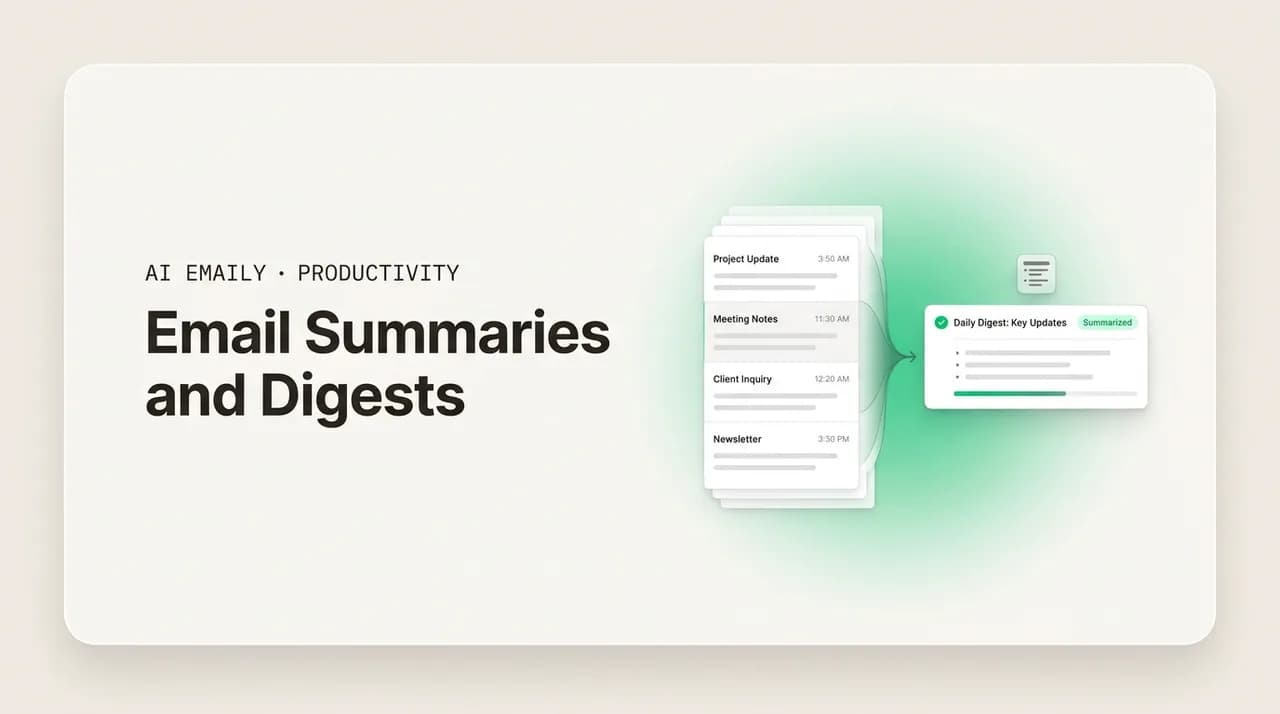
Email summaries and digests cut reading time by condensing many messages into one scan. A thread summary catches you up on a long back-and-forth; a daily or weekly digest batches your inbox into one read; an AI summary pulls out the ask, decision, and deadline. Use native digests for low-stakes mail and AI summaries when accuracy matters.
Email summaries and digests let you read less and miss nothing — thread recaps to catch up fast, daily and weekly inbox digests, and AI summaries. Here is how each works, what makes one useful, and when to trust them.
On this page
- 01What is the difference between an email summary and an email digest?
- 02How do thread summaries help you catch up fast?
- 03What is a daily or weekly email digest, and when is it worth it?
- 04What are newsletter-style roundups and inbox digests?
- 05What native digest options do Gmail and Outlook already have?
- 06Native digests versus AI summaries: which should you use?
- 07What makes an email summary actually useful?
- 08Can you trust an AI email summary to be accurate?
- 09How do you set up summaries and digests without missing urgent mail?
- 10How does AI Emaily summarize threads and brief your whole inbox?
- 11The bottom line on email summaries and digests
You open your inbox after two hours of focused work and there are forty-one new messages. Most do not need you. A handful do, and a couple of those needed you an hour ago. So you start the ritual everyone runs: scroll, scan subject lines, open the ones that look important, realize half are newsletters, lose your place, open a long thread that grew nine replies since you last looked, scroll down then back up to figure out what was decided, and twenty minutes later you have read a great deal and accomplished almost nothing. The reading was the work, and the work produced no decisions.
This is the problem summaries and digests exist to solve. Email volume is not going down — the average professional still receives well over a hundred messages a day — and the cost of that volume is not the typing, it is the reading. Most of an inbox is informational: things to be aware of, not things to act on. The job of a summary is to let you absorb that awareness in a fraction of the time, so your minutes in email go to the messages that need a human, not to skimming the ones that do not.
There are really three distinct tools here, and people tend to blur them. A thread summary condenses one long conversation so you catch up fast. A digest rolls many separate messages into a single batched read on a schedule. And an AI summary, applied to a thread or a whole inbox, does not just shorten the text; it extracts the meaning — the ask, the decision, the deadline, who is waiting on you. This guide covers all three: how each works, the native options in Gmail and Outlook, what separates a summary you can trust from one you cannot, and where the accuracy questions are real.
We will keep it concrete — example summaries you can copy, a comparison table of the approaches, and a clear sense of when a quick native digest is enough versus when you want an AI summary doing the reading for you. Near the end we look at how an AI-native email client handles this end to end, so catching up stops eating the first twenty minutes of every focus block.
What is the difference between an email summary and an email digest?#
These two words get used interchangeably, but they describe different things, and the difference matters when you are deciding what you actually need. A summary compresses content — it takes a body of text, usually one message or one thread, and gives you a shorter version that keeps the meaning. A digest aggregates messages — it takes many separate emails and bundles them into one piece you read on a schedule, so you are not interrupted by each one as it arrives.
Put simply: a summary answers "what does this say?" and a digest answers "what came in?" A thread summary takes a twelve-reply conversation and tells you, in three lines, what was decided and what is left open. A daily digest takes the thirty newsletters, notifications, and FYIs that landed since yesterday and lists them in one email so you read them once, on purpose, instead of thirty times as they trickle in. They solve adjacent problems — one is about depth (this thread is long), the other is about volume (there are too many threads).
The two combine well, which is where the confusion comes from. The most useful version of a digest is a summarized digest: instead of just listing the thirty messages that arrived, it gives you a one-line summary of each, so the digest is both an aggregation and a compression. That is what people usually mean when they ask for an "AI inbox digest" — a single scheduled read that rolls up everything new and tells you what each item says, with the things that need you pulled to the top. Understanding that a digest is a container and a summary is the content inside it makes the rest of this guide easier to navigate.
| Summary | Digest | |
|---|---|---|
| What it does | Compresses one message or thread into a shorter version | Aggregates many separate messages into one scheduled read |
| Solves | Depth — this conversation is long | Volume — there are too many separate emails |
| Scope | Usually one thread or one email | Your whole inbox, a label, or a category |
| Timing | On demand, when you open something long | On a schedule — daily, weekly, or hourly |
| Best for | Catching up on a back-and-forth you fell behind on | Low-stakes informational mail you want to batch |
| Combined form | A line of summary per item inside the digest | A summarized digest — aggregation plus compression |
The one-line distinction
How do thread summaries help you catch up fast?#
The single most painful thing to read in email is a long thread you fell behind on. You step away, and a conversation grows from three messages to fourteen — replies stacked on replies, quoted text repeating itself, side discussions branching off, and a decision buried in the middle that changes what you were going to say. To respond well you have to reconstruct the whole arc, and the format fights you: the newest message is at the top, the oldest at the bottom, and the meaning is scattered across all of it.
A thread summary fixes this by reading the whole conversation in order and giving you back the shape of it: what the thread is about, what has been decided, what is still open, and — the part that matters most — what, if anything, is now waiting on you. Instead of scrolling fourteen messages to find out that the meeting moved to Thursday and you owe everyone the revised numbers, you read four lines and know exactly where things stand and what your next move is. The reading time drops from minutes to seconds, and you re-enter the conversation with the full context instead of a guess.
The best thread summaries do not just shorten — they resolve the things threads are bad at surfacing. They collapse the quoted-reply duplication so you are not reading the same paragraph five times. They track the decision even when it was made in the middle and contradicted later, landing on the current state rather than the loudest message. And they separate the FYI parts from the action parts, so an agreement everyone reached and a question someone left hanging for you do not read with equal weight. A good summary ends by pointing at you: here is what this thread needs from you now. Here is the shape a useful thread summary takes.
Read the summary before you read the thread
What is a daily or weekly email digest, and when is it worth it?#
A digest is a scheduled roundup of what arrived. Instead of each newsletter, notification, receipt, and FYI interrupting you the moment it lands, they collect quietly, and once a day (or once a week, or once an hour) you get a single email that lists everything new in one place. You read it on purpose, in one sitting, and then close it — rather than reacting to thirty separate arrivals across the day. The digest turns a stream into a batch, and batching is what protects your attention.
The reason a digest works is the same reason batching works in general: every arrival is an interruption, and interruptions are expensive far beyond the seconds they take, because of the refocus cost of switching back afterward. Thirty low-value emails that ping you one at a time fracture a day into thirty pieces; the same thirty in one digest cost a single, deliberate read. If you want the deeper case for processing email in batches rather than in real time, we cover it in our guide to batching versus real-time email — the digest is simply batching applied to the messages that do not deserve a live interruption.
Digests are worth it for a specific class of mail: high-volume, low-stakes, informational. Newsletters, product updates, social notifications, marketing, automated reports, receipts, FYIs where no one is waiting on you. For that mail, reading it once a day loses you nothing and saves you the constant pull. Digests are not worth it — and can be actively risky — for time-sensitive or high-stakes mail: a client escalation, your manager's urgent question, an outage alert. The art of a good digest setup is drawing that line correctly, so the things that can wait go in the batch and the things that cannot still reach you live. The table below lays out the common digest rhythms and what each fits.
| Digest rhythm | Best for | Watch out for |
|---|---|---|
| Hourly | Busy inboxes where same-day matters but live pings hurt focus | Still frequent enough to fragment deep-work blocks |
| Daily | Newsletters, FYIs, notifications — the default for most people | Truly urgent mail must bypass it via a separate live rule |
| Twice daily (AM/PM) | Roles that need a morning catch-up and an end-of-day sweep | Two reads can creep back toward constant checking |
| Weekly | Low-traffic categories — community digests, long-form reads | A week is too long for anything client- or deadline-facing |
| On demand | When you want to choose the moment you catch up | Requires the discipline to actually pull it, not drift back to live |
Never put time-sensitive mail in a digest
What are newsletter-style roundups and inbox digests?#
There is a familiar format that makes digests pleasant to read: the newsletter-style roundup. Rather than a flat list of subject lines, a roundup groups related items, gives each a short summary line, and orders them so the things that matter rise to the top. It reads like a well-edited briefing — sections, a sentence of context per item, and a clear visual hierarchy — instead of a database dump. The format is borrowed from the newsletters themselves, and it works because it respects how people actually read: they scan headings, then drill into the one or two items that earn a closer look.
Applied to your inbox, a roundup-style digest does three things a raw list does not. It groups — clustering the five messages about one project, or separating newsletters from notifications from receipts — so related context stays together. It summarizes each item in a line, so you grasp what something is without opening it. And it ranks, surfacing the few items that look like they need you above the long tail of pure FYI. The result is a digest you can genuinely read in two minutes and come away knowing both what happened and what, if anything, you need to do.
This is also the format that scales. A flat list of forty subject lines is barely better than the inbox it replaced — you still evaluate each one. A grouped, summarized, ranked roundup compresses that evaluation into the digest itself, leaving you a short read and a shorter to-do list. The example below shows the shape of a daily inbox digest written as a roundup rather than a list.
Top of the digest is the only part that should cost you
What native digest options do Gmail and Outlook already have?#
Before reaching for anything new, it is worth knowing what your existing email already does, because both Gmail and Outlook ship with built-in features that solve part of the digest problem — and they cost nothing to turn on. They are not full AI summaries, but for low-stakes mail they handle a lot of the volume.
Gmail's main native tool is its category tabs. By default it sorts incoming mail into Primary, Promotions, Social, and optionally Updates and Forums. This is a form of automatic batching: marketing and social notifications land in their own tabs, out of your Primary inbox, so they do not interrupt the mail that matters and you can read them in a batch when you choose. Gmail also offers nudges (resurfacing emails it thinks need a reply) and a summary-cards treatment for things like orders and events. What Gmail does not natively do is roll your unread mail into one scheduled summary email — for a true daily digest of everything new, you are reaching outside the defaults.
Outlook's closest native feature is far more digest-like: My Day / the Daily Briefing and, for Microsoft 365 users, the Briefing email from Cortana. That briefing arrives in the morning and rolls up your day — upcoming meetings, documents you might need, follow-ups you may have forgotten, and outstanding tasks — in a single message. It is genuinely useful and genuinely a digest, though it is oriented around your calendar and follow-ups more than around summarizing every incoming email. Outlook also has Focused Inbox, which splits important mail from the rest much like Gmail's tabs. The table compares what each platform gives you out of the box against what a dedicated summary tool adds.
| Capability | Gmail (native) | Outlook (native) | Dedicated AI summary |
|---|---|---|---|
| Auto-sorting / batching | Category tabs (Promotions, Social…) | Focused Inbox | Yes, by sender and content |
| Scheduled daily digest | No true unread digest | Daily Briefing (calendar + follow-ups) | Yes — full inbox roundup |
| Per-message summary line | Limited (order/event cards) | Limited | Yes — a line per item |
| Long-thread summary | Limited (Gemini, paid tiers) | Limited (Copilot, paid tiers) | Yes, on demand |
| Action / to-do extraction | Nudges only | Follow-up reminders | Yes — ask, decision, deadline |
| Ranks what needs you | Partial (Primary tab) | Partial (Focused) | Yes — needs-you pulled to top |
Turn the free ones on first
Native digests versus AI summaries: which should you use?#
Once you know the native options exist, the real question is where they stop being enough. Native features are excellent at one thing — sorting and batching by category — and limited at another: understanding what a message actually says and what it needs from you. They move the marketing email into a tab; they do not read the nine-reply project thread and tell you a decision changed. That gap is exactly what AI summaries fill.
Think of it as two layers. The sorting layer — Gmail tabs, Outlook Focused Inbox — decides where mail goes and keeps the obvious noise out of your way. It is rule-shaped and category-shaped, and it is genuinely good at that. The understanding layer — an AI summary — reads the content: it condenses a long thread, pulls the ask and the deadline out of a dense message, and ranks your inbox by what needs a human rather than by which category an address falls into. For low-stakes informational mail, the sorting layer alone is often enough. For the mail that carries decisions, deadlines, and people waiting on you, you want the understanding layer.
The honest answer for most people is both, used for different mail. Let the native category sorting and a calendar-oriented briefing handle the high-volume, low-stakes stream — it is free and it works. Reach for AI summaries when you need to catch up on a real conversation fast, when you want a daily brief that actually tells you what to do rather than what category arrived, and when missing a buried ask has a cost. The deciding factors are stakes, thread length, and whether you need a to-do list out the other side. The lighter the mail, the more native is enough; the higher the stakes and the longer the threads, the more an AI summary earns its place.
What makes an email summary actually useful?#
Not all summaries are worth reading. A bad one is just a shorter version of the noise — it tells you a thread is "about the Q3 launch" without telling you the date moved or that someone is waiting on you, so you still have to open the thread, and the summary cost you time instead of saving it. A useful summary has a specific shape, and knowing that shape lets you judge any tool, native or AI, by whether its output actually changes what you do next.
The first property is action-orientation. A summary that only describes is half a summary; a useful one separates what happened from what you need to do, and states the second part explicitly — the ask, the owner, the deadline. "Sam asked you to confirm the launch date by EOD today" is worth a hundred subject lines. If a summary leaves you knowing more but doing nothing differently, it has not earned its place. The second property is faithful compression: it has to be shorter and still true. Summaries that drop the one number that mattered, or smooth over a disagreement into false consensus, are worse than no summary, because they give you confidence without accuracy.
The third property is the right grain. A summary that is one vague line is too coarse to act on; one that is nearly as long as the original is pointless. The useful grain is decision-level: enough detail to act or to decide you need to read further, no more. The fourth is honest ranking — when summarizing many messages, a useful digest tells you which two of forty need you, and is not afraid to push the other thirty-eight down. And the fifth, quiet but essential, is traceability: a good summary lets you get back to the source fast, so when it says "the budget was approved," you can open the actual message and confirm in one click. The bullets below are the checklist; hold any summary tool against them.
- Action-oriented: states the ask, the owner, and the deadline — not just the topic.
- Faithfully compressed: shorter and still true; never drops the load-bearing number or invents agreement.
- Decision-grain: enough to act or to decide to read further — neither one vague line nor a near-copy.
- Honestly ranked: surfaces the few items that need you and pushes pure FYI down without apology.
- Traceable: one click back to the source message, so you can verify anything that carries weight.
- Current, not loudest: lands on the latest state of a thread, even when a later reply reversed an earlier one.
The test for any summary
Can you trust an AI email summary to be accurate?#
This is the question that decides whether summaries are a convenience or a liability, and it deserves a straight answer: AI summaries are accurate enough to save you real time on most mail, and you should still verify before acting on anything high-stakes. Both halves of that are true, and treating either as the whole truth gets you in trouble — over-trusting leads to acting on a detail the summary got wrong, and under-trusting means you re-read everything and capture none of the benefit.
The real risks are specific. The first is the dropped detail: a summary that captures the gist but loses the exact figure, date, or condition — "they approved the budget" when the message said "approved, pending finance sign-off." The second is false confidence on contradiction: a thread where the position changed, and the summary lands on an earlier or louder statement rather than the current one. The third, rarer but real, is an over-confident claim — asserting something the thread implied but never said. None of these make summaries useless; they make verification non-optional for the small set of messages where a wrong detail has a cost.
The practical way to hold this is by stakes. For low-stakes informational mail — newsletters, FYIs, notifications — a summary being 95% right is completely fine; the cost of a missed nuance is nothing. For the mail that drives a decision, a deadline, a commitment, or a number you will act on, treat the summary as a fast index, not a substitute: read it to know where to look, then open the source and confirm the load-bearing detail in one click. A summary that makes the source one click away is doing its most important job — not replacing your reading, but aiming it. And there is a privacy dimension worth keeping in view: a summary tool reads your mail to do its work, so it should be one that treats your content as yours and does not use it to train models for anyone else.
| Mail type | Trust the summary to… | Verify the source when… |
|---|---|---|
| Newsletters, FYIs | Decide whether to read further — that's it | Almost never; the cost of a miss is zero |
| Project threads | Catch you up on decisions and open items | A specific number, date, or owner drives your reply |
| Client / external | Surface the ask and the tone fast | Before you commit, quote, or promise anything |
| Legal / financial | Point you to what to read | Always — read the exact wording before acting |
| Manager / urgent | Tell you something needs you now | On the specific deadline or deliverable |
Summaries read your mail — that should stay private
How do you set up summaries and digests without missing urgent mail?#
The single biggest fear people have about batching their inbox into a digest is missing something urgent. It is a legitimate fear, and the answer is not to avoid digests — it is to build the digest with a live escape hatch so genuinely urgent mail still reaches you immediately while everything else waits for the batch. Done right, you get the calm of a batched inbox without the anxiety of wondering what you are not seeing. Here is the order to set it up in.
The principle underneath all of these steps is separation: decide, deliberately, which mail can wait for a scheduled read and which cannot, and route them differently. The digest is for the can-wait pile. The live exceptions are for the cannot-wait pile. Most people's mistake is treating the whole inbox as one urgency level, which forces them to either check constantly or risk missing something — the digest plus exceptions splits that false choice cleanly.
- 1
Turn on the free native sorting first
Enable Gmail's category tabs or Outlook's Focused Inbox so marketing, social, and notifications are already separated from your real mail. This shrinks the volume your digest has to handle before you build anything.
- 2
Define your urgent exceptions explicitly
List the senders and keywords that must always reach you live — your manager, key clients, on-call or outage alerts, anything with a hard same-day deadline. Write these down; they become the rule that bypasses the digest.
- 3
Pick a digest rhythm that fits your role
Daily is the default for most people; choose twice-daily if you need a morning catch-up and an evening sweep, weekly for low-traffic categories. Start less frequent than feels safe — you can always add a read, and the longer batch protects more focus.
- 4
Route everything else into the digest
Newsletters, FYIs, notifications, receipts, and any thread where no one is waiting on you go into the batched roundup. The test for each sender: if this waited until my next digest, would anything break? If no, it batches.
- 5
Use summaries for the threads that survive triage
For the conversations that do need you, lean on a thread summary to catch up rather than re-reading the whole chain. Read the summary, act on it, and only open the full thread to verify a load-bearing detail.
- 6
Review the line after a week
Check whether anything truly urgent landed in the digest, or anything trivial kept reaching you live. Move those senders across. The split between batch and live is something you tune once and then rarely touch.
Build the exceptions before the digest
How does AI Emaily summarize threads and brief your whole inbox?#
Everything above describes the manual version — turning on native tabs, wiring up rules, deciding what batches and what does not, and reading thread summaries one at a time. It works, and it is a real improvement over a raw inbox. But it is still a system you have to build and maintain, and the summaries are only as good as the tool generating them. AI Emaily is an AI-native email client built so that summaries and a daily brief are not a setup project but the default way the inbox works.
Thread summaries are on demand and built for the catch-up problem. Open any long conversation and AI Emaily gives you the shape of it in seconds — what it is about, what was decided (landing on the current state, not the loudest message), what is still open, and what is now waiting on you, with the action pulled out and pointed at you. The quoted-reply duplication collapses, the decision is tracked even when it moved mid-thread, and the source is always one click away, so when the summary says a date changed you can confirm it in the actual message instantly. It works the same across every account you connect — Gmail, Outlook, and any IMAP provider — so you are reading one consistent summary format wherever the mail came from.
The digest layer is the Living Brief. Rather than a flat list of what arrived, it is a roundup that does the triage for you: it groups related mail, summarizes each item in a line, and ranks the whole thing so the two or three messages that genuinely need you sit at the top and the long tail of FYI sits below. You read it once, act on the top, and skim the rest in seconds — the work of deciding what matters has already happened inside the brief. Because it reads content rather than just sorting by category, it tells you what to do, not merely what category landed. And it pairs with autonomous triage and live exceptions, so urgent senders still reach you immediately while everything else waits for the brief — the batch-plus-escape-hatch model, built in rather than assembled by hand. If you also want the brief to reach you outside the inbox, AI Emaily can deliver it to Slack or Telegram, which we cover in our guide on getting an email brief in Slack or Telegram.
You stay in control, and your mail stays private. In its default Copilot mode, AI Emaily summarizes and drafts but never acts on its own — nothing sends or archives in bulk without your say-so, so a summary is something you read and decide on, not something that quietly moves your mail. Your inbox content is used to summarize and draft for you, not to train models for anyone else. You can start free at app.aiemaily.com/signup: the Free plan is $0 and connects your inbox with AI summaries and drafting, and Pro is $12.42/month billed annually when you want the full brief and triage across everything you receive. The point is not that a machine reads your mail in place of you — it is that catching up takes two minutes instead of twenty.
Let the brief replace the morning scroll
The bottom line on email summaries and digests#
The cost of email was never the typing — it is the reading, and most of what you read does not need you. Summaries and digests attack that cost directly: a thread summary lets you catch up on a long conversation in seconds instead of minutes, and a digest rolls the high-volume, low-stakes mail into one batched read so it stops interrupting you one arrival at a time. Get both working and the time you spend in your inbox goes to the messages that actually need a human, not to skimming the ones that do not.
The practical playbook is layered. Turn on the free native sorting first — Gmail's tabs, Outlook's Focused Inbox and Daily Briefing — because they remove a lot of noise for nothing. Add a digest for the can-wait mail, always paired with live exceptions so genuinely urgent senders still reach you immediately. Use thread summaries to catch up on the conversations that survive triage. And judge every summary by whether it changes your next action and lets you verify the source in one click — trust it fully for low-stakes mail, verify the load-bearing details for anything high-stakes.
Do that and catching up stops being the twenty-minute tax at the start of every focus block. If you would rather not assemble the system by hand, that is what AI Emaily handles — thread summaries on demand and a Living Brief that triages your whole inbox, with urgent mail still reaching you live and you keeping final say. Either way, the principle holds: read less, miss nothing, and spend your attention on the few messages that genuinely need it.
Frequently asked
See it in AI Emaily
Keep reading
Sources

Written by
Nafiul HasanNafiul Hasan is an entrepreneur and AI automation system builder with 10+ years of experience turning messy, manual workflows into reliable automated systems. He designs and ships AI enterprise solutions end-to-end — the agent logic, the data plumbing, and the product people actually use — and founded AI Emaily to give busy professionals their attention back. He writes here from the builder's seat: what works, what breaks, and how to put AI to work without giving up control.