Batching vs Real-Time Email: Which Rhythm Actually Protects Your Day?

The short answer
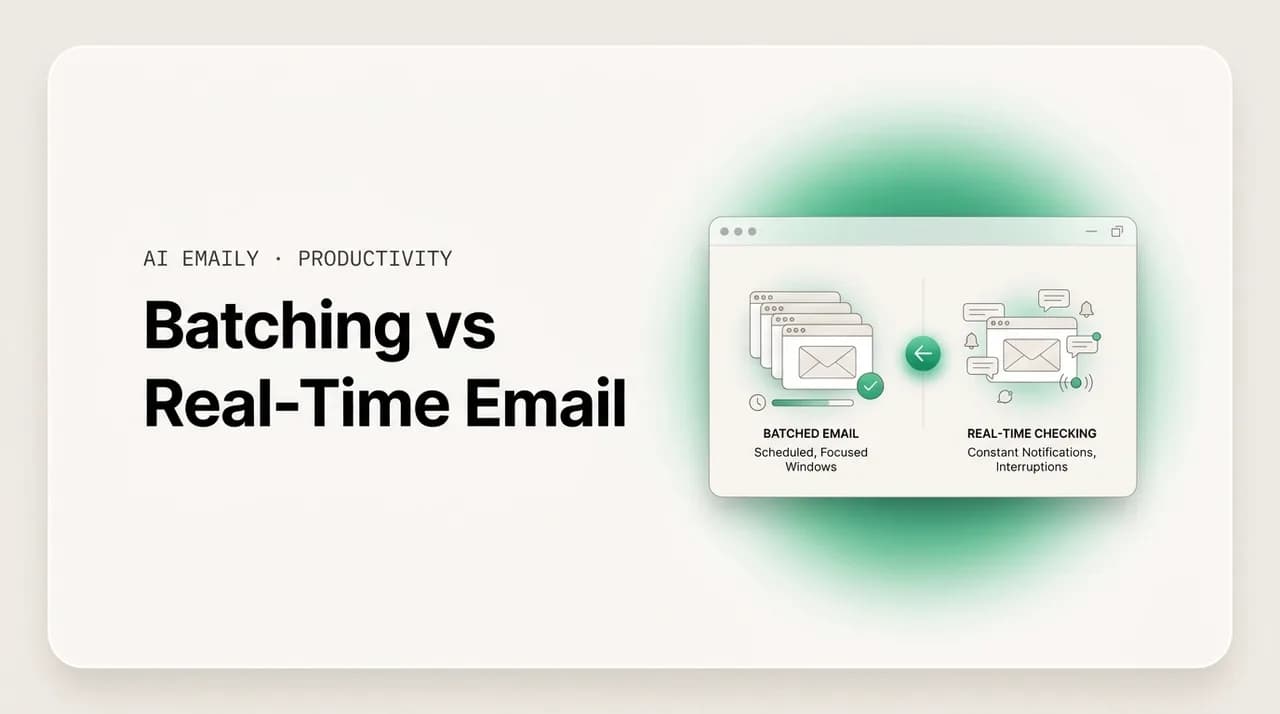
Batching vs real-time email is a choice between checking your inbox in a few scheduled windows or reacting to every message as it arrives. Research links batching to better focus and lower stress, while constant checking fragments attention. Batch two or three times a day, triage fast, and keep real-time only for genuinely time-critical roles like live support.
Batching vs real-time email, compared: what email batching is, the research that it protects focus and lowers stress, how to set up two or three windows, when real-time is justified, and the objections that stop people — answered.
On this page
- 01What is email batching, exactly?
- 02What does the research say about batching vs real-time email?
- 03Batching vs real-time email: how do they actually compare?
- 04How do you set up an email batching schedule?
- 05When is real-time email actually the right choice?
- 06What are the objections to batching, and how do you fix them?
- 07How does AI Emaily make batching almost effortless?
- 08The bottom line on batching vs real-time email
You feel a small pull every few minutes. A new message lands, the badge ticks up, and even if you do not open it, part of your attention has already left whatever you were doing and gone to the inbox to ask the quiet question: is that one important? Most of the time it is not. But you checked, and the cost of checking is not the ten seconds it took — it is the thread of thought you dropped to do it, and the minutes it takes to find that thread again. Multiply that by the dozens of times a day it happens and you have the real shape of most knowledge workers' relationship with email: not a tool they use, but a current they are standing in.
There are two fundamentally different ways to relate to that current. One is real-time: the inbox is open, notifications are on, and you respond to messages roughly as they arrive, treating email as a live conversation. The other is batching: you close the inbox, turn the alerts off, and process email in a few deliberate windows a day — say, late morning and mid-afternoon — clearing it in concentrated bursts and leaving it alone in between. Almost everyone defaults to the first without ever deciding to. This guide is about whether that default is serving you, and what the evidence says about the alternative.
We will define batching precisely, walk through the research on why processing email in windows tends to protect focus and lower stress, and lay out exactly how to set up a batching rhythm that survives contact with a real job — how many windows, how to triage fast inside them, and how to handle the genuinely urgent message without keeping the inbox open all day. We will be honest about the cases where real-time is the right call, not a bad habit. Then we will work through the objections that stop most people from trying it — "my job is too reactive," "people expect instant replies," "I will miss something" — and give a concrete fix for each. Near the end we look at how an AI-native email client makes batching almost effortless, because the hardest part of batching is not the schedule; it is trusting that nothing slipped through while you were not looking.
What is email batching, exactly?#
Email batching is the practice of processing your email in a small number of dedicated sessions rather than continuously throughout the day. Instead of the inbox living open in a tab with notifications firing, you close it and check it on a schedule — commonly two or three windows, each long enough to triage and reply to what matters, then closed again until the next one. The defining feature is not how often you check; it is that checking is a scheduled, bounded activity rather than an ambient, always-on one.
It helps to separate two things people blur together. Frequency is how many times a day you open email. Mode is whether email is interrupting you or you are choosing when to engage it. You can check email five times a day and still be batching, as long as those five checks are deliberate windows and the inbox is closed in between. What batching rules out is the third state — the inbox open in the background, pulling a glance every few minutes, where you are technically working but a slice of your attention is permanently on call. Real-time email is that third state by default.
Batching is the email-specific case of a broader idea: grouping similar, shallow tasks so they share one context-switch instead of each demanding its own. Cal Newport calls the always-open version the opposite of deep work; Tim Ferriss popularized checking email twice a day as a productivity discipline; the Getting Things Done method treats the inbox as something you process in defined passes, not a stream you stand in. The common thread is that email is shallow work — necessary, but not the work that creates value — and shallow work is cheapest when it is concentrated, not sprinkled across every hour.
It is worth naming a few things batching is not, because the misconceptions are what scare people off. Batching is not going dark — you still answer everything, just in passes rather than in real time. It is not ignoring people — a reply within a few hours is normal and expected for the overwhelming majority of email. It is not rigid or all-or-nothing — you can have three windows on a busy day and five on a chaotic one and still be batching, as long as the inbox is closed between them. And it is not a productivity hack you bolt onto an otherwise reactive day; it is a deliberate decision about when email gets your attention, which is the whole point. The shift that matters is from ambient to scheduled, not from frequent to rare.
Batching in one line
What does the research say about batching vs real-time email?#
The case for batching is not just a productivity-guru preference; it rests on a fairly consistent body of research about attention, interruption, and stress. The findings cluster around three claims: constant email checking fragments attention and slows the work, interruptions are expensive to recover from, and at least one controlled study found that limiting email checking directly lowered stress. Taken together they explain why so many people feel busy and behind at the same time.
Start with the cost of switching. Gloria Mark's research at UC Irvine, widely cited in this area, found that after an interruption it takes a substantial stretch — often cited around 23 minutes — to fully return to the original task, and that frequent switching is associated with higher stress and a faster, more frazzled work pace. Email is one of the most common interruptions in knowledge work, and crucially much of it is self-interruption: nobody pinged you, but you checked anyway. Real-time email manufactures these switches all day; batching removes most of them by definition, because the inbox is not there to glance at.
Then there is the stress finding that gives batching its strongest single piece of support. Kostadin Kushlev and Elizabeth Dunn ran a study (published around 2015) in which participants were assigned to check email only three times a day for a week, then to check as often as they wanted the next week. People reported significantly lower daily stress during the limited-checking week. The mechanism the researchers pointed to is intuitive: it is not the volume of email that stresses people most, it is the sense of being perpetually on call to it. Batching restores a boundary, and the boundary itself is part of the relief.
There is a fourth thread worth pulling out, because it explains why batching feels different even when the email volume is identical. Sophie Leroy's research on what she named "attention residue" found that when you switch from one task to another, a part of your attention stays stuck on the first task — and the more you switch, the more residue accumulates and the worse you perform on whatever you are now supposedly doing. Every time a real-time inbox pulls you from your work to a message and back, it leaves a film of residue on both. Batching does not just save the literal minutes of switching; it keeps your attention whole, because you are not constantly leaving one thing half-finished in your head to dip into another. Over a day, that is the difference between thinking clearly and thinking through fog.
It is also worth saying plainly what the research does not claim, so the case stays honest. None of these studies say email is bad, or that fast replies never matter, or that everyone should check twice a day. They say that interruptions are expensive, that constant switching raises stress, and that a deliberate boundary around email tends to help. The findings are about the rhythm, not the medium. A fair reading also notes the limits: email batching research is not enormous, sample sizes are sometimes modest, and a few studies have found mixed results — for some people, or some jobs, rigidly infrequent checking can raise a different kind of anxiety (the fear of what is piling up) rather than lower it. The honest synthesis is this: for most people in most roles, processing email in a few windows protects focus and reduces stress compared with always-on checking; the right number of windows is the variable, and a role that is genuinely time-critical is the real exception. The next sections turn that into a setup you can actually run.
The numbers, with a caveat
Batching vs real-time email: how do they actually compare?#
It is easy to talk about batching in the abstract and lose the trade-offs. The honest comparison is that real-time email is not stupid — it buys you something real, namely speed of response — and batching is not free, because it costs you that speed in exchange for focus. The question is not which is universally better; it is which trade you want to make given your work. The table lays the two modes side by side on the dimensions that actually matter.
Read it for the pattern, not the verdict. Real-time wins exactly one row that matters to most jobs — response latency — and loses every row tied to focus, stress, and the quality of deep work. For roles where minutes of latency genuinely change outcomes, that one row outweighs the rest. For everyone else, it is a single benefit purchased at a steep and constant price. That is the core of the decision.
| Dimension | Real-time email | Batched email |
|---|---|---|
| How you engage | Inbox open, notifications on, react as mail arrives | Inbox closed; check in 2–3 scheduled windows |
| Effect on focus | Fragmented — frequent switches, attention residue | Protected — long uninterrupted blocks between windows |
| Reported stress | Higher; perpetual on-call feeling | Lower; a clear boundary around email |
| Response latency | Minutes — fast, sometimes the whole point | Hours — fine for most, too slow for some roles |
| Context switches/day | Dozens, many self-triggered | A handful, deliberate and grouped |
| Quality of replies | Often rushed between other tasks | More considered; written in a focused pass |
| Best for | Live support, on-call, trading, breaking-news roles | Most knowledge work — deep, creative, or analytical |
| Main risk | Burnout, shallow output, never finishing deep work | A genuinely urgent message waits a few hours |
One nuance the table cannot show: the two modes are not a clean binary in practice, they are a spectrum, and most people land somewhere in the middle whether they planned to or not. The realistic goal is not to swing from "inbox open all day" to "email twice a day, no exceptions" overnight — that rigidity is what makes people quit in week one. It is to move deliberately along the spectrum toward fewer, more bounded checks, find the number of windows that fits your role, and protect the gaps between them. A person who goes from checking email forty times a day to checking it five times has already captured most of the focus benefit, even if five is not the textbook two.
Aim for the gaps, not a magic number
How do you set up an email batching schedule?#
Batching works only if it survives a normal workday, which means the schedule has to be specific, the windows have to be defended, and triage inside them has to be fast enough that the inbox actually empties. The setup below is a starting template — most people land on two or three windows — that you then adjust to your role and time zone. Treat it as a default to tune, not a rule to obey.
The principle behind the order: protect your best focus hours first, then fit email into the lower-energy gaps around them. For most people the highest-value deep work happens in the morning, so the cardinal rule is do not open email first thing. Starting the day in the inbox hands your freshest, most focused hour to other people's priorities and puts you in reactive mode before you have done anything of your own. Push the first email window to mid-to-late morning, after you have spent real time on your most important task. Here are the steps.
- 1
Decide your number of windows
Start with two or three: e.g. late morning, mid-afternoon, and optionally an end-of-day sweep. Two suits deep-work-heavy roles; three suits more collaborative ones. Fewer than two risks backlog anxiety; more than four starts to blur back into real-time.
- 2
Put the windows on your calendar
Block each email window as a real calendar event (e.g. 11:00–11:30, 15:00–15:30). A scheduled block makes the window a decision you already made, not one you negotiate forty times a day, and it stops meetings from eating the slot.
- 3
Protect the morning first
Do not open email first thing. Spend your first focused block — ideally 60–90 minutes — on your most important task before the first email window. This is the single highest-leverage rule; it keeps your best attention on your work, not your inbox.
- 4
Turn off all email notifications
Disable badges, banners, sounds, and the open background tab. Batching cannot work while a notification can pull you out between windows. The inbox should be invisible until you choose to open it; out of sight is most of the battle.
- 5
Triage fast inside the window
When you open email, process — do not browse. Use a quick rule per message: delete/archive, reply in under two minutes now, defer to a task or a draft, or delegate. The goal is decisions, not reading. Most messages get archived or handled in seconds.
- 6
Set a backstop for true emergencies
Decide in advance how a genuinely time-critical person reaches you — a phone call, a text, a Slack mention. Tell the two or three people who might need it. This removes the fear that justifies always-on checking without keeping the inbox open all day.
- 7
Set expectations once, then hold
If you worry people expect instant replies, say so once: a short signature line or a note to your team that you check email a few times a day and to call for anything urgent. Most response-time pressure is assumed, not real; naming your rhythm usually ends it.
- 8
Review after one week and adjust
After a week, check what actually broke. Backlog felt heavy? Add a window. Felt twitchy mid-morning? Shorten the gap slightly. Tune the number and timing to your real role rather than abandoning the system on the first rough day.
The fast-triage default
Here is what a realistic batched day looks like once the schedule is in place. Note that the email windows are short and bounded, the morning deep-work block is sacred, and the inbox is genuinely closed in the gaps — which is where the focus actually lives. This is a template for a maker-heavy role; a more collaborative job might add a midday window and shorten the deep-work block, but the shape holds.
- Protect the morning: the first 60–90 minutes go to your most important task, inbox closed — the single highest-leverage move.
- Keep email windows short and bounded (20–30 minutes) so they stay a triage pass, not a place you live.
- Defend the gaps: the uninterrupted stretches between windows are where the actual focus benefit lives.
- Close the inbox completely between windows — not minimized, not in a background tab, genuinely closed.
- Keep one fast backstop channel (phone or text) for the rare genuine emergency, so the closed inbox feels safe.
When is real-time email actually the right choice?#
Batching is the better default for most knowledge work, but treating it as a universal law is how good advice turns into bad advice. Some roles are genuinely time-critical, and in those, fast response is not a bad habit to break — it is the job. Being honest about this is what makes the rest of the argument credible: the point is to batch where batching helps and to keep real-time where latency genuinely matters, not to force one rhythm everywhere.
The clearest case is live, customer-facing support. If you staff a support queue where the service-level agreement is measured in minutes, or you handle inbound sales where a slow reply loses the deal to a faster competitor, real-time engagement during your shift is the work, not a distraction from it. The same goes for on-call roles — incident response, ops, anything where a delayed message can mean a real outage gets worse — and for fast-moving operational roles like trading, dispatch, or breaking-news coverage where minutes change outcomes. In all of these, the cost of latency is concrete and immediate, and it outweighs the focus tax.
Even in those roles, two things are usually still true. First, the real-time demand is almost always bounded to specific hours or a specific channel — your support shift, your on-call rotation — and outside that window you can and should batch the rest of your email like anyone else. Second, real-time-critical work usually belongs in a tool built for it (a help-desk system, an incident channel, a phone) rather than your general email inbox, which means your actual email can still be batched while the time-critical stream lives somewhere designed for speed. The trap is letting a part-time real-time need justify keeping all of your email always-on all day.
There is also a softer version of the real-time pull that deserves naming, because it catches people who do not have a time-critical job at all: the social cost of slowness inside a tight, fast-moving team. If your three closest collaborators reply to each other within minutes and you suddenly take three hours, you can feel out of step even when nothing is technically urgent. The answer here is not to abandon batching; it is to negotiate a shared norm with the small group that actually needs faster turnaround — agree on a quick channel for the back-and-forth that genuinely benefits from speed — and batch everyone else, which is still the large majority of your inbox. The mistake is letting the rhythm of three people set the rhythm for all of your email and all of your day.
Separate the urgent channel from the inbox
What are the objections to batching, and how do you fix them?#
Most people who hear the case for batching nod along and then never try it, because a handful of real-seeming objections stop them at the door. The objections are worth taking seriously — they are not silly — but each one has a concrete fix that does not require quitting your job or going dark. Here are the four that come up most, and what to do about each.
"My job is too reactive to batch." Often true in part, rarely true in whole. Audit a week of your email and you will usually find that the share that genuinely needs a reply within minutes is small — most of what felt urgent could have waited two hours with no consequence. The fix is to separate the truly time-critical slice (route it to a fast channel, per the section above) and batch the large remainder. You are not choosing between always-on and unreachable; you are sizing the real-time part honestly and batching the rest.
"People expect an instant reply." Usually assumed, not stated. Almost nobody has actually told you they need a reply in ten minutes; you inferred it, and the inference quietly runs your day. The fix is to set the expectation once, explicitly — a signature line or a short note that you check email a few times a day and to call or text for anything urgent — and then hold to it. Within a week or two, the people around you recalibrate to your actual rhythm. The expectation was a story you were telling yourself far more than a demand anyone was making.
"I will miss something important." This is the fear that keeps the inbox open, and it is the one batching most needs to answer, because the whole system collapses if you do not trust it. The fix has two parts: a backstop channel for genuine emergencies (so the rare critical thing reaches you by phone, not buried in unread mail), and a triage system reliable enough that nothing important sits unseen between windows — which is exactly where AI triage earns its place, and the next section. "I will get behind." The opposite tends to happen: batched processing is faster per message because you are not paying the switch cost forty times, so the same volume clears in less total time — you just do it in two passes instead of all day.
| Objection | What is usually really going on | The fix |
|---|---|---|
| My job is too reactive | A small slice is urgent; most could wait hours | Route the urgent slice to a fast channel; batch the rest |
| People expect instant replies | Assumed, not actually stated by anyone | Set the expectation once in a signature or note; hold it |
| I'll miss something important | Fear of the rare emergency justifies always-on | Add an emergency backstop (call/text) + reliable triage |
| I'll fall behind | Belief that constant checking is faster | Batched processing is faster per message — fewer switches |
| My boss messages me all day | One person sets a real-time norm for the whole inbox | Agree a channel/cadence with them; batch everyone else |
| I feel anxious not checking | Withdrawal from a checking habit, not real need | Start with 3–4 windows, not 2; ramp down over weeks |
Notice the pattern across the objections: almost all of them are really fear-of-the-rare-case dressed up as a structural rule. The genuinely urgent message exists, but it is rare, and the right response to a rare event is a targeted backstop — a phone, a fast channel, a trustworthy triage layer — not keeping the entire inbox always-on for the one-in-two-hundred message that truly cannot wait. Once you separate the rare urgent thing from the constant low-grade pull of everything else, batching stops feeling reckless and starts feeling like simple sense: you handle the urgent case deliberately, and you stop letting the other ninety-nine percent fragment your day.
Don't start with the strictest version
How does AI Emaily make batching almost effortless?#
Here is the honest difficulty at the heart of batching. The schedule is the easy part — anyone can block two windows on a calendar. The hard part is the trust: closing the inbox for three hours only works if you genuinely believe nothing important is quietly going wrong while you are not looking. Without that trust, the inbox stays open "just in case," the notifications creep back on, and within a week you are back to real-time. The thing that actually breaks batching is not a bad schedule; it is the nagging fear of missing something, and a schedule alone cannot fix a fear.
AI Emaily is an AI-native email client built to remove that fear, which is what makes batching stick. Its autonomous triage reads and sorts your inbox between your windows — it understands what is genuinely important, what is routine, and what is noise, and it surfaces the small handful of things that actually need you instead of leaving you to find them in a pile of fifty unread. So when you open email in your scheduled window, you are not staring at an undifferentiated inbox wondering what you missed; you are looking at a short, ranked set of decisions. The triage does the watching so you do not have to keep the tab open to do it yourself.
On top of that, its Living Brief gives you the catch-up in seconds instead of minutes. Rather than reading down the whole inbox to reconstruct what happened since your last window, you get a concise brief of what changed and what needs a decision — the batching window's natural companion, because it turns "process forty messages" into "review one summary and act on five things." You can even have that brief delivered to Slack or Telegram between windows, so you can confirm at a glance that nothing is on fire without opening the inbox at all — which is exactly the reassurance that lets you keep it closed. And because the agent can handle routine items between windows under rules you set, the easy, repetitive mail is already dealt with before you arrive, leaving the window for the things that genuinely need judgment.
You stay in control the whole time. In its default Copilot mode, AI Emaily triages and drafts but sends nothing without your approval — so batching never means losing your hand on the wheel; it means arriving to a prepared, prioritized inbox instead of a chaotic one. It works across every account you connect — Gmail, Outlook, and any IMAP provider — so your whole email life batches in one place, and it is private by design: your mail is used to triage and draft for you, not to train models for anyone else. You can start free at app.aiemaily.com/signup — the Free plan is $0 and connects your inbox with AI triage and drafting, and Pro is $12.42/month billed annually when you want the agent working across everything. The point is not that software decides your schedule for you; it is that the schedule finally holds, because you can trust what is happening in the inbox while you are doing the work that actually matters.
Let triage hold your windows
The bottom line on batching vs real-time email#
The choice between batching and real-time email is, underneath, a choice about who controls your attention. Real-time hands it to whoever emails you next; batching keeps it on the work you decided mattered, and visits the inbox on your terms. The research points the same way for most people in most roles: processing email in a few deliberate windows protects focus and lowers stress, while always-on checking fragments attention and keeps you feeling perpetually on call. The famous numbers — the long recovery after each interruption, the measured drop in stress from checking just three times a day — are directional, but the direction is clear.
The practical version is not extreme. Do not open email first thing; protect your best morning hours for real work. Check in two or three scheduled windows, with notifications off and the inbox genuinely closed in between. Triage fast inside each window — decide, do not browse. Keep a backstop channel for the rare true emergency, and set your response-rhythm expectation once so it stops being a story you tell yourself. Keep real-time only where the job genuinely demands it, and route that stream to a tool built for speed rather than letting it hold your whole inbox open all day.
And remember what actually makes batching last: trust, not discipline. The schedule fails when you do not believe the inbox is safe to leave closed. That is the exact problem AI Emaily is built to solve — triage that watches the inbox between your windows, a brief that hands you the catch-up in seconds, and an agent that handles the routine while you keep final say. Either way, the principle holds: decide when you visit email, and stop letting it decide for you.
Frequently asked
See it in AI Emaily
Keep reading
Sources

Written by
Nafiul HasanNafiul Hasan is an entrepreneur and AI automation system builder with 10+ years of experience turning messy, manual workflows into reliable automated systems. He designs and ships AI enterprise solutions end-to-end — the agent logic, the data plumbing, and the product people actually use — and founded AI Emaily to give busy professionals their attention back. He writes here from the builder's seat: what works, what breaks, and how to put AI to work without giving up control.