Time Blocking for Email: How to Schedule the Inbox Around Deep Work

The short answer
Time blocking for email means scheduling two or three fixed inbox windows on your calendar and leaving the rest of the day for focused work. Place the first block after a morning deep-work session, not first thing. Keep each 30 to 60 minutes, close the inbox between them, and protect the gaps.
Time blocking for email means scheduling fixed inbox windows on your calendar instead of checking all day — how long, how many, where to place them, and how to protect deep work in between.
On this page
- 01What is time blocking for email?
- 02Why is time blocking better than checking email all day?
- 03How long should an email time block be?
- 04How many email blocks should you schedule per day?
- 05When should you schedule your email blocks (and why not first thing)?
- 06How do you set up time blocking for email step by step?
- 07What does a sample daily email schedule look like?
- 08What about a weekly email schedule?
- 09How should you adjust email time blocking for your role?
- 10How do you protect the deep-work blocks between email windows?
- 11What if something urgent comes in between blocks?
- 12Why does the email inside the block need to be short and high-value?
- 13How does AI Emaily make your email block short and high-value?
- 14The bottom line on time blocking for email
You sit down to do the one piece of real work that matters today. You open the document, find the thread of the idea, and then — almost without deciding to — you flick over to the inbox. Just to check. Twelve new messages. You read four, reply to one, flag two for later, and forty seconds after closing the tab you are back in the document, except the thread of the idea is gone. Then a notification slides in. You check again. This is the shape of most knowledge workers' days: not one long stretch of work interrupted occasionally by email, but email running continuously with slivers of work wedged between the checks.
Time blocking for email is the deliberate fix. Instead of letting the inbox run all day and dipping into it whenever it tugs at you, you decide in advance when you will do email — you put those windows on your calendar like any other commitment — and you do not touch the inbox outside them. The email gets handled, often faster than the all-day dribble ever handled it, and the hours in between become genuinely yours. It is the difference between a tap left running and a tap you turn on twice a day to fill what you need.
This guide is the complete how-to: what time blocking for email is and why it beats checking continuously, how long each block should be and how many you need, the single most important placement decision (it is not first thing in the morning), a ten-minute setup, sample daily and weekly schedules you can copy, and how to adjust by role — because a manager, a maker, and a support rep need very different rhythms.
Near the end we look at the honest hard part: an email block only works if the email inside it is short and high-value, and for most people it is neither, because half the block goes to triaging noise before any real work begins. That is the gap an AI-native email client closes, and we will show how AI Emaily pre-triages the inbox so the window you scheduled is spent on the few messages that actually need you.
What is time blocking for email?#
Time blocking is a scheduling method: you divide your day into named blocks, assign each to a specific kind of work, and do only that work during that block. Applied to email, you stop treating the inbox as an always-open background app and start treating it as a task with its own scheduled windows — a 9:45 block, a 1:30 block, maybe a 4:30 block — and outside those windows the inbox is closed. Not minimized, not glanced at between tasks. Closed.
The shift is small to describe and large in effect. Most people process email reactively: a message arrives, a badge appears, and they handle it when it lands, all day long. Time blocking makes email proactive and bounded — you decide, in advance, that email happens at these times and not others. The messages still get answered, usually within a few hours, well inside what almost any sender expects, but in a focused batch instead of a hundred scattered interruptions.
It is worth separating time blocking from its close cousin, batching. Batching is the principle: group similar tasks and do them together, so you pay the start-up cost once instead of repeatedly. Time blocking is the implementation: you pin those batches to specific times on the calendar so they actually happen and everything else has protected space around them. You can batch without blocking, but it tends to dissolve; blocking makes it stick. For the underlying case, our piece on [batching versus real-time email](/blog/batching-vs-real-time-email) covers the research.
The reason this matters so much for email is the cost of switching. Every time you leave focused work to check the inbox, you pay a re-entry tax: research on task interruption finds it can take 20-plus minutes to fully reload a complex task after a switch, and even a quick glance leaves "attention residue" that drags on the work you return to. Check email fifteen times a day and you are not losing fifteen short checks; you are losing fifteen re-entries. Time blocking collapses those into two or three, and the recovered focus is the whole point.
Time blocking vs batching, in one line
Why is time blocking better than checking email all day?#
The case rests on three things. The first is the switching cost. Continuous checking does not feel expensive in the moment — each check is a minute or two — but the price is the recovery afterward. When you fragment a day into dozens of small windows separated by inbox dips, you never reach the deeper, more productive mode of work that needs an unbroken stretch to get into. You spend the day busy and shallow. Time blocking gives the deep stretches back by herding email into a few contained windows.
The second is that bounded time makes you faster at email itself. An inbox you check all day is one you process in a slow trickle — read this, leave it, come back, re-read it, maybe reply. An inbox you have 45 minutes for is one you process with intent: you move quickly, decide once, and clear it, because the clock is real and the next block is hours away. Most people are startled that two focused blocks take less total time than a day of dribbles, because the dribble re-reads everything and decides nothing.
The third is psychological, and may be the most important: an inbox with a scheduled time to be dealt with stops being a background source of low-grade anxiety. When email can interrupt at any moment, part of your attention is always half-listening for it, even when nothing has arrived. When you know the inbox is handled at 9:45 and 1:30 and not before, that listening switches off. The messages are not ignored; they have an appointment — and that reframe is what lets the focus blocks actually feel like focus.
None of this means you go dark. Time blocking is not about responding slowly; it is about responding deliberately. For the overwhelming majority of email, a reply within a few hours is invisible — the sender does not notice whether you answered at 9:50 or 10:40. The few time-sensitive things travel through faster channels anyway. For everything else, the inbox is a queue, and queues are meant to be processed in batches.
| Dimension | Checking email all day | Time blocking email |
|---|---|---|
| Context switches | Dozens per day, each with a re-entry cost | Two to three deliberate transitions |
| Deep-work stretches | Fragmented into short, shallow windows | Long, unbroken focus blocks between windows |
| Time spent on email | More — constant re-reading, deciding twice | Less — process once, decide, clear |
| Background anxiety | High — always half-listening for the inbox | Low — email has a scheduled appointment |
| Response time | Feels instant, actually erratic | A few hours — invisible to almost every sender |
| Control over the day | The inbox sets your pace | You set the inbox's pace |
How long should an email time block be?#
The honest answer is that it depends on your volume, but there is a reliable starting range: 30 to 60 minutes per block, with most people landing around 45. That is long enough to clear the queue — to read, decide, and reply, not just skim — and short enough that it does not quietly expand to eat the morning. The danger with email is not that the block is too short; it is that without a hard edge, email work is infinitely expansible, and a "quick check" becomes ninety minutes of inbox archaeology.
Set the duration by working backward from your real inbox. If you get 30 to 50 messages a day that need a response, two 45-minute blocks usually cover it. At 100-plus a day, you may need three blocks or a longer morning one. If you get only a handful of real emails, a single 30-minute block can be enough. The number to size against is not total messages received — most are notifications and noise that need no reply — but the count that actually require a decision from you. That distinction is exactly where pre-triage earns its keep, which we come back to.
Whatever duration you pick, give it a hard stop and treat the stop as real. The block ends when the time ends, not when the inbox is empty, because chasing zero is how a 45-minute block becomes a 90-minute one and the focus block after it evaporates. If you do not finish, the remaining messages wait for the next block — which is the entire point. A practical structure inside the block keeps it tight: triage first (what needs a reply, what can be archived, what can wait), then work the reply list most-important-first, and leave the last few minutes to sweep. The block is a small, repeatable routine with a beginning, a middle, and an end — not "open inbox and react."
Size the block to decisions, not to volume
How many email blocks should you schedule per day?#
For most knowledge workers, the sweet spot is two to three blocks a day. Two is the minimalist setup that protects the most focus: one mid-morning, one mid-afternoon. Three adds an end-of-day sweep for work that generates a steady flow of replies. Fewer than two can feel risky and let things sit longer than expectations allow; more than three and you are drifting back toward continuous checking, just with the pretense of structure.
The classic prescription is the three-touch day: a late-morning block, an early-afternoon block, and a late-afternoon block. It is a good default because it spaces coverage across the day — nothing waits more than a few hours — while still leaving two long, protected gaps for deep work. Want more focus? Drop to two and accept slightly longer response latency for bigger uninterrupted stretches. More reactive role? Three keeps you responsive without going fully real-time.
The instinct to schedule four, five, or six "small" blocks is the trap to avoid. It feels like a compromise between focus and responsiveness, but it is mostly the worst of both: you reintroduce frequent switching while convincing yourself you have a system. The whole value of blocking comes from the gaps being large enough to do real work in. Two big gaps beat five small ones. When in doubt, schedule fewer and make each one count — start at two if your work needs sustained focus and three if it needs steady responsiveness, then adjust after a week of watching what overflows.
| Blocks per day | Best for | Trade-off |
|---|---|---|
| 1 block | Low real-email volume; maker roles guarding long focus | Longer response latency; can feel risky at first |
| 2 blocks | Most focus-heavy roles — the recommended default | Slightly slower replies in exchange for two big focus gaps |
| 3 blocks (morning/early-afternoon/late-afternoon) | Steady inbox flow; managers; client-facing work | Three transitions, but spaced across the day |
| 4+ blocks | Rarely the right answer | Reintroduces frequent switching — the thing blocking is meant to remove |
When should you schedule your email blocks (and why not first thing)?#
Placement makes or breaks the whole system, and the single most important rule is this: do not put your first email block first thing in the morning. The instinct is overwhelming — open the laptop, open the inbox, "see what came in" — but opening with email hands the freshest cognitive hours of your day to other people's agendas. You start the day reacting instead of creating, and once the inbox has set the day's priorities, the deep work you meant to do gets squeezed into the tired afternoon, if it survives at all.
The better pattern is to open the day with a protected deep-work block and place the first email window after it. Spend the first 60 to 90 minutes on your most important task — the thing that, if it were the only thing you did today, would make the day a success — while your mind is fresh and the inbox has not yet hijacked your attention. Then, at 9:30 or 10:00, take your first email block. By that point whatever is in the inbox lands on a day you have already shaped rather than a blank, suggestible mind. It is the single highest-leverage placement change most people can make; [why your morning should not start with email](/blog/morning-routine-without-email) goes deeper.
From there, space the remaining blocks at the natural seams — after a focus stretch, after lunch, before wrapping up — and keep the high-energy morning free of email entirely. A clean two-block layout is mid-morning (around 9:45) and mid-afternoon (around 1:30); a three-block layout adds a late-afternoon sweep (around 4:30) to clear what arrived during the afternoon.
One more instinct worth correcting: the after-lunch slot is ideal for email. The post-lunch dip is a real energy trough — a poor time for demanding deep work but a good time for the lower-intensity work of processing email. So a strong default emerges: deep work in the morning, email after lunch, deep work again in the late afternoon, and a short sweep before the end of the day.
The first-thing-in-the-morning trap
How do you set up time blocking for email step by step?#
Here is the setup as a concrete routine — about ten minutes to put in place and a week or two to settle into. Do it once, then adjust the durations and counts after you have watched a few real days run through it.
- 1
Count your real email load for a few days
Get an honest number: of the messages you receive in a day, how many actually need a reply or a decision? Most people overestimate wildly — the true count is usually a fraction of the inbox. This number sets how long and how many blocks you need.
- 2
Open your day with deep work, not email
Block the first 60–90 minutes of your workday for your single most important task, and label it clearly ("Deep work — [project]"). This is the block you protect hardest. The inbox stays closed until you've made real progress on something that matters to you, not to your senders.
- 3
Place two or three email blocks at the day's seams
Add fixed windows to your calendar: a mid-morning block after your first focus stretch (around 9:45), a post-lunch block (around 1:30), and optionally a late-afternoon sweep (around 4:30). Make them recurring so the decision is made once. Keep each 30–60 minutes with a hard stop.
- 4
Close the inbox completely between blocks
This is the step that actually does the work. Quit the email app and the browser tab — don't just minimize it. Turn off notifications and badges so nothing pulls you mid-focus. If closing it entirely feels impossible at first, that discomfort is the habit you're breaking; it fades within a week.
- 5
Run a tight routine inside each block
Triage first (what needs a reply, archive the noise, defer the rest), work your reply list most-important-first, and leave the last few minutes to sweep so you exit knowing what's outstanding. A small repeatable process, not an open-ended "deal with email" session.
- 6
Set expectations and an urgency escape valve
Tell your team (and add a signature line if useful) that you check email at set times and anything truly urgent should reach you by call or message. This removes the fear of missing a fire and gives people a faster channel for the rare thing that can't wait two hours.
- 7
Review after a week and adjust
Watch what overflows. If blocks run long, add a block or tighten your reply habits — don't let the one block sprawl. If you finish early, drop to fewer or shorter blocks. The schedule is a starting hypothesis you tune to your real load, not a fixed rule.
Make the blocks recurring and visible
What does a sample daily email schedule look like?#
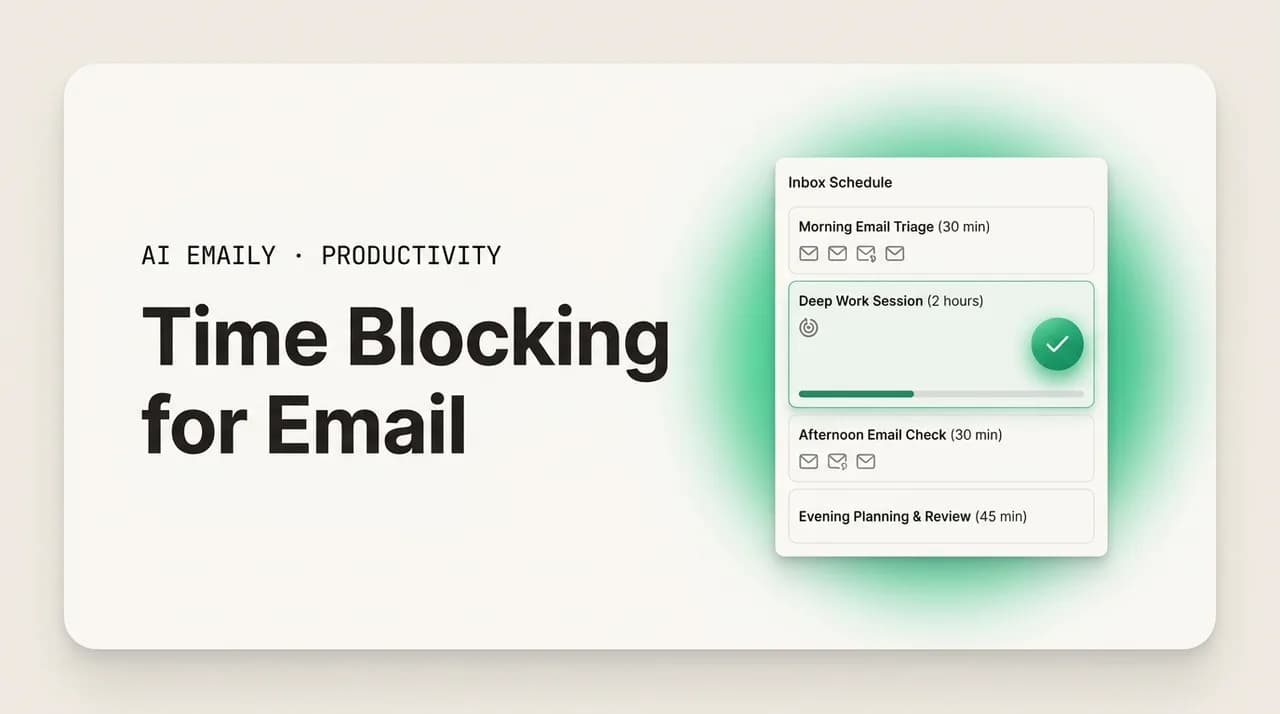
Abstract advice is easy to nod at and hard to act on, so here is a concrete day you can copy and bend to your own hours — the two-deep-work-blocks, two-to-three-email-blocks pattern that suits most focus-heavy roles. The shape is what matters: deep work in the high-energy morning, email at the seams and the post-lunch trough, the inbox closed everywhere else.
Notice what this day does not contain: a single moment where the inbox is open in the background while you try to work. It does not start with email. It puts the two long deep-work stretches in the morning, when energy is highest, and parks the email blocks at the natural breaks — after the first focus stretch, in the post-lunch dip, and as a closing sweep. The gaps between email blocks are roughly two hours each, enough to get genuinely deep into a task and stay there.
If two blocks feel like too few, the same skeleton works with three; if your inbox is light, drop the 4:30 sweep. The non-negotiables are the parts that make it a system: a protected morning, fixed windows, a hard stop on each, and a closed inbox in between. Everything else — the exact times, the durations, two or three — you tune to your own day. For the focus side of this schedule, see [how to build a deep-work schedule that still handles email](/blog/deep-work-schedule-with-email).
What about a weekly email schedule?#
The daily blocks are the engine, but a light weekly layer makes the system more resilient, because not every day has the same shape. A few patterns are worth building in deliberately rather than leaving to chance.
First, give yourself one heavier processing block at the start of the week — Monday morning, after your first deep-work stretch, tends to carry more accumulated weekend email and planning threads. A slightly longer Monday block (60 minutes instead of 45) absorbs that without forcing the rest of Monday into reactive mode. Conversely, the end of the week is a good place for a deliberate sweep: a Friday-afternoon block aimed not at zero but at making sure nothing time-sensitive is sitting unanswered going into the weekend, so you can actually log off.
Second, consider protecting one part of the week as especially deep. Many makers reserve a morning or even a full day — a "no-meeting, no-email-until-afternoon" block — for the work that needs the longest runway. The weekly view is also where you decide which days can tolerate three email blocks (meeting-heavy days, where focus is already fragmented) and which should run on two (your maker days, where you guard long stretches).
The table below sketches a balanced week. It is intentionally not identical every day — the point of the weekly layer is to vary the rhythm to fit the week's texture, heavier processing where email piles up and deeper protection where the important work needs room.
| Day | Email rhythm | Focus emphasis |
|---|---|---|
| Monday | 3 blocks; first one longer (~60 min) | Plan the week; clear weekend backlog after morning deep work |
| Tuesday | 2 blocks (mid-morning, post-lunch) | Maker day — protect long morning and afternoon focus |
| Wednesday | 3 blocks | Mixed — meetings plus focus; blocks slot into the gaps |
| Thursday | 2 blocks | Maker day — guard deep work; minimal inbox interruption |
| Friday | 3 blocks; last one is a clean sweep | Wrap up; ensure nothing urgent is sitting before the weekend |
How should you adjust email time blocking for your role?#
There is no single correct schedule, because the right rhythm depends on how reactive your job is. A useful frame is the maker-versus-manager distinction: makers (engineers, writers, designers, analysts) produce value in long uninterrupted stretches and are devastated by switching, so they want the fewest, most protected blocks. Managers run on the half-hour and live in communication, so the cost of an email block is lower and the cost of being unreachable is higher. Most roles sit somewhere on that spectrum, and your schedule should sit there too.
For a maker, the priority is the gaps. Two blocks a day, both at the edges of focus stretches, with the morning fiercely protected and the inbox closed for hours at a time. The goal is two long build sessions a day, and email is squeezed into the seams so it cannot fragment them. A maker who checks email continuously cannot do their best work; the blocks are not a nicety, they are the precondition for the job.
For a manager, the calculus flips toward responsiveness, but blocking still helps. Three blocks rather than two, slotted into the gaps between meetings, accepting that the deep-work stretches are short anyway so the cost of an email transition is small. The manager's version of protecting focus is guarding the one or two genuine focus blocks they can carve out and being deliberately batched everywhere else. For client-facing and support roles — the most reactive end — blocks may be shorter and more frequent, or paired with a coverage system, because here latency genuinely costs something. Even then, deliberate windows beat reflexive all-day checking, which fragments the work without being faster.
The adjustment is two dials: how many blocks (more for reactive roles, fewer for makers) and how aggressively you protect the gaps. Start from one honest question — if I reply in three hours instead of three minutes, what is the real cost? — and let that set where you land. For most people the answer is "none," and they are blocking far too timidly. The table maps common roles to a starting point you can tune.
| Role type | Suggested blocks | Placement & emphasis |
|---|---|---|
| Maker (engineer, writer, designer) | 2 blocks | Edges of long focus stretches; morning fiercely protected; inbox closed for hours |
| Analyst / researcher | 2 blocks | Post-deep-work mid-morning and post-lunch; guard the morning runway |
| Manager / lead | 3 blocks | Slotted into meeting gaps; protect the one or two real focus blocks that exist |
| Client-facing / sales | 3 blocks, possibly shorter | Spaced for responsiveness; pair with a fast urgency channel |
| Support / ops | Frequent short blocks or coverage rota | Latency costs more here; deliberate windows still beat reflexive checking |
How do you protect the deep-work blocks between email windows?#
Scheduling the email blocks is only half the system; the other half is defending the gaps, because an unprotected gap fills with email anyway and the whole structure collapses. The blocks tell you when to do email. The protections tell your environment — and your own reflexes — to leave the gaps alone.
Start with notifications, the loudest breach in the wall. If your phone or laptop pings or badges every time a message lands, you have not actually closed the inbox between blocks; you have just stopped looking at it while it keeps tapping you on the shoulder. Turn email notifications off entirely during focus time — not "important only," off — so the only time you meet email is inside a block you chose. The fear of missing something urgent is handled by the urgency channel, not by leaving the alarm armed all day.
Then close the inbox physically. Quit the mail app and close the browser tab so that checking requires a deliberate action rather than a flick of the eyes. This is the most effective single move most people make, because the all-day check is a reflex, and reflexes are defeated by friction, not willpower. Pair this with putting deep-work blocks on your calendar as named events, so colleagues see you are heads-down and you treat the time as a commitment.
Finally, manage the human side, because a lot of inbox interruption is social — the worry that being slow to reply looks unresponsive. The fix is to make your rhythm legible: a brief note in your signature or a quiet word to your team that you process email at set times and urgent things should come by another channel. Most people, told this once, adjust without complaint, because a few-hour reply was always fine. For the deeper version of defending these gaps, see [how to carve out focus hours that actually hold](/blog/email-free-time-blocks).
- Turn email notifications and badges fully off during focus time — not "important only," off.
- Quit the mail app and close the browser tab between blocks so checking takes a deliberate action.
- Put deep-work blocks on your calendar as named events so colleagues — and you — treat them as real.
- Route genuine urgency to a faster channel (call or message) so you can leave the inbox alarm off.
What if something urgent comes in between blocks?#
This is the fear that keeps most people from ever trying time blocking, so it deserves a direct answer: genuinely urgent things almost never arrive by email, and the rare ones that do are better handled by changing the channel than by keeping the inbox open all day. Think about the last time something was truly so urgent it could not wait two hours — almost certainly it reached you by a call, a message, or a person at your desk, because anyone who needs you that fast knows email is not the way. Email is an asynchronous medium; treating it as a real-time one is a choice you made, not a property of the tool.
So the answer is to build the escape valve into the system rather than abandoning the system to catch the exceptions. Tell the few people who might genuinely need you immediately — your manager, a key client, your on-call rota — how to reach you fast, then trust that channel. Once a real path for emergencies exists, the inbox is freed to be what it actually is: a queue of things that can wait until your next block. The number of true emergencies that arrive only by email and could not wait two hours is, for most people, approximately zero.
There is a softer version of the worry: not emergencies, but the steady pressure that "people expect a fast reply." This is real but largely self-reinforcing — the faster you reply, the faster people expect you to, and the tighter the leash gets. Time blocking resets that in the other direction. When your replies arrive in considered batches a few hours apart, senders recalibrate, and within a couple of weeks the pressure has eased because you stopped feeding it. Our piece on [whether you really need to check email constantly](/blog/do-you-need-to-check-email-constantly) digs into the research.
Email is asynchronous by design
Why does the email inside the block need to be short and high-value?#
Here is the quiet flaw in time blocking that the advice usually skips. You can schedule the perfect blocks, protect the gaps, close the inbox, and still find the system underdelivers — because the block itself is mostly low-value work. You sit down for your 45-minute window and spend the first 25 minutes triaging: deciding which of the ninety messages are noise, hunting for the few that need a real reply, untangling threads. By the time you reach the handful that deserve a considered response, half the block is gone and your attention with it. The block was protected; it was just spent on sorting, not on the work.
This is the difference between a block that handles email and one that handles your inbox's disorganization. The whole premise of time blocking is that you concentrate email into a short, contained window — but that only pays off if the window itself is short and high-value. If your inbox dumps the full undifferentiated flood into the block every time, a 45-minute window quietly becomes 75, and the focus gap you were protecting shrinks. The math depends on the block being small, and it can only be small if the noise has already been separated from the signal before you arrive.
Put bluntly: time blocking caps how often you touch email, but it does nothing about how much undifferentiated work is waiting when you do. Two levers control the size of the block — frequency and content — and scheduling only pulls the first. Most people pull it as hard as they can (two blocks instead of fifteen checks) and then stall, because the content of the block is not something a calendar can touch. That is the lever an AI-native email client pulls.
Two levers, not one
How does AI Emaily make your email block short and high-value?#
AI Emaily is an AI-native email client built around exactly this gap. The idea is simple: by the time you sit down to your scheduled block, the sorting is already done, so the window is spent on the few messages that genuinely need you and nothing else. Instead of arriving to ninety undifferentiated messages and spending half your block deciding what is even worth reading, you arrive to a triaged inbox where the noise is set aside and the handful that matter are surfaced, summarized, and ready for a decision.
It works through autonomous triage. AI Emaily reads the inbox as it fills through the day — while you are in your deep-work blocks, not touching it — and sorts it by what actually needs you: messages that require a reply or a decision, separated from the newsletters, notifications, and FYIs that need nothing. It keeps a running brief of what changed, so when your block opens you start from a short summary rather than a wall of unread. The block stops being a triage session and becomes a decision session.
Because the noise is already separated and the threads summarized, the block gets dramatically shorter and higher-value — the entire premise of time blocking, finally delivered. A 45-minute window that used to clear in 45 minutes of mixed sorting-and-replying now clears in 15 minutes of pure deciding, so you can run two short blocks where you used to need long ones. In its default Copilot mode, AI Emaily drafts replies in your own voice but sends nothing until you approve — so the block is review-and-send, not write-from-scratch. You can even get the running brief pushed to Slack or Telegram, so you know whether anything needs you before you open the inbox at all.
It works across every account you connect — Gmail, Outlook, and any IMAP provider — in one place, and it is private by design: your mail is used to triage and draft for you, not to train models for anyone else. You can start free at app.aiemaily.com/signup — the Free plan is $0 and connects your inbox with AI triage and drafting, and Pro is $12.42/month billed annually. The point is not that a machine runs your day; it is that the block you scheduled is finally as short and high-value as the method always promised. See [how the AI agent works](/features/ai-agent) and [how the rules brain learns your inbox](/features/rules-brain).
Try it on your next email block
The bottom line on time blocking for email#
Time blocking for email is one of the highest-leverage changes a knowledge worker can make, and it comes down to a handful of decisions. Stop checking the inbox all day and give email two or three fixed windows on your calendar. Keep each 30 to 60 minutes with a hard stop. Place the first after a protected morning of deep work, not first thing — that single choice protects your freshest hours from other people's priorities. Close the inbox between blocks, turn off notifications, and route genuine urgency to a faster channel.
The gaps between the blocks are the prize. Defended properly — notifications off, inbox quit, deep-work blocks on the calendar as real commitments — they become the long, unbroken stretches where your best work happens, the stretches that all-day checking quietly destroys. Adjust the number of blocks and how fiercely you guard the gaps to fit your role: fewer and more protected for makers, more and responsive for managers, but always deliberate windows over reflexive checking.
The one thing scheduling cannot do is shrink the work waiting inside the block — and that is where most attempts stall, with the window swallowed by triaging noise. That is exactly the part AI Emaily takes off your plate: it triages the inbox while you are in deep work, so the block you open is short, high-value, and spent on the few messages that need you, with drafts ready and nothing sent until you approve. Set the blocks, protect the gaps, and let the sorting happen before you arrive — and the inbox finally runs on your schedule instead of the other way around.
Frequently asked
See it in AI Emaily
Keep reading
Sources

Written by
Nafiul HasanNafiul Hasan is an entrepreneur and AI automation system builder with 10+ years of experience turning messy, manual workflows into reliable automated systems. He designs and ships AI enterprise solutions end-to-end — the agent logic, the data plumbing, and the product people actually use — and founded AI Emaily to give busy professionals their attention back. He writes here from the builder's seat: what works, what breaks, and how to put AI to work without giving up control.