How to Build a Deep Work Schedule That Still Handles Email

The short answer
A deep work schedule with email puts your hardest cognitive work in one protected morning block — about 3 to 4 hours — and confines email to one or two named windows later in the day. Match the shape to your chronotype and role, guard the calendar against meetings, and let the inbox wait until its scheduled slot.
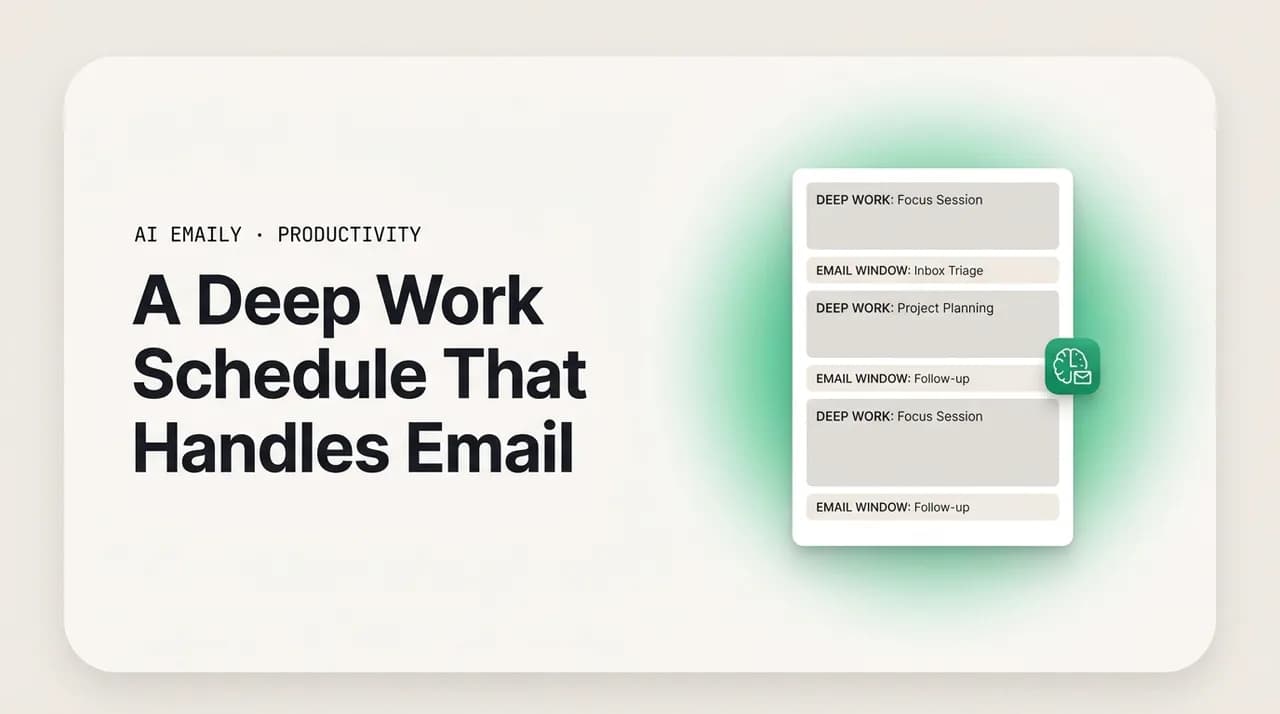
A deep work schedule with email is built around one protected morning focus block, with email pushed into one or two named afternoon windows — sample schedules for maker, manager, early-bird, night-owl, 9-to-5, and flexible workdays, plus a worked day.
On this page
- 01Why does a deep work schedule cap focus at 3 to 4 hours a day?
- 02What are the building blocks of a deep work schedule that handles email?
- 03Where exactly should email fit in a focused workday?
- 04What does a sample deep work schedule look like?
- 05How do maker and manager schedules differ?
- 06How should early birds and night owls schedule deep work and email?
- 07Can you run a deep work schedule on a fixed 9-to-5 versus a flexible day?
- 08What does one full deep work day actually look like?
- 09How do you build a weekly rhythm, not just a good day?
- 10How do you guard your calendar so the schedule actually holds?
- 11How does AI Emaily make the email part of a deep work schedule actually fit?
- 12The bottom line on a deep work schedule that handles email
Most advice about deep work stops at the inspiring part: protect a few hours, turn off the notifications, do the work that matters. Then you close the article, open your calendar, and the actual question hits you — where does the email go? Because the email does not go away. The client still needs an answer today. Your manager still pings. The thread you are on still moves whether you look at it or not. "Just ignore your inbox" is not a schedule; it is a wish. A real deep work schedule has to account for the inbox, not pretend it does not exist.
That is the gap this guide fills. Plenty of people try deep work, protect a morning, then quietly abandon it within two weeks — not because the focus block failed, but because the email they ignored during it turned into a pile-up that ate the afternoon and bled anxiety into the next morning. The fix is not heroic willpower. It is structure: a schedule that gives your hardest work the best hours and gives email a real, bounded place to live, so neither one is constantly stealing from the other.
We will build that schedule from the ground up. First, the principle underneath every version — why deep work tops out around 3 to 4 hours a day and what that means for how you arrange the rest. Then the anatomy of a workday that holds: the morning focus block, the email windows, the shutdown. After that, sample schedules you can copy — maker versus manager, early bird versus night owl, a fixed 9-to-5 versus a flexible day — with a full worked example hour by hour. We will cover the weekly rhythm, because a good day is not the same as a good week, and we will be honest about the hardest part: guarding the calendar against the meetings and pings that erode any block you draw.
Near the end we look at the piece most schedules cannot solve on their own: even a perfect plan asks you to physically process the inbox during its window, and a heavy inbox can overflow the slot you gave it. That is where an AI-native email client changes the math — by shrinking what email requires of you so it fits the slot instead of spilling past it. The schedule comes first. The tooling makes it hold.
Why does a deep work schedule cap focus at 3 to 4 hours a day?#
Before you draw a single block, it helps to know the constraint everything else is built around: you do not have eight hours of deep work in you, and nobody does. Cal Newport, who popularized the term, points to a consistent finding across the research on elite performers — deliberate, cognitively demanding focus tops out at roughly 3 to 4 hours a day for someone in good practice, and far less for someone just starting. The mind that produces real output cannot run flat-out from 9 to 5. The well runs dry, and the hours after it produce the appearance of work, not the substance.
This is the single most freeing fact in scheduling. A deep work schedule is not about cramming focus into every waking minute — it is about protecting the small number of genuinely productive hours and arranging everything else (email, meetings, admin) around them. If your best work fits in 3 to 4 hours, the design question becomes simple: which hours get the deep work, and where does everything else go? Email, crucially, is in the "everything else" pile. It is real work, but it is shallow work — reactive, fragmented, low-intensity — and shallow work belongs in the hours your brain is not at its sharpest.
The corollary matters just as much: deep work is fragile and depletes. Every interruption does not just cost the interrupted minute; it leaves attention residue — part of your mind stays stuck on what you switched to, and it can take many minutes to fully re-immerse. That is why a focus block has to be genuinely uninterrupted to deliver. A morning block checked against email three times is not a focus block with three small breaks; it is three short, shallow sessions that never reach depth. So the schedule does two jobs at once: it reserves the right hours for depth, and it builds a wall around them so the inbox cannot reach in.
Hold those three facts together and the rest of the guide follows almost mechanically. Focus is finite (3 to 4 hours). Focus is fragile (protect it whole). Email is shallow work that belongs elsewhere (give it a slot, not a constant trickle). Every schedule below is just a different arrangement of those same three rules around a different life.
The number that anchors the whole schedule
What are the building blocks of a deep work schedule that handles email?#
Every workable version of this schedule is assembled from the same five parts. Get these right in the abstract and you can shape them to any role or chronotype. Skip one — most often the shutdown, or the wall around the morning block — and the whole thing leaks.
The parts are simple to name and the discipline is in keeping them separate. The morning focus block is the centerpiece, placed where your energy is highest. Email windows are the bounded slots where the inbox gets your full attention and nowhere else does. A buffer or shallow-work block absorbs the small tasks that are real but not deep. Meetings get a deliberate home rather than scattering across the day. And a shutdown ritual closes the loop so work does not follow you into the evening. Here is how each one earns its place.
- 1
The morning focus block (your one protected 3-4 hour window)
Place your single deepest work session where your cognitive energy peaks — for most people, the first hours of the day. No email, no chat, no meetings. This is the block everything else defends. Treat it as the appointment you never cancel.
- 2
One or two named email windows
Give the inbox a real slot — typically late morning after the focus block, and again mid-to-late afternoon. Process to a decision in that window, then close it. Two 30-45 minute windows handle most knowledge-work volumes without the inbox ever becoming an interruption.
- 3
A shallow-work / buffer block
Reserve time for the necessary-but-not-deep: quick admin, small tasks, follow-ups, the five-minute things. Batching these stops them from leaking into the focus block as 'I'll just quickly...' interruptions.
- 4
A deliberate home for meetings
Cluster meetings rather than letting them scatter. A meeting at 11am and another at 2pm leave two fragmented half-blocks; both at 1-3pm leave the morning whole. Protect at least one large unbroken stretch every day.
- 5
A shutdown ritual
End the day with a fixed routine: a last email pass, a quick capture of tomorrow's first task, then a hard stop. This closes open loops so your mind is not half-working all evening — and so tomorrow's focus block starts clean instead of anxious about what you missed.
Email goes after the focus block, never before
Where exactly should email fit in a focused workday?#
This is the question the whole guide turns on, so it deserves a direct answer rather than a vague 'batch it.' Email fits in named, bounded windows placed after your deep work, not before it and not sprinkled through it. The default that works for most knowledge workers is two windows: one late morning, once the morning focus block is done, and one mid-to-late afternoon. A third, very short window right before shutdown is optional for anyone who needs to confirm nothing urgent is hanging.
Two windows beats both extremes. Checking email constantly — the all-day trickle most people live in — keeps you permanently shallow and never lets the morning block reach depth. But a single daily window can feel too slow for collaborative roles and tends to swell into an hour-long slog because a full day of mail piles up behind it. Two windows split the load, keep each session short, and still give correspondents a same-day reply, which is what 'responsive' actually means for the overwhelming majority of email. Almost nothing in a normal inbox genuinely needs a reply within the hour; the pressure to answer instantly is mostly self-imposed.
Place the windows where they do not bleed into the focus block. The late-morning window works precisely because it comes after the morning's deep work is banked — you arrive at the inbox having already won the day's most important hours, so a messy thread cannot derail what matters. The afternoon window catches everything that arrived since. Crucially, between the windows the inbox is closed: not minimized-but-glanced-at, closed, with notifications off, so that time belongs entirely to whatever you are actually doing.
Within each window, process to a decision rather than just reading. The rule of thumb is do, defer, delegate, or delete: if a reply takes under two minutes, send it now; if it is a real task, capture it onto your list and reply when it is scheduled; if it belongs to someone else, forward it; if it is noise, archive it. The goal of an email window is not 'inbox empty for its own sake' — it is 'every message has a next step and nothing is silently rotting.' Done that way, a 30-to-45-minute window genuinely holds a normal day's mail.
Tell people your rhythm — once
What does a sample deep work schedule look like?#
Principles are easy to nod at and hard to place on a calendar, so here are concrete templates. The first table is the baseline — a single protected morning block with two email windows, the version most knowledge workers should start from. Read it as a default to adapt, not a law. The exact clock times matter less than the shape: deep work first, email after and bounded, meetings clustered, a clean shutdown.
Notice what the shape protects. The longest unbroken stretch sits in the morning, untouched by email or meetings. Email gets two real homes but never the prime hours. The afternoon, when focus naturally dips, carries the meetings and the shallow work that do not demand peak cognition. And the day ends on purpose rather than trailing off into a late-night inbox check.
| Time | Block | Email? |
|---|---|---|
| 8:30 - 9:00 | Arrive, plan the day, set the one priority | No — do not open the inbox |
| 9:00 - 12:00 | Deep work block (the day's hardest task) | Closed, notifications off |
| 12:00 - 12:30 | Email window 1 — process to decisions | Yes — full attention |
| 12:30 - 1:30 | Lunch / break (genuine off-screen rest) | No |
| 1:30 - 3:00 | Meetings, clustered together | No |
| 3:00 - 4:30 | Shallow work / buffer (admin, small tasks) | Brief glance OK |
| 4:30 - 5:00 | Email window 2 + shutdown ritual | Yes — last pass, then close |
The baseline assumes a fairly standard day, but few people have a standard day. The point of a deep work schedule is not to force everyone into the same grid — it is to apply the same three rules (focus is finite, focus is fragile, email is shallow work with its own slot) to the day you actually have. The next sections give you copy-able variants for the most common situations: the maker who needs long unbroken stretches versus the manager whose day is meeting-dense; the early bird versus the night owl; and the fixed 9-to-5 versus the flexible or remote day. Find the one closest to your life and adjust from there.
Times are scaffolding, not scripture
How do maker and manager schedules differ?#
Paul Graham's maker-versus-manager distinction is the most useful lens for adapting a deep work schedule, because the two roles need opposite things from their calendar. A maker — engineer, writer, designer, analyst, anyone whose output is built in long stretches — needs large unbroken blocks; a single meeting dropped into the middle of the morning does not cost one hour, it costs the whole morning, because it splits a three-hour block into two useless ninety-minute fragments. A manager's day, by contrast, is legitimately built of meetings and conversations; their deep work is smaller and their email and messaging load is higher because coordination is the job.
So the maker's schedule defends one enormous morning block ferociously and pushes everything interruptive — email, meetings, reviews — into a single afternoon zone. The manager's schedule accepts a meeting-heavy day but carves out and protects one real focus block anyway (often early, before the meetings start) and batches email into the gaps between meetings rather than reacting to it live during them. Both still obey the rules; they just weight them differently. The table below puts the two side by side.
| Time | Maker day | Manager day |
|---|---|---|
| 7:30 - 8:30 | Slow start, no screens | Focus block — strategy, writing, the one hard thing |
| 8:30 - 12:00 | Deep work — one long unbroken block | Email window 1 + 1:1s begin |
| 12:00 - 12:30 | Email window 1 | Lunch / walk |
| 12:30 - 1:30 | Lunch | Email window 2 (between meetings) |
| 1:30 - 4:00 | Meetings + collaboration, clustered | Meetings, back to back |
| 4:00 - 5:00 | Shallow work + email window 2 + shutdown | Email window 3 + shutdown / decisions |
Makers: defend the morning, concede the afternoon
How should early birds and night owls schedule deep work and email?#
Chronotype is not a personality quirk to override — it is when your brain is actually capable of depth, and fighting it wastes your best hours. The whole structure stays the same; you slide it to land the deep work block on your real peak. An early bird whose mind is sharpest at 6am should be doing the day's hardest thinking before most people are awake, with email pushed late. A night owl whose focus crests in the evening should protect that evening block and refuse to spend it on the inbox, doing shallow work and email in the sluggish earlier hours instead.
The trap each one falls into is different. The early bird's danger is spending the precious 6-to-9am window on email because the inbox is quiet and it feels productive to 'get ahead' — burning peak cognition on shallow work. The night owl's danger is the opposite: dragging through a low-energy morning forcing deep work that will not come, then finding focus at 9pm and pouring it into email out of guilt. Both spend their best hours on their lowest-value work. The fix for both is the same rule, just shifted: deep work goes on the peak, email goes on the trough.
| Block | Early bird | Night owl |
|---|---|---|
| Peak energy window | 5:30 - 9:00 — deep work | 4:00 - 8:00pm — deep work |
| First email window | 11:00am, after a mid-morning break | 10:30am — process overnight mail |
| Meetings | Late morning to early afternoon | Late morning to early afternoon |
| Shallow / admin | Early afternoon, on the energy dip | Morning, while still warming up |
| Second email window | 3:30 - 4:00pm | 2:00 - 2:30pm (before the evening peak) |
| Shutdown | Early — done by mid-afternoon if possible | After the evening block, with a hard stop |
Schedule email on your trough, not your peak
Can you run a deep work schedule on a fixed 9-to-5 versus a flexible day?#
Yes to both, but the levers differ. A fixed 9-to-5 — set hours, an office, shared meeting culture, an expectation of visible availability — gives you less control over the clock but not zero control over the shape. A flexible or remote day gives you more control and, paradoxically, more risk, because without external structure the inbox can sprawl across the entire day and deep work never gets a defended slot at all.
On a fixed schedule, the move is to claim structure inside the structure. Block the first 90 minutes to two hours as 'focus time' on the shared calendar so colleagues route around it; arrive a touch early if mornings are interruption-heavy; and use a stated email rhythm to push back gently on the always-on expectation. You will not get a meeting-free day, but you can almost always get one defended block and two real email windows if you make them visible and consistent. On a flexible day the danger is the opposite — too much freedom — so the move is to impose structure you do not strictly need: pick fixed start and stop times, draw the focus block and email windows on the calendar even though no one is making you, and hold them, because the boundary a 9-to-5 enforces externally you now have to enforce yourself.
| Lever | Fixed 9-to-5 | Flexible / remote |
|---|---|---|
| Focus block | Calendar-blocked first 90-120 min, marked busy | Self-imposed; pick a fixed time and hold it daily |
| Email windows | Two visible windows; state your rhythm | Two windows; resist the all-day open inbox |
| Biggest risk | Meetings and drop-bys fragmenting the morning | No structure — inbox sprawls across the whole day |
| Main lever | Make focus time visible to colleagues | Manufacture boundaries (start, stop, windows) |
| Hard stop | Often set by office hours | Must be chosen and defended deliberately |
Remote work needs more structure, not less
What does one full deep work day actually look like?#
Templates are useful but abstract, so here is a single, realistic day played out hour by hour — a knowledge worker (call her Maya, a product marketer) running the baseline schedule on an ordinary Tuesday. Watch how email is present all day in the sense that mail keeps arriving, but only touches her attention twice, and how the morning block stays whole because the inbox is genuinely closed rather than lurking in a background tab.
8:45 — Maya arrives, coffee in hand, and does not open email. She spends fifteen minutes looking at her task list and naming the one thing that matters today: a positioning brief due Thursday. That is the morning's deep work. She writes it on a sticky note and closes everything except the document.
9:00 to 11:45 — Deep work block. Phone in a drawer, email and Slack quit (not minimized — quit), notifications off. She drafts the brief. Around 10:30 a thought surfaces: 'did the design team reply about the mockups?' Old Maya would have checked. New Maya writes 'check design reply' on the sticky note and keeps writing. The thread will be there at noon, and the brief will not finish itself. By 11:45 she has a complete first draft — the day's most important work, banked before lunch.
11:45 to 12:30 — Email window 1. She opens the inbox for the first time. Twenty-two messages. She processes, not just reads: a two-minute reply to the design team (yes, the mockups were there all along, no harm done), two messages turned into tasks for this afternoon, four archived as noise, one flagged for the afternoon window because it needs a considered reply. Inbox handled in forty minutes. She closes it.
12:30 to 1:30 — Lunch, away from the screen. Real rest, which is part of why the afternoon works at all.
1:30 to 3:00 — Two meetings she deliberately stacked back to back, so they cost one afternoon dent rather than fragmenting the day in two places. Email stays closed; anything raised in the meetings becomes a task, not an immediate reply.
3:00 to 4:30 — Shallow-work buffer. The post-lunch dip is real, so this is where the small stuff lives: updating the project tracker, the two tasks from the morning's email, a quick review of a colleague's draft. None of it needs peak focus, which is exactly why it is here and not at 9am.
4:30 to 5:00 — Email window 2 and shutdown. She clears what arrived since noon, writes the one considered reply she flagged earlier, and captures tomorrow's first deep-work task on a fresh sticky note. Then she closes the laptop. The loop is shut; the evening is hers; and tomorrow's block will start clean.
The lesson of Maya's day is not that she did superhuman amounts of work — it is that her most important task got her sharpest hours, fully protected, and email still got handled the same day in under ninety minutes total. The inbox did not run her day. It had two appointments with her, and it kept them.
How do you build a weekly rhythm, not just a good day?#
A single well-run day is fragile if the week around it is shapeless. Energy is not flat across five days, the work itself has phases, and trying to do maximum deep work every single day leads to burnout by Thursday. So the schedule that lasts is a weekly rhythm: some days lean deep, some days lean shallow, and the email and meeting load is distributed deliberately rather than landing wherever it falls.
The most durable pattern protects the front of the week for depth and concentrates coordination later. Monday is often best treated as a lighter, planning-and-clearing day — set the week's priorities, clear the weekend's backlog, get oriented — rather than forcing a deep block onto a mind still spinning up. Tuesday through Thursday are the heavy deep-work days, each anchored by a protected morning block. Friday tilts toward shallow work, review, and looser email, plus a weekly shutdown that closes the week the way the daily shutdown closes the day. Meetings, where you have any say, cluster into one or two days so the rest stay open.
Email follows the same uneven logic. Monday's first window will be heavier because the weekend piled up, so give it more time. Friday afternoon's window doubles as a weekly sweep — nothing should carry into the weekend unacknowledged, even if the actual reply waits until Monday. And it is worth designating one stretch a week, even just a Friday afternoon, for a slightly deeper inbox pass: unsubscribing from noise, setting up filters, clearing the slow-rotting threads, so the daily windows stay fast. The table sketches the rhythm.
| Day | Primary mode | Email load |
|---|---|---|
| Monday | Plan + clear; lighter deep work | Heavy first window — weekend backlog |
| Tuesday | Deep work — protected morning block | Two normal windows |
| Wednesday | Deep work + clustered meetings | Two normal windows |
| Thursday | Deep work — protected morning block | Two normal windows |
| Friday | Review, shallow work, weekly shutdown | Two windows + weekly inbox sweep |
A weekly shutdown closes the loops a daily one misses
How do you guard your calendar so the schedule actually holds?#
Here is the uncomfortable truth: drawing a beautiful schedule is the easy part. Defending it against a workplace that does not share your priorities is the hard part, and it is where most deep work attempts quietly die. Meetings get booked over your focus block. A 'quick question' becomes a thirty-minute derail. The inbox you closed pings through on your phone. A schedule you do not actively guard is not a schedule; it is a suggestion the rest of the world is free to ignore.
Guarding the calendar is a set of small, repeatable defenses rather than one grand gesture. The most important is to block your focus time on the shared calendar as a real, busy appointment — a named block colleagues can see and route around, the same way they would not book over an existing meeting. Beyond that, the defenses are mostly about controlling the channels that interrupt and resetting the expectation that you are reachable every second. The steps below hold up in practice.
- 1
Block focus time as a real calendar event
Put your morning deep-work block on the shared calendar, marked busy, with a clear name like 'Focus — do not book.' Visible blocks get respected; invisible intentions get booked over. This single move prevents most meeting collisions.
- 2
Turn off notifications, including on your phone
A closed inbox that still buzzes on your phone is not closed. During the focus block, silence email, chat, and badge counts everywhere. The interruption you control is the easiest one to eliminate — and it is the one doing the most damage.
- 3
Cluster meetings into deliberate zones
When you can influence the timing, push meetings into one part of the day so the rest stays whole. Decline or propose alternatives for meetings that fragment a focus block. Suggest 'could this be an email?' for anything that does not need live discussion.
- 4
State your email rhythm and offer an urgent path
Tell people, once, when you check email — and give a real fast channel (a call, a specific message) for genuine emergencies. This removes the guilt of not replying instantly and pre-empts the 'why didn't you answer' that otherwise pulls you back to the inbox.
- 5
Protect at least one block when the day falls apart
Some days collapse — a crisis, a packed meeting day, a sick kid. On those days, do not abandon the system; shrink it. Defend even a single 60-90 minute block of deep work. A small protected block beats a heroic plan that never survives contact with reality.
The phone in your pocket is the leak that sinks the block
How does AI Emaily make the email part of a deep work schedule actually fit?#
Here is the gap every schedule above runs into. The plan says 'email window, 45 minutes, process to decisions.' Reality says you open the inbox and it is fifty unread — newsletters, three real asks buried in notifications, a thread you are CC'd on for no reason, two genuinely important messages. The triage itself eats the window before you have replied to anything, and on a busy day the slot you drew overflows, spilling email back into the afternoon you meant to protect. The schedule is sound; the volume defeats it. That is the problem a plan alone cannot solve — it can give email a slot, but it cannot shrink what email demands inside it.
AI Emaily is an AI-native email client built to do exactly that: shrink email to fit the window you gave it. Its agent reads and triages your inbox autonomously, so when your email window opens you are not facing fifty raw messages — you are facing a short, ranked set of things that actually need you. The noise is already sorted, the routine handled, the important surfaced to the top. The forty-five-minute window that used to be twenty minutes of triage and twenty-five of real work becomes mostly real work, because the triage already happened without you.
The Living Brief is the piece that fits the schedule most directly. Instead of opening the inbox between windows, you get a concise brief of what changed — what arrived, what matters, what is waiting on you — so you stay informed without breaking the focus block. You can even have that brief delivered to Slack or Telegram, so you do not open email to know whether anything urgent landed; you glance at one line and decide whether it can wait for your next window (it almost always can). And the rules brain learns how you handle recurring mail and applies your decisions automatically, so the same kinds of messages stop reaching your window at all. Together, the agent, the brief, and the rules collapse a heavy inbox into the small, bounded thing your schedule assumed it would be.
You stay in control the whole time. In its default Copilot mode, AI Emaily drafts and triages but nothing sends until you approve it, so the email window stays yours — you review decisions rather than making every one from scratch. It works across every account you connect, Gmail, Outlook, and any IMAP provider, in one place, and it is private by design: your mail works for you, not to train models for anyone else. You can start free at app.aiemaily.com/signup — the Free plan is $0 and connects your inbox with AI triage and drafting; Pro is $12.42/month billed annually for the full agent and the Living Brief across everything. The deep work schedule protects your hours; AI Emaily keeps email small enough to live in the slot you gave it.
Let the brief replace the between-windows glance
The bottom line on a deep work schedule that handles email#
A deep work schedule that survives contact with real life is built on three facts and one honest concession. The facts: focus is finite, so plan for 3 to 4 hours of real deep work and arrange everything else around it; focus is fragile, so protect the morning block whole, with no inbox reaching in; and email is shallow work, so it gets a named slot after the deep work, not the prime hours and not a constant trickle. The concession: email does not go away, so the schedule has to give it a real home — typically two bounded windows — rather than pretending it can be ignored.
From there, the shape adapts to your life. Makers defend one long morning block and concede the afternoon; managers carve out one protected block in a meeting-dense day. Early birds and night owls slide the whole structure onto their peak and bury email on their trough. Fixed schedules claim visible focus time inside the office grid; flexible schedules manufacture the boundaries no one else will. And the week, not just the day, gets a rhythm — front-loaded depth, a Friday sweep, meetings clustered, a weekly shutdown. The hardest work is guarding it all against the meetings and pings that erode any block, which comes down to making focus time visible, killing notifications, and stating your email rhythm once.
The one thing structure cannot do by itself is shrink the inbox to fit the slot you drew — and that is the piece AI Emaily handles, triaging the noise away and briefing you on what matters so your email window holds at the size you planned, while you keep final say over everything that sends. Build the schedule first: deep work on your best hours, email in its windows, a hard stop at the end. Then let the tooling keep the email small enough to stay there. That is how a deep work schedule stops being a nice idea you abandon by Friday and becomes the way you actually work.
Frequently asked
See it in AI Emaily
Keep reading
Sources

Written by
Nafiul HasanNafiul Hasan is an entrepreneur and AI automation system builder with 10+ years of experience turning messy, manual workflows into reliable automated systems. He designs and ships AI enterprise solutions end-to-end — the agent logic, the data plumbing, and the product people actually use — and founded AI Emaily to give busy professionals their attention back. He writes here from the builder's seat: what works, what breaks, and how to put AI to work without giving up control.