Email-Free Time: How to Carve Out Focus Hours That Actually Hold

The short answer
Email-free time is a protected window — usually 60 to 120 minutes — where the inbox stays closed so you can do focused work. Schedule it when your energy is highest, usually the first block of the morning. Tell your team it exists, set a clear response window, turn on Do Not Disturb, and have a recovery rule for the days you slip.
Email-free time is a protected no-inbox window you defend on purpose. How long it should run, when to schedule it, what to tell your team, sample blocks.
On this page
- 01What is email-free time, and why does it work?
- 02How long should an email-free block be?
- 03When is the best time of day for email-free time?
- 04How do you set up email-free time? A step-by-step
- 05How do you tell your team you're going email-free?
- 06How do you actually block email during the window?
- 07What if you slip and check email anyway?
- 08What do good email-free blocks look like in practice?
- 09How does AI Emaily protect your email-free time?
- 10The bottom line on email-free time
You block ninety minutes for the project that actually matters. You sit down, open the document, get one good paragraph in — and then you check email, just for a second, because what if something came in. Twenty minutes later you are three replies deep, the document is still one paragraph long, and the block you protected so carefully is gone. The block was never the problem. The open inbox was.
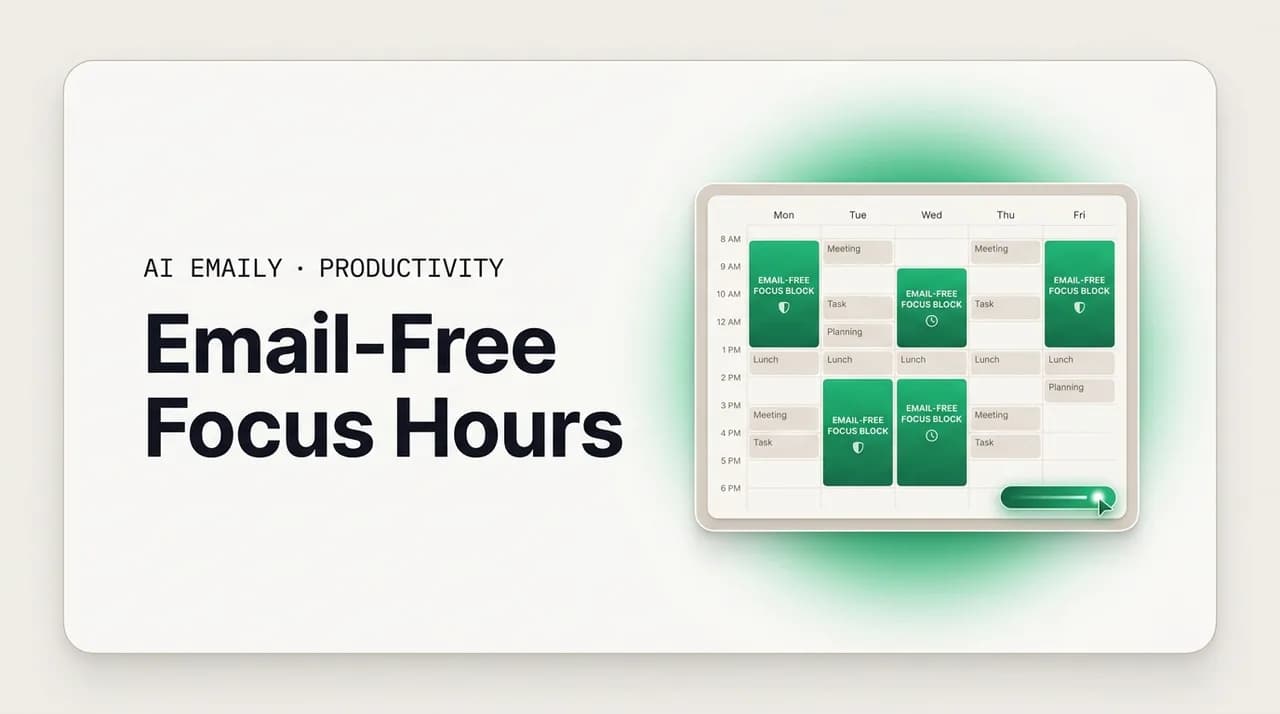
Email-free time is the fix, and it is simpler than most productivity advice makes it sound. It is a window on your day where the inbox stays closed and you do not look — not a glance, not a quick triage, nothing. The window has a start, an end, and a rule everyone around you understands: during this block, email is not how you reach me. The point is not to answer less email. It is to give the rest of your work a stretch of time that email cannot interrupt, because uninterrupted time is where the work that requires thinking actually gets done.
Most people have tried some version of this and watched it collapse by Wednesday. The block gets booked, then a meeting eats it, then someone messages "did you see my email," then the habit of checking wins and the window quietly stops being a window. That failure is not a willpower problem. It is a design problem — the block was set up to fail because nobody told the team, no notifications were silenced, and there was no plan for what to do when an email genuinely could not wait.
This guide is about designing email-free time that holds. You will get the case for why a protected block beats trying to resist email in real time, how long the block should run and when to put it, the exact way to communicate it so people respect it instead of routing around it, the focus modes and Do Not Disturb settings that make the silence real, a recovery plan for the days you slip, and a set of sample blocks for different jobs you can copy today. Near the end we look at the thing that makes email-free time hard to keep — the quiet fear that something urgent is landing while you are heads-down — and how an AI-native email client removes it by triaging the inbox during your block so nothing is missed and a brief is waiting when you come back.
What is email-free time, and why does it work?#
Email-free time is a defined period — say, 9:00 to 10:30 a.m. — during which you do not open, check, or process email. The inbox is closed. Notifications are off. For the length of that window, email simply is not part of your work. When the window ends, you go back to it on your terms. That is the whole idea: not less email overall, but a protected stretch the inbox is not allowed to touch.
It works for a reason that is well established in attention research: the cost of an interruption is not the interruption itself, it is the time it takes to get your focus back afterward. A frequently cited study from the University of California, Irvine, found it takes an average of around 23 minutes to fully return to a task after being pulled away from it. So a thirty-second email check does not cost thirty seconds. It costs the thirty seconds plus the long, foggy climb back into what you were doing — and if you do that six times an hour, you never actually get into the work at all. You spend the whole hour climbing.
Email-free time removes the interruptions at the source. Instead of fighting the urge to check email forty times during a focus block — and losing a little ground each time — you make one decision at the start: the inbox is closed until 10:30. There is no urge to manage because there is no inbox to check. This is why a protected block beats willpower. Willpower asks you to resist temptation continuously; a closed inbox removes the temptation entirely. The first is exhausting and unreliable. The second just works, because the decision was made once and the environment enforces it.
There is a second, quieter benefit. When you know a real block of uninterrupted time is coming, you start saving the work that needs it for that window — the writing, the analysis, the design, the thinking — instead of trying to squeeze it into the cracks between emails, where it never fits. Email-free time does not just protect focus; it creates a place to put the work that requires focus, which is most of the work that actually matters.
The core idea in one line
How long should an email-free block be?#
The honest answer is: long enough to get into the work and do a meaningful chunk of it, short enough that you can defend it on a normal day. For most people that lands between 60 and 120 minutes. Below an hour, you have barely climbed into the task before the window closes. Above two hours, the block gets hard to protect on a calendar full of other people's meetings, and the temptation to peek at email grows the longer you go.
Ninety minutes is the sweet spot for a lot of knowledge work, and it is not arbitrary. It maps to the body's natural ultradian rhythm — the roughly 90-minute cycles of higher and lower alertness we move through during the day. A 90-minute focus block followed by a real break works with that rhythm instead of against it: you get a full cycle of deep attention, then you rest and reset before the next one. Two 90-minute blocks in a day, well placed, will out-produce a scattered eight hours of half-attention.
If 90 minutes feels impossible right now, do not start there — start where you can win. A 45-minute block you actually keep is worth more than a two-hour block you abandon on day two. Build the muscle with a length you can defend, prove to yourself and your team that the world does not end, then extend. The table below maps block lengths to what they are good for, so you can pick a starting point that fits your day rather than an ideal that does not.
| Block length | Best for | Watch out for |
|---|---|---|
| 25–45 min | Building the habit; packed calendars; shallow-ish focused tasks | Too short for deep creative work — you barely get in before it ends |
| 60 min | A reliable daily default; one solid task | Fine, but you lose the back half of the deepest work to the clock |
| 90 min | Deep work: writing, analysis, design, coding — the sweet spot | Needs a real break after; protect it hard against meeting creep |
| 120 min | Big-push days; complex problems that need long runway | Hard to defend on a busy calendar; fatigue and the urge to peek rise |
| Half-day blackout | Heads-down project sprints; occasional, not daily | Unrealistic as a daily norm; reserve for genuine deep-work days |
One more thing on length: protect the break as carefully as the block. A 90-minute focus window only keeps working if it is followed by a genuine pause — stand up, walk, look out a window, do not just swap the email tab for a social feed. The break is what lets the next block be as good as the first. People who chain focus blocks back-to-back with no recovery get the diminishing returns of the half-attention eight-hour day they were trying to escape, just in a different costume.
Start where you can win
When is the best time of day for email-free time?#
The best time for your email-free block is when your focus is naturally highest — and for most people, that is the first stretch of the workday, before the inbox has pulled them in. The morning has a quality the afternoon rarely matches: your attention is fresh, the day's interruptions have not started, and you have not yet spent your mental energy reacting to other people's priorities. Spend that hour and a half on email and you have traded your best focus of the day for sorting other people's requests.
This is why "do not start your day in the inbox" is some of the most repeated focus advice there is. Opening email first thing hands the agenda to whoever emailed you overnight and puts you in reactive mode before you have done a single thing you chose to do. A morning email-free block flips that: you do your most important work first, while you are sharpest, and you get to email afterward, on your terms, having already moved the thing that mattered. The email will still be there at 10:30. Your peak focus will not be.
That said, the right time is the one you can actually keep, and not everyone peaks in the morning. If your job has a hard morning rhythm — standups, client calls, a team that needs you early — a protected block right after lunch, when the post-meal dip lifts, can work well. Some people do their best thinking late in the day after the inbox has gone quiet. The rule is not "mornings or nothing." The rule is: find your peak-focus window, and put the block there, on a recurring calendar hold so it survives a busy week. The table below maps common windows to who they suit.
| Window | Who it suits | Why it works |
|---|---|---|
| First thing (e.g. 8:30–10:00) | Most knowledge workers; morning peak focus | Freshest attention; beats the inbox before it sets your agenda |
| Mid-morning (e.g. 10:00–11:30) | People with early standups or quick first checks | Still high energy; lets you handle one early sweep, then go heads-down |
| Post-lunch (e.g. 1:30–3:00) | Morning-meeting-heavy roles; afternoon thinkers | The post-meal dip lifts into a solid focus window |
| Late afternoon (e.g. 4:00–5:30) | Night-leaning chronotypes; quieter end of day | Inbox and Slack have gone quiet; fewer live interruptions |
| Recurring daily hold | Anyone serious about keeping the habit | A standing calendar block survives a busy week; ad-hoc blocks do not |
Protect the morning first
How do you set up email-free time? A step-by-step#
Email-free time fails when it is just a vague intention to check less. It holds when it is set up deliberately — a block on the calendar, a team that knows about it, notifications genuinely silenced, and a rule for the rare email that truly cannot wait. Here is the sequence that makes it stick, from picking the window to defending it through a normal week.
- 1
Pick the window and put it on the calendar
Choose your peak-focus time (usually the first 60–90 minutes of the day) and create a recurring calendar event named clearly — "Focus block — no email" — so it shows as busy to anyone who tries to book you. A block that lives only in your head gets overwritten by the first meeting request. A block on the shared calendar defends itself.
- 2
Set a clear, honest response window
Decide and state how fast you do reply — "I check email at 10:30, 1:00, and 4:00" or "within a few hours on weekdays." People do not need instant replies; they need to know what to expect. A stated response window is what makes a closed inbox feel reliable to others instead of like you went dark.
- 3
Tell your team it exists
Say it plainly in a team channel, a standup, or your status: "I do focused work 9:00–10:30 and check email after. For anything genuinely urgent before then, call or text." Naming the block and giving an emergency path is the difference between people respecting it and people firing off "did you see my email" pings that defeat the point.
- 4
Close the inbox and silence everything
Not minimized — closed. Quit the mail app and the browser tab. Turn on your operating system's Do Not Disturb or a Focus mode that mutes mail and badge counts. A visible unread badge is an interruption even if you never click it. The silence has to be real, or your attention keeps half-listening for the next ping.
- 5
Define your one emergency exception
Have a single, narrow channel for true emergencies — a phone call, a text, a tap on the shoulder — and trust that if it is not coming through that channel, it can wait until 10:30. This is what frees you to ignore the inbox completely: not blind faith that nothing urgent will happen, but a known path for the rare thing that is.
- 6
Do the work you saved for the block
Email-free time is only worth protecting if you fill it with work that needs it. Before the block starts, know exactly what you are doing in it — the document, the analysis, the design. Walking into protected focus time without a plan wastes it on deciding what to do, which is the one thing you should have decided beforehand.
- 7
Review and adjust weekly
At the end of the week, ask: did the block hold? If it kept collapsing at the same point — a recurring meeting, a particular person's pings — fix that specific thing rather than blaming yourself. Move the block, renegotiate the meeting, or tighten the team message. The habit is built by debugging the failures, not by trying harder.
The block goes on the calendar, not in your head
How do you tell your team you're going email-free?#
This is the step people skip, and it is the one that decides whether the block survives contact with other people. Email-free time is not a private decision when you work with a team — if colleagues expect a reply in ten minutes and you go quiet for ninety, you have not set a boundary, you have created confusion, and confusion gets resolved with a "hey, did you see my message?" that breaks your focus anyway. The fix is communication, and it is mostly about resetting one expectation: speed.
The expectation that everything needs an instant reply is almost always assumed, not real. Very little email is actually urgent; most of it is fine with a response in a few hours. But nobody knows that you know that unless you say so. So the core move is to state your rhythm out loud and give people something better than instant: predictability. "I check email at 10:30, 1:00, and 4:00" tells a colleague exactly when they will hear from you, which is more useful to them than a frantic reply mid-morning. Pair it with a genuine emergency path — call or text — and you have covered the real need (the rare urgent thing) without staying hostage to the inbox for the routine 95%.
Keep the message short, specific, and free of apology. You are not asking permission to do your job well; you are telling people how to reach you so they get better, faster help on the things that count. Put it where they will see it — a pinned status, your email signature, a one-line note in the team channel — and then, crucially, honor it. The fastest way to lose a team's respect for your focus block is to announce it and then reply instantly anyway, which teaches everyone that the block is not real. The example below gives you ready-to-send language for the common channels.
Sell predictability, not absence
How do you actually block email during the window?#
Telling yourself you will not check is the weakest possible defense, because the inbox is still right there and a single unread badge is an open loop your brain keeps poking at. The reliable defenses are environmental — change the environment so checking is harder than not checking, and the block holds itself without willpower. There is a ladder of these, from soft to absolute, and most people only need the middle rungs.
Start with notifications, which are the loudest interrupters. Turn off email push notifications and, just as importantly, the unread badge count — the little red number is an interruption even when you never tap it, because it pulls your eye and reminds you the inbox is filling up. Then use your device's built-in focus tools: macOS and iOS Focus modes, Windows Focus Assist, and Android's Do Not Disturb can all silence mail (and Slack, and everything else) for the length of your block, and most let you allow a single contact through for genuine emergencies. Schedule the Focus mode to turn on automatically at your block time so you do not have to remember.
If notifications-off is not enough — if you still find yourself opening the inbox out of pure habit — raise the friction. Close the mail app and the browser tab entirely so checking requires a deliberate reopen, not a glance at an already-open window. Log out so it asks for a password. Move the work that needs focus to a different device or a different desktop space with no mail on it. For the hardest cases, app- and site-blockers (Freedom, Cold Turkey, the Screen Time / Digital Wellbeing limits built into your phone) can make the inbox literally inaccessible for a set window — the nuclear option, for the habit that resists everything softer. The table maps the rungs of that ladder.
| Defense | Effort | Best for |
|---|---|---|
| Turn off push + badge count | Low — set once | Everyone; the baseline that should always be on during a block |
| OS Focus / Do Not Disturb (scheduled) | Low — set once | Silencing all apps for the block automatically; allow one emergency contact |
| Close the app and browser tab | Low — every block | Killing the habitual glance; makes checking a deliberate act |
| Log out of mail | Medium | People who reflexively reopen a closed tab without thinking |
| Separate device / desktop space | Medium | Deep work that benefits from a clean, mail-free environment |
| App/site blocker (Freedom, Cold Turkey, Screen Time) | Higher setup | The stubborn habit; when softer defenses keep failing |
Kill the badge, not just the sound
What if you slip and check email anyway?#
You will slip. Everyone does — a hard day, a tempting subject line glimpsed on your phone, a meeting that ran into your block and threw off the whole morning. The slip is not the failure. Treating one slip as proof that "this does not work for me" and abandoning the whole habit is the failure. The recovery is the skill, and it is mostly about catching yourself fast and getting back in without a spiral of guilt.
When you notice you have drifted into the inbox, the move is simple: close it immediately, and resist the urge to "just finish this one." The longer you stay, the more the block dissolves, and "just one" is how a thirty-second peek becomes twenty minutes. Closing it the instant you catch yourself salvages the rest of the window — five lost minutes out of ninety is a rounding error; thirty lost minutes is the block gone. The amount of damage a slip does is almost entirely about how fast you recover from it, not whether it happened.
Then look at why it happened, because slips are data, not character flaws. Did a notification leak through? Tighten your Focus mode. Did a recurring meeting eat the front of your block? Move the block or renegotiate the meeting. Did you open email because you did not know what to work on? That is a planning miss — decide the block's task the day before. Did anxiety about a specific pending thing pull you in? That points at the real culprit, which we get to next: the fear that something urgent is landing while you are heads-down. Treat each slip as a bug report on your setup and fix the specific cause, and the habit gets sturdier every week instead of guilt-ridden and brittle.
One reframe that helps: aim for consistency, not perfection. A block you keep four mornings out of five is a massive win that compounts over a year — do not let the fifth morning's slip convince you the other four did not count. The goal was never a flawless streak. It was getting most of your best focus most days back from the inbox, and a four-out-of-five week does exactly that.
The spiral is worse than the slip
What do good email-free blocks look like in practice?#
It is easier to keep a habit you can see, so here are sample schedules for different kinds of jobs. None of these are prescriptions — they are starting templates to adapt to your real calendar. Notice the shared pattern across all of them: the protected block sits at the day's peak-focus time, email gets handled in defined batches afterward rather than continuously, and there is always a stated rhythm so other people know when to expect a reply.
Pick the one closest to your situation, copy it for a week, and adjust based on what actually holds. The maker schedule guards long uninterrupted mornings; the manager schedule carves focus out of a meeting-heavy day; the support-heavy schedule keeps tighter response windows while still protecting one real block. The example below lays them out as concrete daily shapes you can lift directly.
Batch the email around the block
How does AI Emaily protect your email-free time?#
Here is the thing that actually makes email-free time hard to keep, and it is not discipline. It is the quiet fear that while you are heads-down, something urgent is landing — a client escalation, your manager, a deadline you cannot miss — and you will not see it until it is too late. That fear is what makes you peek. You break the block not because you want to read newsletters, but because you cannot fully trust that ignoring the inbox is safe. Most advice tells you to just trust it. That is hard to do when the inbox is a black box for ninety minutes.
AI Emaily is an AI-native email client built to close that gap, so the block is safe to keep. While your inbox is closed, its agent keeps triaging in the background — reading what comes in, sorting the genuinely important from the noise, and applying your rules to handle the routine. It learns from how you actually work which senders and topics matter, so it knows the difference between a client deadline and a marketing blast. The result is that you are not flying blind during your focus block; the inbox is being watched and worked, just not by you, and not in a way that interrupts you.
Then, when your block ends, instead of opening to fifty unread and starting the triage you were trying to avoid, you get a brief: a short summary of what arrived, what was handled for you, and the few things that actually need a decision. Fifty messages become five real choices. The work of sorting — the part that ate the back half of your old focus blocks — is already done, so the block stays a block instead of bleeding into an hour of catch-up. You spend your post-block email window deciding and replying, not wading.
And for the rare thing that genuinely cannot wait, you are not relying on luck. You can have AI Emaily surface a truly urgent item through a single channel — a brief to Slack or Telegram, a focused alert — so the one email that needs you mid-block reaches you, and the other forty-nine do not. That is what finally lets you ignore the inbox with confidence: not blind faith, but a system watching it for you with a clear rule about what is allowed to interrupt. You stay in control the whole time. In its default Copilot mode, nothing sends without your approval — the agent triages and drafts; you review and decide. You can start free at app.aiemaily.com/signup: the Free plan is $0 and connects your inbox with AI triage and drafting, and Pro is $12.42/month billed annually when you want it across everything. The point is not that a machine takes over your email. It is that your email-free time finally holds, because nothing is being missed while you do the work that matters.
Let the block run while the agent watches
The bottom line on email-free time#
Email-free time is a protected window where the inbox stays closed so the work that needs focus can actually get it. It works because the real cost of checking email is the long climb back to concentration afterward, and a closed inbox removes the interruption at the source — one decision made at the start of the block instead of a temptation resisted forty times. Make the block 60 to 120 minutes, put it at your peak-focus time (usually first thing in the morning), and treat it as a standing calendar hold, not a hope.
The block holds when you design it to: tell your team it exists and give them a clear response window plus an emergency path, silence notifications and the unread badge so the inbox is genuinely out of sight, decide beforehand what you will work on, and have a recovery rule for the days you slip — catch it fast, close the inbox, fix the cause, and aim for consistency over a perfect streak. Slips are bug reports on your setup, not verdicts on your discipline.
The hardest part is trusting that ignoring the inbox is safe, and that is the part AI Emaily handles — triaging in the background while you are heads-down, surfacing the one thing that truly cannot wait, and handing you a brief instead of a backlog when the block ends, so nothing is missed and the window stays a window. However you build it, the principle holds: give your best work a stretch of time the inbox is not allowed to touch, and defend it like it matters — because it does.
Frequently asked
See it in AI Emaily
Keep reading
Sources

Written by
Nafiul HasanNafiul Hasan is an entrepreneur and AI automation system builder with 10+ years of experience turning messy, manual workflows into reliable automated systems. He designs and ships AI enterprise solutions end-to-end — the agent logic, the data plumbing, and the product people actually use — and founded AI Emaily to give busy professionals their attention back. He writes here from the builder's seat: what works, what breaks, and how to put AI to work without giving up control.