How to Stop Email From Interrupting Your Work (Without Going Dark)

The short answer
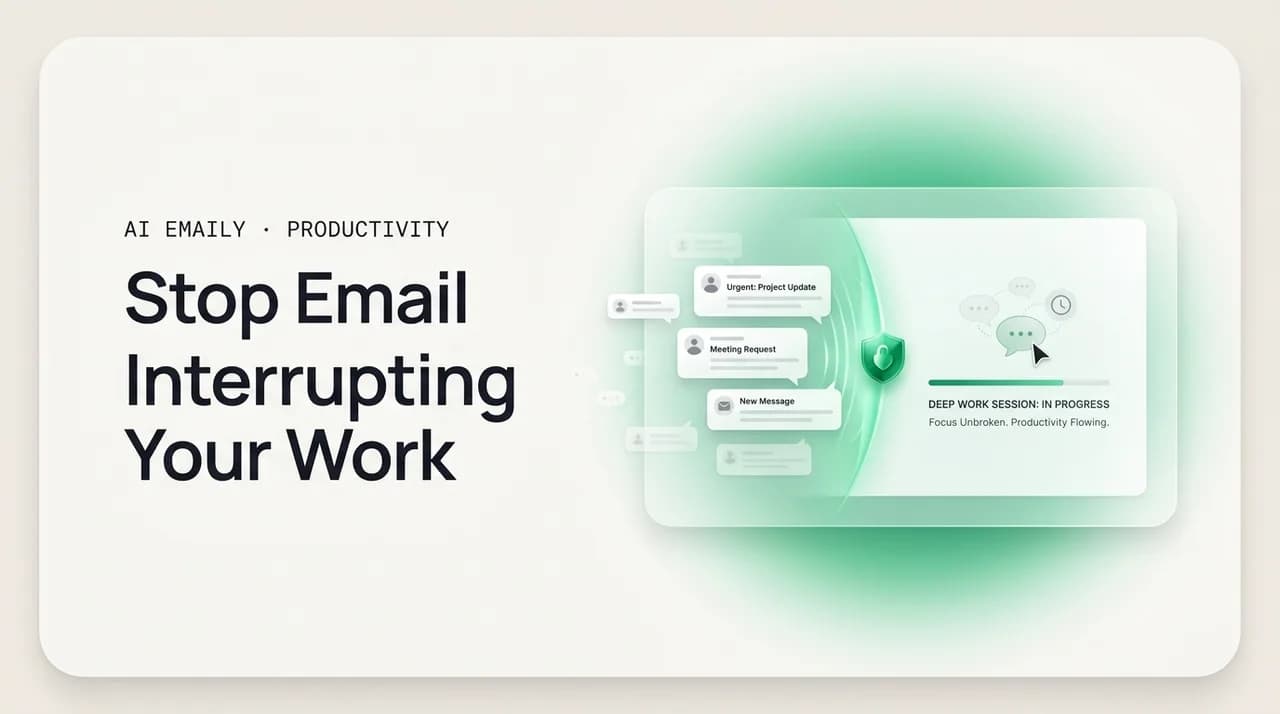
To stop email interrupting work, cut the interruption at its source: turn off all email notifications, close the inbox tab, and check on a schedule — two or three fixed windows a day instead of all day. Set expectations with an autoresponder so nobody waits on a reply, and let an AI triage pass surface only what is genuinely urgent.
How to stop email from interrupting your work: turn off notifications, set scheduled checking windows, close the tab, and use focus modes — a concrete habit you can hold without going dark or missing anything urgent.
On this page
- 01Why does email interrupt your work so much in the first place?
- 02How do you actually stop email from interrupting your work?
- 03What does an email-free focus block actually look like?
- 04Should you turn off email notifications completely?
- 05How often should you actually check email?
- 06What if something urgent comes in while you're not looking?
- 07How do you make this a habit that actually sticks?
- 08Why does email still feel urgent even when nothing is?
- 09How does AI Emaily turn email interruptions into one calm pass?
- 10The bottom line on stopping email interruptions
You sit down with a clear plan for the next ninety minutes. The hard task is finally in front of you, you have the file open, the first sentence is forming — and a notification slides in from the corner of the screen. New email. You glance. It is nothing urgent, a thread you are cc'd on, but you have already read the subject line, half the preview, and now a small part of your brain is composing a reply you will not write for another hour. The sentence you were forming is gone. You look back at the file and start again, a little slower than before.
That is what email interruption actually is. Not the rare emergency that genuinely needs you, but the steady drip of pings, badges, and previews that pull your attention out of whatever you were doing — dozens of times a day, mostly for things that could have waited until your next scheduled look. Each pull is small. The cost is not. The interruption itself takes a second; the climb back into focus takes far longer, and the research on this is consistent enough that it has become a workplace cliché: it can take around 23 minutes to fully return to a task after an interruption. Most of the damage email does to your day is not the time spent reading email. It is the time spent recovering from being yanked out of real work to glance at it.
The good news is that this is one of the most fixable problems in knowledge work, because the interruption is almost entirely self-inflicted at the level of settings and habits. You do not need to quit email, abandon your team, or disappear for hours. You need to stop the inbox from reaching into your focus on its own schedule and put yourself back in charge of when you look. This guide is the practical playbook for doing exactly that — without going dark, without missing anything that truly matters, and without the anxiety that usually makes people give up after two days and turn the pings back on.
We will move in order: first the mindset shift that makes the rest stick, then the concrete tactics in the sequence that works — notifications off, the inbox out of sight, scheduled checking windows, focus modes, and the expectation-setting that removes the fear of being unreachable. Then we will build it into a habit that survives a busy week, troubleshoot the objections ("but what if something is urgent?"), and finally look at how an AI-native email client collapses all those scattered interruptions into a single calm pass so the inbox informs you instead of ambushing you.
Why does email interrupt your work so much in the first place?#
Before the tactics, it helps to understand why email is uniquely good at breaking focus, because the reasons point straight at the fixes. Email interrupts you for three structural reasons, and each one has a direct countermeasure you will use later in this guide.
The first is that email is push by default. Out of the box, every modern mail client and phone is configured to tell you the instant something arrives — a banner, a sound, a badge with a number that climbs. You did not choose to be interrupted; the software chose for you, and it chose "always." That is a design decision optimized for engagement, not for your focus, and it means the inbox sets your attention schedule instead of you setting it. The countermeasure is to flip email back to pull: nothing reaches you until you go and get it.
The second is that email is a variable-reward loop, the same mechanism that makes slot machines and social feeds compulsive. Most of what arrives is unimportant, but every so often there is something genuinely good or genuinely urgent — and your brain cannot tell which is which until it looks. So it wants to look, constantly, just in case. That uncertainty is what turns a quick glance into a habit you reach for without deciding to, even when no notification fired. The countermeasure is to make looking deliberate and scheduled, so the loop has fixed openings instead of running all day.
The third is attention residue. When you switch from deep work to email and back, a part of your mind stays stuck on the thing you just glanced at — the half-read message, the reply you are mentally drafting. Sociologist Sophie Leroy named this in 2009: the residue of the previous task degrades your performance on the next one. It is why a five-second glance at an email can cost far more than five seconds of work: you do not return at full capacity, you return with a fragment of your attention still parked on the inbox. The countermeasure is to batch — handle email in dedicated blocks so the switching happens a few times a day, not a few times an hour.
Put those together and the picture is clear. Email is not interrupting you because your work is boring or your discipline is weak. It is interrupting you because the default configuration is built to interrupt, your brain is wired to reward the checking, and every switch leaves a drag on your focus. Fix the configuration and the habit, and the interruptions largely stop. That is the whole game, and the rest of this guide is how to do it.
The core reframe
How do you actually stop email from interrupting your work?#
Here is the playbook, in the order that works. Do not try to adopt all of it on day one — start with the first two steps, which deliver most of the benefit, and add the rest as the new rhythm settles. The sequence matters: notifications and visibility come first because they kill the interruptions at the source, then scheduling and expectations make the new rhythm sustainable and anxiety-free.
Each step below is a single, concrete change. Done together, they convert email from a stream that reaches into your day at random into a thing you go and handle a few times, on purpose, and then leave alone.
- 1
Turn off every email notification
This is the single highest-leverage change, so do it first and do it completely. Disable banners, sounds, and lock-screen alerts on your phone, and turn off desktop and in-app notifications on your computer — including the unread badge with the number, which is its own quiet interruption. The goal is that an incoming email produces zero signal anywhere until you decide to look. You are not missing the email; it is sitting in the inbox waiting, exactly where it will be at your next checking window. You have simply stopped letting it page you.
- 2
Close the inbox tab and put the app out of sight
An open inbox tab or a visible mail app is a standing invitation to glance, even with notifications off — you see the tab, you wonder, you click. Close the tab entirely during focus work and quit the desktop app rather than minimizing it. On your phone, move the mail app off the home screen into a folder, or sign out of it during the workday. Out of sight genuinely is out of mind here: if checking requires three deliberate steps instead of one reflexive glance, the impulse fades before you act on it.
- 3
Decide on fixed checking windows
Replace all-day grazing with a small number of scheduled windows — two or three is plenty for most roles. A common pattern: mid-morning (not first thing), after lunch, and late afternoon. Give each window a real time and a cap, say 20–30 minutes, and process to a clean pass: read, reply, archive, done. Between windows the inbox stays closed. The windows are the only times email touches your attention, which means the rest of the day is yours for actual work.
- 4
Block the windows on your calendar
A checking window that lives only in your head loses to the first busy day. Put the windows on your calendar as real events — "Email, 11:00–11:30" — so they are protected and visible, and so the gaps between them are visibly reserved for focus. This also does quiet social work: colleagues who see your calendar learn your rhythm, and you stop feeling like you are skipping email when you are simply doing it on schedule. Treat the block as a commitment, not a suggestion.
- 5
Turn on a focus mode during deep work
Use the operating system's built-in focus tools to enforce the windows for you. macOS and iOS Focus modes, Windows Focus assist, and Android Do Not Disturb can silence mail (and everything else) on a schedule, so the no-notification rule holds even when you forget. Configure a "Deep Work" focus that mutes email entirely and, ideally, set it to turn on automatically during your blocked focus hours. The machine now guards the boundary, which is far more reliable than your willpower at 3 p.m.
- 6
Set expectations so no one is waiting on you
The fear that stops most people is "what if someone needs me and I do not see it for hours?" Remove it by telling people, not by staying available. Add a short line to your signature or an autoresponder noting that you check email a few times a day and giving a faster channel for true emergencies (a phone call, or a specific chat). Once people know your reply window is hours, not minutes, the pressure to monitor in real time evaporates — for them and for you.
- 7
Keep the first hour of your day email-free
Opening email first thing hands your fresh, most-focused attention to other people's priorities before you have set your own. Make the first checking window mid-morning, after you have done one real piece of work. Starting on your terms — one meaningful task before the inbox — changes the entire shape of the day, because you enter email having already accomplished something rather than reacting from the first minute.
- 8
Hold the line for two weeks, then adjust
The new rhythm feels uncomfortable for a few days — you will feel the urge to check, and you will worry you are missing something. You almost never are. Give it two full weeks before judging it, then tune: if two windows leave you anxious, add a third; if three feel like too many, drop one. The aim is the fewest windows that keep you genuinely on top of things, with the most uninterrupted focus time in between.
Start with steps 1 and 2 only
It helps to see the before-and-after side by side, because the difference is not subtle. The same number of emails, the same job, the same person — but one version is interrupt-driven and one is scheduled, and they produce very different days.
| Through the day | Interrupt-driven inbox | Scheduled inbox |
|---|---|---|
| Notifications | On — banners, sounds, badge counts all day | Off everywhere; nothing pages you |
| Inbox visibility | Tab open, app visible, glanced at constantly | Closed during focus; opened only in windows |
| Times email pulls focus | 30–80+ micro-interruptions | 2–3 deliberate checking windows |
| When you first check | Within minutes of waking / sitting down | Mid-morning, after one real task |
| Recovery cost | Paid dozens of times — attention residue all day | Paid 2–3 times; deep work uninterrupted between |
| Reply speed | Often minutes, sets a real-time expectation | Hours, within a stated and known window |
| End-of-day feeling | Busy, scattered, little deep work done | Email handled, focus hours protected |
What does an email-free focus block actually look like?#
Tactics are easier to keep when you can picture the day they produce. Here is a concrete example of a focused workday built around the playbook above — not a rigid template, but a realistic shape that shows how the pieces fit together. The point is the pattern: long, protected stretches of focus, punctuated by short, deliberate email windows, with notifications silent the entire time.
Notice what is happening in the gaps. Between the checking windows, the inbox is closed, notifications are off, and a focus mode is holding the boundary. Email is not absent from the day — it is handled three times, thoroughly — but it is absent from the focus hours, which is the entire goal. Nothing is missed; everything simply waits for its window.
The gaps are the point
Should you turn off email notifications completely?#
This is the step people resist most, so it is worth addressing head-on: yes, turn them all off, including the unread badge. The fear is that notifications are how you stay responsive, and turning them off means going dark. But that conflates two different things — being interrupted and being responsive — and they are not the same. You can reply within a couple of hours, reliably, without being interrupted even once. Notifications buy you minutes of speed at the cost of your entire focus, and that is a terrible trade for almost any role.
Think about what a notification actually does. It does not help you handle the email faster — you will handle it in your next window regardless. All it does is tell you, right now, that an email exists, which is information you cannot act on without breaking focus to look. So the notification's only function is to interrupt. It is pure cost. The email is safely in the inbox either way; the alert just decides whether you find out at a moment you chose or a moment the sender chose.
There is one nuance worth keeping: a notification badge with a climbing number is its own low-grade interruption, a visual nag that pulls your eye and raises a small background anxiety even when you do not click. Turn that off too. The cleanest state is zero signal — no banner, no sound, no number — so that the inbox is completely silent until you open it on purpose. If you genuinely cannot tolerate full silence, the milder step is to allow notifications only from a tiny VIP list (a manager, a key client) and silence everything else, but most people find that even VIP alerts erode focus and that the autoresponder-plus-phone fallback covers true emergencies better.
| Notification setting | What it costs your focus | Who it suits |
|---|---|---|
| All on (default) | Interrupted dozens of times a day, all day | Almost no one doing focused work |
| Badge count only | Constant low-grade visual nag and anxiety | Hard to recommend — still pulls attention |
| VIP senders only | Fewer interruptions, but still breaks focus | Roles with a few genuinely time-critical contacts |
| All off (recommended) | Zero interruptions; email waits for your window | Most knowledge workers and focused roles |
The badge counts too
How often should you actually check email?#
Once you have killed the interruptions, the next question is rhythm: how many times a day should you actually open the inbox? For the overwhelming majority of roles, the honest answer is far fewer than you currently do — two or three scheduled windows handles nearly everything, and the research on batching backs this up. The instinct to check constantly is driven by the variable-reward loop and a fear of urgency, not by any real operational need.
There is a well-known study often cited here: people who were limited to checking email three times a day reported lower stress than those who checked without limit, and got the same amount of email work done. The number is less important than the principle — batching email into a few deliberate passes lowers stress and protects focus without any cost to how much you actually get through, because the work of email is the reading and replying, not the monitoring. Monitoring adds stress and subtracts focus while accomplishing nothing.
The right cadence for you depends on your role, but the bands are clear. Most individual contributors and makers do well on two to three windows. People in coordination-heavy or client-facing roles may need three to four, or a brief look between meetings. Genuinely real-time roles — live support, an active incident, a time-critical negotiation — are the real exceptions, and even those are usually better served by a dedicated channel for the urgent stream than by leaving email notifications on for everything. The mistake almost everyone makes is treating an occasional need for speed as a reason to monitor constantly, when the better answer is a fast lane for the rare urgent thing and scheduled windows for the rest.
Speed is not responsiveness
What if something urgent comes in while you're not looking?#
This is the objection that sinks most attempts, so it deserves a direct answer: in practice, almost nothing that arrives by email is urgent enough that a two-hour wait causes real harm. Email is an asynchronous medium by design — the sender does not expect an instant reply, and the ones who genuinely need you immediately will not rely on email anyway. The fear of the urgent email is far larger than the actual frequency of urgent emails, and the fix is to build a system that handles the rare real emergency so you can stop monitoring for the common false one.
The system has two parts. First, give true emergencies a faster channel and say so. A line in your signature — "I check email a few times a day; for anything urgent, call or text me" — routes the genuinely time-critical thing to a medium that is supposed to interrupt you, and leaves email free to be what it is. People respect this immediately once they know it; what they cannot do is read your mind about when you will see their message. Second, trust your checking windows. If the windows are close enough together — every two to three hours — then the worst case for anything that does arrive by email is a short, bounded delay, which is acceptable for the vast majority of work.
It also helps to separate two fears that feel the same but are not. One is "something will be genuinely time-critical and I will cause harm by not seeing it" — handled by the phone-call fallback above. The other is "someone will be mildly annoyed that I did not reply within minutes" — which is not actually a problem, just a habit other people have because everyone has trained each other into real-time email. You are allowed to opt out of that, and once a few people learn your rhythm, the expectation resets. Within a couple of weeks the urgency anxiety fades, because you accumulate evidence that the disasters you feared simply do not happen.
Give urgency a real channel
How do you make this a habit that actually sticks?#
Most people try this, feel the discomfort of the first few days, and quietly turn the notifications back on. The tactics are easy; the habit is the hard part, and it fails for predictable reasons. Knowing them in advance is most of the battle.
The first failure is going all-in and burning out on the change. Flipping every setting and rule at once is jarring, and the first stressful day sends you straight back to old habits. Stage it: notifications off and inbox closed in week one, scheduled windows in week two, the rest after. Small changes that hold beat a total overhaul that collapses. The second failure is leaving a back door open — one device still buzzing, the badge still on, the tab reopened "just to check." The system only works if it is complete, because a single live notification re-anchors the whole habit. Close every door.
The third failure is not setting expectations, so the anxiety of being unreachable overwhelms the benefit. If you have not told anyone your new rhythm and have no emergency channel, every quiet hour feels like a risk, and you cave. Do the expectation-setting early — it is what makes the silence comfortable. The fourth is judging too soon. The urge to check is strongest in the first few days and fades fast; if you quit on day three you never reach the part where the new rhythm feels normal and the focus is obviously better. Commit to two weeks before you decide anything. And the fifth, quietly, is friction: if checking email is effortless and starting deep work is hard, you will check. So make checking slightly harder (tab closed, app off the home screen, signed out) and make focus slightly easier (file already open, focus mode on a schedule). You are not fighting the impulse with willpower; you are arranging your environment so the impulse has less to grab.
| Why it fails | What happens | The fix |
|---|---|---|
| Going all-in at once | First hard day, you revert to old habits | Stage it over 2–3 weeks, easiest steps first |
| A back door left open | One buzzing device re-anchors the habit | Kill every notification, badge, and open tab |
| No expectations set | Anxiety of being unreachable wins | State your rhythm + an emergency channel early |
| Judging it too soon | You quit before the urge fades | Commit to a full two weeks before deciding |
| Checking is frictionless | You glance reflexively all day | Add friction to checking, remove it from focus |
Make the good thing easy
Why does email still feel urgent even when nothing is?#
Even after you have done everything right — notifications off, windows set, expectations stated — many people still feel a low hum of anxiety, a pull toward the inbox that has no rational basis. That feeling is worth naming, because if you do not understand it you will mistake it for a signal that the system is not working, when it is just the old wiring complaining.
The pull is the variable-reward loop from earlier, running in the background. Your brain learned, over years, that checking email occasionally pays off, so it keeps prompting you to check — and a closed inbox does not remove the prompt, it just denies it. For the first week or two the prompt is loud. Then, starved of the reward of constant checking, it gets quieter, because the loop weakens when it stops being reinforced. The anxiety is not evidence that you are missing something; it is the sound of a habit unwinding. The way through is not to satisfy the urge but to outlast it, and the evidence accumulates fast: every window where nothing was actually on fire is proof that the closed inbox cost you nothing.
There is also a real cognitive load that a busy inbox creates even when you are not looking at it — the open loops of unanswered messages, the vague sense of a pile growing, the not-knowing what is in there. That part is legitimate, and it is the part that the silent-inbox-plus-scheduled-windows approach only half-solves: you have stopped the interruptions, but the pile is still there, and the not-knowing can keep nagging. This is precisely where the next section comes in, because the cleanest fix for "I am anxious about what is sitting in the inbox" is not to open the inbox more often — it is to have something trustworthy tell you what is in there, so the not-knowing disappears without a single interruption.
Anxiety is a lagging signal
How does AI Emaily turn email interruptions into one calm pass?#
Here is the gap the manual playbook leaves open. You can silence notifications and close the tab — that stops the interruptions. But the inbox is still a pile you have to open and wade through during your windows, and the not-knowing between windows can still nag. The reason people relapse into constant checking is rarely that they love interruptions; it is that an unseen, unsorted inbox creates anxiety, and checking is the only tool they have to relieve it. Solve the not-knowing, and the last reason to break focus disappears.
AI Emaily is an AI-native email client built around exactly that. Instead of leaving you to scan a wall of unread mail, it triages your inbox autonomously — sorting what arrived, surfacing what genuinely needs you, and quietly handling the routine — so that when you open it in a checking window, you are looking at a short list of decisions, not 50 unread messages. The work of a checking window collapses from "read everything and figure out what matters" to "act on the handful that matter." That makes a 30-minute window a 10-minute one, and it makes the whole idea of scheduled windows finally sustainable, because each one is fast and clean.
More to the point for interruptions: it delivers a Living Brief — a running summary of what is in your inbox and what changed — so you can stay informed without opening the inbox at all. You can have that brief land in Slack or Telegram, which means the answer to "what if something urgent came in?" stops being "go check" and becomes "glance at the brief, see nothing urgent, keep working." The inbox informs you on your schedule instead of ambushing you on its own, which is the entire goal of everything in this guide, delivered automatically. You set the rules once — what counts as urgent, what gets handled, what waits — and the triage runs against them, so your judgment scales without your attention being spent.
It works across every account you connect — Gmail, Outlook, and any IMAP inbox — in one place, so there is one calm pass, not three inboxes to police. It is private by design: your mail is used to triage and draft for you, not to train models for anyone else. And you stay in control: in its default Copilot mode, AI Emaily prepares and proposes — triage, drafts, briefs — but nothing sends or acts irreversibly until you approve it, so you get the calm of an autonomous inbox without giving up final say. You can start free at app.aiemaily.com/signup: the Free plan is $0 and connects your inbox with AI triage and drafting, and Pro is $12.42/month billed annually when you want it across everything. The result is the version of this guide that holds itself together — interruptions off, and the inbox reduced to one short, scheduled pass you can actually trust.
Let the brief replace the glance
The bottom line on stopping email interruptions#
Email interrupts your work because it is configured to — push notifications by default, a variable-reward loop your brain keeps feeding, and an attention residue that makes every glance cost far more than the glance itself. None of that is a flaw in your discipline, and all of it is fixable at the level of settings and habits, without quitting email or going dark.
The playbook is simple and it works in order: turn off every notification including the badge, close the inbox tab and put the app out of sight, check on two or three scheduled windows instead of all day, block those windows on your calendar and let a focus mode enforce them, and set expectations with an autoresponder and an emergency channel so no one is waiting on you. Start with the first two, hold the line for two weeks past the discomfort, and the interruptions largely stop while nothing important is actually missed.
The piece the manual version leaves open is the anxiety of the unseen pile, and that is where an AI-native client earns its place: AI Emaily triages the inbox and gives you a Living Brief, so each scheduled window is a short list of decisions and you can stay informed — in Slack or Telegram — without opening the inbox at all. The interruptions go off, the inbox becomes one calm pass, and you keep final say over everything. Either way, the principle holds: you decide when email touches your attention, not the other way around.
Frequently asked
See it in AI Emaily
Keep reading
Sources

Written by
Nafiul HasanNafiul Hasan is an entrepreneur and AI automation system builder with 10+ years of experience turning messy, manual workflows into reliable automated systems. He designs and ships AI enterprise solutions end-to-end — the agent logic, the data plumbing, and the product people actually use — and founded AI Emaily to give busy professionals their attention back. He writes here from the builder's seat: what works, what breaks, and how to put AI to work without giving up control.