Reclaim Your Focus With AI Email Triage: Turn 50 Unread Into 5 Decisions

The short answer
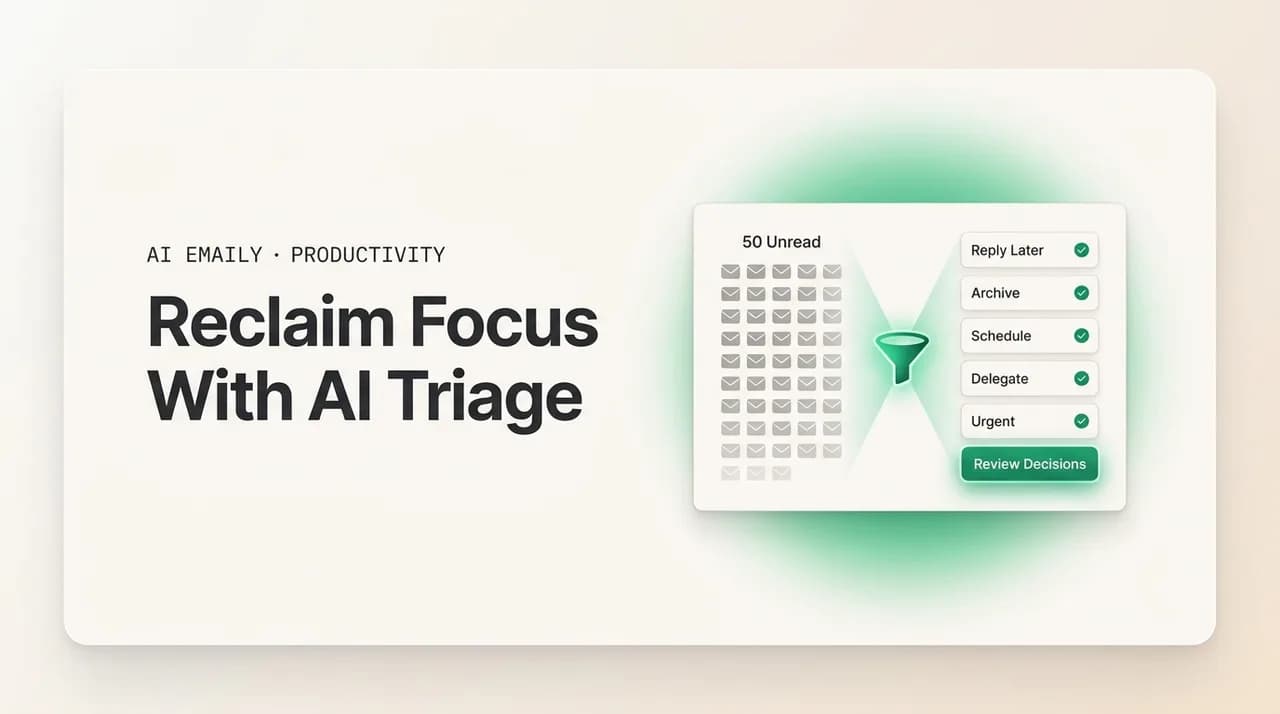
Reclaim focus with AI email triage by letting software sort, summarize, and draft so you decide instead of dig. It files the routine, surfaces the few messages that need you, and turns a 50-message inbox into about 5 real decisions. Set it up in stages, keep a human approval step on sends, and the focus dividend is hours back weekly.
Reclaim focus with AI email triage: what it is, how it cuts inbox noise through auto-sorting, priority surfacing, summaries and drafted replies, how to set it up and trust it, and where it beats manual triage.
On this page
- 01What is AI email triage, exactly?
- 02Why does an unsorted inbox cost you so much focus?
- 03How does AI triage cut the noise?
- 04What is the focus dividend, and where does it come from?
- 05Manual triage vs AI triage: what is the real difference?
- 06How do you set up AI triage so it actually earns trust?
- 07What can go wrong, and how do you guard against it?
- 08Does AI triage help with focus problems and ADHD?
- 09How does AI Emaily reclaim your focus?
- 10The bottom line on reclaiming focus with AI triage
You open the inbox to do one thing — answer the message from your manager — and forty minutes later you are still there. Not because the work was hard, but because the inbox does not hand you the one message; it hands you fifty, in arrival order, with the receipt and the newsletter and the calendar notification sitting at the same visual weight as the thing that actually matters. So you scan. You open, skim, close, flag, open the next. By the time you find the message you came for, the morning's first focus block is gone, and the thread you meant to write a careful reply to gets a rushed one instead because three more arrived while you were reading.
This is the quiet tax email puts on focused work. It is not the time spent writing the replies that matter — that is the job. It is the sorting, the deciding-what-deserves-attention, the re-reading of the same low-value messages every time you open the app, and the cost of being pulled out of deep work to do all of it. The inbox is a pile of undifferentiated input, and you are the sorting machine. Every visit, you run the same triage by hand.
AI email triage changes who does the sorting. Instead of you reading everything to decide what matters, software reads first — it sorts the routine away, surfaces the handful of messages that genuinely need you, summarizes the long ones so you grasp them in a line, and drafts the obvious replies so you are editing rather than composing from blank. The promise is not a magic empty inbox. It is a smaller, sharper decision: turn fifty unread into roughly five real choices, and get the rest of the morning back.
This guide is the practical version of that promise. We will define what AI triage actually is and is not, walk through the five things it does to cut the noise, name the focus dividend you get back and where it comes from, lay out how to set it up so it earns trust instead of demanding it, and put manual triage and AI triage side by side so the trade-off is concrete. Near the end we cover how AI Emaily does all of this as one connected agent — triage, drafting under your approval, and a Living Brief that means you do not have to sit in the inbox to stay on top of it — and why we think it is the cleanest way to reclaim the focus email keeps taking.
What is AI email triage, exactly?#
Triage is a word borrowed from medicine: when more arrives than you can handle at once, you sort by urgency so the things that need attention now get it, and the things that can wait, wait. Email triage is the same act applied to your inbox — deciding, for each message, whether it needs a reply now, a reply later, a quick action, an archive, or nothing at all. Everyone who uses email does this. The only question is whether you do it by hand, message by message, every time you open the app, or whether software does the first pass for you.
AI email triage is software doing that first pass. It reads incoming mail and classifies it — important versus routine, needs-you versus handled, reply-worthy versus archive — and then acts on that classification: sorting low-value mail out of your main view, grouping what is left, surfacing the few messages that need a human, summarizing the long ones, and drafting replies to the predictable ones. "AI" here means it is not running on rigid keyword rules alone; it reads the content and the context — who sent it, whether it is part of a thread you are in, whether it asks a question, whether it looks like a notification or a real person — and improves as it sees how you actually treat your mail.
It is worth being precise about what this is not, because the category attracts overclaims. AI triage is not an inbox that empties itself while you do nothing and miss nothing — anything that promises that is either hiding the misses or quietly deleting things you wanted. It is not a replacement for your judgment on the messages that matter; the point is to clear the path to those messages, not to answer them for you behind your back. And it is not the same as a spam filter. Spam filtering removes mail that is unwanted by everyone; triage sorts mail that is wanted by you, into the order and shape that lets you deal with it fastest. A receipt is not spam — you may need it — but it does not deserve a focus-interrupting place at the top of your inbox either. Triage is the layer that knows the difference.
Triage versus spam filtering
Why does an unsorted inbox cost you so much focus?#
To see why triage matters for focus and not just tidiness, look at where the time actually goes. The cost is not the reading and writing of the messages that matter — that is the work you are paid to do. The cost is everything around it: the sorting, the deciding, the re-deciding, and the interruptions.
An unsorted inbox makes you do three expensive things on every visit. First, you read to sort — you cannot know a message is low-value until you have looked at it, so you pay attention to forty messages to find the four that needed it. Second, you decide repeatedly — the same newsletter that you will not read today sits at the top tomorrow, and you make the same skip decision again, and again, a small tax compounded across every open. Third, you context-switch — each visit pulls you out of whatever you were doing, and the research on attention residue is consistent that you do not snap back instantly; a piece of your focus stays stuck on the interrupted task for minutes after.
The deeper problem is that an inbox in pure arrival order has no sense of priority. The message that will take thirty seconds and the one that needs a thoughtful paragraph and the one you can ignore entirely all look identical until you open them. So you treat the inbox as a queue to be processed front to back, when what you actually need is the inbox sorted by how much of you each item deserves. That sorting is cognitive work, and doing it by hand, all day, on every visit, is the hidden labor that makes email feel heavier than the messages in it.
Triage attacks exactly this. By having software do the first-pass sort, it removes the read-to-sort tax, ends the repeated-decision tax by handling the routine consistently, and shrinks the interruption tax by letting you visit a pre-sorted inbox in a tight window instead of grazing it all day. The messages that need you are waiting at the top, summarized; the rest is filed where you can find it but not where it can pull you. You stop being the sorting machine.
How does AI triage cut the noise?#
AI triage is not one feature; it is a stack of them that together turn a wall of mail into a short list of decisions. Here are the five things it does, in roughly the order it does them, and what each one removes from your day.
Together these do not make your inbox disappear. They change its shape — from a long, flat list you must read end to end into a short, ranked, summarized, partly-pre-answered list you can clear in one focused pass. That shape change is the whole game.
- 1
Auto-sort the routine out of the way
Incoming mail is classified and filed before you see it — newsletters, receipts, notifications, automated alerts, and low-priority updates go to their own places instead of the main inbox. The routine 60–80% that needs no action stops competing for your attention. You can still find any of it, but none of it greets you at the top.
- 2
Surface the few messages that need you
What is left is ranked, not just filed. The message from your manager, the client waiting on an answer, the time-sensitive thread you are in — these are pulled to the top and marked as needing a human. Instead of scanning fifty to find five, you open to the five already on top.
- 3
Summarize the long and the threaded
A long message or a twelve-reply thread is condensed to a line or two — the ask, the decision needed, the deadline — so you grasp it without reading every paragraph. You decide whether to open the full thing from a summary, not from a subject line that tells you nothing.
- 4
Draft the predictable replies
For messages with an obvious response — a meeting confirmation, a short answer, an acknowledgment, a routine follow-up — a draft is written in your voice and waiting. You edit and send, or send as-is, instead of composing from a blank box. The blank-page tax on routine replies disappears.
- 5
Handle the truly routine end to end
The most repetitive actions — filing a receipt, unsubscribing from a list you never read, snoozing a thread until a date it mentions, sending the standard reply you send ten times a week — can be handled automatically under rules you set, with an audit trail so nothing happens invisibly. The work you would never miss simply stops landing on you.
The order matters
What is the focus dividend, and where does it come from?#
The reason to do any of this is not a tidier inbox for its own sake. It is the focus dividend — the time and attention you get back when you stop being the sorting machine. It comes from three distinct places, and naming them makes the payoff concrete rather than hand-wavy.
The first is reclaimed time. If an unsorted inbox makes you read forty messages to act on four, and triage hands you the four pre-sorted and summarized, you have removed most of the reading-to-sort labor. For a lot of people that is the difference between an hour a day in the inbox and twenty minutes — not because they answer fewer real messages, but because they stop processing the mail that never needed them. Across a week, that is hours back.
The second is reclaimed attention, which is worth more than the raw minutes. The expensive part of email is not the time in the inbox; it is the way checking it fragments the rest of the day. When triage lets you visit a pre-sorted inbox in two or three tight windows instead of grazing it all day for fear of missing something, you cut the number of context switches dramatically — and each one you avoid is minutes of attention residue you do not pay. The dividend here shows up not in the inbox but in the deep work that finally holds together because email stopped interrupting it.
The third is reclaimed decision energy. There is a real, limited budget of clear-headed decisions in a day, and an unsorted inbox burns it on trivial ones — skip this, file that, deal with this later. Triage spends those trivial decisions for you, automatically and consistently, so your judgment is fresh for the decisions that are actually yours: how to answer the hard email, whether to take the meeting, what to say to the client. You arrive at the messages that matter with attention left to give them.
Put together, the focus dividend is: fewer minutes spent in the inbox, far fewer interruptions to the work around it, and a fuller tank of attention for the decisions only you can make. That is the thing AI triage is actually buying you. The empty-looking inbox is a side effect; the focus is the point.
Manual triage vs AI triage: what is the real difference?#
Plenty of people already triage by hand, and it works — to a point. The honest comparison is not "AI good, manual bad"; it is where each one holds up and where it breaks. Manual triage relies on your attention, which is exactly the resource you are trying to protect, so it works best when volume is low and fails precisely when you are busiest. AI triage front-loads the effort into setup and review, then runs on every message without getting tired, distracted, or behind. The table lays the trade-off out directly.
The pattern in the table is consistent: manual triage spends your scarcest resource (attention, in real time) to do the sorting, while AI triage spends a fixed setup cost and a small review habit to take that sorting off your plate. Manual wins on nuance for the genuinely ambiguous message — you will always read context a model can miss. AI wins on everything repetitive, high-volume, and consistent, which is most of the inbox. The strongest setup is not one or the other; it is AI handling the bulk so your manual judgment is reserved for the few messages that deserve it.
| Dimension | Manual triage | AI triage |
|---|---|---|
| Who reads first | You read every message to sort it | Software reads and sorts first; you review |
| Effort model | Ongoing — paid on every inbox visit, all day | Front-loaded — setup plus a short review habit |
| Consistency | Drifts with your mood, energy, and how busy you are | Same rules applied to every message, every time |
| Scales with volume | Breaks down exactly when you are busiest | Handles 50 or 500 the same way |
| Cost to focus | High — each sort is an interruption and a decision | Low — routine handled away from your attention |
| Nuance on hard mail | Strong — you catch context and subtext | Good but imperfect; needs your review on edge cases |
| Drafting routine replies | You write each one from scratch | Draft waiting in your voice; you edit and send |
| What it costs you | Time and attention, continuously | Setup time, a little trust, and a review step |
It is not all-or-nothing
How do you set up AI triage so it actually earns trust?#
The thing that makes or breaks AI triage is not the model; it is trust. If you do not trust the sort, you will re-check everything it filed, and you will have added work instead of removing it. So the setup is really a trust-building sequence: start narrow, watch it, widen as it proves out. Rushing straight to full automation is the most common way people bounce off triage — they hand it everything on day one, it gets a few things wrong, and they conclude it cannot be trusted, when really it was never given the chance to learn. Here is the sequence that works.
The throughline of all of this: trust is earned in stages, not granted up front. Each step gives the system more responsibility only after it has shown it can handle the previous one. Done this way, AI triage stops feeling like a gamble and starts feeling like an assistant that has proven itself — which is exactly when you actually get the focus dividend, because you finally stop double-checking.
- 1
Connect your inbox and let it learn
Give it a short observation period — a few days to a week — where it watches how you actually treat your mail: what you open, archive, reply to fast, and ignore. The classifications are far better when they are learned from your behavior than guessed from defaults. Resist the urge to automate anything during this window.
- 2
Start with sorting and surfacing only
Turn on auto-sort and priority surfacing first, with nothing sending or deleting. This is the lowest-risk, highest-payoff step: the inbox gets sorted, the important mail rises, and the worst case is that something is filed where you can still easily find it. Live with this for a few days and check the misses.
- 3
Review the misses, not the hits
Spend your attention on what it got wrong — a real message it filed as routine, or a routine one it surfaced. Correct those; the system learns from the correction. You do not need to verify the things it got right, which is the point. A short daily glance at the edge cases is the whole maintenance cost.
- 4
Add drafting under your approval
Once sorting feels reliable, turn on drafted replies — but with a human approval step, so nothing sends until you say so. You read drafts, edit, approve. This is where the time savings jump, and because you still approve every send, the risk stays near zero while you build confidence in the drafts' quality and voice.
- 5
Automate only the truly routine, with an audit trail
Last, and only for the actions you are completely confident about — filing receipts, unsubscribing, snoozing, a standard reply you send constantly — let it act automatically, with a log of everything it did and an undo. Keep anything ambiguous or high-stakes in the approval lane. Expand this set slowly, one action at a time.
Keep a human in the loop on sends
What can go wrong, and how do you guard against it?#
AI triage is not magic, and pretending otherwise sets you up to be burned. Three failure modes are worth knowing, because each has a straightforward guard, and knowing them is what lets you trust the system without being naive about it.
The first is the missed important message — something that needed you, filed as routine. This is the fear that keeps people checking everything manually. The guard is layered: keep priority surfacing conservative early (it is better to surface a few too many than to bury one that mattered), review the misses so the system learns your real priorities, and never let triage delete — only sort, so a misfiled message is always recoverable. With those in place, a miss is a minor annoyance you correct, not a disaster.
The second is over-automation — handing the system more than it has earned, so it starts acting on mail it should have asked about. The guard is the staged setup above: automation comes last, applies only to the truly routine, and always with a log and an undo. If you find yourself surprised by something it did, you automated too much too fast; pull that action back to the approval lane.
The third, quieter one is over-trust drift — the system works so well that you stop reviewing at all, and small errors accumulate unseen. The guard is a light, permanent habit: a brief scan of the sorted-away pile and the audit log every few days. It costs a couple of minutes and keeps you in genuine control rather than blind faith. The aim is earned trust, which includes the occasional check — not blind trust, which does not.
Does AI triage help with focus problems and ADHD?#
For anyone whose attention is easily pulled — and for ADHD brains in particular — an unsorted inbox is an unusually hostile environment. It presents an undifferentiated pile, every item shouting equally, with the most novel and stimulating things (the new, the alarming, the social) naturally grabbing attention over the important-but-boring. The result is a familiar trap: an hour lost to the interesting low-value mail while the dull, important reply sits unwritten, plus the background anxiety of knowing something important might be buried in there.
AI triage helps precisely because it removes the part that is hardest for a distractible brain: the sorting decision repeated on every message. When the routine is already filed and the few real items are surfaced and summarized, the inbox stops being a field of competing stimuli and becomes a short, finite, low-novelty list. The choice shrinks from "deal with this overwhelming pile" to "handle these five things," which is the difference between a task that triggers avoidance and one that feels doable. Summaries help too — a long, intimidating message becomes a one-line ask you can act on before the dread sets in.
None of this is a clinical claim, and it is not a substitute for the systems and support that work for you. But the general principle holds for anyone who struggles with focus: lower the friction and the number of decisions between you and action, and you act more and avoid less. Triage lowers exactly that friction. If this is your situation, our deeper guide on email and focus is worth reading alongside this one.
Fewer decisions beats more willpower
How does AI Emaily reclaim your focus?#
Everything above describes the category. This is how AI Emaily does it — as one connected agent rather than a bag of separate features, which matters because triage, drafting, and staying informed are the same job and splitting them across tools just moves the work around.
Start with triage itself. AI Emaily reads your incoming mail and does the full first pass: it sorts the routine out of your main view, ranks what is left so the messages that need you sit on top, and condenses long messages and busy threads into a line or two so you grasp the ask without reading every reply. It learns this from how you actually handle your mail — what you open, archive, and answer — so the sort reflects your real priorities rather than generic defaults, and it sharpens over time. The fifty-unread inbox becomes the five-decisions inbox, which is the whole promise of this guide made concrete.
Then it drafts. For the messages that have a clear reply, AI Emaily writes one in your voice — learned from the emails you have actually sent — and has it waiting. In its default Copilot mode, nothing sends until you approve it: you read the draft, tweak it, and send, so the time savings are real but you keep final say on every word that leaves your inbox. When you are ready to go further, Autopilot can handle the genuinely routine actions on its own — under rules you set, gated, with a full audit trail and undo on everything — so the work you would never miss stops landing on you, without anything happening invisibly. Manual, Copilot, Autopilot: you choose how much to hand over, and you can change it any time.
The piece that most directly buys back focus is the Living Brief. Instead of you visiting the inbox repeatedly to find out what is happening, AI Emaily keeps a running, plain-language brief of what matters — what came in, what needs you, what it handled — and can deliver it where you already are, including Slack or Telegram. That means you can stay genuinely informed without opening the inbox at all, which is what finally breaks the grazing habit: there is no fear of missing something to drive the constant checking, because the brief already told you. The deep-work block holds because email stopped being a reason to switch out of it.
It works across every account you connect — Gmail, Outlook, and any IMAP provider — in one place, so the triage, the drafting voice, and the brief are unified rather than split per inbox. And it is private by design: your mail is yours, used to triage and draft for you, never to train models for anyone else, with the sensitive parts encrypted. You can start free at app.aiemaily.com/signup — the Free plan is $0 and connects your inbox with AI triage and drafting, and Pro is $12.42/month billed annually when you want it across everything, with the brief and deeper automation. The honest pitch is simple: this is the cleanest way we know to stop being your inbox's sorting machine and get the focus back that email keeps taking.
Try the five-decision inbox on your own mail
The bottom line on reclaiming focus with AI triage#
The inbox does not cost you focus because the messages are hard. It costs you focus because it makes you the sorting machine — reading everything to find the few that matter, re-deciding the same trivia every visit, and getting pulled out of real work to do it. AI email triage moves that first-pass sort off your plate: it files the routine away, surfaces the handful that need you, summarizes the long ones, and drafts the predictable replies, so a fifty-message inbox becomes about five real decisions.
The payoff is the focus dividend — fewer minutes in the inbox, far fewer interruptions to the work around it, and a fuller tank of attention for the decisions only you can make. You get there by setting it up in stages: let it learn, start with sorting and surfacing, review the misses, add drafting under your approval, and automate only the truly routine with a log and an undo. Trust earned that way, with a human kept in the loop on sends, is what lets you finally stop double-checking and actually bank the time.
Manual triage still wins on the genuinely ambiguous message, and it always will — so the best setup is not all-or-nothing but a division of labor: software handles the repetitive bulk, your judgment handles the 20% that deserves it. That is the version of AI triage that holds up. If you would rather have it run as one connected agent — triage, drafting under your control, and a Living Brief so you do not have to live in the inbox to stay on top of it — that is exactly what AI Emaily is built to do. Either way, the principle is the same: stop sorting, start deciding, and take the focus back.
Frequently asked
See it in AI Emaily
Keep reading
Sources

Written by
Nafiul HasanNafiul Hasan is an entrepreneur and AI automation system builder with 10+ years of experience turning messy, manual workflows into reliable automated systems. He designs and ships AI enterprise solutions end-to-end — the agent logic, the data plumbing, and the product people actually use — and founded AI Emaily to give busy professionals their attention back. He writes here from the builder's seat: what works, what breaks, and how to put AI to work without giving up control.