Email Automation for Small Business: A Practical 2026 Playbook

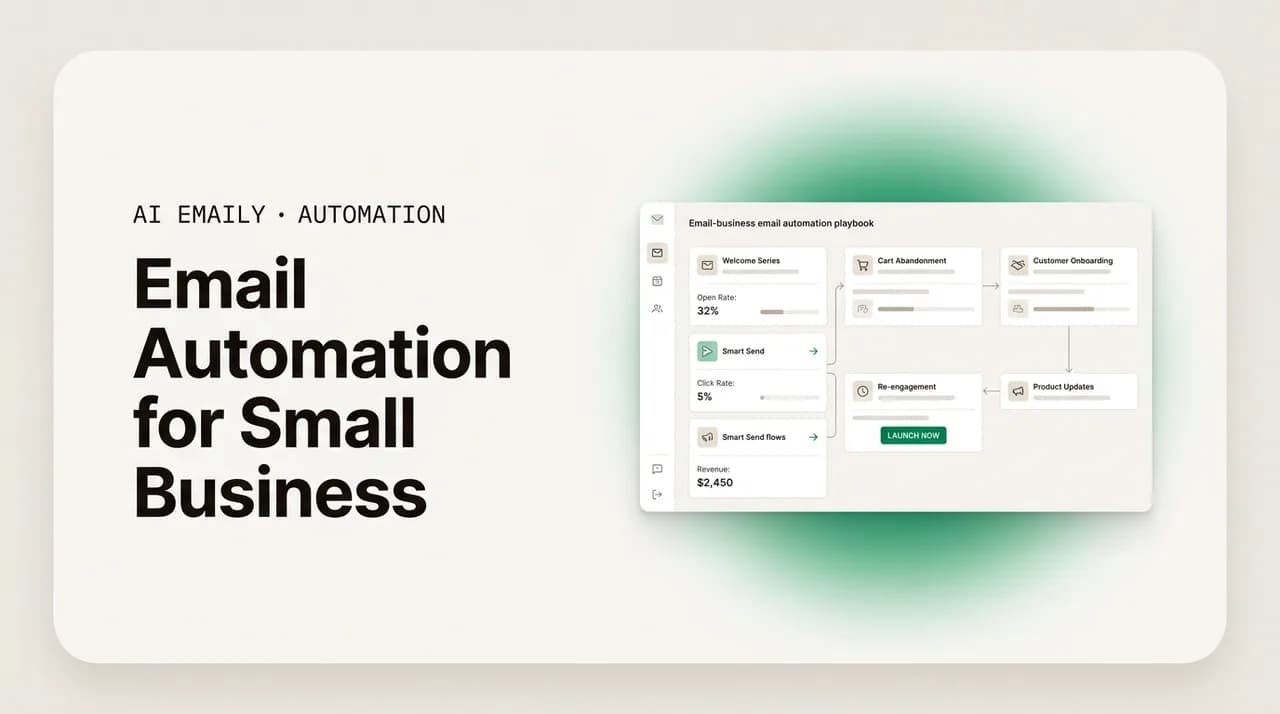
The short answer
Email automation for small business means handing repetitive inbox work to software: lead replies, follow-ups, payment reminders, FAQ answers, and booking confirmations. Start with the tasks that cost you sales or hours, pick no-code tools, and let automation buy back the time a small team can't spare.
A practical 2026 playbook for email automation for small business: what to automate first, how to do it cheaply and without code, plus ROI.
On this page
- 01What should a small business automate first?
- 02How do you respond to leads faster with automation?
- 03Can you automate follow-ups and payment reminders without nagging?
- 04How do you automate FAQ and repeat questions?
- 05Do automated appointment reminders actually reduce no-shows?
- 06How do small teams route a shared inbox automatically?
- 07How do you keep email automation affordable and no-code?
- 08How does AI Emaily automate small-business email without an IT project?
- 09What does AI Emaily cost for a small business?
- 10Where should you start with small business email automation?
Small teams need email automation more than anyone, and they can afford it least. A five-person company runs on the same inbox a five-hundred-person company does, except there is no support department, no sales operations team, and no assistant fielding the overflow. The owner answers the pricing question, writes the follow-up, chases the unpaid invoice, confirms the booking, and forwards the lead, often between other jobs and after hours. Every one of those messages is necessary. Most of them are repetitive. And repetitive work is exactly what software is good at.
The numbers make the case plainly. Knowledge workers spend roughly 28 percent of the workweek, about 11.2 hours, managing email. For a small business owner who also sells, ships, and supports, that share is often higher. Meanwhile the cost of being slow is brutal: the average first response to an inbound lead takes around 42 hours, and only about 0.1 percent of leads are engaged in under five minutes. The companies that do reply fast win disproportionately. Speed is not a nicety for a small business. It is the difference between booking the job and watching the prospect hire whoever answered first.
There is a second reason small teams should care more than large ones. In a big company, a missed email is somebody's mistake inside a system with redundancy, another rep, a queue, a manager who notices. In a small business, a missed email is often the owner's, and there is no safety net beneath it. The unanswered lead is simply gone. The unsent follow-up is a deal that never closes. The forgotten invoice is cash you needed this month. Automation is how a small team builds the redundancy it cannot afford to staff, a reliable layer that does the routine work even when everyone is heads-down on the actual job.
This is a playbook, not a pep talk. It is about what to automate in your email, in what order, and how to do it without hiring a developer or signing up for an enterprise platform you will never fully use. We will start with the tasks that pay back fastest, walk through each one, and then show how AI Emaily handles the whole pattern, triage, drafting, and follow-up, without an IT project. If you want the broader strategy for taming a small-business inbox, pair this with our guide to ai email management for small business and our overview of email management for small business owners. For the mechanics of automation across any inbox, the complete email automation guide is the hub.
One caution before we start. Automation amplifies whatever you point it at. Point it at a good process and it makes that process fast and tireless. Point it at a sloppy one, a confusing reply, a follow-up cadence that annoys people, an answer that is out of date, and it makes the sloppiness fast and tireless too. So the goal throughout is not just to switch things on, but to automate the right things, in the right order, with a human in the loop where judgment matters. Done that way, automation gives a small business something it almost never has: time, and the confidence that nothing is silently slipping.
Automation is not the same as mass email
What should a small business automate first?#
The instinct is to automate everything at once. Don't. Automation has a setup cost, a maintenance cost, and a trust cost, the time it takes before you stop double-checking the system. Spend that budget where it returns the most. For most small businesses the highest-return targets share two traits: the task happens often, and being slow or inconsistent at it costs money or goodwill.
Run every candidate through one question: does this task lose us sales, eat our hours, or make us look unprofessional when we are slow? If yes, it is a candidate. Then rank by impact against effort. The table below is the rough order we recommend, and the rest of this playbook works through each row.
| Task to automate | Why it pays off (impact) | Setup effort |
|---|---|---|
| Fast lead / first-contact reply | Speed wins deals; first responder often wins the customer | Low |
| Follow-ups on quotes & open threads | Most sales need several touches; chasing manually is the first thing to slip | Low |
| Invoice & payment reminders | Gets you paid faster without an awkward personal nudge each time | Low |
| FAQ & canned answers | A handful of questions make up most of your inbox; answer them in one click | Low |
| Appointment / booking reminders | Cuts no-shows sharply; protects revenue you already booked | Medium |
| Shared inbox routing | The right person sees the right message; nothing falls through the cracks | Medium |
| Triage & sorting | Keeps the urgent visible and the noise out of the way all day | Medium |
Notice that the top of the list is reactive, not promotional. Welcome series and drip campaigns are valuable, and we cover them in the email sequences explained and drip campaign guides, but they are rarely the first thing a small team should fix. The first thing to fix is the inbox you already have, where deals are quietly going cold because nobody replied in time. Start there. The wins are immediate, the effort is low, and the time you free up funds everything else.
There is a useful way to think about effort that goes beyond the table. Low-effort automations are mostly text and timing: write a good reply once, decide when it fires, and you are done. Medium-effort ones usually involve a decision the software has to make, who should this go to, is this urgent, has this person already been contacted, which is where a tool that genuinely understands your inbox earns its keep over one that only matches keywords. As you move down the list, the value of intelligence rises. A dumb filter can sort obvious mail; it cannot tell a frustrated customer from a routine question, or write a reply that sounds like you. That distinction will matter when we get to the product section, because it is exactly the line between old-style rules and what an AI-native client does.
It also helps to separate the two halves of automation: the work that sends something, and the work that decides something. Sending automations are the visible ones, the auto-reply, the reminder, the follow-up. Deciding automations are quieter but often more valuable, the triage that puts the right message in front of you, the routing that assigns an owner, the logic that knows when to stop a sequence. Small businesses tend to fixate on the sending half because it is obvious, then wonder why their inbox still feels chaotic. The deciding half is what actually restores order. Keep both in view as you work through the playbook.
Sequence beats scope
How do you respond to leads faster with automation?#
Speed to lead is the single highest-leverage thing a small business can automate, because the data is not subtle. Responding within five minutes makes a lead far more likely to convert than waiting thirty, by some measures around a hundred times more likely. Roughly 78 percent of customers buy from the company that responds first. Leads contacted within five minutes are about 21 times more likely to qualify than those contacted after thirty. One analysis of B2B companies found a 32 percent close rate when the first reply came within five minutes, versus 15 percent when it took up to a day. And yet the average business takes the better part of two days.
For a small team this is the easiest gap in the market to exploit, because your larger competitors are slow too. You do not need a call center. You need a reliable instant acknowledgment that buys you time, sets expectations, and keeps the lead warm until a human can take over. There are three layers to get this right, and you can stack them as far as your comfort allows.
- 1
Acknowledge instantly, every time
The moment a lead emails or fills a form, an automated reply goes out: we received your message, here is what happens next, here is when to expect a real answer. This alone beats most competitors, because it arrives in seconds instead of hours.
- 2
Answer the obvious next question
Most first messages ask a predictable thing: do you serve my area, what does it cost, are you available. Bundle a short, honest answer or a link to it into the acknowledgment so the lead has something to act on, not just a holding note.
- 3
Hand off cleanly to a human
Route the lead to whoever closes it, with the context attached, and set a follow-up timer so it cannot be forgotten. Automation opens the conversation fast; a person earns the deal. The goal is to remove the delay, not the human.
The trap to avoid is the dead-end auto-reply, the kind that says we will get back to you and then nobody does. That is worse than silence, because it sets an expectation and breaks it. An automated first response only works if it is wired to a follow-up that actually happens. That is why the next two sections, follow-ups and reminders, matter so much: the instant reply is only the opening move.
It is worth being precise about what the instant reply should say, because a generic acknowledgment leaves value on the table. The best first responses do three jobs at once. They confirm receipt, so the lead stops wondering whether the message even arrived. They reduce uncertainty, by stating clearly when a real answer is coming, today, within the hour, by tomorrow morning, so the prospect is not left guessing and does not keep shopping. And they create momentum, by giving the lead one small next step they can take right away: book a time, reply with a detail, read a short page that answers the obvious question. A reply that does those three things, sent in seconds, often outperforms a thoughtful human response that lands two days later, simply because it arrives while the prospect is still deciding.
The other thing speed-to-lead automation does, which is easy to miss, is even out your responsiveness. A small team's reply time is wildly inconsistent by nature: fast when things are quiet, slow when they are slammed, nonexistent on evenings and weekends, which is often exactly when people inquire. Automation flattens that curve. Every lead gets the same fast, professional first touch regardless of whether you were on a job, asleep, or on holiday. For a buyer comparing two vendors, the one who always replies instantly looks like the more serious, better-run business, even when it is a one-person shop. That perception is worth as much as the speed itself.
Never let the auto-reply be the last word
Can you automate follow-ups and payment reminders without nagging?#
Following up is where small businesses lose the most money quietly, because it is invisible. Nobody notices the quote that never got a second email or the invoice that sat unpaid because no one wanted to send an awkward reminder. Most deals are not won on the first message. They are won on the third or fourth, when a polite, well-timed nudge lands while the buyer is finally ready. Manual follow-up is the first task to slip when you are busy, which is precisely when you most need it to keep running.
Automated follow-ups solve this by making persistence the default instead of a chore. The art is in the timing and the off-switch. Research on follow-up cadence suggests that waiting a couple of days before the first nudge tends to outperform same-day reminders, with one study finding a roughly 31 percent lift in replies from a three-day gap. Space the early touches two to three days apart, then widen to a week or more as they accumulate. And the instant someone replies, the sequence must stop, or you turn a helpful nudge into a nuisance.
- 1
Define the trigger and the stop
A follow-up sequence starts on a clear event, a quote sent, a thread with no reply in three days, an invoice past due, and ends the moment the person responds or pays. The stop condition matters as much as the start.
- 2
Write touches that add something
Each follow-up should give the reader a reason to engage: a recap, a deadline, a useful link, an offer to answer questions. A bare 'just checking in' wears thin fast. Two or three good touches beat six empty ones.
- 3
Let the system run, but keep your hand on it
Review the sequence occasionally and let a human jump in whenever a thread turns into a real conversation. Automation handles the cadence; you handle the moments that need judgment.
It helps to understand why follow-up is the first thing to slip, because naming the cause makes the fix obvious. Follow-up has no deadline of its own. The quote had a deadline; you hit it. The follow-up to the quote is something you intend to do later, and later is where small-business tasks go to die, buried under whatever is on fire today. There is also a small emotional tax to each one: a flicker of am I being annoying, is it too soon, did they already say no. Multiply that hesitation across dozens of open threads and the natural outcome is that most follow-ups simply never get sent. Automation removes both problems at once. It gives the follow-up a deadline the software enforces, and it strips out the hesitation, because the system does not feel awkward.
Payment reminders are follow-ups with a dollar sign attached, and they are one of the most comfortable things a small business can automate, precisely because automation removes the awkwardness. A polite, scheduled reminder that an invoice is due, then overdue, then seriously overdue, reads as routine bookkeeping rather than a personal chase. Customers expect it, and you get paid faster without spending emotional energy on each nudge. The cadence below works for most small businesses and runs entirely on a due date.
| When | Reminder | Tone |
|---|---|---|
| 3 days before due | Friendly heads-up that the invoice is coming due | Helpful |
| On the due date | Today's the day, here's the payment link again | Neutral |
| 3 days overdue | Quick nudge in case it slipped through | Polite |
| 10 days overdue | Firmer note with payment options and a contact | Direct but professional |
The stop condition is the whole game
How do you automate FAQ and repeat questions?#
Look at a week of your inbox and you will see the same questions over and over: your hours, your prices, whether you serve a location, how a return works, where an order is. Support teams have measured this pattern for years, and the rule of thumb holds remarkably well, roughly 20 saved replies tend to cover around 80 percent of incoming questions. For a small business the share is often even more concentrated, because you sell a focused set of things to a focused set of people.
That concentration is good news, because it means a small library of well-written answers can absorb most of your repetitive typing. There are two levels here, and they serve different needs. Canned responses keep a human in the loop and are the safer place to start. Automatic replies remove the human entirely and suit only the most predictable, low-risk questions.
- Canned responses (saved replies): pre-written answers you insert with one click, then tweak before sending. A person still reviews and personalizes, so the tone stays human and you never send a wrong answer. This is where most small businesses should begin.
- Automatic replies: the system answers entirely on its own, triggered by a keyword or topic. Reserve these for questions where the answer never changes and a mistake is cheap, your hours, your address, your return window. The lower the risk, the more comfortable full automation becomes.
- Knowledge-backed AI replies: a drafting assistant that reads the incoming question, pulls the right facts from your own answers, and writes a tailored reply for you to approve. This blends the speed of automation with the judgment of a human, and it is where modern tools are heading.
Build your library by mining your sent folder, not your imagination. Search for the phrases you type most, copy the best version of each answer, and save it. Within an afternoon you will have covered the bulk of your repetitive replies. Then keep the answers current, an outdated canned response about pricing or policy is worse than none, because it sends the wrong information confidently and at scale.
The payoff compounds. Every question your library handles is a question you do not have to think about, which protects your attention for the messages that genuinely need you, the unhappy customer, the unusual request, the deal worth closing. For the deeper version of this, where AI drafts answers in your own voice rather than pasting fixed text, see the section on AI Emaily below and our piece on automating email responses without sounding like a robot.
There is a quality trap worth naming here, because it is the reason people resist canned answers in the first place. A template that gets pasted in verbatim, with the customer's name missing and the specifics ignored, reads as exactly what it is: a form letter. People can tell, and it makes a small business feel impersonal at the precise moment a personal touch is its advantage over a faceless competitor. The fix is not to abandon templates; it is to treat them as a starting draft rather than a finished message. Insert the saved answer, then spend ten seconds making it fit, the right name, the one detail that shows you actually read their message. You keep most of the time savings and lose none of the warmth.
This is where AI drafting changes the math. A traditional canned response is fixed text you have to adapt; an AI draft starts from the actual question and your own past answers, so the adaptation is already done. Instead of pasting a generic returns policy and editing it, you get a reply that addresses this customer's specific return, in your usual tone, ready to send or tweak. It is the difference between a filing cabinet of templates and an assistant who knows how you'd answer. For a small business, that assistant is the realistic way to sound personal at scale without spending the day typing.
Stale canned answers do real damage
Do automated appointment reminders actually reduce no-shows?#
If your business runs on booked time, consultations, repairs, sessions, appointments, then no-shows are a direct hit to revenue you already earned. The slot was reserved, the time was set aside, and an empty chair means nothing came in. Reminders are the cheapest insurance against this, and the effect is well documented. Studies of automated reminders have found no-show rates dropping by as much as 38 percent, with many organizations seeing missed visits fall 20 to 30 percent simply by sending a timely, clear reminder with an easy way to confirm or reschedule.
The mechanism is mundane: people forget. A reminder gives them one more chance to confirm, cancel, or move the appointment before the slot goes empty, which is far better than discovering the no-show in real time. The goal of a good reminder is not just to jog memory but to make rescheduling effortless, because a rescheduled appointment is recovered revenue, while a silent no-show is lost.
- 1
Confirm at the moment of booking
The instant an appointment is set, send a confirmation with the date, time, location or link, and anything the customer needs to prepare. This doubles as a record and sets the relationship up cleanly.
- 2
Remind ahead of time, with an easy out
Send a reminder a day or two before, and include a one-tap way to confirm or reschedule. Making it easy to move the slot is how you turn a would-be no-show into a kept appointment on a different day.
- 3
Follow up afterward
A short note after the appointment can request a review, offer a rebooking, or simply say thanks. It closes the loop and quietly feeds your next round of business.
Email is well suited to confirmations and anything that needs detail or instructions, because there is room to include the prep, the directions, and the links. For the time-sensitive nudge right before the appointment, many businesses pair it with a text message, which is read almost immediately, but a clear email reminder with a confirm-or-reschedule link still does most of the work. Whatever the channel, the principle is the same: confirm at booking, remind before, and make changing the time take a single tap.
It is worth doing the rough math on what this protects, because no-shows are one of the few inbox problems with a clean dollar value. Take whatever a booked slot is worth to you, multiply by how many you lose to no-shows in a typical month, and that is the revenue sitting on the table. If automated reminders cut that loss by even a fifth, which is at the low end of what studies report, the recovered revenue almost always dwarfs the cost of the tool sending the reminders. Few automations have a payback this easy to calculate, which is why businesses that sell time tend to put booking reminders near the top of their list once they run the numbers.
One detail separates reminders that work from reminders people ignore: the action has to be effortless. A reminder that says 'reply to this email if you need to reschedule' creates friction, and friction is where intentions die. A reminder with a single tap to confirm and a single tap to reschedule removes the excuse to do nothing. The easier you make it to keep or move the appointment, the more often the slot stays filled, by the original customer or by someone who takes the freed-up time. The reminder is not really about memory; it is about removing every reason not to act.
How do small teams route a shared inbox automatically?#
Most small businesses run on a shared address, the info@, hello@, or support@ that everyone can see and, too often, nobody owns. The failure mode is predictable. Two people answer the same email, or, worse, both assume the other will, and the customer hears nothing. A shared inbox without rules is a recipe for dropped messages and duplicated work, both of which a small team can least afford.
Automation fixes the shared inbox by answering one question for every incoming message: who owns this, and what happens to it. Routing rules assign each message to the right person or queue based on what it is, so the sales question goes to whoever sells, the billing question goes to whoever invoices, and the urgent issue jumps to the top. Layer in collision detection so two people never reply at once, and the shared inbox stops being a free-for-all.
- Route by topic: keywords or sender patterns send billing to one person, sales to another, support to a third, so nobody has to triage the whole pile by hand.
- Assign and track: every message gets an owner and a status, open, in progress, done, so it is always clear who is on it and whether it is handled.
- Detect collisions: the system flags when someone else is already replying, which prevents the duplicate answers and the awkward 'sorry, two of us responded' that erode trust.
- Escalate the urgent: anything time-sensitive, an angry customer, a hot lead, an outage, gets surfaced immediately rather than waiting in line behind routine mail.
The point of shared-inbox automation is not to add process for its own sake. It is to make sure the right person sees the right message and that nothing falls through the cracks, which is exactly the part a busy two- or five-person team gets wrong under pressure. Done well, routing is invisible: customers simply notice that someone who actually knows the answer replies, and replies once. For the underlying mechanics of rules and filters that power this, the email rules and filters strategy goes deeper.
A shared address also creates an accountability gap that automation closes. When a message lands in info@ with no owner, responsibility is diffuse, everyone can see it, so everyone assumes someone else has it, which is the classic reason things get dropped. The fix is not a meeting or a rule everyone forgets; it is software that assigns each message to a single owner the moment it arrives and shows its status to the whole team. Now there is always exactly one person responsible, and anyone can see at a glance what is handled and what is still open. That visibility does more for reliability than any amount of good intentions, because it removes the ambiguity that lets messages slip.
Routing also lets a small team punch above its weight by specializing without silos. The person best at technical questions handles those; the one who closes deals handles leads; whoever manages billing handles invoices, and each only sees what is theirs. Customers get an answer from someone who actually knows the subject, which reads as a much bigger, more organized operation than two people sharing a laptop. The automation is what makes that specialization possible without anyone wading through the whole inbox to find their messages, the work of sorting that used to eat the morning simply disappears.
Routing is automation even when no email sends
How do you keep email automation affordable and no-code?#
Two fears stop small businesses from automating: cost and complexity. Both are largely outdated. The market has moved decisively toward affordable, no-code tools, and a small team in 2026 can automate the core of its inbox for the price of a couple of lunches a month, with no developer involved. The category that used to require an integration consultant now ships as software you configure by clicking, not coding.
No-code means the automation is built through a visual interface, you describe the rule in plain terms (when this happens, do that) and the software handles the wiring. There is nothing to install on a server, no script to maintain, no API to call. That matters enormously for a small business, because the scarce resource is not money so much as the technical time and attention to set something up and keep it running. A tool you can configure in an afternoon and forget is worth more than a powerful one that needs a specialist.
- Start with what you have: Gmail, Outlook, and most providers include basic filters, rules, and scheduled send for free. Set those up first; they cost nothing and cover real ground.
- Use free and low-cost tiers deliberately: many automation and shared-inbox tools offer genuine free plans for small volumes and paid tiers that start in single-digit to low-double-digit dollars a month. You rarely need the enterprise plan.
- Prefer templates over blank canvases: the best no-code tools ship pre-built workflows, lead reply, follow-up, reminder, that you adjust rather than design from scratch. Borrow proven patterns instead of inventing your own.
- Count the hours, not just the dollars: a $15-a-month tool that saves you three hours a week pays for itself many times over. Price the time you get back, because for a small team that time is the whole point.
- Avoid tool sprawl: one tool that handles triage, replies, follow-ups, and a shared inbox beats five point solutions you have to wire together and pay for separately.
Be honest about the trade-offs, though. Free tiers cap volume and features, and stitching several cheap tools together can quietly recreate the complexity you were trying to avoid, each with its own login, its own billing, its own quirks. The sweet spot for most small businesses is a single tool that covers the inbox end to end at a predictable per-month or per-seat price, so the math is simple and the maintenance is low. That is the lens to bring to any comparison; our roundup of email automation tools and the no-code email automation guide go through the options in detail.
When you do compare tools, weigh them on the questions that actually predict whether a small team will succeed with automation, not on the length of the feature list. Does it work with the email provider you already use, or does it force a migration you do not have time for? Can a non-technical person set up and change the automations, or will every tweak require someone who knows the system? Are there templates for the common small-business workflows so you start from something proven? Does it stop sequences reliably when someone replies? And what does it do with your data, since you are handing it your customer correspondence. A tool can score well on raw capability and still fail a small business on these, because the constraint is rarely power; it is the time, the technical skill, and the trust to run the power you are paying for.
A final word on the no-code promise, because it is easy to oversell. No-code does not mean no-thought. You still have to decide what should happen, write the words your customers will read, and check that the automation behaves the way you intended. What no-code removes is the technical barrier, the part that used to require a developer, an integration, or a server you maintain. For a small business that means the gap between wanting an automation and having one running shrinks from a project to an afternoon, which is exactly the shift that makes automating the inbox realistic for a team with no spare technical hours.
The real cost is attention, not dollars
How does AI Emaily automate small-business email without an IT project?#
Everything above describes the pattern: triage the inbox, reply fast, follow up reliably, answer the repeats, route to the right person, and do it cheaply without code. AI Emaily is built to do that whole pattern in one place. It is an AI-native email client that connects to the inbox you already have, learns how your business communicates, and takes over the repetitive work, so a small team gets the leverage of a much larger one without hiring for it.
The starting point matters for a small business with no IT staff: there is no migration and no project. You connect your existing mailbox, Gmail, Outlook, or any IMAP provider, and keep your address. AI Emaily works on top of the email you have rather than asking you to move to a new system, which means setup is measured in minutes, not weeks. The pieces below map directly to the tasks in this playbook.
- AI triage: every incoming message is read, sorted, and prioritized automatically, so the urgent stays visible and the noise stays out of the way. This is the routing and sorting layer, running all day without you touching it.
- Voice drafting: AI Emaily writes replies in your voice, drawing on how you actually communicate, so the fast answer to a lead or a repeat question reads like you wrote it. You review and send, keeping a human in the loop where it counts.
- Follow-up autopilot: open threads, quotes, and unanswered messages get tracked and followed up on a schedule you set, and the sequence stops the moment someone replies. This is the persistence small teams lose first, made automatic.
- Rules and a brain: beyond simple filters, AI Emaily learns your patterns and lets you set plain-language rules, so routing, labeling, and standard replies happen the way you would do them, no code, no flowchart-building.
- Shared inbox: route, assign, and collaborate on a team address with ownership and visibility built in, so the right person handles each message and nothing gets answered twice or not at all.
Two principles govern how it works, and both matter especially to a small business. First, you stay in control. The send-before-approve posture means a person can review what the AI proposes before it goes out, so you get the speed of automation without surrendering judgment over what leaves your outbox. Second, your mail stays private. AI Emaily does not train on your email. Your messages are used to help you, not to build a model, which is exactly the assurance a small business handling customer data needs before trusting any tool with the inbox.
Put together, this is the difference between assembling four or five separate tools and running one. Instead of a filter rule here, a follow-up app there, a canned-response add-on, and a separate shared inbox, the triage, the drafting, the follow-up, the rules, and the team inbox live in a single client that works with every provider. For a small team that cannot spare a week on setup or a salary on operations, that consolidation is the whole value.
Private by design, no training on your mail
What does AI Emaily cost for a small business?#
Pricing is built to match how a small business grows, starting free and staying affordable as the team expands. You can connect your inbox and try the automation before paying anything, then move up only when the time you are saving makes it obvious.
| Plan | Price | Best for |
|---|---|---|
| Free | $0 | Solo owners testing AI triage and drafting on their own inbox |
| Pro | $12.42/mo (billed annually) | An owner or operator who lives in email and wants the full automation |
| Team | $14.92/seat (billed annually) | Small teams sharing an inbox who need routing, assignment, and collaboration |
The way to judge the cost is against the time it buys back. If automation saves a few hours a week, hours you currently spend acknowledging leads, chasing quotes, retyping the same answers, and sorting a shared inbox, the subscription is a rounding error against the value of that time, to say nothing of the deals you stop losing to slow replies. Start on Free, automate one task, and let the hours you recover decide when to upgrade. See the pricing page for current details.
Start free, prove it on one task
Where should you start with small business email automation?#
Email automation for a small business is not about chasing every shiny workflow. It is about handing the repetitive, time-sensitive parts of your inbox to software so the scarce thing, your attention, goes to the work only you can do. The order is what matters: fix the tasks that lose you sales or hours first, and let the time you recover fund the rest.
Start with speed to lead, because that is where slow inboxes leak the most revenue and where being fast beats competitors who aren't. Add reliable follow-ups and payment reminders so deals and invoices stop slipping silently. Build a small library of answers for the questions you field constantly. Wire up booking reminders to protect the time you've already sold. Bring order to your shared inbox so nothing gets dropped. And keep the whole thing affordable and no-code, because for a small team the cost that hurts most is complexity, not dollars.
AI Emaily is built to do all of that in one place, triage, drafting in your voice, follow-up autopilot, rules with a brain, and a shared inbox, on top of the email you already use, with no IT project and no training on your mail. The fastest way to find out whether it pays off for your business is to connect your inbox free and automate a single task this week. If you want the wider picture first, read ai email management for small business and email management for small business owners, then come back and turn on the automation that earns its keep.
Frequently asked
See it in AI Emaily
Keep reading
Sources

Written by
Nafiul HasanNafiul Hasan is an entrepreneur and AI automation system builder with 10+ years of experience turning messy, manual workflows into reliable automated systems. He designs and ships AI enterprise solutions end-to-end — the agent logic, the data plumbing, and the product people actually use — and founded AI Emaily to give busy professionals their attention back. He writes here from the builder's seat: what works, what breaks, and how to put AI to work without giving up control.