No-Code Email Automation: Build Powerful Workflows Without a Developer

The short answer
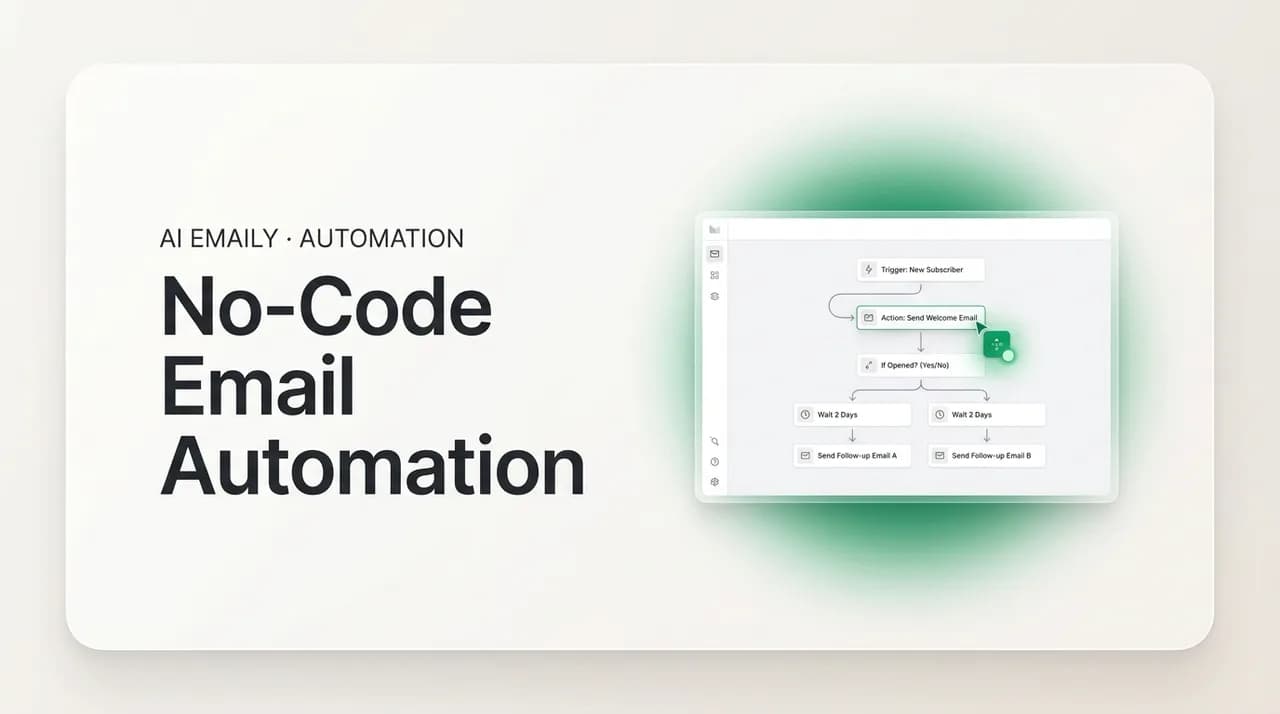
No-code email automation lets you build inbox workflows without writing scripts. Three approaches exist: native filters and rules, visual cross-app builders like Zapier and Make, and AI agents you instruct in plain English. The plain-English layer is the newest and most flexible: you describe what you want, and the system handles the rest.
No-code email automation explained: native rules, visual builders, and plain-English AI agents. Examples, limits, and how to pick the right one in 2026.
On this page
- 01What does no-code email automation actually mean?
- 02What are the three kinds of no-code email automation?
- 03How do native filters and rules work — the no-code that's already built in?
- 04What can you automate without code in Gmail and Outlook natively?
- 05How do visual builders like Zapier, Make, and Power Automate work?
- 06How do AI agents you instruct in plain English work — the newest no-code?
- 07How do you build your first no-code rule in plain English?
- 08How do Zapier, Make, and Power Automate differ in practice?
- 09What are some real no-code email automation recipes?
- 10What can't each no-code approach do?
- 11Where does no-code hit a wall — and where do AI agents take over?
- 12How is AI Emaily no-code by design?
- 13Which no-code approach should you choose?
You do not need to know how to code to automate your email. That sentence surprises a lot of people, because automation has always carried a faint smell of the terminal: scripts, APIs, webhooks, cron jobs, a developer somewhere typing curly braces. For decades that reputation was earned. If you wanted your inbox to file, forward, reply, and follow up on its own, you either learned to program or you paid someone who did.
That world is gone. In 2026, the overwhelming majority of email automation is built by people who have never written a line of code and never will. The work happens in checkboxes, dropdowns, drag-and-drop canvases, and — most recently — plain sentences typed into a text box. The shift is not subtle. It is the difference between automation being a specialist skill and automation being something a marketing coordinator sets up between meetings.
This guide maps the entire no-code landscape for email, from the simple rules already sitting inside Gmail and Outlook to the visual builders that wire dozens of apps together to the new generation of AI agents that act on instructions written the way you would explain them to a coworker. We will be specific about what each approach can and cannot do, walk through concrete recipes, and stay honest about the limits. By the end you will know which tool fits which job — and why the newest approach, describing what you want in plain English, changes the calculation for almost everyone.
A note on what "no-code" actually means, because the term gets stretched. No-code email automation is any setup where you configure behavior through a visual or conversational interface rather than by writing and maintaining source code. You might still type words — instructions, conditions, filter values — but you never write a program, never deploy anything, and never debug a stack trace. If the worst thing that can break is a misconfigured dropdown, you are doing no-code.
What does no-code email automation actually mean?#
Email automation is the practice of having software perform inbox tasks for you based on rules or conditions, instead of you doing each one by hand. Sort this, label that, forward these, reply to those, follow up if nobody answers. No-code email automation is the same outcome reached without programming — you assemble the behavior through an interface designed for humans, not compilers.
It helps to separate the two questions that usually get tangled together. The first is what you want automated: the task. The second is how you tell the system to do it: the interface. No-code is purely about the second question. A complex, multi-app workflow that moves data between five tools can still be fully no-code if you built it on a visual canvas. A trivial one-line rule can technically require code if you wrote it as a script. The complexity of the task and the code-versus-no-code question are independent.
What unites every no-code approach is that the abstraction sits at the level of intent rather than implementation. You are not telling the computer how to fetch a message over IMAP, parse its headers, and apply a label via an API call. You are telling it what should happen — "when a receipt arrives, file it under Finance" — and the platform handles the plumbing it was built to hide.
Code is not the enemy
What are the three kinds of no-code email automation?#
No-code email automation is not one thing. It is a spectrum with three distinct bands, and they differ in how much you assemble, how much flexibility you get, and how the system decides what to do. Understanding the spectrum is the single most useful frame for choosing a tool, because most people reach for the wrong band — usually a heavy cross-app builder for a job a native rule would have handled, or a native rule for a job that needs judgment no rule can supply.
At one end sit native rules and filters: the if-this-then-that logic already built into your email account. You pick conditions and actions from menus. There is nothing to install and nothing to connect. The trade-off is that you are limited to what your provider offers, and the logic is rigid — it matches literal conditions and does exactly what you specified, nothing more.
In the middle sit visual builders — Zapier, Make, Microsoft Power Automate, and similar platforms. You drag steps onto a canvas, connect your email to other apps, and chain triggers and actions across tools. This band unlocks cross-app workflows the native rules cannot touch: email to spreadsheet, email to CRM, email to Slack, email to anything with an integration. The cost is more setup, a subscription, and logic that is still fundamentally rule-based — it does what the steps say, even when the steps no longer fit reality.
At the far end, and newest by years, sit AI agents you instruct in plain English. Instead of assembling conditions and actions, you describe the outcome in a sentence and the system interprets it, decides what to do, and acts — adapting to messages that do not match any literal rule. This is the band that did not exist in usable form before the current generation of language models, and it is the one quietly reshaping what "no-code" means.
| Band | How you build it | Logic style | Best for |
|---|---|---|---|
| Native rules & filters | Pick conditions and actions from menus | Rigid if-this-then-that | Simple, single-account sorting and routing |
| Visual builders | Drag-and-drop steps across connected apps | Rule-based, multi-step, cross-app | Moving data between email and other tools |
| Plain-English AI agents | Describe the outcome in a sentence | Interpreted, adaptive, judgment-based | Fuzzy tasks where rigid rules break down |
How do native filters and rules work — the no-code that's already built in?#
Before you sign up for anything, look inside the email account you already have. Both Gmail and Outlook ship with rule engines that handle a surprising share of everyday automation, and they cost nothing extra. This is the most overlooked band of no-code automation precisely because it is sitting in plain sight.
In Gmail the feature is called filters. You define a set of conditions — sender, recipient, subject, words in the body, presence of an attachment, message size — and then choose actions to apply when an incoming message matches: apply a label, archive it (skip the inbox), mark it read, star it, forward it to another address, delete it, or mark it as never spam. Filters run automatically on every new message and can be applied retroactively to existing mail. You build them entirely through a form; there is no code anywhere.
Outlook calls the same idea rules. A rule moves messages to folders, marks them read, categorizes them with colors, flags them for follow-up, forwards them, or plays a sound. Outlook adds Quick Steps — one-click bundles of multiple actions you trigger manually, like "move to Archive and mark read" in a single button. Rules can run as mail arrives or on demand against a folder you already have.
These engines are genuinely capable for what they are. If your problem is "newsletters clutter my inbox," a filter that labels and archives anything from a known sender solves it permanently in thirty seconds. If your problem is "I keep missing emails from my boss," a rule that stars and never-archives messages from one address solves it just as fast.
What can you automate without code in Gmail and Outlook natively?#
It is worth getting specific about how far the built-in engines reach, because most people only ever use a fraction of what is in front of them. The native layer is the cheapest no-code you will ever touch — free, instant, and requiring no account beyond the one you have. Knowing its full vocabulary tells you exactly where it ends and the next band begins.
Gmail filters match on a generous set of conditions and trigger an equally useful set of actions. On the matching side you can target the sender, the recipient, words anywhere in the subject or body, the presence of an attachment, the size of the message above or below a threshold, and whether the message was sent to a specific list or alias — combined together, and excludable with a "doesn't have" clause. On the action side a filter can apply or skip a label, archive the message so it never hits the inbox, mark it read, star or mark it important, forward it to a verified address, delete it, mark it as never spam, or send it to a category like Updates or Promotions. A single filter can stack several of these at once, and any filter can be applied retroactively to mail already in your account.
Outlook gives you a parallel toolkit under a different name. Rules match on sender, recipient, subject words, importance, sensitivity, whether your name is on the To or Cc line, attachments, and more, and act by moving or copying a message to a folder, deleting it, flagging it for follow-up, assigning a category color, marking it read, forwarding or redirecting it, or playing a sound. On top of rules, Outlook layers conveniences the average user never discovers: Quick Steps bundle several actions behind one button, and Sweep clears or auto-deletes repetitive mail from a sender on a schedule.
- Auto-filing: route mail from a known sender, list, or domain into a labeled home so your inbox only shows what is new.
- Inbox-zero hygiene: archive or skip the inbox for receipts, statements, and notifications you want kept but not surfaced.
- Never-miss flags: star, mark important, or flag for follow-up anything from a specific address so it cannot slip past you.
- Attachment routing: forward messages carrying a file to an archive address or shared mailbox the moment they land.
- Noise control: auto-delete or sweep recurring low-value senders, and mark trusted ones as never-spam.
- Manual macros: build one-click bundles (Outlook's Quick Steps) for routines you trigger by hand rather than on a schedule.
These engines run on your provider's servers
The catch with native rules is the rigidity, and it shows up the moment your need is anything but literal. A filter matches the exact conditions you typed. It cannot tell that two differently worded subject lines mean the same thing, cannot decide a message is "probably a sales pitch" without you enumerating every keyword, and cannot adapt when a sender changes their format next month. You are also boxed into one account at a time and one set of provider actions — Gmail filters cannot push a row to a spreadsheet or create a task in your project tool.
There are hard ceilings too. Gmail caps you at 500 filters, which sounds like a lot until you try to encode nuanced behavior rule by rule and watch the list balloon. Outlook rules carry their own size and count limits depending on the account type. And both engines are blind to intent: they see strings, not meaning.
Start here, then graduate
How do visual builders like Zapier, Make, and Power Automate work?#
When your automation needs to reach beyond the inbox — to a spreadsheet, a CRM, a Slack channel, a database, a thousand other apps — native rules hit their wall and visual builders take over. These platforms are the workhorses of the no-code middle band: you connect your apps once, then assemble workflows by dragging steps onto a canvas. No code, but real cross-app power.
The mental model is consistent across all of them. Every workflow starts with a trigger — an event that kicks things off, like "a new email arrives in this label." After the trigger come one or more actions — things the workflow does in response, like "create a row in Google Sheets," "add a contact to HubSpot," or "post a message to Slack." You can branch on conditions ("only if the subject contains 'invoice'"), transform data between steps, and chain as many actions as you like. The whole thing is built in a form-and-canvas interface; you are wiring boxes together, not writing programs.
The three names you will meet most often differ in personality more than in core idea.
- Zapier is the most beginner-friendly and has the widest reach — over 7,000 app integrations and a clean, linear step-by-step builder. Its workflows ("Zaps") read top to bottom, which makes them easy to follow. It is the safe default when you just need two or three apps to talk and want to be up and running in minutes.
- Make (formerly Integromat) gives you a true visual canvas where modules connect like a flowchart, which suits complex, branching, multi-step workflows. It is priced by granular "operations" rather than whole tasks, which often makes it noticeably cheaper at volume, and its free tier is generous. The trade-off is a steeper learning curve.
- Microsoft Power Automate is the natural choice inside the Microsoft 365 world. It binds tightly to Outlook, SharePoint, Teams, and the rest of the Microsoft stack, and it is frequently already included in business plans. If your company runs on Microsoft, this is the path of least resistance.
A concrete example makes the model click. Say every inbound sales inquiry should land in your CRM and ping your team. In a visual builder you would set the trigger to "new email in the Sales label," add an action to "create a lead in the CRM" mapping the sender's name and message into the right fields, and add a second action to "post to the #sales Slack channel" with a summary. Three boxes, no code, and every inquiry now routes itself the moment it arrives.
That cross-app reach is the entire reason these platforms exist, and it is real. They are the right tool whenever email is one stop in a chain that touches other software. But the no-code label hides two things worth naming plainly before you commit.
| Platform | Builder style | Integrations | Starting paid price (2026) | Sweet spot |
|---|---|---|---|---|
| Zapier | Linear, step-by-step | 7,000+ | ~$19.99/mo (annual) | Fast, simple cross-app links |
| Make | Visual flowchart canvas | ~2,400 (deeper actions) | ~$10.59/mo (annual) | Complex, branching workflows at volume |
| Power Automate | Form + flow designer | Microsoft-centric + connectors | Often bundled with M365 | Microsoft 365 environments |
Two hidden costs of visual builders
How do AI agents you instruct in plain English work — the newest no-code?#
The third band is the youngest by a wide margin, and it breaks the pattern of the first two. Native rules and visual builders both ask you to assemble logic: pick conditions, choose actions, wire steps. Plain-English AI agents ask you to do something far more natural — describe the outcome you want in a sentence, and let the system figure out the rest.
Instead of building a filter with five conditions and three actions, you write: "Archive any newsletters that don't mention AI trends." Instead of branching a workflow on a brittle keyword match, you write: "If a recruiter emails me, star it and move it to my Jobs folder." The agent reads each incoming message, interprets it the way a thoughtful assistant would, decides whether your instruction applies, and acts. There is no condition list to enumerate and no canvas to wire. The instruction is the automation.
This is genuinely new, and it matters because it dissolves the rigidity that limits the other two bands. A rigid rule sees the literal string "unsubscribe" or it sees nothing. A plain-English agent understands that a message is promotional even when it never uses an obvious keyword, that a vendor email is "about an invoice" even when the subject line says "your March statement," that two differently worded notes both mean "can we reschedule?" It handles the fuzzy, judgment-shaped tasks that rules have always fumbled — because the model reads for meaning, not for exact matches.
It is worth being clear about how this differs from the AI features bolted onto visual builders. Many platforms now let you call a language model as one step in a workflow — "generate a reply with AI," "summarize this email with AI." That is useful, but the structure around it is still a rigid rule you assembled; the AI is a single cog in a machine you built. A true plain-English agent inverts that: the instruction itself is the program, and the model is doing the interpreting and deciding across the whole task, not just one step.
The practical upshot is that the no-code spectrum now has a band where you do not assemble anything at all. The skill required is not configuration; it is clear writing. If you can explain to a colleague what you want done with a class of emails, you can automate it. That is a different — and lower — bar than even the friendliest visual builder, and it is why this band is expanding so fast.
Write instructions like you'd brief an assistant
How do you build your first no-code rule in plain English?#
If the plain-English band sounds abstract, it stops feeling that way the first time you do it. Building a rule by describing it takes about a minute. The steps below walk the whole arc — from the sentence in your head to an automation running on every new message. The example uses receipts, but the shape fits any rule.
- 1
Decide what should happen, in one sentence
Say it the way you'd tell a coworker: "File anything that reads like a receipt under Finance and keep it out of my inbox." You're describing the outcome, not a list of senders or keywords — that's the whole point.
- 2
Type the sentence into the rule box
There's no condition builder and no canvas; you write the instruction in plain language. "Reads like a receipt" is allowed because the agent interprets meaning, where a native filter would force you to enumerate every vendor.
- 3
Let the agent interpret intent, not strings
The agent reads each message for what it is. A Stripe receipt, an Uber receipt, and an order confirmation that never says "receipt" all qualify, because the model recognizes the category rather than a literal token.
- 4
Preview and confirm before it goes live
Review what the rule will catch on recent mail, adjust the wording if it's too broad or narrow, and confirm. Tightening a sentence is faster than rewiring a multi-condition filter.
- 5
Watch it run — and keep sending gated
From then on the rule files matching mail automatically. Labeling and archiving just happen; anything that would send waits for your approval, with audit and undo, so you stay in control.
Iterate on the sentence, not the schema
How do Zapier, Make, and Power Automate differ in practice?#
Inside the visual-builder band the three big names share a core idea — trigger, action, connect apps, no code — but the day-to-day experience diverges enough that the wrong choice means lasting friction. The split comes down to how you think, what you already pay for, and how much volume you push.
Zapier optimizes for getting started. Its linear builder reads top to bottom like a recipe, its integration library is the broadest on the market, and its templates put common email-to-app jobs two clicks from done. The trade-off: the same linearity that makes it approachable can feel constraining once a workflow needs to branch heavily, and its task-based pricing can climb on a chatty inbox.
Make trades a gentler start for a higher ceiling. Its flowchart canvas shows the whole shape of a workflow at a glance, which pays off when you have branches, filters, loops, and several apps interacting. Because it bills by granular operations rather than whole tasks, it is frequently cheaper at volume, and its free tier goes further. The cost is a learning curve: the canvas rewards people who think in diagrams and frustrates those who want a straight line.
Power Automate wins on gravity rather than features. If your organization already lives in Microsoft 365, it is usually already paid for, authenticates against your work account without extra setup, and reaches into Outlook, Teams, and SharePoint natively. Outside that ecosystem it is the least intuitive of the three; inside it, it is the obvious default.
All three share one ceiling
What are some real no-code email automation recipes?#
Abstractions land better with examples. Here is a set of common email automations and the lightest no-code approach that handles each — chosen to show how the same goal can live in different bands depending on whether the task is literal or fuzzy, single-app or cross-app.
| What you want | Lightest no-code approach | Why |
|---|---|---|
| File every receipt under Finance | Native filter (by sender) | A literal sender match is all it takes |
| Archive newsletters that aren't relevant to you | Plain-English AI agent | "Relevant" needs judgment a rule can't encode |
| Copy each inquiry into a spreadsheet | Visual builder (Zapier / Make) | Cross-app: email to Sheets |
| Star urgent client emails | Plain-English AI agent | Urgency isn't a keyword; it's tone and context |
| Forward all PДF attachments to accounting | Native rule (has-attachment) | Provider rules detect attachments natively |
| Log every sent email to your CRM | Visual builder or AI agent with CRM sync | Cross-app, and AI can summarize as it logs |
| Auto-respond to meeting requests with your availability | Plain-English AI agent | Requires reading intent and composing a reply |
| Sort mail into folders by project | AI agent (or native rules if labels are literal) | AI handles fuzzy project assignment |
Notice the pattern in that table. Anything defined by a literal, stable condition — a known sender, the presence of an attachment, an exact subject — is handled cheapest by native rules. Anything that crosses into another app belongs in a visual builder. And anything that hinges on meaning, tone, or judgment — "relevant," "urgent," "a sales pitch," "about an invoice" — is where plain-English AI agents pull away from everything else, because rigid matching simply cannot capture those ideas without an exhausting and fragile list of keywords.
Most real inboxes need a mix. You might let native filters quietly file receipts and statements, lean on a visual builder to sync inquiries into your CRM, and hand the genuinely judgment-heavy work — triage, prioritization, drafting — to an AI agent. The art of no-code email automation is matching each task to the lightest band that can actually do it well.
What can't each no-code approach do?#
Every band has a ceiling, and the fastest way to waste a weekend is to push a tool past its. Here is the honest version of where each one stops.
- Native filters and rules can't reach other apps, can't understand meaning (only literal strings), are capped in number (Gmail allows 500 filters), and operate one account at a time. They break the moment a task needs judgment or a second tool.
- Visual builders can't read intent on their own — their logic is still rigid rules you assembled, just spread across apps. They poll on an interval rather than acting instantly, they meter usage so a busy inbox can get expensive, and a multi-step Zap or scenario can grow complex enough to need real maintenance when an app's data changes shape.
- Plain-English AI agents trade determinism for flexibility. Because they interpret, they can occasionally read an ambiguous message differently than you would have, which is exactly why any responsible agent keeps a human in the loop before it sends anything and logs what it did so you can review and undo. They are the most flexible band, not a license to stop paying attention.
Automation that sends needs a human gate
There is one more limit worth naming because it cuts across all three bands: most setups are tied to a single provider or a single account. Native rules obviously are. Many visual-builder integrations are built per-account. If you live across Gmail and Outlook, or juggle several addresses, you can end up rebuilding the same automation in multiple places — which is its own kind of maintenance tax. The approaches that work uniformly across every account you own are the ones that save you from doing the same work twice.
Where does no-code hit a wall — and where do AI agents take over?#
The rules-based bands — native filters and visual builders alike — all run into the same wall, and seeing it clearly explains why a newer approach had to exist. The wall is language. Human email is written in human language, which is fuzzy, contextual, and varied. A rule engine, no matter how many conditions you give it, can only match the surface of that language: the exact words, the literal sender, the structure you anticipated. It has no model of what a message means.
That gap is invisible until you try to automate anything that depends on judgment, and then it is everywhere. So many everyday inbox decisions are quietly acts of interpretation. Is this email urgent? Urgency is rarely announced; it lives in tone and in who is asking. Is this a sales pitch? Pitches dress themselves up as friendly check-ins. Is this customer frustrated? Frustration leaks through word choice, not a keyword. Is this message "about" the invoice you've been chasing, even though the subject says "following up"? A rule sees "following up" and shrugs. Each is trivial for a person to judge in half a second and effectively impossible to encode as stable conditions, because the moment you try, the exceptions outnumber the rule.
People who push rule engines into this territory end up in a familiar trap: the keyword arms race. You start with a filter for "sale," add "discount," then "offer," then "limited time," and the list grows forever while still missing the promotion that simply said "we thought you'd want to see this." Every keyword also catches false positives — a colleague writing "that's a great offer" lands in your promotions pile. The list becomes a maintenance burden that never reaches the accuracy a human manages instinctively, because it fights the nature of language with the wrong instrument.
This is exactly the seam where AI agents take over. Because a language model reads for meaning rather than matching strings, it closes the gap that rules cannot. It recognizes a promotional email by what it is doing, not by which words it uses, reads urgency from tone, understands that two differently phrased notes are both asking to reschedule, and connects "following up" to the invoice thread it belongs to. The judgment that rule engines fake with brittle keyword lists, an agent simply performs — which is why the tasks at the top of most wish lists (smart triage, prioritization, sorting by fuzzy category, drafting context-aware replies) only became no-code-able once this band arrived.
| The judgment task | Why rules fail | Why an AI agent handles it |
|---|---|---|
| Flag urgent mail | Urgency isn't a keyword; it's tone and context | The model reads tone and stakes, not just words |
| Catch every promotion | Endless keywords, still misses the unworded ones | Recognizes promotional intent regardless of phrasing |
| Spot a frustrated customer | Frustration rarely uses an obvious trigger word | Reads sentiment from how the message is written |
| Group mail by project | Projects are named a dozen ways across senders | Infers the project from meaning, not a label match |
| Draft a fitting reply | Rules can't compose; they only route | Writes a context-aware response in your voice |
The dividing line is judgment, not difficulty
How is AI Emaily no-code by design?#
Everything above leads to a simple question: what would email automation look like if the plain-English band were not a bolted-on feature but the foundation? That is the question AI Emaily was built to answer. It is an AI-native email client where no-code is not a mode you switch into — it is how the product works from the first message.
The center of it is the rules brain. You describe a rule the way you would say it out loud — "Move anything from my accountant to a Finance folder and flag it," or "Archive promotional emails unless they mention my orders" — and the agent matches it against your incoming mail by meaning, not by literal string. There are no condition menus to fill out and no canvas to wire. You write a sentence; the agent understands it and acts. When a message arrives that does not exactly match anything you spelled out, the AI still does the sensible thing, because it is reading for intent rather than ticking boxes. That is the rigidity of native rules and the assembly burden of visual builders, both removed at once.
Sitting alongside the rules brain is the AI agent, which handles the work that goes beyond sorting: triaging your inbox by what actually matters, summarizing long threads, drafting replies in your voice, scheduling, and following up. You instruct it in the same plain English. And because sending is the one place where mistakes can't be unsent, the agent works under your control — it stages drafts and actions for your approval, keeps an audit trail of what it did, and lets you undo. No-code, but never unaccountable.
Two design choices make this practical rather than just clever. The first is universality: AI Emaily connects to every major provider — Gmail, Outlook, and any IMAP account — so a rule you describe once applies across every inbox you own, instead of being rebuilt provider by provider. The single-account ceiling that limits native rules and many builder integrations simply isn't there.
The second is privacy. Because the agent reads your mail to act on it, how that reading is handled matters. Your email content is treated as private: message bodies live in encrypted storage, sensitive credentials are never exposed in plain text, and your mail is not used to train models. Automation that understands your inbox should not mean handing your inbox away, and the architecture is built so it doesn't.
On pricing, the entry point is meant to be frictionless. The Free plan is $0 and lets you describe rules, run the rules brain, and use the AI agent so you can feel the plain-English approach without a commitment. Pro is $12.42 per month on annual billing for higher limits and the full agent. You can create an account at app.aiemaily.com/signup and have your first plain-English rule running in minutes — no developer, no canvas, no code.
Try the lightest path first
Which no-code approach should you choose?#
There is no single winner, because the three bands solve different problems. The right move is to match the task to the lightest tool that can actually do it, and to combine bands when an inbox needs more than one.
Reach for native filters and rules when the task is literal and lives entirely inside one email account — filing receipts, archiving a known newsletter, forwarding attachments. It is free, instant, and already there. Reach for a visual builder like Zapier, Make, or Power Automate when email is one link in a chain across other apps — pushing inquiries into a CRM, logging messages to a spreadsheet, pinging Slack. That cross-app reach is exactly what they are for. And reach for a plain-English AI agent when the task hinges on meaning or judgment — triage, prioritization, drafting, sorting by fuzzy categories — or when you simply want to describe what you want instead of assembling it.
The broader trend is unmistakable: automation is moving toward description and away from assembly. The native-rule and visual-builder bands aren't going anywhere, but the share of email automation built by typing a sentence is growing every year, because it is the lowest-friction interface anyone has invented for telling a computer what you want. You do not need to code to automate your email — and increasingly, you do not need to assemble much either. You just need to say it clearly. AI Emaily is built around exactly that, with the rules brain and AI agent doing the work, across every provider, privately, the moment you describe it.
Frequently asked
See it in AI Emaily
Keep reading

Written by
Nafiul HasanNafiul Hasan is an entrepreneur and AI automation system builder with 10+ years of experience turning messy, manual workflows into reliable automated systems. He designs and ships AI enterprise solutions end-to-end — the agent logic, the data plumbing, and the product people actually use — and founded AI Emaily to give busy professionals their attention back. He writes here from the builder's seat: what works, what breaks, and how to put AI to work without giving up control.