Email Automation Tools in 2026: How to Choose the Right One

The short answer
Email automation tools fall into five categories: marketing ESPs (Mailchimp, Brevo), sales engagement platforms (Apollo, Instantly), no-code connectors (Zapier, Make), in-client rules (Gmail, Outlook), and AI email clients (Superhuman, Shortwave, AI Emaily). Pick by the job, not the brand. There is no single best tool.
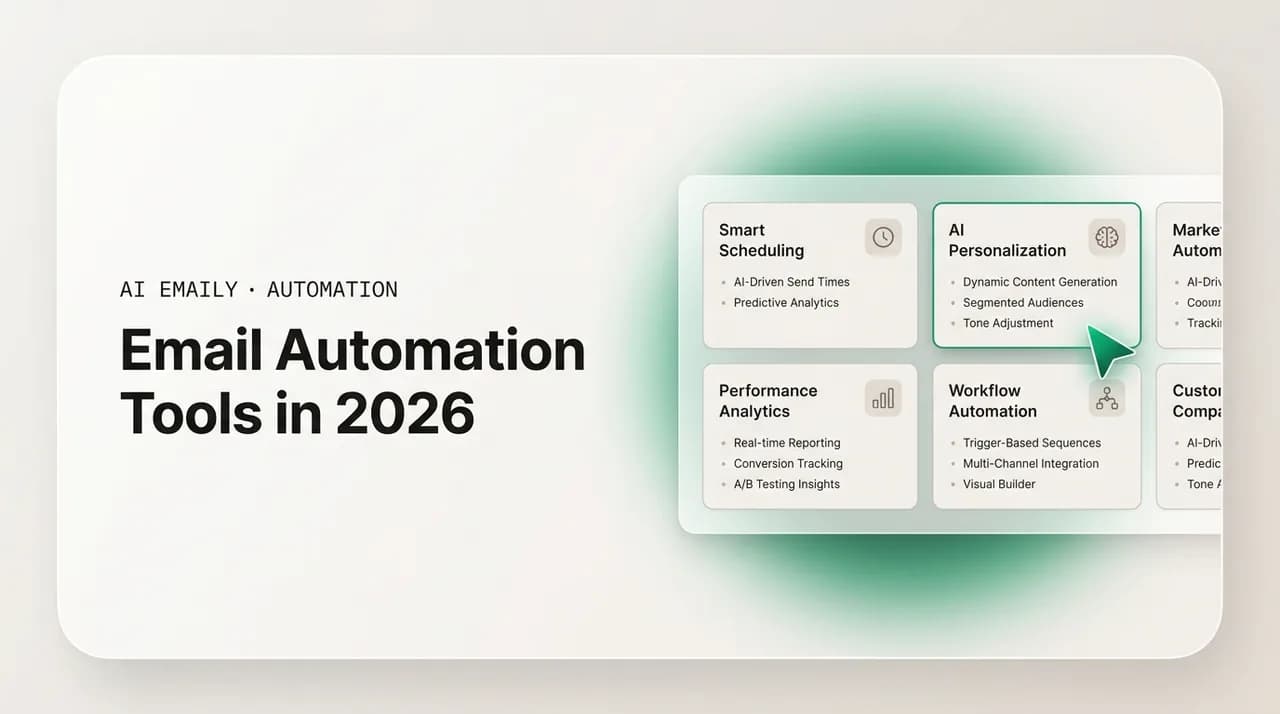
The best email automation tools in 2026, sorted by category: marketing ESPs, sales engagement, no-code connectors, in-client rules, and AI email clients.
On this page
- 01Why does email automation tool mean five different things?
- 02What are the five categories of email automation tools?
- 03Marketing ESPs: what are they and when do you need one?
- 04Sales engagement platforms: how are they different from an ESP?
- 05No-code connectors: should you automate email with Zapier or Make?
- 06In-client rules: is the automation already in your inbox enough?
- 07AI email clients: what is this new category and who is it for?
- 08How do the categories compare on price and fit?
- 09How do you pick the right tool for your specific need?
- 10Where does AI Emaily fit in this landscape?
- 11How should you choose, in one paragraph?
If you search for the best email automation tool, you will get a hundred listicles ranking a hundred products against each other as if they all do the same thing. They do not. The phrase email automation tool means at least five genuinely different things, and the products in each group barely compete with each other. A platform built to blast a newsletter to forty thousand subscribers has almost nothing in common with an app that drafts a reply to your boss in your own voice, which in turn has nothing in common with a connector that copies email attachments into a folder. Ranking them on one list is like ranking a forklift against a bicycle against a sports car because all three have wheels.
That confusion is the single most expensive mistake people make when they shop for email automation. They read a review of a marketing platform, sign up, and then discover it cannot help with the actual problem, which was a personal inbox drowning in one-to-one mail. Or they buy a smart inbox app hoping to run a cold-email campaign to two thousand prospects and watch their domain get flagged for spam. The tool was fine. It was the wrong category for the job.
So this guide does the opposite of a flat ranking. We sort the entire landscape into the five categories that actually matter, explain what each one is for, name the leading products in each, and then give you a decision path: figure out your job first, pick the category that does that job, and only then choose a product inside it. The goal is to get you to the right shelf before you compare items on the shelf.
A note on who is writing this. We build AI Emaily, an AI-native email client that lives in the fifth category below. We have a horse in this race, and we will tell you plainly where it fits and, just as plainly, where it does not. If your job is bulk marketing or high-volume cold outreach, AI Emaily is the wrong tool and we will point you to the right category. We would rather you pick correctly than pick us. For the broader mechanics of automating email, see our companion email automation guide; for choosing the right AI writing layer specifically, see our piece on the best AI for writing emails.
Read this before you compare any products
Why does email automation tool mean five different things?#
The phrase is doing too much work. Email shows up in almost every business process, so almost every category of software touches it somehow, and they have all borrowed the same words to describe what they do. A marketing platform automates email. A CRM automates email. A connector automates email. Your own inbox automates email. An AI assistant automates email. Each of those is true and each means something completely different.
The useful way to cut through it is to ask two questions about any tool. First: is this about email going out, or email coming in? Outbound tools send mail at scale or on a schedule — campaigns, sequences, newsletters, notifications. Inbound tools manage the mail that lands in front of you — sorting, prioritizing, replying, cleaning up, routing. A lot of pain comes from buying an outbound tool to fix an inbound problem, or the reverse. Second: is this about volume or about judgment? Some tools are built to do the same simple thing to thousands of messages (file them, send them, count them). Others are built to handle a small number of messages that each need thought (read this, understand it, decide, write something appropriate back).
Plot any product on those two axes and the five categories fall out naturally. Marketing ESPs are outbound and high-volume. Sales engagement platforms are outbound and high-volume but disguised as one-to-one. No-code connectors are usually inbound triggers wired to outbound or cross-app actions, and they are about plumbing rather than judgment. In-client rules are inbound and deterministic — literal sorting of your own mail. AI email clients are inbound and judgment-heavy — the one category built to read and reason about the mail you personally receive. Once you see the grid, the rest of this guide is just filling in each square.
Here is the part most listicles bury: the categories are mostly complementary, not competitive. A founder might run a monthly newsletter on an ESP, route form submissions with a connector, label receipts with Gmail filters, and use an AI email client for the daily one-to-one mail that actually needs answers. That is four tools doing four jobs, and none of them is failing because it cannot do the others. The skill is not finding one tool to rule them all. It is matching each job to its category.
What are the five categories of email automation tools?#
Before we go deep on each one, here is the whole landscape at a glance. Read the table top to bottom, find the row that matches what you are actually trying to do, and that is the category to focus on. We expand every row in the sections that follow.
| Category | What it is for | Direction | Example tools |
|---|---|---|---|
| Marketing ESP | Broadcasts and drip campaigns to a subscriber list at scale | Outbound, high volume | Mailchimp, Brevo, Beehiiv, ActiveCampaign |
| Sales engagement | One-to-one-feeling outbound cadences for sales teams | Outbound, high volume | Apollo, Instantly, Outreach, Salesloft |
| No-code connector | Wires email events to actions in other apps | Plumbing across tools | Zapier, Make, n8n |
| In-client rules | Literal sorting and routing of your own inbox | Inbound, deterministic | Gmail filters, Outlook rules, Apple Mail |
| AI email client | Reads, prioritizes, drafts, and acts on your one-to-one mail | Inbound, judgment | Superhuman, Shortwave, Fyxer, AI Emaily |
The one-question filter
Marketing ESPs: what are they and when do you need one?#
An email service provider, or ESP, is the category most people picture first when they hear email automation. These are the platforms built to send one message to a large list of people, then automate follow-on sends based on what those people do. Think of a welcome series, a weekly newsletter, an abandoned-cart reminder, or a re-engagement campaign for subscribers who have gone quiet. The defining job is broadcasting to a list and nurturing that list over time.
What you get inside an ESP is a consistent toolkit: a contact database with segmentation and tagging, a drag-and-drop email designer, list management with subscribe and unsubscribe handling, automation workflows triggered by behavior (opened, clicked, purchased, went inactive), and analytics on open and click rates. Crucially, ESPs handle deliverability infrastructure for bulk sending — the authentication, sending reputation, and compliance machinery that keeps a forty-thousand-recipient blast out of spam folders. That infrastructure is the whole reason you use an ESP instead of bcc-ing a list from your normal inbox, which gets you blocked fast.
The leading names cluster by who they serve. Mailchimp is the default for beginners and small businesses — the easiest on-ramp, broad template library, generous free tier, though its automation logic is simpler than the heavyweights and its deliverability has historically trailed the specialists. Brevo (formerly Sendinblue) is the budget-friendly pick with strong automation and SMS built in, priced by email volume rather than contact count, which suits senders with large but lightly-emailed lists. ActiveCampaign is the power user's choice when you want genuinely sophisticated, branching automation tied to a built-in CRM. And Beehiiv has become the go-to specifically for newsletters and creators — built around growth, monetization, and audience referrals rather than e-commerce flows. For online stores specifically, Klaviyo and Omnisend dominate because they wire deeply into store data and can blend email with SMS and push in a single flow.
You need an ESP when your job is reaching an audience that opted in. Newsletters, product announcements, marketing campaigns, customer lifecycle emails, content digests. If you are building a list and sending to it on a schedule or by behavior, this is your shelf. What an ESP is not for: your personal inbox. It will not read the mail that arrives, will not prioritize your messages, and will not draft a reply to a specific client. It sends; it does not manage what comes back. People who buy an ESP hoping to tame an overflowing inbox are in the wrong category entirely.
An ESP is not a cold-email tool
Sales engagement platforms: how are they different from an ESP?#
Sales engagement platforms look like ESPs from a distance — both send a lot of email automatically — but they solve a different problem and they send differently. An ESP broadcasts one designed message to a list and embraces the fact that it is marketing. A sales engagement platform sends sequences of plain-text, one-to-one-looking emails to individual prospects, spaced out over days, that read as if a salesperson typed them personally. The goal is to feel like a human reaching out, at the scale of hundreds of prospects, without a rep manually writing every touch.
The mechanics that distinguish this category: multi-step cadences (email one on day zero, a follow-up on day three, a different angle on day six, and so on), automatic reply detection that pulls a prospect out of the sequence the moment they respond, mail-merge personalization that swaps in each prospect's name and company, sending from your real mailbox rather than a bulk marketing domain, and tight CRM sync so every touch is logged against the right contact. Many also bundle a dialer, meeting scheduling, and a contact database so a rep can prospect, sequence, call, and book without leaving the tool.
The market splits into two tiers. At the enterprise end, Outreach and Salesloft are the canonical platforms — deep Salesforce integration, conversation intelligence, pipeline analytics, and the workflow standardization that large sales orgs need, at a price (often north of a hundred dollars per user per month) that only makes sense above a certain team size. At the accessible end, Apollo bundles a large B2B contact database with sequencing in one stack and has become the default for most outbound teams that want prospecting plus outreach without a six-figure budget. Instantly is the cost-conscious favorite for high-volume cold email, with deliverability tooling like inbox rotation and warmup built in, and pricing that does not charge per seat. Salesloft and Outreach win when you are enterprise; Apollo or Instantly win when you are scrappier and outbound-first.
You need a sales engagement platform when your job is outbound prospecting — reaching people who have not asked to hear from you, at volume, in a way that still feels personal, and tracking who replies. Sales development, founder-led outreach, recruiting at scale. What it is not for: managing your inbound inbox, sending designed marketing newsletters, or any one-off personal email. And like ESPs, these tools send; they do not help you handle the replies beyond pulling prospects out of a sequence. The conversation that follows a reply still lands in your normal inbox, where a different category of tool takes over.
No-code connectors: should you automate email with Zapier or Make?#
No-code connectors are the plumbing of automation. They do not send marketing or manage your inbox in any sophisticated way. Instead, they listen for events in one app and trigger actions in another, with email as one of many possible triggers or actions. When an email arrives with a specific subject, save the attachment to cloud storage. When a form is submitted, send a templated email and add a row to a spreadsheet. When a deal closes in the CRM, fire an internal notification. Connectors are about wiring tools together, and email is just one of the wires.
The two dominant platforms are Zapier and Make (formerly Integromat), with n8n as the developer-friendly, self-hostable alternative. They differ in philosophy and cost in ways worth understanding before you pick. Zapier is the simplest and broadest — a linear, step-by-step builder, the largest library of app integrations (well over seven thousand), and an interface a non-technical person can use on day one. Make is a visual drag-and-drop canvas that excels at complex, branching, multi-step scenarios, with fewer integrations but often deeper control inside each one, and it is dramatically cheaper at scale. n8n is open source, can run on your own server, and appeals to teams that want control and want to avoid per-task pricing.
The pricing models matter because they diverge fast. Zapier charges per task, where every action step in a workflow counts as a task — a five-step Zap that runs once consumes five tasks. Make charges per operation, with a far more generous free tier and a cost that is commonly several times lower than Zapier at the same workload. The practical guidance: choose Zapier when you value simplicity, need a niche integration only it supports, or your team is not technical and the premium buys peace of mind. Choose Make when you run high-volume or complex automations and want to minimize cost, and you do not mind a steeper learning curve.
You reach for a connector when the job is moving data between apps with email as a trigger or a step — and when the email content itself is simple and templated. They are superb at deterministic plumbing. What they are weak at: anything requiring judgment about email content. A connector cannot read an incoming message and decide whether it is urgent, draft a thoughtful reply in your voice, or understand that two emails are about the same project. It fires templated actions on literal triggers. The moment your automation needs to understand what an email means rather than just that it arrived, you have left connector territory.
| Connector | Best for | Builder style | Pricing model |
|---|---|---|---|
| Zapier | Beginners, broadest app library, niche integrations | Simple linear steps | Per task (premium at scale) |
| Make | Complex branching flows, cost-sensitive high volume | Visual drag-and-drop canvas | Per operation (far cheaper at scale) |
| n8n | Technical teams wanting self-hosting and control | Node-based, code-friendly | Self-host free, or usage-based cloud |
Connectors are a layer, not a destination
In-client rules: is the automation already in your inbox enough?#
The most overlooked category is the one you already own. Every major email client ships with a rules-and-filters engine that automates inbound mail for free, and for a surprising number of people it is enough. Gmail calls them filters, Outlook calls them rules, Apple Mail calls them rules — the idea is identical. You define a condition (from this sender, with this word in the subject, sent to this address) and an action (apply this label, move to this folder, mark as read, forward, archive, star). Every message that matches gets the action automatically, forever, at no cost.
This is deterministic automation at its purest, and that is both its strength and its ceiling. The strengths are real: it is free, it is already built into the tool you use all day, it runs instantly with zero setup beyond a few clicks, and it is perfectly predictable — the same input always produces the same output. For literal, repeatable sorting, nothing beats it. Auto-label everything from your bank as Finance. File receipts in a Receipts folder. Route anything addressed to your support alias to a Support label. Star messages from your three biggest clients. Mute the chatty mailing list. These are exactly the jobs rules were made for, and reaching for anything fancier is over-engineering.
The ceiling is judgment. A rule matches literal patterns — a sender, a keyword, an address. It cannot tell that a message is urgent unless urgency happens to map to a keyword, and it usually does not. It cannot read a paragraph and understand that a customer is upset, that two threads concern the same deal, or that this newsletter is actually worth your attention this week even though it usually is not. Rules also grow brittle at scale: a few are tidy, but fifty overlapping filters become a tangle nobody can debug, where one rule quietly swallows mail another was supposed to catch. The fix is not more rules. It is a different category — one that reasons about content rather than matching strings.
So the honest answer to is the automation already in your inbox enough is: often yes, for sorting and routing your own mail, and you should set up those filters before you pay for anything. If your only complaint is that receipts and newsletters clutter your inbox, spend twenty minutes building filters and you may be done. You graduate beyond rules when you need prioritization by importance rather than by sender, replies drafted for you, summaries of long threads, or any decision that depends on what a message means. That is the doorway to the fifth category.
AI email clients: what is this new category and who is it for?#
The fifth category barely existed a few years ago and is now the fastest-moving part of the landscape. An AI email client is an inbox — the application you actually read and write mail in — with artificial intelligence built into its core rather than bolted on. Where rules match literal patterns, an AI email client reads and reasons. It can look at a hundred unread messages and surface the three that need you today, summarize a long thread into two sentences, draft a reply that sounds like you rather than like a template, and increasingly take routine actions on your behalf with your approval. It is the only category built specifically for the one-to-one mail you personally receive and have to respond to.
This category is the answer to a problem the other four cannot touch. ESPs and sales platforms send; they do not help you handle what comes back. Connectors plumb; they have no opinion about meaning. In-client rules sort by literal patterns but cannot judge importance or write a thoughtful reply. The AI email client is the tool for inbound mail that requires reading, deciding, and composing — the daily grind of a busy professional inbox. If your pain is that you spend two hours a day reading and answering individual emails, this is your category, and none of the other four will fix it.
The leading products approach it from different angles. Superhuman is the speed-and-polish pick — a fast, keyboard-driven client with AI that drafts from a few words and a split inbox that triages newsletters away from important mail, at a premium price (around thirty dollars a month). Shortwave, built by ex-Google engineers, reimagines Gmail with a chat-like interface and a Ghostwriter feature that learns your writing style from your sent folder so drafts sound like you. Fyxer positions itself as a digital executive assistant layer — it triages your inbox, drafts replies in your tone, and takes meeting notes, aimed at people who want to keep their existing inbox and add intelligence on top. Each makes a different bet about how much of your workflow to rebuild.
What unites the category, and what to look for when you evaluate one: does it triage by importance rather than just by sender? Does it draft in your actual voice, not a generic one? Does it handle follow-ups so threads do not slip? Does it work across the providers and accounts you actually use? And, because this is your real inbox with your real relationships, does it keep a human in the loop before anything sends, give you a way to undo, and refuse to train its models on your mail? Those last three are not nice-to-haves. They are the difference between a tool you can trust with client correspondence and one you cannot.
Judgment tools demand trust guarantees
How do the categories compare on price and fit?#
Now that each category is clear, here is the side-by-side. Pricing varies widely inside every category and changes often, so treat these as directional rather than exact — they are meant to show the shape of each market, not to quote a current invoice. The point of the table is to match a need to a category and a rough budget, then go price the specific product you have shortlisted.
| Category | Best for | Leading examples | Typical price range |
|---|---|---|---|
| Marketing ESP | Newsletters and lifecycle campaigns to an opted-in list | Mailchimp, Brevo, ActiveCampaign, Beehiiv | Free tier to ~$50+/mo by list size |
| Sales engagement | Personal-feeling cold outreach at volume for sales | Apollo, Instantly, Outreach, Salesloft | ~$30/mo to $100+/user/mo |
| No-code connector | Wiring email events to actions across apps | Zapier, Make, n8n | Free tier to ~$20-100+/mo by usage |
| In-client rules | Literal sorting and routing of your own inbox | Gmail, Outlook, Apple Mail | Free (built in) |
| AI email client | Reading, prioritizing, drafting, and acting on inbound mail | Superhuman, Shortwave, Fyxer, AI Emaily | Free tier to ~$15-40/mo |
A few patterns are worth naming from that table. The free options are not afterthoughts — in-client rules cost nothing and several ESPs, connectors, and AI clients offer real free tiers that handle genuine work, so you rarely need to pay before you have proven the fit. Sales engagement is the most expensive category per seat because it is sold to revenue teams who measure it against deals closed. And the AI email client category, despite being the newest, has settled into a sane price band — roughly the cost of a single business lunch a month — because it is sold to individuals and small teams rather than enterprises.
Notice too that the categories rarely overlap in price-for-job. You do not save money by buying an ESP to do an AI inbox's work, because it simply cannot do that work at any price. The cost comparison only makes sense within a category. Once you have picked the right shelf, comparing prices is fair game; across shelves it is meaningless.
How do you pick the right tool for your specific need?#
Forget the brand names for a moment and start from your job. The fastest way to the right tool is to describe what you are actually trying to do in one sentence, then map that sentence to a category. The decision is almost always obvious once the job is stated plainly — the trouble only comes when people skip straight to comparing products. Walk the path below in order; the first match is your category.
- 1
Do you send mail to a list of subscribers?
If the job is newsletters, announcements, or behavior-triggered marketing to people who opted in, you want a marketing ESP. Stop here and shortlist Mailchimp, Brevo, ActiveCampaign, or Beehiiv for newsletters.
- 2
Do you send personal-looking cold outreach at volume?
If a sales or recruiting team needs multi-step sequences to prospects who have not subscribed, with reply detection and CRM sync, you want sales engagement. Shortlist Apollo or Instantly, or Outreach and Salesloft at enterprise scale.
- 3
Do you need to move email data between apps?
If the job is wiring email triggers to actions in other tools — save attachments, log to a sheet, fire a notification — you want a no-code connector. Shortlist Zapier for simplicity or Make for cheaper, complex flows.
- 4
Do you just need your own inbox sorted by literal rules?
If you only want to label, file, and route your own mail by sender or keyword, the rules already in your client are enough. Set up Gmail filters or Outlook rules before paying for anything.
- 5
Do you need help reading, prioritizing, and replying?
If the job is taming a flood of one-to-one mail that needs judgment — what is urgent, what to reply, in your voice — you want an AI email client. Shortlist Superhuman, Shortwave, Fyxer, or AI Emaily.
Most people land in more than one category, and that is normal — the categories are not rivals. A small business owner might run a newsletter on Beehiiv, route lead-form emails with Make, label receipts with Gmail filters, and manage the daily one-to-one inbox with an AI email client. Each tool is doing its own job well. The mistake is not using several; it is using one for a job it was never built for and then blaming the tool when it fails.
If you can only invest in one new tool right now, pick by where your time actually goes. If you spend your day sending — campaigns, outreach — invest in the outbound category that matches. If you spend your day buried in mail that arrives — reading, deciding, replying — invest in the AI email client, because that is the only category that addresses inbound judgment, and it is where the hours of a typical professional disappear. For a deeper walk through building the workflows themselves, our email automation guide covers the mechanics across every category.
Where does AI Emaily fit in this landscape?#
AI Emaily lives squarely in the fifth category — the AI email-client automation pick for personal and team inbox automation. We are not an ESP and we are not a cold-email cannon. If your job is broadcasting a newsletter to a list or running a high-volume outbound campaign, the marketing or sales engagement categories above are the right answer, and we will happily point you there. AI Emaily is built for the other side of the inbox: the one-to-one mail that lands in front of you and your team every day and has to be read, prioritized, answered, and acted on. That is the work the other four categories cannot touch, and it is the work we focus on entirely.
Four things define what we do. AI triage reads your incoming mail and surfaces what actually needs you — sorting the urgent from the noise by meaning, not just by sender, so you open the inbox to a short list instead of a wall. Voice drafting writes replies that sound like you, learning your tone from how you actually write rather than producing generic filler, so a draft is a starting point you can send, not a paragraph you have to rewrite. Follow-up autopilot tracks the threads waiting on a reply and nudges them on schedule, so nothing slips because you forgot to circle back. And rules and brain combine plain-English rules for the literal, deterministic work with an AI layer for the judgment work — the best of the in-client rules category and the AI category in one place.
It works across every provider — Gmail, Outlook, and standard IMAP accounts — so you are not forced to abandon the address or the team mailboxes you already use. And because this is your real correspondence, the trust model is built in rather than promised later. A human approves sends in the modes that send, actions are undoable and audited, and your email is never used to train models. That is the standard we hold ourselves to precisely because an inbox tool that reads and drafts your mail has to earn that level of access.
The pricing is meant to let you prove the fit before you pay. AI Emaily starts genuinely free at zero dollars — enough to connect an account, set up rules, and try the assistant so you can decide whether an AI inbox actually changes your day. Pro is $12.42 per month billed annually for the fuller AI workflow. You can start free at app.aiemaily.com/signup and only upgrade if it earns a place in how you work. We would rather you try it on the free tier and walk away than pay for the wrong category, which is the whole reason this guide sends bulk senders elsewhere.
Use AI Emaily alongside, not instead of, the others
How should you choose, in one paragraph?#
Choose by job, not by brand. The best email automation tool does not exist, because email automation is five different jobs done by five different categories of tool that rarely substitute for one another. If you send to a list, you want a marketing ESP. If you send personal-feeling outreach at volume, you want a sales engagement platform. If you wire email events to other apps, you want a no-code connector. If you only need to sort your own mail by literal rules, the filters already in your inbox are free and enough. And if you need to read, prioritize, and reply to the one-to-one mail that floods in every day, you want an AI email client — the newest category and the only one built for inbound judgment.
Name your job first. Pick the category that does it. Then, and only then, compare products inside that category on price and fit. Most people end up using two or three categories together, which is exactly right — each is doing its own work. AI Emaily is our answer in the fifth category, the AI email-client pick for personal and team inboxes, honest about the fact that it is not a bulk sender. If the inbox itself is where your hours go, that is the shelf to shop, and you can try it free at app.aiemaily.com/signup before deciding anything.
Frequently asked
See it in AI Emaily
Keep reading
Sources

Written by
Nafiul HasanNafiul Hasan is an entrepreneur and AI automation system builder with 10+ years of experience turning messy, manual workflows into reliable automated systems. He designs and ships AI enterprise solutions end-to-end — the agent logic, the data plumbing, and the product people actually use — and founded AI Emaily to give busy professionals their attention back. He writes here from the builder's seat: what works, what breaks, and how to put AI to work without giving up control.