Email Automation: The Complete 2026 Guide (Rules, Sequences & Workflows)

The short answer
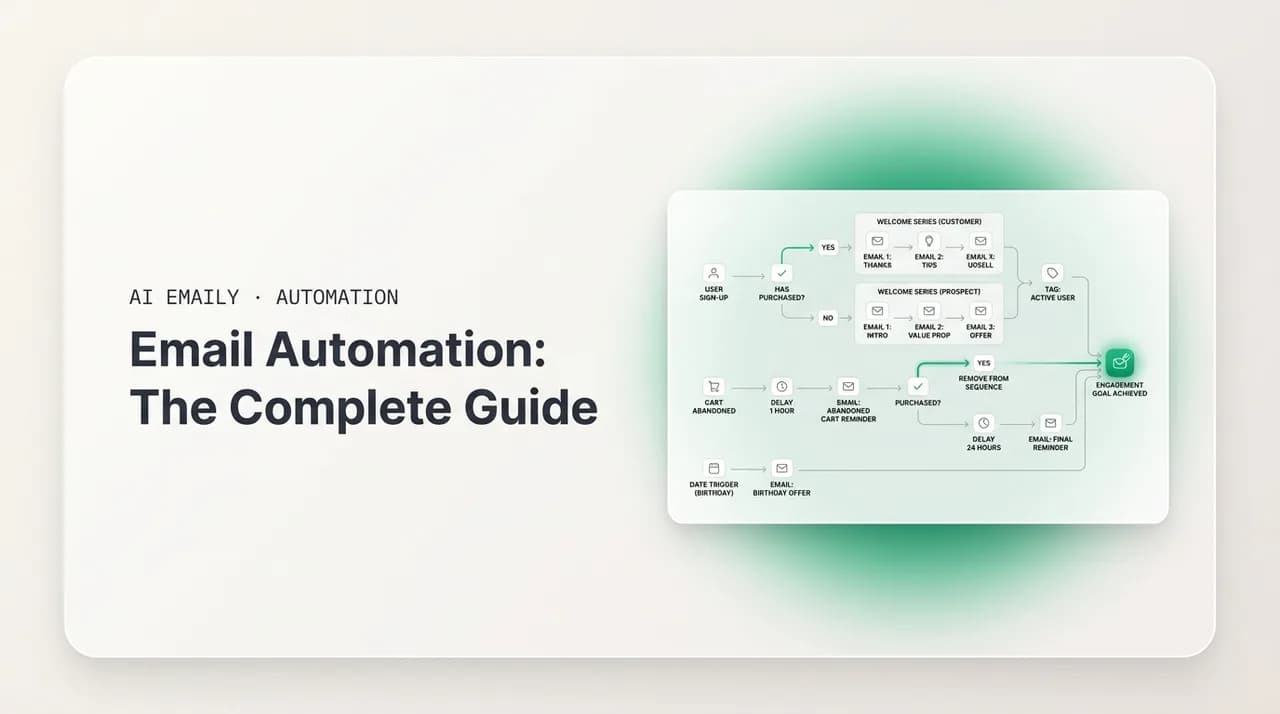
Email automation hands repetitive inbox work to software so you only touch what needs judgment. Automate sorting, replies, follow-ups, cleanup, scheduling, and routing using rules, no-code tools, ESPs, or an AI email client. Start small, keep a human in the loop for sends, and review monthly.
Email automation in 2026: what to automate, the tool categories compared, rules vs AI, building workflows, guardrails, and the mistakes to avoid.
On this page
- 01What is email automation, really?
- 02Why does email automation matter in 2026?
- 03What can you actually automate in email?
- 04How do you automate sorting and prioritizing?
- 05How do you automate replies and follow-ups?
- 06How do you automate cleanup, scheduling, and routing?
- 07What are the categories of email automation tools?
- 08When should you use an ESP or a connector instead of an AI inbox?
- 09Rules vs AI: which kind of automation should you use?
- 10How do you build your first email automation workflows?
- 11What guardrails keep email automation safe?
- 12What are the most common email automation mistakes?
- 13How does AI Emaily automate email?
- 14Where should you start with email automation?
Email is the one tool almost every knowledge worker still opens first and closes last. The average professional gets well over a hundred messages a day, and most of them follow patterns you have handled a thousand times before: a receipt that belongs in a folder, a newsletter you will skim later, a scheduling request that needs three lines back, a quote that needs a nudge in four days. None of that requires your full attention. All of it eats your full attention anyway, because doing it by hand means reading, deciding, clicking, typing, and switching context dozens of times an hour.
Email automation is the practice of handing that repetitive work to software so you only touch the messages that actually need your judgment. It is leverage applied to your inbox. Instead of you processing every message from scratch, you set up the patterns once and let the system carry them out every time the pattern recurs. A rule files the receipt. A workflow sends the four-day nudge. A template drafts the scheduling reply. You stay in the loop where it matters and step out of the loop where it does not.
This guide is the hub for everything in that picture. We will cover what you can realistically automate, the four categories of tools that do it and where each one fits, the difference between rigid rules and AI that reasons, how to build your first workflows without breaking anything, the guardrails that keep automation from sending the wrong thing to the wrong person, and the mistakes that turn a time-saver into a liability. It is written to be practical first. We build AI Emaily, an AI-native email client, and we will be honest about where a marketing platform or a connector tool is the better answer than a smart inbox.
If you came here for the AI-assistant angle specifically — triage, summarization, and an agent that drafts and acts on your behalf — we go deep on that in our companion guide to AI email automation. This piece is the wider map: the machinery of automating email across every category, with AI as one increasingly important part of it.
Two related guides, one map
What is email automation, really?#
At its simplest, email automation is any process where software takes an email action you would otherwise take by hand. That covers a huge range, from a single inbox rule that labels messages from your bank, all the way to a multi-step sequence that detects a reply, updates a record in your CRM, and schedules the next touch. The common thread is that a defined trigger leads to a defined action without you in the middle each time. The simplest version is a single filter, and how to create rules in Gmail is the shortest path to your first one.
It helps to separate two worlds that both get called email automation, because they solve different problems. The first is inbound automation: managing the email that arrives in your inbox. Sorting it, prioritizing it, replying to routine messages, cleaning up the clutter, routing things to the right place. This is about reclaiming your own time and attention. The second is outbound automation: sending email programmatically. Drip campaigns, follow-up sequences, newsletters, cold outreach, transactional notifications. This is about reaching people at scale or on a schedule without manually composing each send.
Most people need a bit of both, and the line blurs in practice — a follow-up workflow is outbound, but it is triggered by an inbound event (no reply yet). The right tool depends on which side you are mostly on. A sales team living in sequences needs different software than a founder who just wants their inbox to stop being a part-time job. We will keep coming back to that distinction, because choosing the wrong category is the single most common and most expensive automation mistake.
One more framing that will save you grief: automation is not the same as artificial intelligence. A rule that says "label anything from stripe.com as Finance" is automation, and it has nothing to do with AI. An assistant that reads a message, understands it is an angry customer, and drafts a careful apology is also automation, and it is heavily AI. Both are valid. They sit at different points on a spectrum from deterministic (predictable, literal, the same every time) to intelligent (flexible, context-aware, occasionally wrong). Knowing where on that spectrum a given task belongs is most of the skill.
The one-sentence test
Why does email automation matter in 2026?#
The volume problem has only gotten worse. Email did not get replaced by chat, by social, or by any of the tools that promised to kill it — it absorbed them. Notifications from a dozen apps land in your inbox. Calendar invites, document shares, support tickets, billing alerts, and the actual human correspondence all compete in the same stream. Doing this by hand is a tax on your best hours, and it scales linearly with how busy and connected you are. The more important your work, the more email you get, and the more expensive it is to process it manually.
What changed recently is the quality of the tools. For two decades, automating your inbox meant writing literal filter rules: match a sender, match a subject keyword, move to a folder. Useful, but brittle. The rule that files "invoice" misses the one that says "your statement is ready," and it has no idea that the angry note from your biggest client is the one message you cannot afford to miss. In 2026, AI flips that burden. Instead of you describing every pattern in advance, modern assistants learn from how you behave — which senders you reply to fast, which you archive on sight, which threads turn into tasks — and surface what matters without an explicit rule for every case.
That does not make rules obsolete. It makes the combination powerful. Rules handle the literal, high-volume, never-wrong cases (receipts, newsletters, automated alerts) cheaply and predictably. AI handles the judgment cases (is this urgent, what should the reply say, which of these forty messages actually needs me). The best setups in 2026 use both, with each doing what it is good at. The rest of this guide is largely about how to assemble that combination for your situation — and which tools give you both halves in one place versus making you stitch them together.
What can you actually automate in email?#
It is easy to talk about email automation in the abstract and hard to act on it. So here is the concrete list. There are six broad jobs that almost everyone can hand to software, in rough order of how safe they are to automate and how much time they return. Start at the top — sorting and cleanup are nearly risk-free — and work down toward the things that touch other people, where you want more care and a human checkpoint.
The table below maps each job to what it does, what kind of tool handles it best, and how much you should trust automation to do it unattended. "Risk" here means the cost of getting it wrong: filing a receipt in the wrong folder is cheap to fix; sending a tone-deaf reply to a client is not.
| Job | What it does | Best handled by | Automate unattended? |
|---|---|---|---|
| Sort & label | Routes incoming mail to folders/labels by sender, type, or topic | In-client rules, or AI categorization | Yes — low risk, high volume |
| Prioritize | Surfaces what needs you now; demotes the rest | AI (learns your behavior); rules as a fallback | Yes, with a daily glance |
| Reply (routine) | Drafts or sends answers to predictable messages | Templates + AI drafting; approval gate | Draft yes; send only with review |
| Follow up | Nudges threads with no reply after N days | Sequences (sales) or an AI agent (1:1) | Yes, with a stop-on-reply rule |
| Clean up | Unsubscribes, bulk-archives, clears stale clutter | In-client rules, cleanup tools, AI | Yes — low risk |
| Schedule & route | Sends at the right time; recurring sends; hands off to the right person/system | Schedulers, connectors (Zapier/Make) | Yes for sends; route with care |
How do you automate sorting and prioritizing?#
Sorting is the gateway drug of email automation because it is almost impossible to get badly wrong and it pays off immediately. The traditional approach is in-client rules: in Gmail you call them filters, in Outlook they are rules, and IMAP clients have their own flavor. You define a condition (from this sender, contains this word, sent to this address) and an action (apply this label, move to this folder, mark as read, skip the inbox). Within an afternoon you can have your receipts, newsletters, social notifications, and automated alerts peeling off into their own homes so your inbox is just the human stuff.
Prioritizing is harder because it is a judgment, not a match. A rule can flag everything from your boss as important, but it cannot tell that this particular thread from a peer just became urgent because a deadline moved. This is where AI earns its place. Modern AI inboxes build a personalized model of your attention: they watch which messages you open immediately versus let sit, which senders you answer in minutes versus archive, which threads spawn follow-up tasks versus die. Over a week or two, they get good at floating the few messages you actually need to see to the top and pushing the digest noise down — no explicit rule required.
The pragmatic move is to layer them. Use rules to remove the obvious, high-volume, literal categories from your inbox entirely, so you never even see them unless you go looking. Then let AI prioritize what remains. You end up with a short, ranked list of things that genuinely need a human, instead of a hundred-item stream where the signal is buried in the noise. We cover the rule side in depth in our email rules and filters strategy guide, and the auto-sorting mechanics in how to automate email sorting.
How do you automate replies and follow-ups?#
A surprising share of the email you send is predictable. Acknowledgements, scheduling back-and-forth, "got it, thanks," routing someone to the right person, answering the same five questions a prospect always asks. These are perfect candidates for assisted replies, but with one firm rule: drafting can be fully automatic, but sending should stay in your hands until you trust the system completely. The cost of a bad auto-send — wrong tone, wrong recipient, an AI hallucinating a commitment you never made — is high enough that a one-second review is worth it.
The lightest version is templates (canned responses, snippets, signatures with variables). You write the answer once, and recall it in two keystrokes. The next step up is AI drafting: an assistant reads the incoming message, understands what it is asking, and writes a reply in your voice that you can edit and send. This is dramatically better than a static template because it adapts to the specifics of each message — it answers the actual question, not a generic version of it — while still putting a human on the trigger. Done well, the reply does not read like a robot wrote it; done lazily, it does, which is exactly the over-automation trap we will get to.
Follow-ups are where automation quietly returns the most money, especially in sales and client work. The pattern is simple and universal: you sent something, you did not hear back, and after a few days a polite nudge meaningfully raises the odds of a response — but remembering to send it, every time, across every thread, is exactly the kind of thing humans are bad at and software is good at. The non-negotiable feature here is stop-on-reply: the moment the other person responds, the sequence must halt, or you will send a chasing message to someone who already answered, which is both embarrassing and a fast way to look like a bot. We go deep on this in automated follow-up emails and email sequences explained.
Never automate a send you cannot stop
How do you automate cleanup, scheduling, and routing?#
Cleanup is the most underrated category because it works on the inbox you already have, not the one you are trying to build. Bulk unsubscribing from lists you never read, auto-archiving notifications older than a few days, clearing out promotional clutter, and emptying the categories you only check occasionally — all of it can run on rules or a dedicated cleanup pass. The risk is near zero (you are archiving and unsubscribing, not deleting forever) and the psychological payoff of an inbox that empties itself is real. This pairs naturally with the inbox-zero method, which is about the human habit; automation just removes the manual labor underneath it.
Scheduling covers two different things. One is send-later: writing an email now but having it go out at 8 a.m. in the recipient's timezone, or after a holiday, so it lands when it will actually be read. The other is recurring sends: the weekly status update, the monthly invoice reminder, the quarterly newsletter. A good scheduler lets you set the cadence once and forget it, with the ability to pause or edit before each send. We cover the recurring case in detail in how to schedule recurring emails.
Routing is the most powerful and the most dangerous of the three, because it pushes email out to other people and other systems. Auto-forwarding a type of message to a colleague, copying every customer email into a shared mailbox, pushing a lead's details into your CRM the moment they reply, opening a support ticket from an inbound message — these are the workflows that connect your inbox to the rest of your stack. They save enormous amounts of coordination time, and they can also leak the wrong data to the wrong place if a rule is too broad. Route deliberately, test with a narrow condition first, and audit what actually got sent. See auto-forward email rules and CRM email automation for the patterns.
What are the categories of email automation tools?#
Once you know what you want to automate, the next question is what to automate it with — and this is where people waste the most money, because the market lumps four genuinely different kinds of product under one label. Buying a marketing platform to tame your personal inbox is like buying a delivery truck to commute to work. It will technically move you, but it is the wrong vehicle. Here are the four categories, what each is for, and the tells that you are in the right or wrong one.
First, in-client rules and filters: the automation built into the email client you already use. Gmail filters, Outlook rules, Apple Mail rules, and the rule engines inside dedicated clients. Free, already there, and ideal for literal sorting and routing of your own inbound mail. Second, connector and no-code automation tools — Zapier, Make, n8n, and similar — which sit between apps and fire actions across them: when an email arrives, do something in another system, and vice versa. Third, email service providers (ESPs) and marketing automation platforms — Mailchimp, Brevo, ActiveCampaign, and the like — built for outbound at scale: newsletters, drip campaigns, segmentation, and broadcast sends to a list. Fourth, sales engagement platforms — purpose-built for outbound 1:1-feeling sequences at volume, with reply detection, multi-step cadences, and CRM sync for outreach teams.
And then there is a newer fifth option that does not fit the old map cleanly: the AI email client. Instead of bolting automation onto a separate platform, it builds intelligence into the inbox itself — combining rules, AI prioritization, drafting, and agentic actions in the place you actually read and write email. AI Emaily is in this category. The table below compares all of them on the questions that decide which one you need.
| Category | Best for | Strength | Watch out for |
|---|---|---|---|
| In-client rules & filters | Sorting/routing your own inbound mail | Free, built in, predictable, instant | Literal only; no judgment; per-account upkeep |
| Connectors (Zapier/Make/n8n) | Wiring email to other apps and systems | Connects everything; flexible logic | Can get complex; per-task pricing; you maintain it |
| ESP / marketing automation | Newsletters & broadcasts to a list | Scale, segmentation, deliverability tooling | Overkill for a personal inbox; list-centric |
| Sales engagement platform | Outbound cold/warm sequences at volume | Cadences, reply detection, CRM sync | Built for outreach, not inbox management |
| AI email client | Running your actual inbox end to end | Rules + AI + drafting + agent in one place | Younger category; trust the agent gradually |
When should you use an ESP or a connector instead of an AI inbox?#
We build an AI email client, and the honest answer is that it is not the right tool for every automation job. If your core need is to send a newsletter to ten thousand subscribers, manage list segmentation, run A/B subject-line tests, and track open and click rates across a campaign, you want an ESP. That is a marketing problem, and marketing platforms are built for it from the ground up — deliverability infrastructure, unsubscribe compliance, list hygiene, analytics. An AI inbox is the wrong shape for broadcast marketing, and we would not pretend otherwise.
Similarly, if you are running high-volume cold outreach — hundreds of prospects a day across rotating sending domains, with reply-based branching and deep CRM integration — a dedicated sales engagement platform is purpose-built for that, with the deliverability safeguards (domain warm-up, send throttling) that cold email lives and dies on. And if your automation is fundamentally about connecting email to other software — "when I get an email with an attachment, save it to Drive and post to Slack" — a connector like Zapier or Make is exactly the right tool, because that cross-app plumbing is what it does.
The AI email client earns its place when the problem is your inbox itself: the daily flood of mixed messages you personally have to read, prioritize, answer, and act on. That is the gap the other four categories leave open. Rules are too literal for it, connectors do not understand email content, ESPs are about sending not receiving, and sales platforms are about outreach not management. So the practical setup for many people is a combination — an AI inbox for the messages you handle one to one, an ESP for the list you broadcast to, and maybe a connector wiring a couple of things together. Use the category that fits the job, not the one with the loudest marketing.
It is usually a stack, not a single tool
Rules vs AI: which kind of automation should you use?#
This is the question underneath every other choice, so it deserves a clear answer. Rules and AI are not competitors; they are two tools for two different shapes of problem, and the skill is matching each task to the right one. Get this matching right and your automation is both fast and trustworthy. Get it wrong — using a rule where you needed judgment, or leaning on AI for something a rule does perfectly — and you either miss cases or introduce errors.
Rules are deterministic. They do exactly what you said, every single time, with no surprises. "Label everything from this domain as Finance" will label everything from that domain as Finance, forever, identically. That predictability is a feature: for literal, repetitive, high-volume tasks where the cost of a wrong call is real, you want a rule precisely because it never improvises. The flip side is that rules are brittle and literal. They cannot read meaning. A keyword filter for "invoice" sails right past "your statement is ready," and it has no concept of which message is urgent versus routine. Every edge case you did not anticipate is a case the rule mishandles, and the maintenance burden grows as you add rules to patch the gaps.
AI is probabilistic. It reads meaning, handles cases you never explicitly described, and adapts as your patterns change. Ask it to "flag anything that needs a reply today" and it will reason about each message rather than matching a keyword. That flexibility is exactly what rules lack — and the trade-off is that AI is occasionally wrong, and its reasoning is less transparent than a rule you can read line by line. So you use AI where judgment is the whole point (prioritization, understanding intent, drafting a contextual reply) and where being right most of the time, with a human checking the high-stakes calls, beats being rigidly literal all of the time.
A line we keep coming back to: teams often buy an agent when what they needed was a rule, or buy a rule engine when the job actually required judgment. The fix is to sort your tasks before you pick a tool. Anything you can write as "every time X, do Y" with literal X and Y is a rule. Anything that requires reading, weighing, or understanding is AI. Most real inboxes need both, which is the strongest argument for a system that gives you both in one place rather than forcing you to bolt a rule engine onto an AI tool or vice versa.
| Dimension | Rules / filters | AI automation |
|---|---|---|
| How it decides | Literal match on fixed conditions | Reads meaning and context |
| Predictability | Identical every time | Mostly right; occasionally wrong |
| Handles new cases | Only ones you defined | Yes, generalizes from intent |
| Transparency | Fully inspectable, line by line | Reasoning is less direct |
| Best for | Sorting, routing, cleanup, alerts | Prioritizing, drafting, judgment |
| Maintenance | Grows as you add rules | Adapts as your behavior changes |
The hybrid is the answer
How do you build your first email automation workflows?#
Theory is easy; the value is in actually setting things up. The good news is that you do not need to automate everything at once, and you should not try. The teams that succeed start with one or two workflows that handle a clear, repetitive pain, prove they work, and expand from there. The teams that fail try to automate their entire inbox in a weekend, get burned by an over-broad rule, and abandon the whole effort. Start small and earn trust.
A workflow, at its core, is a trigger plus one or more actions, sometimes with a condition and a wait in between. "When an email arrives from a payments domain (trigger), label it Finance and skip the inbox (action)." "When I send a proposal and get no reply for four days (trigger plus wait plus condition), draft a follow-up for my approval (action)." Every automation, no matter how sophisticated, decomposes into that shape. If you can describe the trigger and the action in a plain sentence, you can build it. Here is a sequence that gets a real, useful setup running in under an hour.
- 1
Watch your inbox for one day
Before automating anything, notice the patterns. Which messages do you handle the same way every time? Which senders do you always file, always answer, always ignore? Write down the three most repetitive actions. Those are your first three workflows — chosen from evidence, not guesses.
- 2
Automate the safest sort first
Pick the highest-volume, lowest-risk category — usually receipts, newsletters, or automated alerts — and build one rule that labels it and skips the inbox. Test it on existing mail. This is near-impossible to get wrong and instantly thins your inbox, which builds momentum and confidence.
- 3
Add a priority layer
With the obvious noise filtered out, decide how the rest gets ranked. If your tool has AI prioritization, turn it on and let it learn for a week. If not, add a rule that flags mail from a short VIP list. Either way, the goal is a short list of what actually needs you.
- 4
Set up one assisted reply
Find the reply you write most often — scheduling, an FAQ answer, a routing message — and create a template or let your AI draft it. Crucially, keep it draft-only at first: review and send by hand. You are confirming the quality is good before you trust it to act unattended.
- 5
Add one follow-up workflow
For threads where a nudge matters (proposals, invoices, client requests), set up a follow-up that fires after N days of silence — and verify it stops the instant someone replies. Test it on a low-stakes thread first. This is the workflow that most directly returns money.
- 6
Review weekly, expand monthly
Once a week, glance at what your automations did: did anything get mis-sorted, did a follow-up fire when it should not have? Fix what is off. Once a month, add one new workflow. Slow, evidence-led growth beats a big-bang setup that you cannot trust or maintain.
Notice what this sequence does not do: it does not start by turning a fully autonomous agent loose on your inbox. It starts with the safest, most reversible automation and adds judgment and reach only as you confirm each layer works. By the time you are letting software send on your behalf, you have already watched it draft correctly dozens of times. That earned trust is the whole game — automation you do not trust is automation you will turn off the first time it surprises you.
For a fuller, click-by-click walkthrough across Gmail and Outlook specifically, see how to automate email. For mapping more complex multi-step processes — the kind with branches and several actions — our email workflow automation guide goes deeper on the design side. And if you want to build powerful flows without touching code, no-code email automation covers the visual-builder approach.
Test on existing mail before going live
What guardrails keep email automation safe?#
Automation without guardrails is how a time-saver becomes an incident. The more an automation can do on your behalf — and the more it leaves your inbox to reach other people — the more it needs limits, checkpoints, and a paper trail. This is not optional polish; it is the difference between automation you can run on your real inbox and automation you have to babysit so closely it saves no time at all. The industry has converged on a clear set of controls, scaled to how much autonomy you grant.
The first and most important guardrail is human-in-the-loop approval for anything that sends. A human review step before an AI-generated message goes out is the single most effective control for managing risk in email automation. It can be a pre-action approval (nothing sends until you confirm), a post-action review (it sends but you can catch and correct), or conditional (low-stakes sends go automatically, high-stakes ones wait for you). For sending email specifically, in v1 of any system you trust with your name, approval before send should be mandatory. The cost of a wrong send is simply too high to skip the one-second check.
The second guardrail is undo. Even with approval, mistakes happen — you approve too fast, a recipient was wrong, the timing was bad. Being able to reverse an action — cancel a scheduled send, stop a sequence, pull back something in flight — turns a permanent mistake into a recoverable one. The third is a complete audit trail: a log of what the automation did, when, why, and to whom. When something looks off, you need to be able to reconstruct exactly what happened — which rule fired, what the agent decided, what got sent — rather than guessing. The fourth is hard limits and scoping: caps on how many messages can go out in a window, tight conditions on routing rules, and the narrowest permissions an automation needs to do its job and no more.
There is a security dimension too, and it is sharper than most people realize. The moment an AI assistant acts on the content of your email, that email content becomes untrusted input. A malicious message can try to trick an over-eager agent into doing something it should not — forwarding sensitive data, sending a reply it was instructed to send by the attacker, taking an action you never intended. This is prompt injection, and the defenses are an allowlist of actions the agent is permitted to take, validating and encoding anything before it is acted on, and never letting the agent execute high-stakes actions without a human in the loop. If you are evaluating any tool that acts on your mail, ask how it handles this. The good ones have a clear answer.
- Approval before send: a human confirms anything that leaves your inbox — mandatory for sends you trust with your name.
- Undo: cancel a scheduled message, stop a sequence, reverse an action before it is irreversible.
- Audit trail: a complete log of what ran, when, why, and to whom — so you can reconstruct any surprise.
- Hard limits & scoping: send caps, narrow rule conditions, and the least access an automation needs.
- Prompt-injection defense: treat email content as untrusted; allowlist agent actions; never auto-execute high-stakes ones.
- Privacy: know whether your mail is used to train models. It should not be.
Email content is untrusted input
What are the most common email automation mistakes?#
Most automation failures are not technical — they are judgment failures about what to automate and how aggressively. The patterns repeat across every team that gets burned. Knowing them in advance is the cheapest possible insurance, because each one is easy to avoid once you have seen it.
Over-automation is the big one. The temptation, once automation starts working, is to automate everything — including the messages that genuinely need a human touch. The result is robotic communication that people can feel. An auto-reply that ignores what the person actually asked, a templated message blasted to someone in a delicate situation, a follow-up that fires on a thread where the relationship needed a real conversation. The fix is restraint: automate the repetitive and predictable, and deliberately keep a human in the loop for anything where tone, nuance, or relationship matters. If an AI drafts it, read it before it sends — pasting unedited AI text straight into a send is exactly how communication starts sounding like a machine.
The set-and-forget mentality is the second. People build a workflow, confirm it works once, and never look at it again. Then their patterns change, a sender they cared about gets auto-archived, a follow-up keeps firing on a deal that actually closed by phone, and the automation is now quietly working against them. Automations are not appliances; they need a periodic check. A weekly glance and a monthly review catch drift before it does damage. The third mistake is treating everyone the same — sending identical automated messages regardless of context or relationship, which kills relevance. Real personalization is about context, not just dropping a first name into a template.
Two more that specifically wreck outbound automation: ignoring deliverability and skipping the warm-up. Sending from one domain at full volume on day one, or automating reply detection with no human review, can tank reply rates by a large margin or trip spam filters within days. If you are automating sends at any volume, ramp gradually, keep your data clean, and keep a human watching the results. And the quiet meta-mistake behind all of these: automating a broken process. If your underlying workflow is a mess, automating it just lets you make the mess faster. Fix the process by hand first; automate it second.
- Over-automating the human stuff — robotic replies where tone and nuance mattered.
- Sending unedited AI drafts — read before you send, every time, until trust is fully earned.
- Set-and-forget — no one reviews the workflow as patterns drift and it starts misfiring.
- Treating everyone the same — identical automated messages ignore context and relationship.
- Ignoring deliverability on outbound — no warm-up, full volume day one, dirty lists.
- Automating a broken process — fix the workflow by hand first, then automate it.
If you would not say it, do not automate it
How does AI Emaily automate email?#
We built AI Emaily because the existing categories each solved a slice of the problem and left the hard part — your actual inbox — to manual labor. In-client rules were too literal. Connectors did not understand email. ESPs and sales platforms were about sending, not managing what arrives. So we put both halves of automation, the deterministic and the intelligent, into the place you already read and write email, with the guardrails this guide argues for built in from the start. It is an AI-native email client that works with every provider — Gmail, Outlook, IMAP, and more — so you are not switching addresses to use it.
The deterministic half is the rules and brain. You describe what you want in plain English — "file receipts under Finance and skip my inbox," "flag anything from my top clients" — and it builds the rule, no filter syntax to learn. There are fifteen ready-made templates for the patterns almost everyone needs, so you can start with one tap and adjust. And because the brain is AI-matched, it can apply your intent to messages a literal keyword filter would miss — the "your statement is ready" that a rule for "invoice" sails past. That is rules with the brittleness taken out: predictable where you want predictability, smart enough to catch the cases a literal match drops.
The intelligent half is the AI agent, and this is where the guardrails matter most. The agent runs at one of three levels you choose, and you can set it differently for different kinds of mail. Manual: it suggests, you do everything — nothing happens without you. Copilot: it drafts and prepares actions, and you approve before anything sends or changes — this is the human-in-the-loop default, and the right place to start. Autopilot: for the categories you have come to trust, it handles things end to end. Every level is backed by undo and a full audit trail, so you can reverse anything and see exactly what the agent did and why. You are never handing over control you cannot take back.
On the security and privacy front, we treat your email content as untrusted input to the agent — the prompt-injection defense this guide describes is not an afterthought, it is how the agent is designed. Approval before send is the default for anything that leaves your inbox. And we do not train models on your mail. Your inbox is yours; it is not training data. That combination — rules and brain for the literal work, an agent with Manual, Copilot, and Autopilot for the judgment work, undo and audit underneath, real privacy — is the hybrid setup the rest of this guide recommends, assembled in one place instead of stitched together across four tools.
On pricing, the entry point is genuinely free at $0 — enough to connect an account, set up rules, and use the assistant so you can decide whether an AI inbox fits how you work before paying anything. Pro is $12.42 per month billed annually and opens up the fuller AI workflow. Autopilot is $20.75 per month billed annually for people who want the agent handling more of the inbox end to end. The honest framing: if your need is broadcast marketing or high-volume cold outreach, the ESP or sales platform we described earlier is still the better fit, and we would rather you use the right tool. AI Emaily is for the inbox itself — the daily one-to-one mail you have to read, prioritize, answer, and act on.
Start in Copilot, graduate to Autopilot
Where should you start with email automation?#
Email automation is leverage, and like any leverage it rewards being deliberate. The whole arc of this guide is one idea: hand the repetitive, predictable work to software so your attention goes only to what needs a human. The six jobs — sort, prioritize, reply, follow up, clean up, schedule and route — cover almost everyone's inbox. The four tool categories plus the AI inbox cover almost every way to do it. And the rules-versus-AI question resolves the same way every time: rules for the literal, AI for the judgment, a human on anything that sends.
If you do just three things this week, do these. First, build one rule that files your highest-volume noise and skips your inbox — the safest automation there is, and an instant win. Second, set up one assisted reply for the message you write most, kept draft-only until you trust it. Third, add one follow-up workflow that stops on reply. That is a real, useful automation setup, built from evidence, with guardrails, in under an hour — and a foundation you can grow one workflow a month from there.
And keep the guardrails non-negotiable as you grow: approval before send, undo, an audit trail, and the restraint to keep humans in the loop where tone and relationship matter. Automation that you trust is automation that sticks; automation that surprises you is automation you turn off. Whether you run rules in your existing client, wire things together with a connector, broadcast through an ESP, or run the whole inbox through an AI client like AI Emaily, the principles are the same. Start small, stay supervised, review often, and let the patterns you have handled a thousand times finally handle themselves.
Frequently asked
See it in AI Emaily
Keep reading

Written by
Nafiul HasanNafiul Hasan is an entrepreneur and AI automation system builder with 10+ years of experience turning messy, manual workflows into reliable automated systems. He designs and ships AI enterprise solutions end-to-end — the agent logic, the data plumbing, and the product people actually use — and founded AI Emaily to give busy professionals their attention back. He writes here from the builder's seat: what works, what breaks, and how to put AI to work without giving up control.