CRM Email Automation: Sync, Trigger & Log Every Email Automatically

The short answer
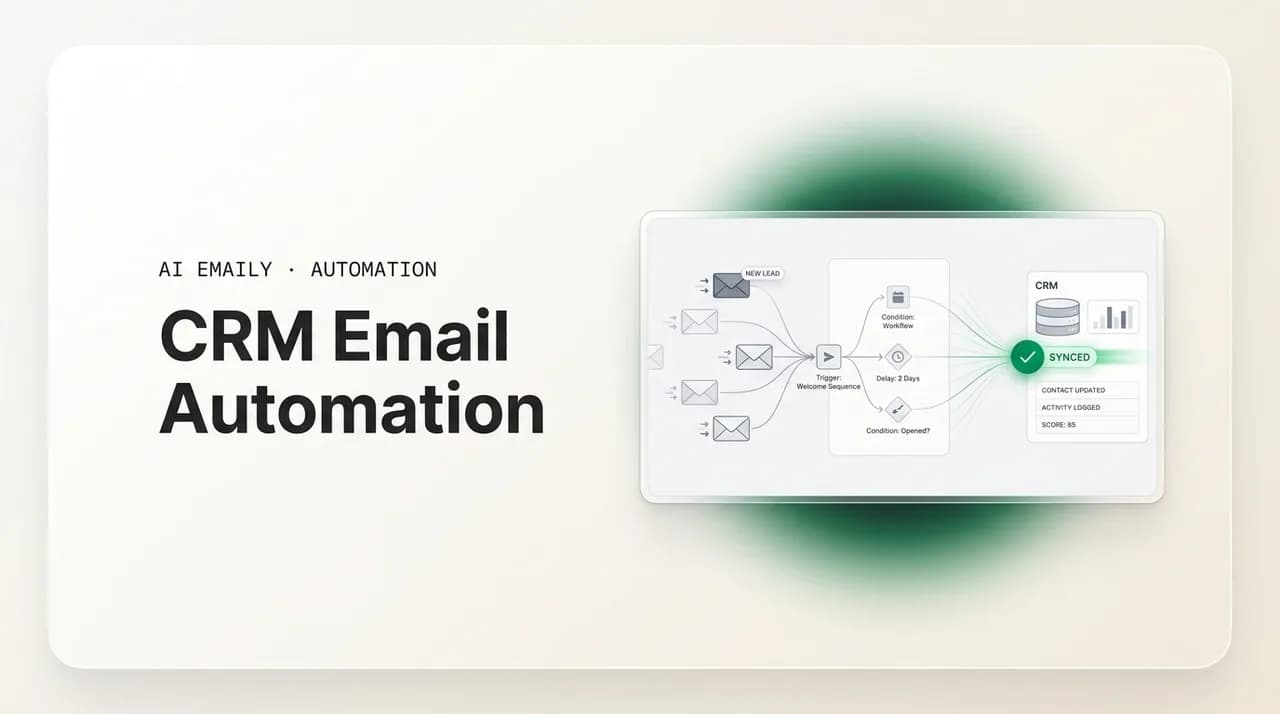
CRM email automation connects your inbox and your CRM so email logs itself, sequences fire from CRM events, and contact records stay current. The CRM owns the pipeline and reporting; the inbox owns the actual conversation — drafting, triage, and follow-up. Get both right and nothing falls through.
CRM email automation: how to sync email to your CRM, auto-log activity, trigger sequences from CRM events, and where the inbox does the real work.
On this page
- 01What does CRM email automation actually do?
- 02How do you auto-log email activity to the CRM?
- 03How do HubSpot, Salesforce, and Pipedrive compare for email automation?
- 04How do you trigger email sequences from CRM events?
- 05Which CRM events should trigger an email?
- 06How do templates and merge fields keep automated email personal?
- 07What is two-way sync, and how does BCC-to-CRM fit in?
- 08Where does the CRM stop and the inbox take over?
- 09What does a real inbox-to-CRM flow look like end to end?
- 10How do you keep CRM email data clean?
- 11What are the most common CRM email sync mistakes?
- 12How does AI Emaily work alongside your CRM?
- 13Putting it together
Your CRM and your email should behave like one system. They almost never do. The deal lives in the CRM, the conversation lives in the inbox, and the gap between them is where work quietly disappears — replies that never got logged, follow-ups that never got sent, contacts whose last touch is a mystery to everyone except the one rep who happened to send it.
CRM email automation is the set of connections and rules that close that gap. Done well, it means every relevant email is logged to the right record without anyone copying and pasting, sequences start and stop based on what is actually happening in the pipeline, and the picture of any relationship is the same whether you open it in the CRM or in your inbox. Done poorly, it means duplicate contacts, half-logged threads, and a CRM nobody trusts.
This guide is about doing it well. We will cover what CRM email automation actually does, how auto-logging and BCC-to-CRM work, how to trigger sequences from CRM events, how templates and merge fields fit in, and — the part most articles skip — where the CRM stops being the right tool and the inbox takes over. Because a CRM is a system of record. It is not where you read, write, and triage email all day. That happens in your inbox, and the quality of your CRM data is downstream of how well that inbox runs.
One honest note up front, since we make an email client: AI Emaily is not a CRM and is not trying to be one. It is the inbox and the agent that sits next to your CRM — drafting replies in your voice, chasing follow-ups on autopilot, and triaging the flood so the right messages get answered. Keep your HubSpot, Salesforce, or Pipedrive. This is about making the inbox side pull its weight so the CRM has good data to work with. We will be specific about that division of labor as we go.
It is worth being concrete about the cost of the gap, because that is what justifies the effort. When a rep forgets to log a call or a reply, the contact's timeline lies by omission — and anyone who picks up that account later, including the rep's future self, makes a decision on incomplete information. They re-send a question the prospect already answered. They pitch a feature the customer already rejected. They miss that a renewal conversation was already half-promised. None of that shows up as a single dramatic failure; it shows up as a slow tax on every deal, paid in small moments of looking unprepared. CRM email automation is, at its core, an attempt to stop paying that tax by making the record keep itself.
There is a second cost that is easy to overlook: the cost to the people doing the work. Manual logging is the kind of low-value, high-friction task that quietly erodes morale. Reps did not take a sales job to spend the last forty minutes of the day copying email subject lines into a CRM, and managers who insist on it anyway end up with either resentful reps or, more commonly, a CRM that is dutifully filled in for the deals that are going well and conspicuously empty for the ones that are not. Automation that removes the chore removes the reason to fudge it. That is a reporting benefit as much as a productivity one, because a CRM is only useful for forecasting if the data going into it is honest, and data is most honest when keeping it costs nobody anything.
What does CRM email automation actually do?#
Strip away the marketing and CRM email automation comes down to three jobs: capture what happened, decide what happens next, and keep both systems telling the same story. Every feature you will read about — logging, sync, sequences, templates, BCC addresses — is in service of one of those three.
Capture is the unglamorous foundation. When you send or receive an email tied to a contact in your CRM, that interaction should land on the contact's timeline automatically. No copy-paste, no 'I'll log it later,' no relying on memory at the end of a busy day. If capture is reliable, the rest of the CRM becomes trustworthy. If it is not, your reports are fiction.
Decide is the automation people get excited about. Once the CRM knows what is happening, it can act: enroll a new lead in a welcome sequence, send a renewal reminder 60 days before a contract ends, nudge a rep when a deal goes quiet, or trigger a re-engagement series after 30 days of silence. These are CRM-event-driven actions, and they are powerful precisely because they fire on data the CRM already holds.
Keep-in-sync is the part everyone underestimates. Two systems holding overlapping data will drift unless something actively reconciles them. A reply that updates a contact's email address in the inbox should update it in the CRM. A deal stage change in the CRM should be visible to whatever decides which follow-up goes out. Without active sync, you get two versions of the truth and arguments about which one is right.
The mental model that keeps you sane
It helps to see these jobs in one place. Here is the anatomy of a CRM email automation setup, mapped to the job each piece does.
| Component | Job it does | What it looks like in practice |
|---|---|---|
| Email logging / activity capture | Capture | Sent and received emails appear automatically on the contact and deal timeline |
| BCC-to-CRM address | Capture (fallback) | A hidden BCC address that files a copy of any outgoing email to the matching record |
| Open / click / reply tracking | Capture | Engagement signals attached to the contact so reps and workflows can react |
| Event-triggered sequences | Decide | A lead enters a stage and an automated email series begins; a reply stops it |
| Templates + merge fields | Decide | Reusable email bodies with {{first_name}} style tokens filled from CRM fields |
| Two-way sync | Keep in sync | Changes in the inbox update the CRM and vice versa, on contacts and activities |
| Deduplication / matching rules | Keep in sync | Logic that matches an email to one contact instead of creating a duplicate |
How do you auto-log email activity to the CRM?#
Auto-logging is the single most valuable thing CRM email automation does, because it removes the most-skipped manual task in sales: recording that a conversation happened. There are three common mechanisms, and most teams end up using more than one.
The first is native inbox integration. HubSpot, Salesforce, and Pipedrive all offer a connection between a mailbox and the CRM that logs email two ways — emails you send from inside the CRM, and (when enabled) emails you send from your normal inbox to a known contact. Pipedrive's email sync, for example, can capture conversations through its Sales Inbox so that sends and replies appear against the contact and deal without manual filing. This is the richest option because it can carry more than the email body: activities, deal associations, and custom field updates can travel with it.
The second is the BCC-to-CRM address. Every major CRM gives each user a private, unguessable BCC address. Add that address to the blind copy field of an outgoing email and the CRM files a copy against the matching contact. It is simple, provider-agnostic, and works from any mail client, which is exactly why teams use it as a reliable fallback even when a native integration exists. Tools like lemlist and cloudHQ document setting an auto-BCC so that every client-related email is logged into the CRM without any manual effort.
The third is a forwarding or capture rule. Some teams forward specific messages to a CRM inbound address, or use a rule that BCCs the CRM on every outgoing message automatically. This guarantees nothing slips, at the cost of logging some email you may not want in the CRM — which is why matching rules matter.
- 1
Connect the mailbox natively first
Use your CRM's official email connection (HubSpot, Salesforce, or Pipedrive) so logging carries activities and deal associations, not just the message body.
- 2
Add the BCC address as a backup
Grab your CRM's private BCC-to-CRM address and save it so you can drop it into any send the native sync misses — from any client, any device.
- 3
Decide what should and should not log
Auto-logging everything is tempting but noisy. Scope it to known contacts and business domains so personal and internal mail stays out of the CRM.
- 4
Confirm matching to a single record
Check that a logged email attaches to one existing contact rather than spawning a duplicate. Misconfigured matching is the number-one source of duplicate records.
- 5
Audit the timeline after a week
Open a few active deals and confirm the email history is complete and correctly attributed. Fix gaps before you trust the data for reporting.
Auto-logging is privacy-sensitive
Here is the honest tradeoff between the two main approaches, so you can choose deliberately rather than defaulting.
| Approach | Strengths | Watch-outs |
|---|---|---|
| Native email integration | Richest data (activities, deal links, field sync); two-way; fewer manual steps | Setup per mailbox; sync can break silently; behavior differs by CRM edition |
| BCC-to-CRM address | Works from any client; provider-agnostic; reliable fallback; simple to set up | One-directional (logging only); easy to forget; can over-log if automated bluntly |
| Forward / auto-BCC rule | Catches everything; no reliance on memory | Logs noise unless scoped; needs strong matching rules to avoid duplicates |
How do HubSpot, Salesforce, and Pipedrive compare for email automation?#
The three CRMs most teams choose between all do email automation, but they are built around different assumptions, and those assumptions show up in how email feels to use day to day. Picking well is less about a feature checklist and more about matching the tool's center of gravity to how your team actually works. The short version: Pipedrive is built outward from the salesperson's pipeline, HubSpot is built outward from marketing and lifecycle, and Salesforce is built outward from the platform and is as powerful — and as demanding — as you configure it to be.
Pipedrive's strength is that email lives close to the deal. Its Sales Inbox can capture conversations so sends and replies appear against the contact and the deal without manual filing, and its email sync, templates, and scheduling are designed for a rep working a visual pipeline rather than for a marketing team running large lifecycle programs. That focus is the appeal and the limit: it is fast and uncomplicated for outbound sales motion, and less suited to elaborate multi-channel nurture.
HubSpot's strength is lifecycle. Workflows are the backbone, enrollment triggers are flexible, and on Sales Hub and Service Hub Enterprise a workflow can enroll a contact directly into a sales sequence so automated outreach still sends from a real rep's inbox. The free tier is genuinely usable, which is why so many teams start there, but the more interesting automation — sequence enrollment from workflows, advanced branching — sits in the paid Enterprise tiers, so the price of the capability climbs with the capability itself.
Salesforce's strength is that it can model almost anything. Flow lets admins build automation on triggers, conditions, and actions, including email alerts with merge fields and conditional content, and there is very little it cannot be made to do. The cost is configuration: that power assumes an admin who can design it and maintain it. A well-run Salesforce org is the most capable of the three; a neglected one is the most likely to accumulate the dirty data and duplicate logging the rest of this guide warns about.
The table below is a deliberate generalization — editions and add-ons shift the details constantly — but it captures the center of gravity of each, which is the thing that actually predicts whether a team will be happy.
| Dimension | HubSpot | Salesforce | Pipedrive |
|---|---|---|---|
| Center of gravity | Marketing & lifecycle automation | Configurable platform; admin-driven | Salesperson's pipeline & outbound |
| Email logging | Native inbox connection + logging address | Native (Einstein Activity Capture) + BCC | Sales Inbox sync + BCC backup |
| Event-triggered sequences | Workflows; enroll into sequences (Enterprise) | Flow: triggers, conditions, email alerts | Workflow automation around deals |
| Merge fields & conditional content | Strong, marketer-friendly | Strong, admin-configured | Solid for sales templates |
| Setup burden | Low to start; climbs with Enterprise features | Highest — assumes a dedicated admin | Lowest — fast for reps to adopt |
| Best fit | Marketing-led orgs, lifecycle nurture | Complex orgs, custom processes, scale | SMB sales teams who live in the pipeline |
The CRM choice does not change the inbox problem
How do you trigger email sequences from CRM events?#
This is where CRM email automation earns its keep. Because the CRM holds structured data — stages, properties, dates, deal values — it can start and stop email sequences based on what is true about a contact right now. That is fundamentally more reliable than a human remembering to follow up.
An event-triggered sequence is an automated, multi-step email series that begins based on a defined trigger, schedule, or behavioral condition driven by CRM data. The trigger is the key idea: a contact crosses into a stage, a property changes, a date approaches, or an action occurs, and the CRM enrolls them. In HubSpot you set enrollment triggers on a workflow; Sales Hub and Service Hub Enterprise can even enroll a contact into a sales sequence from a workflow, so outreach starts automatically while the email still sends from a real rep's inbox. In Salesforce, Flow lets admins build automation on triggers, conditions, and actions, including email alerts with merge fields.
Common, high-value triggers are predictable: a new lead enters the pipeline and gets a welcome series; a deal sits untouched past a threshold and a nudge goes out; a contract nears renewal and a 60/30/14-day reminder cadence fires; a contact goes quiet for 30 days and a re-engagement sequence starts. The pattern is always the same — a CRM condition becomes true, and email is the response.
The thing that separates a good triggered sequence from a damaging one is the exit rule. A sequence that keeps firing after a prospect has already replied makes you look like you are not paying attention — which is the opposite of what automation is supposed to buy you.
The exit rule deserves its own emphasis. Every triggered sequence needs an unambiguous stop condition, and 'the prospect replied' should always be one of them.
Make 'they replied' the universal kill switch
Which CRM events should trigger an email?#
Knowing that the CRM can trigger email is the easy part. Knowing which events deserve a trigger — and which are noise dressed up as a milestone — is what separates automation that helps from automation that annoys. The useful filter is simple: trigger on events that genuinely change what the right next message is, and leave everything else alone. A contact who just downloaded a second whitepaper has not changed your next move; a contact who just booked a demo has. Build triggers around the second kind.
It helps to group candidate events by the part of the relationship they belong to. Lifecycle events mark a contact moving from one stage to the next — a new lead created, a marketing-qualified lead becoming sales-qualified, a deal moving to proposal, a deal closing won or lost. Time-based events fire off a date the CRM already stores — a trial ending, a contract renewing, a quote expiring, an onboarding milestone coming due. Behavioral events react to something the contact did — a reply received, a high-intent page visited, a form submitted, a meeting booked or missed. And data-change events fire when a field you care about updates — an owner reassigned, a deal value crossing a threshold, a support tier changing. Each group calls for a different tone, and confusing them is where automated email starts to feel robotic.
The table below maps the highest-value triggers to the message they should produce and, crucially, the exit condition that should stop them. Notice that almost every row has a human reply as an exit; that is not an accident, it is the rule from the previous section applied consistently.
- Resist triggering on low-signal events. A single email open or a generic page view rarely changes the right next message, and an email that fires on it reads as surveillance, not service.
- Cap how many sequences a single contact can be enrolled in at once. Three workflows that each independently decide to email the same person on the same morning is a fast way to look chaotic.
- Match the tone to the event group. A lifecycle trigger can be warm and forward-looking; a time-based renewal trigger should be matter-of-fact; a high-intent behavioral trigger should usually hand off to a human rather than send another automated step.
- Write the exit condition before you write the email. If you cannot state plainly what should stop a sequence, it is not ready to turn on.
- Prefer fewer, smarter triggers over many shallow ones. Every trigger you add is something you have to maintain, debug, and reason about when a contact gets an email nobody expected.
| CRM event | Message it should trigger | Sensible exit / guardrail |
|---|---|---|
| New lead created in pipeline | Welcome + one clear next step (book a call, reply with a question) | Reply received, or meeting booked |
| Deal moved to a new stage | Stage-appropriate nudge (proposal recap, next-step confirmation) | Reply, or stage advances again |
| Deal untouched past a threshold | Light re-engagement from the owner — not a hard sell | Reply, or deal marked lost |
| Contract renewal date approaching | Renewal heads-up cadence (60 / 30 / 14 days out) | Reply, or deal stage set to Renewed |
| Trial or onboarding milestone due | Tip or check-in timed to where the user actually is | Reply, milestone completed, or user churned |
| Contact goes quiet (e.g. 30 days) | Re-engagement series with a genuine reason to reconnect | Any reply, or explicit opt-out |
| High-intent action (demo booked, pricing viewed) | Fast, human handoff to the owner — speed matters most here | Owner replies manually; automation steps aside |
Speed-to-lead is the trigger that pays for itself
How do templates and merge fields keep automated email personal?#
Templates and merge fields are how you get the efficiency of automation without sounding like a form letter. A template is a reusable email body; a merge field is a token inside it — like {{first_name}} or {{company}} or {{renewal_date}} — that the system replaces with the matching value from the CRM record at send time.
Every triggered sequence step uses merge fields to personalize subject lines and body copy. Salesforce Flow supports email alerts with merge fields and conditional content; HubSpot's sequences and workflows do the same. The mechanics are easy. The discipline is harder: a merge field is only as good as the data behind it. {{first_name}} reads great until it renders 'Hi there' because the field was empty, or 'Hi [email protected]' because someone pasted an email into the name field.
That is the connection people miss: personalization quality is a data-quality problem wearing a copywriting costume. The most carefully written template will embarrass you if the CRM fields it pulls from are dirty. Which is why the next section is about keeping data clean — and why the inbox, where most of that data is actually created, matters so much.
- Always set a fallback value for every merge field (for example, default {{first_name}} to 'there') so an empty field never shows a broken token.
- Validate the fields a template depends on before you enroll anyone — a quick filter for blank or malformed values saves a lot of embarrassment.
- Keep templates short and specific; merge fields make an email feel personal, but the words around them still have to sound like a human wrote them.
- Use conditional content sparingly. A template with ten branches is harder to maintain than three clean templates for three clear situations.
- Test-send to yourself with a real record selected so you see exactly what the prospect will see, tokens filled.
What is two-way sync, and how does BCC-to-CRM fit in?#
Two-way sync means changes flow in both directions: an update in your inbox or email tool reaches the CRM, and a change in the CRM reaches the email side. This matters because a one-way sync silently goes stale on whichever side it does not write to. Instantly's native sync, for example, is one-directional — sends, opens, and replies appear in the CRM automatically — and getting full two-way behavior requires an additional layer so that CRM changes also flow back. That is a common shape: logging is easy to do one-way; true reconciliation takes more.
What should sync two ways? Contact details (so an email address corrected in one place is corrected everywhere), activity and engagement (sends, opens, replies, meetings), and — where the integration supports it — deal and property changes that downstream automation depends on. The richer the native integration, the more of this it handles. Pipedrive's native integration, for instance, offers richer sync than BCC alone: activities, deal creation, and custom field sync, with BCC recommended as a backup for email logging specifically.
BCC-to-CRM fits as the dependable, lowest-common-denominator capture method. It does not sync — it logs, one direction, from any client. That is its strength and its limit. Smart teams run a native two-way integration for the rich stuff and keep the BCC address in their back pocket for the messages the integration misses, or for the device or client where the integration is not installed.
If you are choosing between the two rather than combining them, decide by what you actually need to flow. Need deal associations, field updates, and changes that travel both ways? That is native-integration territory, and the setup cost is worth it. Need a dead-simple guarantee that a copy of an important send lands on the record, from whatever client you happen to be in? That is BCC. The mistake is running both as always-on capture for the same mailbox, which is how the double-logging from the mistakes section happens — pick one method as primary and let the other be the deliberate fallback.
One misaligned sync can create hundreds of duplicates overnight
Where does the CRM stop and the inbox take over?#
This is the question that determines whether your stack actually works, and almost nobody answers it explicitly. The CRM and the inbox are good at different things, and trouble starts when you ask one to do the other's job.
A CRM is built to be the system of record. It scales the relationship as your contact base grows, holds the pipeline and the reporting, automates structured processes — forms, reminders, invoices, sequence enrollment — and gives the whole team one shared view of every interaction. Those are real strengths an inbox does not have. Email alone does not scale relationship management, and it does not give you clean reporting.
But a CRM is not where you live. You do not read forty threads, weigh tone, draft a careful reply to an unhappy customer, decide which of today's messages actually need you, and clear the noise from inside a CRM. You do all of that in your inbox. The CRM can log that a reply happened; it cannot write the reply well, decide which message is urgent, or quietly handle the eight low-stakes ones so you can focus on the two that matter. That is inbox-and-agent work — composition, triage, and follow-up judgment on live email.
Here is the clean division of labor. Use it to decide where any given job belongs.
| Job | CRM (system of record) | Inbox + agent (system of action) |
|---|---|---|
| Store the pipeline & deal stages | Yes — this is its core | No |
| Reporting & forecasting | Yes | No |
| Log that an email happened | Yes (via sync / BCC) | Feeds the log |
| Enroll contacts in sequences from data | Yes | No |
| Read & triage the day's email | No | Yes — this is its core |
| Draft a real reply in your voice | No (templates only) | Yes |
| Decide which messages need a human | No | Yes |
| Chase follow-ups that are owed | Partial (rigid cadences) | Yes (judgment + context) |
| Hold the source of truth on a contact | Yes | No — defers to CRM |
Read that table one more time, because it is the whole point. The CRM owns record, reporting, and structured triggers. The inbox owns reading, writing, deciding, and following up. CRM email automation is the bridge — and a bridge is only as good as what stands on each side of it. If your inbox side is a mess, your CRM gets garbage to log no matter how perfect the sync is.
What does a real inbox-to-CRM flow look like end to end?#
Abstractions are easy to nod along to and hard to act on, so let us walk a single lead through the whole machine — from the first inbound reply to a logged, reportable deal — and name which system owns each step. The point is not the specific tool names; it is to see the handoffs, because the handoffs are where most setups break.
Picture a prospect, Dana, who replies to a cold email: 'Interesting — what does this cost for a team of 20?' That one reply touches almost every component in this guide before the day is out.
- 1
The reply lands and triage routes it (inbox)
Dana's reply hits the inbox. Triage recognizes it as high-intent — a pricing question from an active thread — and surfaces it instead of letting it sit behind forty newsletters. The right human sees it within minutes, not at end of day.
- 2
Capture logs the reply to the record (sync)
The native integration files Dana's reply against her contact and the open deal automatically. No copy-paste; the timeline now shows the inbound question with its timestamp, ready for anyone who picks up the account.
- 3
The owner drafts a real answer (inbox + agent)
Rather than pasting a pricing template, the owner drafts a specific reply in their own voice — acknowledging the team-of-20 detail, quoting the right tier, offering a short call. This is composition the CRM cannot do; it is the message, not a merge of tokens.
- 4
The send logs itself and updates the stage (sync + record)
The outbound reply logs to the same timeline, and the deal moves to a later stage. Because that stage change is structured CRM data, it can now drive downstream automation.
- 5
A CRM trigger schedules a fallback follow-up (decide)
A workflow notes the new stage and queues a gentle follow-up for four days out, in case Dana goes quiet — with a hard exit rule: any reply from Dana cancels it instantly.
- 6
Follow-up autopilot carries the judgment (inbox + agent)
If Dana does not reply, follow-up autopilot chases with the context of the actual thread — referencing her team-of-20 question, not a generic nudge — and stops the moment she responds. The chase is owed, timed, and contextual, which is inbox work, not a rigid cadence.
- 7
The deal closes and reporting reflects reality (record)
Dana books the call, the deal advances, and because every touch logged itself, the forecast and the activity report are accurate without anyone reconstructing the history from memory.
Count the handoffs, not the features
Notice what made that flow work: at no point did anyone do clerical data entry, and at no point did a machine try to write the judgment-heavy reply. The CRM did what it is good at — logging, stage tracking, scheduling a structured fallback — and the inbox did what it is good at — surfacing the right message, drafting a real answer, and following up with context. That is the division of labor in motion, and it is the difference between a stack that feels like one system and a stack that feels like two tools you are constantly reconciling by hand.
How do you keep CRM email data clean?#
Clean data is what makes every other piece work. Dirty data breaks merge fields, corrupts reports, and trains people to distrust the CRM — at which point they stop maintaining it and the decline accelerates. Data hygiene is the ongoing maintenance that keeps a CRM clean through automation, validation rules, required fields, and regular audits, as distinct from a one-time cleanse that fixes what is already broken.
The biggest enemy is duplicates, and they mostly come from bad matching. When a logged email or a synced contact cannot confidently match an existing record, the system creates a new one. Use rules-based logic to identify duplicates by email, company domain, or fuzzy matching, and merge cleanly while logging a field-priority rule — 'last updated wins,' for example — so you do not lose data in the merge. Decay is the second enemy: email and contact data go stale quickly, so enrichment and periodic validation are not optional.
The third enemy is sync drift, which we covered above and which is worth repeating: when the CRM does not sync properly with the inbox or other tools, field mappings break, records get overwritten, and no single system holds the full picture. Weekly log checks catch this before it compounds.
- 1
Standardize entry at the source
Validation rules, required fields, and consistent formats stop bad data from entering. It is far cheaper than cleaning it later.
- 2
Run duplicate detection on a schedule
Match on email and domain with fuzzy logic, and merge with an explicit field-priority rule so merges never silently drop data.
- 3
Check sync logs weekly
One misaligned integration can create hundreds of duplicates overnight. A five-minute weekly log review is the cheapest insurance you can buy.
- 4
Audit and prune regularly
Schedule recurring audits to delete invalid records, fix malformed fields, and re-validate aging contacts. Stale data quietly poisons reports.
- 5
Fix capture upstream
Most bad CRM data is created in the inbox — a typo'd address, an unlogged thread. The cleaner your inbox workflow, the cleaner the CRM downstream.
Treat hygiene as a habit, not a project
What are the most common CRM email sync mistakes?#
Most CRM email setups do not fail at install. They fail three months later, quietly, as small misconfigurations compound into a database nobody trusts. The failure modes are predictable, which is good news: if you know what they look like, you can design around them from the start instead of discovering them in a sales meeting when someone asks why the pipeline number is wrong. Here are the ones that cause the most damage.
The first and most common is dirty data flowing in faster than anyone cleans it. A merge field renders 'Hi FIRST_NAME' because a token was misspelled, or 'Hi there' because the field was blank, or a company shows up three times under three spellings. Dirty data is rarely one big mistake; it is a thousand small ones, each individually trivial and collectively corrosive. The fix is upstream — validation on entry, fallback values on every token — because cleaning is always more expensive than preventing.
The second is duplicate logging and duplicate contacts, which usually trace back to weak matching rules. When a synced email cannot confidently match an existing record, the system creates a new one, and now the same person exists twice with half their history on each. Worse, a blunt auto-BCC rule combined with a native integration can log the same message through two paths, so the timeline shows the email twice. Decide on one primary capture method per mailbox, keep BCC as a true fallback rather than a parallel always-on rule, and invest in matching logic that errs toward attaching to an existing record.
The third is sync drift — a one-way sync that everyone assumes is two-way. Logging is easy to do in one direction; full reconciliation takes more. If your native sync writes activity into the CRM but never reads changes back out, an email address corrected in the CRM never reaches the inbox tool, and the next automated send goes to the old address. Know exactly which direction each integration flows, and add a reconciliation layer for the fields where staleness actually costs you.
The fourth is over-logging — capturing email that should never have entered a shared CRM. A BCC-everything rule will happily file personal mail, internal venting, HR discussions, and legal threads into a database the whole team can read. This is not just noise; depending on what gets logged, it can be a genuine privacy or compliance problem. Scope capture to external business domains and tell people what gets logged.
The fifth is the silent break. Integrations fail without announcing it — a token expires, a permission changes, a mailbox password rotates — and logging simply stops. Because nothing errors loudly, the gap is usually discovered weeks later when someone notices a deal with no recent activity that they know has been active. A weekly glance at sync logs and a spot-check of one or two live deals catches this before it becomes a month-long hole in the record.
| Mistake | How it shows up | How to prevent it |
|---|---|---|
| Dirty data in merge fields | 'Hi there' or 'Hi FIRST_NAME' in real sends | Validation on entry; fallback value on every token |
| Duplicate contacts / double logging | Same person twice; same email logged twice | One primary capture method; strong matching; BCC as true fallback |
| Sync drift (one-way assumed two-way) | A field fixed in the CRM never reaches the inbox | Know each integration's direction; add reconciliation where it matters |
| Over-logging private mail | Personal or internal email in a shared CRM | Scope capture to external domains; document what logs |
| Silent integration break | Logging stops with no error; gaps found weeks later | Weekly sync-log check; spot-check live deals |
The expensive failures are quiet, not loud
How does AI Emaily work alongside your CRM?#
Here is the honest part, and it is the reason this section is shorter on hype than the rest of the article: AI Emaily is not a CRM. It will not replace HubSpot, Salesforce, or Pipedrive, and it is not trying to. AI Emaily is the inbox and the AI agent that work on the other side of the bridge — the system of action — so the conversation side of your stack is as strong as your CRM side.
Think back to that division-of-labor table. The CRM owns record, reporting, and triggers. AI Emaily owns the three jobs the CRM cannot do well: drafting real replies, triaging the flood, and following up with judgment. It complements your CRM rather than competing with it. You keep your pipeline where it is; AI Emaily makes the email that feeds it faster and better.
Three things AI Emaily does on the inbox side:
- Voice drafting. Reply by talking. Describe what you want to say and AI Emaily writes the email in your voice — the careful customer reply, the renewal nudge, the quick yes — so you spend seconds where you used to spend minutes. These are real, situation-specific replies, not CRM templates.
- Follow-up autopilot. AI Emaily tracks what is owed and chases it for you, with the context of the actual thread — not a rigid cadence that fires whether or not it still makes sense. When someone replies, the chase stops. That is follow-up judgment the inbox is positioned to make and a CRM cadence is not.
- Triage. The agent reads the day's flood, surfaces what actually needs you, and quietly handles the low-stakes noise — so the messages that drive your pipeline get answered while the rest stop stealing your attention.
Because every one of those is high-quality activity on real email, the data your CRM logs gets better too. Replies actually go out, so timelines are complete. Follow-ups happen, so deals do not stall in silence. The inbox side carries its weight, and the CRM has good data to record. That is the whole argument: AI Emaily does not log your pipeline — it makes the conversation that your pipeline depends on run well.
Where AI Emaily fits, plainly
Putting it together#
CRM email automation is not one feature; it is a set of connections that share three jobs — capture what happened, decide what happens next, keep both systems in sync — and then a clear-eyed decision about which tool owns which job. Auto-logging and BCC-to-CRM handle capture. Event-triggered sequences with templates and merge fields handle decide. Two-way sync and good matching rules keep things reconciled. Data hygiene keeps all of it trustworthy.
The piece most teams miss is the boundary. The CRM is the system of record — pipeline, reporting, structured triggers. The inbox is the system of action — reading, drafting, deciding, following up. Get the wiring right between them and nothing falls through the cracks. Ask one to do the other's job and you get a CRM full of templates nobody personalizes and an inbox full of work nobody finished.
So keep your CRM. Tighten its email automation using the steps above. And make the inbox side pull its weight — because that is where the conversation lives, and the conversation is what your CRM is ultimately trying to record. If you want the inbox side handled by an agent that drafts in your voice, chases follow-ups with judgment, and triages the noise, that is exactly what AI Emaily does, alongside the CRM you already use. Start free at app.aiemaily.com/signup.
Frequently asked
See it in AI Emaily
Keep reading

Written by
Nafiul HasanNafiul Hasan is an entrepreneur and AI automation system builder with 10+ years of experience turning messy, manual workflows into reliable automated systems. He designs and ships AI enterprise solutions end-to-end — the agent logic, the data plumbing, and the product people actually use — and founded AI Emaily to give busy professionals their attention back. He writes here from the builder's seat: what works, what breaks, and how to put AI to work without giving up control.