How to Automate Cold Email Without Killing Deliverability

The short answer
Automate cold email by separating the machinery from your real inbox: send high-volume outreach from a dedicated tool on a separate sending domain, warm that domain, authenticate it with SPF, DKIM, and DMARC, cap volume per mailbox, and personalize at scale. Spray-and-pray is dead; targeting and deliverability win.
Automate cold email the right way: sending tool, data, and warmup; SPF/DKIM/DMARC; volume limits; a separate sending domain; sequences; and compliance.
On this page
- 01What does it actually mean to automate cold email?
- 02What does the cold-email automation stack look like?
- 03How do you personalize cold email at scale?
- 04Why does deliverability decide everything?
- 05How do you warm up a sending domain (and why)?
- 06What do SPF, DKIM, and DMARC actually do?
- 07How much cold email can you safely send per day?
- 08How do you build cold-email sequences and follow-ups?
- 09Is cold email even legal? CAN-SPAM and GDPR explained
- 10What actually kills cold email? (Spray-and-pray)
- 11Dedicated cold-email tools vs. your inbox: which do you need?
- 12How does AI Emaily help with personalized 1:1 outreach and follow-up?
- 13How should you put this together?
Automation does not make cold email good or bad. It makes whatever you were already doing happen faster, to more people, with fewer chances to catch yourself. Point a sequencer at a clean list of two hundred people who genuinely have the problem you solve, and automation turns a week of careful manual sending into an afternoon — the same quality, the same relevance, at scale you could never hit by hand. Point that same machine at a scraped list of twenty thousand strangers and the identical software becomes a deliverability bonfire: it torches your domain reputation, lands you in spam folders, racks up complaints that follow you everywhere, and can quietly poison the email your business actually depends on. The tool is neutral. The list, the domain, and the discipline are not.
That is the uncomfortable thing most cold-email guides skip. They sell you the dream of hands-off pipeline — set up a sequence, watch the meetings roll in — without being honest that the mechanics are unforgiving and the rules changed underneath everyone. In 2026 the inbox providers tightened the screws. Google, Yahoo, and Microsoft now enforce bulk-sender requirements with hard thresholds: spam complaints under 0.3%, bounces under 2%, authentication on every message. Cross those lines and you do not get a warning — you get filtered, and a filtered cold-email program is a cold-email program that does not exist. The average cold-email reply rate has slid to the low single digits precisely because so many senders treated volume as the strategy and got exactly what volume earns.
So this guide is going to be honest with you in a way that matters for what you build. High-volume cold outreach is real, it works, and it belongs in a dedicated sending tool running on a separate domain that you can afford to burn — never in your primary inbox on the domain your invoices, contracts, and customer replies travel through. We will walk the whole stack: the sending tool plus data plus warmup that makes automation possible, how to personalize at scale without sounding like a robot, the deliverability fundamentals that decide whether any of it reaches a human (domain warmup, SPF, DKIM, DMARC, volume limits, the separate domain), how to design sequences and follow-ups, and how to stay on the right side of CAN-SPAM and GDPR.
And then we will draw a clean line. There is a difference between blasting cold lists and doing personalized, one-to-one outreach plus disciplined follow-up from your real inbox — and the two need completely different tools. AI Emaily is honest about which side it is on: it is not a bulk blaster, and you should not try to send ten thousand cold emails through it. It is an AI-native email client that drafts personalized one-to-one outreach in your voice and runs your follow-up on autopilot on your actual inbox, with the explicit job of protecting your primary domain rather than spending it. By the end you will know how to automate cold email at volume safely, when to reach for a dedicated tool, and where an AI email client fits — which is the high-value, low-volume, relationship end where reputation is everything.
What does it actually mean to automate cold email?#
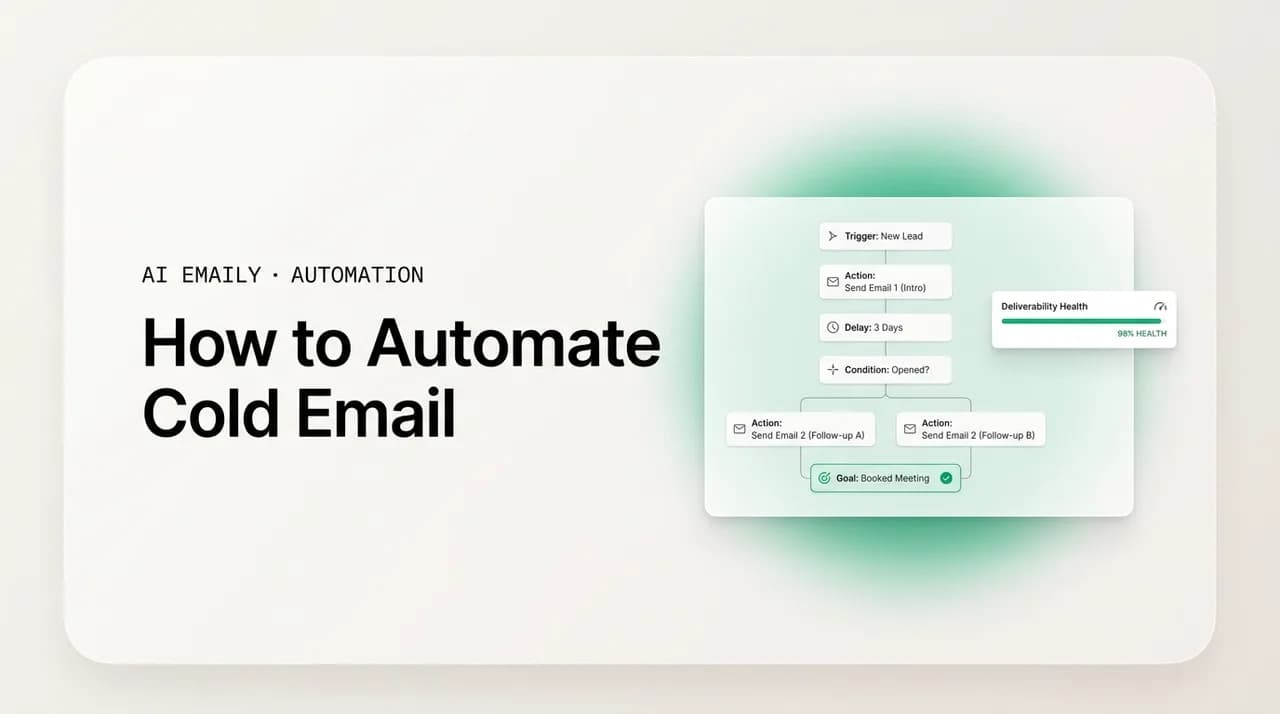
Automating cold email means handing a system three jobs you would otherwise do by hand: building and personalizing messages from a list of prospects, sending them on a schedule that respects deliverability limits, and following up automatically when there is no reply — stopping the instant someone responds. Strip away the marketing and that is the whole category. Every cold-email tool, from a lightweight sequencer to a full outbound platform, is some combination of those three jobs wrapped in analytics and deliverability tooling. If you understand the three jobs, you can evaluate any tool by how well it does each one.
The first job is generation and personalization: taking a row of data about a prospect — name, company, role, a relevant signal — and turning it into a message that reads as if you wrote it for that one person. The second job is sending: dripping those messages out across one or more mailboxes at a human pace, never in a spike, never above the per-mailbox limits that trip filters. The third job is the follow-up loop, which is where most replies actually live: if no answer arrives within a set window, send the next touch, and cancel every pending touch the moment the prospect replies. Get all three right and automation feels like a tireless, disciplined SDR. Get any one wrong and it feels like a spam cannon.
It is worth being precise about what automating cold email is not, because the word "automation" hides a critical fork. Genuine cold-email automation is targeted and measured: a finite, researched list, personalized messages, conservative volume, and a hard stop on reply. The degenerate version — the one that gives the whole practice a bad name — is spray-and-pray: a giant scraped list, a single template with a merge tag, maximum volume, and no thought for whether any given recipient should ever have been contacted. Both use the same software. Only one survives contact with 2026's inbox providers. The entire art of automating cold email is staying on the first side of that line while still getting the leverage of scale.
The other thing to be precise about is where this lives. Cold outreach is, by definition, sent to people who never asked to hear from you — which is exactly why it cannot share infrastructure with the email your business relies on. The reply rates are low, the complaint risk is real, and the reputation cost of getting it wrong is permanent. That single fact drives almost every recommendation in this guide: the tooling, the domains, the warmup, and the volume caps all exist to contain the blast radius of cold sending so that when something goes wrong — and at volume, eventually it does — it goes wrong on infrastructure you set up to absorb it, not on the inbox you live in.
The tool is neutral; the list and the discipline are not
What does the cold-email automation stack look like?#
A working cold-email program is not one product; it is a stack of three layers that have to fit together, and missing any one of them is why most attempts fail. The three layers are the sending tool (the engine that runs sequences and sends), the data (the list of prospects and the signals that let you personalize), and the warmup-plus-infrastructure layer (the domains, mailboxes, authentication, and ongoing warmup that keep you out of spam). People tend to obsess over the first layer and neglect the other two — which is precisely backward, because the data and the infrastructure decide whether the sending tool ever reaches a human.
The sending tool is the part everyone pictures: a platform that holds your sequences, rotates across mailboxes, sends on a schedule, runs A/B tests, and reports on opens, replies, and bounces. Dedicated cold-email platforms like Instantly and Smartlead are purpose-built for this — Smartlead manages inbox rotation across many sending accounts and handles warmup automatically; Instantly is built for sending at scale with large inbox pools, per-inbox volume caps, and granular analytics. All-in-one platforms like Apollo bundle the sender with a contact database. The common thread is that these are sending machines, designed to push cold volume across disposable infrastructure — not to be your everyday inbox.
The data layer is what separates a 3% reply rate from a 15% one. Automation that fires a generic template at a scraped list earns the floor; automation that fires a relevant message at people chosen for a real reason earns the ceiling. This layer is your list — sourced from a verified database (Apollo's covers a couple hundred million contacts), enriched with the signals that make personalization possible (role, company, recent funding, a hiring surge, a leadership change), and cleaned so bounces stay under the 2% line. The data layer is also where you decide who should never be contacted at all, which is half of staying compliant and most of staying out of spam. A small, well-chosen list is not a constraint on automation; it is what makes automation safe to run.
The third layer is the one that gets skipped and then sinks the whole program: infrastructure and warmup. This is the dedicated sending domain (separate from your real one), the mailboxes on it, the SPF/DKIM/DMARC authentication on every message, and the ongoing warmup that builds and maintains each mailbox's reputation. Without this layer, the best sequence and the cleanest list still land in spam, because the inbox providers have no reason to trust a brand-new domain sending cold volume. The rest of this guide spends most of its time here, because this is where deliverability is won or lost — and where the difference between a dedicated tool and your primary inbox becomes a hard rule rather than a preference.
| Layer | What it is | Tools / inputs | Why it matters |
|---|---|---|---|
| Sending tool | The engine that runs sequences and sends | Instantly, Smartlead, Apollo sequences | Rotates mailboxes, drips at a human pace, reports results |
| Data | The prospect list and personalization signals | Verified database, enrichment, list cleaning | Decides reply rate; bad data = spam + low replies |
| Infrastructure + warmup | Domains, mailboxes, auth, ongoing warmup | Separate domain, SPF/DKIM/DMARC, warmup | Decides whether anything reaches a human at all |
Build the stack in reverse order
How do you personalize cold email at scale?#
Personalization at scale sounds like a contradiction, and for years it mostly was — "Hi {{first_name}}" stuffed into a fixed template, sent to thousands, fooling no one. The reason it matters more than ever is that the numbers have moved hard against generic outreach. The average cold-email reply rate now sits around 3%, but messages that reference a specific buying signal — a funding round, a leadership change, a hiring surge — pull response rates of 15–25%, roughly a fivefold improvement. Personalization is no longer a nicety that lifts results at the margin; it is the difference between an outbound program that works and one that just burns domains.
The trap to avoid is mistaking variable-stuffing for personalization. Inserting a first name and a company name into a skeleton produces a message that is technically customized and instantly recognizable as a mail-merge — and experienced recipients, who get dozens of these a week, mark them as spam without reading. Real personalization references something true and specific about that prospect or their company: the role they actually hold and the problem it implies, a recent event at their business, a relevant result you delivered for a similar company. The structure of the message can repeat; the specifics have to be earned. A useful field rule is that a small, deeply personalized batch beats a large generic one every time — a targeted list of two hundred in the right role consistently out-performs a sprayed list of two thousand.
This is exactly where AI changed the economics. Modern cold-email platforms use AI to generate personalized variants from prospect data at scale — Instantly grounds its personalization on a prospect's LinkedIn plus custom variables; Smartlead leans on variation logic for at-scale uniqueness; Apollo's AI writer produces variants tied to prospect fields. Used well, this lets one person send genuinely tailored messages to hundreds of prospects rather than the handful they could write by hand. Used lazily, it produces a new flavor of generic — AI-written filler that reads smooth and says nothing. The discipline is the same as it was before AI: the message must reference something real, and the AI is a drafting accelerant, not a substitute for choosing the right people and giving it real signals to work with.
The practical method that scales without slipping into spray is tiered personalization. Reserve the deepest, hand-researched personalization for your highest-value prospects — a few sentences that could only have been written for them. Use signal-based personalization for the mid-tier — a single relevant trigger (the funding, the hire, the launch) woven into an otherwise repeatable structure. And keep the floor at role-and-industry relevance, which means the message at least makes sense for the person receiving it. Crucially, if you cannot clear even that floor for a given prospect, they do not belong on the list. That is the honest version of personalization at scale: not making a generic message feel personal, but only contacting people for whom a relevant message is possible in the first place.
Why does deliverability decide everything?#
You can have the best list and the sharpest copy in the world, and none of it matters if your messages land in spam. Deliverability — the question of whether your email actually reaches the inbox rather than the junk folder or a silent block — is the foundation everything else sits on, and in 2026 it is harder than it has ever been. The reason is that the major inbox providers formalized what used to be informal. Google, Yahoo, and Microsoft now enforce bulk-sender rules: spam complaints must stay under 0.3%, bounce rates under 2%, and authentication must be in place on every message. These are not guidelines. Cross the complaint threshold and your domain gets flagged across the provider, and a flagged domain does not recover on its own.
The single most important deliverability decision is also the simplest to state: never send cold email from your primary business domain. Cold outreach inherently generates the things that wreck sender reputation — bounces from imperfect lists, spam complaints from people who never opted in, and the sending patterns that filters distrust. If that activity runs on your main domain, the damage is not contained to your cold campaign; it bleeds into everything that domain sends, including the transactional email, the customer replies, and the contracts your business cannot afford to have land in spam. Sending cold from your primary domain risks the reputation of all your company's email at once. That is the whole reason the rest of this section exists.
So the architecture is deliberate and a little inconvenient on purpose: register one or more secondary domains used only for cold outreach, set up mailboxes on them, authenticate every message, warm each mailbox up slowly, and cap the volume hard. Many cold-email teams buy these domains two to four weeks before they intend to send, just to let them age before warmup even begins. The goal of the entire setup is containment — to make cold sending happen on infrastructure you have deliberately built to absorb reputation risk, so that when a campaign goes sideways, the blast radius stays on a domain you can afford to retire rather than the one you live in. The next few sections break down each piece: warmup, the three authentication records, volume limits, and the separate-domain decision laid out side by side.
It is worth internalizing why one number — the 0.3% complaint rate — dominates everything. A spam complaint is worse than a bounce by a wide margin; by common estimates, one complaint damages your reputation more than ten bounces, because a complaint is an explicit human signal that your mail is unwanted, and providers weight it heavily. At 0.3%, you are allowed roughly three complaints per thousand sends before you are in trouble. That is a brutally low ceiling, and it is the real argument against high volume and bad targeting: every poorly chosen recipient is a coin-flip on a complaint, and it only takes a handful to tip a domain into the spam folder for everyone. Deliverability discipline is, in the end, just the operational expression of respecting that one threshold.
Never send cold email from your primary domain
How do you warm up a sending domain (and why)?#
Domain and mailbox warmup is the process of gradually ramping up sending from a new address so that inbox providers learn to trust it before it ever sends a real campaign. A brand-new domain has no reputation, and to a spam filter, no reputation plus sudden cold volume looks exactly like a spammer who just registered a throwaway domain. Warmup solves this by faking the early life of a legitimate sender: low volume at first, steady increases, and engagement signals (opens, replies, messages moved out of spam) that tell the providers a real human relationship exists. Skip warmup and even a perfectly authenticated domain will land in spam, because trust is earned over time, not declared.
The mechanics are a slow, deliberate ramp. The standard guidance is to start a new domain at roughly five to ten emails per day and increase gradually over four to six weeks, holding predictable daily volumes the whole way. The reason the ramp has to be gentle is that sudden spikes in sending velocity are themselves a spam signal — providers watch for accounts that jump from zero to hundreds overnight, because that is what compromised or throwaway accounts do. A legitimate sender grows into volume; warmup imitates that growth. During this period, automated warmup tools (built into platforms like Smartlead, or available standalone) send messages between networks of real inboxes and auto-engage with them, manufacturing the early engagement history that a new domain otherwise lacks.
Warmup is not a one-time event you finish and forget — it is ongoing maintenance. Even after a domain is warm, most operators keep a baseline of warmup activity running underneath their real campaigns, because reputation decays and providers continuously re-evaluate. If you pause a domain for a while and then resume at full volume, you effectively have to warm it again. The practical implication for planning is timing: between buying and aging the domain (two to four weeks), warming it (four to six weeks), and only then sending real campaigns, a properly built cold-email program takes the better part of two months to stand up. Teams that try to skip the wait and blast a fresh domain on day one are the ones who burn domains fastest and wonder why nothing lands.
This long, deliberate setup is also a quiet argument for where the line sits between high-volume cold tooling and an everyday email client. Warmup, domain aging, and reputation maintenance are the concerns of a disposable-infrastructure sending operation — you do this work precisely because you expect to push aggressive volume and may eventually retire the domain. Your real inbox, on your primary domain, is the opposite: it is already trusted, it has years of genuine engagement history, and you protect that reputation by never running cold volume through it. The warmup discipline that makes cold sending possible is the same discipline that tells you cold sending does not belong in your main inbox.
Warmup is a six-week ramp, not a switch
What do SPF, DKIM, and DMARC actually do?#
SPF, DKIM, and DMARC are the three authentication records that prove you are allowed to send from your domain — and as of 2026 they are not optional. The bulk-sender rules from Google, Yahoo, and Microsoft require all three to be in place and aligned, with no exceptions, before they will reliably deliver your mail. Without them, your messages either land in spam or get rejected outright, no matter how good the content is. Authentication is the price of admission: it tells the mailbox provider that you control the domain, that you are not impersonating someone else, and that they can safely attach a reputation score to you. Skipping it is the single fastest way to guarantee a cold campaign never reaches a human.
Each record does a distinct job, and they reinforce each other. SPF (Sender Policy Framework) is a published list of the servers permitted to send mail for your domain — when a message arrives, the provider checks whether it came from an authorized server. DKIM (DomainKeys Identified Mail) attaches a cryptographic signature to each message that proves it genuinely came from your domain and was not tampered with in transit. DMARC (Domain-based Message Authentication, Reporting, and Conformance) ties the two together: it tells providers what to do with mail that fails SPF or DKIM (ignore, quarantine, or reject) and sends you reports on who is sending mail in your name. SPF says "these servers are allowed," DKIM says "this message is genuinely mine," and DMARC says "here is my policy and show me the receipts."
DMARC in particular should be rolled out in stages rather than switched on at full strength, and getting this wrong can block your own legitimate mail. The standard practice for a cold-email sending domain is to start with a policy of p=none for about thirty days — this monitors and reports without affecting delivery — while you read the DMARC reports and confirm that SPF and DKIM are passing on everything you send. Once alignment reaches 100%, you escalate to p=quarantine (failures go to spam) for another monitoring period, and finally to p=reject (failures are blocked) once you are confident. Rushing straight to p=reject before your authentication is clean is a classic self-inflicted wound: you end up blocking your own messages and wondering why delivery cratered.
Two practical notes keep this from going wrong. First, set up authentication on the dedicated sending domain, not just your primary one — each domain you send cold from needs its own SPF, DKIM, and DMARC, correctly configured for the sending tool you use. Second, treat the DMARC reports as an ongoing monitoring tool, not a setup step you complete and ignore; they are how you catch a misconfiguration before it quietly tanks deliverability, and how you spot anyone spoofing your domain. Authentication is genuinely a one-time setup in the sense that you configure the records once, but the monitoring it enables is permanent, and it is part of what separates a maintained sending operation from a fire-and-forget one.
| Record | What it proves | Plain-English job | 2026 status |
|---|---|---|---|
| SPF | Which servers may send for your domain | "These servers are allowed to send as me" | Required + aligned |
| DKIM | The message is genuinely yours, untampered | "This exact message really came from me" | Required + aligned |
| DMARC | Your policy for failures + reporting | "Here's what to do with fakes — and show me reports" | Required; ramp none → quarantine → reject |
Ramp DMARC; don't slam it to reject
How much cold email can you safely send per day?#
There is a hard practical ceiling on cold volume per mailbox, and it is far lower than beginners expect. The widely cited safe limit for cold outreach in 2026 is 50–100 emails per mailbox per day, and many operators stay at the conservative end. Push a single mailbox past roughly fifty cold sends a day and you start tripping spam filters at most providers, which hurts deliverability across everything that mailbox sends — not just the marginal messages. The instinct to crank volume up to hit a pipeline number is exactly the instinct that destroys the program, because the providers read a high-volume cold sender as precisely what it is.
This per-mailbox cap is the reason serious cold-email operations run pools of mailboxes rather than one busy account. If a single mailbox tops out around fifty to a hundred sends a day, then reaching meaningful volume means spreading the load across many mailboxes — often across several sending domains — with the sending tool rotating between them and enforcing a per-inbox cap on each. This is a core feature of platforms like Instantly, which are built to manage large inbox pools with per-inbox volume limits and automated rotation precisely so that no single mailbox ever sends enough to flag itself. The architecture exists because the per-mailbox limit is real and unforgiving; you scale horizontally across mailboxes, never vertically by overloading one.
But the deeper point is that volume is not the strategy, and treating it as one is the central mistake of the spray-and-pray era. A targeted list of two hundred people in the right role at the right companies consistently out-performs a sprayed list of two thousand, and smaller campaigns of fifty recipients or fewer average response rates around 5.8% against roughly 2.1% for large lists. The math is brutal for the volume player: more sends to worse-fit people means more complaints, more bounces, faster reputation decay, and a lower reply rate — you pay more to perform worse. The teams winning in 2026 send a hundred perfectly targeted emails and book fifteen to twenty conversations, not ten thousand generic ones to book the same.
So the right way to think about volume is as a constraint you design within, not a dial you maximize. Decide how many genuinely good-fit prospects you can identify and personalize for, size your mailbox pool to send that volume comfortably under the per-mailbox cap, and resist the urge to pad the list to fill capacity. If you find yourself adding marginal prospects just to use up sending headroom, you have inverted the logic — the headroom should serve the list, not the other way around. Conservative, targeted, and patient beats aggressive, broad, and fast on every metric that matters, including the only one that ultimately counts, which is whether your mail keeps reaching inboxes at all.
Stay under ~50 cold sends per mailbox per day
How do you build cold-email sequences and follow-ups?#
Most of the replies a cold campaign earns do not come from the first email — they come from the follow-ups, which is why a sequence, not a single send, is the unit of cold outreach. A cold-email sequence is a planned series of touches: an initial message, then a set of follow-ups spaced out over days, each one fired automatically if no reply has arrived, and every pending touch canceled the instant the prospect responds. The first email opens the door a crack; the follow-ups are what get it open. Building the sequence well is mostly about two decisions — how many touches and how far apart — plus a non-negotiable safety rule about stopping.
On the number of touches, the honest answer is a handful, not a dozen. Sequences of roughly four to seven touches reply at meaningfully higher rates than one-to-three-touch sequences, because persistence captures the replies that live past the first message. But the same data shows sharply diminishing returns and rising risk beyond that — push too far and spam complaints climb fast, and many prospects (enterprise contacts especially) simply ghost after two or three touches. For most cold campaigns, three to five total touches — the initial email plus two to four follow-ups — is the defensible sweet spot. The goal is the follow-up that earns the reply, not the maximum number of follow-ups you can cram in before someone marks you as spam.
On spacing and content, the principle is to start tight and widen, and to make every touch earn its place. The first follow-up comes a couple of business days after the initial send, while the message is still fresh; subsequent touches space out — roughly four days, then a week, then longer — both to avoid fatigue and to catch the prospect at a different moment. Critically, each touch should add a new, genuinely useful element — a relevant case study, a fresh angle, an answer to a likely objection — rather than the dreaded "just checking in," which signals you have nothing to say and trains the recipient to ignore you. The later touches get shorter and easier to answer; the final one often gracefully signals you will stop, which paradoxically tends to earn replies by removing pressure.
The safety rule that makes the whole sequence trustworthy is stop-on-reply: the instant a prospect responds, every pending follow-up on that thread must be canceled automatically, before any of them can fire. Nothing damages a cold relationship faster than an automated "just following up" landing two days after the prospect already replied with interest — it tells them, in the plainest possible terms, that a script and not a person is running the conversation. A good sequence also stops on a clear "not interested" (continuing past an explicit no is both rude and, for marketing mail, legally fraught) and on a bounce. Before you automate any cadence, confirm the tool enforces all three stops, because the cost of getting the stop wrong is measured in burned prospects, not just wasted sends. For a deeper treatment of cadence, timing, and copy, see our guides to email sequences and automated follow-up emails.
| Touch | Timing (from initial send) | Content & tone | Stop condition |
|---|---|---|---|
| Initial email | Day 0 | The full, personalized pitch with a clear ask | Reply → no follow-ups fire at all |
| Follow-up 1 | Day 2–3 | Brief; add one new useful angle | Reply → cancel all remaining touches |
| Follow-up 2 | Day 6–7 | Shorter; a relevant proof point or idea | Reply → cancel remaining touches |
| Follow-up 3 | Day 12–14 | Light nudge, easy to answer in one line | Reply → cancel the final touch |
| Follow-up 4 (optional) | Day 20+ | Graceful close; signals you'll stop here | Reply → ends; otherwise it closes |
Is cold email even legal? CAN-SPAM and GDPR explained#
Cold email is legal in most major markets, but the rules differ sharply by region and getting them wrong ranges from embarrassing to expensive. In the United States, B2B cold email is permitted under CAN-SPAM essentially by default — you may email people who never opted in, provided you follow the law's requirements. In the European Union and the United Kingdom, the picture is stricter: GDPR requires a lawful basis before you send, which for B2B outreach is usually "legitimate interest," and that basis has to be genuine and documented. In Canada, CASL is stricter still, generally requiring express or valid implied consent before the first send. The practical upshot is that compliance is geographic — who you are emailing determines which rulebook applies.
Under CAN-SPAM, the requirements are concrete and not especially burdensome: do not use deceptive subject lines or false header information, identify the message honestly, include a valid physical postal address, provide a clear and working way to opt out, and honor opt-out requests promptly (the law allows up to ten business days, though honoring them immediately is the better practice). CAN-SPAM does not require prior consent, which is why US B2B cold email is widespread and legal. The fines are modest by GDPR standards — typically a few thousand dollars per violation — but they add up, and the reputational and deliverability cost of being treated as a spammer dwarfs the legal one regardless.
GDPR is the regime to take most seriously, because the penalties are severe — up to €20 million or 4% of global annual revenue — and the bar is higher. For B2B cold outreach to EU residents, the lawful basis is typically legitimate interest under Article 6(1)(f), which is not a free pass: you must pass a three-part test (a genuine purpose, the necessity of the processing for that purpose, and a balancing of your interest against the recipient's rights) and keep a documented Legitimate Interest Assessment on file. In practice that means your outreach has to be genuinely relevant to the person's professional role, you must be able to explain why contacting them serves a real business purpose, you must honor opt-outs immediately (not within ten days), and you must include your identity and a postal address. Note too that the landscape keeps tightening — France mandates explicit B2C consent from August 2026, and Germany already requires it — so this is an area to keep checking rather than set once.
The honest synthesis for an automated program is that compliance and good deliverability point in the same direction, which makes the right thing also the smart thing. Both demand that you contact only people for whom your message is genuinely relevant, that you identify yourself honestly, and that you make opting out trivially easy and honor it instantly. Spray-and-pray fails the legitimate-interest test, trips CAN-SPAM's honesty requirements when senders get sloppy, and generates exactly the complaints that wreck a domain — so the practices that keep you legal are the same ones that keep you in the inbox. None of this is legal advice; if you send at scale into the EU or Canada, get the legitimate-interest assessment and opt-out flow reviewed by someone qualified. But the operating principle is simple: relevance, honesty, and an easy exit, applied to everyone you contact.
| Dimension | CAN-SPAM (US) | GDPR (EU/UK) |
|---|---|---|
| Prior consent | Not required for B2B | Lawful basis required (usually legitimate interest) |
| Opt-out timing | Within 10 business days (immediate is better) | Immediately |
| Documentation | Honest identity + postal address | Documented Legitimate Interest Assessment |
| Max penalty | A few thousand dollars per violation | €20M or 4% of global revenue |
| Practical rule | Be honest, give an easy opt-out | Be relevant, document why, exit on request |
Compliance and deliverability want the same thing
What actually kills cold email? (Spray-and-pray)#
The fastest way to destroy a cold-email program is the approach that feels most like progress: spray-and-pray. The pattern is familiar — buy or scrape the biggest list you can find, write one template with a merge tag, set the volume as high as the tool allows, and fire. It feels productive because the send counter climbs fast, and that is exactly the problem. Every send to a poorly chosen recipient is a roll of the dice on a spam complaint, and at a 0.3% complaint ceiling, it takes only a handful of bad bets to flag your domain. The volume player optimizes the one number that actively harms them and then blames the channel when nothing lands.
The data has rendered a clear verdict, and 2026 is the year it became undeniable: the volume play is finished and the spray-and-pray era is dead. The average cold-email reply rate has fallen to the low single digits — around 3% — precisely because so many senders treated scale as strategy and trained the inbox providers to distrust cold mail. Meanwhile, targeted outreach referencing real buying signals pulls 15–25%. Same channel, same tools, results that differ by a factor of five — the only variable is whether the sender chose relevance or volume. The race to the bottom on volume produced a channel where the disciplined win big and the sprayers lose everything, including the domains they sprayed from.
It is worth naming the specific failure modes, because they are predictable and avoidable. Buying or scraping unverified lists guarantees high bounce rates that breach the 2% line and signal a careless sender. A single generic template insults the recipient's intelligence and earns complaints rather than replies. Cranking volume past the per-mailbox cap trips filters directly. Sending from the primary domain detonates the company's entire email reputation in one campaign. Skipping warmup or authentication ensures spam placement from message one. And ignoring stop-on-reply turns engaged prospects hostile. Each of these is a self-inflicted wound, and spray-and-pray tends to commit several at once — which is why it does not merely under-perform but actively burns the infrastructure it runs on.
The antidote is not a clever trick; it is the discipline this entire guide describes. Choose a small, verified, genuinely targeted list. Personalize with real signals. Send from a dedicated, warmed, authenticated domain. Stay under the per-mailbox volume cap. Sequence with a handful of value-adding touches and a hard stop on reply. Honor compliance and make opting out easy. None of these is exotic, and together they are the difference between an outbound program that compounds — building reputation, booking conversations, and reaching inboxes month after month — and one that flares out and takes your domain with it. Cold email is not dead; spray-and-pray is. The senders who internalize that distinction are the ones still in the inbox.
Volume is not a strategy
Dedicated cold-email tools vs. your inbox: which do you need?#
Here is the honest, load-bearing distinction this guide has been building toward: high-volume cold outreach and personalized one-to-one outreach are different jobs that need different tools, and conflating them is how people either burn their domain or waste a dedicated platform's power. If your job is to send hundreds or thousands of cold messages to people who have never heard of you, that work belongs in a dedicated cold-email tool — Instantly, Smartlead, Apollo, and their peers — running on a separate sending domain you have warmed and can afford to retire. These platforms exist precisely to manage mailbox pools, automated rotation, per-inbox volume caps, warmup, and deliverability monitoring at scale. They are sending machines, and that is what high-volume cold outreach requires.
What that work does not belong in is your primary inbox on your real domain. We have said it throughout because it is the rule everything else protects: cold volume generates the bounces, complaints, and sending patterns that wreck sender reputation, and your primary domain's reputation is not something you can re-buy. Running a thousand cold emails through your everyday email account does not save you a subscription — it spends the one asset (a trusted domain with years of genuine engagement history) that makes your real business email reliable in the first place. The separate-domain rule is not about features; it is about containment. Disposable infrastructure absorbs the risk so your real inbox never has to.
But there is a second kind of outreach that is just as real and that a dedicated bulk tool is wrong for: high-value, low-volume, personalized one-to-one email sent from your actual inbox. This is the warm introduction, the carefully researched message to a single dream account, the considered reply to an inbound lead, and — above all — the disciplined follow-up on conversations that genuinely matter. This work is not about volume at all; it is about relevance, voice, and persistence on a handful of relationships where each one is worth real effort. Sending it from your real inbox is correct, because these are people you actually want associated with your real identity and domain. The failure here is the opposite of spray-and-pray: it is letting valuable one-to-one threads die because you never wrote the follow-up.
So the decision rule is clean. Are you blasting cold volume to strangers? Use a dedicated cold-email tool on a separate domain, and follow every deliverability discipline in this guide. Are you doing personalized one-to-one outreach and follow-up that you want sent from your real inbox, where reputation is an asset to protect rather than spend? That is a different tool entirely — and it is exactly where AI Emaily fits. The two are not competitors; they are complements that happen to share the word "cold." Use the bulk tool for reach on disposable infrastructure, and use an AI email client for the high-value relationships you run from the inbox you actually live in.
| Dimension | Dedicated cold-email tool | AI email client (AI Emaily) |
|---|---|---|
| Job | High-volume cold outreach to strangers | Personalized 1:1 outreach + follow-up |
| Domain | Separate, disposable sending domain | Your real, primary inbox — protected |
| Volume | Hundreds–thousands across mailbox pools | Low; high-value relationships only |
| What it optimizes | Reach, rotation, deliverability at scale | Voice, relevance, reliable follow-up |
| Reputation stance | Spend it; retire the domain if burned | Protect it; never run cold volume through it |
| Right when | You're running outbound campaigns | You're doing considered 1:1 email |
Two tools, one honest rule
How does AI Emaily help with personalized 1:1 outreach and follow-up?#
AI Emaily is deliberately honest about what it is and is not. It is not a bulk cold-email platform, it does not manage mailbox pools or blast thousands of strangers, and if that is your job you should reach for a dedicated tool on a separate domain — we have said so plainly throughout this guide. What AI Emaily is, is an AI-native email client built for the other half of outreach: the personalized, one-to-one messages and the disciplined follow-up you run from your real inbox, where every send carries your actual identity and your domain's reputation is an asset to protect rather than a resource to spend. That positioning is the point, not a limitation — it is what lets the product genuinely protect your primary domain instead of putting it at risk.
On the outreach itself, the agent's job is voice-accurate drafting for the messages that matter. Rather than stuffing variables into a template, it learns how you actually write — your length, tone, openings, and sign-offs — by reading your sent mail, and it drafts personalized one-to-one messages grounded in the real context of the relationship: the prospect, the thread, the prior conversation. For the warm introduction, the considered message to a single dream account, or the thoughtful reply to an inbound lead, that produces a draft that reads as genuinely yours and genuinely about them — the kind of personalization that earns the 15–25% response rates this guide described, because the relevance is real rather than merged in. This is one-to-one outreach at the quality you would write by hand, with the speed of having a chief of staff draft the first version.
On follow-up, the agent does the part everyone forgets: it watches the threads that expected a reply and went quiet, drafts the nudge in your voice grounded in the actual conversation, schedules it on a cadence you control, and stops the entire sequence the instant a reply lands. This is follow-up autopilot for your real relationships — not a campaign machine, but a diligent assistant making sure the high-value threads you would otherwise let die get the persistent, on-tone follow-up that closes them. And it runs through three autonomy levels you choose per scope: Manual, where it drafts and surfaces and you send; Copilot, where it prepares and queues each message and waits for your approval before anything leaves; and Autopilot, where it sends routine follow-ups on its own within the bounds you set. Most one-to-one outreach lives happily in Copilot, where you keep a hand on every outbound message while the agent does the remembering and the drafting.
Two design choices make this safe for the inbox you actually depend on. First, undo and a complete audit log: you get a window to pull back a message after it sends, and every draft, schedule, send, and cancellation is recorded — so the agent's work on your real domain is always reviewable and reversible, never a black box acting in your name. Second, AI Emaily is provider-agnostic and private by design: the same agent and the same behavior work across Gmail, Outlook, and any inbox you connect; your mail is never used to train models; and content is handled with care rather than mined. Because the whole product is built around protecting the reputation of the inbox you live in — modest, relevant, one-to-one volume with full accountability — it is structurally the opposite of a bulk blaster. That is the honest pitch: for cold volume, use a dedicated tool on a separate domain; for the personalized outreach and follow-up you run from your real inbox, AI Emaily is built to do it in your voice and keep your primary domain safe.
Use AI Emaily for the 1:1 half — protect your real domain
How should you put this together?#
The throughline of this guide is a single distinction with large consequences: automation amplifies whatever you point it at, so the question is never just "how do I automate cold email" but "which kind of cold email am I automating, and on which infrastructure." High-volume outreach to strangers is a legitimate, powerful program — but it lives in a dedicated sending tool, on a separate domain you have aged and warmed, authenticated with SPF, DKIM, and DMARC, capped at conservative per-mailbox volume, fed by a small and genuinely targeted list, and run with sequences that add value and stop the instant someone replies. Do all of that and you stay in the inbox; skip any of it and you join the spray-and-pray crowd whose domains and reply rates are already gone.
The deliverability fundamentals are not optional extras — they are the program. Never send cold from your primary domain. Warm new domains over four to six weeks and keep a baseline running. Authenticate every message and ramp DMARC from none to quarantine to reject. Stay under roughly fifty cold sends per mailbox and scale by adding mailboxes, not by overloading one. Respect the 0.3% complaint ceiling as the hard constraint it is, which means choosing relevance over reach every single time. And let compliance guide you in the same direction it already points: contact only people for whom your message is genuinely relevant, identify yourself honestly, and make opting out instant. The disciplined approach is also the legal one and the deliverable one — they are the same path.
Then draw the line honestly, because it determines which tool you reach for. For blasting cold volume, use a dedicated platform on disposable infrastructure and follow every rule above. For the other kind of outreach — the personalized one-to-one messages and the disciplined follow-up you run from your real inbox, where reputation is an asset to protect — that is a different tool, and it is where AI Emaily fits. It drafts personalized one-to-one outreach in your voice, runs your follow-up on autopilot with a hard stop on reply, works across every provider, keeps your mail private, and gives you undo plus a full audit log — all explicitly designed to protect the primary domain a bulk blaster would put at risk.
If the work in front of you is high-value, one-to-one, and run from the inbox you actually live in, that is exactly what AI Emaily is for. The Free plan ($0) lets you feel how it reads and drafts your mail in Manual mode; Pro ($12.42/mo billed annually) unlocks Copilot, where the agent prepares each personalized message and follow-up and you approve it before it leaves. Automate the cold volume in a dedicated tool on a separate domain, and let AI Emaily handle the personalized outreach and follow-up that deserve your real inbox — in your voice, with your domain protected. Create your account at app.aiemaily.com/signup.
Frequently asked
See it in AI Emaily
Keep reading
Sources
- Instantly — How to Achieve 90%+ Cold Email Deliverability (warmup, auth, volume)
- Mailivery — Email Warmup Best Practices for 2026: A Step-by-Step Guide
- Prospeo — SPF, DKIM, DMARC Setup for Cold Email: Complete 2026 Guide
- GrowLeads — Subdomain for Cold Email: Protect Your Main Domain in 2026
- Instantly — GDPR, CAN-SPAM, and B2B Email List Compliance for Cold Outreach
- Cleanlist — Cold Email Response Rate Statistics: 3.1% Average (2026 Data)
- Smartlead — How to Automate Cold Email Campaigns in 2026

Written by
Nafiul HasanNafiul Hasan is an entrepreneur and AI automation system builder with 10+ years of experience turning messy, manual workflows into reliable automated systems. He designs and ships AI enterprise solutions end-to-end — the agent logic, the data plumbing, and the product people actually use — and founded AI Emaily to give busy professionals their attention back. He writes here from the builder's seat: what works, what breaks, and how to put AI to work without giving up control.