Inbox and message management for property managers: one inbox for Airbnb, VRBO, SMS, and email

The short answer
Good message management for property managers starts with one unified inbox that pulls Airbnb, VRBO, SMS, WhatsApp, and email into a single thread per person. Layer triage buckets, saved templates, on-call routing, and a link to your PMS on top, and a small team can cover a growing portfolio without missing a message or burning out.
A practical guide to message management for property managers: why guest and tenant conversations scatter across Airbnb, VRBO, SMS, WhatsApp, and email, and how to build one unified inbox with triage, templates, on-call routing, and PMS integration.
On this page
- 01Why message management for property managers is so hard
- 02What breaks when messages live in five different apps
- 03The foundation: one unified inbox for every channel
- 04Triage: sort the firehose into buckets that make sense
- 05Templates: stop typing the same answer for the hundredth time
- 06On-call routing: make sure the right message reaches the right person
- 07PMS integration: connect the inbox to the system of record
- 08Managing a growing portfolio without adding headcount
- 09How AI Emaily helps with message management for property managers
- 10Putting it all together
Why message management for property managers is so hard#
If you manage property, your day is not really about buildings. It is about messages. A guest wants the door code an hour before check-in. An owner wants to know why last month's payout was lower. A plumber texts a photo of a burst valve. A tenant reports no hot water at 11 p.m. A prospect asks whether the two-bedroom is still available. Each of these lands in a different place, on a different clock, from a different person, and every one of them expects you to already have the context. Message management for property managers is the quiet, unglamorous work that decides whether the whole operation feels calm or chaotic, and most managers are doing it with tools that were never designed for the job.
The core problem is fragmentation. Your conversations are not in one place; they are smeared across half a dozen channels that do not talk to each other. Short-term rental guests message you inside the Airbnb and VRBO apps, then switch to SMS or WhatsApp once they have your number. Long-term tenants email, text, call, and sometimes fill out a portal form. Owners email, and the important owners call. Vendors text photos and invoices. Your own team pings you on Slack or WhatsApp about all of the above. There is no single inbox that holds the full picture of any one relationship, which means you are constantly reconstructing context from memory and screenshots.
That fragmentation would be survivable if the volume were low. It is not. A short-term-rental host or co-host can field round-the-clock inquiries, and for many managers guest messaging is the single most time-consuming task of the week. On the residential side the traffic is daily and relentless: maintenance requests, lease questions, showing coordination, rent reminders, and the after-hours emergencies that do not wait for business hours. Multiply either one across a growing portfolio and the inbox stops being a to-do list and becomes a firehose.
It is worth naming the specific groups you are managing conversations with, because each one has a different tolerance, a different urgency, and a different failure mode. When you understand who you are really juggling, the case for a single system becomes obvious.
- Guests and tenants — the highest-volume group and the most time-sensitive. Guests ask the same check-in, Wi-Fi, parking, and house-rule questions on repeat, often at odd hours. Tenants report problems that range from a squeaky door to a genuine emergency, and they judge you almost entirely on how fast you respond.
- Owners — lower volume but higher stakes. An owner is your customer, and a slow or vague reply about a payout, a repair cost, or an occupancy dip erodes the trust that keeps their doors under your management.
- Vendors and contractors — the people who actually fix things. Plumbers, cleaners, handymen, and turnover crews communicate in fast, informal bursts, usually by text, often with photos, and a dropped message here means a unit that does not get turned or a repair that stalls.
- Maintenance and emergencies — a category that cuts across the others. A no-heat call in winter or a leak spreading to the unit below is not a normal message; it needs to jump the queue, reach the right person immediately, and never sit unread in a general inbox.
- Your own team — coordinators, co-hosts, and assistants who need to hand conversations back and forth without losing the thread or double-replying to the same guest.
Now layer the channels on top of the people, and you can see why nothing stays organized. The same guest might start a conversation in the Airbnb app, continue it over SMS, and finish it on WhatsApp, and unless something stitches those together you are treating one person as three strangers. The same maintenance issue might arrive as a tenant email, a vendor text, and an owner phone call, three fragments of a single event scattered across three apps. This is the real shape of the problem: not too many messages, but too many disconnected places to look for them.
The cost of that scatter is not abstract. Speed is the currency of this business, and the platforms enforce it directly. Airbnb tracks your response rate and response time and factors them into your visibility and your Superhost standing, so a message that slips through the cracks is not just a missed reply, it is a ranking penalty and a lost booking. On the residential side, a tenant who waits hours for an acknowledgment starts drafting a bad review in their head. When messages live in five places, some of them will always be waiting too long, simply because you did not know they were there.
The real problem is not volume, it is fragmentation
What breaks when messages live in five different apps#
Before we build the solution, it helps to be precise about the failure modes, because each one maps to a specific piece of the system you will assemble later. When your conversations are scattered, the same handful of things break over and over, and every property manager recognizes them.
The first is the missed message. Not a message you chose to ignore, but one you genuinely never saw, because it arrived in a channel you were not watching at the time. A WhatsApp message during dinner, an Airbnb inquiry while you were deep in the VRBO app, a tenant text that got buried under family messages on your personal phone. In a scattered setup, missed messages are not a discipline failure; they are a structural certainty. There are simply more inboxes than any human can watch continuously.
- Lost context. When a guest moves from the Airbnb app to SMS, the new channel has none of the booking history, so you answer the same question twice or ask something they already told you. Every channel switch resets your memory to zero.
- Slow responses that cost rankings and reviews. Airbnb weighs response time and response rate; long-term tenants weigh how fast you acknowledge a problem. Fragmentation guarantees that some replies will be late, because you cannot triage a queue you cannot see in one place.
- Double-handling and dropped hand-offs. Two team members reply to the same guest, or each assumes the other has it and nobody does. Without a shared inbox, coordination happens by luck.
- No searchable history. When an owner disputes what was agreed or a guest claims you never sent the parking instructions, you are scrolling three apps to reconstruct a timeline instead of pulling up one thread.
- Burnout from constant context-switching. Jumping between five apps all day is not just slow, it is exhausting. The mental cost of "which app was that in?" is a tax you pay on every single message.
- Blind spots at scale. What is merely annoying with five units becomes dangerous with fifty. The channels that were manageable by hand quietly cross the line into unmanageable, and you usually find out via a bad review.
None of these are exotic. They are the daily texture of managing property with fragmented tools, and they compound. A missed message becomes a slow response becomes a bad review becomes a ranking hit becomes fewer bookings. The point of a proper message-management system is to break that chain at the first link, by making sure no message ever lives somewhere you are not looking. Everything that follows is built to do exactly that.
The foundation: one unified inbox for every channel#
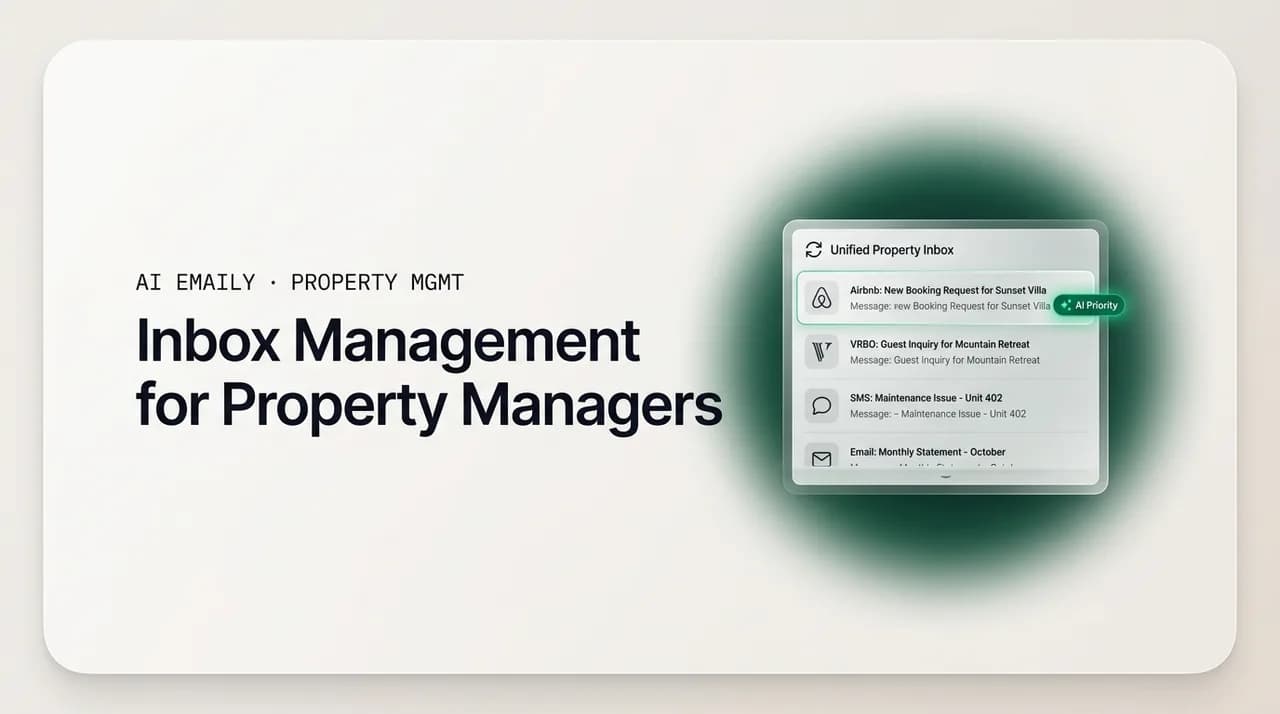
The single most valuable move a property manager can make is to stop treating each channel as its own inbox and start treating them as feeds into one. A unified inbox is exactly what it sounds like: a single screen where an Airbnb message, a VRBO message, an SMS, a WhatsApp thread, and an email all appear side by side, sorted by how recently they arrived and how urgent they are, regardless of where they originated. Instead of checking five apps, you check one place, and the one place is complete.
The mechanics matter, so let us be concrete about what a good unified inbox actually does under the hood. It is not just a list of notifications from different services; it is a consolidation layer that normalizes wildly different sources into a consistent shape.
- 1
Channel consolidation
Every source — Airbnb, VRBO, SMS, WhatsApp, email, and portal forms — connects into one stream. New messages arrive in the same place no matter which app the sender used, so "check the inbox" becomes one action instead of five.
- 2
One thread per person, not per channel
When a guest starts on Airbnb and switches to SMS, the system stitches those into a single conversation tied to that person and that booking. You see the whole relationship in one scroll, not three disconnected fragments.
- 3
Booking and unit context attached
Each conversation carries the reservation dates, the property, the check-in status, or the lease details right next to the messages, so you never answer blind or dig through a separate system to know who you are talking to.
- 4
Unified read and reply state
A message you have answered shows as answered everywhere, and a reply you type goes back out through the channel it came in on. The guest still gets your SMS as an SMS; you just never had to open the SMS app to send it.
- 5
A shared view for your team
Everyone who covers the inbox sees the same queue, the same read state, and the same assignments, which is what makes clean hand-offs possible instead of two people replying to the same guest.
The reason this is the foundation and not a nice-to-have is that every other improvement depends on it. You cannot triage a queue you cannot see in one place. You cannot route to an on-call teammate if the message is stuck in someone's personal WhatsApp. You cannot measure your response time if it is spread across apps that each track it differently. Consolidation is the prerequisite for everything else, which is why it comes first. Get every channel into one inbox, and the rest of this guide becomes possible; skip it, and you are optimizing around a hole in the boat.
There is a trust dimension here too. When you consolidate, you gain a single, searchable history of every conversation with every guest, tenant, owner, and vendor. That history is your defense when an owner disputes a decision, your evidence when a guest claims they were never told the check-out time, and your onboarding material when a new coordinator needs to understand a relationship they did not start. A unified inbox is not just faster; it is the system of record for your business's most important relationships.
Consolidate before you automate
Triage: sort the firehose into buckets that make sense#
A unified inbox tells you every message in one place, but a full inbox is still overwhelming if every item looks equally urgent. The next layer is triage: a fast, repeatable way to sort incoming messages into a small number of buckets so you always know what to touch first and what can wait. Triage is not about answering everything faster; it is about answering the right things first and letting the rest queue without anxiety.
The trick is to keep the buckets few and unambiguous. Too many categories and nobody uses them; too few and they do not help. For most property managers, a handful of buckets covers the vast majority of traffic, and each bucket comes with a clear response expectation so there is no guesswork about what "handled" means.
| Triage bucket | What lands here | Target response | Handling |
|---|---|---|---|
| Emergency | No heat, water leak, lockout, safety issue, anything urgent from a guest or tenant in the unit right now | Minutes | Jump the queue, acknowledge immediately, route to on-call, escalate to a human |
| Booking-critical | Check-in details, door codes, arrival-day questions, availability inquiries that convert to bookings | Under an hour | Answer fast; speed here protects rankings, reviews, and conversion |
| Routine question | Wi-Fi, parking, amenities, house rules, check-out time, repeat FAQs | Same day | Template or auto-reply; the bulk of volume, and the most automatable |
| Maintenance / vendor | Non-urgent repair requests, vendor scheduling, turnover coordination, photos and invoices | Same or next day | Acknowledge, create a ticket, route to the right vendor, track to done |
| Owner / financial | Payout questions, statements, approvals for repairs, portfolio updates | Within a day, carefully | Human-reviewed; accuracy and tone matter more than speed |
| FYI / no action | Confirmations, review notifications, marketing, thank-you notes | None | Archive or skim; keep it out of the active queue |
The exact labels matter less than the discipline. What you are building is a shared mental model so that anyone looking at the inbox — you, a co-host, a new coordinator — sorts the same message into the same bucket and knows the same response expectation. That consistency is what lets you delegate without re-explaining, and it is what keeps the emergency from being buried under a pile of routine Wi-Fi questions.
Notice how the buckets also tell you where automation is safe and where it is not. The routine-question bucket is almost entirely repetitive: the same check-in, Wi-Fi, parking, and house-rule questions asked over and over, which is why so much of guest messaging can be handled by templates or automation. The emergency and owner buckets are the opposite: low volume, high stakes, and human judgment required. A good triage system does not just organize the inbox; it draws the line between what you can safely hand to a machine and what a person must still own. We will come back to that line when we talk about how AI Emaily fits in.
Templates: stop typing the same answer for the hundredth time#
Once messages are consolidated and triaged, the next efficiency is obvious the moment you look at the routine-question bucket: you are typing the same answers constantly. The Wi-Fi password. The parking instructions. The check-in window. The trash day. The lease-renewal process. The rent-reminder wording. Across a portfolio, the same twenty or thirty answers cover the overwhelming majority of your outgoing messages, and re-typing them is pure waste.
Templates — saved, reusable message snippets you can drop into a reply and personalize in seconds — are the fix. The goal is not to sound robotic; it is to never start a routine reply from a blank screen. A good template library is organized by situation and stage, so the right answer is one click away exactly when you need it.
- Guest lifecycle templates. Inquiry response, booking confirmation, pre-arrival details, check-in instructions with the door code, mid-stay check-in, check-out reminder, and a post-stay review request. Each stage of the guest journey has a predictable message, so each one deserves a template.
- Tenant lifecycle templates. Application acknowledgment, showing coordination, lease-signing steps, welcome and move-in info, rent reminders, lease-renewal offers, and move-out instructions. The residential calendar is just as predictable as the guest journey.
- Maintenance templates. Request received and ticket created, vendor scheduled with a time window, work completed and confirmation, and the after-hours acknowledgment that buys you time until morning without leaving a tenant feeling ignored.
- Owner templates. Monthly update framing, repair-approval requests, and the standard answers to the recurring payout and statement questions, so owner communication stays consistent no matter who on your team sends it.
- House-rule and FAQ templates. The evergreen answers — quiet hours, pet policy, extra-guest rules, parking, amenities — that guests ask about again and again and that read best as clear, friendly, pre-written blocks.
The discipline that makes templates work is to write each one once, well, and then keep it lightly personalized. A template should never go out looking like a template. The best pattern is a strong pre-written body with one or two obvious blanks — the guest's name, the specific door code, the exact time window — that you fill in before sending. That combination gives you the speed of a canned response with the warmth of a personal one, and it scales, because a new team member sending your template sounds like you, not like themselves.
Templates also protect quality as you grow. When the answer to "what's the check-out procedure?" is a vetted, complete template, you stop getting the version where a rushed coordinator forgets to mention the trash or the parking. The template is your quality floor. It encodes the right answer once so that every guest and tenant gets it, every time, regardless of who is at the keyboard or how busy the day is.
Build templates from your own sent folder
On-call routing: make sure the right message reaches the right person#
Consolidation, triage, and templates handle the volume, but property management has a second dimension that pure inbox tools ignore: coverage. Messages arrive around the clock, and no single person can — or should — be the one answering at 2 a.m. every night. On-call routing is the system that decides who handles what, and when, so that urgent things reach a real human quickly while routine things wait for business hours without anyone stressing about them.
Routing has two jobs. The first is escalation: making sure a genuine emergency — a no-heat call, a leak, a lockout — jumps the queue and reaches whoever is on call right now, not whoever happens to check the inbox next. The second is distribution: spreading the routine load across a team so that one person is not silently drowning while another has a quiet queue. Both jobs depend on the unified inbox, because you cannot route a message that is trapped in someone's personal WhatsApp.
- 1
Define an on-call rotation
Decide who covers the inbox during which hours, including nights and weekends. Even a two-person rotation means nobody is on the hook 24/7, and everyone knows when they are responsible and when they are off.
- 2
Set escalation rules for emergencies
Anything in the emergency bucket — safety, leaks, no heat, lockouts — should trigger an immediate alert to the on-call person, not just sit in the general queue. Define what counts as an emergency once, so the rule is consistent.
- 3
Assign conversations, don't just share them
When a message needs an owner, assign it to a specific teammate so it is unambiguous who has it. Assignment prevents both the double-reply and the "I thought you had it" gap that drops messages between people.
- 4
Route by property or portfolio
If team members specialize by building, region, or owner, route each conversation to the person who actually knows that property. The guest or tenant gets an informed answer, and the right teammate keeps their context.
- 5
Set after-hours expectations explicitly
Use an acknowledgment for non-emergency after-hours messages that confirms receipt and sets a next-morning timeline. It is the difference between a tenant who feels handled and one who feels ignored overnight.
The reason routing deserves its own layer is that it is what turns an inbox into an operation. A solo host can hold the whole rotation in their head, but the moment you add a co-host, an assistant, or a coordinator, the coverage question becomes explicit, and the cost of getting it wrong is a missed emergency or a burned-out team member. Deciding the rules once — who is on, what escalates, how conversations get assigned — replaces a hundred small daily judgment calls with a system that runs itself.
Routing is also where the after-hours acknowledgment earns its keep. Not every message that arrives at midnight is an emergency, but every message that arrives at midnight deserves to know it was received. A simple, immediate "we've got your request and will be in touch first thing tomorrow" turns the anxious 2 a.m. sender into a patient one, protects your review, and lets your on-call person sleep unless it is genuinely urgent. That single acknowledgment, sent reliably, is one of the highest-leverage messages in the entire operation.
PMS integration: connect the inbox to the system of record#
The last piece of the foundation is connecting your inbox to your property-management software. Most managers already run a PMS or a channel manager — the tool that holds bookings, calendars, listings, leases, and payouts — and the inbox works far better when it can see that data. Integration is what turns a generic message stream into a property-aware one, where every conversation knows which unit, which reservation, and which guest or tenant it belongs to.
When the inbox and the PMS are connected, a few things become effortless that are otherwise tedious. The conversation shows the booking dates and the property without you looking them up. A check-in message can pull the actual reservation details. A maintenance thread can attach to the right unit. And your response-time data, the metric the platforms grade you on, lives in one place instead of being scattered across app-specific dashboards.
- Reservation context in every thread. The conversation carries the dates, the property, and the guest's status, so you answer with full context instead of asking who they are or scrolling the PMS.
- Fewer places to look. Instead of the PMS for the booking, the Airbnb app for the message, and your phone for the SMS, the inbox becomes the one screen where the conversation and its context meet.
- Consistent response tracking. With messages consolidated and tied to bookings, your response time and response rate become measurable in one place, which is exactly what you need to protect Superhost standing and platform ranking.
- Cleaner hand-offs at scale. When context lives with the conversation, a teammate can pick up a thread cold and still know everything that matters, which is what makes a growing team possible.
A realistic note on integration: the depth varies by tool, and not every combination connects perfectly. Some PMS platforms expose rich data to an inbox; others share only the basics. The right expectation is not "everything syncs magically" but "the conversation knows which property and which booking it belongs to," because that single link removes most of the daily lookups. Even a light integration that attaches reservation context to each thread pays for itself in the questions you stop having to ask and the tabs you stop having to open.
The strategic point is that the inbox should never be an island. Your relationships and your operations are two views of the same business, and connecting them means a message can trigger the right operational step — a ticket, a schedule, an acknowledgment — without you being the manual bridge between two disconnected systems. That is the difference between an inbox that stores conversations and one that runs your day.
Managing a growing portfolio without adding headcount#
Everything so far scales, but scaling is exactly where most property managers hit the wall, so it deserves its own section. The uncomfortable math of this business is that communication load grows roughly linearly with your door count, while your margins do not let you add a coordinator for every twenty-five units. A management firm scaling its portfolio faster than it can hire feels this acutely: the pressure to respond within minutes across a growing number of doors creates burnout, and it cannot be solved by hiring alone at these margins.
The way out is not to answer faster with more people; it is to change the shape of the work so that the routine majority handles itself and your people spend their time only where judgment is required. That is the whole thesis of a message-management system: consolidate so nothing is missed, triage so priorities are clear, template so routine answers are instant, route so coverage is reliable, and integrate so context is free. Each layer removes a category of manual work, and together they let a lean team cover far more doors than the old app-hopping method ever could.
- Standardize before you scale. A growing portfolio multiplies whatever system you have, good or bad. Lock in your triage buckets, template library, and routing rules while you are small, so growth compounds order instead of chaos.
- Automate the routine majority. A large share of guest and tenant messaging is repetitive enough to template or automate. Handing that share to a system is what frees your team to cover more doors without a proportional increase in headcount.
- Keep humans on the high-stakes minority. Emergencies, owner relationships, disputes, and anything requiring judgment stay with a person. The goal is not to remove people; it is to point them at the work that actually needs them.
- Onboard through the system, not through your memory. When conversations, context, and templates live in one shared inbox, a new coordinator becomes productive by reading the queue, not by shadowing you for a month.
- Measure response time as a team metric. Once messaging is consolidated, response speed becomes something you can see, coach, and improve across the whole team, instead of a private number hiding in each app.
The team dimension is worth dwelling on because it is where the unified inbox proves its worth. A solo operator can hold a surprising amount in their head, but that is also the ceiling: the business cannot grow past what one person can remember. The moment you add a second person, the shared inbox stops being a convenience and becomes the coordination layer that lets two people act like one reliable front desk — same queue, same context, same templates, clean assignments, no double-replies. That is the mechanism that lets a firm grow doors faster than it grows headcount, which is the only version of growth the margins actually allow.
None of this requires a big team or a big budget. A solo host running a handful of listings gets the same benefits at a smaller scale: one place to look, one set of templates, and a routing rule that says "emergencies wake me, everything else waits for morning." The system is the same; only the size of the queue changes. Whether you manage three units or three hundred, the answer to the volume is structure, not heroics.
How AI Emaily helps with message management for property managers#
Everything above is a system you can build with discipline and the right tools, and it works. Where AI Emaily fits is in doing the tedious parts of that system for you, so the structure holds even on your busiest day. AI Emaily is an AI-native email client — an autonomous chief of staff for your inbox — and while it is a general-purpose tool rather than a dedicated property-management platform, the way it works maps cleanly onto exactly the message-management problems this guide describes. Here is the honest version of what it does and does not do.
Start with the foundation, the unified inbox. AI Emaily connects to Gmail, Outlook, iCloud, Fastmail, Proton, and any IMAP account and brings them into one place, so the email side of your operation — owner threads, vendor invoices, portal notifications, forwarded platform messages — stops being scattered across accounts and lives in a single inbox. It is honest to say the deepest, native two-way integration is with email; where guest platforms and SMS route to email, they land in the same unified view, and where they do not, AI Emaily consolidates the large and messy email half of the problem rather than claiming to replace a dedicated STR platform. For the many managers whose owner, vendor, and administrative communication is fundamentally email, that consolidation alone removes a real source of daily scatter.
On top of that inbox, the AI does the triage. It reads incoming messages and sorts them the way you would — surfacing what is urgent, grouping the routine, and pushing the no-action noise out of your way — so you open one prioritized queue instead of a raw pile. That is the triage layer from earlier in this guide, running automatically. You still decide the buckets and the priorities that matter to you; the AI just does the sorting work continuously so you always see the important message first.
It also handles the templates problem, but better than static templates, because it learns how you actually write. Instead of you dropping in a canned block and personalizing it, the AI drafts replies in your voice, already personalized to the specific message and its context. The routine check-in question, the parking instructions, the after-hours acknowledgment, the owner update — the draft is waiting for you, written the way you would write it, so your job shrinks from composing to reviewing. Because it drafts rather than just auto-sends by default, you keep the warmth and accuracy that static templates often lose.
The part that matters most for property managers is how much control you keep, because this business has both routine messages you would happily automate and high-stakes ones you would never hand to a machine. AI Emaily is built around exactly that distinction, with three modes you choose per situation. In Manual mode, nothing happens without you; the AI assists but you write and send. In Copilot mode, the AI drafts replies and queues actions, and you review and approve each one before anything goes out — this is the sweet spot for most guest and tenant messaging, where a human approves every send. In Autopilot mode, you let it handle a defined slice of routine work on its own, which fits the genuinely repetitive, low-risk end of the queue — the same check-in and FAQ answers you would template anyway.
Crucially, autonomy is bounded and reversible. Every action the agent takes comes with undo and a full audit trail, so you can see exactly what was sent, to whom, and why, and reverse it if it was wrong. That is the safety net that makes automation acceptable in a business where a bad message to an owner or a guest has real consequences. The right way to think about it is a dial, not a switch: keep owner and emergency conversations in Manual or Copilot, and let Autopilot take only the routine bucket, with the audit trail watching everything.
Match the mode to the message
Two more capabilities are worth naming because they map directly to the pain of a fragmented, high-volume inbox. The first is search: because everything is consolidated, you get one searchable history across your connected accounts, so when an owner disputes what was agreed or you need to find the thread where a vendor quoted a repair, you pull it up in seconds instead of scrolling three apps. The second is the after-hours reality — the AI works while you are asleep, drafting the acknowledgments and routine replies so that a message arriving at midnight is not sitting untouched until morning, even when you are not the one watching the inbox.
The honest summary is this: AI Emaily will not replace a dedicated short-term-rental platform's native Airbnb and VRBO messaging, and it does not pretend to. What it does is solve the email-centered half of message management extremely well — one unified inbox, AI triage, drafts waiting in your voice, three levels of control with undo and audit — which for most property managers is the half that is most scattered and most manual. Used alongside your PMS, it becomes the calm, single place where the administrative, owner, and vendor communication that used to eat your day gets handled with a fraction of the effort.
Putting it all together#
Message management for property managers is not a mystery; it is a stack of layers, each solving a specific failure of the scattered, app-hopping default. Consolidate every channel into one unified inbox so nothing is ever missed simply because you were not looking. Triage the queue into a few clear buckets so the emergency never hides behind the Wi-Fi question. Template the routine answers so you never type the same reply twice. Route by on-call rotation so the right message reaches the right person at the right hour. Connect the inbox to your PMS so every conversation carries its context. Do those five things and the firehose becomes a queue you actually control.
The reason this matters is that in property management, communication is the product. Guests, tenants, owners, and vendors judge you almost entirely on whether you are responsive, clear, and reliable, and the platforms turn that judgment into rankings and reviews that decide your revenue. A message-management system is not administrative overhead; it is the operational core of a well-run portfolio, and it is what lets a small team run a large one without burning out.
You can build most of this by hand with discipline and the right tools, and you should start today regardless of what software you use. And where you want the tedious parts handled for you — the consolidation, the triage, the drafting, the after-hours coverage — an AI-native email client like AI Emaily can carry that load in your voice, with you in control and an audit trail on everything. Either way, the goal is the same: one inbox, one queue, one calm place where every guest, tenant, owner, and vendor gets a fast, accurate answer, and where no message ever falls through the cracks again.
Frequently asked
See it in AI Emaily
Keep reading
Sources

Written by
Nafiul HasanNafiul Hasan is an entrepreneur and AI automation system builder with 10+ years of experience turning messy, manual workflows into reliable automated systems. He designs and ships AI enterprise solutions end-to-end — the agent logic, the data plumbing, and the product people actually use — and founded AI Emaily to give busy professionals their attention back. He writes here from the builder's seat: what works, what breaks, and how to put AI to work without giving up control.