Intelligent Inbox Showdown: AI Emaily vs Shortwave

The short answer
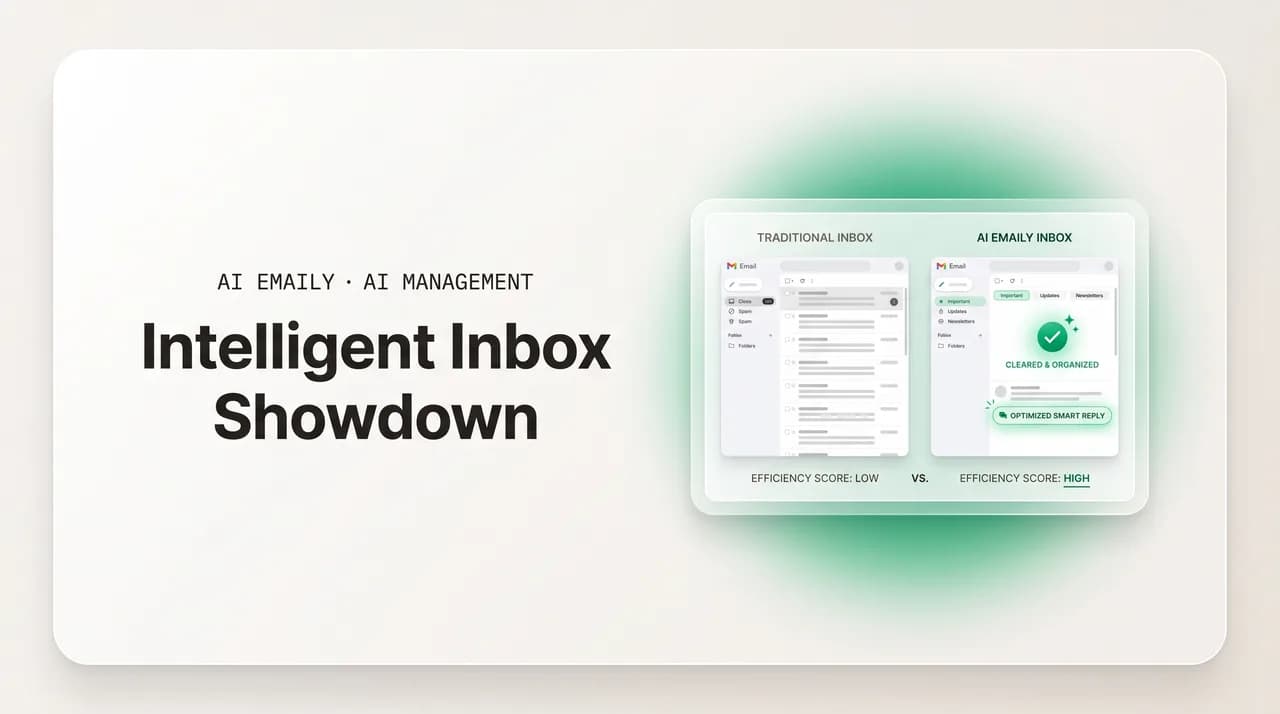
If you're weighing an intelligent inbox vs Shortwave, compare on capability: provider coverage, how far the AI can act and what approval it needs, voice drafting, privacy, and pricing model. AI Emaily is universal across providers, agentic with an approval gate and audit, and trains on none of your mail. Verify Shortwave's current specifics on its own site.
Intelligent inbox vs Shortwave: an honest, dimension-by-dimension comparison of AI Emaily and Shortwave on providers, autonomy, voice drafting, and privacy.
On this page
- 01What is an intelligent inbox, and why compare these two?
- 02Which providers does each one run on?
- 03How far can the AI actually act — and what does it ask you first?
- 04Does the AI draft in your voice or in a generic one?
- 05What happens to your mail — is it training data?
- 06Can a team run shared inboxes like support@ together?
- 07What does each one cost, and how does the bill behave?
- 08How do AI Emaily and Shortwave compare, side by side?
- 09Who should pick Shortwave, and who should pick AI Emaily?
- 10How should I actually run the comparison?
- 11Frequently asked questions
If you have landed on the question of an intelligent inbox vs Shortwave, you are already past the easy part. You have accepted that an ordinary mail client is not enough — that the inbox needs AI doing real work, not just a smarter search box — and now you are trying to pick which AI-native email tool to actually live in. That is a harder choice than it looks, because the marketing pages of every tool in this category say roughly the same things: triage, summaries, AI replies, a chat box over your mail. The words rhyme. The products underneath them do not, and the differences that matter only show up when you press on the dimensions a feature list glosses over.
We should be upfront about who is writing this. We build AI Emaily, an AI-native email client with an autonomous agent, universal provider support, and a privacy posture that does not train on your mail. So this is not a neutral review site, and you should not read it as one. What we can do — and what this guide tries to do honestly — is lay out the dimensions on which any intelligent inbox should be judged, say where AI Emaily genuinely differs, and be fair about where Shortwave may suit you better. Where we describe Shortwave, we describe the category it belongs to in general terms; we will not invent its current prices, ratings, or specific features, and we will tell you plainly to verify those on Shortwave's own site before you decide.
A quick, fair word on Shortwave. It is a real, well-regarded product — an AI email client built on top of Gmail, with a reputation for a fast, modern interface and AI features layered over the inbox. Plenty of people use it happily, and for the right person it is a strong choice. The aim here is not to talk you out of it; it is to give you a framework sharp enough that you can tell which tool fits your situation, whether that turns out to be Shortwave, AI Emaily, or something else entirely. A confident decision beats a marketing-led one.
The framework we will use has six dimensions, because those are the places where intelligent inboxes actually diverge: provider coverage (what mail can it even run on), the autonomy and approval model (how far can the AI act, and what does it ask you first), voice drafting (does it sound like you or like a robot), privacy and the no-train question (what happens to your mail), shared inboxes (can a team run support@ together), and the pricing model (what you pay and how the bill behaves as you use it). We will take each in turn, then put it all in a side-by-side and tell you who should pick what. For the head-to-head detail at the spec level, there is also a dedicated comparison page at /compare/ai-emaily-vs-shortwave that we will point back to.
One more orienting note before the dimensions. The reason this category exists at all is that email genuinely got worse faster than mail clients got better. The average professional now spends something like 2.6 hours a day in email and receives around 121 messages daily, of which only about one in ten is genuinely critical. An intelligent inbox is a bet that AI can absorb most of that load. The question this guide answers is not whether to make that bet — you have — but which tool to make it with. If you want to widen the field beyond these two, our roundups on comparing intelligent inbox apps and the broader set of intelligent inbox alternatives cover more of the market.
What is an intelligent inbox, and why compare these two?#
An intelligent inbox is an email client where AI is the primary interface to the mail, not a feature bolted onto the side. The ordinary inbox shows you everything in arrival order and asks you to do all the reading, sorting, deciding, and writing. An intelligent inbox reads the mail for you, sorts it by what matters, summarizes long threads, drafts replies, and — in the more capable tools — can act on messages on your behalf. The promise is a shift from "process every message myself" to "review what the AI prepared." That is the category Shortwave and AI Emaily both belong to, which is exactly why they end up on the same shortlist.
But "AI is the primary interface" covers a wide range of products, and the range is where the comparison gets interesting. At one end are tools that use AI mostly to help you read and write faster — better search, thread summaries, suggested replies you still send by hand. At the other end are agentic tools where the AI can take multi-step actions: not just drafting a reply but deciding a thread is routine, drafting, and (within limits you set) sending and filing it without you touching it. Both are legitimately "intelligent inboxes." They are not the same bet, and the right one for you depends on whether you want a faster assistant or an actual agent.
These two specifically are worth comparing because they sit at recognizably different points on a few of these dimensions, and because they are both serious, modern products rather than thin wrappers. Comparing a real tool to a real tool is more useful than comparing either to a strawman. Our wider piece on which intelligent inbox is best frames the whole field; this one zooms in on the AI Emaily vs Shortwave decision specifically.
Why a category word matters here
Which providers does each one run on?#
This is the first dimension because it is a gate: a tool you cannot run on your mail is not a candidate, no matter how good its AI is. And provider coverage is one of the clearest structural differences between these two approaches. Shortwave is, by design and by its own description, built on Gmail — it is a Gmail-centric client, and its experience is shaped around Google's mail. If your email lives in Gmail or Google Workspace, that is a natural, well-matched fit, and the Gmail focus likely makes the integration deeper rather than shallower. If your mail does not live in Gmail, it is the wrong starting question. Always confirm the current list of providers Shortwave supports on its own site, because vendors expand coverage over time and we are not going to guess at today's exact state.
AI Emaily takes the universal approach deliberately. It runs on Gmail and Google Workspace, on Outlook and Microsoft 365, and on standard IMAP — so the same intelligent inbox sits over whatever mail you already have, and over more than one provider at once. That matters in two common situations. The first is the person or business whose mail simply is not on Gmail: a Microsoft 365 shop, an IMAP mailbox from a host, a mix. The second, and more interesting, is the person who has more than one: a personal Gmail address and an Outlook-based work or support inbox, say. A Gmail-only tool handles one of those well and leaves the other outside; a universal tool runs both in one place under one AI.
Be honest about the trade-off in both directions, because there is one. A tool that specializes in a single provider can, in principle, build a tighter, more provider-native experience — it only has to be excellent at one thing. A universal tool spreads its integration across several providers and aims for a consistent experience on all of them rather than a maximally provider-specific one on any single one. Which you should weight more heavily depends entirely on your mail: if everything you have is in Gmail and always will be, single-provider depth is a real argument; if your mail is spread across providers, or might be, universal coverage is the thing that determines whether the tool can serve all of it at all.
| Provider coverage | Gmail-centric approach (e.g. Shortwave) | Universal approach (AI Emaily) |
|---|---|---|
| Gmail / Google Workspace | Native focus; the experience is built around it | Fully supported |
| Outlook / Microsoft 365 | Verify current support on the vendor's site | Fully supported |
| Standard IMAP | Verify current support on the vendor's site | Supported |
| Multiple providers in one workspace | Depends on the tool; verify | Yes — personal and shared, across providers |
| Best fit | Someone whose mail lives entirely in Gmail | Anyone whose mail spans providers, or might |
Answer the provider question first
How far can the AI actually act — and what does it ask you first?#
This is the dimension we think matters most and the one feature lists hide best, because "AI replies" can mean anything from "suggests text you still send by hand" to "sends on its own." The honest way to compare two intelligent inboxes here is to ask two linked questions: how far up the autonomy ladder can the AI go, and what is the approval model at each rung? A tool can be very capable and very safe at the same time — but only if the autonomy and the approval gate are designed together rather than one bolted onto the other.
AI Emaily is built explicitly as a three-mode ladder, with the approval model attached to each rung. In Manual mode the AI assists and you do everything. In Copilot mode — the default — the AI drafts and stages, and nothing consequential sends until you have looked at it, edited if needed, and approved; this is the approval-first posture that governs the product out of the box. In Autopilot mode, for categories you have deliberately decided are safe and routine, the autonomous agent can act on its own within limits you set, and every action it takes is logged in an audit trail you can review and undo. The shape of it is: the AI can do a lot, but autonomy is something you grant on purpose, category by category, never the default that surprises you.
Where does Shortwave sit on this ladder? It is a capable AI email client with assistant and AI-reply features, and you should read its current documentation to understand exactly how far its AI acts and what it does before sending — because that specific behavior is precisely the kind of detail we will not fabricate, and it is exactly what you need to verify for your own risk tolerance. The fair, general point is that the category spans a wide range here, so the right move is to look past the word "AI" on either marketing page and find the answer to the two questions above for each tool. Our deeper feature breakdown lives at /features/ai-agent if you want to see how AI Emaily's agent and approval model work in detail.
- 1
1. Find the autonomy ceiling
For each tool, determine the most the AI can do without you: does it stop at drafting, or can it send, file, and resolve a thread on its own? This is the ceiling, and it tells you whether you're buying a faster assistant or an actual agent. Neither is wrong — but they're different products, and you should know which one you're choosing.
- 2
2. Find the default approval gate
Out of the box, before you change any setting, does anything send without your review? The safest default is approval-first: the AI prepares, you approve. Confirm what each tool does by default, because the default is what you'll actually live with on day one, before you've tuned anything.
- 3
3. Find the autonomy controls
If the AI can act on its own, how granularly do you grant that? All-or-nothing autonomy is a blunt instrument; per-category, limit-bounded autonomy lets you hand over the safe routine while keeping consequential mail behind approval. Look for the granularity, not just the on/off switch.
- 4
4. Find the audit and undo
When the AI does act, can you see exactly what it did and reverse it? An audit trail plus undo is what makes autonomy safe to grant — it turns an irreversible risk into a reviewable, recoverable action. No audit, no undo, means autonomy is a leap of faith; with them, it's a controlled delegation.
Autonomy without a gate is the thing to fear
Does the AI draft in your voice or in a generic one?#
Drafting is where the largest share of email time is actually spent — reading is fast, writing is slow — so the quality of AI drafting is where an intelligent inbox earns or wastes its keep. The dimension to compare is not "does it draft" (both will) but "does the draft sound like you and get your facts right." There is a real gap between an AI that writes a grammatically clean, tonally anonymous reply and one that writes in your voice, grounded in your real policies, prices, and past answers. The first kind you rewrite, which saves nothing; the second you approve with a glance, which is the whole point.
AI Emaily's drafting is built to learn your voice from your actual writing — your best past replies, the way you greet people and the way you say no — and to ground replies in your real information rather than guessing. The goal is a draft you send with a light edit, not one you author from scratch. On shared addresses, the same voice holds across a whole team, so support@ sounds like one business whether you, a teammate, or the AI replies. Whether any given tool clears that bar is something you can only really judge by trying it on your own mail for a week, which is the test we'd point you to for both tools.
On Shortwave's side, voice and drafting quality are exactly the kind of subjective, version-dependent thing we will not characterize for you secondhand — it has AI drafting features, and how well they match your voice is something you should evaluate directly in a trial, on your real correspondence, against the same bar. The point of this section is to hand you the bar, not to score the other tool on it: a draft is good if you can send it with a light edit, and the only honest way to know is to test it on your own messages.
What happens to your mail — is it training data?#
Privacy is a dimension people skip until they think about what an intelligent inbox actually requires: handing an AI access to read everything in your mailbox — customer data, contracts, personal correspondence, the lot. That access is the price of the AI doing useful work. The fair question is what the tool does with it, and there are three specific things worth pinning down for any candidate, because "we take privacy seriously" on a marketing page is not an answer to any of them.
AI Emaily's posture on the three is explicit. First, training: your mail is not used as training data for the models — full stop. Second, control: the AI acts when you let it, with consequential sends gated by approval rather than running on someone else's defaults. Third, audit: every action the agent takes is logged, so there is a record of what was done with your mail and a way to undo it. We state these plainly because for an intelligent inbox they are the load-bearing promises, and a tool that is vague about them is asking for trust it has not specified.
For Shortwave, the honest instruction is the same one we would give for any vendor including ourselves: read the current privacy policy and terms, and confirm the answers to the three questions for yourself rather than taking a comparison page's word for it — ours or anyone's. Privacy terms change, they vary by plan, and they are exactly the kind of specific claim we will not invent on another product's behalf. What we can give you is the checklist to apply to both.
- Training — is your email content used to train the provider's models? The answer you want is no, with no asterisk. AI Emaily does not train on your mail; confirm any other tool's answer in its own privacy policy.
- Retention — is your mail or its derived data retained by the AI provider, and for how long? Shorter and clearer is better. This is a concrete, checkable term, not a vibe.
- Control — do you decide when the AI acts, or does it act on defaults you didn't set? Approval-first defaults put this in your hands; confirm where each tool's defaults sit before you rely on them.
- Audit — can you see exactly what the AI did with your mail, and reverse it? An audit trail and undo turn trust into something verifiable rather than something you're asked to assume.
Make every vendor answer the same three questions
Can a team run shared inboxes like support@ together?#
This dimension only matters if you have shared addresses — info@, sales@, support@ — that more than one person works, but if you do, it is decisive, and it is a place intelligent inboxes vary a lot. A shared mailbox with no coordination layer is where teams quietly drop customers: two people reply to the same message with different answers, or a thread sits because everyone assumed someone else had it. Solving that needs real ownership on each message, collision detection so two people don't double-reply, and a way to discuss a thread privately without forwarding it around.
AI Emaily treats personal mail and shared addresses as one workspace and puts the same AI on both. Shared inboxes get ownership on every message, collision warnings, status on each thread, and a private side-channel — comments and @mentions the customer never sees — so a small team coordinates inside the thread rather than forwarding mail out and splintering the conversation. The AI triages and proposes an owner, drafts in one consistent business voice across the team, and can resolve routine threads under your approval. For a team, this folds the coordination layer and the AI layer into one tool instead of two.
Whether and how Shortwave handles team shared inboxes is, again, something to confirm on its site — products in this category position differently on solo versus team use, and we won't characterize its current team features secondhand. The general guidance: if you're a solo user, this dimension may not move your decision at all; if you run a support or sales address with a team, weight it heavily and verify each candidate's team capabilities directly, because a tool optimized for individual inboxes may not do shared ownership the way a team needs.
What does each one cost, and how does the bill behave?#
Pricing is two dimensions wearing one coat: the sticker number, and the shape of the bill as you use the tool. The second matters more than people expect with AI products, because some meter the AI — charging per AI action or per resolved message — so the more the AI helps, the more you pay, and your monthly cost becomes a moving target tied to volume. Others fold the AI into a flat seat price, so the bill is predictable no matter how hard the AI works. When comparing any two intelligent inboxes, find the pricing model, not just the headline price.
We can state AI Emaily's pricing plainly because it is ours. There is a free tier for one account so you can try it without paying. Pro is $12.42 per month billed annually, for an individual who wants the full personal-inbox AI. Team is $14.92 per seat per month billed annually for a team running shared addresses, with teams of 5 or more seats getting an additional 10% off — and the autonomous agent, Autopilot, is included in the Team plan rather than metered or gated behind a separate AI add-on. That last point is the one to weigh against any metered model: the agent handling your routine volume does not inflate the bill.
Shortwave's current prices, tiers, and exactly what each tier includes are something you must check on Shortwave's own pricing page — we are not going to state another product's prices, because they change and we will not risk being wrong about someone else's business. The useful, honest comparison instruction is to line up both tools on the same two axes: what's the per-seat or per-user number, and is the AI included in it or metered on top? Our pricing detail is at /pricing; put it next to Shortwave's current page and compare like for like.
| Pricing dimension | What to check | AI Emaily |
|---|---|---|
| Free tier | Is there a no-cost way to try it? | Yes — free tier, one account |
| Individual plan | Per-user monthly price | Pro — $12.42/mo (annual) |
| Team plan | Per-seat price for shared inboxes | Team — $14.92/seat/mo (annual); 5+ seats 10% off |
| Is the AI agent included? | Flat price, or metered per action / resolution? | Autopilot included in Team — not metered |
| Shortwave specifics | Verify current prices and tiers on shortwave's own pricing page | Compare like for like once you have both numbers |
The pricing model can matter more than the price
How do AI Emaily and Shortwave compare, side by side?#
Pulling the six dimensions together gives a clearer picture than any single one. Read the table as a framework you apply, not a verdict you accept: the AI Emaily column we state directly because it is ours; the Shortwave column points you to verify, because the fair and honest thing is to send you to the source for another product's current specifics rather than freeze a guess into a table. The dedicated /compare/ai-emaily-vs-shortwave page goes deeper on each row.
| Dimension | AI Emaily | Shortwave (verify on its site) |
|---|---|---|
| Provider coverage | Universal — Gmail/Workspace, Outlook/M365, IMAP; multiple in one workspace | Gmail-centric; confirm current provider list on shortwave's site |
| Autonomy + approval | Manual / Copilot (approval-first default) / Autopilot, gated, with undo + audit | Capable AI assistant; verify how far it acts and what it does pre-send |
| Voice drafting | Learns your voice, grounded in your facts; one voice across a team | Has AI drafting; judge voice match in a trial on your own mail |
| Privacy / no-train | No training on your mail; your control; full audit of AI actions | Read its current privacy policy; confirm training, retention, control |
| Shared inboxes | Ownership, collision detection, private side-channel; personal + shared as one | Confirm current team / shared-inbox capabilities on its site |
| Pricing model | Free tier; Pro $12.42/mo; Team $14.92/seat (annual); Autopilot included | Check current prices, tiers, and whether AI is metered on its page |
How to read this table fairly
Who should pick Shortwave, and who should pick AI Emaily?#
A comparison that only ever favors the author is not worth reading, so here is the genuinely fair version. There are real readers for whom Shortwave is the better choice, and saying so is how you know the rest of this is honest rather than a sales sheet dressed as analysis.
Lean toward Shortwave — and verify its current specifics — if your mail lives entirely in Gmail and always will, if a Gmail-native, single-provider experience is something you value over multi-provider breadth, and if you primarily want a fast, AI-assisted inbox for individual use. A tool that focuses on one provider can build a tight experience for it, and if that is your whole situation, that focus is a feature, not a limitation. If that description fits you, go read Shortwave's own pages, take its trial, and judge it on its merits.
Lean toward AI Emaily if any of three things are true. First, your mail is not all in Gmail — you are on Outlook or Microsoft 365 or IMAP, or you have several addresses across providers you want in one place; universal coverage is the clearest structural reason to choose us. Second, you want an actual agent with a safety model — not just AI-assisted replies but autonomy you can grant per category, behind an approval-first default, with undo and a full audit. Third, you run shared addresses with a team and want ownership, collision detection, and one consistent AI voice across everyone, in the same workspace as your personal mail. On privacy, the no-train posture is a reason to choose us regardless of the above.
- 1
List where your mail actually lives
Every address and provider. If it's all Gmail, both tools are in play; if it spans providers, universal coverage may decide it before anything else does.
- 2
Decide assistant vs agent
Do you want AI that helps you read and write faster, or AI that can act on your behalf under rules you set? Be honest about which you actually want — it points to different tools.
- 3
Check the privacy answers yourself
Training, retention, control — read each candidate's own current policy, ours included. Don't take any comparison page's word for another product's terms.
- 4
Trial both on your real mail
Drafting voice and triage quality only reveal themselves on your own correspondence. Use AI Emaily's free tier and Shortwave's trial, and judge each against the same bar for a week before deciding.
The honest one-line summary
How should I actually run the comparison?#
Reading a comparison is not the same as making a decision, and the only way to genuinely choose between two intelligent inboxes is to run them against your own mail with a clear test in mind. Here is a sequence that gets you to a confident answer in about two weeks without turning the evaluation into a project.
- 1
Week 0 — write down your situation
Providers, whether you run shared inboxes, whether you want assistant or agent, and your privacy non-negotiables. This is the rubric you'll score both tools against, and writing it first stops a slick interface from quietly redefining what you wanted.
- 2
Week 1 — trial each on one real inbox
Connect each tool to the same real, busy inbox (AI Emaily has a free tier; take Shortwave's trial). Live in each for a few days. Judge triage by whether the right things surface, and drafting by whether you'd send with a light edit or rewrite.
- 3
Week 2 — push on the dimension you care about most
If providers matter, connect a non-Gmail address. If autonomy matters, find each tool's ceiling and default gate. If it's a team, test ownership and collision on a shared address. Press hardest on the thing that would actually make or break it for you.
- 4
Decide against your Week 0 rubric
Score both tools on the dimensions you wrote down, sourcing every Shortwave specific from its own current pages. The tool that wins your rubric — not the one with the nicer landing page — is your answer. For the spec-level head-to-head, the /compare/ai-emaily-vs-shortwave page backs this up.
Don't decide from feature lists alone
Frequently asked questions#
The questions people ask most when weighing an intelligent inbox vs Shortwave — on providers, autonomy, privacy, pricing, and how to decide fairly between the two.
Frequently asked
See it in AI Emaily
Keep reading

Written by
Nafiul HasanNafiul Hasan is an entrepreneur and AI automation system builder with 10+ years of experience turning messy, manual workflows into reliable automated systems. He designs and ships AI enterprise solutions end-to-end — the agent logic, the data plumbing, and the product people actually use — and founded AI Emaily to give busy professionals their attention back. He writes here from the builder's seat: what works, what breaks, and how to put AI to work without giving up control.