What Actually Happens When You Click Unsubscribe

The short answer
When you click unsubscribe on an email, one of three things happens. Your mail provider can fire an HTTPS POST on your behalf using the List-Unsubscribe header, your email client can send a mailto message, or your browser opens the sender's webpage. Only the first path keeps your IP address and browser details private.
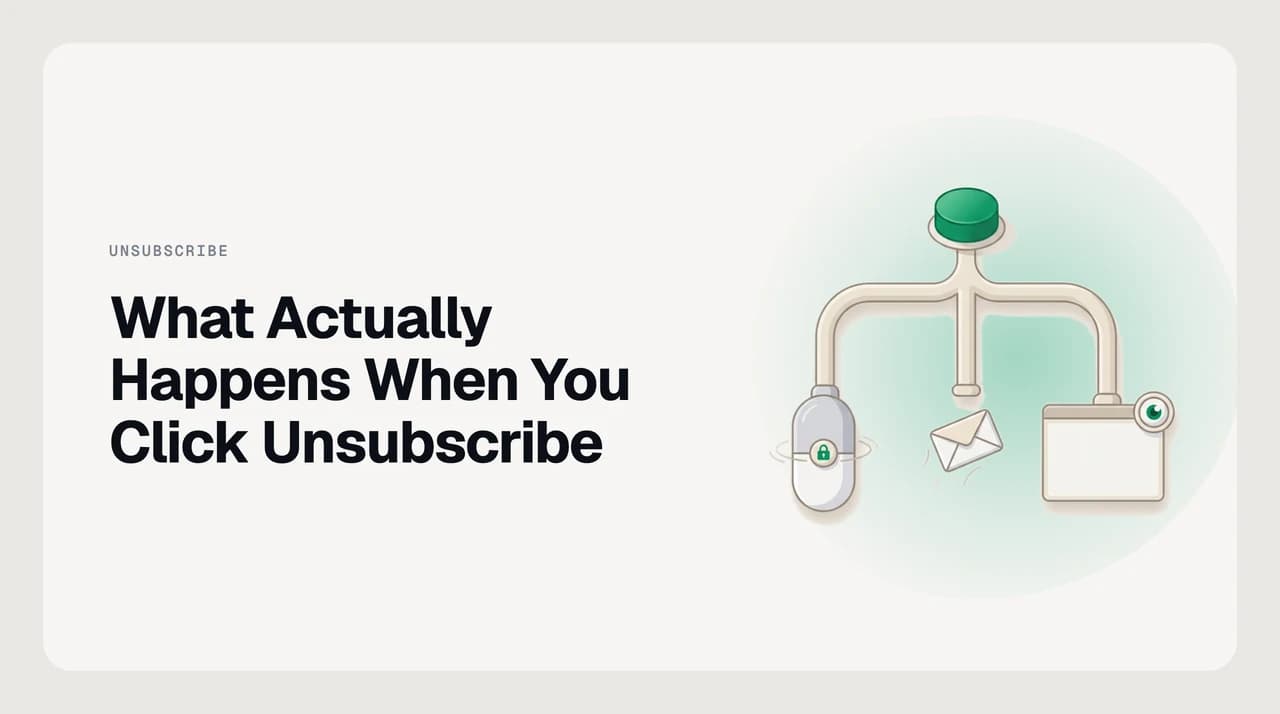
What happens when you click unsubscribe on an email: three different paths, and why only the header-driven one keeps your IP from the sender.
On this page
Every unsubscribe you have ever clicked looked the same: a word at the bottom of the message, or a button your mail client showed above it. What happened behind that click was not the same at all. Depending on how the sender set up their outgoing mail and what your client chose to do, clicking unsubscribe on an email triggered one of three completely different technical paths — each one revealing a different amount of information about you.
The distinction that matters most is between the provider's Unsubscribe button (driven by a header the sender embeds, where your mail provider's servers make the request for you) and the link inside the message body (where your browser makes the request, and the sender can collect your IP address, your browser signature, and tracking tokens embedded in the URL). One word. Three paths. Not the same thing.
How unsubscribing actually works: three mechanisms behind one label#
RFC 2369 (1998) introduced the List-Unsubscribe header, a field a sender can include in a message's technical envelope — separate from the visible body. It can contain an HTTPS URL, a mailto address, or both. When your mail client reads it, the client can show its own Unsubscribe button rather than relying on the link in the footer. RFC 8058 (2018) added a companion header, List-Unsubscribe-Post, set to the value List-Unsubscribe=One-Click. Together, those two headers signal the one-click path: both must be present and covered by a valid DKIM signature.
When you click Gmail's native Unsubscribe button (which appears next to the sender's name for messages that carry RFC 8058 headers), Gmail's servers send an HTTPS POST to the URL in the header. Your browser is never opened. The sender's server receives the POST, processes the opt-out, and the entire request originates from Google's infrastructure rather than your device. Google requires bulk senders — those sending 5,000 or more messages a day to Gmail accounts — to implement this combination as of February 2024.
Outlook handles the mailto variant differently. When a sender includes a mailto address in the List-Unsubscribe header, Outlook tends to prefer it over the HTTPS URL, sending an opt-out email from your email client rather than opening a browser. If the header carries only an HTTPS link and no mailto, Outlook may not display its unsubscribe widget at all. The third path — the link in the message body — is what remains when no header is present, or when the client does not use it. Clicking that link opens your browser.
What does clicking the body link reveal about you?#
When your browser opens a body-link unsubscribe URL, the sender's server receives your public IP address. Depending on your connection, that IP can identify your city, your organization, or your internet provider. The browser also sends a user-agent string that names your operating system, browser name, and version. Neither piece of information is secret — every web request sends them — but they are data points the sender did not already have, confirming that a live person at a known IP clicked the link at a specific time.
Tracking parameters in the URL add more. A typical footer unsubscribe link looks something like https://mail.sender.com/unsub?uid=abc123&cid=campaign-42&h=hashed-address. The uid or h parameter usually encodes your email address, confirming that the specific recipient who clicked is real and active. The cid ties the click back to which campaign you received. Additional parameters can feed analytics dashboards. None of this is hidden or unusual, but most people have not inspected the raw URL before clicking.
The RFC 8058 path sidesteps all of this. The POST from your provider does not carry your browser, your device IP, or your cookies. The URL still typically contains an identifier — the sender needs to know which address to remove — but the request comes from your provider's servers, not your machine. The sender learns the address opted out. They do not learn where you are, what browser you use, or when you opened the message.

The three paths compared#
The table below maps each path against the information it shares. Note that the sender already has your email address — they sent to it. What varies is what they learn when you act.
| Path | Who makes the request | Your device IP shared | Browser / user-agent shared | When your client uses it |
|---|---|---|---|---|
| RFC 8058 one-click (List-Unsubscribe-Post header) | Your mail provider's servers (Gmail, Outlook.com) | No | No | Sender includes both List-Unsubscribe and List-Unsubscribe-Post headers; client shows its own Unsubscribe button |
| Mailto (List-Unsubscribe header with mailto address) | Your email client sends an opt-out message | Mail server IP, not your device | Email client metadata in message headers | Header carries a mailto address; Outlook often prefers this over the HTTPS path |
| Body link (footer unsubscribe URL) | Your web browser (GET request to sender's URL) | Yes | Yes — plus any tracking parameters in the URL | No List-Unsubscribe header is present, or client does not use it; you click the link in the footer |
Common misconceptions#
The most common belief is that clicking any unsubscribe confirms your address is real. This overstates the privacy risk on the header path and understates it on the body-link path. On the RFC 8058 route, the sender already knew your address was deliverable — they reached your inbox. What the opt-out adds is the information that you acted, not that your address exists. On the body-link route, the click adds your IP, your browser, and any signals the tracking URL was built to collect. The privacy difference between the two is meaningful.
A second misconception is that the Unsubscribe button in Gmail is the same as the link in the email. It is not. Gmail's button fires a POST from Google's servers; the footer link opens your web browser. They look similar from inside the inbox; the technical path and the data exposed are different.
A third misconception is that one-click unsubscribe means instant removal. RFC 8058 defines the request format, not the processing timeline. In the United States, CAN-SPAM gives commercial senders ten business days to honor an opt-out. Google's 2024 bulk-sender guidelines ask senders to process one-click requests within two days. How quickly the mail stops depends on sender compliance, not the speed of the POST.
The body link is the one path that opens your browser
How this shows up in AI Emaily#
The three-path distinction matters most at the point before the click — where the volume of marketing and bulk mail reaching your inbox determines how often the decision arises. AI Emaily's spam-protection layer identifies and categorizes bulk, promotional, and cold-outreach senders on arrival, which means fewer messages where the only exit is a body-link unsubscribe that hands your IP and tracking data to a sender you were already ignoring. For messages that do reach the inbox, knowing the sender is already classified as marketing makes the path clearer: use your client's native header-driven button when it appears, or route the sender out with a rule rather than clicking anything inside the message body. We build AI Emaily.
Frequently asked
See it in AI Emaily
Keep reading
Sources

Written by
Nafiul HasanNafiul Hasan is an entrepreneur and AI automation system builder with 10+ years of experience turning messy, manual workflows into reliable automated systems. He designs and ships AI enterprise solutions end-to-end — the agent logic, the data plumbing, and the product people actually use — and founded AI Emaily to give busy professionals their attention back. He writes here from the builder's seat: what works, what breaks, and how to put AI to work without giving up control.