What Is DMARC? How It Ties SPF and DKIM Together

The short answer
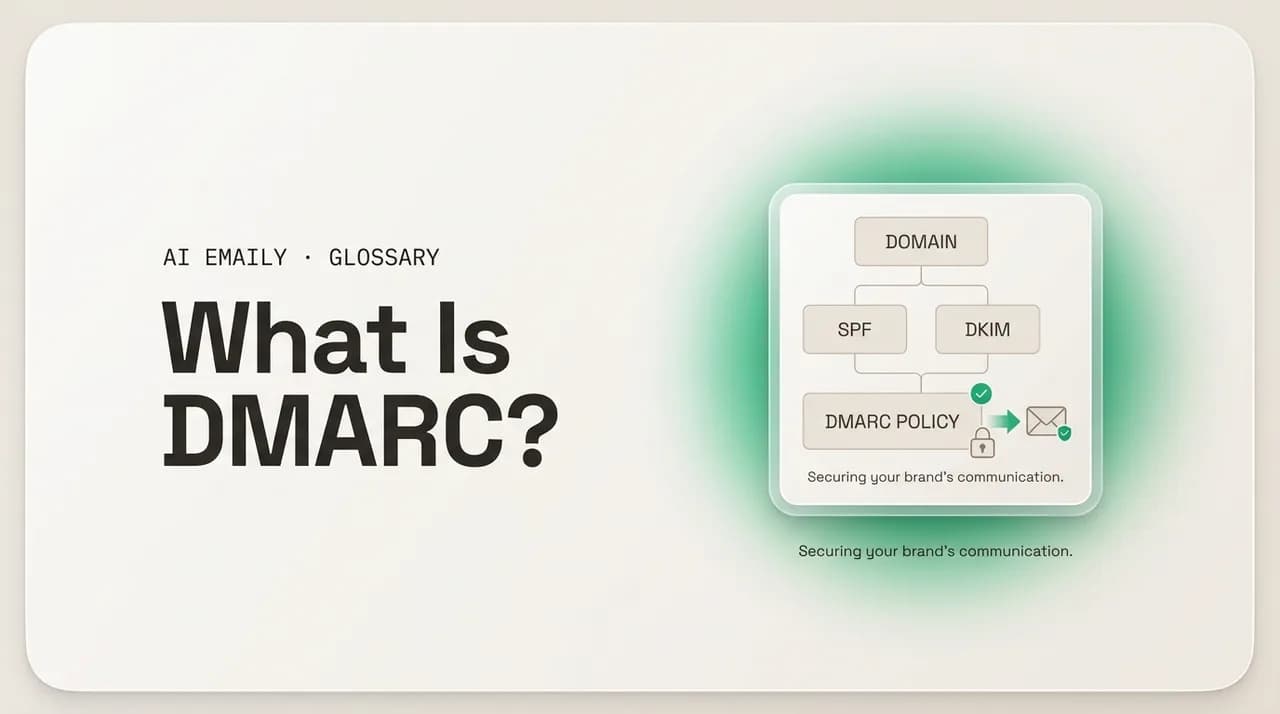
DMARC (Domain-based Message Authentication, Reporting and Conformance) is an email standard that builds on SPF and DKIM, adding identifier alignment, a published policy, and reporting. It tells receiving servers whether to deliver, quarantine, or reject mail that fails authentication and claims to be from your domain — and sends you reports on what's being sent in your name.
DMARC is the email standard that ties SPF and DKIM together with a published policy and reports, telling receivers what to do with mail that fails authentication. Here's how it works, the records, and the 2024 sender rules.
On this page
- 01What is DMARC, in plain English?
- 02How does DMARC build on SPF and DKIM?
- 03What is DMARC alignment, and what's the difference between relaxed and strict?
- 04What do the DMARC policies (none, quarantine, reject) actually do?
- 05What does a DMARC record look like?
- 06What's the difference between aggregate (rua) and forensic (ruf) reports?
- 07Why did Gmail and Yahoo make DMARC mandatory in 2024?
- 08How do you roll out DMARC without breaking your email?
- 09How do you read a DMARC report?
- 10What are common DMARC mistakes and limits?
- 11How does AI Emaily relate to DMARC?
- 12The bottom line on DMARC
Somebody sends an email that claims to come from your domain. It says it is from [email protected], it has your logo, it asks a customer to pay an invoice — and you never sent it. Email was built in an era of trust, where the "From" address a message claims is just a label anyone can type. SPF and DKIM were added later to prove a message really came from where it says, but on their own they have a gap: nothing tells the receiving server what to do when a message fails those checks, and nothing tells you that the forgery is even happening. That gap is exactly what DMARC closes.
DMARC is the third leg of email authentication, and it is the one that makes the other two actually mean something. SPF and DKIM each answer a narrow technical question about a message. DMARC sits on top of them, ties their answers to the address your reader actually sees, lets you publish a policy that says "reject anything that fails," and — crucially — sends you reports so you can see who is sending mail in your name. It is the difference between locking the door and knowing whether anyone has been trying the handle.
This guide is a plain-English explainer of what DMARC is and how it works, written for people who are not DNS engineers. You will get a clear definition, how DMARC builds on SPF and DKIM through something called alignment, what the three policies (none, quarantine, reject) actually do, the difference between aggregate and forensic reports, why Gmail and Yahoo made DMARC effectively mandatory for bulk senders in 2024, and a step-by-step rollout you can follow without breaking your own mail. There is an example DMARC record with every tag explained, and a sample of what the reports look like.
We will keep it concrete and accurate, with no hype and no "set it and forget it" promises that get people in trouble. DMARC is genuinely worth doing — it protects your domain, your customers, and your deliverability — but it has sharp edges, and the fastest way to lose legitimate email is to rush to a strict policy before you know what you are sending. By the end you will understand the standard well enough to read a record, plan a rollout, and know what the reports are telling you.
What is DMARC, in plain English?#
DMARC stands for Domain-based Message Authentication, Reporting, and Conformance. Strip the jargon and it is a published policy, attached to your domain via DNS, that does three things: it checks that a message claiming to be from your domain actually passes SPF or DKIM in a way that lines up with the visible From address, it tells receiving mail servers what to do if that check fails, and it asks those servers to send you reports about the mail they see using your domain. The standard is defined in RFC 7489, published in 2015, and it is now supported by every major mailbox provider on earth — Google, Microsoft, Yahoo, Apple, and the rest.
Here is the problem DMARC was built to solve. The "From" address you see in your inbox — the one your brain reads to decide whether to trust a message — is part of what the email standard calls the header, and historically anyone could write anything there. A scammer could put [email protected] in the From line of a message sent from their own server, and nothing in the original email protocol stopped them. SPF and DKIM were created to add proof of origin, but each one validates a different, more technical identifier than the address the human actually reads, and neither one tells the receiver what to do on failure. So a message could fail SPF and still land in the inbox, because the receiver had no instruction otherwise.
DMARC bridges that gap in two moves. First, it introduces alignment: it requires that the domain SPF or DKIM validated actually matches the domain in the visible From address, so passing authentication for some unrelated domain no longer lets you impersonate yours. Second, it lets the domain owner publish a policy — a public instruction that says "if a message claims to be from me and fails this aligned check, here is what you should do: nothing, quarantine it, or reject it outright." Receiving servers read that policy and act on it. The result is that your domain stops being something anyone can forge with impunity.
The third word, reporting, is what makes DMARC practical rather than terrifying. When you publish a DMARC record, you can ask receiving servers to send you data — daily summaries of every source sending mail that claims to be from your domain, whether it passed or failed, and what the receiver did about it. This visibility is the whole point of starting gently: before you tell the world to reject mail that fails, you watch the reports to find every legitimate system that sends on your behalf (your marketing platform, your invoicing tool, your support desk) and make sure they all authenticate correctly. Only then do you tighten the policy.
The core idea in one line
How does DMARC build on SPF and DKIM?#
You cannot understand DMARC without a quick picture of the two standards it sits on top of, because DMARC does not authenticate anything by itself — it evaluates the results of SPF and DKIM and adds the alignment and policy rules. Think of it as a referee that reads two other referees' calls and then decides the outcome.
SPF (Sender Policy Framework) is a DNS record that lists which mail servers are allowed to send email for your domain. When a receiving server gets a message, it checks the sending server's IP address against your published SPF record. If the IP is on the list, SPF passes; if not, it fails. But SPF checks the "envelope sender" (the Return-Path / MAIL FROM address used during delivery), which is often different from the visible From address — and SPF breaks when mail is forwarded, because the forwarding server is not on your list.
DKIM (DomainKeys Identified Mail) takes a different approach: the sending server attaches a cryptographic signature to the message, generated with a private key, and publishes the matching public key in DNS. The receiver uses the public key to verify the signature, which proves two things — the message really came from a server that holds your private key, and the signed parts were not altered in transit. DKIM survives forwarding far better than SPF, because the signature travels with the message. But DKIM signs a domain (the "d=" tag in the signature) that, again, may not match the visible From address.
Here is the gap that both share: each validates a domain that the human reader never sees. A spammer could send mail that passes SPF for their own throwaway domain, or carries a valid DKIM signature for some unrelated domain, while the From address your customer reads still says yourcompany.com. Authentication "passed" in a narrow technical sense, but the impersonation succeeded. DMARC's key contribution is alignment: it insists that the domain SPF or DKIM authenticated must match the domain in the visible From header. Pass authentication, but for the wrong domain, and DMARC fails it anyway.
So the chain works like this. A message arrives. The receiver runs SPF and DKIM. DMARC then asks: did at least one of them pass, and did the passing domain align with the From address? If yes, DMARC passes. If no, DMARC fails, and the receiver applies whatever policy your domain published. DMARC needs only one of the two — SPF or DKIM — to pass and align, which is why most domains configure both for redundancy: DKIM covers the forwarding cases where SPF breaks, and SPF covers cases where a signature might be stripped.
| Standard | What it proves | What it checks | Known weakness |
|---|---|---|---|
| SPF | The sending server is authorized for the domain | Sending IP vs. the domain's published list (envelope sender) | Breaks on forwarding; checks the envelope, not the visible From |
| DKIM | The message is signed and unaltered in transit | Cryptographic signature vs. published public key | Signs a domain that may differ from the visible From |
| DMARC | Authentication aligns with the address the reader sees | Whether SPF or DKIM passed AND aligned with the From domain | Forwarding and mailing lists can still break alignment without ARC |
Why you want both SPF and DKIM
What is DMARC alignment, and what's the difference between relaxed and strict?#
Alignment is the concept that does the heavy lifting in DMARC, and it is the part most people misunderstand, so it is worth slowing down on. Alignment is the requirement that the domain authenticated by SPF or DKIM matches the domain in the visible From address. Without alignment, an attacker could pass authentication for a domain they control and still display yours; alignment is what shuts that door.
There are two alignment checks, one for each underlying standard. SPF alignment compares the domain in the envelope sender (the MAIL FROM / Return-Path) with the From domain. DKIM alignment compares the domain in the DKIM signature (the d= value) with the From domain. DMARC passes if either of these aligns and the corresponding check passed. You only need one aligned pass — but you need at least one.
Each check can run in one of two modes, and you choose them per-domain. Relaxed alignment (the default) requires only that the organizational domain matches — so mail.yourcompany.com aligns with yourcompany.com, because they share the same registered base domain. Strict alignment requires an exact match — mail.yourcompany.com would not align with yourcompany.com; it would have to be precisely yourcompany.com. Relaxed is what almost everyone should use, because real-world mail is routinely sent from subdomains (newsletters from a marketing platform, receipts from a billing subdomain), and strict alignment would fail all of it unless every subdomain matched exactly.
You set the modes with two tags in your DMARC record: aspf for SPF alignment and adkim for DKIM alignment, each accepting r (relaxed) or s (strict). If you do not specify them, both default to relaxed. The practical guidance: start relaxed and stay relaxed unless you have a specific, well-understood reason to require exact-match alignment. Strict alignment buys marginal extra protection at the cost of fragility, and the protection DMARC gives you comes overwhelmingly from the policy and alignment fundamentals, not from the strict-vs-relaxed toggle.
Alignment is the whole point
What do the DMARC policies (none, quarantine, reject) actually do?#
The policy is the instruction your domain gives to every receiving server in the world about what to do with mail that claims to be from you and fails the aligned DMARC check. You set it with the p tag in your DMARC record, and it takes one of three values. Choosing the right one — and moving through them in the right order — is the single most important operational decision in DMARC.
p=none is monitor-only. It tells receivers: "check DMARC and report back to me, but do not change how you handle failing mail." Nothing gets blocked. A message that fails DMARC under p=none is delivered exactly as it would have been without DMARC. This sounds useless, but it is the essential first step: it gives you the reports — the visibility into every system sending in your name — without any risk of blocking your own legitimate mail. You publish p=none, then read the reports for weeks until you are confident every legitimate source authenticates and aligns.
p=quarantine tells receivers: "if a message fails the aligned DMARC check, treat it as suspicious." In practice that usually means routing it to the spam or junk folder rather than the inbox. The message still reaches the recipient's mailbox, but it is flagged and out of sight. Quarantine is the cautious enforcement step — it starts protecting you while leaving a small margin for error, because a misconfigured-but-legitimate message lands in spam rather than vanishing entirely. You can also quarantine only a percentage of failing mail using the pct tag (for example, pct=25 quarantines a quarter of failures), as a staged ramp.
p=reject is full enforcement. It tells receivers: "if a message fails the aligned DMARC check, refuse it outright — do not deliver it at all." This is the end state and the goal: a forged message claiming to be from your domain is bounced at the door and never reaches the target. Reject is what actually stops impersonation. But it is also unforgiving — any legitimate mail that is not authenticating correctly when you switch to reject simply disappears, with the sender getting a bounce. That is why you never start here. You earn your way to reject by first confirming, through monitoring and quarantine, that every legitimate source passes.
| Policy (p=) | What receivers do on DMARC failure | Use it when |
|---|---|---|
| none | Nothing — deliver as normal, but send reports | Starting out; you need visibility before enforcing anything |
| quarantine | Treat failing mail as suspicious (usually spam folder) | You've reviewed reports and want cautious enforcement with a safety margin |
| reject | Refuse failing mail outright — it never gets delivered | You're confident every legitimate source authenticates and aligns |
Never start at p=reject
What does a DMARC record look like?#
A DMARC record is a single line of text published in DNS as a TXT record at a specific name: _dmarc.yourdomain.com. When a receiving server wants to know your policy, it looks up that name and reads the record. The record is a list of tag=value pairs separated by semicolons, and while it looks cryptic, only a handful of tags matter and most have sensible defaults.
Here is a complete, realistic record for a domain in active enforcement, followed by a breakdown of every tag. Read it left to right: it declares the DMARC version, sets the policy to reject, points reports to two mailboxes, and tunes a few options.
| Tag | Meaning | Notes |
|---|---|---|
| v=DMARC1 | Version — identifies this as a DMARC record | Required; always the first tag and always this value |
| p=reject | Policy for the main domain | none, quarantine, or reject. Required |
| rua=mailto:… | Where to send aggregate reports | The address that receives daily XML summaries; the heart of monitoring |
| ruf=mailto:… | Where to send forensic (failure) reports | Optional; per-message samples, sparsely sent today (see below) |
| sp=reject | Policy for subdomains | If omitted, subdomains inherit p. Set explicitly to control them |
| adkim=r | DKIM alignment mode | r = relaxed (default), s = strict |
| aspf=r | SPF alignment mode | r = relaxed (default), s = strict |
| pct=100 | Percent of failing mail the policy applies to | Default 100; use lower values to stage enforcement |
| fo=1 | Forensic reporting options | 1 = report on any failure; useful when ruf is in use |
A few things to notice. The only strictly required tags are v and p; everything else is optional or defaults sensibly. The rua tag is the one you should never skip, because aggregate reports are the entire reason you can roll DMARC out safely — without them you are flying blind. The sp tag matters more than people expect: if you do not set it, your subdomains inherit your main policy, which is usually what you want, but if you run a subdomain that sends differently, you may need to set sp explicitly or publish a separate DMARC record on that subdomain.
When you are starting, the same record in monitor mode looks almost identical but with p=none and no ruf — you are just collecting data. As you progress, you change p from none to quarantine to reject, optionally stepping pct up over time, and you keep rua pointed at a mailbox or a reporting service the whole way. The record is meant to evolve; it is not something you write once and never touch.
Use a reporting service for rua
What's the difference between aggregate (rua) and forensic (ruf) reports?#
DMARC's reporting comes in two flavors, and they answer different questions. Understanding which is which keeps you from expecting message contents you will never receive, and from ignoring the reports that actually matter.
Aggregate reports (the rua tag) are the workhorses. Receiving servers send them — typically once a day — as XML files summarizing all the mail they saw claiming to be from your domain. Each report groups messages by sending source IP and tells you how many messages came from each, whether they passed SPF, whether they passed DKIM, whether they aligned, and what DMARC action the receiver took. Aggregate reports contain no message content and no recipient details; they are statistical summaries. This is exactly what you want for rollout: they reveal every system sending in your name — the ones you know about and the ones you forgot — so you can authenticate the legitimate ones and watch the illegitimate ones get rejected.
Forensic reports (the ruf tag), sometimes called failure reports, are per-message samples sent at or near the moment a message fails DMARC. They can include far more detail — headers, and historically even portions of the message — which makes them useful for diagnosing a specific failure or investigating an active spoofing campaign. The catch: very few mailbox providers send forensic reports anymore, largely because of privacy concerns about transmitting message data, and several major providers stopped entirely. So in practice ruf is mostly optional and often produces little or nothing. Set it if you want the occasional sample and your provider supports redacted failure reports, but do not build your rollout around data you may never see.
The practical takeaway: live by your aggregate reports, treat forensic reports as a bonus. Aggregate data tells you who is sending and whether it passes — everything you need to move safely from none to reject. Forensic data, when it arrives, helps you debug an individual problem. If you only ever look at one, look at the aggregate reports.
Reports reveal the forgery you can't see
Why did Gmail and Yahoo make DMARC mandatory in 2024?#
For years DMARC was a best practice that security-minded organizations adopted and everyone else ignored. That changed in February 2024, when Google and Yahoo — which together handle a huge share of the world's consumer mailboxes — rolled out new requirements for bulk senders. Microsoft followed with similar requirements for Outlook.com phased in through 2025. The effect was to move DMARC from "nice to have" to "required if you send any volume of email," essentially overnight.
The rules target bulk senders, generally defined as anyone sending roughly 5,000 or more messages a day to that provider's users. If you are a bulk sender to Gmail or Yahoo, you must now: authenticate your mail with both SPF and DKIM; publish a DMARC record (a policy of p=none is the minimum to satisfy the requirement, though it does not protect you); ensure alignment between your authentication and your From domain; keep spam complaint rates low (under 0.3%); and, for marketing and similar bulk mail, provide one-click unsubscribe. Mail that does not meet the bar gets rejected or sent to spam.
Why now, and why those companies? The motivation is straightforward: phishing and spoofing remain among the most effective attack vectors on the internet, and the mailbox providers bear the cost in user harm and support load. By requiring DMARC of the senders who generate the most volume, they raise the floor for everyone — a forged message from a bulk sender's domain is far more likely to be caught when that domain publishes an enforced policy. It also nudges the long tail of senders who had been putting off authentication for years.
The practical consequence for anyone running a domain that sends meaningful volume: DMARC is no longer optional. Even if you are below the bulk threshold today, the requirements signal where the whole ecosystem is heading, and publishing at least a monitoring record now means you have visibility and a head start when you grow or when the thresholds tighten. The good news is that meeting the minimum (SPF + DKIM + an aligned p=none record) is genuinely achievable in an afternoon — and the same work sets you up to move toward real protection at enforcement.
| Requirement | Applies to | What it means |
|---|---|---|
| SPF and DKIM | All bulk senders | Both must be configured and passing — not just one |
| DMARC record | Bulk senders (~5k+/day) | At minimum p=none must be published; alignment required |
| Low spam rate | All senders | Keep complaint rate under 0.3% (Google's threshold) |
| One-click unsubscribe | Bulk marketing mail | RFC 8058 list-unsubscribe header honored in one click |
| Valid forward/reverse DNS | Sending IPs | PTR records must match; standard sending hygiene |
p=none satisfies the rule but doesn't protect you
How do you roll out DMARC without breaking your email?#
The danger of DMARC is not the technology — it is moving too fast. Switch straight to p=reject before you understand what your domain sends, and you will bounce legitimate mail: the password resets from a service you forgot about, the invoices from a billing tool that signs with its own domain, the newsletters from a platform that was never set up to align. The safe path is a staged rollout that uses the reports to find and fix every legitimate source before you enforce. It takes weeks, not minutes, and that is the point.
Before you touch DMARC, make sure SPF and DKIM are in place and passing for your main sending sources — DMARC has nothing to evaluate without them. Then walk the stages below. The throughline is simple: monitor, learn, fix, tighten, repeat. You only advance to a stricter policy once the reports show that the legitimate mail is clean at the current stage.
- 1
Confirm SPF and DKIM are working
Publish or verify your SPF record (the list of servers allowed to send for your domain) and enable DKIM signing on every legitimate sending service. DMARC evaluates these — if they aren't set up, there is nothing to align. Send test messages to a mailbox and confirm both pass.
- 2
Publish a monitoring record (p=none)
Add a DMARC TXT record at _dmarc.yourdomain.com with p=none and a rua address. This changes nothing about delivery — it just starts the flow of aggregate reports. Use a dedicated mailbox or a reporting service so the daily XML doesn't drown your inbox.
- 3
Read the reports and inventory your senders
Over two to four weeks, review the aggregate reports to build a complete list of every source sending mail as your domain. Expect surprises — CRMs, ticketing systems, payment processors, and old tools you forgot. For each legitimate one, confirm it passes SPF or DKIM with alignment, and fix the ones that don't.
- 4
Move to quarantine, optionally with pct
Once the reports show your legitimate sources authenticating cleanly, change p to quarantine. To be extra cautious, ramp with the pct tag (e.g. pct=25, then 50, then 100) so only a fraction of failing mail is quarantined at first. Keep watching the reports for any legitimate source slipping into failure.
- 5
Advance to reject
When quarantine has run cleanly and the only failing mail is illegitimate, change p to reject. Now forged mail claiming to be from your domain is refused outright. Set pct=100 and keep rua active — you stay at reject indefinitely, monitoring for new sources or breakage.
- 6
Keep monitoring forever
DMARC is not set-and-forget. New tools get added, vendors change infrastructure, and a misconfigured source can start failing. Keep reading aggregate reports on a regular cadence so a new legitimate sender gets authenticated before its mail starts bouncing under your reject policy.
Patience is the strategy
How do you read a DMARC report?#
Aggregate reports are the data you live by during rollout, so it helps to know what you are looking at. Each report is an XML file from one receiving provider, covering one day, and it has two parts: a header describing who sent the report and the policy they applied, and a set of records, each summarizing the mail from one sending IP.
For each sending source, a record tells you the IP address, the number of messages, the SPF result and the domain it checked, the DKIM result and the domain it signed, and the final DMARC disposition (none, quarantine, or reject — what the receiver actually did). Your job is to sort the sources into three buckets. Bucket one: legitimate sources that pass and align — leave them alone. Bucket two: legitimate sources that fail or misalign — these are your action items; fix their SPF or DKIM before you tighten the policy, or they will start bouncing. Bucket three: sources you do not recognize that are failing — these are the spoofers, and watching them get rejected once you enforce is the payoff.
Raw XML is fine for a small domain, but at any volume you will want a reporting service to parse it. These tools turn dozens of daily XML files into a single view: a list of your sending sources, pass/fail trends over time, and clear flags for sources that need attention. Most have a free tier sufficient for a single domain. Either way, the questions you are answering never change — who is sending as me, are the legitimate ones authenticating, and is it safe to tighten the policy yet?
The unknown failing source is the signal
What are common DMARC mistakes and limits?#
DMARC is powerful but not magic, and a few predictable mistakes account for most of the trouble people hit. Knowing them in advance saves you from the classic DMARC stumbles.
The most damaging mistake is enforcing too early — going to quarantine or reject before the reports confirm your legitimate mail is clean. The result is silent loss of real email, and because reject produces a bounce the recipient never sees, you often find out only when a customer complains they never got an invoice. The fix is discipline: stay at p=none until the reports are boring. A related mistake is publishing a record with no rua at all, which throws away the visibility that makes safe rollout possible — never skip the reporting address.
On the technical side, watch for the SPF "too many DNS lookups" limit: SPF records that chain to many third-party services can exceed the ten-DNS-lookup cap, causing SPF to fail (and with it, SPF alignment). Consolidate or flatten where needed. Also remember that DMARC needs only one of SPF or DKIM to pass and align — but forwarding and mailing lists routinely break both, because a list rewrites the message (breaking DKIM) and sends from its own server (breaking SPF). The ARC standard (Authenticated Received Chain) exists to preserve authentication across intermediaries, and major providers honor it, but it is not a universal fix; legitimate mail through some lists may still fail, which is one more reason to confirm via reports before enforcing.
Finally, understand what DMARC does and does not stop. DMARC protects the exact-domain From address — it stops someone sending as [email protected]. It does not stop look-alike domains (yourc0mpany.com with a zero), display-name spoofing (the From shows "Your Company" but the address is [email protected]), or compromised accounts sending from your real, authenticated infrastructure. DMARC is a strong layer against direct-domain spoofing and a prerequisite for related standards like BIMI (which shows your logo in the inbox), but it is one layer in a defense, not the whole wall. Pair it with user awareness, look-alike domain monitoring, and the other protections your mail platform provides.
DMARC doesn't stop look-alike domains
How does AI Emaily relate to DMARC?#
DMARC is something you publish on the sending side — it is how a domain owner protects their domain from being forged. AI Emaily sits on the other side of the equation: it is the AI-native email client you read and write in, working across every account you connect (Gmail, Outlook, and any IMAP provider) in one place. The two meet at the inbox, where authentication results decide how much to trust a message.
Because AI Emaily treats incoming email as untrusted input, the authentication signals DMARC produces are part of how it helps you stay safe: a message that fails the sending domain's published checks is exactly the kind of thing worth a second look, and the client is built to surface risk rather than hide it. That matters most when the AI is drafting or summarizing — email content can carry manipulation, so AI Emaily is designed to validate and contain what it processes rather than act blindly on whatever a message claims. You can read more about that approach on the security page.
AI Emaily is private by design: your mail is yours, used to help you read and write, not to train models for anyone else, and nothing sends without your approval in its default Copilot mode. If you want a single, calm place to handle email across accounts — with the AI helping you triage and draft while you keep final say — you can start free at app.aiemaily.com/signup.
The bottom line on DMARC#
DMARC is the standard that turns SPF and DKIM into real protection. On their own, those two prove a message came from where it claims in a narrow technical sense; DMARC adds alignment so that proof has to match the address your reader actually sees, a policy so receivers know what to do when it fails, and reporting so you can see who is sending mail in your name. Defined in RFC 7489 and now expected of any serious sender, it is the difference between hoping nobody forges your domain and knowing they cannot.
If you take three things away: alignment is the heart of it — authentication only counts when the domain matches your visible From address. The policies are a journey, not a switch — start at p=none, read the reports, move to quarantine, then reject, and never skip ahead. And the reports are the whole game — point rua at a mailbox or a service from day one, because the visibility they give you is what makes the move to enforcement safe instead of dangerous.
Since the 2024 Gmail and Yahoo requirements, publishing DMARC is effectively mandatory for anyone sending at volume — but compliance at p=none is only the floor. The real win, protecting your domain and your customers from spoofing, comes at enforcement. Do the staged rollout, keep monitoring, and pair DMARC with the other layers it does not cover. Get there patiently and your domain stops being something anyone can wear.
Frequently asked
See it in AI Emaily
Keep reading
Sources

Written by
Nafiul HasanNafiul Hasan is an entrepreneur and AI automation system builder with 10+ years of experience turning messy, manual workflows into reliable automated systems. He designs and ships AI enterprise solutions end-to-end — the agent logic, the data plumbing, and the product people actually use — and founded AI Emaily to give busy professionals their attention back. He writes here from the builder's seat: what works, what breaks, and how to put AI to work without giving up control.