What Is SPF? How the Sender Policy Framework Works

The short answer
SPF (Sender Policy Framework) is an email authentication standard that lets a domain owner publish, in a DNS TXT record, exactly which mail servers are allowed to send email on the domain's behalf. Receiving servers check the sending server's IP against that list. SPF helps stop forgery and spam, and works alongside DKIM and DMARC.
SPF is an email authentication standard: a DNS TXT record listing which servers may send mail for your domain. Syntax, the 10-lookup limit, DKIM and DMARC.
On this page
- 01What is SPF (Sender Policy Framework)?
- 02Why does email need SPF in the first place?
- 03How does SPF work, step by step?
- 04What does an SPF record look like, and what does the syntax mean?
- 05What is the SPF 10-DNS-lookup limit?
- 06Why does SPF fail when email is forwarded?
- 07How do SPF, DKIM, and DMARC work together?
- 08How do you set up an SPF record?
- 09How do you check an SPF record?
- 10Who needs an SPF record, and what happens without one?
- 11What are common SPF mistakes to avoid?
- 12How does AI Emaily relate to SPF?
- 13The bottom line on SPF
Every day, billions of emails claim to come from a domain — yours, your bank's, your favorite store's. The address bar says it is from "[email protected]," but the email system, as originally designed, has no built-in way to prove that. The protocol that carries mail, SMTP, was built in an era of mutual trust between a handful of university and research machines; it simply takes the sender's word for who they are. That trust never scaled to a global internet full of spammers and scammers, and the gap it left is exactly the one that lets a stranger forge your domain onto a message you never wrote.
SPF is the first and oldest of the three standards built to close that gap. The short version: it lets the owner of a domain publish a public list of the servers that are genuinely allowed to send email for that domain, so the servers receiving the mail can check incoming messages against that list and treat anything from an unlisted source with suspicion. If a message claims to come from your domain but arrives from a server you never authorized, SPF is what flags it.
This guide is a plain-English explainer of what SPF is and how it actually works — no prior DNS or email-administration background assumed. We will define the Sender Policy Framework precisely, walk through the check step by step, decode the syntax of a real SPF record piece by piece, explain the technical limits that trip people up (the famous ten-lookup cap and the way SPF breaks when mail is forwarded), and show where SPF sits in the bigger authentication picture alongside DKIM and DMARC. Near the end there are concrete steps for publishing and checking your own record, and a short note on how an AI-native email client like AI Emaily relates to all of this on the receiving side.
What is SPF (Sender Policy Framework)?#
SPF, which stands for Sender Policy Framework, is an email authentication standard that lets the owner of a domain specify which mail servers are permitted to send email on that domain's behalf. The domain owner publishes that list as a special record in the domain's DNS — the same public directory system that maps domain names to web servers — and any receiving mail server can look it up to verify that incoming mail claiming to be from the domain actually came from an authorized source.
The point of SPF is to make it harder to forge the sending domain. Without it, anyone running a mail server can stamp your domain onto the "envelope" of a message — the addressing information mail servers use to route and return mail — and many receiving systems would accept it without question. With SPF in place, a receiving server can ask a simple question: did this message come from one of the servers the real domain owner said was allowed to send? If yes, the message passes the check. If no, it fails, and the receiver can treat it as suspicious — flag it, score it toward spam, or (in combination with other standards) reject it outright.
It helps to be precise about what SPF authenticates, because this is the single most common point of confusion. SPF does not check the "From" address you see in your email client — the friendly "[email protected]" line at the top of the message. It checks a different, behind-the-scenes address called the envelope sender, also known as the Return-Path or MAIL FROM address. That distinction matters a great deal, and we will come back to it, because it is the reason SPF alone cannot fully stop the spoofing most people worry about, and why it needs DMARC to tie things together.
SPF was first standardized in the mid-2000s and updated in 2014 as RFC 7208, which remains the current specification. It is one of three complementary email authentication standards — SPF, DKIM, and DMARC — that together form the modern defense against forged and unauthorized email. SPF is the one that answers the question "is this sending server allowed to send for this domain?" DKIM answers "was this message actually signed by the domain and unchanged in transit?" And DMARC ties the two together and tells receivers what to do when a message fails. SPF is the foundation the other two build on.
The core idea in one line
Why does email need SPF in the first place?#
To understand why SPF exists, you have to understand the original sin of email: SMTP, the Simple Mail Transfer Protocol that has carried email since the early 1980s, has no authentication built in. When one mail server hands a message to another, it announces who the message is from, and the receiving server has traditionally just believed it. There is no password, no certificate, no proof. The protocol was designed for a small, cooperative network where every operator was known and trusted, and the idea that someone might lie about who they are was barely on the radar.
That design choice is fine until the network grows to billions of users and attracts people who profit from deception. Once email became universal, the lack of sender verification turned into a structural weakness. A spammer could send a flood of junk that appeared to come from any domain they liked. A scammer could send a phishing email that looked like it came from a real bank, a real employer, or a real colleague, because the system offered no way to tell a forgery from the genuine article. This forgery of the sending address is called email spoofing, and for years it was trivial to do.
Spoofing causes two distinct kinds of damage, and SPF was built with both in mind. The first is the direct harm to recipients: people get tricked by messages that appear to come from trusted senders and hand over passwords, money, or sensitive data. The second is the harm to the domain whose name is being forged. If spammers send millions of messages pretending to be your domain, your domain's reputation suffers, your legitimate mail starts landing in spam folders, and your customers learn to distrust email that genuinely is from you. SPF gives a domain owner a way to fight back on both fronts: by declaring exactly who is allowed to send, they make forgery detectable and protect their own name.
SPF was the email community's first serious, widely adopted answer to this problem. The approach is deliberately simple — publish a list, check against the list — which is part of why it spread quickly and is now supported by essentially every major mail provider.
How does SPF work, step by step?#
SPF works through a check that happens automatically, in a fraction of a second, every time a receiving mail server accepts a message. The whole exchange is invisible to the people sending and reading the email, but it follows a clear sequence. Here is what happens from the moment a message arrives.
- 1
A message arrives with an envelope sender
An incoming email shows up at the receiving mail server. As part of the SMTP conversation, the sending server states the envelope sender address — the MAIL FROM / Return-Path — which contains a domain, for example "[email protected]." The receiving server also knows the IP address of the server that connected to deliver the message.
- 2
The receiver looks up the domain's SPF record
The receiving server takes the domain from the envelope sender and queries DNS for that domain's SPF record — a specific TXT record that begins with "v=spf1." This is a quick public lookup, the same kind of query used to find a website's server, and it returns the domain owner's published list of authorized senders.
- 3
The record is evaluated against the sending IP
The receiver reads the mechanisms in the SPF record one by one — IP ranges, include statements pointing to other providers, and so on — building up the full set of IP addresses the domain has authorized. It then checks whether the actual IP address that delivered the message is in that authorized set.
- 4
A result is produced
If the sending IP matches an authorized source, the message gets an SPF result of "pass." If it does not match and the record ends in a strict directive, the result is "fail" (or "softfail" for a softer policy). Other outcomes include "neutral," "none" (no SPF record exists), and "permerror" or "temperror" for misconfigured or unreachable records.
- 5
The receiver acts on the result
What happens next is up to the receiving server's policy and, increasingly, to DMARC. A pass is a positive signal that the mail came from an authorized server. A fail can lower the message's reputation, push it toward the spam folder, or — when a DMARC policy says so — get it rejected before it ever reaches the inbox.
Pass is not the same as 'safe'
The crucial detail in that whole sequence is the domain SPF actually checks. Look again at step one: the domain that gets verified comes from the envelope sender (MAIL FROM / Return-Path), not from the "From" header you see in your email app. In ordinary, well-configured mail the two domains are the same or closely related, so this distinction never surfaces. But they can differ — and an attacker can deliberately make them differ — which is the structural limit of SPF on its own.
Picture a forger who sends a phishing message. They set the visible "From" header to "[email protected]" so the victim sees a trusted name, but they set the envelope sender to a throwaway domain they own and have a valid SPF record for. SPF dutifully checks the throwaway domain, finds the sending server is authorized for it, and returns a clean pass. The recipient's mail client shows "yourbank.com" with no SPF complaint, even though the bank's domain was never involved. SPF did its job correctly — it just verified a different domain than the one the human reads. Closing that gap is precisely the job of DMARC, which requires the SPF-checked domain to align with the visible "From" domain. We will return to that in the section on how the three standards work together.
What does an SPF record look like, and what does the syntax mean?#
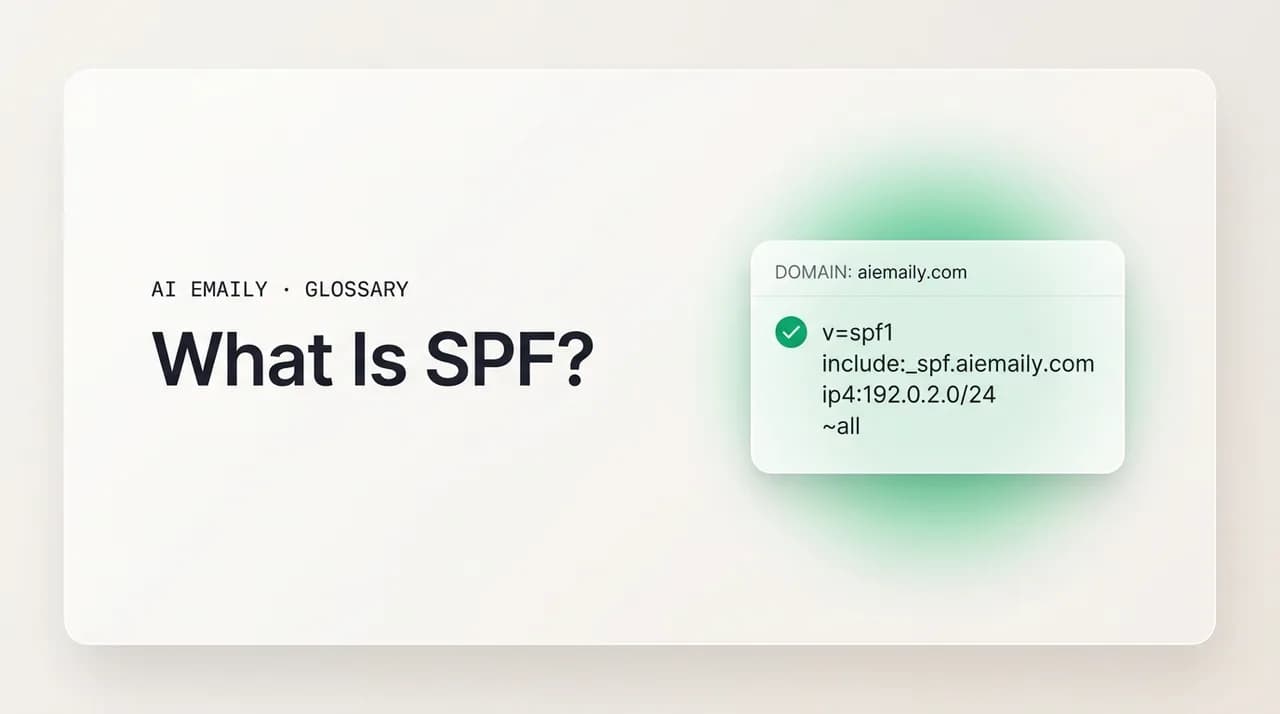
An SPF record is a single line of text published as a DNS TXT record on the domain it protects. It always starts with the version tag "v=spf1" and is followed by a series of mechanisms and qualifiers that, read left to right, build up the list of authorized senders and end with a rule for everything else. Here is a realistic example for a company that sends its own mail from a couple of IP ranges and also uses a third-party provider, broken down term by term.
Put together, the example record reads as a complete sentence: "This is an SPF version-1 record. Mail for this domain may be sent from this single IP, from this IP range, from this IPv6 range, from the servers Google authorizes in its own SPF record, from whatever this domain's A record points to, and from this domain's mail-exchange servers. Anything from anywhere else should be treated as a softfail." That is the entire model — a list of allowed sources and a rule for the rest.
The piece that does the most work in real records is the "include" mechanism. Almost no organization sends all its mail from its own servers anymore; they use a cloud mailbox provider for staff email, a transactional-email service for receipts and notifications, a marketing platform for newsletters, a help-desk tool for support replies, and so on. Each of those services publishes its own SPF record listing its sending IPs, and you authorize them simply by adding an "include:" pointing at the right hostname (the provider tells you exactly which one). This is also where the lookup limit comes from, since every "include" — and every "a," "mx," "exists," and "redirect" — costs a DNS query when the record is evaluated. The next section covers that limit.
The mechanism qualifiers at the very end deserve special attention because they decide how strict your policy is. The "all" mechanism matches everything that was not matched earlier, and the symbol in front of it sets the verdict: "-all" is a hardfail (fail anything unlisted — the strict, recommended choice once you are confident your record is complete), "~all" is a softfail (mark as suspicious but accept — a safe setting while testing), "?all" is neutral (no opinion), and "+all" means pass everything (effectively disabling SPF — never use this, as it authorizes the entire internet to send as your domain).
| Term | Type | What it does |
|---|---|---|
| v=spf1 | Version | Required opening tag identifying the record as SPF version 1 |
| ip4: / ip6: | Mechanism | Authorizes a specific IP address or CIDR range (no DNS lookup cost) |
| a | Mechanism | Authorizes the IP(s) in the domain's A/AAAA record (costs one lookup) |
| mx | Mechanism | Authorizes the domain's MX (mail-exchange) servers (costs one lookup) |
| include: | Mechanism | Delegates to another domain's SPF record — how you add providers (costs one lookup each) |
| redirect= | Modifier | Replaces this record entirely with another domain's SPF policy |
| -all | Qualifier | Hardfail: reject anything not explicitly authorized (strict) |
| ~all | Qualifier | Softfail: mark unauthorized mail suspicious but accept it (testing/safe) |
| ?all | Qualifier | Neutral: no assertion either way about unlisted senders |
| +all | Qualifier | Pass everything — disables SPF; never use |
What is the SPF 10-DNS-lookup limit?#
Here is the technical constraint that catches more domains than any other: an SPF record is allowed to trigger a maximum of ten DNS lookups when it is evaluated. This is a hard rule in the SPF specification (RFC 7208), and it exists to protect receiving servers from being forced into excessive or even abusive amounts of DNS work for a single message. Exceed the limit, and your SPF check does not just relax — it breaks. The result becomes a "permerror," which receivers commonly treat as a fail.
The mechanisms that cost a lookup are the ones that require DNS resolution to figure out which IPs they authorize: "include," "a," "mx," "exists," and "redirect." Crucially, the cost is cumulative and nested. If your record includes a provider, and that provider's record includes two more services, every one of those nested includes counts against your single ten-lookup budget. The "ip4" and "ip6" mechanisms, by contrast, cost nothing, because the IP is stated directly and no lookup is needed.
This is why so many real-world SPF records quietly break over time. A company starts with a clean record, then adds a marketing tool (one include), a help-desk system (another include), a calendaring service, an e-signature tool, a CRM that sends email — and each addition stacks more nested lookups under the hood. One day they cross ten, the record throws a permerror, and their carefully authorized mail starts failing SPF for reasons nobody connected to that last harmless-looking integration. The failure is silent until deliverability drops or a DMARC report flags it.
Staying under the cap is a real part of SPF maintenance. The most reliable fix is to remove services you no longer use, since dead includes keep consuming budget. Beyond that, you can replace an include with the provider's direct IP ranges where they publish stable ones (trading a lookup for a longer but cheaper record), consolidate sending through fewer platforms, or use an SPF-flattening or hosted-SPF service that resolves all your includes into a compact list of IPs behind a single lookup. Whatever the method, the goal is the same: keep the total number of DNS lookups your record triggers at ten or fewer.
Includes add up faster than they look
Why does SPF fail when email is forwarded?#
SPF has a well-known blind spot that is not a misconfiguration but a built-in consequence of how it works: it usually breaks when a message is forwarded. This trips up individuals and organizations constantly, and understanding it explains a lot of mysterious "SPF fail" results on perfectly legitimate mail.
The reason is straightforward once you remember what SPF checks. SPF verifies the IP of the server delivering the message against the list authorized by the envelope-sender domain. When someone forwards a message — say you have mail to an old address auto-forwarded to a new one, or a mailing list relays a post to its members — the message is re-sent by the forwarding server, which is a different machine with a different IP than the original sender. But the envelope domain (and the original sender's identity) often stays the same. So the receiving server checks the forwarder's IP against the original domain's SPF record, finds no match because the forwarder was never authorized by that domain, and returns a fail. The mail is genuine; SPF simply cannot tell, because forwarding violates its core assumption that mail arrives directly from an authorized source.
This forwarding problem is one of the main reasons SPF is not, and was never meant to be, a complete solution on its own. It is also why DKIM and DMARC matter so much. DKIM signs the message itself with a cryptographic signature that survives forwarding intact, so a forwarded message can still prove its authenticity through DKIM even when SPF fails. DMARC then accepts a message as authenticated if either SPF or DKIM passes with proper alignment — meaning a legitimate forwarded email that fails SPF can still pass DMARC on the strength of its DKIM signature. Mailing lists complicate this further (they often modify messages in ways that break DKIM too, which is why the ARC standard was later created to preserve authentication results across hops), but the basic point stands: SPF alone is fragile under forwarding, and the layered approach is what makes the system robust.
A forwarded email failing SPF is normal
How do SPF, DKIM, and DMARC work together?#
SPF is one of three email authentication standards, and they are designed to be used together rather than chosen between. Each answers a different question, and only the combination provides real protection against forged email. Understanding how they interlock is the difference between a domain that is genuinely protected and one that has an SPF record but is still spoofable.
SPF answers: was this message sent from a server the domain authorized? It checks the sending server's IP against the published list, and it verifies the envelope-sender domain. Its strength is simplicity; its weaknesses are that it breaks on forwarding and that it does not check the visible "From" address a human reads.
DKIM (DomainKeys Identified Mail) answers a different question: was this message genuinely signed by the domain, and has it been tampered with in transit? The sending domain attaches a cryptographic signature to the message using a private key; the receiver verifies it using a public key published in DNS. Because the signature travels with the message, DKIM survives forwarding where SPF does not, and it also detects changes to the content. What it does not do on its own is connect that signature to the visible "From" address either.
DMARC (Domain-based Message Authentication, Reporting and Conformance) is the layer that ties it all together and fixes the gap both of the others leave. DMARC requires alignment: the domain that SPF or DKIM verified must match the domain in the visible "From" header that the recipient actually sees. A message passes DMARC if it passes SPF with alignment or passes DKIM with alignment — either one is enough. DMARC also lets the domain owner publish a policy telling receivers what to do with mail that fails (do nothing, quarantine to spam, or reject), and it sends back reports showing who is sending mail as your domain. That alignment requirement is what finally closes the forged-"From" hole that SPF alone leaves open.
| Standard | Question it answers | Key limitation alone |
|---|---|---|
| SPF | Is the sending server authorized by the envelope domain? | Breaks on forwarding; ignores the visible 'From' address |
| DKIM | Was the message signed by the domain and unaltered? | Also ignores the visible 'From' alignment on its own |
| DMARC | Does an authenticated domain align with the visible 'From' — and what to do if not? | Relies on SPF and/or DKIM being set up correctly first |
The practical takeaway is that SPF is necessary but not sufficient. A domain with SPF but no DMARC is still trivially spoofable, because an attacker can pass SPF on their own throwaway domain while forging your name in the "From" header — and nothing checks the mismatch. The recommended setup for any domain that sends email is all three: SPF to list your authorized servers, DKIM to sign your messages, and DMARC to enforce alignment. SPF is the foundation, but it is the first floor of the building, not the whole structure.
SPF alone does not stop spoofing
How do you set up an SPF record?#
Setting up SPF means publishing one TXT record in your domain's DNS that lists every legitimate source of your mail and ends with a catch-all rule. It is not difficult, but it does require knowing every service that sends email as your domain — missing one will cause that service's mail to fail. Here is the process from start to a strict, working record.
- 1
Inventory everything that sends mail for your domain
List every source: your mailbox provider (Google Workspace, Microsoft 365), any transactional-email service (for receipts, password resets), marketing platforms, help-desk or CRM tools, and your own servers. Each one is a source you must authorize, and a forgotten source is the most common cause of mail mysteriously failing SPF.
- 2
Gather each provider's SPF include or IPs
Every reputable sending service documents the SPF value you need — usually an 'include:' hostname (for example 'include:_spf.google.com' for Google Workspace) and sometimes specific IP ranges. Collect the exact string each provider tells you to add; do not guess.
- 3
Compose a single SPF record
Combine them into one record starting with 'v=spf1', then your ip4/ip6 entries and include: statements, ending with an 'all' qualifier. A domain may have only one SPF record, so everything goes in this single line — never publish two separate SPF records, which is itself an error.
- 4
Start with ~all while you verify
End the record with '~all' (softfail) at first. This authorizes your listed senders while treating anything unlisted as merely suspicious rather than rejecting it, so a mistake in your list will not silently kill legitimate mail while you confirm everything is covered.
- 5
Publish the TXT record in DNS
In your DNS host's control panel, create a TXT record on the root domain (host '@' or the bare domain) with your composed SPF string as the value. DNS changes can take from minutes up to a day to propagate everywhere, so allow time before testing conclusions.
- 6
Check the lookup count and then tighten to -all
Verify the record stays within the ten-DNS-lookup limit and that all your real mail passes. Once you are confident every legitimate source is covered, change '~all' to '-all' (hardfail) for strict protection — and ideally add DKIM and a DMARC policy so the protection is complete.
One domain, one SPF record
How do you check an SPF record?#
Checking SPF comes in two flavors: looking up what a domain has published, and verifying how a specific message was evaluated. Both are easy, and both are worth knowing — the first tells you whether a record exists and is well-formed, the second tells you whether real mail is actually passing.
To see a domain's published SPF record, you query its TXT records. On a command line you can run a DNS lookup tool such as 'dig TXT yourdomain.com' or 'nslookup -type=txt yourdomain.com' and read the line beginning with 'v=spf1.' If you prefer a browser, any of the free SPF-checking and SPF-validating tools online will fetch the record, count its DNS lookups, flag whether it exceeds the ten-lookup limit, and warn about common mistakes like multiple records or a missing 'all' term. These validators are the fastest way to catch a record that is syntactically present but functionally broken.
To check how a real message fared, open the email's full headers — most clients have a "show original" or "view source" option — and look at the "Authentication-Results" header your receiving server added. It will state something like "spf=pass" or "spf=fail" along with the domain and IP that were evaluated. This is the ground truth: it tells you not what your record says in theory, but what actually happened when this specific message was checked. If you have DMARC set up, the aggregate reports it sends back are the best ongoing source for spotting sources that are failing SPF across all your mail, not just one message.
Who needs an SPF record, and what happens without one?#
Any domain that sends email should publish an SPF record — and increasingly, so should domains that do not send email at all. If your domain sends mail (for staff, for an app, for newsletters, for receipts), SPF tells the world's receiving servers which sources are legitimate, which improves your deliverability and protects your reputation. Major mailbox providers have steadily raised the bar here: bulk senders to large consumer providers are now effectively required to authenticate their mail with SPF, DKIM, and DMARC, and unauthenticated bulk mail is increasingly rejected outright.
A domain with no SPF record is not blocked, but it is at a disadvantage. Receiving servers have less reason to trust its mail, so messages are more likely to be scored as spam, and the domain is wide open to being spoofed because there is no published list saying who is allowed to send. The absence of a record (an "spf=none" result) is itself a weak negative signal in an era where authentication is expected.
There is also a case that surprises people: domains that never send email should still publish SPF. A parked domain, a brand you own but do not use for mail, or a subdomain that only serves a website is a tempting target for spoofers precisely because it looks unprotected. The fix is a deliberately empty SPF record — 'v=spf1 -all' — which says no server is ever authorized to send mail for this domain, so any message claiming to be from it fails immediately. Combined with a strict DMARC policy, that locks down non-sending domains against abuse.
Protect domains that don't send mail too
What are common SPF mistakes to avoid?#
Most SPF problems are not exotic — they are a small set of recurring errors that quietly undermine an otherwise reasonable record. Knowing them lets you avoid the failures that cost deliverability or leave a domain exposed. Here are the ones that come up most often.
- Publishing more than one SPF record on a domain. A domain may have exactly one 'v=spf1' record; a second one causes a permerror and breaks the whole check. Merge everything into a single line.
- Exceeding the ten-DNS-lookup limit. Too many includes (including nested ones you cannot see) push the record into permerror. Prune unused services, use direct IPs, or flatten the record.
- Using '+all' or leaving the record too permissive. Ending with '+all' authorizes the entire internet to send as your domain — it effectively disables SPF and is never correct.
- Forgetting a legitimate sending source. A marketing tool or new app left out of the record will have its genuine mail fail SPF. Inventory every sender before you publish, and update the record when you add tools.
- Relying on SPF alone for anti-spoofing. Because SPF ignores the visible 'From' address, a record without DKIM and DMARC still leaves your domain spoofable. Treat SPF as one of three layers.
- Setting '-all' before the record is verified complete. A strict hardfail on an incomplete record rejects your own legitimate mail. Start at '~all', confirm everything passes, then tighten.
- Putting the SPF record on the wrong host. It belongs on the root domain (or the exact sending subdomain), not buried under an unrelated name where receivers will never find it.
How does AI Emaily relate to SPF?#
SPF, DKIM, and DMARC are standards a domain owner sets up on the sending side — they are about proving your outbound mail is genuine. AI Emaily is an email client, which sits on the receiving and reading side, so it does not publish your SPF record for you. Where it relates is in how it treats authentication results on the mail arriving in your inbox, and in the security posture it brings to a job where forged and unauthenticated email is a constant threat.
Because authentication signals like SPF, DKIM, and DMARC are exactly what separate a genuine message from a spoofed one, they matter for any client that drafts, summarizes, or acts on your mail. AI Emaily is built to treat incoming email as untrusted input: messages that fail authentication or carry the hallmarks of spoofing are not given the benefit of the doubt, tracking pixels and unsafe links are handled defensively, and the AI is constrained by an action allowlist so a cleverly forged email cannot trick it into doing something on your behalf. Authentication results are part of the signal that informs how a message is surfaced and how cautiously it is handled.
That posture extends to AI Emaily's defaults. In its standard Copilot mode, the assistant drafts and suggests but never sends or takes a consequential action without your explicit approval — which means even a message that slips past every filter cannot quietly trigger an outbound action. Your mail is private by design and is used to help you, not to train models for anyone else. SPF is the domain owner's contribution to a trustworthy email ecosystem; a security-minded client is the reader's half of the same goal — and that is the half AI Emaily is built to handle.
Sending side vs. reading side
The bottom line on SPF#
SPF, the Sender Policy Framework, is the foundational email authentication standard: a published, public list — kept in a domain's DNS as a TXT record — of the mail servers allowed to send email on that domain's behalf. Receiving servers check whether each incoming message came from an authorized source and treat anything else as suspect. It is the email world's first real answer to the fact that SMTP, by itself, takes every sender's claimed identity on trust.
The mechanics are simple by design — a record that begins with 'v=spf1', lists IPs and provider includes, and ends with an 'all' rule — but two limits define how SPF behaves in the real world. It can trigger no more than ten DNS lookups before it breaks, and it fails when mail is forwarded, because it checks the delivering server's IP against the envelope domain rather than the message itself. Those limits are not flaws to fix so much as the reason SPF was never meant to stand alone.
That is why SPF is the first of three layers, not the whole defense. DKIM signs the message so it survives forwarding; DMARC requires the authenticated domain to align with the visible 'From' and tells receivers what to do with failures. Publish all three and your domain is genuinely protected; publish SPF alone and it is still spoofable. Set the record up carefully — inventory every sender, stay under the lookup limit, start at '~all' and tighten to '-all' — and SPF does exactly the job it was built for: making forgery of your domain detectable, and your legitimate mail trustworthy.
Frequently asked
See it in AI Emaily
Keep reading
Sources

Written by
Nafiul HasanNafiul Hasan is an entrepreneur and AI automation system builder with 10+ years of experience turning messy, manual workflows into reliable automated systems. He designs and ships AI enterprise solutions end-to-end — the agent logic, the data plumbing, and the product people actually use — and founded AI Emaily to give busy professionals their attention back. He writes here from the builder's seat: what works, what breaks, and how to put AI to work without giving up control.