What Is an MX Record? How Email Finds Your Mail Server

The short answer
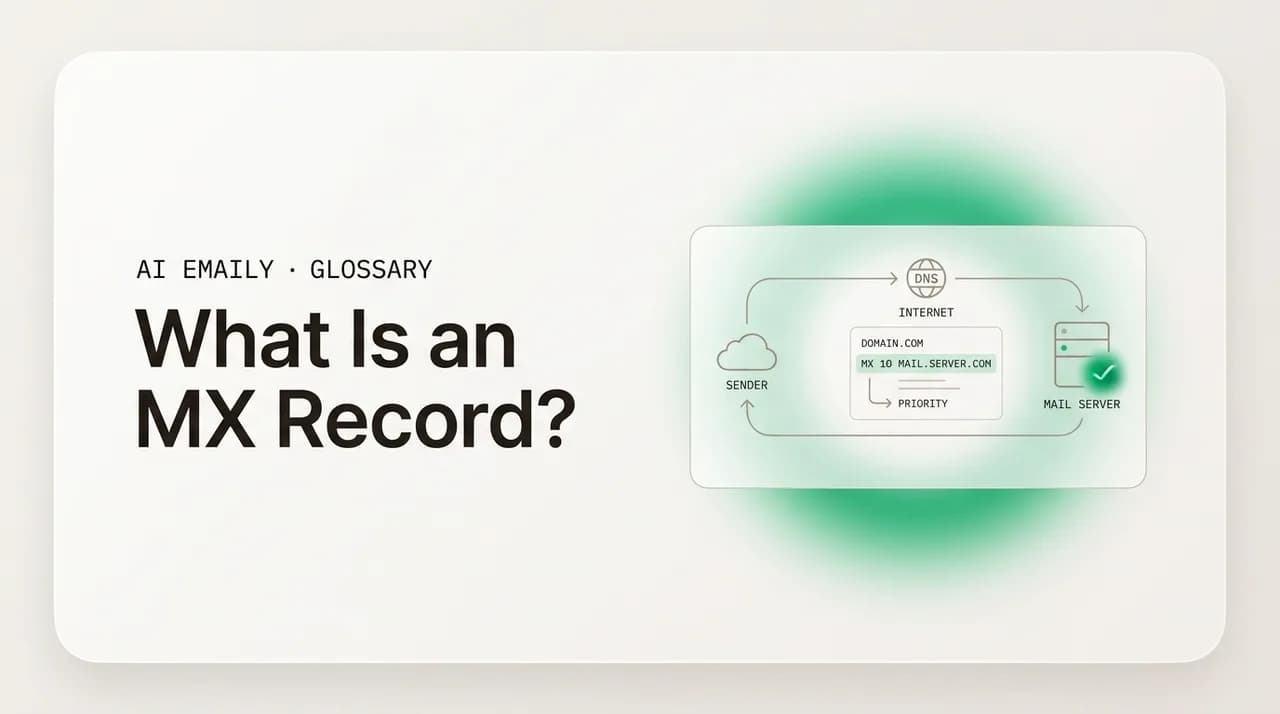
An MX record (mail exchange record) is a DNS entry that names the mail server responsible for receiving email sent to your domain. When someone emails [email protected], the sending server looks up example.com's MX record, finds the hostname listed, resolves it to an IP, and delivers the message there over SMTP.
An MX record is the DNS entry that tells the internet which mail server receives email for your domain. Here is what it does, how priority values work, how to check yours, and how to set one up.
On this page
- 01What is an MX record, exactly?
- 02How does an MX record route inbound mail?
- 03How does MX record priority (preference) work?
- 04How do MX records work with A records and the receiving server?
- 05How do you find and check the MX records for a domain?
- 06How do you set up an MX record?
- 07What are the most common MX record mistakes?
- 08MX vs SPF, DKIM, and DMARC: what's the difference?
- 09Where does an AI email client like AI Emaily fit in?
- 10The bottom line on MX records
Someone types your address, hits send, and a few seconds later the message lands in your inbox. Between those two moments, the sending server had to answer one question it could not guess: which machine, out of every server on the internet, is supposed to receive mail for your domain? The answer lives in a single line of DNS — your MX record. It is one of the least glamorous parts of how email works and one of the most load-bearing. Get it right and mail flows. Get it wrong, delete it, or point it at a server that is not listening, and your domain simply stops receiving email, often with no obvious error on your end.
Most people never see an MX record. It sits in the DNS settings of whoever manages your domain — a registrar, a hosting panel, a DNS provider — and it was probably configured once, when you set up Google Workspace or Microsoft 365 or your hosting company's mail, and then forgotten. That is exactly how it should be. But the moment something goes wrong — mail bouncing, a migration to a new provider, a security review, a domain that suddenly cannot receive a password reset — understanding what an MX record actually is turns a baffling outage into a five-minute fix.
This guide explains MX records in plain English, from the ground up. You will learn what an MX record is and what it does, how it fits into the larger DNS system, how the priority (or preference) value works and why you would list more than one, how MX records depend on A records and the receiving mail server, how to look yours up with everyday tools like dig and nslookup, how to set one up step by step, the mistakes that quietly break mail, and how MX records relate to the email authentication records — SPF, DKIM, and DMARC — that people constantly confuse them with.
We will keep it concrete. There are real example records you can compare against your own, a setup walkthrough, and a short note at the end on where an AI-native email client fits — which, usefully, is a place where you do not have to touch your MX records at all. By the time you reach the bottom, the line of text that decides whether your email arrives will not be a mystery; it will be something you can read, check, and reason about.
What is an MX record, exactly?#
An MX record — short for mail exchange record — is a type of DNS record that specifies the mail server responsible for accepting email messages on behalf of a domain. In plain terms: it is the internet's way of answering the question "where do I deliver mail for this domain?" When a server has an email for [email protected], it queries DNS for the MX record of example.com, and the record tells it the hostname of the server that is willing to receive that mail.
Two parts make up the useful content of an MX record: a priority value (a number) and a mail server hostname (a domain name like mail.example.com or aspmx.l.google.com). The priority decides the order in which servers are tried when more than one is listed; the hostname names the actual machine to talk to. Critically, the MX record points to a name, not directly to an IP address — a deliberate design choice we will come back to, because it is the source of one of the most common configuration mistakes.
An MX record belongs to a domain (or a subdomain), and a domain can have several MX records at once. Together they form the domain's set of mail exchangers, ranked by priority. This is what lets email have built-in redundancy: if the highest-priority server is unreachable, sending servers fall back to the next one down the list. Email was designed in an era of unreliable links and intermittently connected machines, and the MX record's multi-server, priority-ordered structure is a direct fossil of that design — resilience baked into the address book itself.
It helps to separate the MX record from things it is not. It is not your email address. It is not the username-and-password you log in with. It is not the SMTP server your outgoing mail uses (that is a separate setting in your mail client, and the two often differ). And it has nothing to do with proving a message is legitimate — that is the job of SPF, DKIM, and DMARC. The MX record does exactly one thing: it routes inbound mail to the right front door. Everything else happens after the message arrives.
The one-line definition
How does an MX record route inbound mail?#
To see what the MX record does, follow a single message from the moment someone clicks send. Say Priya at [email protected] emails you at [email protected]. Her message leaves her mail client and reaches her organization's outgoing server, which now has to figure out where example.com receives mail. It does not know — no server keeps a global list — so it asks DNS.
The sending server performs an MX lookup: a DNS query of type MX for the domain example.com. DNS responds with the domain's MX records — one or more lines, each carrying a priority number and a mail server hostname. The sending server sorts them by priority, lowest number first, and picks the most preferred host. Suppose the answer is "10 mail.example.com." That hostname is a name, not an address, so the server does a second lookup — an A record (IPv4) or AAAA record (IPv6) query — to resolve mail.example.com into an actual IP address it can connect to.
Now the sending server opens an SMTP connection to that IP on port 25, the standard port for server-to-server mail transfer. SMTP — the Simple Mail Transfer Protocol — is the language mail servers speak to hand messages to one another. The sending server announces itself, names the recipient, and transfers the message. The receiving server accepts it, and from there the mail is the recipient domain's responsibility: it gets filtered, scanned, sorted, and finally placed in the right mailbox, where you eventually open it in your email client over IMAP.
So the MX record is the hinge between two worlds. Before it, the sending server is out on the open internet not knowing where to go. After the MX lookup and the follow-up A-record resolution, it has a concrete IP and a protocol (SMTP) to deliver over. The record itself does not carry mail, store mail, or touch the message contents — it is a signpost. But it is the signpost without which nothing else in the chain can begin.
How does MX record priority (preference) work?#
Every MX record carries a priority value, also called a preference value — a number that tells sending servers which mail server to try first when a domain lists more than one. The rule is simple and counterintuitive at first: lower numbers are higher priority. A record with priority 10 is preferred over one with priority 20. The numbers themselves are arbitrary labels for order; only their relative size matters. People commonly use 10, 20, 30 (leaving gaps so a server can be inserted later) but 1, 2, 3 or 5, 10, 15 work identically.
When a domain has multiple MX records, the sending server tries the lowest-priority-number host first. If that server is reachable and accepts the message, delivery is done. If it cannot connect — the server is down, overloaded, or refusing connections — the sender moves to the next-lowest number and tries that one, and so on down the list. This is the redundancy that keeps mail flowing through outages: a backup mail server (often called a secondary MX) sitting at priority 20 quietly catches mail whenever the primary at priority 10 is unavailable, then forwards it on once the primary recovers.
What about two records with the same priority number? That is a deliberate technique, not a mistake. When several MX records share a priority value, sending servers distribute connections across them roughly evenly — a basic form of load balancing. Large mail providers use this constantly. Google Workspace and Microsoft 365, for instance, publish multiple equal-priority MX hosts so inbound mail spreads across many servers rather than hammering one. So priority gives you two tools at once: different numbers for ordered failover, equal numbers for load sharing.
A practical note that surprises people: a backup MX is not as essential as it once was. Modern sending servers already queue and retry failed deliveries for hours or days, so if your single mail server is briefly down, the sender will simply try again later and mail is not lost. A misconfigured or poorly secured secondary MX can even attract spam, because spammers sometimes target backup servers hoping they filter less aggressively. Plenty of well-run domains today list a single MX record and rely on the sender's retry behavior for resilience. Multiple MX records are useful — just not the obligation they are sometimes made out to be.
| Priority value | Hostname | What it means |
|---|---|---|
| 10 | mail1.example.com | Primary — tried first because it has the lowest number |
| 20 | mail2.example.com | Backup — used only if the priority-10 server is unreachable |
| 30 | mail3.example.com | Second backup — tried if both higher-priority servers fail |
| 10 | alt1.example.com | Equal priority to mail1 — load balanced, not failover |
Remember: lower number wins
How do MX records work with A records and the receiving server?#
An MX record never points straight to an IP address — and this is by design, not an oversight. It points to a hostname, and that hostname must itself resolve to an IP through a separate A record (for IPv4) or AAAA record (for IPv6). So a working mail setup is really two records cooperating: the MX record that says "deliver to mail.example.com," and the A record that says "mail.example.com lives at 203.0.113.25." Skip the second one and the first is a dead end — sending servers find the hostname but cannot turn it into a machine to connect to.
Why the indirection? Because pointing at a name instead of an IP lets you change servers without touching the MX record. If you migrate to a new mail server with a new IP, you update one A record and every domain whose MX points at that hostname follows automatically. It also lets one hostname carry multiple A records for load balancing, and it keeps a clean separation between "which name handles mail" (rarely changes) and "what address is that name at right now" (can change freely). The cost is that you must remember the MX target needs its own valid A/AAAA record.
There is a related rule worth knowing: an MX record must point to a hostname, never to another DNS name that is itself an alias. Pointing an MX record at a CNAME (an alias record) violates the mail standards and many servers will reject or mishandle it. The MX target should be a plain hostname backed directly by an A or AAAA record. This trips up people who try to be clever and point their MX at, say, a CDN alias or a redirect hostname — it looks like it should work and often silently does not.
Once the sending server has resolved the MX hostname to an IP and connected over SMTP, the receiving mail server takes over. That server — the mail transfer agent, or MTA — is the machine the MX record has been pointing at all along. It accepts the SMTP connection, runs the message through spam and malware filtering, checks authentication (SPF, DKIM, DMARC) on the incoming mail, and then either accepts the message for a local mailbox or relays it onward. The MX record's whole job ends the instant that connection is made; everything after is the receiving server's domain. Understanding that boundary — DNS routes, the server processes — is what makes the rest of email troubleshooting tractable.
How do you find and check the MX records for a domain?#
Reading a domain's MX records takes one command, and it works for any domain on the internet — yours, a competitor's, a provider you are evaluating. MX records are public DNS data, so there is nothing private about looking them up. The two classic tools are dig (default on macOS and Linux) and nslookup (available on Windows, macOS, and Linux). Both ask DNS the same question; they just format the answer differently.
With dig, the command is dig MX example.com (or add +short to strip everything but the answer: dig +short MX example.com). The output lists each MX record with its priority and hostname — for example, "10 mail.example.com." If you want to confirm the target actually resolves, follow up with dig A mail.example.com to see the IP behind it. On Windows, nslookup -type=mx example.com produces the same information in a slightly different layout, listing "MX preference = 10, mail exchanger = mail.example.com" for each record. There are also web-based MX lookup tools (MXToolbox is the best-known) if you would rather not touch a terminal — they show the same records plus extras like whether the server responds and whether it appears on any blocklists.
When you read the results, check three things. First, are the hostnames the ones you expect — your provider's published MX values, not some leftover from an old setup? Second, do the priorities make sense — a clear primary, and any backups numbered appropriately? Third, does the target resolve and respond — an MX pointing at a hostname with no A record, or at a server that is not listening on port 25, is broken even though the MX line itself looks fine. Web tools flag the last one automatically; with dig you confirm it by resolving the target and, if you want, connecting to port 25.
A timing note that saves a lot of confusion: DNS changes are not instant. Every record has a TTL (time to live) that tells resolvers how long to cache it, commonly anywhere from a few minutes to a day. After you change an MX record, the old value can linger in caches around the world until its TTL expires, so a lookup may show the old record for a while even though you have updated it. If you are planning a mail migration, lowering the MX record's TTL a day or two ahead means the switch propagates faster when you flip it.
Look up MX records with the most-used DNS tool:
dig MX example.com
Strip it down to just the records:
dig +short MX example.com
Confirm the MX target resolves to an IP:
dig A mail.example.com
How do you set up an MX record?#
Setting up MX records is something you do in the DNS management area for your domain — that is wherever your domain's DNS is hosted, which may be your registrar (GoDaddy, Namecheap, Cloudflare Registrar), a dedicated DNS provider (Cloudflare, Route 53), or a hosting control panel (cPanel, Plesk). The exact buttons differ, but the values you enter are dictated by your mail provider, not invented by you. Google Workspace, Microsoft 365, Zoho, Fastmail, and self-hosted servers each publish the precise MX records they require; your job is to copy those values in accurately.
Before you change anything, know one rule: a domain should point its MX records at exactly one mail system at a time. If you are switching providers, you replace the old MX records with the new ones — you do not stack a second provider's MX records alongside the first. Two providers competing for the same domain's inbound mail is a classic way to lose messages, because mail will go to whichever server a sender's MX lookup happens to prefer, and only one of them has the mailbox. Delete the old, add the new.
Here is the general sequence. The specifics (TTL options, whether you enter a trailing dot, whether the host field wants "@" or the bare domain) vary by provider, but the shape is always the same.
- 1
Get the exact MX values from your mail provider
Open your provider's setup docs and copy the published MX hostnames and priorities verbatim. Google Workspace, Microsoft 365, Zoho, and others each list their own — never guess or reuse another domain's.
- 2
Open your domain's DNS management page
Log in to wherever your domain's DNS lives — your registrar, DNS host, or hosting panel — and find the DNS records or zone editor section. MX records are managed alongside A, CNAME, and TXT records there.
- 3
Remove any old or conflicting MX records
Delete MX records from a previous provider so the domain points at only one mail system. Leaving stale MX records in place is a leading cause of mail landing in the wrong place after a migration.
- 4
Add each new MX record with its priority and hostname
Create one record per published value. Set the host/name to your domain (often entered as "@" or left blank for the root), the type to MX, the priority to the provider's number, and the value to the provider's mail hostname.
- 5
Confirm the target hostnames resolve
If you run your own mail server, make sure each MX hostname has a valid A (IPv4) or AAAA (IPv6) record pointing to the server's IP. For hosted providers like Google or Microsoft, they manage this for you — you only enter the MX values.
- 6
Save, then wait for propagation and verify
Save the zone and allow time for the change to propagate — anywhere from minutes to a day, depending on the TTL. Then verify with dig MX yourdomain.com or a web MX lookup, and send a test message to confirm inbound mail arrives.
Don't run two mail providers' MX records at once
What are the most common MX record mistakes?#
Most MX problems are not exotic. They are a handful of the same errors, made over and over, and each one produces the same frustrating symptom: mail that should arrive simply does not, often with no clear bounce on the recipient's side. Knowing the usual suspects turns a mysterious outage into a quick checklist.
The first and most common is the MX pointing at a hostname with no valid A/AAAA record — or at a CNAME. The MX line looks perfectly correct, but the target name does not resolve to an IP (or resolves through an alias the standards forbid), so sending servers reach a dead end. The fix is to make sure every MX hostname is a real host backed directly by an A or AAAA record. The second is leftover or duplicate MX records after a provider change: old entries from a previous setup still sitting in the zone, quietly stealing some fraction of inbound mail to a server that no longer has the mailbox.
Then there are the small-but-fatal typos: a misspelled mail hostname, a missing trailing dot where the DNS provider requires a fully qualified name (some panels treat "mail.example.com" without the dot as "mail.example.com.example.com"), or priority numbers entered in the wrong field. There is also the trap of having no MX record at all — in which case the standards say senders may fall back to the domain's A record, but that behavior is inconsistent and you should not rely on it; if you receive mail, publish an MX record explicitly. Finally, people forget that DNS changes take time and panic when a freshly updated record still shows the old value; that is usually just TTL caching, not a failure. The table below pairs each symptom with its likely cause and fix.
| Symptom | Likely cause | Fix |
|---|---|---|
| Domain receives no mail at all | No MX record published, or MX target has no A/AAAA record | Add the MX record; ensure its hostname resolves to an IP |
| Some mail arrives, some vanishes | Old/duplicate MX records from a previous provider still in the zone | Delete stale MX records so only one mail system is listed |
| MX looks right but mail still fails | MX points at a CNAME/alias instead of a real hostname | Repoint MX at a plain hostname backed by an A/AAAA record |
| Mail goes to the wrong server | Wrong priority order, or competing providers' MX records mixed | Fix priorities; keep one provider's MX set only |
| Updated record still shows old value | DNS caching — the old record's TTL has not expired | Wait for the TTL to elapse; lower TTL before planned changes |
| Intermittent delivery to a host | MX hostname typo or missing trailing dot | Correct the hostname; add the trailing dot if the panel needs it |
An open or stale backup MX is a liability
MX vs SPF, DKIM, and DMARC: what's the difference?#
MX records get confused with SPF, DKIM, and DMARC constantly, because all four are DNS records that have something to do with email. But they answer completely different questions, and conflating them leads to misconfigured domains. The cleanest way to hold the distinction: MX is about receiving, while SPF, DKIM, and DMARC are about trusting what is sent. MX routes inbound mail to your server; the authentication records help other servers decide whether mail claiming to be from your domain is genuine.
Start with the record types. An MX record is its own DNS record type (type MX) and points to a mail server. SPF, DKIM, and DMARC are all published as TXT records (DKIM at a special selector subdomain), and they hold policy text rather than a server name. So already they live in different record types and serve different sides of the conversation — MX on the inbound side, the rest on the outbound-authentication side.
Now the jobs. SPF (Sender Policy Framework) is a TXT record that lists which servers are allowed to send mail for your domain, so a receiver can check whether incoming mail came from an authorized source. DKIM (DomainKeys Identified Mail) adds a cryptographic signature to your outgoing messages and publishes the public key in DNS, letting receivers verify the message was not tampered with and really came from your domain. DMARC (Domain-based Message Authentication, Reporting and Conformance) is a TXT record that ties SPF and DKIM together: it tells receivers what to do with mail that fails those checks (allow, quarantine, or reject) and where to send reports. None of these route mail; they all concern whether mail purporting to be from you should be trusted.
The practical relationship: a working email domain usually needs all four. MX so you can receive mail; SPF, DKIM, and DMARC so the mail you send is trusted and lands in inboxes instead of spam folders, and so attackers cannot easily spoof your domain. They are complementary, not alternatives — and getting MX right does nothing for your deliverability or anti-spoofing, while getting SPF, DKIM, and DMARC right does nothing for whether you can receive mail. The table makes the split explicit.
| Record | DNS type | What it answers |
|---|---|---|
| MX | MX | Which server receives mail for this domain? (inbound routing) |
| SPF | TXT | Which servers are allowed to send mail for this domain? |
| DKIM | TXT | Was this message really signed by the domain, and unaltered in transit? |
| DMARC | TXT | What should a receiver do when SPF/DKIM fail, and where to report? |
Receiving vs trusting
Where does an AI email client like AI Emaily fit in?#
Here is the reassuring part. Everything above is about how mail reaches the server that hosts your mailbox — and that is your domain's and your mail provider's concern, configured once in DNS. The email client you read and write mail in is a separate layer entirely, and it sits on top of whatever MX setup you already have.
AI Emaily is an AI-native email client. It connects to your existing mailboxes — Gmail, Outlook, or any IMAP provider — and works with the mail already arriving at the servers your MX records point to. You do not change your MX records to use it, and you should not: your domain keeps receiving mail exactly as before, and AI Emaily reads, organizes, drafts, and replies on top of that. It is the place you work with your email, not the route your email travels to get to you. If you can already receive mail in your provider, AI Emaily can connect to it without touching a single DNS record.
That separation is also why switching to a better client is low-risk: your MX records, your domain, and your mail provider stay put, so there is nothing to break in the routing layer. And it is private by design — your mail is used to work for you, not to train models for anyone else. You can start free at app.aiemaily.com/signup, connect an inbox, and keep your DNS exactly as it is.
You don't touch MX to use an AI client
The bottom line on MX records#
An MX record is a single line of DNS doing an outsized job: it tells the entire internet which server receives email for your domain. When someone emails you, their server looks up your MX record, finds the mail host named there, resolves that hostname to an IP through an A record, and delivers the message over SMTP. The priority value orders multiple servers — lower numbers first for failover, equal numbers for load balancing — and the receiving server takes over the moment the connection is made.
Most of the trouble people hit comes down to a few repeatable mistakes: an MX pointing at a hostname with no A record or at a forbidden alias, stale records left over from a migration, typos, or simple impatience with DNS caching. Check yours in seconds with dig MX yourdomain.com or a web lookup, set one up by copying your provider's published values into your DNS exactly, and remember that MX is about receiving mail — SPF, DKIM, and DMARC are the separate records that decide whether your sent mail is trusted.
And the practical upshot for daily life: once your MX records are right, you rarely think about them again, and the client you actually live in — like AI Emaily — sits on top of all of it without needing a single DNS change. Get the signpost right once, and the mail finds its way.
Frequently asked
See it in AI Emaily
Keep reading
Sources

Written by
Nafiul HasanNafiul Hasan is an entrepreneur and AI automation system builder with 10+ years of experience turning messy, manual workflows into reliable automated systems. He designs and ships AI enterprise solutions end-to-end — the agent logic, the data plumbing, and the product people actually use — and founded AI Emaily to give busy professionals their attention back. He writes here from the builder's seat: what works, what breaks, and how to put AI to work without giving up control.