What Is Email Deliverability? How Email Reaches the Inbox

The short answer
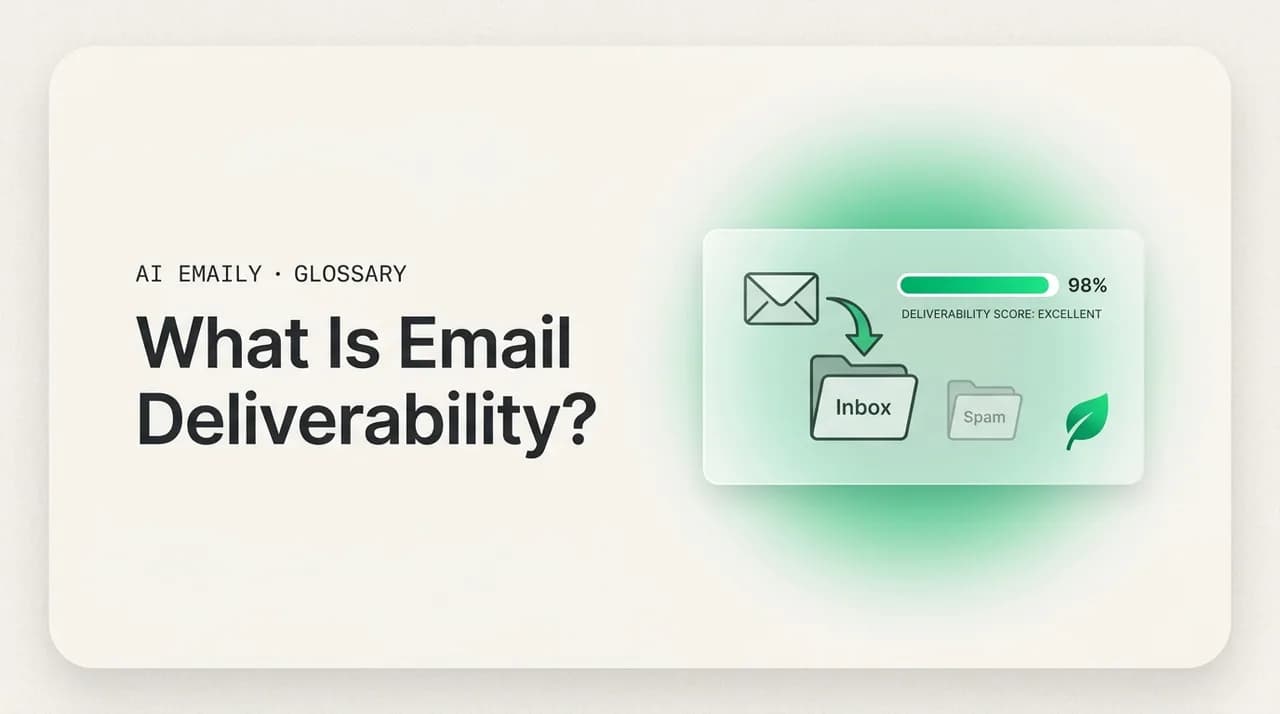
Email deliverability is the ability of an email to land in the recipient's inbox rather than the spam folder or a block. It is shaped by authentication (SPF, DKIM, DMARC), sender reputation, content, engagement, and list hygiene. "Delivered" only means the server accepted the message; inbox placement is what actually matters.
Email deliverability is whether your mail reaches the inbox, not spam. Inbox placement vs delivery rate, the Gmail and Yahoo rules, how to measure it.
On this page
- 01What is email deliverability, exactly?
- 02What is the difference between deliverability and delivery rate?
- 03How does email deliverability work behind the scenes?
- 04What factors affect email deliverability?
- 05How do authentication records (SPF, DKIM, DMARC) help deliverability?
- 06What is sender reputation and why does it matter so much?
- 07What is IP and domain warmup?
- 08What content and formatting triggers send email to spam?
- 09Why does recipient engagement decide where email lands?
- 10What are list hygiene, bounce rates, and complaint rates?
- 11What are the 2024 Gmail and Yahoo bulk sender rules?
- 12How do you measure email deliverability?
- 13How do you improve email deliverability?
- 14Does email deliverability matter for personal and one-to-one email?
- 15How does AI Emaily relate to email deliverability?
- 16The bottom line on email deliverability
You hit send, the email leaves your outbox, and as far as you can tell it arrived. No bounce, no error, nothing came back. So it got there — right? Not necessarily. "It left my machine" and "it reached the person's inbox" are two very different events, and the gap between them is where a surprising amount of email quietly disappears. The message can be accepted by the receiving server and then filed straight into spam, throttled, or dropped without a trace. The sender sees success; the recipient sees nothing.
That gap has a name: email deliverability — the single most important, and least understood, measurement of whether email actually works. People obsess over subject lines and send times, but if the message never reaches the inbox, none of the rest matters. A perfectly written email in the spam folder is read by no one.
This guide explains email deliverability from the ground up, in plain English: what it actually means (and why it is not the "delivery rate" most tools report), the difference between inbox placement and mere delivery, every major factor that decides where your mail lands, the 2024 Gmail and Yahoo rules that changed the game for volume senders, and how to measure and improve where you stand. There is a factors table, a step-by-step improvement plan, and a before/after example of an email rewritten to clear spam filters.
We will keep it practical and honest. Deliverability is not magic and it is not a single switch you flip. It is a reputation you build and maintain — a running judgment that mailbox providers make about whether your mail is wanted. Understand the inputs to that judgment and you can move it in your favor.
What is email deliverability, exactly?#
Email deliverability is the ability of an email to be successfully delivered to the recipient's inbox — not the spam folder, not a quarantine, and not silently dropped. It measures how well your messages reach the place where people actually read them. When deliverability is good, your mail lands in the primary inbox. When it is poor, your mail gets filtered to spam, delayed, or rejected outright, even though you did everything else right.
The word does a lot of work, so separate two things it can mean. In the narrow technical sense, "delivery" means the receiving server accepted the message instead of bouncing it back. In the broader, more useful sense, "deliverability" means the message reached the inbox where a human will see it. The two are not the same: a message can be delivered (accepted by the server) and still have terrible deliverability (routed to spam by that same server a moment later).
Think of mailing a letter to an apartment building. "Delivery" is the letter reaching the mailroom. "Deliverability" is whether the mailroom puts it in the right resident's box or tosses it in the junk bin. The letter arrived either way; only one outcome means the person reads it. Mailbox providers like Gmail, Outlook, and Yahoo run that mailroom, and they decide — in milliseconds, by algorithm — which bin your mail goes in.
Crucially, deliverability is not a property of a single email. It is a reputation. Mailbox providers track who you are (your sending domain and IP), how recipients have reacted to your mail over time, and whether your messages carry the right credentials. Each new send is judged against that history. A trustworthy sender's mail sails into the inbox; an unknown or suspect sender's gets scrutinized, throttled, or filtered. You are not sending into a neutral pipe — you are sending into a system that already has an opinion about you.
The core idea in one line
What is the difference between deliverability and delivery rate?#
This distinction trips up almost everyone, because the number most tools show you is the less meaningful one. Your delivery rate looks great while your real problem hides underneath it.
The delivery rate is the percentage of emails accepted by recipient servers — sent minus bounces. Send 1,000 emails, have 20 bounce, and your delivery rate is 98%. It is a clean number platforms report prominently, but all it tells you is that the server did not reject the message at the door. It says nothing about where the message went after acceptance.
Inbox placement (the inbox placement rate, or deliverability rate) is the percentage of accepted emails that actually landed in the inbox rather than spam. This is the number that decides whether anyone reads your mail. You can have a 99% delivery rate and a 70% inbox placement rate at once — nearly every message accepted, but three in ten quietly filtered to spam. The delivery rate hid the failure completely.
Here is why the difference is so easy to miss: bounces generate a visible signal — when a server rejects a message it sends back a notification your tool records. Spam filtering generates no such signal. When a server accepts your mail and then files it in spam, nothing comes back, and from the sender's side it looks identical to a successful inbox delivery. That silence is exactly why poor deliverability goes undetected for so long: the dashboard says 98% delivered and everyone assumes the job is done.
| Term | What it measures | What it tells you |
|---|---|---|
| Delivery rate | Emails accepted by the receiving server (sent minus bounces) | Whether the server took the message at all — a low bar |
| Bounce rate | Emails rejected by the receiving server | Address and reputation problems that produce a visible signal |
| Inbox placement rate | Accepted emails that landed in the inbox, not spam | Whether humans will actually see your mail — the number that matters |
| Spam placement rate | Accepted emails routed to the spam or junk folder | How much of your accepted mail is being filtered out of sight |
| Deliverability | Your overall ability to reach the inbox over time | The reputation and health of you as a sender |
Trust inbox placement, not delivery rate
How does email deliverability work behind the scenes?#
When you send a message, it does not go straight into the recipient's inbox. It passes through a chain of checks at the receiving mailbox provider, each asking a version of the same question: is this sender who they claim to be, and do recipients want this mail? The answers decide where the message ends up.
First comes authentication. The receiving server inspects the message's credentials — SPF, DKIM, and DMARC records published in your domain's DNS — to verify the email genuinely came from your domain and was not forged. Mail that fails is treated with deep suspicion; mail that passes clears the first and most important gate.
Next comes reputation. The provider looks up the sending IP and domain in its reputation systems. Have messages from this source been wanted before? Have recipients opened and replied, or marked them as spam? Reputation is the accumulated verdict of every prior send, and it weighs heavily on where this one goes.
Then comes content and behavior. Filters scan the message — subject, body, links, images, attachments — for spam and phishing patterns, and factor in behavior like volume spikes, bounces, and complaints. Engagement closes the loop: providers watch whether this specific recipient tends to open your mail, which personalizes placement so the same message can land in the inbox for an engaged reader and in spam for one who never opens.
All of this happens in a fraction of a second, invisibly, on every message. The provider weighs the signals and routes the mail: primary inbox, a category tab, spam, a temporary deferral, or an outright block. You see none of the reasoning — only, if you watch the right metric, where it landed.
- 1
Authentication check
The receiving server verifies SPF, DKIM, and DMARC to confirm the email truly came from your domain and was not spoofed.
- 2
Reputation lookup
It checks the sending IP and domain against reputation data — the running history of whether your mail has been wanted or unwanted.
- 3
Content and behavior scan
Filters analyze the subject, body, links, and attachments for spam patterns, and weigh sending behavior like volume spikes and bounce rates.
- 4
Engagement weighting
Per-recipient signals — opens, replies, deletes, spam reports — personalize where the same message lands for different readers.
- 5
Routing decision
The provider files the message: inbox, a category tab, spam, a temporary deferral to retry, or a hard block.
What factors affect email deliverability?#
Deliverability is not decided by one thing. It is the sum of several factors, each feeding the reputation and per-message judgment mailbox providers make. Some are technical and set-once (authentication); others are ongoing and behavioral (engagement, list hygiene). Get the big ones right and the rest become easier.
Here is the full set, from most foundational to more situational. Read it as a checklist: a weakness in any single area can drag down otherwise fine mail, and the technical foundations at the top are the ones to fix first, because nothing else compensates for failing them.
| Factor | What it is | Why it affects the inbox |
|---|---|---|
| Authentication (SPF, DKIM, DMARC) | DNS records that prove the email genuinely came from your domain | Unauthenticated mail is treated as likely forged; major providers now require it |
| Sender reputation | The provider's running score for your IP and domain | A poor score routes mail to spam regardless of content quality |
| IP & domain warmup | Gradually ramping volume on a new IP or domain | Sudden high volume from an unknown source looks like a spam attack |
| Content & spam triggers | Subject and body wording, links, images, formatting | Spammy phrasing, shady links, and image-only mail raise filter scores |
| Recipient engagement | Opens, replies, clicks vs. deletes and ignores | High engagement signals wanted mail; low engagement pushes you toward spam |
| List hygiene | Keeping your recipient list clean and permission-based | Dead addresses, spam traps, and unconsented contacts wreck reputation |
| Bounce rate | Share of messages rejected as undeliverable | High bounces signal a stale or purchased list and damage standing |
| Complaint rate | Share of recipients who hit "report spam" | The strongest negative signal; even small rates trigger filtering |
| Unsubscribe friction | How easily recipients can opt out | Hard-to-leave lists generate complaints instead of clean unsubscribes |
How do authentication records (SPF, DKIM, DMARC) help deliverability?#
Authentication is the foundation of modern deliverability, and as of 2024 it is no longer optional for anyone sending in meaningful volume. These three records prove that an email claiming to come from your domain actually did. Without them, you are an unverified stranger — and mailbox providers increasingly refuse to give unverified strangers the benefit of the doubt.
SPF (Sender Policy Framework) is a DNS record listing which mail servers are authorized to send for your domain. The receiving server checks the sender against that list; if authorized, SPF passes, and if not, the mail may be forged. SPF answers: "is this server allowed to send for this domain?"
DKIM (DomainKeys Identified Mail) adds a cryptographic signature to each message, which the receiving server verifies against a public key in your DNS. A valid signature proves the mail came from your domain and was not altered in transit. DKIM answers: "is this message authentic and intact?"
DMARC (Domain-based Message Authentication, Reporting and Conformance) ties the two together and tells receivers what to do when checks fail. It also requires "alignment" — the visible From domain must match the authenticated domain — closing the loophole where a message passes SPF or DKIM for an unrelated domain while displaying yours. A policy can be none (monitor), quarantine (route failures to spam), or reject, and it reports who is sending under your name. DMARC answers: "what happens to failing mail, and is anyone forging my domain?"
Together, these three are your identity papers. Passing them does not guarantee the inbox — a verified sender with a bad reputation still gets filtered — but failing them is increasingly an automatic strike. For the major providers, no authentication now means no inbox.
Authentication is now a hard requirement
What is sender reputation and why does it matter so much?#
If authentication is your identity, sender reputation is your credit score. It is the running judgment mailbox providers make about whether your mail is wanted, built from how recipients have reacted to you. A good reputation buys the benefit of the doubt; a bad one means your mail is suspect before it is even read. Once authentication is in place, reputation is the single biggest lever on deliverability.
Reputation has two parts providers track separately. IP reputation is tied to the server address you send from — on a shared service you inherit other senders' behavior; on a dedicated IP it is your own. Domain reputation is tied to your sending domain and follows you even if you change IPs, which makes it the more durable and important of the two. You cannot escape a damaged domain reputation by switching servers.
Providers build the score from signals like complaint rates, bounce rates, spam-trap hits (addresses planted to catch senders with poor list practices), engagement, and consistency of volume. Positive signals — replies, messages moved out of spam, contacts added — raise it. Negative signals — complaints, deletes without opening, spam-trap hits — lower it, and the negatives weigh more heavily.
Reputation matters so much because it is the lens through which every other factor is read. The same content lands in the inbox from a trusted sender and in spam from a distrusted one. It is slow to build and quick to lose: a single bad send to a stale list can undo months of careful sending. This is why senders guard it, warm up gradually, and never blast a cold list — the score is the whole game.
Domain reputation follows you everywhere
What is IP and domain warmup?#
A brand-new sending IP or domain has no reputation at all — and to a mailbox provider, no reputation is closer to suspicious than to neutral. Spammers constantly spin up fresh domains and IPs to evade filters, so a previously silent source that suddenly sends thousands of messages looks exactly like an attack. Warmup is the practice of building reputation gradually so providers learn you are legitimate before you send at full volume.
The mechanics are simple: start with a small number of messages per day to your most engaged recipients, then increase volume steadily over weeks. Each batch that gets opened and not reported teaches providers your mail is wanted, and they raise your standing accordingly, so by full scale you have a track record that supports it. Skip the warmup and dump full volume on day one, and you trigger throttling, deferrals, and spam filtering that can damage the domain before it establishes itself.
Warmup applies most to bulk and marketing senders moving onto new infrastructure, and to anyone starting a new domain. For ordinary personal and team email — one-to-one messages from an established account — there is no warmup to do; the account already has history and the volume is naturally low and engaged. It is high-volume sending from cold infrastructure that demands the careful ramp.
Never blast full volume from a cold domain
What content and formatting triggers send email to spam?#
Content matters less than reputation and authentication, but it still matters — and it is the factor you control most directly on any given message. Spam filters score the words, links, images, and structure of your email, and certain patterns reliably raise that score. A message from a good sender can survive some of these; one from an unknown sender often cannot.
The classic triggers are well known: aggressive urgency ("ACT NOW," "FREE," "100% guaranteed," "risk-free"), excessive punctuation and ALL CAPS, prize phrasing, and the visual hallmarks of bulk mail. But filters are now more sophisticated than a banned-words list. They weigh structural signals too: a high image-to-text ratio (or image-only mail with no real text), large numbers of links, link text that does not match its destination, shorteners that hide the true URL, misleading From names, and missing plain-text versions of HTML mail.
Two things drive most content filtering. The first is anything that looks like phishing — link text that disagrees with its target, a From name that does not match the address, requests for credentials — which filters are tuned aggressively against. The second is anything that looks mass-produced rather than personal: identical messages to huge lists, no personalization, no real reply address. Genuine one-to-one mail rarely hits these because it is, by nature, personal and low-volume.
The fix is to write like a person, not a billboard: clear language instead of hype, a sensible balance of text and images, honest links, a real From name and reply address, and an easy unsubscribe for any list mail. Below is a concrete before/after — the same message rewritten to clear the filters.
Write for a person, not a filter
Why does recipient engagement decide where email lands?#
Modern spam filtering is not just about catching obvious junk — it is about predicting what each recipient wants, and the most powerful signal for that is engagement: what people actually do with your mail. Providers watch opens, replies, clicks, and messages moved out of spam (strong positives), alongside deletes-without-reading, ignored mail, and spam reports (strong negatives). Over time these add up to a verdict on whether your mail is wanted.
Engagement works at two levels. At the sender level, aggregate engagement across all your recipients feeds your reputation: widely opened and replied-to mail is trusted, widely ignored or reported mail is pushed toward spam. At the recipient level, providers personalize placement by how that specific person treats your mail — which is why the same newsletter can land in the inbox for a loyal reader and in spam for someone who never opens it.
The practical consequence is that sending to people who do not engage actively hurts you: every message to a recipient who never opens drags your signals down and teaches providers your mail is unwanted. This is the logic behind list hygiene and re-engagement — it is better to stop mailing a dead contact than to keep sending into silence, because the silence itself is a negative signal. For one-to-one email this is rarely an issue, but for list-based sending, engagement is the metric to optimize, and pruning the unengaged is a feature, not a loss.
What are list hygiene, bounce rates, and complaint rates?#
These three are the maintenance side of deliverability — the ongoing discipline of keeping your recipients clean and wanted. They matter most for anyone sending to a list, and neglecting them is one of the fastest ways to wreck an otherwise healthy reputation.
List hygiene is keeping your recipient list accurate, permission-based, and free of dead weight: only emailing people who genuinely opted in, removing addresses that bounce, suppressing unsubscribes, and pruning contacts who have not engaged in a long time. A clean list keeps engagement high and bounces and complaints low; a dirty list — especially a purchased or scraped one — poisons all three at once and is the classic cause of sudden deliverability collapse.
Bounce rate is the share of messages rejected as undeliverable. A hard bounce means the address is permanently invalid; a soft bounce is a temporary failure (mailbox full, server down). A high bounce rate tells providers you are sending to a stale or unvetted list — exactly what spammers do — and damages reputation quickly. Keeping bounces low means validating addresses and removing hard-bounced ones immediately. (Our companion guide on email bounces covers the hard-versus-soft distinction in full.)
Complaint rate is the share of recipients who click "report spam." It is the single strongest negative signal in deliverability — a direct, unambiguous statement that the mail was unwanted. Even a small rate does damage; the 2024 bulk-sender rules set a hard ceiling of 0.3% (aiming under 0.1%), just three complaints per thousand messages. Complaints come from mailing people who never really wanted your mail, or making it hard to unsubscribe so they report you instead of leaving cleanly. The fix for both is the same — only mail people who asked, and make opting out trivially easy.
| Metric | Healthy target | What goes wrong above it |
|---|---|---|
| Bounce rate | Under ~2% | Signals a stale or purchased list; reputation drops fast |
| Complaint (spam) rate | Under 0.1%, hard cap 0.3% | Strongest negative signal; triggers spam filtering and blocks |
| Unengaged contacts | Pruned regularly | Dead weight drags down aggregate engagement and placement |
| Unsubscribe ease | One click, honored fast | Friction turns would-be unsubscribes into spam complaints |
What are the 2024 Gmail and Yahoo bulk sender rules?#
In February 2024, Google and Yahoo rolled out new sender requirements that reshaped deliverability for anyone sending in volume, formalizing long-standing best practice into hard requirements: meet them or watch your mail get filtered or rejected. Although they target bulk senders, they signaled the direction of the whole industry — authentication and low complaints are now table stakes for the inbox.
The rules apply most strictly to "bulk senders" — roughly 5,000 or more messages per day to Gmail (and a comparable threshold at Yahoo). For those senders, three things became mandatory: full authentication (SPF, DKIM, and DMARC all configured, with a published DMARC policy); easy unsubscribe (one-click via the List-Unsubscribe header, honored within two days); and a complaint rate kept reliably below 0.3%, with explicit guidance to stay under 0.1% — fewer than three spam complaints per thousand messages.
There are baseline expectations for everyone too: don't impersonate other domains, keep valid forward and reverse DNS (PTR) on your sending IPs, use TLS, and format messages to standards. But the headline shift is that authentication and complaint thresholds moved from "recommended" to "enforced." Senders who ignored the deadline saw mail throttled, filtered, or rejected.
What does this mean for ordinary email? If you send normal one-to-one mail from a personal or work account, you are nowhere near the bulk threshold and the strict rules do not bind you. But two things still apply: your domain should have proper SPF, DKIM, and DMARC regardless of volume (it stops spoofing and signals legitimacy), and the underlying principle — be authenticated, be wanted, be easy to leave — is simply how the inbox works now for everyone. The bulk rules just made the consequences explicit.
The thresholds that matter
How do you measure email deliverability?#
You cannot improve what you cannot see, and the central challenge of deliverability is that the failure mode — landing in spam — is silent. Your sending tool happily reports success while half your mail sits in junk folders. Measuring deliverability means deliberately looking past the delivery rate to the signals that reveal where mail actually lands.
The most direct method is seed testing (inbox placement testing): you send your message to a panel of seed addresses across the major providers — Gmail, Outlook, Yahoo, and others — then check where each copy landed: inbox, a category tab, or spam. The result is a real inbox placement rate per provider, exposing the gap the delivery rate hides. Several deliverability services run these panels for you.
Beyond seed tests, several feedback channels show how providers see you. DMARC reports reveal which sources are sending under your domain and whether they pass authentication — invaluable for catching misconfiguration and spoofing. Feedback loops notify you when a recipient marks your mail as spam, so you can suppress that address. Postmaster tools — Google Postmaster Tools chief among them — show your domain and IP reputation, spam rate, and authentication results straight from the provider. Your own metrics (bounce rate, complaint rate, open and reply rates) round out the picture.
The honest baseline for individuals is simpler: send a test to your own accounts across a few providers and see where it lands, and watch whether replies dry up unexpectedly. For one-to-one mail with proper authentication and a clean history, deliverability is usually a non-issue. The heavy instrumentation — seed panels, postmaster dashboards, feedback loops — is the toolkit of bulk senders watching placement across millions of messages.
- 1
Run a seed test
Send to a panel of addresses across Gmail, Outlook, and Yahoo, then record where each copy landed to get a real inbox placement rate.
- 2
Read your DMARC reports
Review aggregate reports to confirm your legitimate sources pass authentication and to spot anyone spoofing your domain.
- 3
Check postmaster tools
Use Google Postmaster Tools to see your domain reputation, spam rate, and authentication results directly from the provider.
- 4
Watch your own metrics
Track bounce rate, complaint rate, and reply rate over time — sudden changes are early warnings of a deliverability shift.
How do you improve email deliverability?#
Improving deliverability is a sequence, not a single action: fix the technical foundation first, then build and protect reputation, then maintain hygiene. The order matters, because no amount of content polishing helps a domain that fails authentication, and no warmup saves a list full of dead addresses. The steps below cover the full arc — most apply chiefly to volume senders, but the first one, proper authentication, applies to everyone, because it protects any domain from spoofing and is the price of entry to the modern inbox.
- 1
Set up authentication correctly
Publish valid SPF, DKIM, and DMARC records for your sending domain, with an enforced DMARC policy. This is the non-negotiable first step for any sender, at any volume.
- 2
Use a consistent, reputable sending domain
Send from a domain you control and keep your sending source stable. Consider a dedicated subdomain for bulk mail so it cannot harm your primary domain's reputation.
- 3
Warm up new infrastructure gradually
On a new IP or domain, start with low volume to your most engaged recipients and ramp up over weeks rather than blasting full volume on day one.
- 4
Send only to people who opted in
Use permission-based lists. Never buy, scrape, or rent addresses — purchased lists are the fastest route to spam traps, complaints, and a ruined reputation.
- 5
Keep your list clean
Validate addresses, remove hard bounces immediately, suppress unsubscribes, and prune contacts who have not engaged in a long time.
- 6
Make unsubscribing easy
Offer one-click unsubscribe and honor it within two days. Easy exits prevent the spam complaints that do the most damage.
- 7
Write genuine, non-spammy content
Skip the hype and urgency theater, balance text and images, use honest links and a real From name, and personalize where you can.
- 8
Monitor and react
Watch inbox placement, complaint rate, and reputation. When a metric slips, slow down, investigate, and clean up before the damage compounds.
Foundation first, then habits
Does email deliverability matter for personal and one-to-one email?#
Most of this guide describes senders moving mail in volume — marketers, transactional systems, newsletters — because that is where deliverability is hardest. But the question for an individual writing normal email to colleagues, clients, and contacts is different: does any of this apply to me?
Mostly, no — and that is good news. One-to-one email is the easy case. The volume is naturally low, the recipients know you and reply, the engagement is high, and there is no list to keep clean. Mailbox providers see exactly the profile of a wanted sender. As long as your domain is properly authenticated and you have not damaged your reputation, your everyday mail reaches the inbox without you thinking about it.
The two things that still matter for personal and team email are authentication and reputation. Authentication — SPF, DKIM, and DMARC on your domain — protects you from being spoofed and signals legitimacy; it is worth setting up even at tiny volume. Reputation mostly takes care of itself for one-to-one senders, as long as you do not borrow your personal domain to blast a cold list, which would import bulk-sender problems into an account built for personal mail. Keep those two in order and deliverability is a solved problem at personal scale.
One-to-one is the easy case
How does AI Emaily relate to email deliverability?#
It is worth being clear about what AI Emaily is and is not. AI Emaily is an AI-native email client for the way you actually email — one-to-one and small-team correspondence with colleagues, clients, and contacts. It is not a bulk email service provider. If your job is to send a newsletter to 50,000 subscribers or run a cold-outreach campaign, you want a dedicated bulk ESP built for warmup and list management. That is the right tool for that job, and we will say so plainly.
Where AI Emaily helps is the deliverability that matters for personal and team email: reaching the inbox of the people you genuinely correspond with. Because it works across the accounts you already use — Gmail, Outlook, and any IMAP provider — it sends through your existing, established identity rather than spinning up fresh infrastructure, so it inherits the good reputation those accounts have built. There is no warmup problem and no cold-list risk, because you are writing real messages to real people who reply.
On the foundation that applies to everyone — authentication — AI Emaily works with properly authenticated domains, so your one-to-one mail carries the SPF, DKIM, and DMARC signals receivers expect and your domain is protected against spoofing. And because the drafts it helps you write read like genuine personal messages rather than bulk mail, they steer clear of the content patterns that trip spam filters — exactly the mail the inbox is built to welcome.
If your needs are personal or team email, that is the whole story — connect your inbox and your mail reaches people, with AI helping you write it. If you need true bulk sending, use a bulk ESP for that and AI Emaily for everything one-to-one. Start free at app.aiemaily.com/signup and keep the deliverability you have already earned.
AI Emaily is not a bulk ESP
The bottom line on email deliverability#
Email deliverability is whether your message reaches the inbox a person actually reads — not merely whether a server accepted it. That distinction is the whole point: a high delivery rate can hide a poor inbox placement rate, because mail filtered to spam comes back with no signal at all. Inbox placement is the number that matters.
Where your mail lands is decided by a handful of factors that combine into a reputation: authentication (SPF, DKIM, DMARC) proves who you are, sender reputation reflects how wanted your mail has been, and content, engagement, list hygiene, bounces, and complaints shape the ongoing verdict. The 2024 Gmail and Yahoo rules turned authentication and low complaint rates from best practices into requirements for bulk senders — and the clear baseline for everyone else.
For most people sending normal one-to-one email, deliverability largely takes care of itself, as long as your domain is authenticated. For high-volume sending, it is a discipline — authenticate, warm up, send only to people who asked, keep the list clean, write like a human, watch the metrics. Either way, the principle is the same: be verifiable, be wanted, and the inbox opens.
Frequently asked
See it in AI Emaily
Keep reading
Sources

Written by
Nafiul HasanNafiul Hasan is an entrepreneur and AI automation system builder with 10+ years of experience turning messy, manual workflows into reliable automated systems. He designs and ships AI enterprise solutions end-to-end — the agent logic, the data plumbing, and the product people actually use — and founded AI Emaily to give busy professionals their attention back. He writes here from the builder's seat: what works, what breaks, and how to put AI to work without giving up control.