After-hours and maintenance request acknowledgment: automating tenant response for property managers

The short answer
A maintenance request acknowledgment is the instant reply that tells a tenant their request landed, what happens next, and when. Send one within minutes, triage by urgency, route to the right vendor, and hard-wire life-safety emergencies (fire, flood, gas, no heat in a freeze) to a human and an emergency line, never an automated reply alone.
How to build a maintenance request acknowledgment and triage system for property managers: instant acks, urgency triage, vendor routing, and emergency-escalation rules that keep fire, flood, and gas leaks with humans.
On this page
- 01What is a maintenance request acknowledgment, and why does it matter?
- 02Why does maintenance and after-hours communication lag so badly?
- 03What does slow maintenance response actually cost?
- 04How do you build a maintenance request acknowledgment and triage system?
- 05How should you handle urgency triage and emergency escalation?
- 06What is the request-urgency-to-response map?
- 07What templates should you use for maintenance acknowledgments?
- 08How does AI Emaily help with maintenance acknowledgment and triage?
- 09Putting it all together
What is a maintenance request acknowledgment, and why does it matter?#
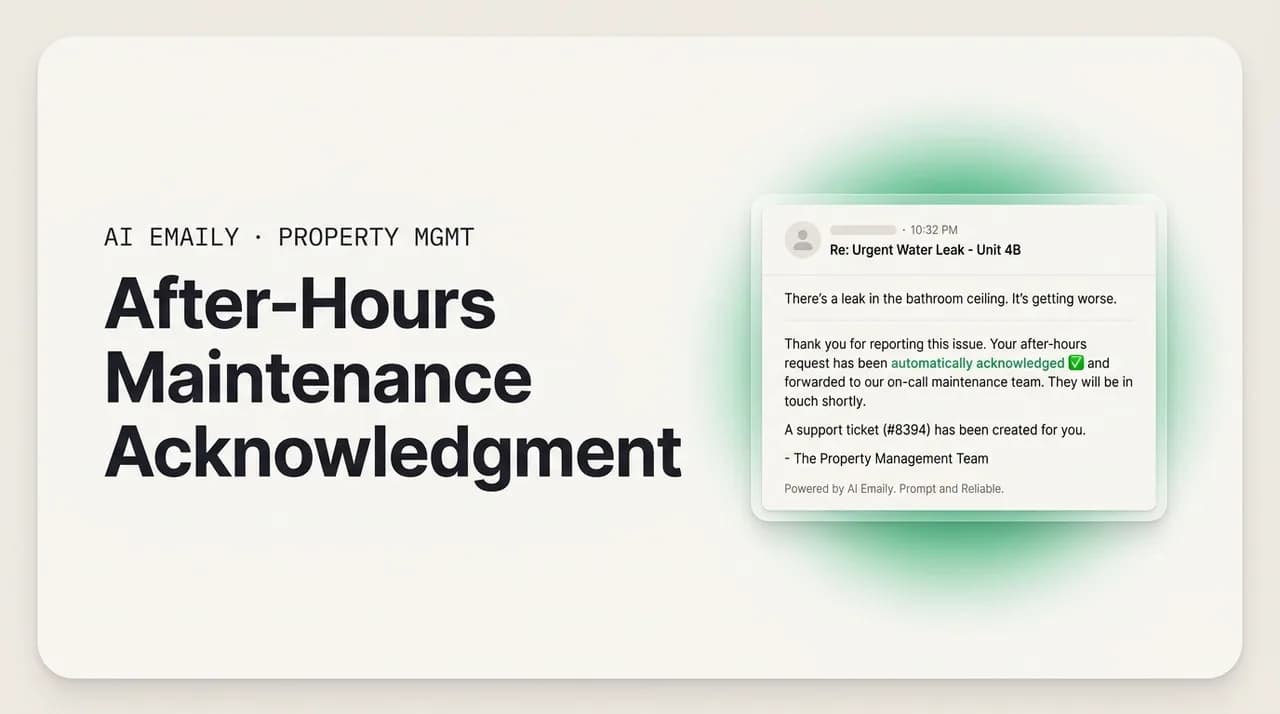
A maintenance request acknowledgment is the reply a tenant gets the moment they report a problem: the leaking faucet, the dead water heater, the outlet that stopped working. It confirms three things in a few short sentences. Their message arrived. Someone is on it. And here is roughly what happens next, and when. That is the whole job. It is not the repair, not the vendor dispatch, not the follow-up. It is the small, fast note that turns a tenant's anxious 'did anyone even see this?' into 'okay, they have it, I can relax.'
It sounds minor, and each individual acknowledgment is. But in residential property management this is the single highest-frequency piece of communication you send, and it arrives at the worst possible moments. Maintenance problems do not keep office hours. The water heater fails on a Sunday. The heat quits at 11 p.m. in January. The tenant emails at 2 a.m. because that is when they noticed water pooling under the sink. Every one of those messages is a person who is uncomfortable, sometimes frightened, and waiting to hear back from you specifically.
The gap between when a tenant reports a problem and when they hear anything at all is where tenant relationships quietly break. A repair that takes three days but starts with an instant, human acknowledgment feels managed. A repair that takes three hours but starts with silence feels like neglect. The acknowledgment is not a nicety layered on top of good maintenance. It is the first, most visible signal a tenant gets about whether you are a competent operator or someone they will be complaining about in their next lease-renewal decision.
This guide is about building a system for that acknowledgment, and for the triage that has to happen right behind it, so tenants stop waiting until morning. We will walk through why maintenance and after-hours communication lags in the first place, what that lag actually costs you in retention, reviews, and liability, and how to design an acknowledgment-and-triage flow that responds instantly, sorts requests by urgency, routes them to the right vendor, and, most importantly, hands true emergencies straight to a human.
That last point is the one we will keep returning to, because it is where automation goes wrong if you are careless. A dripping tap and a gas smell are both 'maintenance requests' in your inbox. They are not remotely the same event. Any system that treats them identically is dangerous. So the goal here is not 'automate everything.' It is 'automate the routine acknowledgment so completely that a human is free to handle the genuine emergency the instant it arrives.' You will also find copy-paste templates, a request-urgency-to-response reference table, and an honest look at where an AI email client helps and where it must stay out of the way.
Why does maintenance and after-hours communication lag so badly?#
Nobody sets out to leave a tenant with a broken furnace waiting until morning. The lag is structural. Residential property management generates a constant, unpredictable stream of maintenance requests across a portfolio, and the person who has to acknowledge them is also showing units, chasing rent, coordinating vendors, and handling ten other tenants at once. The acknowledgment is the easiest thing to drop, because it feels like it can wait five minutes, and then five minutes becomes the next morning.
A few specific forces make it worse than it looks:
- Requests arrive out of hours by design. People notice household problems in the evening and on weekends, when they are home. That is precisely when your office is closed and your coordinators are off. The demand curve and the staffing curve are almost exactly inverted.
- The channels are scattered. A tenant might email, use the resident portal, text your cell, call and leave a voicemail, or message you on whatever app they have your number in. When a request can land in five places, some of them go unseen for hours.
- Triage takes a human read. 'The sink is slow' and 'the sink is flooding the kitchen' look similar at a glance and demand completely different responses. Sorting them requires attention you may not have at 9 p.m., so everything gets the same slow treatment, or the same panicked one.
- Vendor coordination is the real bottleneck, and it colors the acknowledgment. Managers often delay replying to a tenant because they do not yet know when the plumber can come, so they wait until they have an answer, and the tenant hears nothing in the meantime.
- After-hours coverage is expensive. A true 24/7 answering service or on-call coordinator costs real money, so many small and mid-size operators simply do not have one, and the inbox goes dark from 6 p.m. to 8 a.m.
- Volume scales with doors, not with attention. As a portfolio grows from 20 units to 200, maintenance messages grow with it, but the number of hours in a coordinator's day does not. Something has to give, and it is usually response speed.
The through-line is that acknowledging a request and resolving it are two different jobs that get tangled together. Resolution genuinely does take time, vendor availability, parts, and scheduling. Acknowledgment takes seconds. When managers wait to acknowledge until they can also say something about resolution, they turn a seconds-long task into an hours-long silence. Separating the two, an instant acknowledgment now, a resolution update when you have one, is the core move that fixes after-hours lag. The rest of this guide is about doing that separation deliberately and safely.
What does slow maintenance response actually cost?#
It is tempting to treat a delayed acknowledgment as a soft problem, a bit of tenant grumbling that fades. It is not. The costs are concrete, and they show up in three places: the tenant relationship and your retention, your public reputation, and your legal and liability exposure. All three get worse the longer the silence runs.
Start with retention, because it is the most expensive and the most invisible. Tenants rarely leave over the repair itself; they leave over how it was handled. A resident who reports a problem and hears nothing for a day learns something about you: that when they need you, you are not there. That lesson compounds across every request over a lease, and it surfaces at renewal time as a quiet decision not to sign again. Turnover is brutally expensive, lost rent during vacancy, make-ready costs, marketing, screening, and the management hours to re-lease, and a meaningful share of it traces back to communication, not to the physical condition of the unit.
Reputation is the second cost, and it is now permanent and public. Prospective tenants read reviews before they tour. The reviews that sting are almost never about a single broken appliance; they are about being ignored. 'Maintenance took forever and no one would respond' is the review that costs you the next ten applicants. In hospitality-adjacent research on guest and tenant messaging, people who wait more than an hour for a response are far more likely to leave negative communication feedback, roughly three times more likely, than those who hear back quickly. A residential tenant left waiting overnight is squarely in that danger zone. The acknowledgment is cheap insurance against a review you cannot delete.
The third cost is the serious one: liability. Landlords and property managers have a legal duty to maintain habitable, safe housing, and to address certain conditions with reasonable promptness. When a maintenance issue is a safety issue, no heat in a hard freeze, a gas smell, water actively damaging the structure, a documented delay in response can become evidence of negligence. This is not the place to be casual. A slow or missing response to a genuine hazard is not just bad service; it can expand your exposure if that hazard causes injury or damage. That is exactly why the emergency path in your system has to be faster and more human than everything else, a point we will build out below.
Life-safety emergencies are never an automation-only event
How do you build a maintenance request acknowledgment and triage system?#
A good system does five things in a deliberate order: it acknowledges instantly, it triages by urgency, it routes to the right vendor or person, it escalates true emergencies to a human, and it keeps the tenant updated until the issue closes. Miss any one of these and the whole thing wobbles, an instant acknowledgment with no triage sends a plumber to a lightbulb; perfect triage with no acknowledgment leaves the tenant in silence anyway.
Here is the flow, step by step. Build it once and it runs the same at 2 p.m. and 2 a.m.
- 1
Acknowledge within minutes, unconditionally
The instant a request arrives, on any channel, send a short acknowledgment that confirms receipt, gives the request a reference or ticket number, and sets an expectation for the next update. Do this before you know anything about the fix. The acknowledgment's only job is to end the silence. It should go out day or night, weekend or holiday, without waiting on a human.
- 2
Triage by urgency, not by order of arrival
Sort every request into a small set of urgency tiers, roughly: emergency (life-safety), urgent (habitability at risk, e.g. no heat, no water, active leak), and routine (everything else). The tier decides the response time and the route. A slow drain and a flooding kitchen must never share a queue. Use clear keyword and category rules so the sort is consistent, and when in doubt, escalate up a tier, not down.
- 3
Route to the right vendor or coordinator
Once triaged, each request needs an owner. Routine plumbing goes to your plumber; electrical to your electrician; appliance issues to the appliance vendor or warranty line. Build a simple routing map of category to vendor to contact method, with backups for when the primary is unavailable. Routing is where a fast acknowledgment turns into an actual fix.
- 4
Escalate emergencies to a human and an emergency line, immediately
Emergencies bypass every queue. The moment a request trips an emergency signal, keywords like fire, smoke, gas, flood, sparking, no heat in freezing weather, the system must alert a real person (on-call manager or emergency service) and reply to the tenant telling them to call 911 and the relevant utility emergency line now if anyone is in danger. This path is human-first and automation-assisted, never automation-only. If you are unsure whether something qualifies, treat it as one.
- 5
Confirm scheduling and set the next expectation
Once a vendor is booked or a plan is set, send a scheduled-visit update: what will happen, when, and any access instructions. This converts the open-ended 'we got it' into a concrete plan, which is what actually calms a waiting tenant and cuts the follow-up 'any news?' emails.
- 6
Follow up until the ticket closes, then confirm completion
Silence in the middle of a repair is almost as damaging as silence at the start. If a scheduled fix slips, say so proactively. When the work is done, send a short completion note and, where appropriate, ask the tenant to confirm the issue is resolved. Closing the loop is what makes the whole interaction feel handled rather than abandoned halfway.
Two design principles hold this together. First, separate acknowledgment from resolution, as we said: acknowledge in seconds, resolve on the timeline the work actually requires, and never let the second delay the first. Second, make urgency the master variable. Response speed, routing, and how human the handling is should all scale with the tier. Routine requests can be handled with fast, templated, mostly automated acknowledgments. Emergencies get the opposite: maximum speed, maximum human involvement, and an explicit instruction to call emergency services. Everything in the middle sits on that spectrum.
It is also worth writing your rules down as a real document your team and your tools both follow: which keywords mean emergency, which categories route where, what the response-time target is per tier, and who is on call after hours. A system that lives only in one coordinator's head breaks the night they are asleep. A written rule set runs consistently whether a person or an automation is executing it.
The 'acknowledge now, resolve later' rule
How should you handle urgency triage and emergency escalation?#
Triage is the heart of the system, and it is where fair, safe, consistent handling comes from. The goal is to sort every incoming request into a tier fast and correctly, so the response, and how much human judgment it gets, matches the real stakes. Get this right and routine requests fly through on templates while emergencies get a human in seconds. Get it wrong and you either panic over lightbulbs or, far worse, sleepwalk past a gas leak.
Use a small number of tiers. More than three or four and the boundaries blur. A workable set:
- Emergency (life-safety): fire, smoke, gas or carbon-monoxide smell, major flooding, sewage backup, active electrical hazard or sparking, a break-in or broken exterior lock, or total loss of heat in dangerous cold or air conditioning in dangerous heat. These threaten health or safety. They go to a human and an emergency line immediately, and the tenant is told to call 911 and the utility emergency line first if anyone is at risk.
- Urgent (habitability at risk): no running water, no hot water, a stopped-up only toilet, an active leak causing damage, a refrigerator out with food inside, a lockout. Not life-threatening, but the unit is not fully livable. Target a same-day or next-morning response and a rapid vendor dispatch.
- Routine (comfort and wear): a dripping faucet, a slow drain, a squeaky door, a burned-out common-area bulb, a cosmetic issue, an appliance quirk that is annoying but functional. Acknowledge instantly, schedule on the normal maintenance calendar.
- Non-maintenance: rent questions, lease questions, general inquiries that arrived in the maintenance channel. Acknowledge and route to the right person or resource, do not let them clog the repair queue.
The emergency tier deserves its own rules, because it is the one place where a mistake is not just annoying but potentially dangerous. Three principles govern it.
First, emergencies are human-first, always. An automated system can detect an emergency signal and can fire off an instant reply telling the tenant what to do, but it must simultaneously put a real human on notice, your on-call manager, your answering service, your emergency maintenance line. The automation's role is to be faster than a person can be at the very first second, not to replace the person. If your only response to a reported gas smell is a canned email, your system is broken.
Second, the emergency reply must redirect, not reassure-and-stall. A tenant who reports fire or gas should not read 'thanks, we will look into it in the morning.' They should read, in plain and immediate language, to call 911 and the gas company's emergency line right now if they smell gas or see fire or smoke, to leave the building if it is unsafe, and that a manager is being notified. The message points them to real help first. Reassurance that 'we are on it' comes second, after safety.
Third, when classification is uncertain, escalate up. If a system, or a tired coordinator, cannot tell whether 'there is water everywhere' means a dribble or a burst pipe, treat it as the more serious case and get a human involved. The cost of over-escalating is a slightly annoyed manager; the cost of under-escalating a real emergency is measured in property damage or injury. The asymmetry is enormous, so the default must lean toward caution.
Keep the tone fair-housing-aware across every tier
What is the request-urgency-to-response map?#
Here is the whole triage logic compressed into a single reference. Map every incoming request to a tier, and the tier tells you the target response, the route, and, critically, whether a human must be involved before anything else happens. Adjust the specifics to your portfolio, local law, and vendor setup, but keep the structure: urgency drives everything, and life-safety always goes to a human.
| Request type / urgency | Target response | Route | Human required? |
|---|---|---|---|
| Emergency — fire, smoke, gas/CO smell, active electrical hazard, break-in | Immediate; tenant told to call 911 + utility emergency line first | On-call manager + emergency services; automation assists, never decides | Yes — human-first, always. Auto-reply redirects to 911, never replaces it. |
| Emergency — major flood, sewage backup, no heat in dangerous cold / no AC in dangerous heat | Immediate acknowledgment + human dispatch within minutes | On-call manager + emergency maintenance vendor | Yes — escalate to a person before or with any auto-reply. |
| Urgent — no water, no hot water, only toilet stopped, active leak, lockout | Instant acknowledgment; resolution same day or next morning | Priority vendor dispatch (plumber, locksmith) | Auto-ack fine; human confirms dispatch quickly. |
| Routine — dripping faucet, slow drain, minor appliance issue, cosmetic | Instant acknowledgment; scheduled on normal calendar | Standard vendor queue by category | No — safe to fully automate the acknowledgment. |
| Non-maintenance — rent, lease, or general question in the maintenance channel | Instant acknowledgment; redirect to correct contact/resource | Office / leasing / accounts | No — automate the routing acknowledgment. |
| Unclear / ambiguous wording | Treat as the more serious plausible tier | Escalate up until a human classifies it | Yes — default to human review when in doubt. |
Read that table as a policy, not just a chart. The bottom two rows carry the safety logic: an unclear request is escalated up, not guessed down, and anything touching life-safety keeps a human in the loop before an automated reply ever stands on its own. The top rows are where the speed lives, routine and urgent acknowledgments can and should go out instantly and automatically, which is exactly what frees your team to give the emergency rows the human attention they demand.
What templates should you use for maintenance acknowledgments?#
Templates are what make instant, consistent acknowledgment possible at 2 a.m. without a human awake to write each one. The point is not to sound robotic; it is to have a solid, tenant-friendly baseline you (or your system) can send immediately and personalize lightly. Below are the core messages every residential operation needs. Swap in your details, keep the tone warm and plain, and note how the emergency template does something the others do not, it points the tenant to emergency services first.
Start with the everyday one: the instant acknowledgment for a routine or urgent (non-emergency) request.
Once you have a vendor and a time, send the scheduled-visit update. This is the message that converts a vague 'we got it' into a concrete plan and stops the follow-up 'any news?' emails before they start.
When something slips, or you simply want to keep a longer repair warm, use a follow-up. Proactive follow-ups are what separate operators tenants trust from operators tenants review badly. A short 'still on it, here is where we are' costs you nothing and buys real goodwill.
Now the most important template on the list, and the one that must never be sent by an automated system as the whole response. This is the emergency redirect. It goes out the instant an emergency signal is detected, in parallel with alerting a real human, and its first job is to point the tenant to emergency services, not to reassure them that you will handle it later.
The emergency template redirects; it does not resolve
How does AI Emaily help with maintenance acknowledgment and triage?#
Everything above is a system you can run by hand, and plenty of good operators do, with a shared inbox, a written rule sheet, and a night-owl coordinator. The trouble is that the manual version leans on a person being awake, attentive, and consistent at exactly the hours when nobody is. This is the gap an AI-native email client is built to close, and it is worth being precise about where it helps and where it deliberately stays out of the way.
AI Emaily is an AI-native email client that connects to Gmail, Outlook, iCloud, Fastmail, Proton, and any IMAP account, so every maintenance request that lands by email flows into one place instead of scattering across channels. On top of that inbox, it acts as an autonomous chief of staff, reading, triaging, drafting, and handling routine work, so the acknowledgment-and-triage flow can run the same at 2 a.m. as at 2 p.m.
Here is what that looks like against the system we built, and where the guardrails sit:
- Instant acknowledgment, day or night. The moment a maintenance email arrives, AI Emaily can send a clean, on-brand acknowledgment, in your voice, not generic boilerplate, that confirms receipt, assigns a reference, and sets the next expectation. The overnight silence that damages tenant relationships simply does not happen.
- Urgency triage within your rules. It reads each request and sorts it by the tiers you define, routine, urgent, emergency, so a slow drain and a flooding kitchen never share a queue. You set the keywords and categories; it applies them consistently every time, at every hour.
- Vendor and contact routing. Based on the category, it can draft the right hand-off, plumber, electrician, appliance vendor, office, so a fast acknowledgment turns into an actual dispatch instead of stalling in your inbox.
- Emergencies stay human. This is the hard line. When a request trips an emergency signal, the safe behavior is to surface it to you immediately and, where you have configured an emergency auto-reply, send only the redirect that points the tenant to 911 and the utility emergency line, never a canned 'we'll handle it.' AI Emaily is designed to keep a human in the loop for anything sensitive; life-safety is exactly that. It assists the emergency path; it does not own it.
- You choose how much it does, with undo and audit. It runs in Manual, Copilot, and Autopilot modes. In Copilot, every reply is drafted for you to approve before it sends, ideal while you are building trust, or for any request touching safety. In Autopilot, you can let the genuinely routine acknowledgments go out on their own. Either way, every action is reversible with undo and recorded in a full audit trail, so you can always see exactly what was sent, to whom, and when.
The honest framing is this: the value is in automating the routine acknowledgment so completely that your team is freed to be present for the emergency. The repetitive 'we got your request, here's your ticket number, here's when we'll follow up' is templated, safe, and perfect for automation, exactly the kind of message that should never again require a human awake at midnight. The gas leak, the fire, the flood, the freezing unit with a vulnerable resident, those must reach a person and an emergency line, and the system's job there is to be the fastest possible siren, not the responder. Keep those two things separate and you get the best of both: tenants who never wait in silence, and emergencies that never get an automated shrug.
It is the same principle behind the rest of the product, which handles the inbox busywork so you spend less time on repetitive replies and more on the work, and the residents, that actually need you. You can try it free at app.aiemaily.com/signup, with a Free plan at no cost and Pro at $12.42 per month on the annual plan.
Putting it all together#
The maintenance request acknowledgment is small, frequent, and disproportionately powerful. It arrives at the worst hours, from tenants who are uncomfortable and waiting to hear specifically from you, and it decides, more than the repair timeline itself, whether they feel managed or neglected. Fix the acknowledgment and you fix most of what tenants complain about, review badly, and eventually leave over.
The system to fix it is not complicated: acknowledge instantly and unconditionally, triage by urgency rather than by order of arrival, route to the right vendor, keep tenants updated until the ticket closes, and, above everything, hand true emergencies to a human and an emergency line the instant they appear. Separate acknowledgment from resolution so a seconds-long task never hides behind an hours-long silence. Write your rules down so they run consistently whether a person or a tool is executing them, and keep the tone uniform and fair-housing-aware for every resident.
Then decide how much of the routine you want to keep doing by hand. The instant 'we've got it, here's your ticket, here's when we'll follow up' is exactly the kind of message an AI email client can send in your voice, around the clock, within the rules you set, so your team is awake for the emergencies instead of the lightbulbs. Automate the acknowledgment, keep the emergencies human, and no tenant ever has to wait until morning to know that someone is on it.
Frequently asked
See it in AI Emaily
Keep reading
Sources
- Nolo — Tenant Rights to Repairs and Maintenance (habitability and landlord repair duties)
- Ready.gov — Home Fires (emergency preparedness and evacuation)
- U.S. Fire Administration (FEMA) — Home Fires prevention and response
- CDC — Carbon Monoxide: about, symptoms, and what to do
- Insurance Information Institute — Renters insurance, security deposits, and property responsibilities

Written by
Nafiul HasanNafiul Hasan is an entrepreneur and AI automation system builder with 10+ years of experience turning messy, manual workflows into reliable automated systems. He designs and ships AI enterprise solutions end-to-end — the agent logic, the data plumbing, and the product people actually use — and founded AI Emaily to give busy professionals their attention back. He writes here from the builder's seat: what works, what breaks, and how to put AI to work without giving up control.