Never answer the same check-in question at midnight: automating Airbnb guest messaging 24/7

The short answer
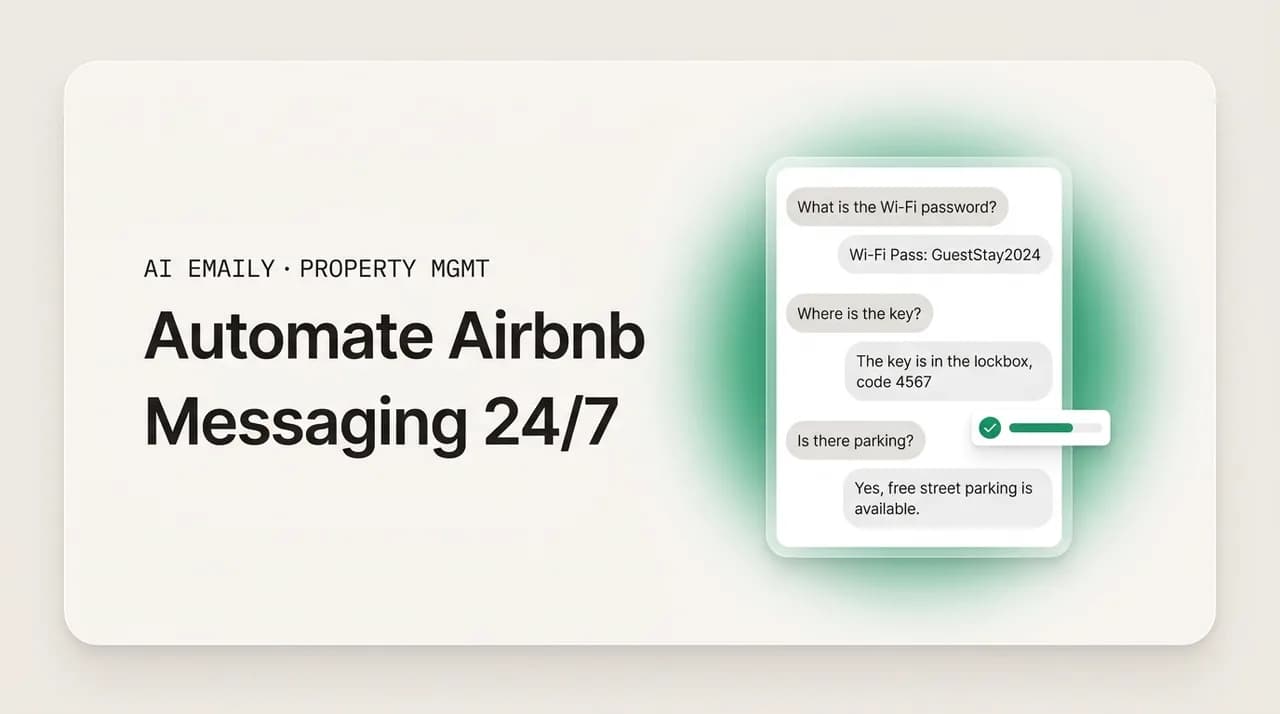
To automate Airbnb guest messaging 24/7, fully automate the repetitive 70 to 90 percent (check-in time, Wi-Fi, parking, house rules, checkout) with instant on-brand answers, and escalate anything sensitive: refunds, complaints, damage, safety, and off-platform requests. Keep your voice, log every message, and always leave yourself an undo.
How to automate Airbnb guest messaging 24/7 so you never answer the same check-in question at midnight again: what is safe to fully automate, what to escalate, and how to keep your host voice and guest trust.
On this page
- 01Why you keep answering the same check-in question at midnight
- 02How much of Airbnb guest messaging can actually be automated?
- 03Which guest questions are safe to fully automate?
- 04Which messages should always be escalated to a human?
- 05Question type to auto versus escalate: a decision table
- 06How do you build round-the-clock coverage in layers?
- 07Why does 24/7 speed matter so much on Airbnb specifically?
- 08How do you keep your host voice when a system does the typing?
- 09How AI Emaily helps you run guest messaging 24/7
- 10Putting it all together
Why you keep answering the same check-in question at midnight#
If you host on Airbnb, you already know the moment. It is 11:52 p.m., you are half asleep, and your phone lights up with a message you have answered a hundred times: "Hi! What time is check-in, and how do I get the Wi-Fi?" You type the same three sentences you always type, hit send, and lie back down knowing that tomorrow, or maybe in twenty minutes, someone else will ask the exact same thing. This is the quiet tax of running a short-term rental, and it is the reason so many hosts start looking for a way to automate Airbnb guest messaging 24/7 in the first place.
The load is not imaginary. Hosts and co-hosts who self-manage routinely report spending three to five hours a day on guest messages, and the bulk of that time is not spent on interesting conversations or genuine problems. It is spent retyping the same answers to the same handful of questions: what time can I check in, where do I park, is there parking, how do I connect to the internet, can I bring my dog, what is the address, how do I work the thermostat, when is checkout. The questions arrive around the clock and around the calendar, because your guests are on vacation and your listing is open on holidays, weekends, and at 3 a.m. when a red-eye lands.
The frustrating part is that almost none of it needs you specifically. A guest asking for the door code at midnight does not need your judgment, your negotiating skill, or your local knowledge. They need a fact you already have written down somewhere. And yet, because Airbnb rewards fast responses and penalizes slow ones, you feel like you have to be the one to answer, right now, personally. That pressure is what turns a pleasant side income into a job that follows you into bed.
This guide is about breaking that loop without breaking the guest experience. The goal is not to bolt a robot onto your inbox and hope for the best. It is to draw a careful line between the messages a well-configured system can answer instantly and on-brand at any hour, and the messages that should always land in front of a human, because a wrong automated reply about a refund, a complaint, or a safety issue does far more damage than a slow one.
We will cover the real shape of the 24/7 messaging burden, what is genuinely safe to fully automate versus what to escalate, how to build round-the-clock coverage in layers, how to keep your own voice and your guests' trust while a system does the typing, and, honestly, where a tool like AI Emaily fits and where it does not. By the end you should be able to design a setup where the midnight check-in question answers itself, correctly, in your voice, while you sleep, and the one message that actually needs you still reaches you.
Who this is for
How much of Airbnb guest messaging can actually be automated?#
The honest answer, backed by how most experienced operators run their inboxes, is that a large majority of guest messaging is repetitive enough to handle automatically. Industry guidance on short-term rental automation consistently lands in the same range: roughly 70 to 90 percent of guest messages are routine, predictable, and answerable from information you already have. These are the check-in logistics, the amenity questions, the house-rule clarifications, and the standard lifecycle touches like a booking confirmation, a pre-arrival note, and a checkout reminder.
That number should feel both encouraging and a little humbling. Encouraging, because it means the thing eating three to five hours of your day is mostly a solved problem: the same twenty or so questions, asked in slightly different words, over and over. Humbling, because it means the value you personally add is concentrated in the other 10 to 30 percent, the messages where something is actually wrong, unusual, or emotionally charged, and those are precisely the ones you do not want a machine handling on its own.
So the real question is not "can I automate Airbnb guest messaging?" The answer to that is clearly yes. The real question is "where exactly is the line?" Get the line right and you reclaim your evenings while guests get faster, more consistent answers than you could ever type by hand at midnight. Get the line wrong, either by automating too little and staying chained to your phone, or by automating too much and letting a bot mishandle a refund or a safety concern, and you either keep the burnout or trade it for a worse problem.
It helps to think in terms of three buckets rather than a single on/off switch. The first bucket is fully automatable: factual, low-risk questions with a single correct answer that does not change based on who is asking. The second is assisted: messages where a draft can be prepared automatically but a human should glance at it before it goes, because tone or specifics matter. The third is escalate-only: anything involving money, safety, conflict, legal exposure, or a judgment call, which should always reach a person and never be answered by automation alone.
Most of the rest of this guide is about sorting your real messages into those three buckets and then building coverage that respects them. The buckets are not about how smart the automation is; they are about how much a wrong answer costs. A wrong check-in time is a minor annoyance you can fix with a follow-up. A wrongly promised refund, or a missed report of a broken smoke alarm, is a very different kind of mistake.
The cost-of-being-wrong test
Which guest questions are safe to fully automate?#
Start with the questions that are safe to answer automatically at any hour, because they are factual, they have one right answer, and getting them slightly wrong is cheap to fix. These are the workhorses of round-the-clock coverage, and they are almost certainly the bulk of your midnight messages.
The classic fully automatable questions cluster around arrival and the property itself:
- Check-in time and check-in instructions, including the door code, lockbox location, or smart-lock steps, sent at the right moment before arrival.
- Wi-Fi network name and password, which is probably your single most-asked question and has exactly one correct answer.
- Parking: whether there is parking, where it is, whether a permit is needed, and any street-cleaning quirks.
- The full address and directions, especially the last-hundred-feet details maps get wrong, sent once a reservation is confirmed.
- House rules and clarifications: quiet hours, whether pets are allowed, smoking policy, maximum occupancy, and event rules.
- Amenities and how things work: thermostat, TV, coffee maker, laundry, pool or hot tub hours, trash and recycling day.
- Checkout time and checkout instructions: what to do with keys, towels, dishes, and the thermostat on the way out.
- Standard lifecycle messages: booking confirmation, a pre-arrival note a day or two out, a mid-stay check-in, and a checkout reminder.
What these all share is that the answer lives in your listing, your house manual, or your head, and it does not depend on who is asking or how they are feeling. The door code is the door code whether the guest is a first-time traveler or a returning regular. That is what makes them safe to automate end to end: there is no judgment call, no negotiation, and no emotional temperature to read. A system that has your correct facts can answer these perfectly, instantly, at 3 a.m., in your wording, and the guest is better served than they would be waiting for you to wake up.
There is a real quality upside here that gets overlooked. When you answer these by hand, tired and rushed, you make small mistakes: you forget the parking permit detail, you paste last week's door code, you skip the note about the tricky front-door latch. A well-built automated answer includes the complete, correct information every single time, because it is drawn from a source you maintain once rather than retyped from memory at midnight. Consistency is a feature, not a compromise.
Notice what that example does and does not do. It answers the actual question completely, in a warm and specific voice, and it invites the guest to reach out again. What it does not do is make any promise about money, availability, or exceptions, and it does not try to resolve a problem. It stays firmly inside the factual, low-risk zone. That discipline is what lets you run it on full autopilot without worrying.
Which messages should always be escalated to a human?#
Now the other side of the line, and this is the part that separates a setup you can trust from one that will eventually embarrass you. Some messages should never be answered by automation alone, no matter how routine they look on the surface, because the cost of a wrong or tone-deaf reply is high and the situation calls for judgment a rule cannot encode.
The categories to always escalate to a human are consistent across serious operators:
- Refund and money requests: any ask about a partial refund, a discount, a price adjustment, a deposit, or a dispute. These are negotiations with real financial and review consequences, and an automated "yes" or "no" can cost you badly.
- Complaints and dissatisfaction: a guest who is unhappy about cleanliness, noise, a broken amenity, or anything that fell short. These need empathy and a considered response, not a template that reads as dismissive.
- Damage, incidents, and claims: reports of something broken, a spill, a lost item, or anything that might involve a security deposit or Airbnb's coverage. Get the facts, document, and respond deliberately.
- Safety and emergencies: gas smells, water leaks, lockouts late at night, medical issues, security concerns, or anything where a guest could be at risk. These need a fast human, and often a phone call, not a chat reply.
- Special requests and exceptions: early check-in, late checkout, extra guests, extending a stay, or bending a house rule. The answer depends on your calendar, cleaning schedule, and preferences.
- Off-platform and suspicious messages: requests to pay outside Airbnb, book directly to dodge fees, or anything that trips your scam radar. These carry policy and fraud risk and should never be auto-answered.
- Anything unusual or ambiguous: if a message does not match a known pattern, the safe default is to route it to a person rather than guess.
The through-line is that every item on that list involves either money, safety, conflict, or a judgment call, and often more than one at once. A guest asking for a refund because the pool was closed is a money question wrapped in a complaint. A guest reporting a water leak at midnight is a safety issue that may become a damage claim. These are exactly the moments where your reputation, your review score, and sometimes your guest's wellbeing are on the line, and they are the reason you, the host, still matter.
This is also where the danger of over-automating shows up most clearly. It is tempting, once you see how well the factual answers work, to let the system handle everything. Resist that. An automated reply that tells an upset guest "Thank you for your message, check-in is at 3 p.m." when they just reported a broken air conditioner is worse than no reply at all, because it proves nobody read what they wrote. The whole trust benefit of fast answers evaporates the moment a guest realizes they are talking to a wall.
Never auto-resolve money, safety, or conflict
Question type to auto versus escalate: a decision table#
Here is the whole line, compressed into a table you can use to sort your own saved replies and triggers. Scan your last month of guest messages against it and you will quickly see which bucket each one belongs in.
| Question or message type | Auto or escalate | Why |
|---|---|---|
| Check-in time and door code / lockbox | Auto | One correct answer, timed to arrival; cheap to correct if wrong. |
| Wi-Fi network and password | Auto | Single fact, most-asked question, no judgment needed. |
| Parking and directions / address | Auto | Factual, drawn from your listing; same for every guest. |
| House rules (pets, smoking, quiet hours) | Auto | Policy you set once; clarifying it is low-risk. |
| Amenities and how appliances work | Auto | Comes from your house manual; consistent answer. |
| Checkout time and instructions | Auto | Standard lifecycle message; predictable and timed. |
| Booking confirmation and pre-arrival note | Auto | Templated lifecycle touch, triggered by reservation status. |
| Early check-in / late checkout request | Escalate | Depends on your calendar and cleaning schedule; a judgment call. |
| Extra guests or extending a stay | Escalate | Affects pricing, occupancy limits, and your availability. |
| Refund, discount, or price adjustment | Escalate | Money and review consequences; needs deliberate human judgment. |
| Complaint or dissatisfaction | Escalate | Needs empathy and a considered response, not a template. |
| Damage, lost item, or deposit issue | Escalate | May involve a claim; document facts before responding. |
| Safety issue or emergency | Escalate | Guest wellbeing at stake; often needs a call, fast. |
| Off-platform payment or direct-booking ask | Escalate | Policy and fraud risk; never auto-answer. |
| Anything unusual, ambiguous, or unrecognized | Escalate | When in doubt, a human decides; the safe default. |
One nuance worth calling out: the middle bucket, assisted messages, does not appear as its own column above because in practice most message types resolve cleanly to auto or escalate. But some sit in between, and the right handling is to prepare a draft automatically and hold it for a quick human glance. A late-checkout request is a good example: the system can draft a polite yes or no based on your calendar, but you approve it before it sends, because you might know the cleaner is running late that day. Treat "draft, then approve" as the safety valve between full autopilot and full escalation.
How do you build round-the-clock coverage in layers?#
Once you know which messages go in which bucket, round-the-clock coverage is not one big feature; it is three layers working together. Think of it as auto-answers for the known questions, triggered messages for the predictable moments, and smart escalation for the real problems. Build them in that order and you will cover the vast majority of your 24/7 load without leaving anything important to chance.
The first layer is auto-answers for FAQs. This is the bread and butter: a library of your correct answers to the recurring questions, matched to incoming messages and sent instantly at any hour. The key is not the sending, it is the source. Your auto-answers are only as good as the facts behind them, so the real work is writing your house facts down once, completely and correctly: the code, the network, the parking, the rules, the appliance quirks. Do that well and the midnight check-in question genuinely answers itself, in full, in your voice.
- 1
Write your house facts down once, completely
Create a single source of truth for every recurring answer: check-in and codes, Wi-Fi, parking, address, house rules, amenities, checkout. This is the raw material every auto-answer draws from, so make it complete and keep it current when anything changes.
- 2
Map each recurring question to a clear answer
Go through your last month of messages and list the questions you actually get. For each factual, low-risk one, write the ideal answer in your own voice. These become your auto-replies. Keep money, safety, and complaint categories out of this list entirely.
- 3
Set triggered messages for the predictable moments
Schedule the lifecycle touches that do not wait for a question at all: a booking confirmation on reservation, a pre-arrival note a day or two before check-in with the code and directions, a mid-stay check-in, and a checkout reminder the evening before. These prevent many questions from ever being asked.
- 4
Define your escalation rules explicitly
Decide in advance which words and situations always reach you: refund, broken, leak, emergency, complaint, cancel, refund, discount, and anything unrecognized. Anything on that list bypasses automation and pings a human immediately.
- 5
Add a draft-and-approve layer for the in-between cases
For requests like early check-in or late checkout, have the system prepare a draft based on your calendar but hold it for a one-tap approval. You keep control over judgment calls without writing the message from scratch.
- 6
Review the log weekly and tune
Once a week, skim what was sent automatically and what was escalated. Move any question that keeps getting escalated but is actually routine into the auto layer, and pull back anything that was auto-answered but should not have been. The line gets sharper over time.
The second layer, triggered messages, deserves special attention because it is the most under-used and the most effective at reducing your midnight load. Many questions get asked only because the guest was not given the information at the right moment. If your pre-arrival message the day before check-in already contains the door code, the Wi-Fi, the parking, and the directions, a large share of your "what time is check-in?" and "how do I get in?" messages simply never happen. Airbnb itself supports scheduled messages for exactly this reason, and a well-timed pre-arrival note is the single highest-leverage automation most hosts can set up. The best-answered question is the one the guest never needed to ask.
The third layer, smart escalation, is what makes the whole thing safe. Auto-answers and triggered messages handle the predictable; escalation catches everything else and puts it in front of you fast. The point of escalation is not to slow things down; it is to make sure the right kind of speed is applied. A factual question gets an instant automated answer. A guest reporting a leak gets an instant human alert, so a person can respond within minutes, which is exactly when it matters. Both are fast; they are just fast in different ways, and matching the response type to the message type is the whole art of it.
Front-load information to kill questions before they start
Why does 24/7 speed matter so much on Airbnb specifically?#
It would be easy to treat all this as a nice-to-have, a way to sleep better. But on Airbnb, response speed is not just about guest happiness; it is wired into how the platform ranks and rewards you, which means slow messaging quietly costs you bookings and status.
Airbnb tracks two things that automation directly protects: your response rate and your response time. Response rate is the percentage of new inquiries and booking requests you reply to within 24 hours, and Airbnb's Superhost program requires maintaining a high response rate, commonly cited as at least 90 percent, to qualify. Response time is how fast you typically reply, and it is shown to guests and factored into search visibility. Both of these are hard to keep pristine by hand when messages arrive at all hours, and both are trivial to keep pristine when routine questions are answered instantly and automatically.
Beyond the mechanics of ranking, speed shapes conversion. Guests comparing several listings tend to book the host who answers first, because a fast reply signals reliability and reduces the friction of deciding. When a potential guest messages three listings at 11 p.m. and yours is the one that answers their parking question in seconds, you have a real edge, and that edge compounds across a whole season of inquiries. Automating the routine answers is, in that sense, not just a time-saver; it is a booking strategy.
There is a review dimension too. Communication is one of the categories guests rate, and it consistently ranks among the factors travelers care about most in their stay. A guest who always got a fast, complete, friendly answer, even at odd hours, walks away feeling looked after, and that feeling shows up in the review and the star rating. Slow or missing responses do the opposite: a guest left waiting builds up a small resentment that colors how they remember everything else, even if the stay itself was fine.
So the case for automating Airbnb guest messaging 24/7 is not really about you being lazy or absent. It is about consistently meeting a standard, fast, complete, warm answers at any hour, that is genuinely hard for one tired human to hit across a full calendar of guests, and that the platform actively rewards you for hitting. The automation is how you deliver the experience you would give every guest if you could clone yourself and never sleep.
Automation protects your metrics, not just your evenings
How do you keep your host voice when a system does the typing?#
The biggest fear hosts have about automation is that it will make them sound like a robot, that guests will feel processed rather than welcomed, and that the warmth which earns five stars will drain out of the inbox. It is a fair fear, and it is worth taking seriously, because a generic, corporate auto-reply is genuinely worse than a slightly slower human one. The good news is that keeping your voice is entirely possible; it just has to be a deliberate part of the setup rather than an afterthought.
Voice is mostly a matter of the words you put into your answers, not the fact that they are automated. If your auto-answer says "Hi Maya! You're all set, here's everything you need," it reads as warm and human regardless of whether you typed it live. If it says "Your inquiry has been received; check-in commences at 15:00," it reads as a machine, even if you personally wrote it. The lesson is that automation does not remove your voice; it locks in whatever voice you gave it. So the work is to write your library of answers the way you actually talk to guests, with the greeting, the little reassurance, the friendly sign-off, and then let the system deliver that consistently.
- Write in your real voice, then automate that. Use the greetings, phrases, and sign-offs you already use with guests, so the automated version sounds like you on a good day, not like a form letter.
- Personalize the obvious things. Use the guest's first name and reference their specific reservation. A named, dated answer never reads as mass-produced.
- Keep answers complete and specific to your property. The tricky front-door latch, the neighbor's dog, the good taco place two blocks over: small specific details are what make an answer feel like it came from a real host who knows the place.
- Leave an obvious door open. End with a genuine "anything at all, just message here." It signals a real person is behind the account and reachable, which reassures guests even when the first answer was automated.
- Match the moment. A warm welcome message and a brisk checkout reminder should not sound identical. Tune the tone of each triggered message to what the guest is feeling at that point in the stay.
There is also a trust question underneath the voice question, and it is about honesty and escalation. Guests do not actually mind that a fast answer to "what's the Wi-Fi?" was automated; they are delighted to have the password in seconds. What erodes trust is when automation pretends to be a live human handling something it cannot handle, so an upset guest pours out a complaint and gets a cheerful, oblivious template back. The way you protect trust is by making sure the sensitive stuff always reaches a person, fast, so the guest who needs a human always gets one. Automation earns trust when it is invisible on the easy things and steps aside instantly on the hard ones.
Consistency, handled well, actually builds more trust than manual messaging, not less. A guest who gets the complete, correct answer every time, one who is never told the wrong door code because you were half asleep, one who never waits three hours for a Wi-Fi password, experiences a host who has their act together. The automation, done right, is not felt as automation. It is felt as an unusually attentive, unusually reliable host. That is the bar to aim for.
How AI Emaily helps you run guest messaging 24/7#
This is the point where it is fair to talk about where a tool fits, and to be honest about what it does and does not do. AI Emaily is an AI-native email client built to act as an autonomous chief of staff for your inbox, and short-term rental hosts are one of the clearest cases for it, because so much of the guest-messaging load is exactly the kind of repetitive, round-the-clock work it is designed to take off your plate. But the reason it is a good fit is not that it automates everything; it is that it is built around the same auto-versus-escalate line this whole guide is about.
The core of it is three modes that map directly to the three buckets. In Manual mode, nothing sends without you; you see suggested replies and send them yourself. In Copilot mode, the system drafts the answer and holds it for your one-tap approval, which is the draft-and-approve layer for those in-between requests like a late checkout. In Autopilot mode, it can answer the routine, low-risk questions on its own, within the rules you set, so the midnight Wi-Fi question genuinely answers itself while you sleep. You decide which message types get which mode, so full autopilot stays scoped to the factual, low-risk questions and never touches a refund, a complaint, or a safety issue.
Three things make this safe to actually rely on. First, instant answers at any hour: because it is watching your connected inbox continuously, the routine questions get complete, on-brand answers in seconds, day or night, holiday or not, which is exactly what protects your response rate and your conversion. Second, it works in your voice: it learns how you write to guests and drafts in that voice rather than in generic auto-reply boilerplate, so the automated messages sound like you, with your greetings and your specifics. Third, and most important, escalation is built in: anything sensitive, money, complaints, damage, safety, off-platform requests, or anything it is not confident about, is routed to you instead of being auto-answered, so a human always handles the messages that need a human.
And because handing your inbox any autonomy is a leap of trust, two guarantees sit under all of it: every action has an undo, and everything is logged in a full audit trail. If an automated reply ever goes out that you would have worded differently, you can see exactly what was sent, to whom, and when, and you can reverse or correct it. Nothing happens in the dark. That combination, autopilot for the routine within your rules, instant answers around the clock, escalation for anything sensitive, and undo plus audit over the whole thing, is what lets you sleep through the midnight check-in question without worrying about what your inbox did while you were out.
Start in Copilot, graduate to Autopilot
It is worth being plain about the limits, too, because that is part of the honesty. Automation of this kind does not replace your judgment on the hard calls, and it should not try to. It will not decide whether to grant a refund, how to handle an angry guest, or what to do about a suspected off-platform scam; those still come to you, which is the point. What it removes is the retyping, the interruptions, and the pressure to personally answer the same factual question at every hour of the day. You keep the interesting and consequential part of hosting; you hand off the part that was only ever a chore.
You can connect Gmail, Outlook, and any IMAP account, route your guest messaging through it, and set your modes per message type, then try it free at app.aiemaily.com/signup, with a Free plan at no cost and Pro at $12.42 per month on the annual plan. If you host across many listings, the same setup that saves a solo host their evenings is what lets a lean team cover a growing portfolio of doors without hiring a coordinator for every dozen units.
Putting it all together#
The path to never answering the same check-in question at midnight again is not to automate blindly; it is to automate deliberately. Sort your guest messages by the cost of being wrong. The factual, low-risk majority, check-in, Wi-Fi, parking, house rules, amenities, checkout, is safe to answer instantly and automatically at any hour, and doing so protects your response rate, your search ranking, your conversion, and your reviews while handing you back your evenings. The sensitive minority, refunds, complaints, damage, safety, and off-platform requests, should always reach a human fast, because a wrong automated answer there costs far more than a slow one.
Build the coverage in layers: auto-answers drawn from a single, well-maintained source of truth; triggered lifecycle messages that front-load information so questions never get asked; and smart escalation that puts real problems in front of you within minutes. Write your answers in your own voice so consistency reads as attentiveness rather than automation, and keep an undo and an audit trail over everything so you are never guessing what your inbox did while you slept.
Do that, and the 11:52 p.m. "what time is check-in and how do I get the Wi-Fi?" answers itself, correctly, warmly, in seconds, and you get to stay asleep. The one message that actually needs you, the leak, the upset guest, the refund ask, still reaches you, because you designed it to. That is the whole promise of automating Airbnb guest messaging 24/7: the repetitive work disappears, and the work that only you can do is the only work left.
Frequently asked
See it in AI Emaily
Keep reading
Sources

Written by
Nafiul HasanNafiul Hasan is an entrepreneur and AI automation system builder with 10+ years of experience turning messy, manual workflows into reliable automated systems. He designs and ships AI enterprise solutions end-to-end — the agent logic, the data plumbing, and the product people actually use — and founded AI Emaily to give busy professionals their attention back. He writes here from the builder's seat: what works, what breaks, and how to put AI to work without giving up control.