How to automate Airbnb guest messages (and tenant follow-ups) without losing your voice

The short answer
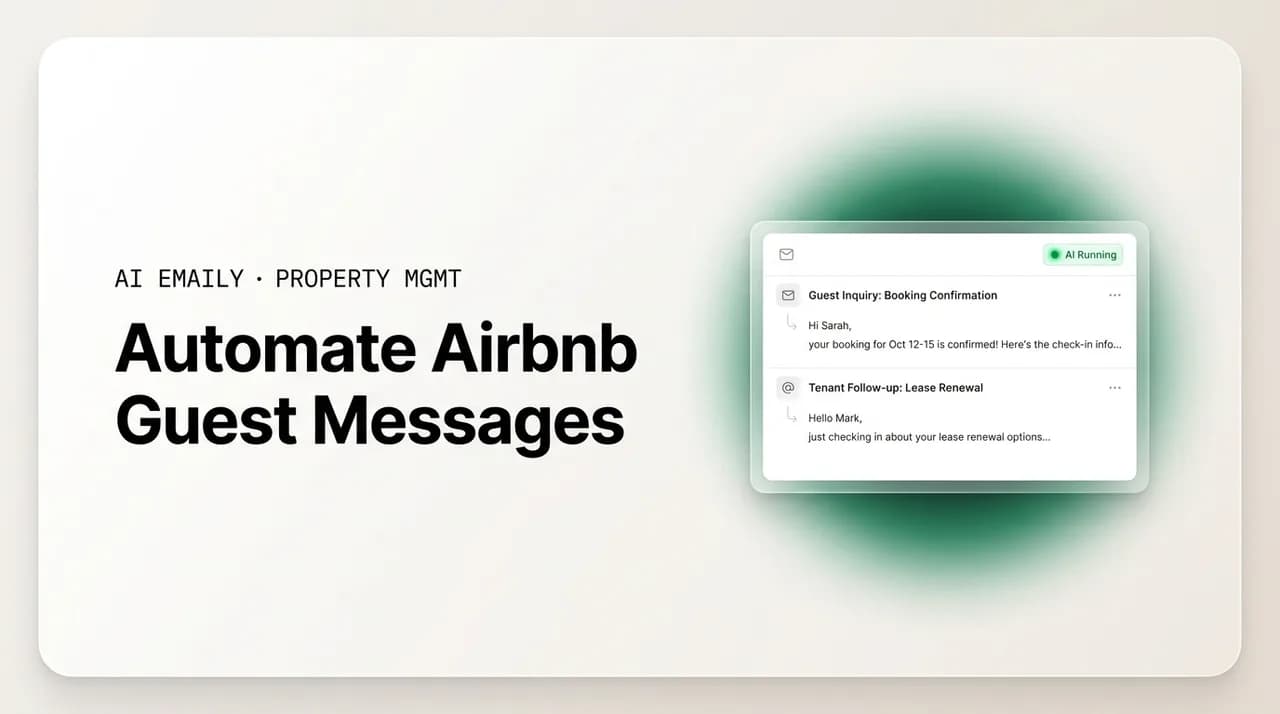
Roughly 70 to 90 percent of guest messaging is repetitive enough to automate end to end: the same check-in, Wi-Fi, parking, and checkout questions asked over and over. Automate that routine layer with scheduled messages and voice-matched auto-replies so nothing waits at midnight, and route the real issues, a broken heater, a payment dispute, an upset guest, to a human. The goal is not to remove yourself from guest communication. It is to remove yourself from the boring 80 percent so you have time and attention for the 20 percent that actually needs you.
A practical guide to automate Airbnb guest messages and tenant follow-ups stage by stage, what to hand to a machine and what to keep human, and how to do it without your replies sounding like a robot wrote them.
On this page
- 01Why you should automate Airbnb guest messages in the first place
- 02What to automate versus what to keep human
- 03Automating messages stage by stage across the guest journey
- 04Stage 1: The inquiry (before they book)
- 05Stage 2: Booking confirmation (right after they book)
- 06Stage 3: Pre-arrival (the days before check-in)
- 07Stage 4: Check-in day (arrival)
- 08Stage 5: Mid-stay (while they're there)
- 09Stage 6: Checkout (departure day)
- 10Stage 7: The review request (after they leave)
- 11Scheduled messages versus triggered messages
- 12How to keep automated messages personal (so they don't sound like a robot)
- 13Handling issues and escalation (the part automation must not touch)
- 14Message stage automation cheat sheet
- 15How to set up your guest-message automation, step by step
- 16How AI Emaily helps you automate guest messages without losing your voice
- 17Putting it all together
Why you should automate Airbnb guest messages in the first place#
If you host on Airbnb or VRBO, or manage long-term rentals, you already know where your day goes. It goes to messages. "What time is check-in?" "Is there parking?" "What's the Wi-Fi password?" "How do I work the thermostat?" The same handful of questions, asked by different people, at every hour of the day and night, across Airbnb, VRBO, SMS, and sometimes WhatsApp. Many hosts and managers spend three to five hours a day on this, and a large share of that time is spent typing answers they have typed a hundred times before.
That is the core insight behind the decision to automate Airbnb guest messages: most of the work is not really thinking, it is retyping. Industry estimates put the share of routine, repeatable guest messaging somewhere between 70 and 90 percent. That is the part a machine can genuinely own. The remaining slice, the guest who is locked out at 11 p.m., the tenant reporting a leak, the booking that needs a refund, is where your judgment earns its keep. Automation done well pulls those two apart: it handles the predictable flood so you can give real attention to the exceptions.
There is also a hard business reason. On Airbnb and VRBO, response time is not a nicety, it is a ranking signal and a conversion lever. Guests who wait a long time for a reply are far more likely to book elsewhere or, after a stay, to mention slow communication in a review. Superhost status depends in part on responding to the large majority of new messages within 24 hours, and the fastest-responding hosts, the ones who reply in minutes, disproportionately win the booking. You cannot hit those numbers by hand at 2 a.m. across a growing portfolio. Automation is how a lean operation keeps a big-operation response time.
But there is a catch, and it is the reason this guide exists rather than just telling you to switch on some templates. Automation that is done badly is worse than no automation. Guests can smell a canned message from the subject line. A stiff, obviously-templated "Dear Valued Guest" reply to a warm, specific question makes a property feel like a call center, and it is the exact opposite of the boutique, personal experience most hosts are selling. The 78 percent of guests who rank clear communication as the single biggest factor in their stay are not asking for more automation. They are asking to feel looked after.
So the real skill is not "turn everything into a robot." It is knowing precisely what to automate, what to keep human, and how to make the automated part still sound like you. This guide walks through all three: what belongs on autopilot versus in your hands, how to automate message by message across the full guest journey from inquiry to review, the difference between scheduled and triggered messages, how to keep the whole thing personal, and how to handle the issues and escalations that automation should never touch. At the end, we will be honest about how an AI email client like AI Emaily fits into this, and, just as importantly, where it does not.
The one-sentence rule
What to automate versus what to keep human#
Before touching a single template, it helps to draw a clear line down the middle of your inbox. Some guest messaging is safe, even ideal, to hand to a machine. Some of it should never leave a human's hands. Getting this split right is what separates hosts who love their automation from hosts who quietly turned it off after a bad guest experience.
On the automate side sits everything predictable, factual, and low-risk. These are messages where the correct answer is known in advance, does not depend on the specific guest or situation, and carries little downside if sent instantly. Automating them is almost pure upside: the guest gets an instant answer, you get your evening back, and nothing can really go wrong because the information is fixed.
- Booking confirmations and the initial "thanks for booking, here's what's next" note.
- Standard house rules, check-in and checkout times, and cancellation policy restatements.
- The Wi-Fi password, door code, parking instructions, and how to work the appliances.
- Pre-arrival logistics: directions, check-in window, luggage drop, and what to bring.
- Checkout instructions: what to do with keys, trash, dishes, and the thermostat on the way out.
- Routine review requests and thank-you notes after a smooth stay.
- For long-term tenants: rent reminders, lease-renewal prompts, and maintenance-ticket acknowledgments ("we've received your request, here's the reference number").
On the keep-human side sits everything that requires judgment, empathy, money, or a decision. These are messages where the right response depends on reading the situation, where a wrong automated answer could cost you a guest, a review, or real money, and where a human touch is the whole point. Automation can help you draft these faster, but a person should approve every one before it goes out.
- Anything involving a refund, a discount, a chargeback, or a payment dispute.
- A guest who is upset, confused, or complaining, especially mid-stay.
- A maintenance emergency: no heat, no hot water, a leak, a lockout, a safety issue.
- Negotiation on price, length of stay, early check-in, or late checkout for a specific guest.
- Anything with legal or liability weight: damage claims, security deposits, evictions, injury.
- The first genuinely personal message from a guest who wrote something specific and warm, and deserves a specific and warm reply back.
- Edge cases the automation is not confident about, which should always fall back to you rather than guess.
When in doubt, escalate to a human
Notice that the split is not really "simple versus complex." It is "fixed-answer versus judgment." Some short messages, like an angry one-liner, need a human. Some long messages, like a full pre-arrival guide, are perfectly safe to automate. Sort by whether the answer is knowable in advance, not by how the message looks. The table later in this guide lays out this split stage by stage so you can see, at a glance, which parts of the guest journey belong on autopilot and which belong in your hands.
Automating messages stage by stage across the guest journey#
The cleanest way to automate Airbnb guest messages is to walk the guest journey from first contact to final review and decide, at each stage, what gets sent automatically and what needs you. Most short-term-rental communication follows the same arc every single time, which is exactly why so much of it can be templated and scheduled. Here is the full journey, stage by stage, with what to automate and how to keep it human at each step.
Stage 1: The inquiry (before they book)#
The inquiry stage is where speed matters most and where automation pays off fastest. A potential guest asks whether the dates are available, whether the place allows pets, or whether early check-in is possible. Whoever answers first, and fastest, usually wins the booking. Hosts who reply within minutes convert dramatically better than those who take hours, and on a busy listing the inquiries never stop coming.
Automate the instant acknowledgment and the factual answers. The moment an inquiry lands, an automated first reply can confirm you have received it, answer the common up-front questions (yes, the dates are open; here is the nightly rate; here is the pet policy), and nudge gently toward booking. This is safe to automate because the answers are pulled from your listing settings and your calendar, which are already accurate. It also solves the midnight problem: a guest browsing at 1 a.m. gets a real answer instead of silence, and you wake up to a warm lead instead of a cold one.
Keep human the negotiation and the judgment calls. If the inquiry involves haggling on price, a special request, a large group, an unusually long stay, or a question your listing does not already answer, that should route to you. Automation can draft a suggested reply and surface the guest's history, but you decide whether to bend on price or accept a booking that gives you pause. The rule holds: instant factual answers on autopilot, deals and exceptions in your hands.
Answer the question before it's asked
Stage 2: Booking confirmation (right after they book)#
The moment a guest books, they are in a small window of buyer's remorse and excitement, and a prompt, warm confirmation settles them. This stage is almost entirely automatable and is a classic scheduled or triggered message: the instant the booking is confirmed, an automated note goes out that thanks them, confirms the dates and address area, sets expectations for what happens next, and reassures them they made a good choice.
Everything here is fixed-answer, so automate it fully. The confirmation is the same for every guest except for the merge fields: their name, their dates, the property. You are not making a judgment call, you are delivering known information at the perfect moment, which is exactly what automation is best at. A good confirmation message also quietly reduces future messages, because it tells the guest when they will receive check-in details, so they do not have to ask.
Keep it human only if the booking itself is unusual, for example a guest who booked a long stay and mentioned a special occasion, or a corporate booking with specific needs. In those cases you might personally follow the automated confirmation with a short human note. But the confirmation itself belongs on autopilot; there is nothing to decide.
Stage 3: Pre-arrival (the days before check-in)#
Pre-arrival is the richest vein for automation and where scheduled messages shine. In the days before check-in, a well-run listing sends a sequence: a friendly reminder that the stay is coming up, then the practical details, directions, the check-in window, parking, what to bring, local recommendations. This sequence is the same for nearly every guest, and sending it on a schedule means the guest is fully briefed before they ever have to ask.
Automate the whole sequence on a schedule tied to the check-in date. A message three days out with directions and arrival logistics; a message the day before with the check-in window and a reminder of the address; a message on arrival day with the door code or key-exchange details, timed so the code is not shared too early. Because these are triggered off the reservation date, they fire automatically for every booking without you lifting a finger, and they dramatically cut the volume of "how do I get in?" and "what time can I arrive?" messages that would otherwise hit your inbox at inconvenient hours.
Keep human the security-sensitive timing and any guest who replies with a wrinkle. Sharing a door code is safe to automate, but you may want the actual code to release close to arrival rather than days ahead, which good scheduling handles. And if a guest replies to a pre-arrival message asking for early check-in, storing luggage, or a late-night arrival, that reply is a judgment call and should surface to you. Send the standard sequence automatically; catch the exceptions by hand.
Stage 4: Check-in day (arrival)#
Check-in day is high-stakes and high-anxiety for guests. They are traveling, possibly tired, possibly lost, and they want to get inside without friction. This is where automation earns real gratitude: a perfectly timed message with the door code, the exact address, and step-by-step entry instructions, delivered right as they are due to arrive, removes the single most common source of arrival-day stress.
Automate the arrival message and the standard "you're in" follow-up. The entry instructions are fixed and can fire on a schedule tied to check-in time. Many hosts also automate a short check-in-a-few-hours-later note: "Hope you got in okay and found everything, let us know if you need anything." That message does two jobs, it feels attentive, and it surfaces any early problem while it is still small and fixable.
Keep human anything that comes back broken. If a guest replies to the arrival message saying the code does not work, they cannot find the lockbox, or they are locked out, that is an escalation, not a templated exchange. This is the moment where a bad automation, a cheerful scheduled message ignoring a locked-out guest, does the most damage. Good automation recognizes distress signals in a reply and routes them straight to a human, fast. Automate the smooth arrival; be a person the instant it goes sideways.
Time the door code carefully
Stage 5: Mid-stay (while they're there)#
The mid-stay stage is quieter but still worth a light automated touch. On longer stays, a brief check-in message a day or two in, "Settling in okay? Anything you need?", signals care and, again, catches small issues before they fester into a review complaint. For most short stays you can skip this or keep it to a single gentle message so you are not pestering people who just want to relax.
Automate the optional wellness check on longer stays. A single scheduled mid-stay message is safe and appreciated, and it gives guests an easy opening to raise anything minor. The message itself is generic and low-risk, so it belongs on autopilot, timed to the length of the reservation.
Keep human absolutely everything that comes back as a problem. Mid-stay is when real issues surface: the AC quit, a neighbor is loud, the dishwasher leaked, they want to extend. None of these should be answered by a template. A scheduled "Enjoy your stay!" that lands on top of a complaint is the nightmare scenario. This is why the mid-stay wellness message should be paired with tight escalation: the automation sends the friendly nudge, but any reply that signals a problem is instantly flagged for a human. Send the touch automatically; own the response personally.
Stage 6: Checkout (departure day)#
Checkout is another fully automatable, scheduled-message stage. The morning of departure, a clear, friendly message reminds the guest of the checkout time and lists exactly what you would like them to do on the way out, where to leave the keys, whether to start the dishwasher, what to do with trash and towels, whether to lock up. Clear checkout instructions reduce damage, reduce cleaner headaches, and reduce the awkward post-checkout back-and-forth.
Automate the checkout reminder and instructions in full. It is the same message every time, keyed off the checkout date and time, with the guest's name merged in. There is no judgment involved, so there is no reason to send it by hand. A well-written automated checkout note actually improves compliance, because guests genuinely appreciate knowing precisely what is expected rather than guessing.
Keep human any request for a late checkout or any dispute after they leave. If a guest replies asking to stay an extra two hours, that is a judgment call based on your cleaning schedule and the next booking, so it should come to you. And anything that surfaces after checkout, a damage question, a lost item, a deposit issue, is firmly in human, and often money-and-liability, territory. Automate the send-off; handle the exceptions and the aftermath yourself.
Stage 7: The review request (after they leave)#
The final stage is the review, and it is one of the most valuable to automate because reviews compound. A prompt, warm thank-you and review request, sent shortly after checkout while the good memory is fresh, measurably lifts the number of reviews you collect, and review volume and recency feed directly back into your ranking and your future bookings.
Automate the thank-you and review request after a smooth stay. Timing matters, a message a day or so after checkout tends to land best, and the ask should be gracious, not pushy. Because the message is identical for every happy guest, it is a natural fit for a triggered, post-checkout send. Some hosts also automate a follow-up nudge if no review appears after a few days, kept light and easy to ignore.
Keep human the review ask after a stay that went badly. Here is the crucial judgment call: you should not fire an automated "We'd love a review!" at a guest who complained the whole stay or left unhappy. That is where automation needs to know when to stay quiet. The review request should only auto-send for stays with no unresolved issues; anything with a problem on record should route to you, so you can decide whether to reach out personally, make it right first, or let it be. Automate the ask for happy guests; use judgment for everyone else.
Suppress the review ask after a bad stay
Scheduled messages versus triggered messages#
As you automate across those stages, you are really using two different kinds of automation, and it helps to understand the difference, because they solve different problems.
Scheduled messages fire based on time relative to the reservation. "Three days before check-in," "the morning of arrival," "one day after checkout." You set them up once, and they go out automatically for every booking at the right moment, no matter when the booking was made. This is the backbone of the guest journey: the pre-arrival sequence, the check-in instructions, the checkout reminder, and the review request are almost all scheduled messages. Their great strength is that they cover the predictable arc of every stay without you thinking about it, and they never forget, even on the reservation that books at midnight for a stay next week.
Triggered messages fire in response to something happening: a booking gets confirmed, an inquiry arrives, a guest sends a message containing the word "parking" or "Wi-Fi," a maintenance ticket is opened. These are reactive rather than time-based. The instant-confirmation reply is triggered. An auto-answer that recognizes a common question and responds with the stored answer is triggered. A maintenance-request acknowledgment that fires the moment a tenant submits a ticket is triggered. Their strength is speed: they respond to real events in real time, which is exactly what you need for the response-time race and for the 24/7 coverage that no human can provide by hand.
Most well-run operations use both together. The scheduled layer handles the reliable rhythm of the stay. The triggered layer handles the unpredictable moments, the questions that arrive off-script and the events that need an instant acknowledgment. Between them they cover the great majority of your messaging volume without a human in the loop.
The important design principle across both is the safety net: every automated message, scheduled or triggered, needs a rule for when to step aside. A scheduled review request that checks for open issues before sending. A triggered auto-answer that escalates when it is not confident it understood the question. A mid-stay wellness message that flags any reply signaling a problem. Automation without that safety net is how the horror stories happen; automation with it is how a solo host covers a portfolio without ever sending a tone-deaf message.
How to keep automated messages personal (so they don't sound like a robot)#
The fear that stops most hosts from automating is real and reasonable: that automation will make their carefully-built, personal hospitality feel canned and cold. That fear is well-founded when automation is done lazily. It is almost entirely avoidable when it is done with care. Here is how to automate Airbnb guest messages that still sound like a warm human wrote them.
Write in your own voice, not in template-ese. The fastest tell of automation is generic, stiff phrasing, "Dear Valued Guest, your reservation has been confirmed." Nobody talks like that. Write your automated messages the way you would actually greet a guest: use contractions, a warm opener, a small specific detail. "Hi Maria, we're so glad you're coming, can't wait to have you" reads as human even though it went out automatically. The automation is the delivery mechanism; your voice is the content.
- Use the guest's first name, and merge in specifics: their dates, the property name, a local detail. Personalization tokens turn one template into a message that feels written for one person.
- Add one genuine, property-specific touch. Recommend your favorite coffee shop, mention the sunset from the balcony, warn them lovingly about the tricky shower knob. Specificity reads as care.
- Keep the tone consistent with your brand. If your listing is playful, let the messages be playful. If it's a serene luxury retreat, keep them calm and polished. The automated voice should match the in-person voice.
- Vary your templates so repeat and long-stay guests don't get the identical wording twice. A little variation keeps it feeling live.
- Read every automated message out loud once before you deploy it. If it sounds like a robot when you say it, it reads like one too. Rewrite until it sounds like you.
The deeper point is that personal and automated are not opposites. A message is not impersonal because a machine sent it; it is impersonal because it was written impersonally. A hand-typed "k, check-in is 3" is colder than a beautifully written, warm, automated welcome that used the guest's name and recommended the bakery down the street. Automation, done right, actually lets you be more personal, not less, because you write the message thoughtfully once, at your best, instead of dashing off a curt reply at 11 p.m. when you are tired. The consistency of always sending your best message is itself a form of care.
This is exactly where voice-matched AI changes the calculus. Traditional automation forces you to pre-write every template. Newer AI email clients can learn how you actually write from your real message history and generate replies in your voice on the fly, so even the answers you did not pre-template come back sounding like you rather than like a form letter. That is the difference between automation that flattens your hospitality and automation that scales it.
Handling issues and escalation (the part automation must not touch)#
Everything above is about the routine 70 to 90 percent. This section is about the other 10 to 30 percent, the part where automation's job is to get out of the way. How you handle issues is where hosting reputations are actually made, and it is the part a machine should never fully own.
The design goal is triage, not full automation. Think of your automation like a good front desk: it answers the easy questions instantly and, the moment something is wrong, it does not try to solve it, it flags it and gets a human. A guest message that contains words like "broken," "leak," "not working," "refund," "cancel," "emergency," "disappointed," or "locked out" should never receive a cheerful templated answer. It should trigger an escalation: a fast human-sounding acknowledgment ("I'm so sorry, I'm on this right now") and an immediate alert to you or your on-call person.
Acknowledge instantly, resolve personally. The one thing you can and should automate even for problems is the instant acknowledgment. A guest with a broken heater who gets an immediate "I've received this and I'm looking into it right now, I'll be back to you within the hour" feels cared for even before the fix. That acknowledgment buys you time and calms the situation. But the actual resolution, arranging the repair, deciding on a partial refund, offering a fix, must be a human decision, because it depends on the specific situation, the money involved, and your read of the guest.
Automation should recognize a problem, not answer it
For long-term tenants the same principle applies with even higher stakes. A maintenance-ticket acknowledgment is perfectly safe to automate, "We've received your request about the kitchen sink, your reference number is 4821, and we'll have a vendor scheduled within 24 hours." That instant confirmation is exactly what an anxious tenant needs, and it stops the follow-up "did you get my message?" chain. But the actual dispatch, the vendor coordination, the emergency judgment call about whether a leak needs someone tonight, is human work. Automate the acknowledgment; keep the resolution human.
The honest framing is this: automation handles the volume so you have the bandwidth to be excellent at the exceptions. Every hour you save not retyping the Wi-Fi password is an hour you have to actually solve the broken-heater problem well, to write the thoughtful apology, to make the upset guest feel heard. Automation is not there to replace your hospitality at the hard moments. It is there to protect your energy for them.
Message stage automation cheat sheet#
Here is the whole guest journey in one place, so you can see at a glance which stages belong on autopilot and which need you. Use it as a checklist when you set your automation up: automate the "yes" rows fully, and make sure every row has a rule for when to hand off to a human.
| Message stage | Automate? | What to keep human |
|---|---|---|
| Inquiry (pre-booking) | Yes — instant acknowledgment + factual answers from listing and calendar. | Price negotiation, special requests, and questions your listing doesn't answer. |
| Booking confirmation | Yes — fully; same message every time with merge fields. | A personal follow-up only for unusual or special-occasion bookings. |
| Pre-arrival sequence | Yes — scheduled off the check-in date (directions, logistics, what to bring). | Replies asking for early check-in, luggage storage, or odd arrival times. |
| Check-in day (arrival) | Yes — timed door code, address, entry steps, and a "you're in okay?" note. | Any "code doesn't work" or lockout reply — escalate immediately. |
| Mid-stay wellness check | Partly — one gentle scheduled touch on longer stays. | Every reply signaling a problem, complaint, or extension request. |
| Checkout (departure) | Yes — scheduled reminder with checkout time and instructions. | Late-checkout requests and anything that surfaces after they leave. |
| Review request | Yes — but only for stays with no unresolved issues. | The ask after a bad stay — route to you to handle personally or suppress. |
| Refunds, disputes, money | No — never auto-decide. | All of it: refunds, discounts, deposits, chargebacks. |
| Maintenance / emergency | Acknowledgment only — instant "we're on it" + reference number. | The dispatch, the fix, and any emergency judgment call. |
| Tenant rent & lease reminders | Yes — scheduled rent reminders and lease-renewal prompts. | Payment disputes, hardship requests, and lease negotiations. |
How to set up your guest-message automation, step by step#
You do not have to automate everything at once, and you should not. The safest way to roll this out is to start with the lowest-risk, highest-volume stages, build trust in the system, and expand from there. Here is a sensible order.
- 1
Audit your last 100 messages
Before automating anything, look at what you actually send. Skim your recent guest messages and tally how many fall into a handful of repeated buckets: Wi-Fi, parking, check-in time, directions, checkout. This tells you exactly which templates will save you the most, and it confirms the 70-to-90-percent split for your own listing.
- 2
Write your core templates in your own voice
Draft the messages for each stage — confirmation, pre-arrival sequence, check-in, checkout, review request — the way you'd actually say them, with merge fields for name, dates, and property. Read each one out loud. If it sounds like a form letter, rewrite it until it sounds like you.
- 3
Start with scheduled, keyed to the reservation
Turn on the scheduled backbone first: pre-arrival, check-in, checkout, and review request, timed relative to the reservation dates. These are the safest to automate because the content is fixed and the timing is predictable. Watch them go out for a few real bookings before you expand.
- 4
Add triggered auto-answers for the top questions
Next, layer in triggered replies for your most common inquiry and mid-stay questions — the Wi-Fi, the parking, the appliance how-tos. Set them to answer instantly when a guest asks, and, crucially, to fall back to you when the question isn't one they can confidently handle.
- 5
Wire up your escalation rules
This is the step you must not skip. Define the keywords and signals — broken, leak, refund, cancel, locked out, disappointed — that route a message straight to a human instead of an auto-reply. Make sure the review request checks for open issues before it sends. The escalation net is what makes the rest of the automation safe.
- 6
Keep a human in the loop, then loosen the leash
For the first stretch, review the AI-drafted or borderline replies before they send (a copilot mode) rather than letting everything auto-send. Once you trust how it handles your routine messages, let the clearly-safe categories send on their own and reserve your attention for the exceptions. Expand autonomy gradually, not all at once.
Roll out in the order of risk
How AI Emaily helps you automate guest messages without losing your voice#
This is where an AI-native email client fits in, and we want to be honest about both what it does and what it does not. AI Emaily is an AI email client that acts like an autonomous chief of staff for your inbox, and for hosts and property managers that means it can own the routine layer of guest and tenant messaging while leaving the judgment calls to you. It is built around exactly the automate-versus-keep-human split this guide is about.
The core of it is voice-matched auto-replies within rules you set. Rather than forcing you to pre-write a rigid template for every possible question, AI Emaily learns how you actually write from your own message history and drafts replies in your voice, so an answer about parking or the Wi-Fi comes back sounding like you wrote it, not like a form letter. You define the rules, what it may answer on its own, what it must escalate, and it stays inside them. That is how you get the speed of automation without the canned feel that scares hosts away from it.
For the genuinely repetitive 70 to 90 percent, the routine confirmations, the FAQ answers, the checkout reminders, you can let it run on Autopilot, where it sends those on its own so nothing waits at midnight and your response time stays fast even across a growing portfolio. For anything with more weight, it works in Copilot mode: it drafts the reply and waits for you to approve before it sends, which is the right setting for a first personal message, a negotiation, or anything you want eyes on. And it starts in Manual, so you can build trust before you hand over anything at all.
Two things make this safe rather than scary, and they are the reason the automation in this guide does not become a horror story. First, undo: an autonomous action can be reversed, so a message that should not have gone is not a permanent mistake. Second, a full audit trail: every action the assistant takes is logged, so you can always see exactly what was sent, to whom, and why. Combined with the escalation rules, negative sentiment, low confidence, and issue keywords routing to a human, this is automation designed to hand you the problems rather than confidently guess at them.
It is worth being clear about the boundary too. AI Emaily is not a booking channel or a property-management system; it does not run your calendar or process payments. What it does is own your messaging, the single most time-consuming part of hosting, across the accounts you connect, in your voice, with the routine handled automatically and the real issues escalated to you with undo and a full record. That is the honest version of "automate your guest messages": not remove yourself, but remove yourself from the boring part so you have the time and attention for the part that actually needs a human. You can try it free at app.aiemaily.com/signup.
Putting it all together#
Automating Airbnb guest messages is not about turning your hospitality into a robot. It is about drawing a clean line between the messages whose answer never changes and the messages that need your judgment, then handing the first group to a machine so you can be fully present for the second. Roughly 70 to 90 percent of guest messaging, the check-in times, the Wi-Fi, the parking, the checkout instructions, the routine review asks, is fixed-answer work a machine can genuinely own. The rest, the refunds, the complaints, the emergencies, the first warm personal note, is where you earn your reviews.
Walk the journey stage by stage: automate the inquiry acknowledgment, the booking confirmation, the pre-arrival sequence, the check-in instructions, the checkout reminder, and the review request, using scheduled messages for the predictable rhythm and triggered messages for the real-time moments. Keep it personal by writing in your own voice, merging in real details, and reading every message out loud before you deploy it. And above all, wire up the escalation net so that automation recognizes a problem and hands it to you rather than answering it wrong.
Do that, and the midnight questions answer themselves, your response time stays fast enough to protect your ranking, and your evenings come back, without a single guest feeling like they were talking to a machine. If you'd rather not hand-build all of that, an AI email client like AI Emaily can own the routine layer in your voice, on autopilot, with a human approving anything that needs judgment, and undo and an audit trail keeping the whole thing safe. Either way, the goal is the same: automate the boring 80 percent so you're free for the 20 percent that's actually the job.
Frequently asked
See it in AI Emaily
Keep reading
Sources

Written by
Nafiul HasanNafiul Hasan is an entrepreneur and AI automation system builder with 10+ years of experience turning messy, manual workflows into reliable automated systems. He designs and ships AI enterprise solutions end-to-end — the agent logic, the data plumbing, and the product people actually use — and founded AI Emaily to give busy professionals their attention back. He writes here from the builder's seat: what works, what breaks, and how to put AI to work without giving up control.