AI Email Assistant for Staffing Agencies: Draft, Follow Up & Schedule on Autopilot

The short answer
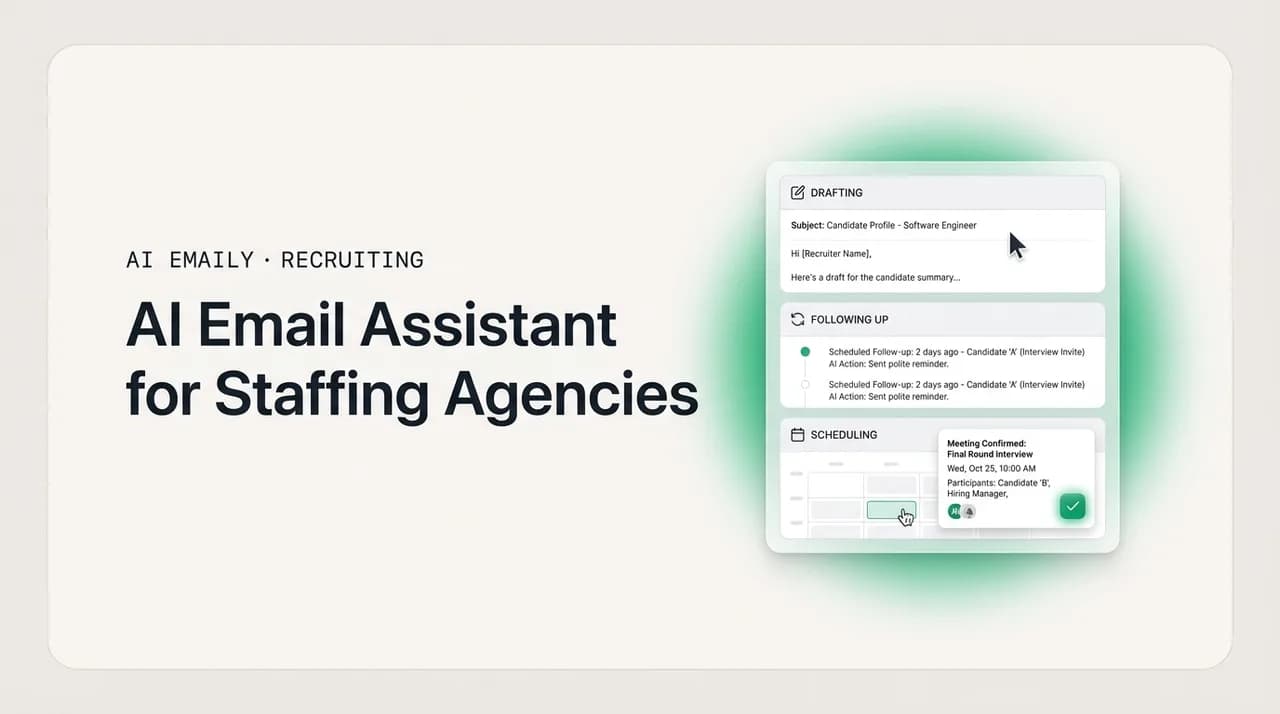
An AI email assistant for staffing agencies drafts candidate and client emails in your voice, chases follow-ups before they slip, and books interviews for you — so the repetitive volume stops competing with selling and closing. The best ones work across every provider, handle candidate data privately, complement your ATS rather than replace it, and always leave a human in control of what gets sent.
An honest guide to what an AI email assistant for staffing agencies actually does — draft, follow up, and schedule — how to evaluate one, and how AI Emaily fits alongside your ATS without replacing your judgment.
On this page
- 01What is an AI email assistant for staffing agencies?
- 02Why staffing desks feel the email problem so acutely
- 03What to look for in an AI email assistant for recruiters
- 04The three modes, mapped to how a recruiting desk actually runs
- 05The four jobs it does on a recruiting desk
- 061. Outreach follow-up
- 072. Interview scheduling
- 083. Candidate updates
- 094. Client updates
- 10Honest objections — and straight answers
- 11"Will it actually sound like me, or like a robot?"
- 12"Won't automated email hurt the candidate experience?"
- 13"I already have an ATS — where does this fit?"
- 14"What about candidate data, privacy, and EEO compliance?"
- 15Why AI Emaily fits a staffing desk
What is an AI email assistant for staffing agencies?#
An AI email assistant for staffing agencies is software that reads your inbox, understands the recruiting conversations happening inside it, and does the repetitive writing, chasing, and scheduling for you — the outreach follow-ups, the interview coordination, the candidate status updates, and the client check-ins that fill a recruiter's day but rarely fill a role by themselves. It is not a template library and it is not a sequencing tool that fires the same three emails at everyone. It is an assistant that drafts the specific reply this candidate needs, remembers that you promised the hiring manager a shortlist by Thursday, and nudges the three people who went quiet after their first interview.
The distinction matters because recruiting email is a volume problem wearing a quality costume. A full-desk recruiter is running dozens of open reqs, each one generating outreach, replies, scheduling threads, reference requests, offer logistics, and client updates. The math is brutal: every placement is buried under a mountain of near-identical messages that all have to sound personal, arrive fast, and never get dropped. The best candidates come off the market quickly — industry write-ups routinely put the window for in-demand talent at roughly ten days — so the recruiter who presents and schedules fastest tends to win the placement. But the same recruiter only has so many hours, and every hour spent typing "still interested?" for the fortieth time is an hour not spent selling a role or closing an offer.
That is the job an AI email assistant is built to absorb. It sits on the low-judgment, high-repetition end of your work — the drafting, the chasing, the calendar tetris — and hands the hours back so you can spend them on the parts of recruiting that actually require you: reading a candidate, managing a client relationship, negotiating an offer, deciding who to put forward. Used well, it does not make you a more automated recruiter. It makes you a more available one.
It helps to be precise about what "AI" means here, because the term is doing a lot of heavy lifting across the recruiting software market. Some tools slap an AI label on a mail-merge that swaps in a first name. What we mean — and what is worth paying for — is a system that reads the actual content of a thread, understands the state of the relationship (new lead, warm candidate, stalled interview, offer out), and produces a response that fits that specific situation in language that sounds like you wrote it. When it schedules, it reads the back-and-forth about availability and proposes real times, not a generic booking link dropped into every reply. When it follows up, it follows up on the thing that was actually left open, not a canned bump.
The rest of this guide is about how to tell a real assistant from a dressed-up autoresponder, how the work maps onto a recruiting desk, the honest objections you should raise before you trust one with candidate communication, and where AI Emaily fits — including the parts it deliberately leaves to you.
Why staffing desks feel the email problem so acutely#
Every knowledge worker complains about email, but recruiting is a special case, and it is worth naming why so the fix is aimed at the right thing. Three structural features of agency recruiting turn email from an annoyance into a genuine constraint on billings.
First, speed is the product. In contingency recruiting, you are usually not the only agency working a role, and the client often hires the first strong candidate presented, not the best one sourced. Average time-to-fill in the US market sits somewhere in the six-week range depending on the role, but the placement race is frequently decided in the first few days — by whoever gets a qualified shortlist and a scheduled interview in front of the hiring manager first. A follow-up that sits in your drafts overnight is not a minor delay; it can be the difference between a placed fee and a competitor's.
Second, the volume is relentless and mostly repetitive. A single placement can generate twenty or more emails across sourcing, screening, scheduling, feedback, references, and offer. Multiply that by an active req load and you are writing hundreds of messages a week, the large majority of which are variations on a handful of patterns: reach out, follow up, confirm a time, ask for a document, share an update. High-volume and light-industrial desks live at the extreme end of this — application acknowledgments, screening questions, and shift confirmations that go out hundreds of times a month, each one trivially easy and collectively enormous.
Third, the cost of dropping a thread is invisible until it is expensive. When a candidate goes quiet after an interview and nobody follows up, there is no error message — the placement just quietly does not happen, and you often never learn why. Candidate ghosting, missed nudges, and forgotten client updates do not show up as failures in any dashboard; they show up as a slightly lower fill rate at the end of the quarter. This is precisely the kind of loss an assistant that tracks open loops is designed to prevent, because it never gets tired, distracted, or busy with a hotter req.
The real competitor is your own calendar
What to look for in an AI email assistant for recruiters#
Not every tool marketed to recruiters is worth a seat, and the differences are easy to miss in a demo. Before you connect an assistant to your mailbox, run it against the checklist below. These are the criteria that separate a genuine assistant from a glorified template engine, drawn from the specific realities of an agency desk rather than generic productivity claims.
| What to look for | Why it matters on a staffing desk | Weak sign vs. strong sign |
|---|---|---|
| Writes in your voice | Candidates and clients can tell a form email from a real one; generic AI copy erodes the personal brand that wins referrals and repeat business. | Weak: one house style for everyone. Strong: learns from your sent mail and matches your tone per relationship. |
| Reads the whole thread | A follow-up has to reference what was actually said — the role, the objection, the availability — not a canned bump that ignores context. | Weak: template with a merged name. Strong: drafts that quote the real open loop in the conversation. |
| Tracks open loops across the inbox | The placements you lose are the threads that went quiet; the assistant has to notice silence and surface it before it costs a fee. | Weak: you set every reminder manually. Strong: it flags stalled candidates and clients on its own. |
| Real scheduling, not just a link | Interview coordination across candidate, hiring manager, and panel is where days leak; a booking link pushed onto busy execs often stalls. | Weak: pastes one calendar link everywhere. Strong: reads availability and proposes concrete times both sides can take. |
| Works across every provider | Recruiters run Gmail, Outlook, and shared agency inboxes; an assistant locked to one provider leaves half your comms unmanaged. | Weak: Gmail-only. Strong: Gmail, Outlook, iCloud, Fastmail, Proton, and any IMAP account in one place. |
| Human approval before send | Candidate and client relationships are too valuable to hand to unattended automation on day one; you need a review gate. | Weak: sends silently with no review. Strong: stages drafts for one-click approval, with autonomy you switch on deliberately. |
| Undo and an audit trail | When an assistant acts on your behalf, you need to see exactly what it did and reverse anything that was wrong. | Weak: fire-and-forget. Strong: every action logged and reversible. |
| Private handling of candidate data | Candidate emails contain personal and sometimes sensitive information; how it is stored, and whether it trains a model, is a real question. | Weak: vague on data use. Strong: encrypts data, does not train on your mail, offers bring-your-own-key. |
| Complements your ATS | You already run Bullhorn, Loxo, or similar; a tool that fights your system of record adds work instead of removing it. | Weak: wants to be a second CRM. Strong: lives in the inbox and leaves the ATS as the source of truth. |
The single most important line in that table is human approval before send. A recruiting desk is a relationship business, and the fastest way to damage a relationship is to let unattended software send a tone-deaf message to a senior candidate or a client. The right assistant defaults to preparing work for you and only sends on its own where you have explicitly decided it is safe — application acknowledgments and routine confirmations, say, rather than an offer negotiation. That principle is baked into how AI Emaily's three modes work, which is the next thing to understand.
The three modes, mapped to how a recruiting desk actually runs#
AI Emaily runs on three modes — Manual, Copilot, and Autopilot — and the useful way to think about them is not as feature tiers but as a trust dial. You decide how much of the repetitive work the assistant handles and how much you keep your hands on, and you can set that differently for different kinds of email. A retained executive search desk will live mostly in Copilot; a high-volume light-industrial desk will push routine categories all the way to Autopilot. Here is what each mode does and where it fits on a recruiting desk.
| Mode | What it does | Where it fits on a recruiting desk |
|---|---|---|
| Manual | You drive. The AI assists on demand — a summary of a long client thread, a search across your inbox, a draft when you ask for one. Nothing happens unless you trigger it. | The default for anything high-stakes or confidential: an offer negotiation, a sensitive counter, a first note to a passive executive candidate. You want the assist, but every word is yours. |
| Copilot | It prepares, you approve. Triage, drafts in your voice, and proposed interview times are ready and waiting when you open the inbox. One click to send. Nothing leaves without you. | The everyday workhorse for most recruiters. Your morning inbox arrives pre-triaged with follow-ups and candidate updates already drafted; you skim, tweak, and approve in minutes instead of writing each one from scratch. |
| Autopilot | It acts within rules you set. For the categories you designate, the agent sends, schedules, and closes loops on its own — every action reversible and logged in a full audit trail. | The relentless, templated volume that is safe to automate: application acknowledgments, screening-question sends, interview confirmations, and 'still interested?' nudges. The exact repetitive work a high-volume desk wants gone. |
The point of the dial is that you are never forced into more autonomy than you are comfortable with, and you are never stuck doing work a machine should handle. A boutique agency owner can set Autopilot for the whole team's application acknowledgments while keeping every candidate-facing draft in Copilot for a human to approve — standardizing the routine stuff without letting the personal stuff go unattended. A solo full-desk recruiter can run Copilot across the board to get their evenings back, then flip on Autopilot for the one or two categories they never want to think about again.
Crucially, the modes are reversible and observable. Autopilot in AI Emaily is bounded — it acts only within the rules you set — and every autonomous action is logged and can be undone. You are not handing over your inbox and hoping; you are delegating specific, defined work and keeping a receipt for all of it. That undo-and-audit story is what makes it responsible to automate candidate communication at all, and it is why the mandatory human-approval gate on sends is the starting default rather than an afterthought.
Start in Copilot, earn your way to Autopilot
The four jobs it does on a recruiting desk#
Abstract capabilities are hard to evaluate, so here is the concrete work an AI email assistant handles on a staffing desk, in the four categories that eat the most time. For each, it is worth being honest about what the assistant does well and where your judgment still has to lead.
1. Outreach follow-up#
Follow-up is where placements are won and lost, and it is also the most tedious thing a recruiter does. A candidate replies with mild interest and then goes quiet. A passive prospect opens your note twice and never answers. A client asks for one more profile and you mean to send it tomorrow. None of these are hard; all of them are easy to drop when you are running thirty reqs.
The assistant's job here is to never let a warm thread go cold by accident. It watches for the silence — the candidate who has not replied in four days, the prospect who is one nudge away from a call — and stages a follow-up that references the actual conversation, not a generic bump. Because it drafts in your voice and pulls the real context of the thread, the 'still interested?' message reads like you wrote it at 9 a.m., not like a sequence firing on a schedule. In Copilot you approve each one; in Autopilot the routine nudges go out on their own within your rules.
What it does not do — and should not — is decide who is worth chasing. Whether a candidate is right for the role, whether a client relationship warrants a personal call instead of an email, whether to push harder or let a lead go: those are recruiting judgments the assistant leaves to you. It removes the friction of remembering and typing, not the thinking.
2. Interview scheduling#
Scheduling is the classic recruiting time-sink: a three-way negotiation between a candidate, a hiring manager, and sometimes a panel, conducted over email, across time zones, while everyone's availability shifts. A single interview can take four or five messages to pin down, and every hour of delay is an hour the candidate could be booked by someone else.
A capable assistant reads the availability that is already being discussed in the thread and proposes concrete times that work, rather than dropping a booking link and hoping a busy hiring manager clicks it. It handles the confirmations, the reschedules, the 'can we push to Thursday' churn, and the reminder the day before. On a high-volume desk, interview confirmations are exactly the kind of templated, safe message you can move to Autopilot and stop thinking about entirely.
The honest caveat: scheduling automation is only as good as the calendar and availability data it can see, and complex panel interviews with senior stakeholders sometimes still need a human to broker. The assistant handles the ninety percent that is pure coordination and hands you the ten percent that needs a phone call.
3. Candidate updates#
Candidates remember how you treated them, and the number one complaint in every candidate-experience survey is silence — being left in the dark after an interview, never hearing back on a decision, being ghosted by the person who was chasing them a week earlier. Consistent updates are one of the highest-leverage things a recruiter can do for their reputation and referral pipeline, and they are almost always the first thing to slip when the desk gets busy.
This is a natural fit for an assistant. 'You are moving to the next round,' 'the client is still deciding, here is the timeline,' 'we are going another direction this time, and here is honest feedback' — these updates are templated in structure but need to land personally, and they need to actually go out. The assistant drafts them in your voice, keyed to where each candidate actually is in the process, and makes sure the update happens rather than getting lost. Reducing candidate ghosting is, at its core, a follow-through problem, and follow-through is exactly what an assistant that tracks open loops is good at.
Where you stay in control: the substance of a rejection, the honesty of feedback, the decision to keep a strong candidate warm for a future role. The assistant makes it effortless to communicate consistently; it does not decide what you communicate.
4. Client updates#
Clients hire the agency that keeps them informed. A hiring manager who gets a crisp Monday update — 'three candidates screened, two interviews scheduled, one offer pending' — trusts you with the next req. One who has to email you asking for a status is already shopping for a second agency. But writing those updates, pulling together the state of each search across a book of clients, is exactly the kind of synthesis work that gets postponed.
The assistant can draft client status updates from the state of the conversations in your inbox, summarize a long or messy thread before you reply, and keep the tone consistent and professional across your whole client base. For a boutique agency owner, this is also a standardization play: instead of each recruiter's client comms varying in quality and voice, the assistant helps the whole team send on-brand, timely updates, which is one of the quiet advantages AI-adopting agencies report over their peers.
The judgment that stays with you: what to actually tell a client and how to frame a search that is not going well. An assistant can draft the update, but deciding how to manage a difficult client conversation — when to reset expectations, when to push back on an unrealistic req — is the relationship work that is your actual value. It handles the reporting so you have time for the relationship.
The pattern across all four
Honest objections — and straight answers#
If you have been recruiting for any length of time, you are rightly skeptical of software that promises to write your emails. The objections below are the real ones we hear from working recruiters, and they deserve straight answers rather than marketing. Here is where the technology genuinely helps, and where you should keep your expectations grounded.
"Will it actually sound like me, or like a robot?"#
This is the objection that matters most, because a follow-up that reads like generic AI copy is worse than no follow-up at all — it signals to a candidate or client that they are one of many, which is the opposite of what recruiting relationships need. The honest answer is that voice-matching has come a long way and is now the difference between a tool worth using and one that is not.
AI Emaily learns how you actually write from your own sent mail and drafts in your voice rather than a house style, and it pulls the real context of each thread so the message references the specific conversation, not a template. That said, keep your expectations honest: it produces a strong first draft, not a mind-reading final word. In Copilot you review every send, so the safety net is built in — you catch the rare draft that misses your tone before it goes out. Over a couple of weeks of light edits, the drafts get closer to how you would have written them, and you find yourself changing less and less. It is an assistant, not a clone, and reviewing its work is a feature, not a failure.
"Won't automated email hurt the candidate experience?"#
It can, if you point it at the wrong things — which is exactly why the human-approval gate exists. The failure mode everyone fears is an unattended bot sending a cold, mistimed, or plainly wrong message to a candidate, and that is a real risk with tools that send silently on day one. The answer is not to avoid automation; it is to automate the right layer.
Handled well, an assistant improves candidate experience rather than harming it, because the biggest candidate-experience failure by far is silence — the follow-up that never came, the update after an interview that never landed. An assistant that reliably sends timely, personal-sounding updates is directly fixing the thing candidates complain about most. The trick is the trust dial: keep genuinely personal moments in Manual or Copilot, where you approve every word, and only move the truly routine, welcome messages — application received, interview confirmed — to Autopilot. Done that way, candidates get more consistent communication from you, not less human contact.
"I already have an ATS — where does this fit?"#
This is the right question, and the honest answer is that an AI email assistant is not a replacement for your applicant tracking system and should not try to be. Bullhorn, Loxo, and their peers are your system of record — the candidate database, the pipeline stages, the compliance backbone. That is not what an inbox assistant does.
AI Emaily lives where your ATS is weakest: the actual email conversations happening in your inbox, the drafting and following-up and scheduling that your ATS logs but does not do for you. Most ATS platforms are strong at storing what happened and weak at making the next message effortless to send well. The two are complementary — the ATS stays your source of truth for candidate records and pipeline, and the assistant makes the communication layer on top of it fast and consistent. If a tool asks you to abandon your ATS and run your desk out of a new system, be skeptical; the one that respects your existing system of record and just makes the inbox better is the safer bet.
"What about candidate data, privacy, and EEO compliance?"#
Candidate emails contain personal information and sometimes sensitive details, so how an assistant handles that data is a fair and important question. Here is the straight version of how AI Emaily approaches it, with no overclaiming.
On data handling: AI Emaily does not train models on your email, runs cloud inference on a zero-retention basis with providers, and encrypts your data in transit and at rest. OAuth tokens and any keys you provide are envelope-encrypted and never logged. For teams that want the strongest control, the Autopilot and Team plans support bring-your-own-key — you run the AI on your own provider account — and there is an on-device option for sensitive triage and drafting. Candidate data is handled privately; it is not fuel for a shared model.
On compliance, we will be honest rather than make promises we cannot keep: AI Emaily is an email assistant, not an EEO or employment-law compliance product. It does not adjudicate hiring decisions, screen candidates for suitability, or replace the legal and regulatory obligations that sit with your agency. It drafts and sends the communications you direct, with a human approval gate and a full audit trail of every action, which supports good record-keeping — but your agency remains responsible for fair-hiring practices, required disclosures, and compliance with the laws in your jurisdictions. The right way to use it is as a drafting and coordination assistant under your oversight, not as an autonomous decision-maker about candidates. Any vendor that claims their AI 'handles compliance for you' is overselling; treat that as a red flag.
What we do not promise
Why AI Emaily fits a staffing desk#
Plenty of tools do a slice of this — a sequencer for outreach, a scheduler for interviews, an AI reply button bolted onto Gmail. What makes AI Emaily a fit for agency recruiting specifically is that it brings the whole communication layer into one place and puts you in control of how autonomous it is, provider by provider and category by category.
It is a full email client, not a plugin, so it manages every conversation on your desk rather than one channel. It connects to Gmail, Outlook, iCloud, Fastmail, Proton, and any IMAP account, which matters because recruiters rarely live in a single inbox — there is your personal work address, a shared agency inbox, maybe a client-specific one. It drafts in your voice, tracks the open loops across all of it so warm threads do not go cold, and proposes real interview times instead of pushing a link. The three modes let a solo recruiter get their evenings back in Copilot while a boutique owner standardizes routine sends across the team in Autopilot. And the whole thing runs on the principle that a human approves anything that matters before it goes out, with undo and a full audit trail on every action the agent takes.
Underneath the inbox, AI Emaily works as an autonomous chief of staff — triaging, drafting, following up, and reporting back — so the repetitive volume stops competing with the selling and closing that actually grows your billings. It complements the ATS you already run rather than fighting it. And it is honest about its limits: it is an assistant for the communication layer, not a replacement for your judgment, your relationships, or your compliance obligations.
- 1
Connect your inboxes
Add your Gmail, Outlook, iCloud, Fastmail, Proton, or IMAP accounts — including shared agency inboxes — so every candidate and client conversation lives in one unified place instead of scattered across providers.
- 2
Let it learn your voice
AI Emaily learns from your sent mail so drafts come back sounding like you, not like generic AI copy. A few days of light edits and the follow-ups read the way you would have written them.
- 3
Run everything in Copilot first
Start with drafts staged for your approval across the board. Your morning inbox arrives pre-triaged with follow-ups, candidate updates, and interview times ready — you skim, tweak, and send in minutes.
- 4
Move routine categories to Autopilot
Once you are approving a category — application acknowledgments, interview confirmations, 'still interested?' nudges — without changing a word, flip that category to bounded Autopilot and stop thinking about it. Everything stays reversible and logged.
- 5
Keep the high-stakes work in Manual
Offer negotiations, sensitive candidate conversations, difficult client resets — keep these in Manual, where the AI assists on demand but every word is yours. Give the machine the volume; keep the judgment.
The result a well-run desk feels within a couple of weeks is not a more robotic recruiting process — it is a more present recruiter. The follow-ups go out on time. The interviews get scheduled the same day. Candidates hear back. Clients get their Monday update. And the hours those things used to consume go back into the conversations, the sourcing, and the closing that no assistant can do for you. That is the trade an AI email assistant for staffing agencies is really offering: not fewer humans in the loop, but more human time where it counts.
You can try it free at app.aiemaily.com/signup. The Free plan is genuinely free — no card required — with one connected account and enough AI credits to see the agent draft, follow up, and schedule on a real thread. Pro is $12.42 per month on the annual plan when you want more accounts and more credits; Autopilot and Team add bring-your-own-key to remove AI limits entirely.
Frequently asked
See it in AI Emaily
Keep reading
Sources

Written by
Nafiul HasanNafiul Hasan is an entrepreneur and AI automation system builder with 10+ years of experience turning messy, manual workflows into reliable automated systems. He designs and ships AI enterprise solutions end-to-end — the agent logic, the data plumbing, and the product people actually use — and founded AI Emaily to give busy professionals their attention back. He writes here from the builder's seat: what works, what breaks, and how to put AI to work without giving up control.